

Free Downloadable Training Matrix Template

Building a training matrix from scratch takes time. To make it easier, we’ve put together a downloadable free employee training matrix template that’s ready to use straight away. It’s a Google Sheets template, so there’s nothing to install and no special software required. Everything needed to start tracking employee training across the organisation is already built in.
Core Components of a Training Matrix for Employees
People
The employees whose training requirements are being tracked. A training matrix often includes data for a whole workforce, with records for individual employees’ roles. This lets organisations filter the matrix to view an individual, team, or department. They can then spot training gaps at each of these levels.
Training Requirements
The training programs, licences, and certifications employees need to complete or hold. Each requirement usually sits in its own column. Requirements are often grouped by type, including:
- Statutory training. Required by law or regulation. This includes training for a High Risk Work Licence (HRWL).
- Mandatory training. Required by the organisation’s own policies, such as induction, onboarding, or safety modules. Many sites also require a verification of competency (VoC) before workers operate equipment.
- Optional training. Elective modules that support development and career goals.
For example, a company-wide matrix might include site inductions, code of conduct, and fire safety. A warehouse team matrix might add forklift licences, first aid, and manual handling.
Training Status
Training status shows where each employee stands against each requirement. It appears in the cell where a person and a requirement meet. Common statuses include Completed, In Progress, Not Started, Overdue, and Not Required. These could be shown as text, colours, symbols, or combinations of them.
For example, a cell that reflects overdue training could contain a red ‘Overdue’ label, reflect a red ‘X’, or have a red clock symbol.
Currency
Currency tracks whether completed training is still valid. Licences, first aid certificates, and refresher training all have renewal cycles. A training matrix records completion dates and expiry dates for these requirements.
For example, a cell might show “Expires 14 Oct” or “Due in 30 days”. This gives organisations time to schedule refresher training before a requirement lapses.
Who Uses a Training Matrix?
- HR teams. Use a training matrix to manage training records across the workforce. They also use it to plan and track onboarding for new starters.
- L&D teams. Use the matrix to identify gaps in training coverage and prioritise delivery. They also use it to build training plans, L&D budgets, and calendars.
- Team leaders. Use a training matrix to see who in their team is overdue or due for renewal. This helps them plan rosters and workloads.
- Business leaders. Use the matrix to get a high-level view of training compliance across the organisation. This can guide workforce planning and decisions on training investment.
- Compliance managers. Use a training matrix to confirm workers hold current licences and certifications. It can also act as evidence during audits.
- Employees. Use the matrix to check their training status and upcoming renewals. They can also see where further training could support their career progression.
Benefits of a Training Matrix for Employees
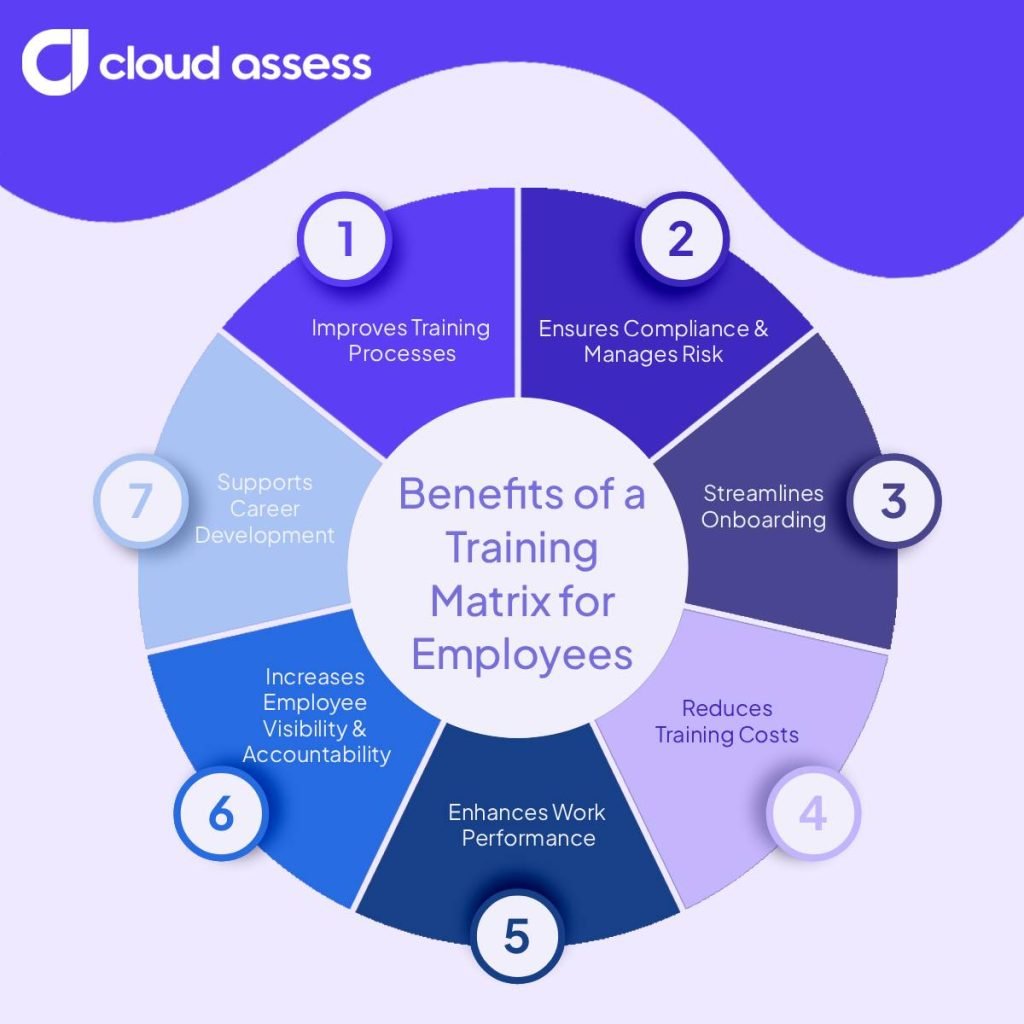
1. Improves Training Processes
This visibility matters more as organisations increase their training investment. The World Economic Forum’s Future of Jobs Report found that 85% of employers plan to invest in upskilling as their primary workforce strategy through to 2030. 63% already identified skills gaps as the biggest barrier to business transformation. With training under more scrutiny than ever, optimising how it is managed is not optional.
Training matrices improve training processes by giving HR managers a clear view of the most urgent training needs at any given time. This makes it straightforward to prioritise and deliver training when it’s needed. A training matrix also prevents redundant or unnecessary training by reflecting the current status of all requirements. This ensures resources are directed where they are actually needed.
2. Ensures Compliance and Manages Risk
A training matrix shows organisations which employees hold required licences and certifications. For many businesses, keeping on top of compliance training is one of the most high-stakes aspects of workforce management. Regulatory requirements vary across industries, but the consequences of non-compliance are consistently serious. They can include financial penalties, legal liability, and reputational damage. In some sectors, ineffective training can also pose a direct risk to employees and public safety.
A safety and compliance training matrix gives organisations a reliable way to manage this. Mapping compliance training requirements against individual employees helps organisations ensure the right people are assigned to tasks and roles. Some industries often carry mandatory and statutory training obligations tied to licences, certifications, and safety standards. For example, forklift, crane, and scaffolding work all require a current HRWL. Many mining and construction sites also require a VoC before workers operate a plant. A training matrix ensures these obligations are visible and actively managed rather than left to chance.
Work Health and Safety (WHS) laws also require businesses to train workers adequately. Regulators and principal contractors can ask for training records during audits or investigations. A training matrix gives organisations those records in one place.
Beyond regulatory compliance, a training matrix also supports broader risk management. When training records are current and accessible, organisations are better positioned to demonstrate due diligence and respond to audits. They are able to reduce the likelihood of incidents caused by undertrained staff.
3. Streamlines Onboarding

A training matrix gives organisations a clear onboarding plan for every role. Getting new employees up to speed quickly is a priority for most businesses. But without a clear structure in place, employee onboarding training can be inconsistent and difficult to track.
A training matrix removes that uncertainty. By mapping out all required training for each role from the start, it gives HR managers and team leaders a clear picture of what a new employee needs to complete and by when. This ensures onboarding is consistent across the organisation, regardless of who is managing the process or which team the new employee is joining.
With a training matrix in place, nothing gets missed. Mandatory training, role-specific requirements, and compliance obligations are all visible from day one. This gives new employees the foundation they need to perform in their roles. It reduces the risk of gaps that could otherwise go unnoticed for months.
4. Reduces Training Costs
Training is a significant investment, and needs to be managed carefully to deliver value. Without clear visibility over what training has already been completed, organisations risk spending where it isn’t needed. Redundant, poorly timed, or misaligned training quietly drains budgets without delivering results.
A training matrix helps control training costs by ensuring training decisions are based on accurate, up-to-date information. Duplicate training is avoided, and resources are directed to genuine gaps. Training delivery can be planned and scheduled efficiently rather than reactively. Over time, this structured approach reduces waste and ensures the organisation gets the most out of its learning budget.
5. Enhances Work Performance
Without adequate training, employees are unlikely to reach their full potential. As a result, productivity across the organisation suffers. The reverse is equally true. When employees have the right training in place, they are better equipped to perform in their roles.
A training matrix supports performance by ensuring that training gaps are identified and addressed. With more employees receiving relevant training, the overall capability of the workforce improves. This is particularly evident in high-risk environments. Structured training matrices in areas such as Health, Safety, and Environment can directly reduce workplace incidents caused by inadequate staff awareness and competency.
Beyond immediate performance gains, the long-term effects of consistent training management extend further. A workforce that is regularly and adequately trained develops a stronger capacity for problem-solving, adaptability, and innovation over time.
6. Increases Employee Visibility and Accountability
A training matrix gives organisations a clear, consolidated view of every employee’s training status at any given time. This transparency supports accountability at every level.
Managers can monitor training progress across their teams without relying on self-reporting or manual follow-up. Employees, aware that their training status is actively tracked, are more likely to stay on top of their requirements. At an organisational level, leadership has the data needed to identify patterns and address systemic gaps. They can also make informed decisions about training priorities.
7. Supports Career Development
Organisations can use a training matrix to track training for current and future roles. A training matrix is not limited to the training required for an employee’s current role. It can also capture the training needed to support their career mobility within the organisation. Employees with specific career goals often have specific training needs to match. A training matrix makes those needs visible and manageable.
By mapping out development-focused training alongside mandatory requirements, HR managers gain the data they need to have meaningful career conversations. This makes it straightforward to build tailored employee development plans for individual employees. Over time, this helps employees identify and pursue growth opportunities within the organisation. It also helps HR and L&D teams with strategic workforce planning.
Examples of a Training Matrix
Example of a Company-Wide Training Matrix for Employees
A company-wide training matrix gives organisations a high-level view of training completions and gaps. It covers employees across every team and role. It typically tracks training that applies to everyone, such as statutory and mandatory requirements.
Organisations often use this view as a starting point for general training programs. Optional training can also support workforce and succession planning. It shows which employees are training beyond their current role requirements.

Example of a Team-Based Training Matrix
A team-based training matrix narrows the view to a single team within an organisation. It helps companies confirm that each team member meets their specific training requirements. For example, a warehouse team’s statutory training differs substantially from a corporate team’s.
Organisations often use this view to track new hires’ progress through onboarding or to create targeted employee development plans. Team leaders can also use it when planning rosters, such as ensuring a trained first aider is on every shift, regardless of role.

Example of a Role-Based Training Matrix
A role-based training matrix narrows the view to employees who share a function. This provides organisations with insight into role-specific training compliance, including licences and equipment-specific training.
Companies often use this view to prepare for audits and plan licence renewals and refresher training. Managers can also use optional training to see who is working towards a team leader position.

Example of a Training Matrix for Safety and Compliance
A safety and compliance training matrix tracks training tied to legal and safety obligations. It brings together statutory training and safety-related internal requirements across every team and role. This includes HRWL expiry dates, VoC records, and site inductions.
WHS managers often use this view to report on safety compliance across the business. It also helps them identify and address important gaps, such as overdue statutory training. This helps organisations manage risk and stay audit-ready.

How to Create and Implement a Training Matrix for Employees

1. Conduct a Training Needs Analysis
A training needs analysis is the essential starting point for building an effective training matrix. It identifies the training needs of individual employees, teams, departments, and the organisation as a whole.
Start by gathering information about your employees’ current capabilities, skills, and knowledge. This may involve various types of assessments, performance reviews, manager input, or a combination of all three. Once you’ve collected this information, compare it against what is required to meet organisational goals and identify the gaps.
Where gaps exist, the required training becomes a direct input into the training matrix. Where no gaps exist, the focus can shift to future skill development.
5. Get Stakeholder Approval

Before the matrix is rolled out, it needs to be signed off by the relevant stakeholders. This includes senior leadership, department heads, or anyone responsible for training budgets and resources. Present the matrix alongside any changes it requires. Examples include new employee training programs and modifications to existing ones. It can also include additional resources needed to address identified gaps.
A structured conversation at this stage ensures alignment across the organisation. It reduces the risk of delays or pushback later in the process.
6. Notify Trainers and Employees
The next step is to brief everyone involved in delivering and completing the training.
For existing trainers, this means walking them through the matrix. It also means clarifying any changes to current training programs. For new trainers brought in to cover newly identified requirements, confirm availability and fees before finalising arrangements.
Once training delivery is confirmed, employees need to be informed of the training they are required to complete. Be clear about what is mandatory, when it needs to be done, and how it will be delivered. Where assessments are handled separately from training, the same process applies to assessors. The same process also applies to any assessment systems that have been updated or created as a result of the matrix.
7. Launch and Maintain the Matrix
With everything in place, the matrix is ready to go live. Before launching, do a final check to ensure all information is accurate and up to date. Also check that any urgent actions identified during the build process have been resolved.
Once live, maintaining the matrix becomes an ongoing responsibility. Where the matrix is integrated with existing training programs and assessment systems, updates should happen automatically. In this case, regular reviews are still recommended to confirm the matrix is tracking correctly.
Where manual updates are required, assign clear ownership so there is always someone accountable for keeping the matrix current. Establish a review schedule, quarterly works well for most organisations, though high-growth teams may need monthly check-ins. Ensure updates are made promptly when training is completed, requirements change, or new employees join the organisation.
8. Evaluate Matrix Effectiveness
Launching the matrix is not the final step. Like any business tool, its effectiveness needs to be reviewed on a regular basis to ensure it is delivering value.
When evaluating the matrix, consider the following questions:
- Are the capabilities, skills, and knowledge of employees visibly improving over time?
- Are the professional development needs of employees being identified and met?
- Are the training programs informed by the matrix helping the organisation meet its broader goals?
- Is the matrix being maintained consistently and accurately?
Where the answers highlight shortcomings, treat them as an opportunity to refine both the matrix and the training programs it supports. A training matrix should evolve alongside the organisation, not remain static once it has been built.
Using Technology to Manage Your Employee Training Matrix

- Training Matrix Software. Dedicated platforms for building and managing training matrices digitally. Organisations can assign training requirements by role, team, or individual. They can then track completions, expiries, and renewals in one place, without maintaining spreadsheets.
- Learning Management Systems (LMS). A dedicated platform for managing, delivering, and tracking training. Many LMS platforms include built-in training matrix functionality. Employee learning status updates automatically as training courses are completed. Upcoming renewals and overdue requirements are flagged without manual input.
- Skills Management Software. Platforms that focus on mapping and tracking employee skills and competencies. When integrated with a training matrix, they link training completion to actual skill development. This provides a more complete picture of workforce capability over time.
- HR Information Systems (HRIS). A centralised platform for managing employee data across the organisation. Connecting training matrix data to an HRIS makes it easier to manage training requirements alongside job roles, tenure, and performance information.
The right solution will depend on the size of the organisation, the complexity of its training requirements, and the systems already in place.
How Cloud Assess Can Help You Manage Your Training Matrix
Building and maintaining a training matrix is much simpler with the right platform in place. Cloud Assess is an LMS and skills management platform that integrates with existing HR systems. This means it brings training delivery, tracking, and matrix management into a single solution. The platform comes with a built-in training matrix. Training requirements, completion status, and compliance gaps are all visible in one place. The platform also offers automated expiry alerts. These allow organisations to see upcoming renewals before they become a compliance issue.
Cloud Assess provides real-time reporting and automated record updates. These give managers an accurate picture of every employee’s status. As employees complete courses and assessments, the matrix updates automatically. This enables organisations to keep records current without manual input.
For organisations looking for a single solution that covers the full training matrix lifecycle, Cloud Assess brings it all together.



