Every qualification a Registered Training Organisation (RTO) issues depends on its assessment tools. Every competency decision made with them needs to stand up to scrutiny from learners, employers, and regulators. A well-built tool gives assessors a clear basis for each decision and leaves the RTO with evidence of how it was reached.
The Standards for RTOs 2025 expect assessment to be fit for purpose, consistent, and backed by valid evidence. When assessment tools fall short, judgements vary between assessors, and gaps often go unnoticed until an audit.
In this article, we explore:
- What an assessment tool means for RTOs
- How it differs from assessment systems and instruments
- Importance of assessment tools in Vocational Education and Training (VET)
- Core components of an assessment tool
- Types of tools that training providers use
- Steps for designing effective assessment tools
- Challenges when implementing and developing tools
- Software that supports RTO assessment tools and processes

What is an Assessment Tool?
An assessment tool is the set of materials an RTO uses to judge whether a learner is competent in a unit of competency. It includes the tasks and instruments that gather evidence, the conditions assessment takes place under, and the criteria assessors use to make a decision. Each tool puts the RTO’s wider assessment system into practice, so every learner is assessed against the same standard.
The Standards for RTOs 2025 require providers to review assessment tools before use. The review confirms each tool meets the Principles of Assessment and Rules of Evidence. Once in use, regular validation checks tools still align with the unit’s requirements. Where a tool falls short, the findings feed into the RTO’s continuous improvement.
How Does an Assessment Tool Differ From an Assessment System or Assessment Instrument?
An assessment system is the collection of policies, procedures, and assessment tools an RTO uses. The system keeps competency judgements valid and consistent across the organisation.
An assessment tool puts the assessment system into practice for one unit of competency. Each tool sets the assessment conditions, the instruments used, and the criteria for competency. Tools can look very different from one unit to the next.
An assessment instrument is the specific item used to gather evidence from a learner. Examples include observation checklists, written questions, and third-party reports.
For example, a first aid unit might use an observation checklist as its instrument. The checklist lists the tasks the assessor must see, such as performing CPR. The assessment tool sets the conditions, such as using a manikin on the floor. The tool also states what counts as satisfactory performance and how results are recorded. The assessment system covers rules around that judgement, like reassessment, appeals, and validation.
Why Do Assessment Tools Matter For RTOs?
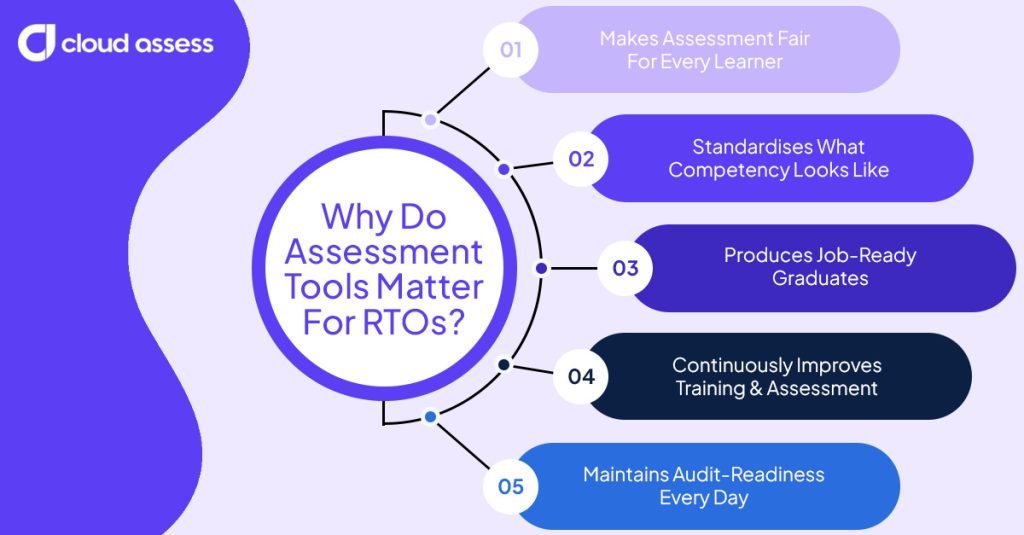
Makes Assessment Fair For Every Learner
Strong assessment tools give RTOs, trainers, assessors, and learners a clear picture of what’s expected. Trainers and assessors can track each learner’s progress and offer targeted support where needed. Well-developed tools also show where assessment can adapt to suit different learning styles. They also identify which reasonable adjustments support learners with disabilities without compromising the competency standard.
Standardises What Competency Looks Like
An assessment tool sets one benchmark for competency in each unit. Each tool provides clear marking guides that keep judgements consistent, regardless of which assessor makes them. Every learner faces the same criteria, whatever path they took to get there. That consistency supports processes like Recognition of Prior Learning (RPL). An RPL candidate’s existing skills are measured against the same requirements as someone who has just completed training. They gain recognition where they’re already competent, then complete training to close any gaps before certification.
Produces Job-Ready Graduates
RTOs review their assessment tools with industry input, so each tool reflects current workplace practice and the real role requirements. This ensures learners are assessed on the tasks they’ll actually perform at work, not just the theory behind them. Certification backed by these tools shows a graduate has demonstrated job-ready skills, which strengthens the RTO’s reputation in the sector. Employers can see that the RTO’s assessments reflect their own workplaces, which builds trust in its graduates and strengthens the RTO’s reputation in the sector.
Continuously Improves Training and Assessment
Assessment results give RTOs a clear view of how well their training prepares learners. Patterns across results show the units where learners regularly struggle. Trainers can use those insights to adjust their teaching strategies, while assessors can spot methods or instruments that would gather clearer evidence. Assessment validation also helps RTOs evaluate whether whole programs are producing consistent outcomes. Findings from results and validation feed back into the tools themselves, so assessment keeps improving over time.
Maintains Audit-Readiness Every Day
Well-designed assessment tools build compliance into every assessment an RTO conducts. Each tool is mapped to its unit and aligned with the 2025 Standards, so assessors record evidence in the required format as part of normal practice. RTOs then have compliant evidence on hand throughout the year, rather than pulling it together before an audit.
What Are the Core Components of an Assessment Tool?
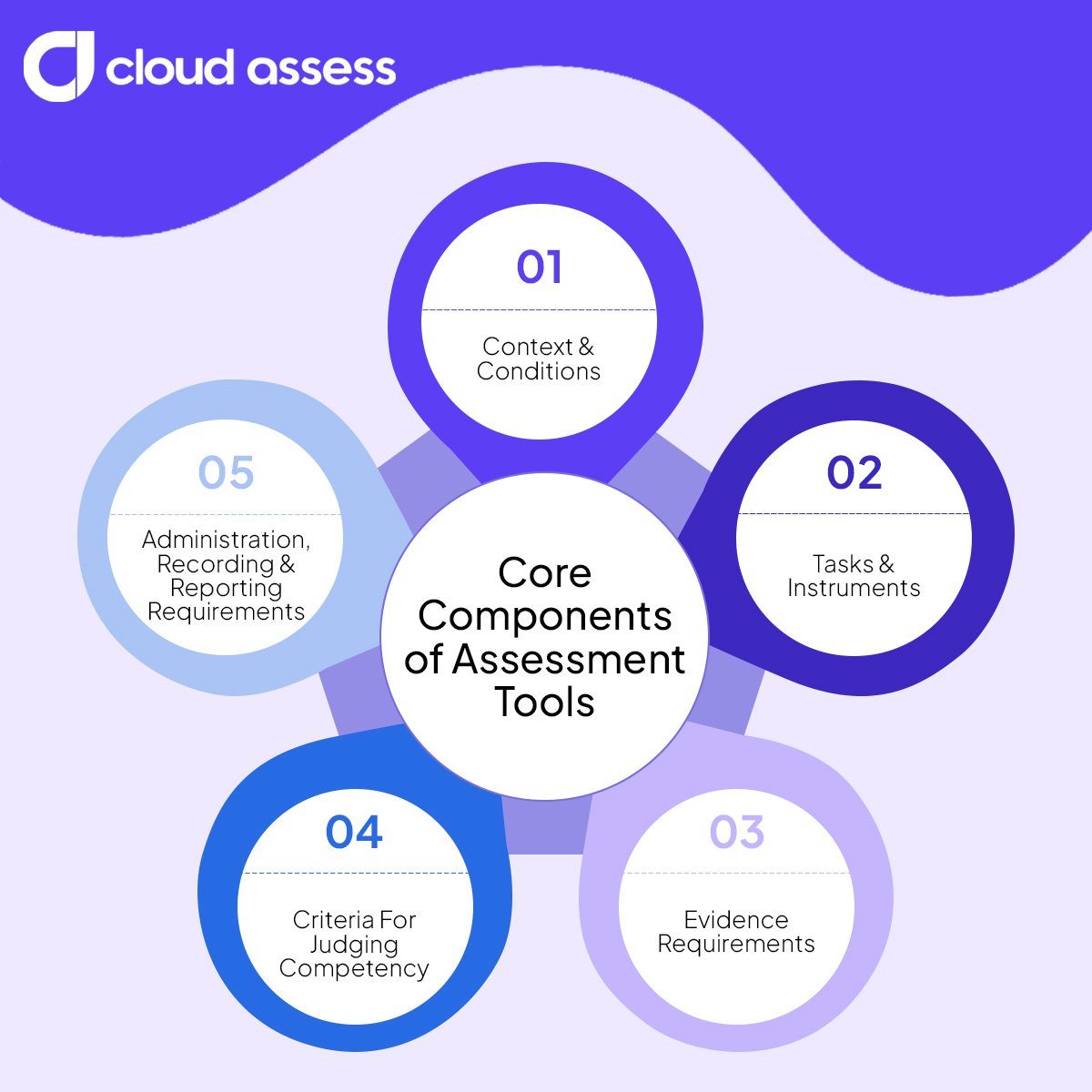
Context and Conditions of Assessment
Context and conditions describe where, how, and under what circumstances assessment takes place. They cover factors like the equipment learners need, whether assessment happens in a real or simulated workplace, and any time limits.
Assessment Tasks and Instruments
Assessment tasks are the activities learners complete to show their skills and knowledge, such as practical demonstrations, written questions, or projects. Each task is delivered through an instrument, like an observation checklist or question set, that captures the learner’s response.
Evidence Requirements
Evidence requirements outline the types of evidence learners need to provide, such as photos, videos, written responses, logbooks, or third-party reports completed by a workplace supervisor. They also set out how much evidence is needed for each task, and how recent it must be. All evidence must meet the Rules of Evidence, which require it to be valid, sufficient, authentic, and current.
Criteria for Judging Competency
Competency criteria are the benchmarks assessors use to decide whether a learner is competent. They set out what a satisfactory response or performance looks like for each task. Well-defined criteria reduce guesswork and keep judgements fair for every learner.
Administration, Recording, and Reporting Requirements
Administration, recording, and reporting requirements set out how assessment evidence and outcomes are managed once learners complete their tasks. They cover how evidence is submitted and stored securely, how long it must be kept, and how assessors record results and give feedback. Those results also feed into the RTO’s student records and national VET data reporting.
Types of Assessment Tools
Custom-Built Assessment Tools
Custom-built assessment tools are developed by an RTO’s own trainers, assessors, and subject matter experts. Building tools in-house lets an RTO shape assessments around its specific learner cohorts and the industries it serves.
However, developing assessment tools in-house takes significant time and effort. Each tool needs to be mapped to a unit of competency, adjusted according to industry feedback, and carefully reviewed before learners can use it.
Commercially Developed Assessment Tools
Commercially developed assessment tools are ready-made tools that RTOs purchase from specialist developers, designed around specific units of competency. They include activities and instruments already mapped to unit requirements. Buying pre-built tools saves providers the time of developing their own.
However, commercially developed assessment tools still need to be adapted to an RTO’s specific audience, delivery methods, and industry settings. Generic tools that don’t account for these factors are considered a compliance risk by regulators like the Australian Skills Quality Authority (ASQA). For providers delivering specialist training, adapting a generic tool can take longer than building one in-house.
How to Design Effective Assessment Tools
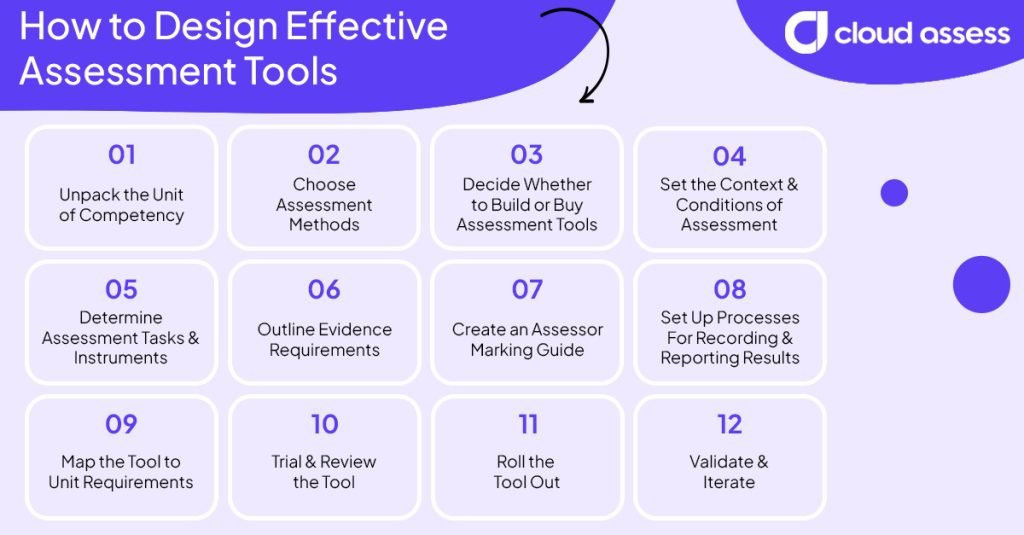
Designing effective assessment tools for your RTO follows three phases:
- Planning defines exactly what your tool must assess, and whether to build or buy it.
- Design, development, and adaptation turns those requirements into a working tool that fits your market and industries.
- Quality checks confirm the tool meets the Standards for RTOs 2025 before learners use it, and keep it reliable afterwards.
Planning Phase
1. Unpack the Unit of Competency
Start by breaking down every requirement of the unit of competency. Each unit sets out what a learner must demonstrate, including:
- Elements
- Performance criteria
- Performance evidence
- Knowledge evidence
- Assessment conditions
By unpacking each requirement, you’ll have a clear view of what your assessment tool needs to cover. If you’re assessing a cluster of units, some requirements may overlap. Holistic assessment covers these once rather than multiple times, reducing duplication for learners and assessors while reflecting how tasks combine in the workplace.
What Are Common Challenges When Using Assessment Tools?
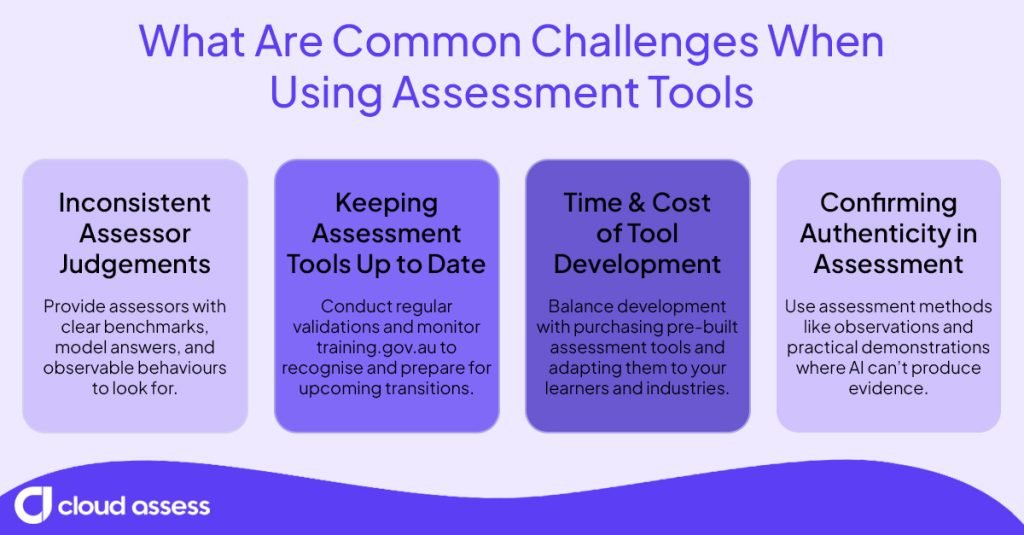
Inconsistent Assessor Judgements
When marking guides leave room for interpretation, different assessors can reach different decisions on the same evidence. Over time, those inconsistencies undermine the reliability of an RTO’s assessment outcomes and become an audit risk.
Solution: Provide clear benchmarks, model answers, and observable behaviours. This gives assessors a shared reference point to work from. AI marking assistants can also offer consistent suggestions, providing assessors with a solid starting point for making competency judgements.
Keeping Assessment Tools Up to Date
Units are often superseded or removed from the National Register. Training packages are also regularly updated. This can lead to assessment tools becoming outdated or not meeting current requirements.
Solution: Regular validation can help RTOs identify tools that no longer match their unit. Monitoring training.gov.au helps providers recognise upcoming transitions, giving them time to update their assessment tools before they fall out of step with requirements. Industry feedback also helps flag when tasks no longer reflect current industry practice.
Time and Cost of Development
Building a compliant assessment tool from scratch takes significant time from trainers, assessors, and subject matter experts. For new RTOs and those with a large scope of registration, that effort multiplies across every unit.
Solution: Balance development with purchasing commercial assessment tools. Determine which units would benefit the most from the time and effort required to develop them from scratch, and which pre-built tools can easily be adapted. Finding the right assessment software will also speed up tasks like unit mapping and building out question sets.
Confirming Authenticity
Authenticity is a key part of the Rules of Evidence, and it’s harder than ever for assessors to confirm. It’s become especially difficult to detect AI-generated responses in written assessments.
Solution: Use written tasks alongside assessment methods where AI can’t produce the evidence. Observations, oral questioning, and practical demonstrations are difficult to falsify. Authenticity statements confirm the work is the learner’s own, while follow-up questions help assessors check that learners understand what they’ve submitted.
What Kind of Assessment Tool Software Is Available For RTOs?
Software helps RTOs build, deliver, and manage assessment tools more efficiently, from writing tasks to storing evidence. Most RTOs use a combination of the following platforms to support their assessment system.
- Assessment Builders. Give RTOs templates for creating tasks, question sets, and observation checklists in one place. Trainers can map questions to unit requirements as they build, speeding up the mapping process.
- AI Assessment Tools. Help RTOs generate draft questions, scenarios, and model answers based on unit requirements. Trainers and assessors still review and refine every draft before it’s used with learners.
- Online Assessment Platforms. Allow learners to complete assessments and upload photo, video, or audio evidence from anywhere. Assessors can then review submissions and record judgements digitally.
- AI Marking Tools. Compare learner responses against model answers, suggest decisions and feedback, and flag gaps for review. Assessors still make every competency decision, but they all work from the same starting point.
- Learning Management Systems (LMS). Bring training content and assessment into the same environment. Progress tracking also helps trainers spot learners who need extra support.
- Student Management Systems (SMS). Maintain assessment results alongside learner records, ready for certification and national VET data reporting. Linking an SMS with assessment software reduces double handling between systems.
Many RTOs use separate systems to build assessments, collect evidence, and store results, which creates gaps between each stage. With Cloud Assess, RTOs can manage the whole assessment lifecycle in one platform, from creating tools with AI to recording competency decisions against learner records. That means fewer handovers between systems, more consistent judgements, and compliant evidence on hand whenever it’s needed.
Explore Cloud Assess’ RTO features to see how your team can build, deliver, and manage compliant assessment tools in one place.