

What's New
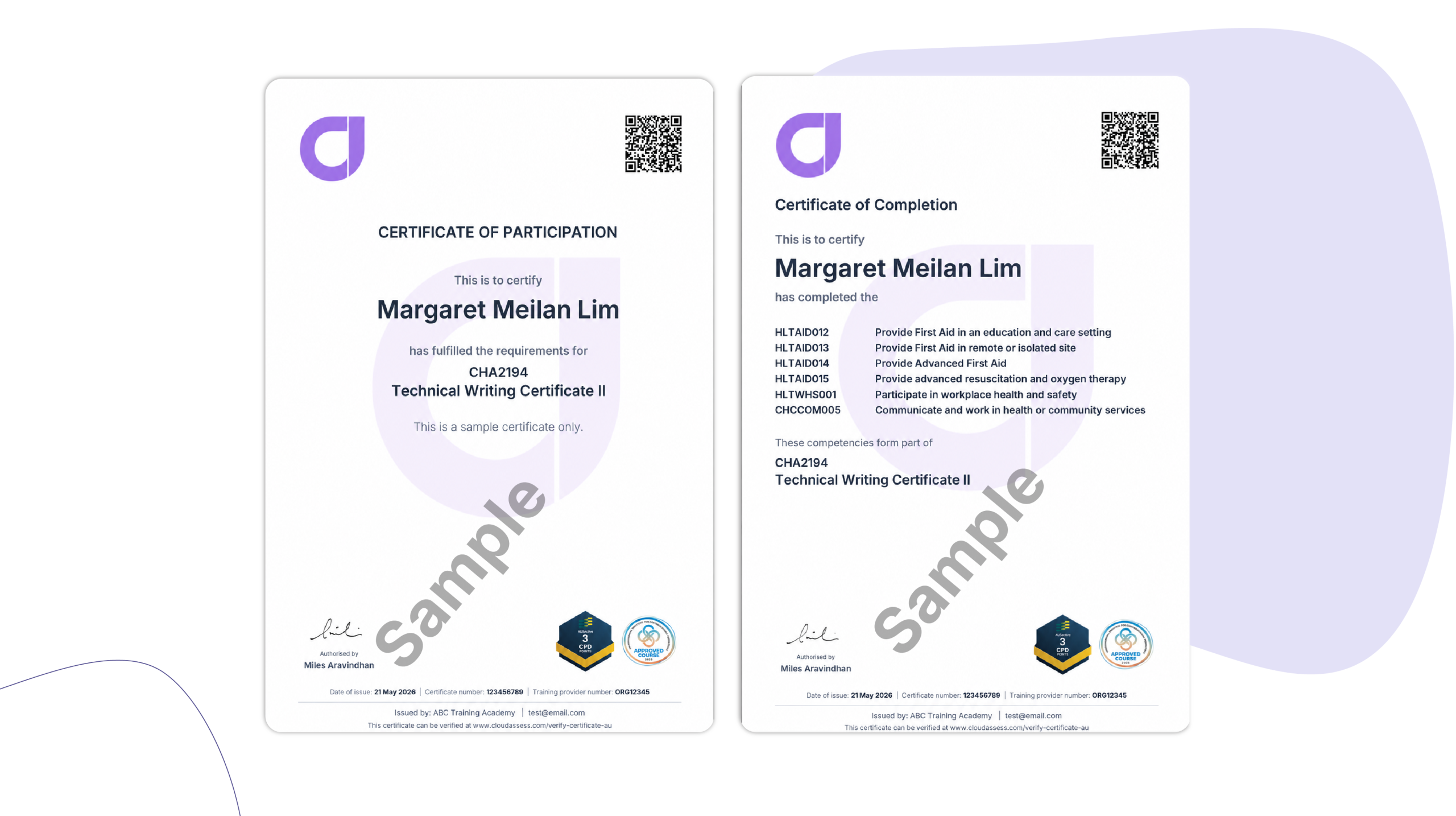
Non-accredited training carries real weight in professional development and high-risk industries, and now the certificates that recognise it can reflect that. Admins can add up to three industry body or CPD logos to any non-accredited certificate template, with logos sitting in fixed footer slots that render automatically based on which are filled. There’s no design work or manual layout adjustments required. Simply upload, preview, and save. Available to all Cloud Assess organisations, it brings non-accredited certificate presentation in line with the credibility your learners and their employers expect.
Who is this for?
Admins and Power Users at RTOs and workplace training providers delivering non-accredited programs.
Why it matters
Non-accredited training often carries just as much weight as accredited programs – particularly in professional development and high-risk industries. Now the certificates that recognise it can reflect that. Add your industry body and CPD logos to give learners a certificate that carries credibility with employers and industry bodies.
Key Features
- Add up to three industry or CPD body logos to any non-accredited certificate template
- Logos sit in fixed footer slots – left, centre, and right – and render automatically based on which slots are filled
- Applies to both certificates and statements of attainment
- Preview your certificate before saving to confirm the layout
- PNG format, up to 1 MB, dimensions 2512 x 188 pixels
How to get started
Go to Framework > Certificate Templates, select your template, and open the Logo Settings section. Toggle on Show logos in certificates, upload your logos, and click Save. Download a sample certificate to preview the result.
This feature is available to all Cloud Assess organisations as part of your subscription.
Keen to learn more?
Book a demo to speak with our sales team or visit our help centre if you are an existing Cloud Assess customer.



