
- AI-Powered Assessment Software
Build Better Assessments. In Less Time. With AI.
Cloud Assess gives trainers and instructional designers an authoring environment to create, configure and deploy any assessment type. AI generation, drag-and-drop design and built-in compliance tools. No workarounds. No wasted time.
4.9
4.8
G2
4.7
Capterra
AI Assessment Builder
1
2
3
AI Generation
Drag & Drop
Version Control
50%
Less admin
Trusted by Industry Leaders Globally












- The Challenge of Assessment Design
Building assessments is taking longer than delivering them.
Rigid systems, content rewritten from scratch and assessments that fail on mobile. The design process shouldn’t be this hard.
Rigid, Inflexible Formats
One-size-fits-all assessment formats can’t accommodate observation checklists, RPL kits, logbooks and knowledge tests. Trainers work around the system instead of with it.
Content Rewrite Overload
Existing resources sit in folders and drives, disconnected from your LMS. Rebuilding them from scratch every time is unsustainable as volumes grow.
Poor Mobile Experience
Assessments designed for desktop fail in the field. Learners on tablets or mobiles can’t navigate clunky interfaces, and trainers lose confidence in the evidence they collect.
- The Solution
Create Training Content Like a Pro, No Designer Needed
Powerful authoring. Built for how trainers actually work.
AI Assessment Generation
Import a Word, PDF or text document and let AI generate a full assessment in seconds. Or describe the unit focus, difficulty level and question types in plain English using Generate Activity via Prompt. Cloud Assess builds the assessment for you.
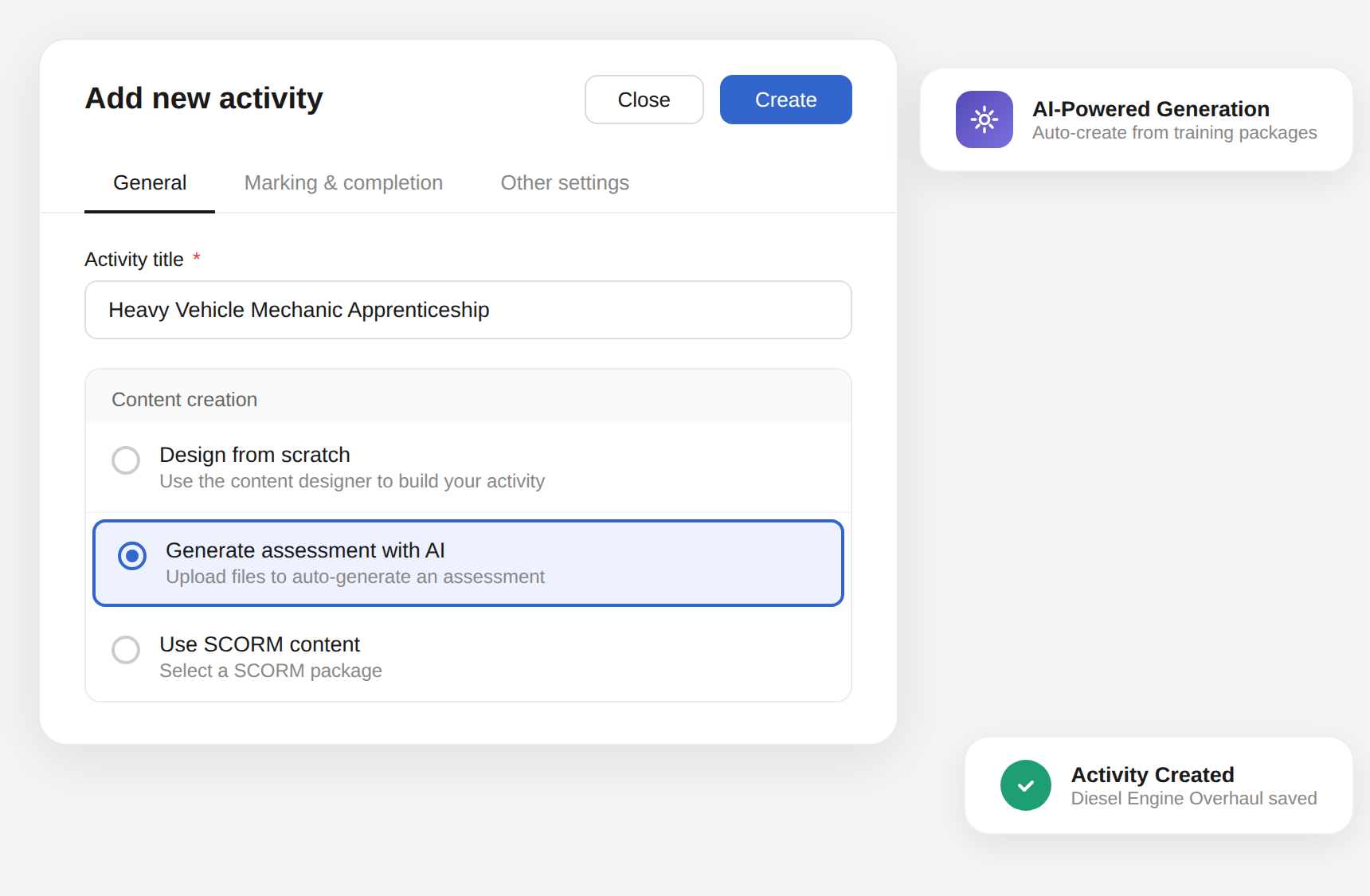
Every Assessment Type From One Assessment Tool

Compliance Built Into Every Design
Assessment mapping, revision history and quality checks are embedded into the authoring workflow. Compliance isn’t an afterthought. It’s part of every build.

- Features
Assessment Capabilities
Design, generate and distribute. All powered by AI.
AI Assessment Generation
Three modes. File only, prompt only, or prompt plus file. Specify the unit focus, AQF level and question types in plain English. Deploy in minutes, not hours.
AI Question Generator
Generate individual questions directly inside the activity designer. Enter a topic, select a difficulty level, preview the output and insert or retry, without leaving the authoring environment.
AI Content Refine
Make it harder. Simplify the language. Fix the grammar. Add a distractor. One click. Every refinement is previewed before it’s applied, so quality stays in the trainer’s hands.
Drag-and-Drop Content Designer
Build interactive assessments with a visual drag-and-drop editor. Add rich text, tabs, accordions, flashcards, media embeds, signature pads and auto-marked question types. No coding required.
Every Question and Evidence Type
Auto-marked types, short and long answer, file upload, sketch pad, signature pad, video and photo capture. Every evidence format your assessors need, all configurable and compliant.
Revision Control
Update content with confidence. Revision control ensures version accuracy across your learner base, eliminating the risk of inconsistent or outdated assessments reaching learners.
- Latest Feature Releases
New Features Released Weekly
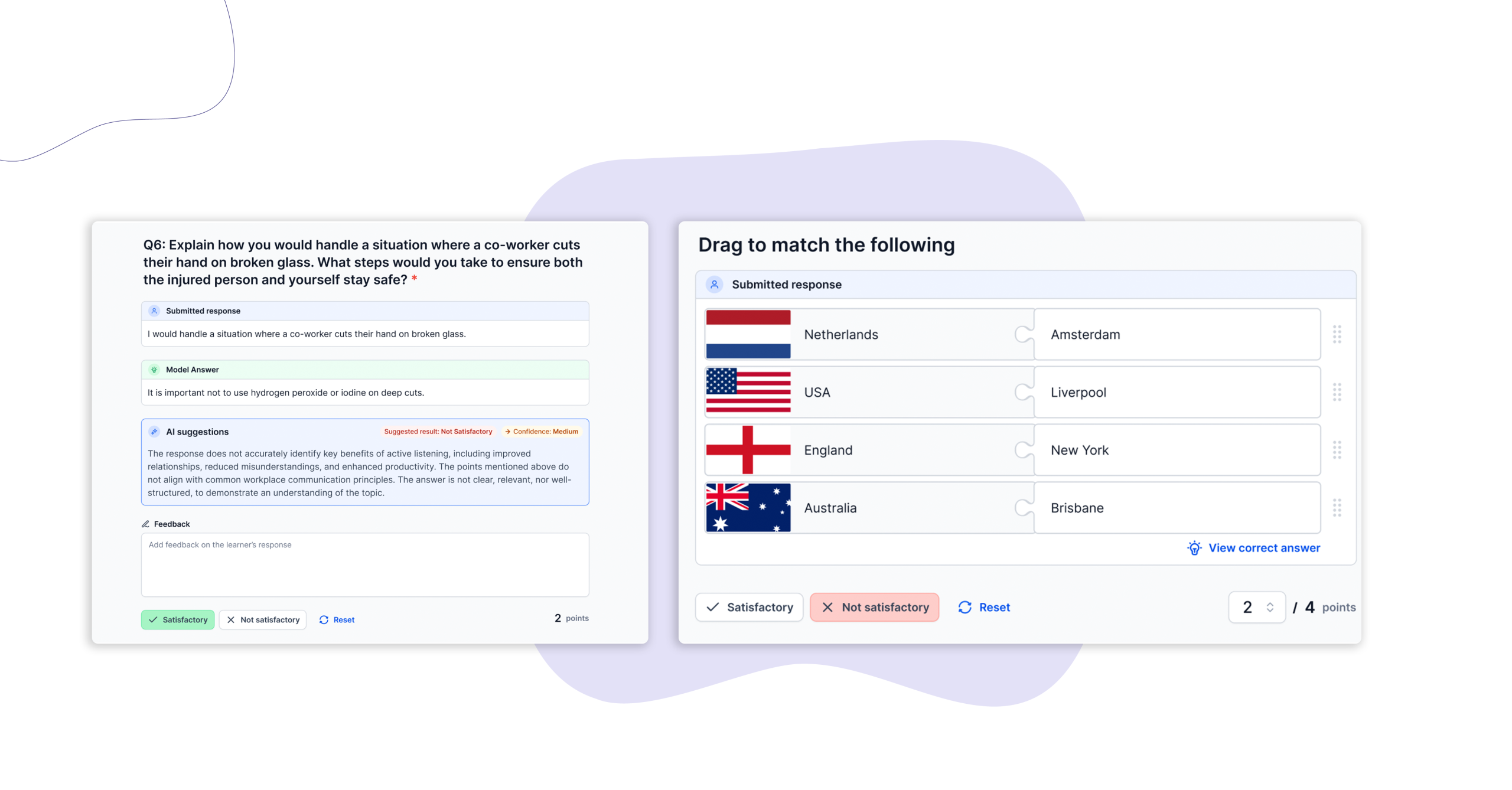
Activity Record Enhancements
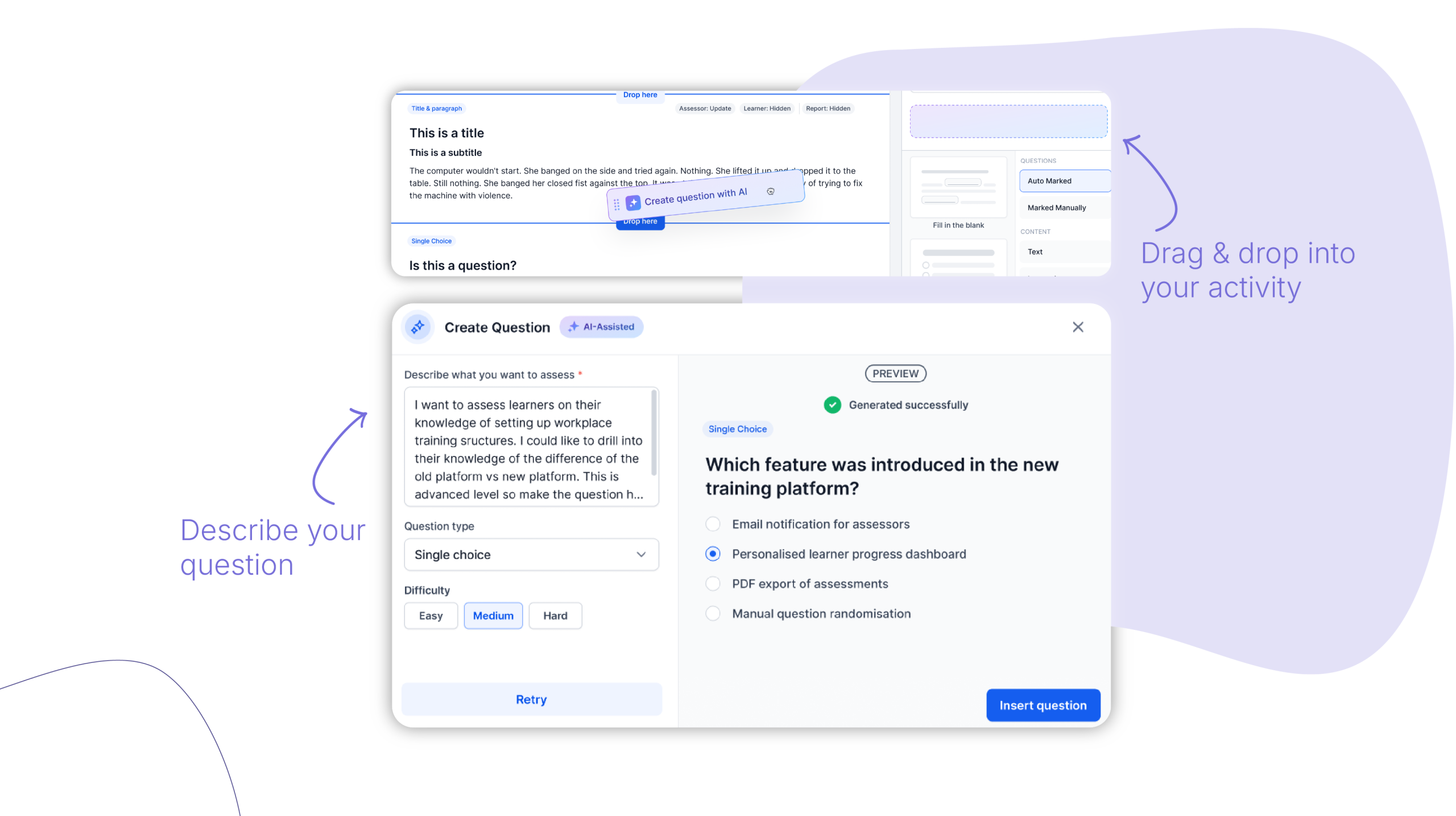
AI Question Generator & Enhancer
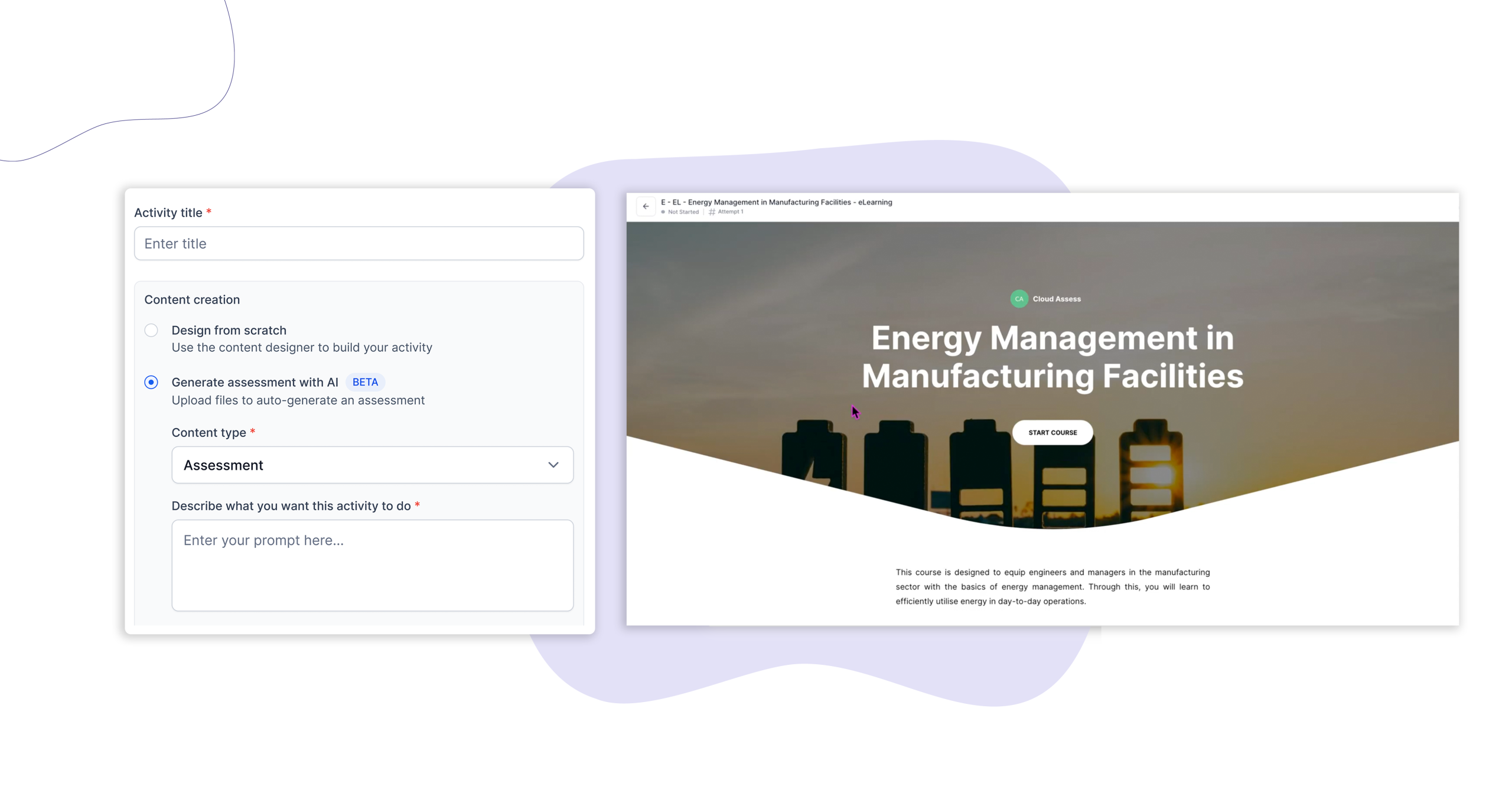
Generate Activity via an AI Prompt
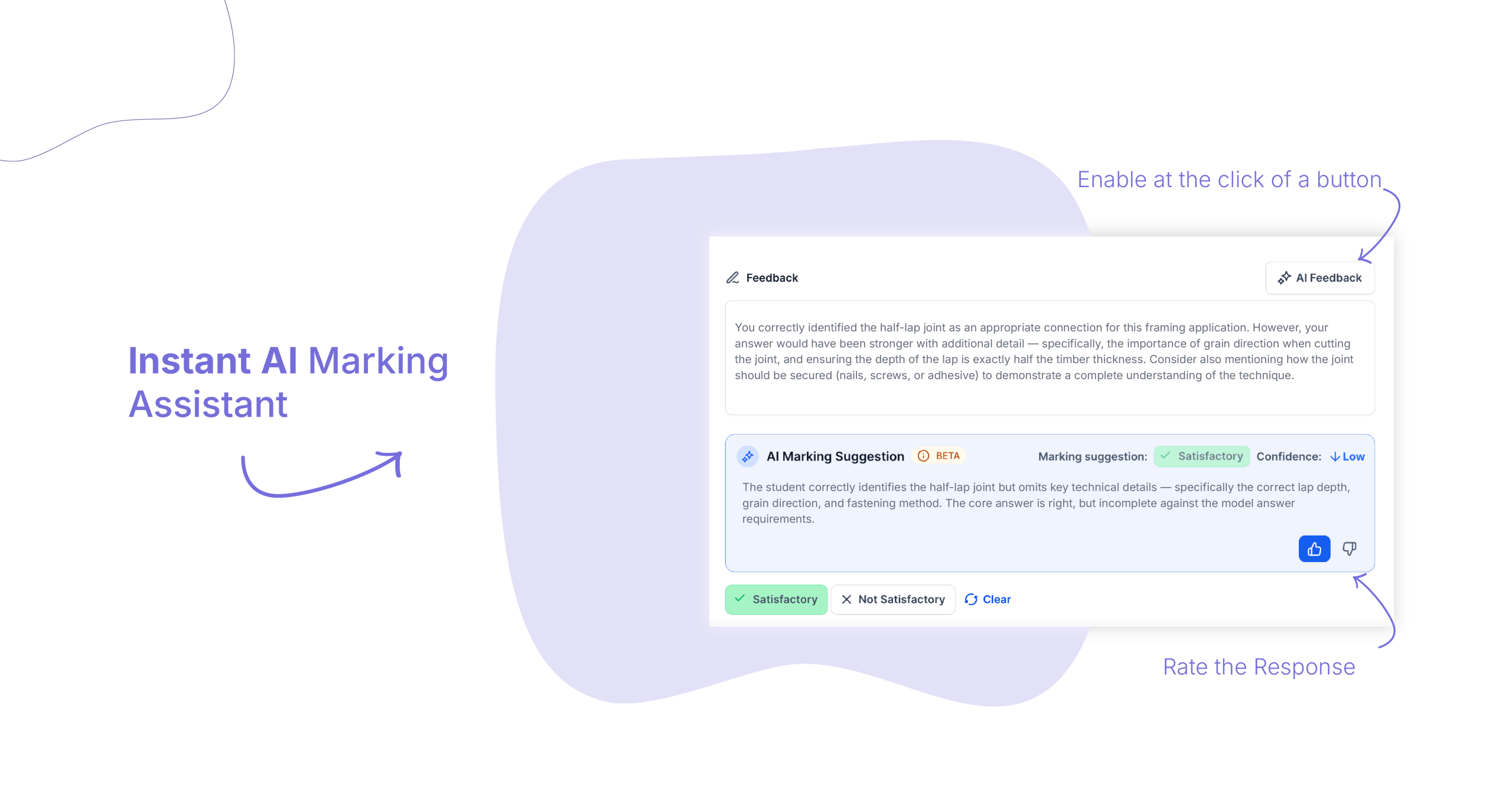
AI Marking Assistant
- Customer Stories
Assessments Customer Stories
Trusted by organisations who take assessment seriously. See how leading training organisations have replaced fragmented, paper-based authoring with a platform built for the way they work.
EP
EPA4 Health
DC
Michelle Whitehead
DT
Daysafe Training
DC
Paul Day
AM
Access Mining
DC
Nelson Hearn
LC
Lion
DC
Kristian Nielsen
CC
Castlereagh Coal
DC
Nigel Wallis
13
13Cabs
DC
Cindylee Zaszlos
- Additional Resources
Resources to help you build better assessments.
Compliant Online Assessment: Top Tips for RTOs
How to Assess Without Compromise in a Digital World
Preparing for the Standards for RTOs 2025: Get Workforce Ready
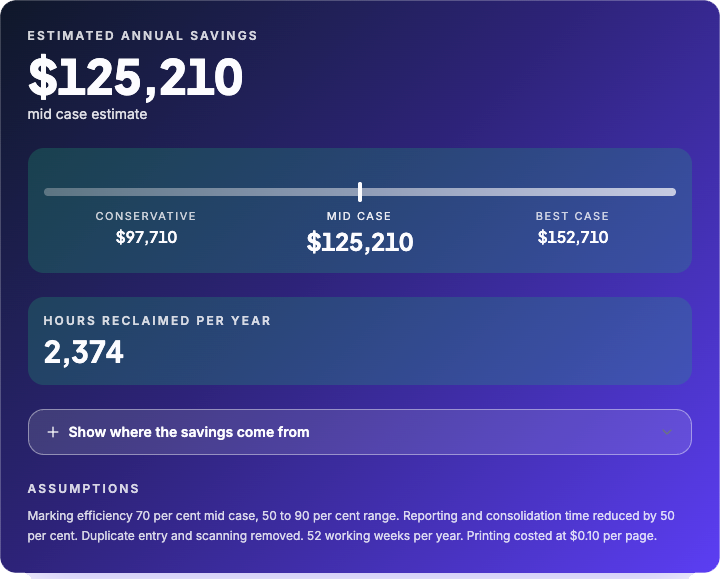
Workforce Verification Savings Calculator
RTO Paper-Based Assessment Calculator
How FPA Australia Saved Thousands & Improved the Learner Experience
- Free tools
- Competency, Skills
- Free tools

- Assessment, RTO, Software
- Case studiesConstructionRTO

- Report
- Competency, Skills
- Free tools
- Assessment, Compliance, RTO, Training
- Free tools
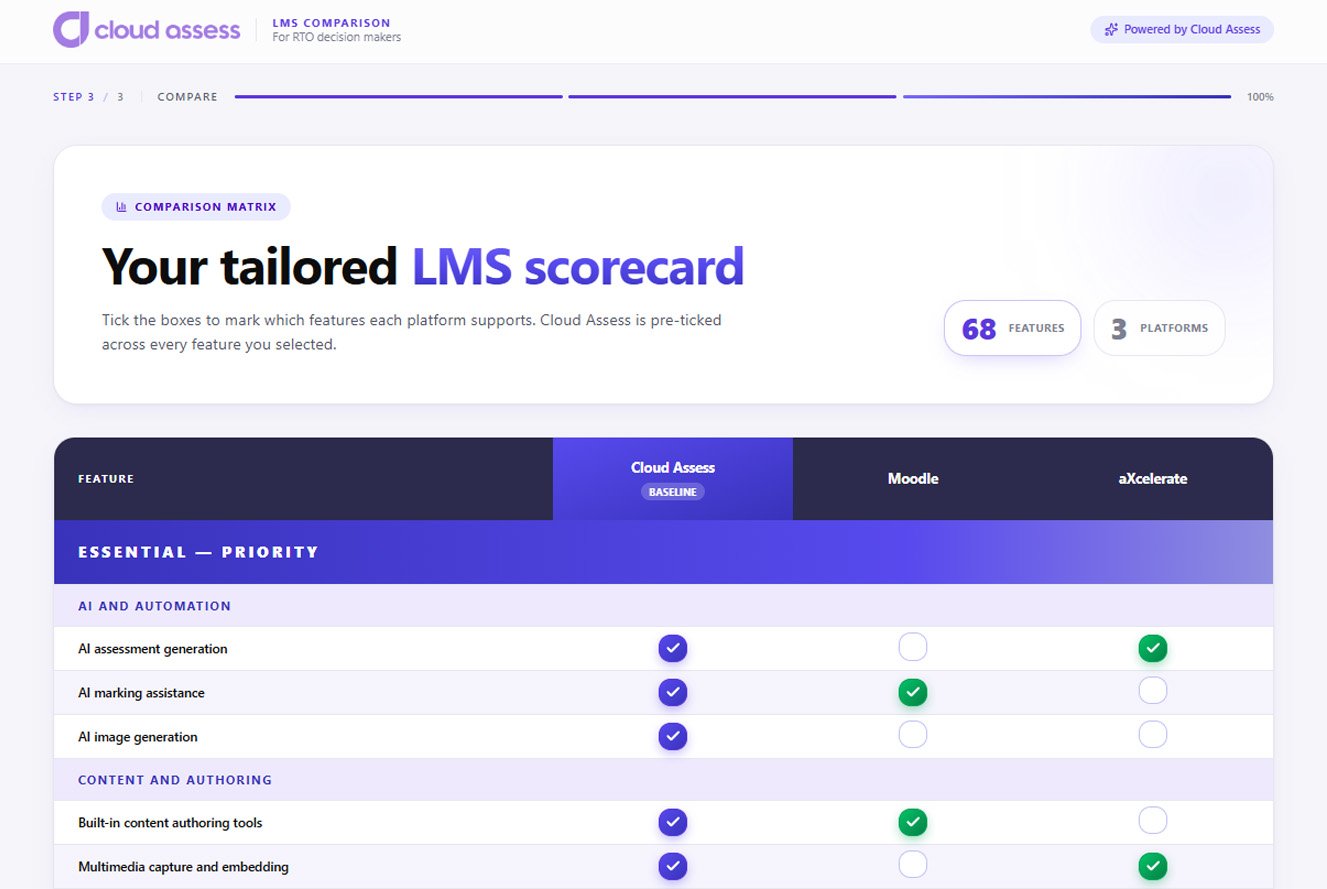
- Assessment, Learning & Development, LMS, Reporting, RTO, Software, Training
- FAQs
Frequently asked questions
How does AI assessment generation work?
Upload a Word, PDF or text document and Cloud Assess generates a structured assessment automatically. Alternatively, write a plain-language prompt specifying the unit focus, AQF level, difficulty and question types using Generate Activity via Prompt. You can also combine both. Output is streamed in real time, and individual questions can be refined with a single instruction before the assessment is published.
Can we import existing content from Word, SCORM or other systems?
How does AI help after the assessment is built?
Once assessments are live, the AI Marking Assistant analyses learner responses and recommends outcomes to assessors in real time. This reduces manual marking effort, improves consistency across assessor teams and accelerates the path to certification. AI handles the volume. Assessors handle the quality.
How does assessment mapping support compliance?
The mapping tool allows you to visualise how each question and activity satisfies performance and knowledge evidence requirements for a given unit. Coverage gaps are identified instantly.
Can assessments be used offline or on mobile?
Yes. Assessments are fully accessible via the Cloud Assess mobile app on iOS and Android. Learners can check out assessments for offline use and sync completed responses when connectivity is restored. Evidence including photos, video and digital signatures can all be captured in the field.
How quickly can a new assessment be built and deployed?
With AI generation, a structured assessment can be created from an existing document in minutes. Ampd Academy builds and deploys new courses in under three days using Cloud Assess. For simpler assessments or individual question types, the turnaround is even faster.
Your next assessment is minutes away.
Cloud Assess gives your trainers AI-powered tools to build better assessments in less time. Purpose-built for VET and workplace training. Backed by world-class support.