

What's new
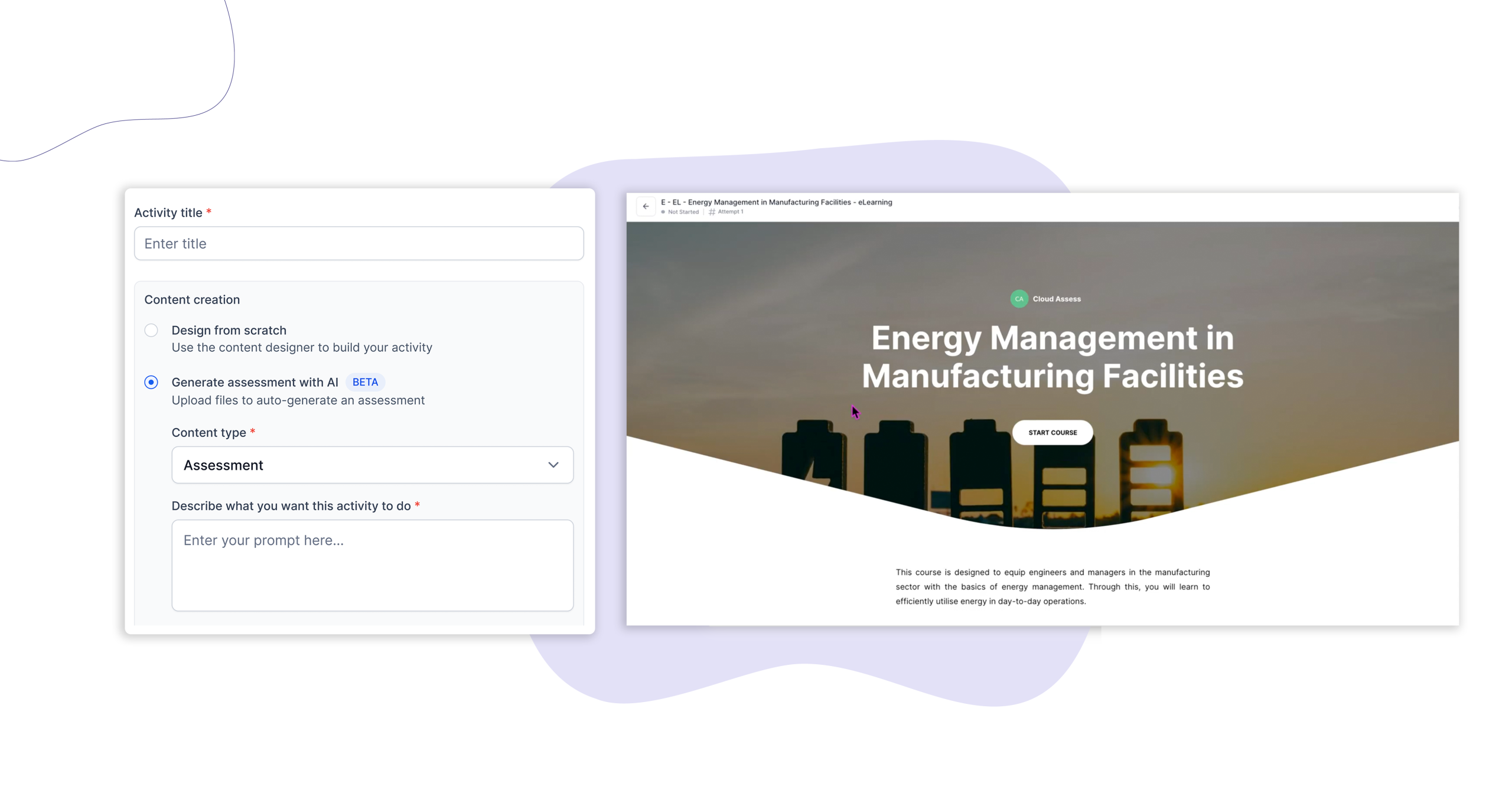
Cloud Assess now lets you generate a full activity using a prompt, uploaded materials, or a combination of both. Describe what you need, set the number of questions and sections, and AI builds the structure around your brief – ready for you to review and refine.
Who is this for?
This feature is for instructional designers, trainers, and content creators who build assessments and learning activities inside Cloud Assess.
It’s particularly useful when starting a new activity from scratch, working from existing training materials like unit outlines or policy documents, or when you need to produce a volume of content quickly without compromising quality.
Why it matters
Building an assessment from a blank page is time-consuming. Even with good source material, translating it into a structured activity with the right questions, sections, and flow takes significant effort.
Generate Activity via Prompt removes the standing-start problem. You bring the knowledge and the brief – AI handles the initial build. The result is a draft activity you can refine rather than a blank canvas you have to fill.
You stay in control throughout. The brief is yours. The review is yours. AI just closes the gap between intent and first draft.
Key features
-
Prompt-based generation – Describe the activity you need – the topic, the role, the competency, or the standard being assessed – and AI generates a draft with questions, sections, and structure included. No file required.
-
File upload – Upload supporting materials – unit outlines, policy documents, training guides, or procedure manuals – and AI uses them to shape the activity content. Accepted file types include PDF, Word, and common image formats.
-
Combined input – Use both at once. Add a prompt to direct the AI’s focus, then upload a file to ground it in your specific content. This gives you the most control over the output.
-
Configurable output – Set the number of questions and sections before generating. You’re not locked into whatever the AI produces – these controls help shape the draft before you start refining.
How to get started
Generating activity via an AI prompt is available now to all Cloud Assess workspaces.
To use it, create a new activity and select “Generate assessment with AI” from the content creation options.
Keen to learn more?
Book a demo to speak with our sales team or visit our help centre if you are an existing Cloud Assess customer.



