

What's new
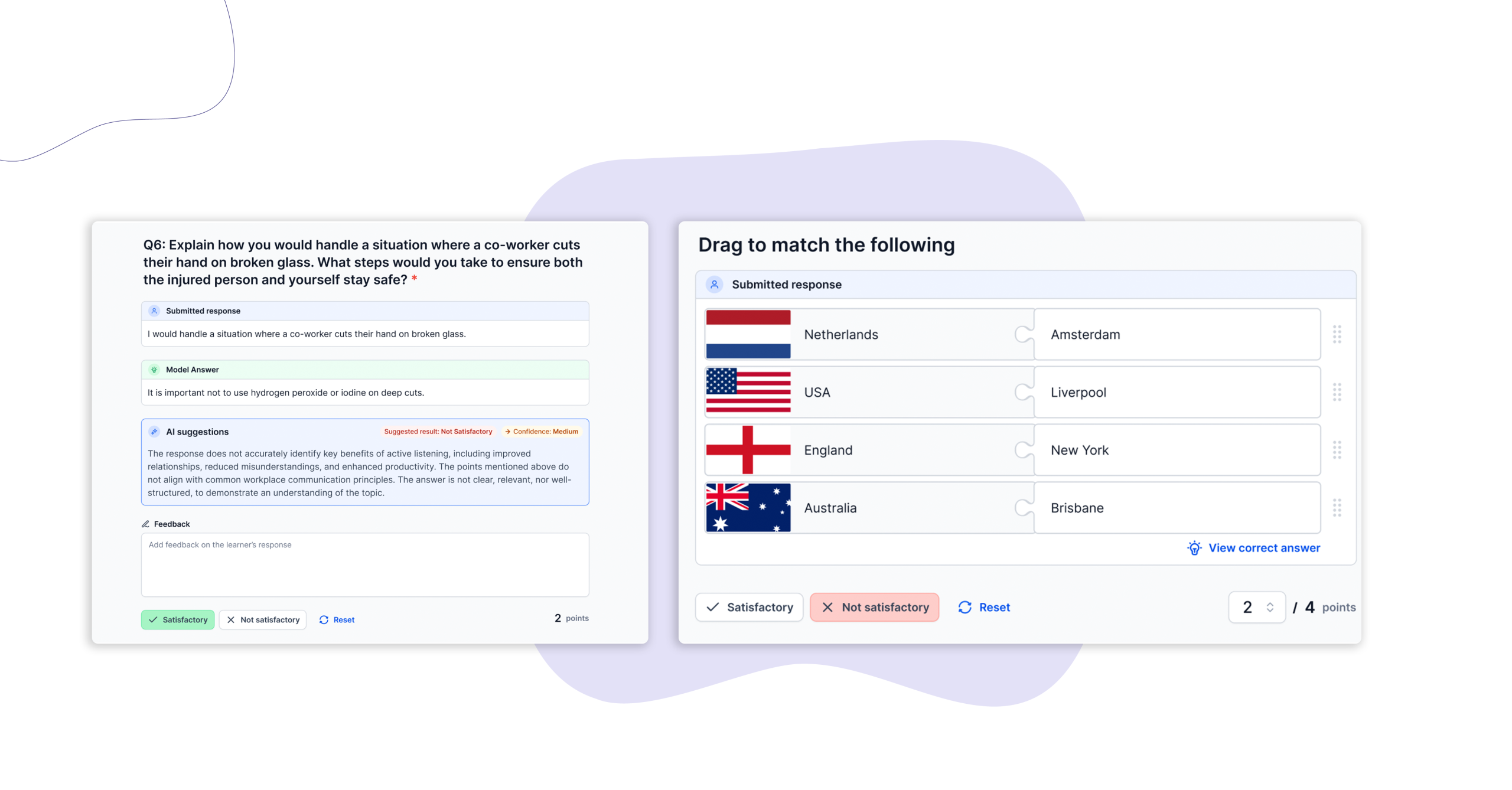
We have introduced key functionality updates to the Activity Record designed to streamline the marking workflow and enhance assessment design. These updates include the highly requested ability for assessors to manually override automarked questions and the introduction of rich text formatting within content designer tables.
Who is this for?
- Assessors: Who need the final say on nuanced learner responses that automated grading might misinterpret.
- Content Designers: Who want to build clearer, visually structured, and professional assessment tools.
- RTO and Enterprise Admins: Who look to optimise workflow efficiency without risking compliance or data consistency.
Why it matters
Automated marking saves hours of administrative time, but vocational assessment often requires human nuance. If a learner provides an answer that is practically correct but varies from a strict automated keyword filter, assessors previously lacked a direct way to adjust the result inline. This update provides a “human-in-the-loop” safety net, allowing assessors to apply professional judgment instantly.
This update also includes structured tables to present complex workplace scenarios or data sets. Introducing rich text into the Content Designer allows your team to emphasise critical instructions, create clean lists, and format data perfectly to ensure learners understand exactly what is being asked of them.
Key features
- Assessor Automark Overrides: Assessors can now manually change an automatically generated mark within the Activity Record, ensuring final outcomes accurately reflect student competency.
- Rich Text in Table Fields: Content designers can use bolding, bullet points, and text formatting inside tables to improve visual hierarchy and readability.
- Data-Safe Learner Responses: To maintain strict submission consistency and clean reporting across your RTO, learner inputs within tables remain formatted as plain text.
- Platform Scalability: Under-the-hood performance enhancements have been implemented to support the ongoing rollout of advanced Activity Record features.
How to get started
These features are now live and available across your workspace.
- For Content Designers: Head to the Content Designer to start formatting your existing assessment tables with rich text.
- For Assessors: The override option will automatically appear next to automarked items in any active Activity Record.
To see a step-by-step walkthrough of how these overrides function, check out our Updated Activity Record Guide in the Help Centre.
Keen to learn more?
Book a demo to speak with our sales team or visit our help centre if you are an existing Cloud Assess customer.



