

What's new
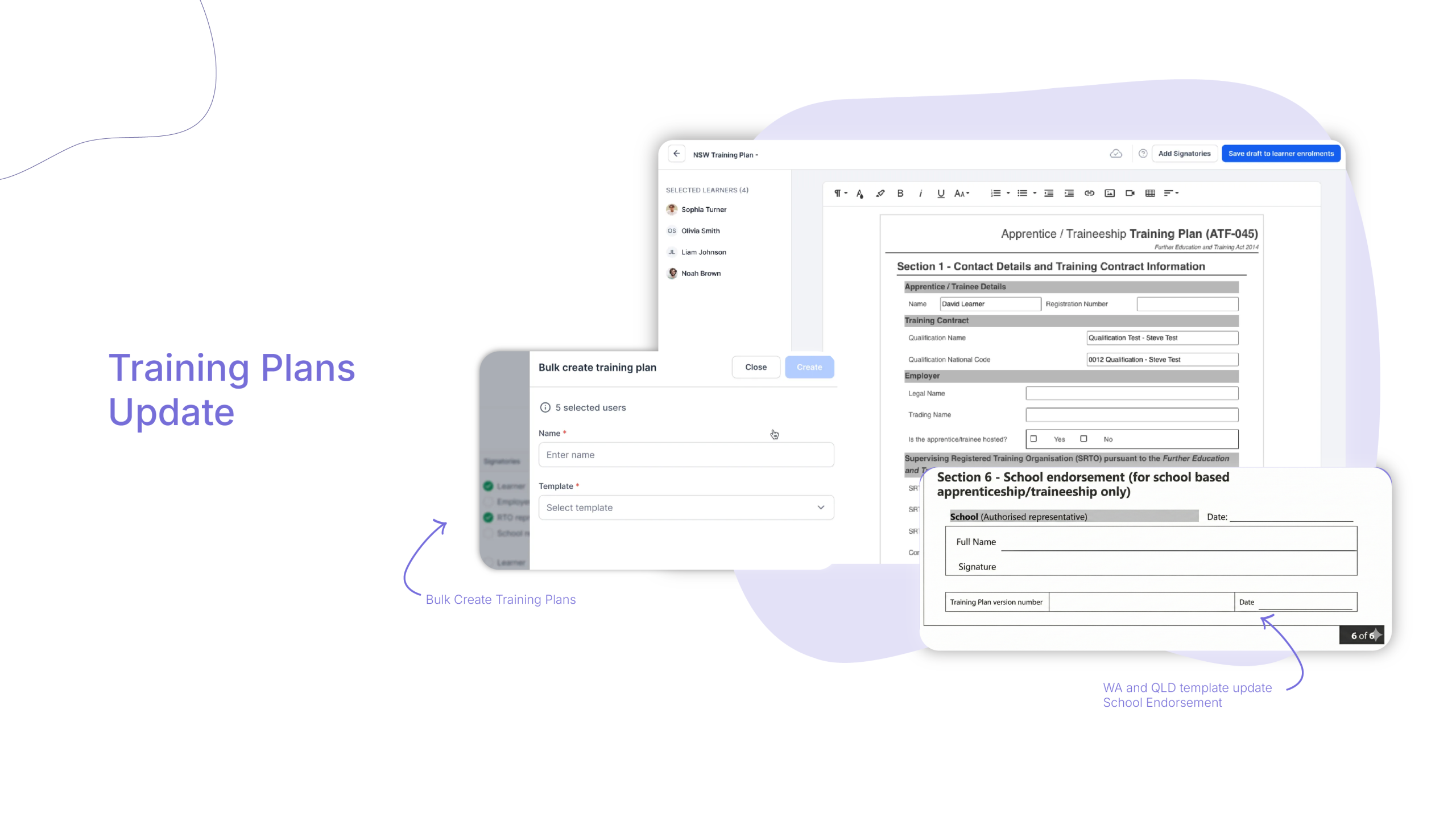
Cloud Assess now supports bulk training plan creation. Instead of generating and configuring a training plan for each learner individually, administrators can select an entire cohort from the Intakes screen and create all their training plans at once.
Alongside this, training plan templates have been updated with expanded unit capacity and new state-specific compliance sections – including a Queensland School Endorsement section with auto-populated fields.
Who is this for?
- This update is for anyone involved in managing enrolments and training plans.
- RTO administrators who oversee compliance, enrolment pipelines, and cohort management will see the biggest time saving – bulk creation removes the need to work through learner records one by one.
- Trainers and assessors benefit from more accurate, up-to-date learning pathways without the administrative overhead of maintaining individual records manually.
- Operations managers looking to reduce the time between enrolment and active learning will find the bulk action workflow significantly cuts that cycle.
Why it matters
Preparing individual training plans for a full intake is one of the most time-consuming tasks in RTO administration. It’s repetitive, detail-intensive, and leaves room for inconsistency when the same fields are entered manually across dozens of records.
Bulk creation addresses this directly. Shared fields are entered once and applied across every selected learner record at the same time. The result is a consistent, compliant set of training plans produced in a fraction of the time.
Key features
- Cohort-wide bulk creation – Select multiple learners from any Intakes screen and launch the Create Training Plan workflow for the entire group at once. No need to process records individually.
- Global field synchronisation – Enter shared variables – such as custom Sample Training Contract Identifiers (TCIDs) – once during the bulk setup. Cloud Assess distributes them across all selected learner records automatically.
- Expanded 70-unit capacity – Training plan templates now support up to 70 units of competency within a single table layout, providing better support for complex qualifications and dual-qualification streams.
- Queensland School Endorsement section – Templates now include Section 6: School Endorsement for Queensland frameworks, with pre-configured auto-populated fields to meet state-specific auditing requirements.
How to get started
Bulk training plan creation is available now to all accounts with Enrolments > Manage permissions enabled.
- Go to your Cloud Assess dashboard and click into Intakes.
- Select the learners you want to process using the checkboxes.
- Click Bulk Actions from the top right-hand menu and select
- Create Training Plan.
- Choose your state-based template, enter your shared cohort fields, and save.
Before you start: make sure individual unit start and end dates are populated on learner records. This ensures timeline mappings populate correctly when the plan is created.
Keen to learn more?
Book a demo to speak with our sales team or visit our help centre if you are an existing Cloud Assess customer.



