

What's new
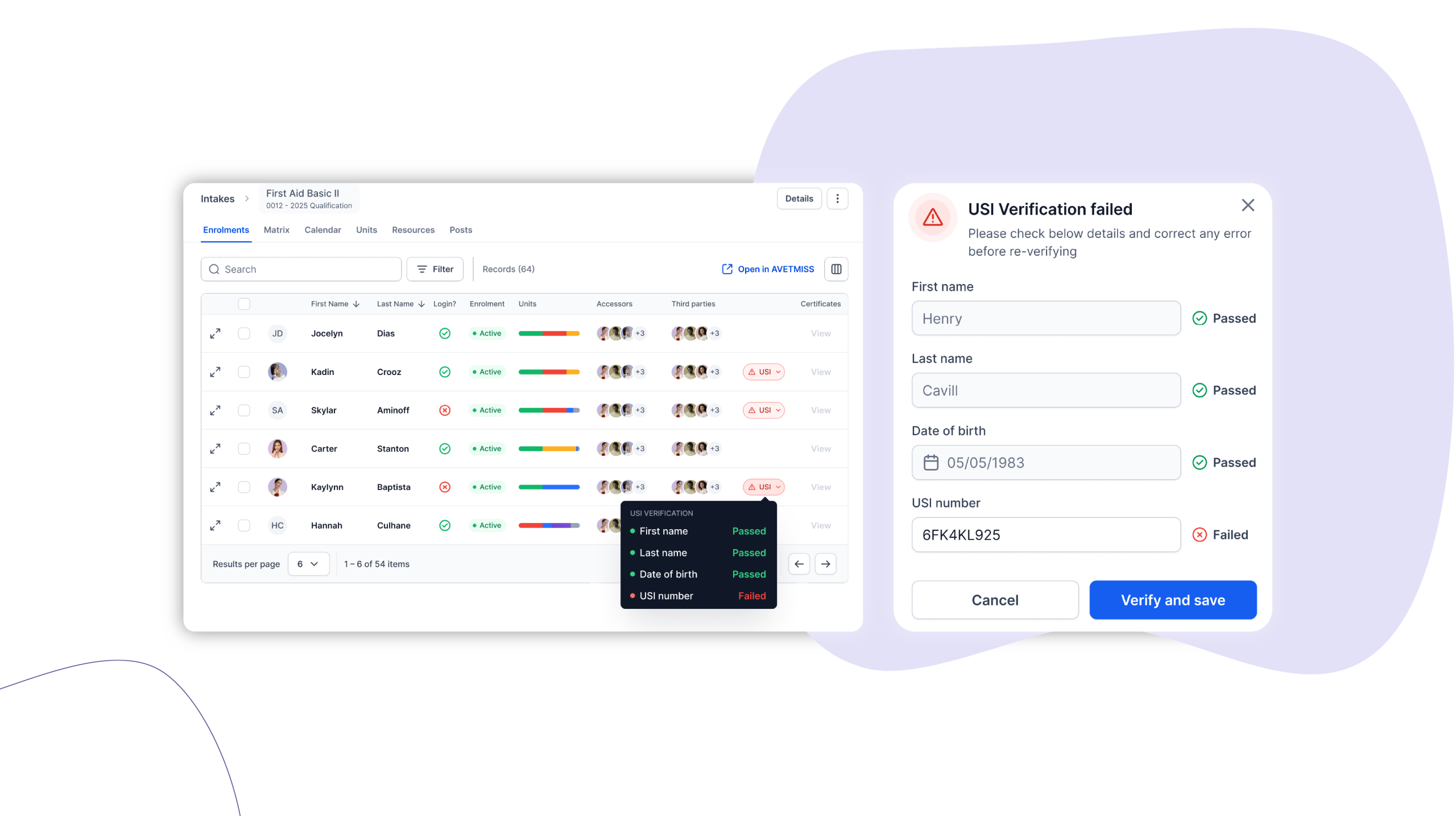
USI validation failures are now surfaced in real time with correction tools and a full audit trail so RTOs can resolve compliance issues immediately.
Who is this for?
RTOs using Cloud Assess with AVETMISS processing enabled. Assessors, support users, and power users who manage learner enrolments and compliance reporting – and learners who need to keep their own details up to date.
Why it matters
USI validation failures are easy to miss and expensive to fix late. When a learner’s name, date of birth, or USI number doesn’t match the national registry, it creates compliance risk that only surfaces at reporting time – when the pressure to resolve it is highest and the window to act is smallest.
USI Validation Alerts & Correction brings USI status into the surfaces your team already works in. Failures are visible the moment they occur, correctable by the right people without leaving their workflow, and fully logged for accountability. For RTOs managing learners at scale, it turns a reactive, manual process into something role-appropriate and auditable.
Key features
- Status indicators and tooltips across Forms, Enrolments, Clients, and Users tables show exactly what has failed – USI Number, Name Match, or Date of Birth – so your team can act without guessing.
- A slide-in edit panel lets assessors, support users, and power users correct and re-verify USI details on the spot, with real-time confirmation of success or failure.
- Learners can update their own USI number, name, and date of birth directly from their profile, reducing back-and-forth for your admin team.
- New USI filters let you identify all affected learners quickly and reach them via Broadcast Messages directly from Bulk Actions.
- Every change is logged with a timestamp and the editor’s name, giving you a complete audit trail for compliance purposes.
How to get started
USI Validation Alerts & Correction is automatically available to all Cloud Assess organisations using AVETMISS processing. No setup required – just navigate to Forms, Enrolments, Clients, or Users to start seeing USI status indicators next to learner names.
Keen to learn more?
Book a demo to speak with our sales team or visit our help centre if you are an existing Cloud Assess customer.



