

What's new
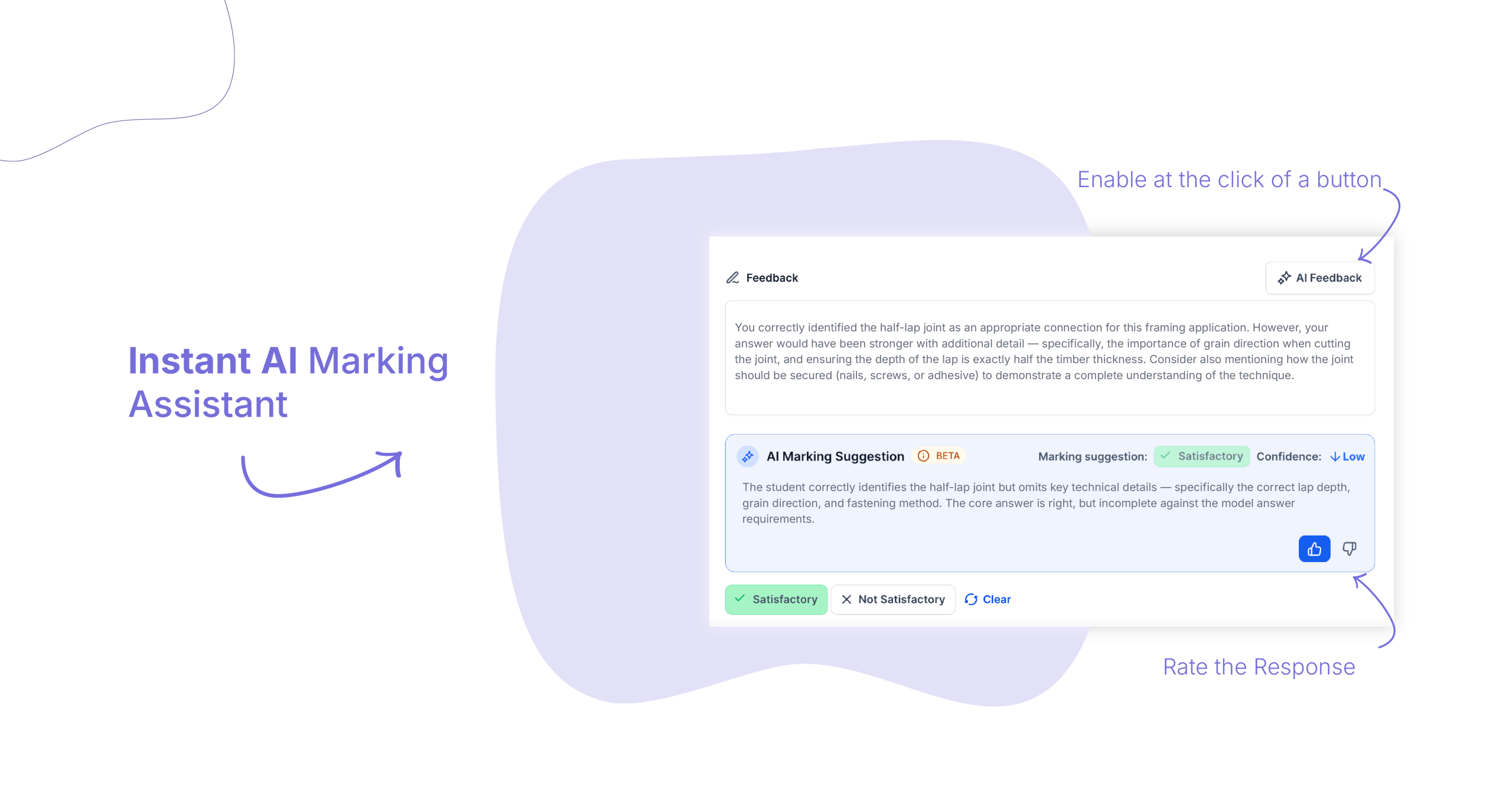
Cloud Assess now includes an AI Marking Assistant built into the assessor workflow. When a learner record is submitted, AI surfaces a marking suggestion and confidence rating straight away. From there, assessors can generate a feedback draft in one click, edit it, and send.
Who is this for?
This feature is for assessors, trainers, and anyone responsible for reviewing and marking learner submissions inside Cloud Assess.
It’s particularly useful for teams handling high volumes of assessments, assessors working across multiple qualifications or cohorts, and RTOs looking to improve the consistency of feedback without increasing the time cost.
Why it matters
Marking is one of the most time-intensive parts of the assessor role – and one of the most important. Writing clear, consistent, personalised feedback takes skill and effort, and the volume can make it hard to maintain quality across every submission.
The AI Marking Assistant is designed to support that process, not replace it. It gives assessors a starting point – a suggestion and a draft – so the time goes into reviewing and refining rather than writing from scratch.
The professional judgement stays with your assessors. The AI surfaces a recommendation. Your team makes the call.
Key features
- Instant marking suggestions – As soon as a learner record is submitted, AI generates a marking suggestion – Satisfactory or Not Satisfactory – alongside a confidence rating. Assessors can see the suggestion immediately and use it as a reference when forming their own judgement.
- One-click feedback drafts – With a single click, assessors can generate a written feedback draft based on the learner’s submission. The draft is editable before sending – assessors can adjust the language, add specific observations, or rewrite sections entirely.
- Calibration over time – Assessors can rate AI suggestions with a thumbs up or thumbs down. Over time, this feedback calibrates the AI to your RTO’s marking standards, making suggestions more relevant to your specific context.
- Built into the existing workflow – The AI Marking Assistant sits inside the assessor workflow – there’s nothing new to navigate to. Suggestions and draft tools appear in context, at the point where they’re needed.
How to get started
The AI Marking Assistant is available now to all Cloud Assess workspaces.
To use it, open a submitted learner record in the marking workflow. AI suggestions will appear automatically.
Keen to learn more?
Book a demo to speak with our sales team or visit our help centre if you are an existing Cloud Assess customer.



