What's new
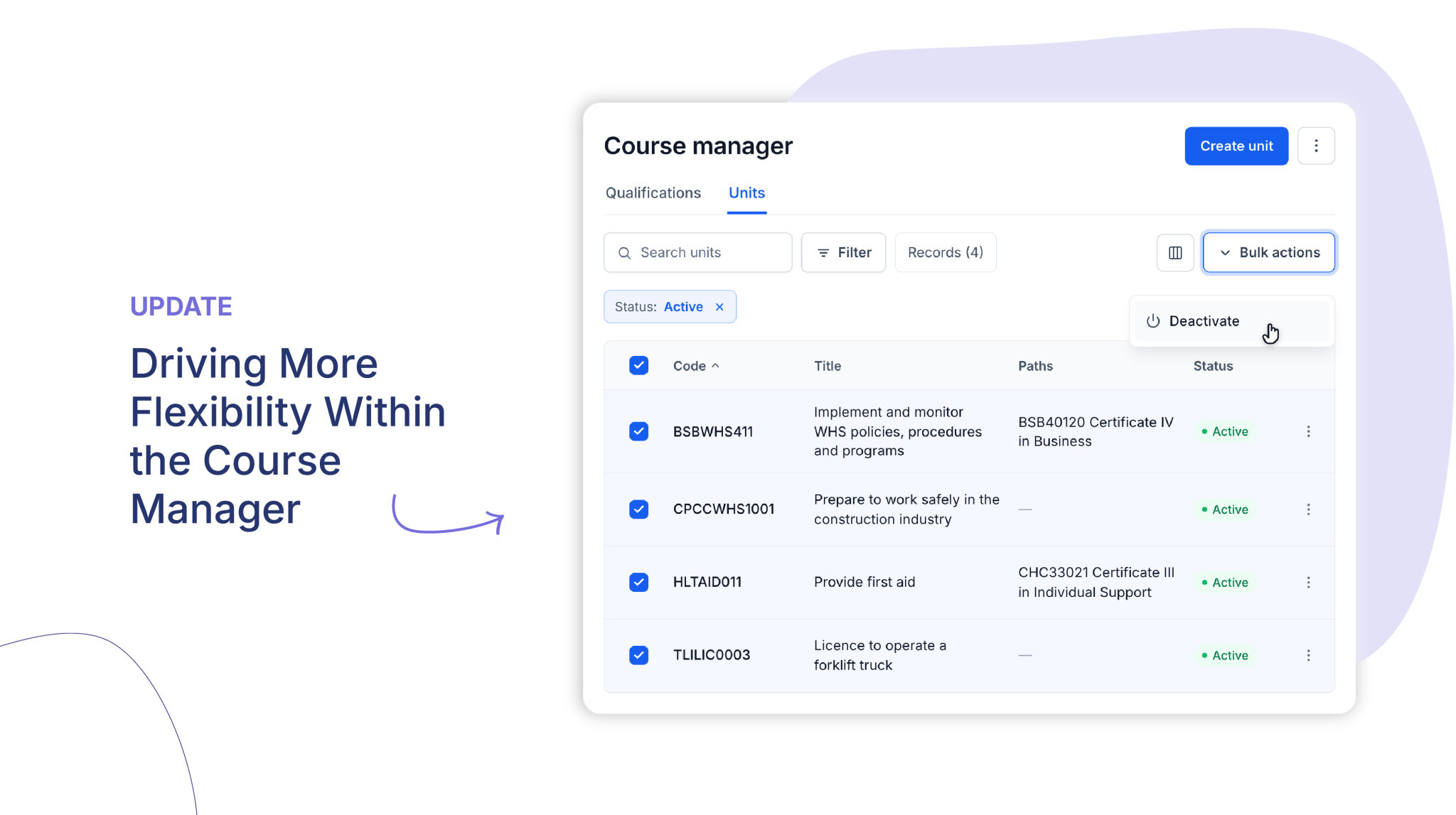
You can now deactivate and reactivate Units/Modules directly from the Course Manager with 1 click!
Who is this for?
Administrators and course managers who refresh course versions and need to retire outgoing units and activities in one step.
Why it matters
When a new course version goes live, the previous structure can be retired easily while every learner’s history stays intact. Your active lists stay clean and current, so admins and trainers only see the content that is currently in use.
Key features
- Unit status – Units and modules now have their own Active or Inactive status, shown as a badge in the Units tab.
- Automatic deactivation of activities – Deactivating a unit also deactivates its activities, unless an activity is shared with another active unit.
- Bulk actions – Select multiple units and deactivate or reactivate them together, with a clear summary of exactly how many units and activities will be affected.
- Learner records preserved – Completed records remain accessible and in-progress attempts can still be worked on. Deactivated content is simply no longer available for new enrolments.
- Fully reversible – Reactivate a unit at any time from its action menu.
- Status filters – Filter Units/Modules and Activities by Active, Inactive or All, so you only see current content by default.
How to get started
- Go to Course Manager and open the Units tab.
- Ensure you are viewing via a List View and select the units you want to retire, or use the three-dot menu on a single unit.
- Choose Deactivate and confirm.
- Use the Status filter to view or reactivate inactive units at any time.
For more information, visit the Help Centre or Book a demo today!
Keen to learn more?
Book a demo to speak with our sales team or visit our help centre if you are an existing Cloud Assess customer.