

What's new
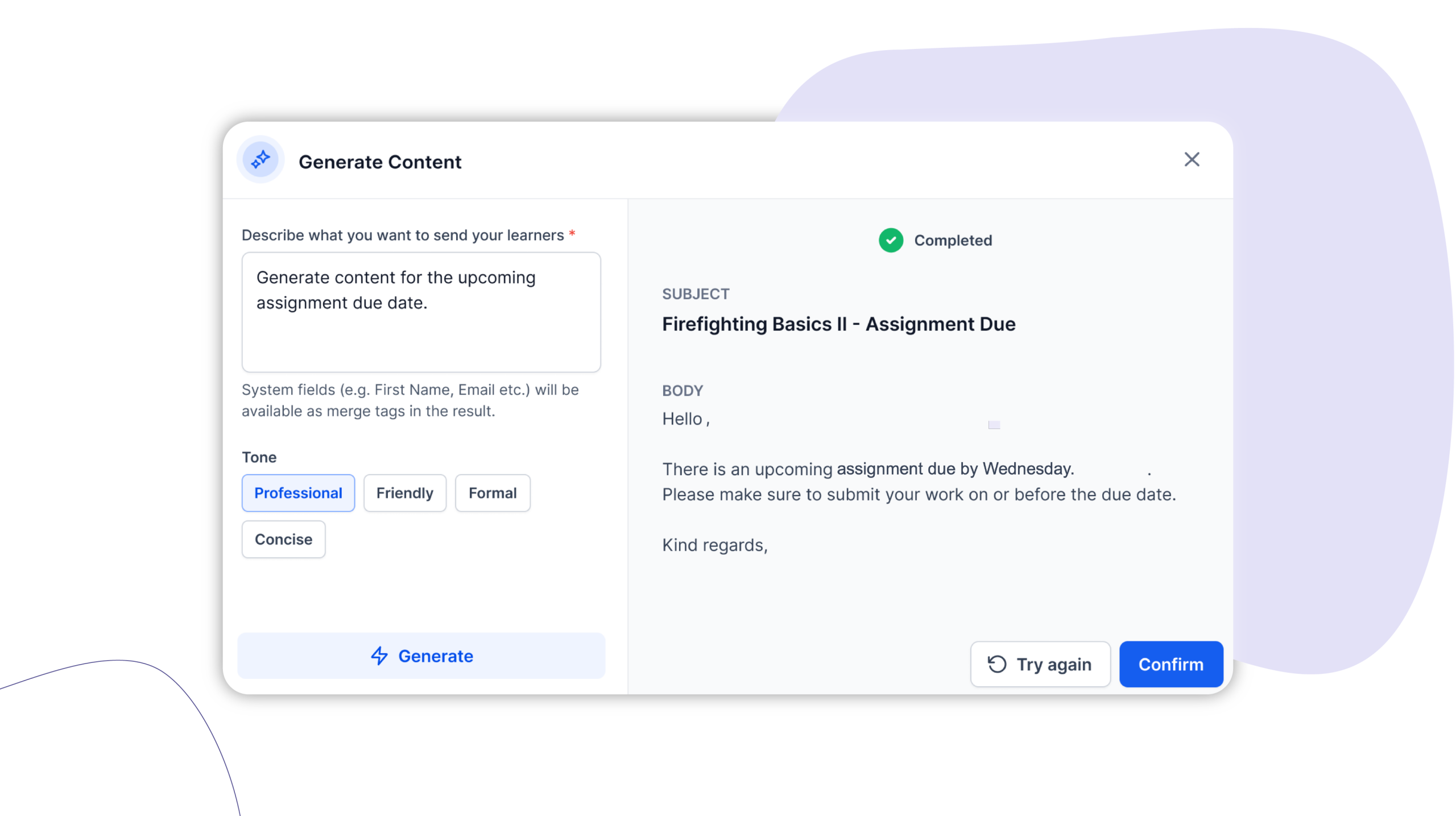
Cloud Assess now includes an AI Message Generator built into the email and SMS composer. Describe what you need to send, and AI generates a ready-to-review draft – complete with merge tags, tone options, and a preview – without you leaving the platform.
Who is this for?
This feature is for anyone who sends messages to learners inside Cloud Assess – trainers, assessors, admins, and training managers.
It’s especially useful for high-volume communicators who send regular reminders, updates, and follow-ups, and for anyone who finds writing professional communications time-consuming or inconsistent across the team.
Why it matters
Routine communications – due date reminders, enrolment confirmations, submission follow-ups – aren’t difficult to write, but they take time. Multiply that across a cohort and it adds up quickly.
The AI Message Generator gives you a better starting point. Describe what you need to send, and you get a polished draft to review rather than a blank composer to fill. The tone is consistent, the merge tags are already in place, and you’re reviewing rather than composing from scratch.
Key features
Prompt-based drafting – Describe the message you need to send in plain language – “remind learners their assignment is due Friday” or “follow up on an overdue submission” – and AI generates a complete draft. No template required.
Tone control – Choose the tone that fits the situation – professional, friendly, or formal – before generating. The draft reflects your selection, so you’re not rewriting the whole message to adjust how it reads.
Merge tags included – AI-generated drafts include relevant merge tags automatically – learner names, assessor names, assignment names, due dates – so personalisation is built in from the start.
Preview before sending – Review the full message in preview before inserting it into the composer. Make edits, regenerate if needed, or insert and send when you’re happy.
Built into the composer – The AI Message Generator sits inside the existing email and SMS composer. There’s no new interface to navigate – the tool is available where you already write messages.
How to get started
The AI Message Generator is available now to all Cloud Assess workspaces as part of your subscription.
To use it, open the email or SMS composer and look for the AI assistant option to generate a message.
Keen to learn more?
Book a demo to speak with our sales team or visit our help centre if you are an existing Cloud Assess customer.



