

What's new
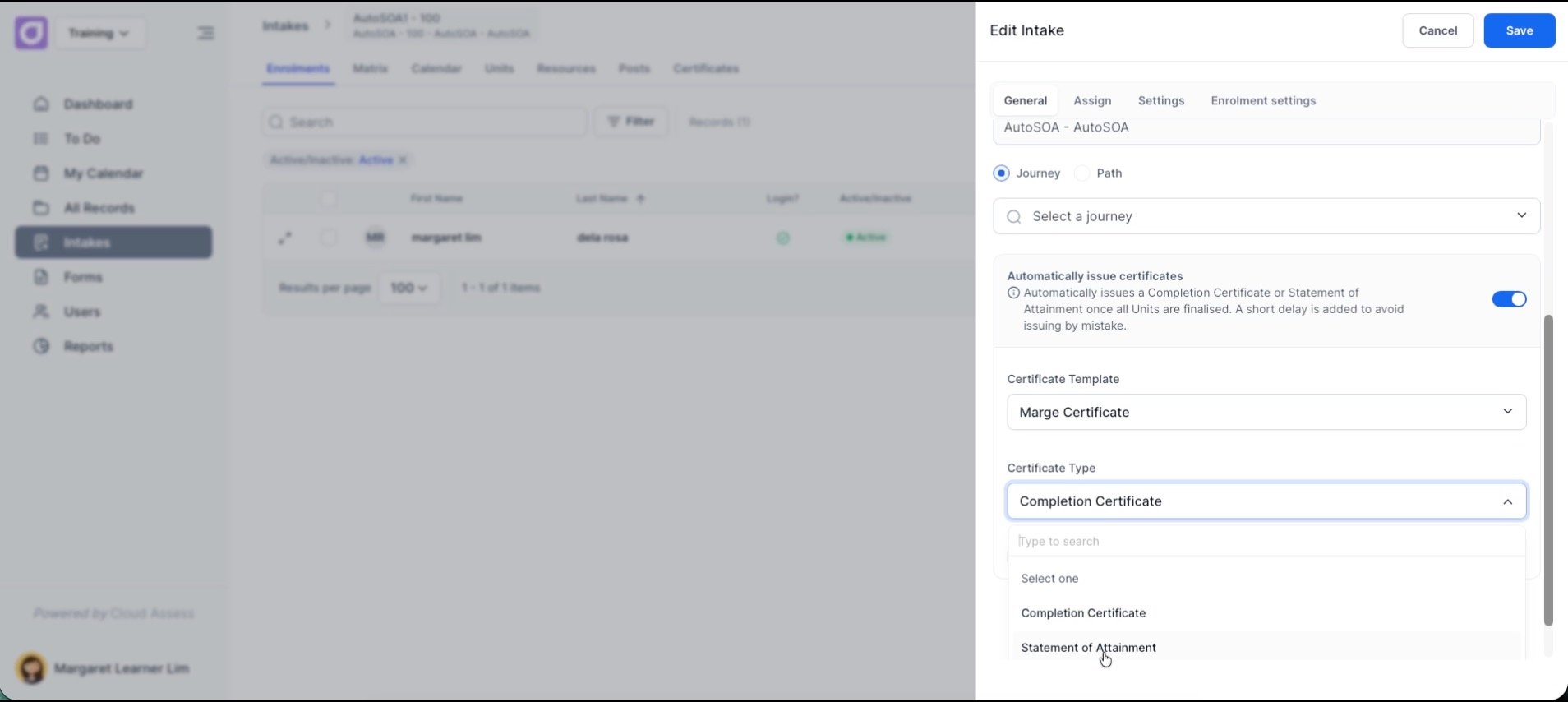
Cloud Assess now supports the automatic issuance of Statements of Attainment (SoA) directly from your intake settings. Where automated issuance previously applied to Certificates of Completion only, you can now choose between certificate types and have the right document sent to learners automatically as soon as units are finalised.
Alongside this, a set of credentialing improvements have been released – including automatic name capitalisation, a unit exclusion toggle, and a new certificate type column in the issuance log.
Who is this for?
This update is for RTO administrators, compliance officers, and operations managers who manage full qualifications and individual unit completions. It removes the need to manually generate and send credentials, freeing up administration time and reducing the risk of delays or errors in the issuing process.
Why it matters
For RTOs delivering full qualifications, issuing individual unit completions via a Statement of Attainment is a compliance requirement – not just an administrative step. Learners need to receive the right credential as soon as they are deemed competent.
Doing this manually introduces delays and the risk of errors. Automating it means the credential goes out at the right time, every time, without anyone needing to monitor or trigger it.
Key features
- Auto-issue SoAs – In your intake settings, select whether a Certificate of Completion or a Statement of Attainment should be issued automatically when units are finalised. Cloud Assess applies a short delay after all units reach a final outcome to confirm accuracy, then sends the credential directly to the learner.
- Professional name formatting – Learner names now display in correct capitalisation automatically – regardless of how the data was originally entered. No manual cleanup required before issuing credentials.
- Exclude units toggle – A new toggle on the Edit Unit form lets you hide specific units from appearing on generated certificates or SoAs. Useful for internal units or non-scored components that shouldn’t appear on formal documents.
- Enhanced issuance log – A new Certificate Type column in the issuance log shows what document was issued, when, and whether it was sent manually or automatically – giving you a clear compliance record at a glance.
How to get started
Setting up automated SoAs takes less than a minute.
- Navigate to your Edit Intake form.
- Scroll to your auto-issuance settings and find the Certificate Type selector.
- Select Statement of Attainment and save.
- Once all units reach a final outcome, Cloud Assess will send the credential automatically.
Keen to learn more?
Book a demo to speak with our sales team or visit our help centre if you are an existing Cloud Assess customer.



