

What's new
Cloud Assess has extended its prior outcomes functionality with Linked Units – a feature that automatically syncs results across equivalent unit enrolments when an outcome is applied.
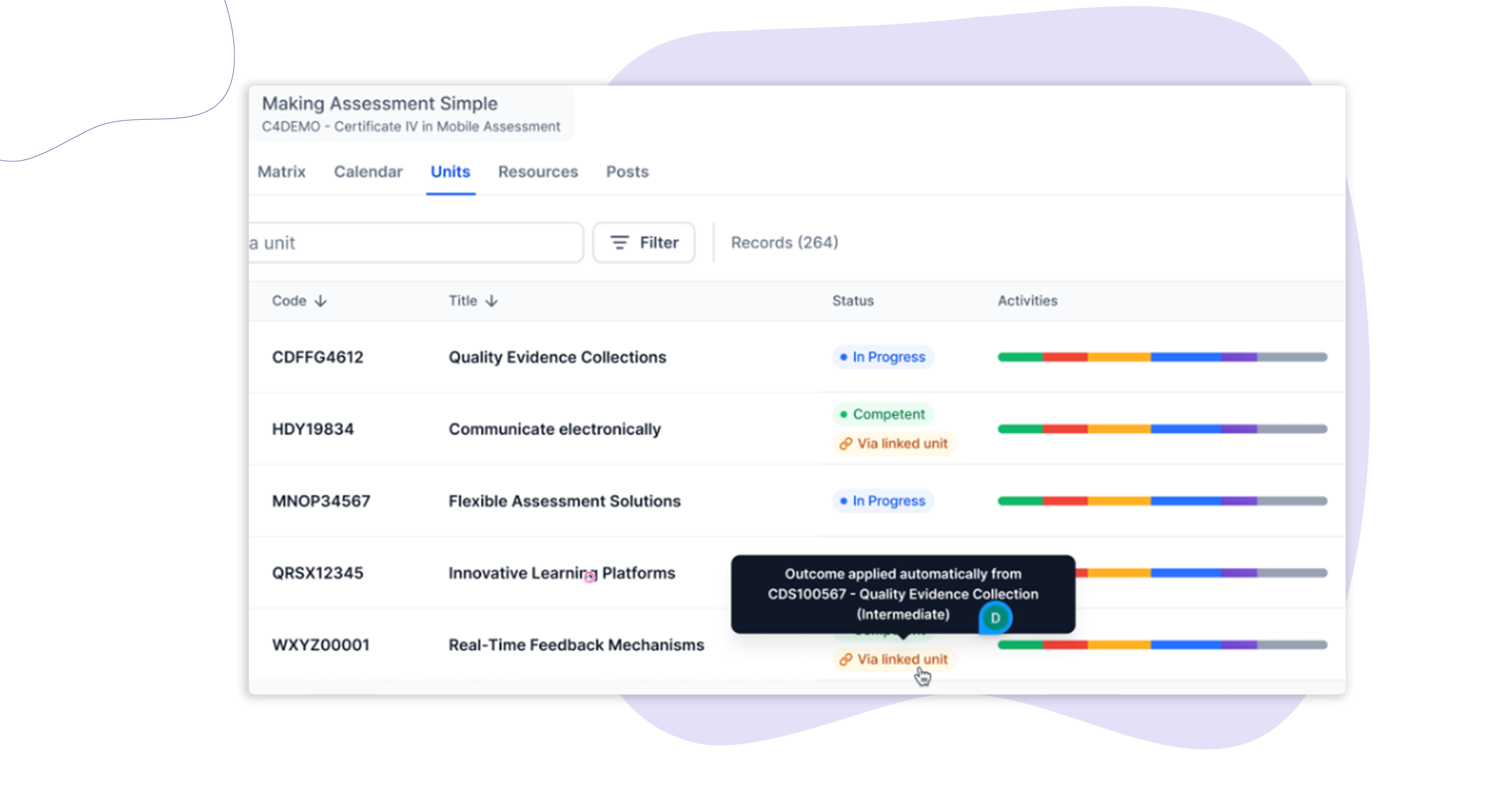
When a trainer results a unit, any linked units belonging to the same learner are updated automatically, according to the outcome rules you have configured. Clear banners appear on affected unit enrolments and activity records so trainers, admins, and learners always know why an outcome was applied and where it came from.
Who is this for?
Trainers and assessors who manage learners enrolled across multiple intakes and need results to be consistent without having to update each record manually.
Administrators and compliance managers at RTOs running concurrent intakes, where the same unit appears across different cohorts and maintaining accurate, consistent outcomes is a compliance requirement.
Learners who want clarity on how their unit results have been determined – particularly where a result has been carried across from another enrolment.
Why it matters
When a learner is enrolled in the same unit across more than one intake, two separate unit enrolment records are created. Keeping those records consistent has traditionally meant going back and updating each one manually – straightforward enough in isolation, but time-consuming at scale.
Linked Units removes that step. Configure the relationship between units once, and outcomes are kept in sync automatically from that point forward. The platform records what happened and why – so your team spends less time on admin, and learners always have a clear picture of their results.
Key features
- Automatic outcome syncing – Link units so that when one is resulted, the other is updated automatically. Outcome behaviour is governed by your existing Outcome Rules configuration, giving administrators full control over what triggers a sync and what result is applied.
- Linked Units banner on unit enrolments – When a unit enrolment is resulted via a linked unit, a banner appears on the unit enrolment screen explaining the outcome was applied automatically and identifying the source unit. Trainers and admins can see at a glance that the record was not resulted manually.
- Linked Units banner on the unit cover sheet – The same contextual banner appears on the unit cover sheet, so the origin of an outcome is visible wherever a trainer or admin reviews the record.
- Activity-level transparency for learners – Where a resulted unit contains the same activity as its linked unit, a banner appears on that activity record for the learner. This makes it clear their result came from an outcome applied elsewhere – not from their own activity completions in that enrolment.
- Timeline updates – When a prior outcome is applied via a linked unit, the learner’s member timeline is updated automatically – keeping your activity log complete and audit-ready.
How to get started
Linked Units are available now across all Cloud Assess accounts.
Existing customers: set up your unit links under your Outcome Rules configuration. Your Customer Success Manager can walk you through the setup if you need a hand.
Keen to learn more?
Book a demo to speak with our sales team or visit our help centre if you are an existing Cloud Assess customer.



