

What's new
Cloud Assess has launched a Messaging Suite that brings email templates, SMS messaging, and CRM contact broadcasting into a single workspace inside the platform.
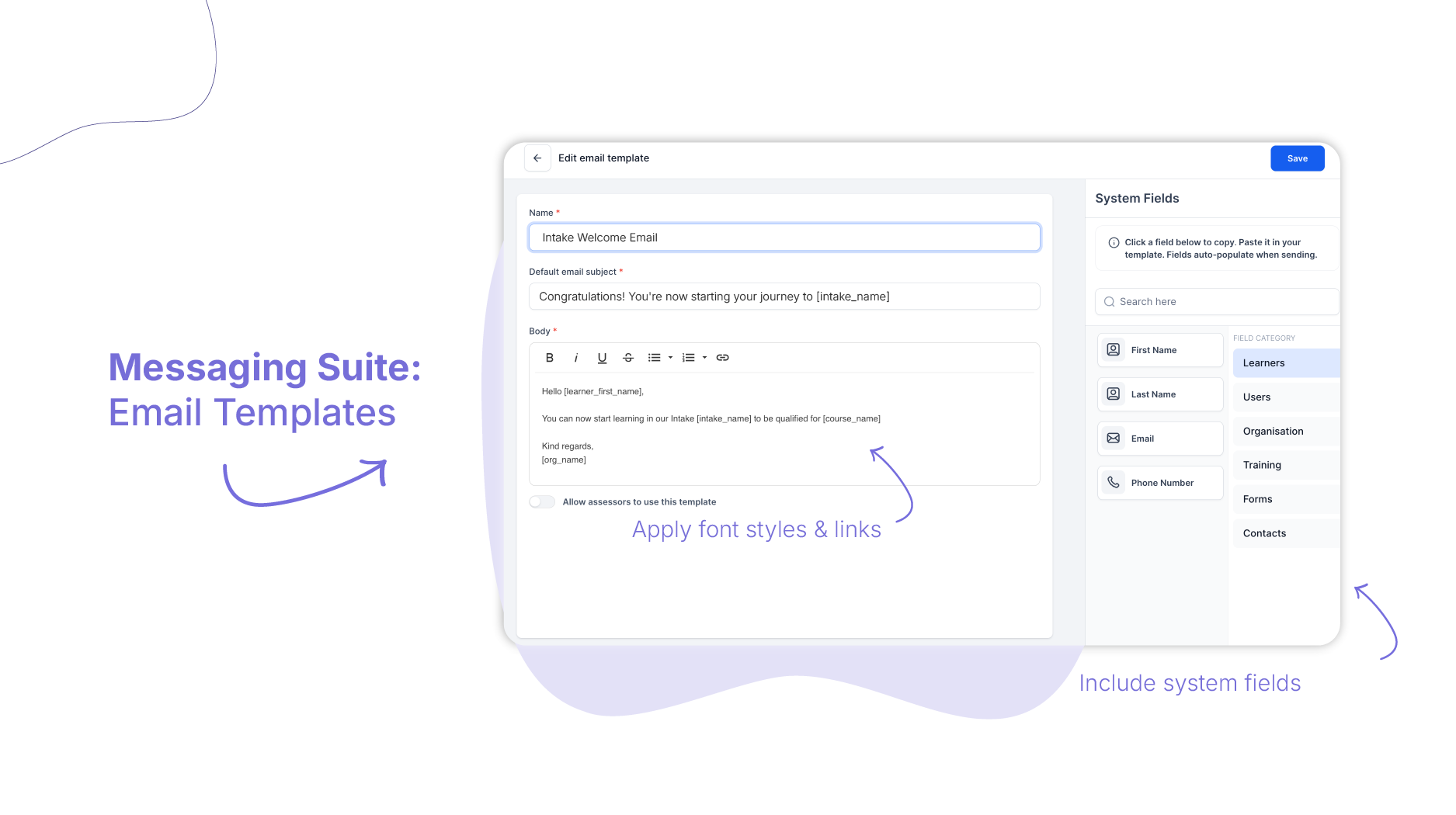
The suite includes a rich text template builder with mail merge fields, native SMS provider integration, smart data validation that flags missing fields before a message is sent, and a full audit trail recorded on each learner’s timeline.
Who is this for?
Administrators and power users who create and manage communication templates, connect SMS providers, and maintain messaging standards across the organisation.
Trainers and assessors who need to send bulk updates or notifications to cohorts quickly, without managing the technical setup behind each message.
Operations and compliance managers who need confidence that outgoing communications are accurate, on-brand, and recorded – and that nothing leaves the platform with broken or missing data.
Why it matters
Communication is part of compliance. Keeping learners informed, documenting contact, and maintaining a record of what was sent and when are all part of running a well-managed RTO.
Managing that across separate tools – external email platforms, SMS apps, manual copy-paste workflows – creates unnecessary administration and introduces risk. A merge field that fails to populate. A message sent with an empty bracket where a learner’s name should be.
The Messaging Suite connects your communications directly to your live training data. Fields populate from the platform. Safeguards catch errors before anything is sent. And everything is recorded on the learner’s timeline automatically.
Key features
- Branded email templates – Design reusable email templates using a rich text editor built for compatibility across modern email clients. Embed mail merge fields that pull live data – learner names, course codes, unit dates, activity deadlines – directly into your message. Templates can be archived to keep your library organised and made available to assessors for consistent outreach.
- Integrated SMS – Connect your preferred SMS provider – such as MessageMedia or SMS Global – under your integration settings. Once configured, you can switch between email and SMS for bulk communications using the same workflow.
- Bulk broadcasting to intakes and CRM contacts – Send targeted broadcasts to an entire intake cohort or a filtered selection of CRM contacts. The same workflow applies to both enrolled members and CRM contacts, with fields populated wherever the data exists.
- Auto safeguards – Before a message is sent, the platform checks that all system fields in your template can be populated for the selected recipients. If any fields are missing, the platform displays a warning or disables the send button – so nothing leaves the platform with broken or incomplete personalisation.
- Centralised error logging – When a message is blocked due to missing data, the event is recorded in a dedicated template error log. Administrators can review exactly which fields were missing, clean up the relevant records, and resend with confidence.
- Timeline audit trail – All sent emails and SMS messages are recorded directly on the learner’s timeline. Click into any entry to view the exact template content that was sent – a clear, accessible record of every communication.
How to get started
The Messaging Suite is available to all Cloud Assess accounts.
- Existing customers: navigate to your system settings to connect your SMS provider and set up your first templates.
- New to Cloud Assess: see how the Messaging Suite fits into a complete training, assessment, and learner engagement workflow.
Keen to learn more?
Book a demo to speak with our sales team or visit our help centre if you are an existing Cloud Assess customer.



