

Registered Training Organisations (RTOs) in Australia operate in a complex regulatory environment. Training companies must manage student data accurately while meeting strict ASQA compliance standards. Handling these administrative tasks manually is difficult and increases the risk of errors.
Modern RTO software provides a solution to these challenges. The right system automates AVETMISS reporting and simplifies student record management. These tools help reduce your workload and protect your training organisation during audits.
In this guide, we review the best RTO software in Australia. We focus on tools that improve efficiency and ensure data integrity. This will help you choose a platform that supports your organisation’s long-term success.
What is RTO Software?
An RTO software is a management system built for the Australian vocational education sector. Also commonly referred to as RTO Management Software. It centralises student records, training delivery data, and government reporting into one platform.
In a highly regulated environment, this software is essential for maintaining your registration. It ensures your data meets the national standards required for RTO audits and funding. Using a centralised system reduces manual entry errors and helps keep your team organised.
RTO Software vs RTO LMS
An RTO LMS (learning management system) is a type of RTO software. It is focused specifically on training delivery, content management, and tracking learner progress.
RTO Software vs RTO SMS
An RTO SMS (student management system) is a type of RTO software. It is designed for student administration, enrolment management, and AVETMISS regulatory reporting.
Best RTO Management System in Australia



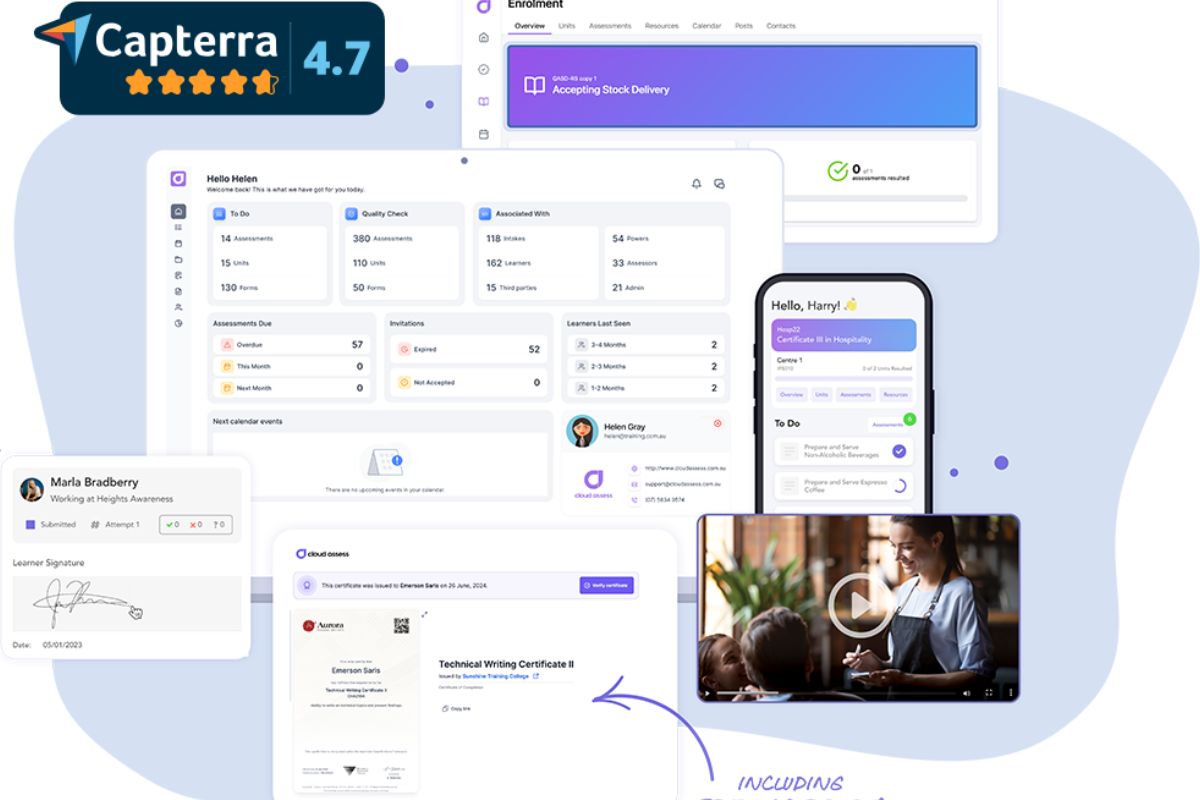
Cloud Assess is a cloud-based RTO software platform. It is built for compliance-driven training delivery. The platform includes an Assessment Designer. This enables RTOs to create logbooks, observation checklists, and RPL tools. It also uses a revision control engine. This ensures assessors and learners work from current, compliant assessment versions. Cloud Assess comes with a built-in student management system (SMS) and compliance tools for reporting and validation. This combined LMS and SMS functionality helps providers seamlessly manage AVETMISS reporting and USI validation alongside training. It also manages automated certificate issuance with QR codes.
The platform provides offline functionality. This enables training delivery in remote and workplace-based environments. It includes AI-driven workflow automation. This reduces manual administrative tasks. Cloud Assess also provides a skills matrix that enables real-time tracking of learner competency gaps. This is across courses and cohorts.
Key Features
- AVETMISS compliance reporting
- USI registry integration
- Unit competency mapping
- Revision control engine
- Real-time skills matrix
- AI assessment generation
- AI marking assistant
- Logbook and RPL
- Mobile offline app
- Photo video evidence
- Supervisor observer reports
- Digital signature capture
- SCORM content support
- Online enrolment engine
- Automated workflows
- Automated certificate issuance
- QR code verification
- Evidence portfolio management
- Real-time progress tracking
- In-app student messaging
- Automated email reminders
- Third-party app integrations
- Customisable branding options
Pros
- Strong control over assessments and evidence
- Built around compliance-driven training delivery
- Supports offline and workplace-based assessment
- Clear visibility into skills and competency gaps
Pricing
Cloud Assess offers one all-inclusive plan for Registered Training Organisations, priced as a flat fee from $600 AUD per month. Every feature is included from day one, including AVETMISS reporting, USI validation, AI-powered assessment creation and marking, and enrolment management. There are no upgrade paths or feature gates. Visit our pricing page for an accurate quote.
Rating
4.7/5 (average rating from Capterra, G2, GetApp, Software Advice)
#2 Cloudemy

Cloudemy is an integrated RTO management system. It is designed to manage the full student lifecycle in one system. The platform provides tools for enrolments, course setup, and student records. It supports qualifications and units aligned to the VET framework. Cloudemy also includes assessment functionality. This allows RTOs to deliver and track various types of assessments digitally.
As an all-in-one solution, Cloudemy includes built-in assessment functionality. This allows RTOs to deliver and track various types of assessments digitally. It also features integrated AVETMISS reporting and USI validation modules. These help support certificate issuance and compliance documentation. This supports online, blended, and trainer-led learning models. The platform is commonly used by RTOs looking to centralise administration and delivery.
Cloudemy may be less suitable for RTOs with complex assessment requirements. Its assessment tools focus on standard delivery workflows. They do not provide a very detailed version control or evidence verification.
Key Features
- Student lifecycle management
- Enrolment management
- Qualification management
- Unit outcome tracking
- Assessment management
- Compliance reporting
- AVETMISS submissions
- Certificate issuance
- Learning delivery tools
Pros
- Covers the full student lifecycle in one system
- Combines administration and learning delivery effectively
- Supports compliance reporting without heavy configuration
- Works well for RTOs wanting a single platform
Cons
- Limited assessment depth
- Less control over evidence
- Not ideal for complex audits
Pricing
Cloudemy’s pricing starts from $2.50 AUD per student per month. However, details on their pricing structure are only available upon request.
User Volume
Cloudemy supports RTOs seeking to centralise administration, compliance, and delivery as their operations grow.
Rating
No ratings available
#3 Arlo
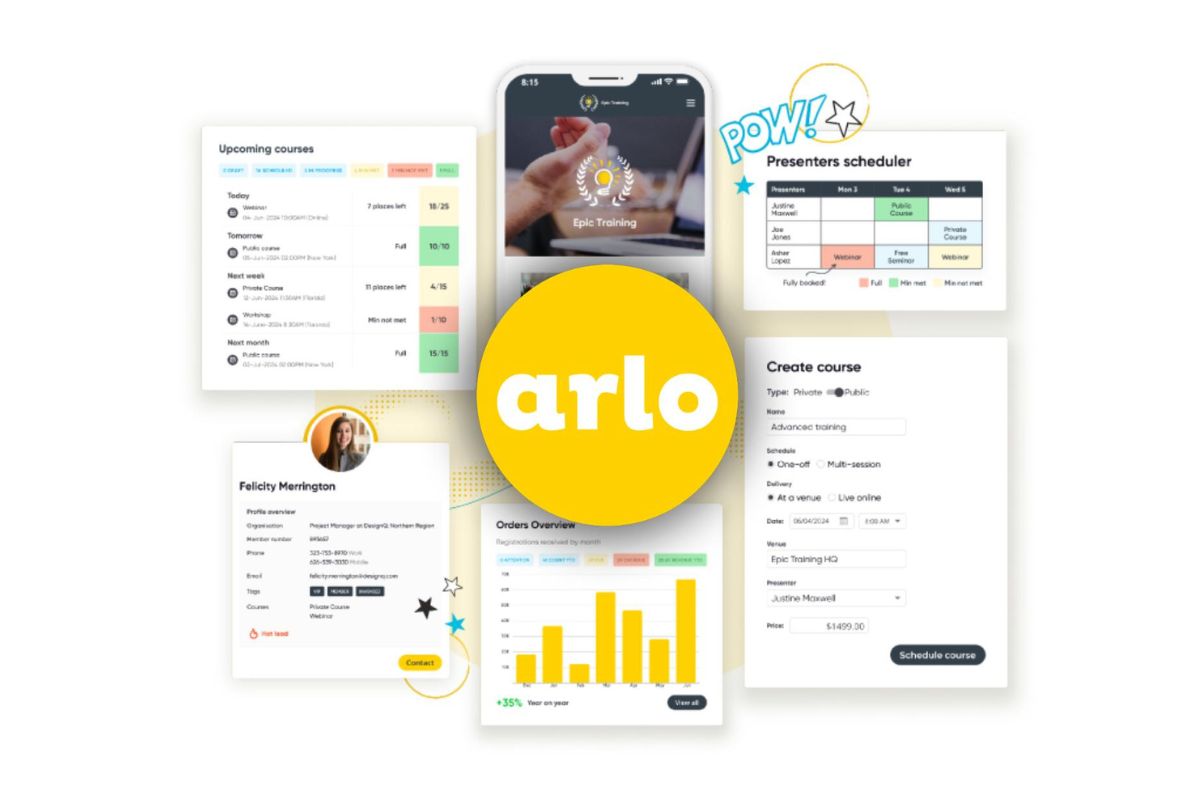
Arlo is a training and course management system. It focuses on scheduling, enrolments, and course administration. The platform provides tools to manage public and private course offerings. It supports enrolment tracking and attendance management. Arlo also includes reporting tools to monitor course activity and participation.
The platform emphasises automation across administrative workflows. It automates enrolment confirmations, reminders, and course communications. Arlo integrates with other business systems to support data synchronisation. It is often used by RTOs that prioritise course delivery logistics and scheduling efficiency.
Arlo may be less suitable for RTOs that require built-in accredited assessment management. It does not provide detailed evidence tracking. It also relies on integrations rather than native compliance reporting.
Key Features
- Course scheduling
- Enrolment management
- Attendance tracking
- Course publishing
- Automated communications
- Payment processing
- Reporting dashboards
- System integrations
Pros
- Strong focus on course scheduling and logistics
- Simplifies enrolments and attendance management
- Automates learner communications and reminders
- Integrates well with other business systems
Cons
- Limited compliance functionality
- No native assessment management
- Relies on integrations for RTO reporting
Pricing
Arlo offers a Simple plan from $132, Professional plan from $227, Enterprise from $302 and a tailored POA plan.
User Volume
Arlo suits training providers managing frequent courses, public enrolments, and high volumes of scheduling activity.
Rating
4.7/5 (average rating from G2, Capterra, GetApp, Software Advice)
#4 RTO Pilot
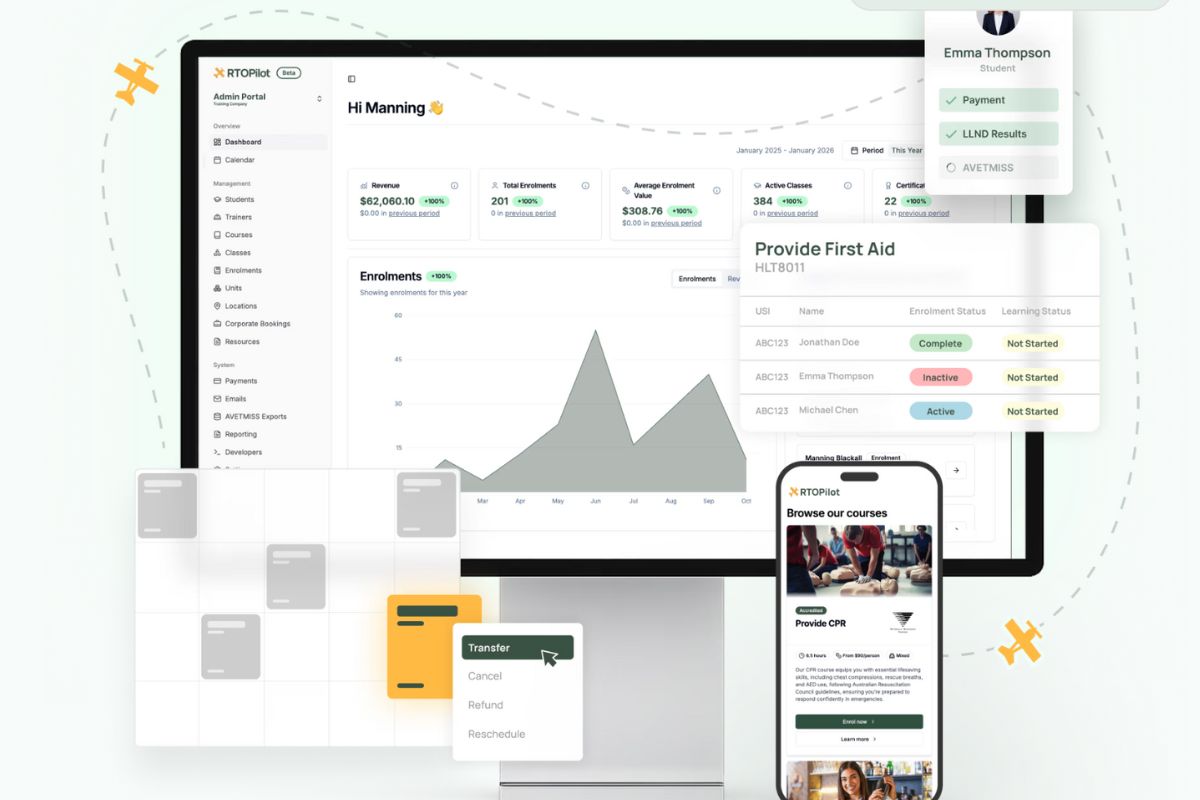
RTOpilot is an RTO compliance software. It’s designed to streamline training operations from enrolment through certification. The platform provides rapid online enrolment tools and automated student management workflows. It supports blended learning delivery and progress tracking through its learning management system. This supports visibility into learner progress and training effectiveness. RTOpilot also includes trainer and student portals. This allows teams to centralise schedules, learning materials, and records.
The platform automates key compliance tasks, including AVETMISS reporting and USI verification. It supports flexible booking management with multi-pricing and group enrolment options. RTOpilot also offers analytics dashboards and certificate generation tools to simplify administrative oversight.
RTOpilot is designed around streamlined workflows and simplicity. This approach may feel limiting for RTOs with highly specialised assessment needs. It may also be restrictive for complex evidence management requirements.
RTOPilot Not Meeting Your Needs?
Explore our list of alternative solutions.
Key Features
- Rapid online enrolments
- Student lifecycle management
- Integrated learning delivery
- Assessment management tools
- AVETMISS compliance reporting
- USI verification automation
- Certificate generation tools
- Booking management tools
- Learner progress tracking
Pros
- Combines management and LMS in one system
- Simplifies managing compliance and administrative workflows
- Streamlines enrolments and booking processes
- Provides clear learner progress visibility
Cons
- Less configurable for complex assessment design
- Fewer advanced evidence workflows
- May not suit highly custom training models
Pricing
RTOPilot doesn’t list fixed prices on its website. Instead, it features a pricing calculator to help you estimate the cost for your organisation.
User Volume
RTOpilot is often adopted by RTOs seeking a unified management and delivery solution that works across small to expanding student cohorts.
Rating
No ratings available
#5 aXcelerate

aXcelerate is a cloud-based RTO management platform. It is built to support administration, compliance, and reporting at scale. The platform provides tools for student enrolments, course management, and record keeping. It supports qualifications and units aligned to the VET framework. aXcelerate also includes assessment management to support accredited training delivery.
The platform includes built-in AVETMISS reporting and compliance reporting tools. It provides workflow automation across key administrative processes. aXcelerate includes an integrated CRM. This enables RTOs to manage enquiries, leads, and enrolments in one system. The platform is commonly used by RTOs with complex reporting and high administrative volume.
However, aXcelerate can feel complex to configure and manage. This is particularly true for smaller RTOs or those with simpler delivery models.
Key Features
- Enquiry management
- Enrolment workflows
- Compliance reporting
- AVETMISS submissions
- Assessment management
- Qualification management
- Custom reporting
- Workflow automation
- Integrated CRM
Pros
- Combines CRM, administration, and compliance workflows
- Provides detailed reporting across training and operations
- Supports complex enrolment and funding structures
- Scales well for established RTOs
Cons
- Can feel complex to configure
- Steeper learning curve
- More than smaller RTOs need
Pricing
aXcelerate’s pricing information is only available upon request.
User Volume
aXcelerate is designed for established RTOs handling layered enrolment, reporting, and operational workflows at scale.
Rating
3.3/5 (average rating from Capterra, GetApp, Software Advice)
Not Sure About aXcelerate?
We’ve compiled a list of alternative platforms.#6 Moodle
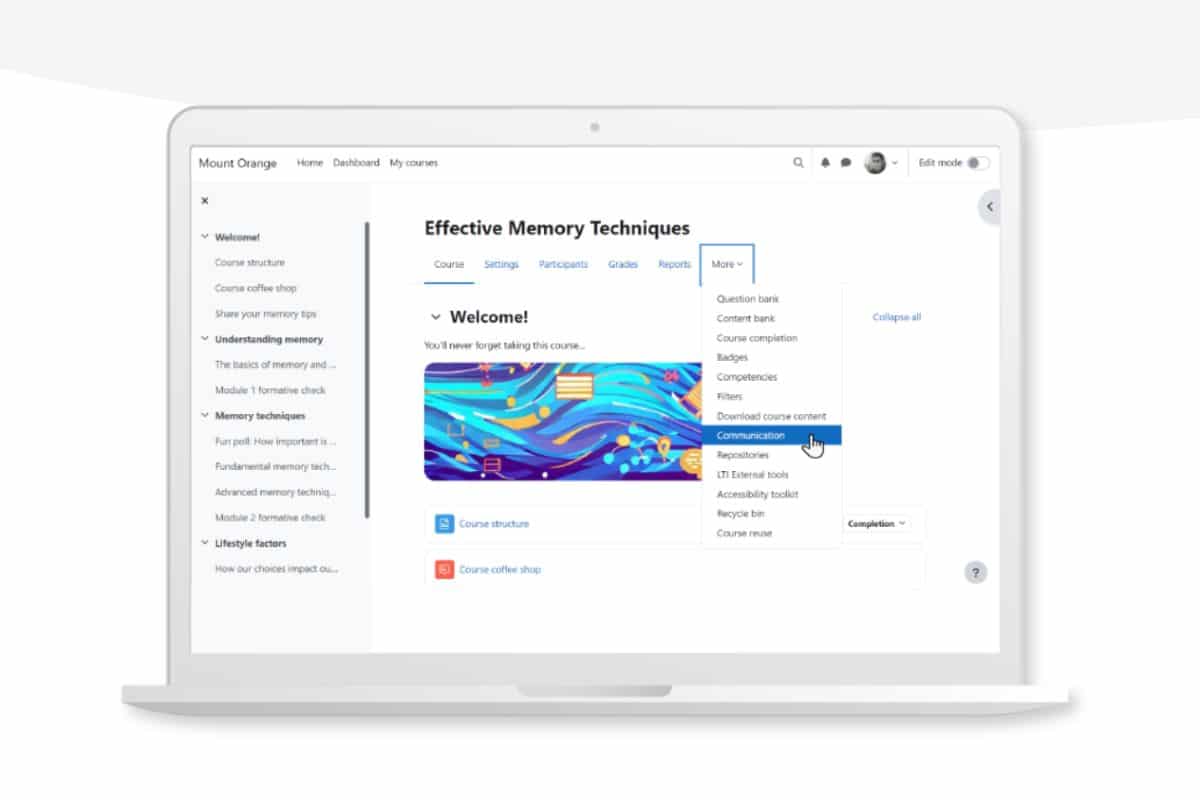
Moodle is an open-source learning management system used for training delivery. It provides tools to build and manage online courses. The platform supports modules, activities, quizzes, and assignments. It enables self-paced and trainer-led learning models. Moodle also includes discussion and collaboration tools to support learner interaction.
The platform is highly configurable through plugins and custom development. This allows RTOs to extend Moodle to suit specific delivery or compliance needs. Moodle integrates with external systems, including RTO student management software. It is often used where flexibility and control over the learning environment are priorities.
However, Moodle requires configuration and ongoing management to meet RTO requirements. Its compliance capabilities depend on how the platform is set up and which extensions are used.
Key Features
- Online course delivery
- Learning activity management
- Quizzes and assignments
- Trainer-led delivery
- Self-directed learning
- Learning content management
- Learner interaction tools
- Plugin-based extensions
Pros
- Highly flexible learning delivery environment
- Supports a wide range of learning activities
- Strong control over course structure
- Large ecosystem of plugins and extensions
Cons
- Not built for RTO compliance
- Requires setup and configuration
- Relies on integrations for administration
Pricing
Moodle is an open-source platform which is free to download and use. However, there are costs associated with hosting, implementation, and customisation. These can vary widely depending on the specific requirements and the hosting provider chosen.
User Volume
Moodle is used by RTOs focused on delivering online or blended learning to diverse learner cohorts, alongside a separate management system.
Rating
4.2/5 (average rating from G2, Capterra, GetApp, Software Advice)
#7 Wisenet
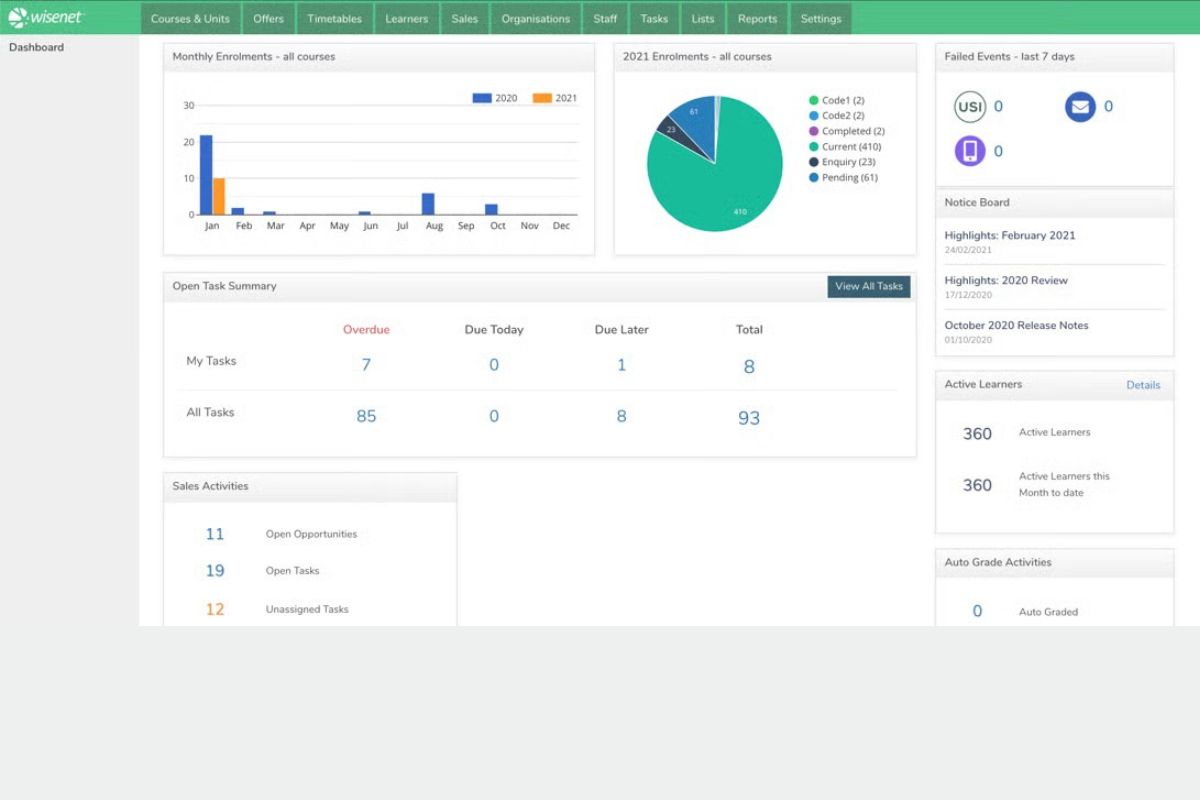
Wisenet is a dedicated RTO software platform with a primary focus on administration and compliance. It is widely used as a SMS to handle student enrolments, course management, and record-keeping within the VET framework.
The platform emphasises data security and audit-ready reporting. It features built-in modules for AVETMISS submissions and student data management. Wisenet integrates with other systems to support operational workflows.
However, Wisenet may be less suitable for RTOs seeking a highly modern learning experience. Its interface and delivery tools prioritise administrative control over advanced learner engagement features.
Key Features
- Compliance workflow management
- Audit-ready reporting
- Qualification management
- Unit outcome tracking
- Assessment result recording
- AVETMISS submissions
- Certificate issuance
- Student record management
- Course administration
Pros
- Strong focus on compliance and audit readiness
- Structured workflows guide administrative tasks
- Suitable for regulated training environments
- Regular updates to maintain compliance standards
Cons
- Less flexible than configurable systems
- Interface feels more functional than modern
- Limited learning delivery tools
Pricing
Wisenet offers three plans for its student management system: Starter plan from $290 per month, Standard plan from $ 500 per month and Premium from $ 770 per month.
User Volume
Wisenet is often chosen by RTOs that prioritise structured compliance processes and consistent audit readiness.
Rating
3.6/5 (average rating from G2, Capterra)
#8 VETrak
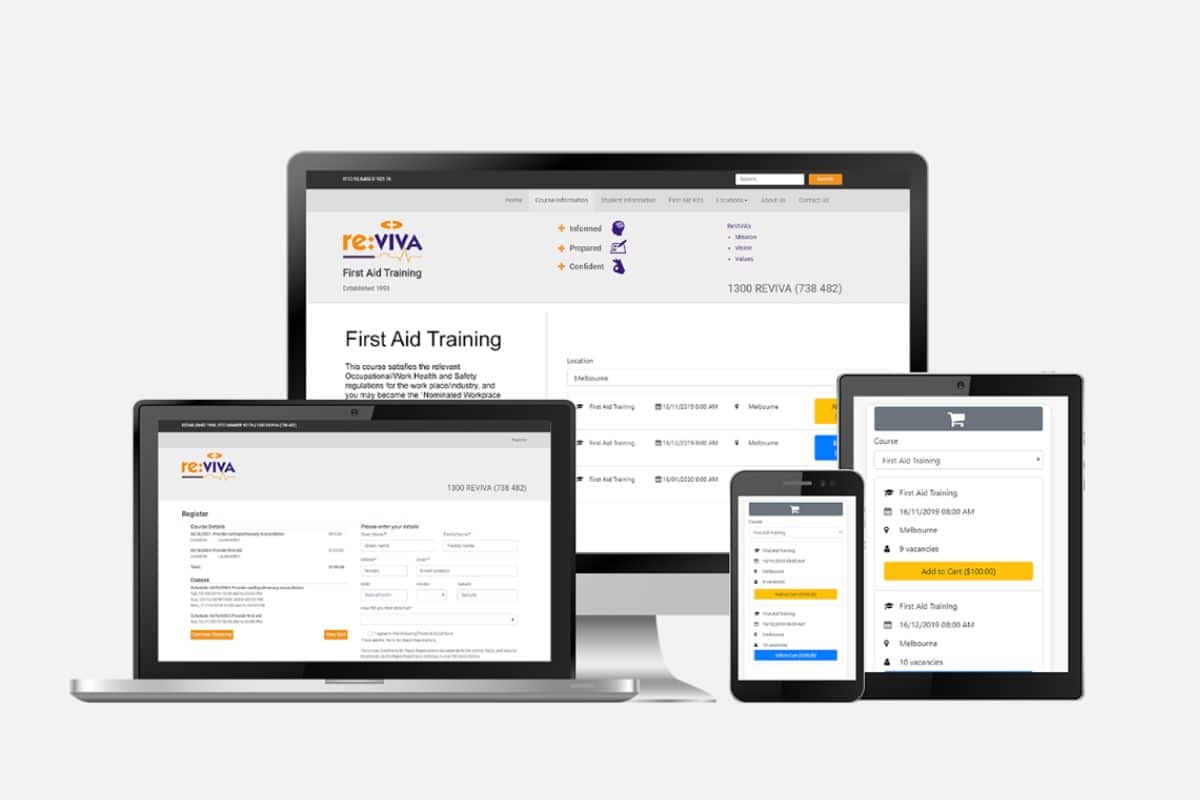
VETtrak is a student management system built specifically for RTOs. It focuses on administration, compliance, and reporting workflows. The platform provides tools for managing enrolments, student records, and course data. It supports qualifications and units aligned to the VET framework. VETtrak also includes reporting tools to track student progress and outcomes.
The platform places a strong emphasis on configurability. It allows RTOs to tailor workflows, fields, and reports to suit their operational needs. VETtrak supports detailed data management and compliance reporting. It is often used by RTOs that require structured administration and control over student information.
However, VETtrak may be less suitable for RTOs looking for an integrated learning delivery experience. It focuses more on student management and reporting than on advanced online training delivery tools.
Looking For More Options?
We’ve got you covered. Check out these VETtrak alternatives.
Key Features
- Student data management
- Custom reporting
- Compliance reporting
- AVETMISS submissions
- Workflow configuration
- Qualification management
- Unit outcome tracking
- Student lifecycle tracking
- Enrolment management
Pros
- Strong control over student and compliance data
- Highly configurable reporting and workflows
- Suitable for complex administrative structures
- Well suited to data-heavy RTO operations
Cons
- Limited learning delivery capability
- Requires configuration to suit workflows
- Less intuitive for new users
Pricing
VETtrak pricing isn’t available directly on ReadyTech’s website. Contact them directly for an accurate quote.
User Volume
VETtrak is commonly used by RTOs managing complex data structures and higher administrative or reporting demands.
Rating
No ratings available
#9 JobReady
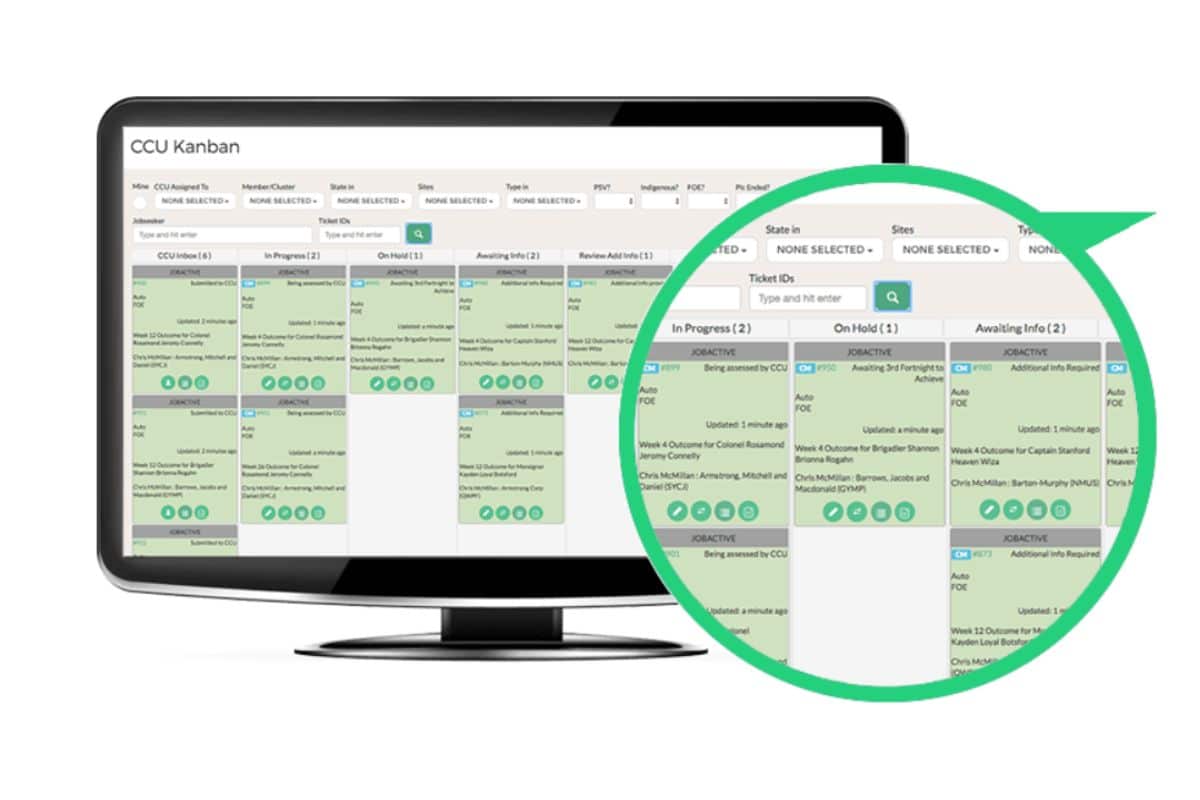
JobReady is an RTO automation software designed to support administration and compliance workflows. It provides tools for managing enrolments, student records, and course data. The platform supports qualifications and units aligned to the VET framework. JobReady also includes assessment and reporting functionality to support accredited training delivery.
The platform focuses on usability across administrative tasks. It provides a structured interface for managing student information and compliance data. JobReady includes reporting tools to support regulatory submissions and internal oversight. It is commonly used by RTOs seeking a balance between operational control and ease of use.
However, JobReady may be less suitable for RTOs that require advanced learning delivery tools. Its strengths are concentrated on administration and compliance.
Key Features
- Student lifecycle tracking
- Enrolment management
- Qualification management
- Unit outcome tracking
- Assessment result recording
- Compliance reporting
- AVETMISS submissions
- Certificate issuance
- Learner progress reporting
Pros
- Easier to navigate than heavier RTO systems
- Covers core administration and compliance needs
- Suitable for small to mid-sized RTOs
- Quicker to adopt with less setup
Cons
- Limited flexibility for complex requirements
- Less depth in reporting
- Not designed for advanced delivery models
Pricing
JobReady doesn’t provide any pricing information. Contact their teams for accurate pricing.
User Volume
JobReady typically serves small to mid-sized RTOs looking for a balance between usability and core compliance coverage.
Rating
No ratings available
#10 Vasto Educator
Vasto Educator is an RTO management platform. It is focused on student administration and training delivery support. It provides tools to manage enrolments, student records, and course information. The platform supports qualifications and units aligned to the VET framework. Vasto Educator also includes assessment and reporting features to support accredited training delivery.
The platform emphasises usability across administrative workflows. Vasto Educator allows RTOs to access key data quickly for planning and decision-making. It is often used by RTOs seeking a straightforward system for managing day-to-day operations.
However, Vasto Educator is less suitable for complex compliance or assessment requirements. RTOs needing deeper assessment control are better served by platforms such as Cloud Assess. Those requiring more advanced compliance configuration may prefer aXcelerate.
Key Features
- Course scheduling
- Student lifecycle tracking
- Enrolment management
- Assessment result recording
- Compliance reporting
- Qualification management
- Unit outcome tracking
- Learner progress reporting
Pros
- Simple interface for day to day administration
- Supports standard RTO workflows reliably
- Real time reporting for operational oversight
- Suitable for straightforward delivery models
Cons
- Limited depth for complex compliance needs
- Fewer advanced assessment controls
- Less configurable than larger platforms
Pricing
Vasto Educator doesn’t make pricing details available on their website. Contact them directly for an accurate quote.
User Volume
Vasto Educator is best suited to RTOs with straightforward delivery models and manageable administrative complexity.
Rating
No ratings available
RTO Software Buyer’s Guide
- Workflow efficiency and automation. RTO software should streamline key administrative workflows across enrolments, reporting, and student management. Automation and centralised processes play a key role in reducing administrative burden. This helps minimise manual effort and operational overhead.
Learn How to Automate Your Assessor Admin
Watch our free webinar today.
- Understand accredited training requirements. Ensure the platform is built specifically for the Australian VET sector, rather than being a generic LMS. The software must align with how RTOs enrol, train, assess, and report to remain compliant with national standards.
- Assess compliance and audit readiness. Robust software helps ensure your organisation is always audit-ready through built-in compliance tools. It should act as a central library for student records and evidence, making regulatory reviews much simpler.
- Review assessment and evidence management. This is a critical feature that differentiates RTO platforms. The system should support digital assessment delivery, and version control. It should secure evidence collection to maintain training integrity.
- Consider integration with existing systems. Review how the software connects with your current finance or administration tools. Seamless data synchronisation between systems reduces duplication and minimises manual entry errors.
- Evaluate scalability and operational fit. The platform should support your current delivery model while allowing for future growth. Scalability involves more than just student numbers. It is about the system’s ability to handle increased operational complexity as you expand.
- Examine support and onboarding quality. Reliable, local support is essential, particularly for compliance-related queries. Onboarding should be comprehensive. This ensures your staff can adopt the system quickly and provide feedback during the transition.
- Confirm data security and record management. RTOs manage sensitive student and compliance data that must be stored securely. The software should offer clear access controls. It should also align with Australian regulatory expectations for record keeping.
- Weigh cost against long-term value. Weigh pricing against the long-term functionality and support provided. Consider the total value, including implementation effort and future scalability. Don’t just consider the initial cost.



