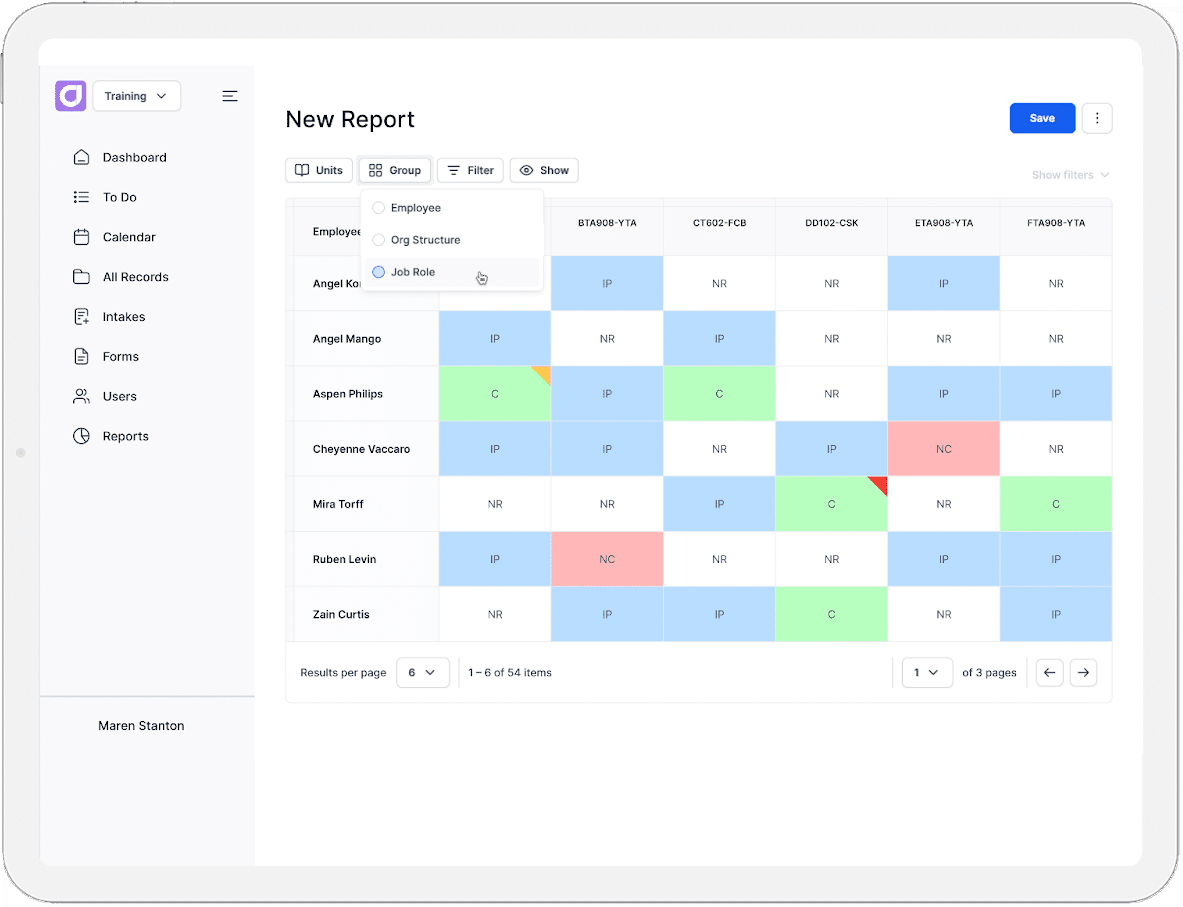
For most training and compliance teams, the heaviest workload is the administrative processes around them. This includes sign-offs, updating spreadsheets, and tracking renewal dates. It also includes locating the right records, chasing down missing evidence, and pulling it all together when an audit comes around without warning.
In regulated industries like mining, construction, and manufacturing, that load only grows as workforces scale and obligations multiply. Teams buried in training and compliance admin are often the ones with the most outdated processes behind them. Once you see where the time is actually going, most of it can be reduced through better process design, not more effort.
In this blog, we’ll explore:
- Where training and compliance admin hours go
- 11 Strategies to reduce workplace training and compliance admin
- The ways Cloud Assess can help reduce admin
Where Training and Compliance Admin Hours Actually Go
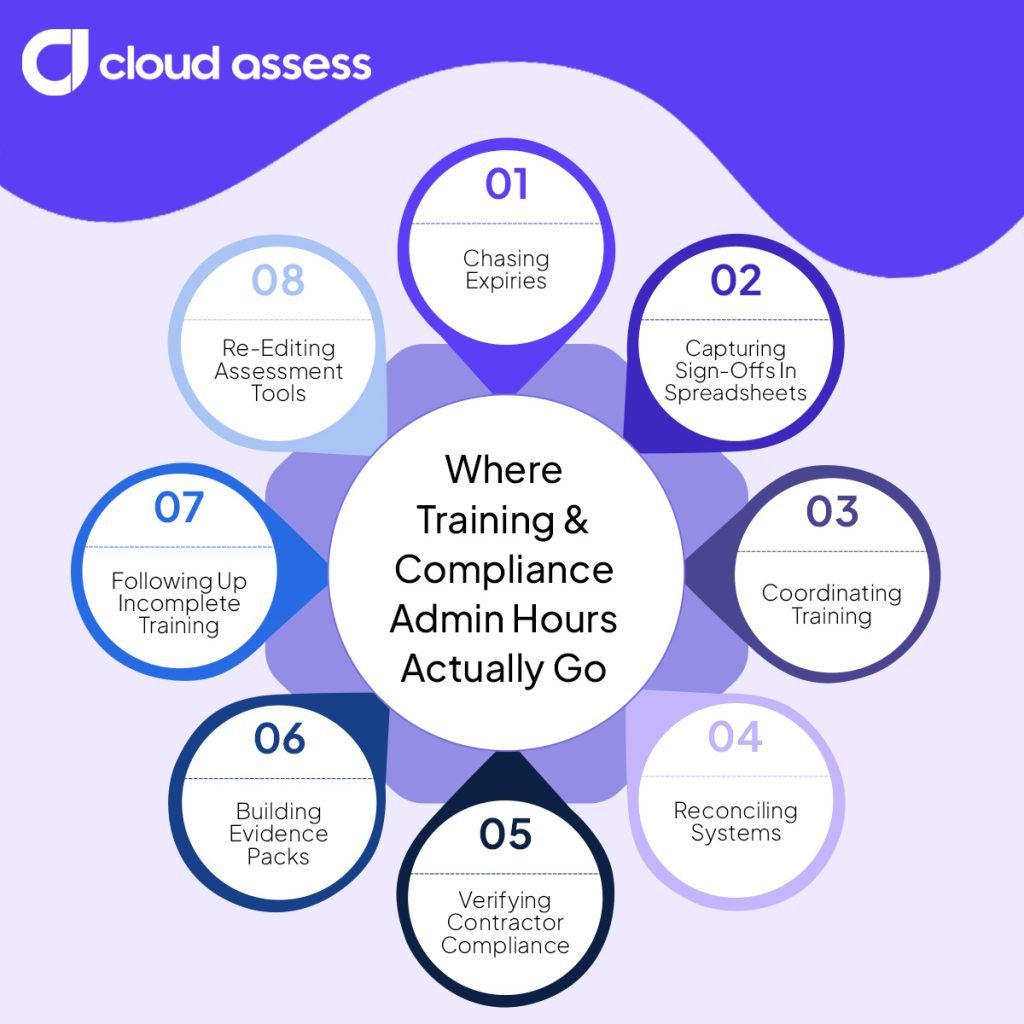
Chasing Expiries
Tickets, licences, and medicals all expire on different dates. Someone has to know which ones are due, and start the renewal early enough to avoid a gap. That knowledge is the work, and it never finishes. Miss a date and a worker becomes unavailable for the job they were rostered on. The safe response is to check constantly, which costs hours nobody records.
Capturing Sign-Offs In Spreadsheets
A worker signs a paper sheet at the end of a toolbox talk or induction training. Someone then types those names into a spreadsheet. The information was already captured once, so the second capture adds no value and introduces errors. Names get misread, dates get guessed, and sheets go missing before they reach a desk. The record you rely on is only as good as that transcription.
Coordinating Training
Training has to fit around rosters, night shifts, travel, and site access. Booking a session means checking who is available, then rebooking when the roster changes. Much of the effort goes into scheduling rather than training. A single roster change can undo a week of arrangements. Multiply that across several sites and coordination becomes a role in itself.
Reconciling Systems
The same worker often exists in an HR system, a learning system, and a spreadsheet. The spreadsheet says their forklift ticket was renewed in March. The learning management system (LMS) has no record of it. HR still lists them in a role they left. Someone has to work through each mismatch and trace it back to the source. The re-keying takes minutes. Working out which version is true takes the day.
Verifying Contractor Compliance
Contractors arrive with their own cards, tickets, and certificates. Each one needs checking before work starts, and again on the next visit. Most of that time goes into requesting documents rather than reviewing them. Documents arrive by email, in photos, or not at all. Meanwhile, the crew is on site waiting to be cleared.
Building Evidence Packs
An audit or tender asks for proof that specific people were trained and assessed. The records usually exist, but they sit in different places and formats. Pulling them together becomes a short project every time. The work is not proving compliance, it is locating proof that already exists. And the next request starts the same process again.
Following Up Incomplete Training
Assigned training does not complete itself. Someone builds a list of who is behind, sends reminders, then escalates to supervisors. The list is out of date by the time it is finished. Every follow-up is manual, so the volume grows with headcount. The task expands quietly as the workforce does.
Re-Editing Assessment Tools
The same assessment gets adapted for a different site, role, or piece of plant. Without one master version, small edits multiply into several near-identical documents. Nobody is certain which one is current. A change to the underlying requirement then has to be made in every copy. Some copies get missed.
11 Strategies To Reduce Workplace Training and Compliance Admin
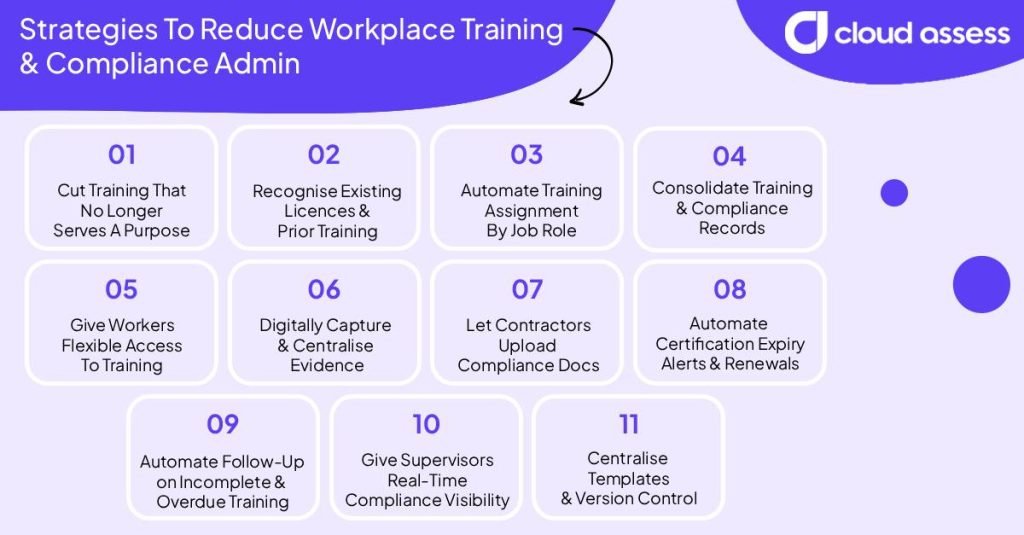
1. Cut Training That No Longer Serves A Purpose
Some of the training you deliver is not needed. Removing it removes the admin attached to it, which is assigning it, chasing completion, filing the record, and tracking the renewal. Statutory training and mandatory training required by law always stays. Standard operating procedures (SOP) training and upskilling all sit in that group. None of it is legally required, but it keeps work consistent and safe, so it stays as well.
The training to look at is the third group, because nobody chose to keep it and nobody removed it. A contract demanded it years ago and has since ended. An incident prompted a refresher training that became permanent. A past manager set an annual cycle nobody has revisited.
List every training requirement you deliver, then name the law, risk control, contract, or standard behind each one. Anything you cannot attribute is a candidate to remove.
2. Recognise Existing Licences and Prior Training
New starters rarely arrive empty-handed. Many hold a current ticket, card, or record of the same training you are planning to assign. Putting them through it again creates admin you never needed. It happens because employee onboarding assigns the same set to everyone, before anyone checks what they bring.
Ask for evidence at the point of hire. A verified licence or completion record can satisfy the requirement outright, and it goes straight into their file. Where the evidence is partial, assess the gap rather than retraining the whole thing.
The same applies to internal moves, since someone changing roles has usually met some of the new requirements already.
3. Automate Training Assignment By Job Role
Assigning training one person at a time does not scale. Every new starter, transfer, and promotion becomes a separate task, and someone has to remember what each role needs. Role-based assignment removes that step. You define the training each role requires once, then anyone in that role receives it automatically.
The setup is real work. Mapping requirements to roles means agreeing what each one actually needs. That often exposes inconsistencies between sites or supervisors. Expect it to take longer than you think.
Where you get the time back is on every assignment after that. New starters are enrolled the day their role is set. Transfers pick up the new requirements and drop the old ones without anyone intervening. The mapping also becomes the reference everyone works from, so the question of what a role requires stops being a matter of opinion.
4. Consolidate Training and Compliance Records Into One System
A worker’s training picture is still split across several systems: completions in the LMS, licences and verification status elsewhere, and a qualifications field in HR that someone updates by hand. Confirming whether a worker is cleared means checking each one and working out which version to trust. This means every audit, tender or role change repeats the exercise.
One system holding every record type ends that. Completions, practical assessments, licences, and expiry dates sit together, so the answer comes from one place and HR stops maintaining its own copy. Consolidating means integrating with your existing HR and payroll systems, not replacing them. Decide which source is authoritative for each record type first.
5. Give Workers Flexible Access To Training

Scheduled sessions create coordination work. Someone checks the roster, finds a window that suits a group, books it, then rebooks when the roster changes. The training itself might take an hour. Arranging it takes longer.
Flexible access removes the scheduling step. Workers complete theory when their shift allows, on whatever device they have, including offline where connectivity is poor. Night shift stops being a separate problem to solve.
That will not cover everything. Practical assessment still needs an assessor present, and some inductions have to happen before site access. The gain is narrowing what actually requires coordination. If theory is done beforehand, the scheduled time is spent only on the parts that need a person there, and those sessions get shorter.
6. Digitally Capture and Centralise Evidence
Paper evidence costs you twice. Someone signs a sheet on site, then someone else types those names up later. The transcription adds nothing, and every one is a chance for a name or date to be recorded wrong.
Capturing digitally removes that step, but the files still scatter by type. Uploaded licences in one place, assessor sign-offs in another, photos and videos in a camera roll. Evidence of one worker’s competency ends up in four formats and four locations.
Centralising gives each worker a single evidence portfolio instead. Every licence, sign-off, photo, and observation collects against their name, mapped to the competency it proves. Asking what a worker can do means opening one record, not gathering four.
7. Let Contractors Upload Their Own Compliance Documents

Contractor verification is mostly document collection, and the work sits in the wrong place. Contractors hold their own paperwork and know when it expires, but your team still does the requesting, chasing and entering.
Give them a way to upload it themselves. They submit their own cards, tickets and insurances before mobilising, and your team verifies what arrives rather than pursuing it. The volume matters more than the individual case. One contractor is manageable. Fifty, each with several workers and renewal dates that never align, is not.
The upload itself only solves half of it. Without expiry checks built in, you are still relying on someone to notice when a submitted document lapses. Set the system to flag anything missing or expiring before mobilisation, so a contractor is cleared or stopped at the point of upload, not at the gate on day one.
8. Automate Certification Expiry Alerts and Renewals
Chasing expiries is a monitoring job. Someone has to know which tickets, licences, and medicals fall due, and start each renewal early enough to avoid a gap. Nothing prompts them, so the checking never stops.
Automated alerts move the prompt to the system. Each record carries its own expiry date, and notice goes out before it lapses.
Lead time is the part worth setting properly. A short online refresher needs days. A high-risk licence or a medical needs weeks, sometimes months, because it depends on a booking with someone else. Alerts should reach the worker and their supervisor, not just whoever administers training. The person who needs the renewal and the person who rosters them both act on it.
9. Automate Follow-Up On Incomplete and Overdue Training
Chasing completions is a manual cycle. Someone builds a list of who is behind, sends reminders, waits, then escalates to supervisors. By the time the list is finished it is already out of date.
Automated follow-up runs that cycle without anyone building the list. Workers are reminded when they fall behind, and supervisors are notified when a reminder does not work.
Escalation is what makes it useful. Reminders alone stop being noticed, so the sequence needs a point where it becomes someone’s problem to resolve rather than another notification. The gain grows with headcount. Manual follow-up scales with the number of people behind. Automated follow-up does not.
10. Give Supervisors Real-Time Compliance Visibility

Supervisors need one answer regularly: can this person do this job today? Without direct access, getting it means asking someone in training or head office and waiting on a report that was already out of date by the time it arrived.
Direct visibility removes the exchange. A supervisor opens their team, sees who is current and who is not, and rosters accordingly. It also changes when problems get caught. A supervisor watching their own expiry dates acts weeks out, in time to arrange cover or push a renewal through. Someone relying on a monthly report finds out after a worker is already rostered on a job they can no longer do.
11. Centralise Assessment Templates and Version Control
The same assessment gets adapted for different sites, roles and equipment, and without one master version, those edits multiply into several near-identical documents with no one certain which is current.
The cost shows up the next time something changes. A revised standard or a new control has to be applied to every copy, which starts with finding them all. Some get missed, and an assessor ends up running a session against a version that no longer matches the requirement, sometimes without realising it until the assessment is queried.
One central template with version control makes the change once, at the source, so there is nothing to track down and no copies to miss. Older versions stay attached to the assessments completed under them rather than being overwritten, which matters at audit: evidence has to show the standard that applied at the time the assessment was carried out, not the version currently in use.
How Cloud Assess Helps Workforces Reduce Administrative Load
Cloud Assess is a training and assessment platform built for frontline workforces. Most organisations run training in one system and manage compliance in another, then spend their week keeping the two aligned. Cloud Assess holds both. A completion, an assessment and a credential all sit against the same worker record. Here are some of the features it offers organisations looking to cut admin on either side.
Some features cut admin on one side more than the other. A handful cut it on both at once, because the same record is doing double duty.
- Job role mapping. Set the training requirements for a role once, and that same mapping tells you what “compliant” looks like for anyone in it. This means onboarding and audit prep both draw from the same source.
- Revision control. An assessment update happens once, with old versions archived against the assessments completed under them. No editing near-identical copies, and it is also what an auditor needs to see: the standard that applied at the time, not the one in use now.
- Evidence portfolios and verification of competency workflows. A photo, sign-off or observation captured during a VOC lands straight in the worker’s portfolio. This ensures the record that proves training happened is the same record an assessor used to confirm the skill was already there.
- Automated induction pathways and learner app with offline capability. New hires and casuals complete what they need on their own device, wherever they are, without your team building an induction from scratch or scheduling around rosters.
- Training certificate management and third-party user access. Alerts go out before licences and certificates lapse. Contractors submit and maintain their own compliance documents, so your team stops monitoring dates and chasing paperwork.
- Reporting and dashboards, and automatic audit trail. Completion rates, competency trends and a timestamped record of every submission and decision are there in real time.
- Workplace system integrations. The platform connects to major HRIS, ERP and payroll systems, including SAP, Oracle and Workday, with custom integrations available through the API. This helps your team stop entering the same worker details twice and reconciling the versions.
See how much admin you can cut from your training and compliance processes. Request a demo to see how Cloud Assess would improve processes across your teams, sites, and shifts.