

What's new
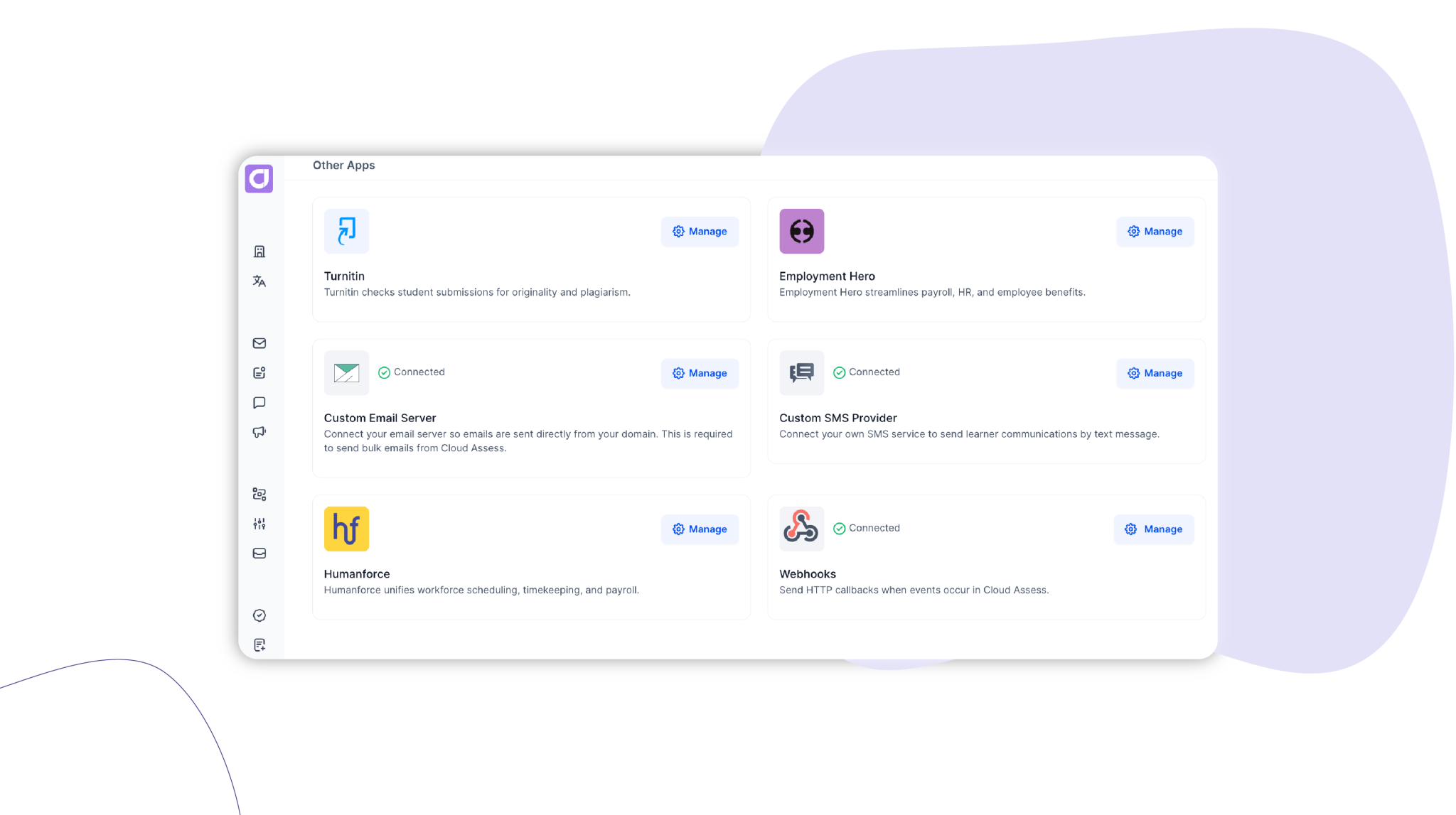
Webhooks let Cloud Assess notify your other systems automatically the moment a key event happens, so your connected platforms stay in sync without anyone exporting files or re-keying data.
Who is this for?
- RTOs: Send outcomes in real time to systems beyond your native integrations, such as a data warehouse or internal reporting tool.
- HR and L&D teams: Keep your HRIS current automatically as employees complete mandatory and safety training.
- Power users and IT teams: Set up event-driven integrations without building or maintaining a polling process against the API.
Why it matters
Keeping two systems aligned usually means someone downloading reports and updating records by hand, on a schedule that is always a little behind. Cloud Assess already offers native integrations for common systems, but many organisations also run tools that sit outside that set: an HRIS, a data warehouse, an internal compliance or reporting system. Webhooks close that gap. Consider a workplace training team: instead of downloading completion reports each Friday and updating employee profiles one by one, the moment someone finishes their compliance course, Cloud Assess notifies your HR system so that records can be updated in real time. The same applies to any system you want kept in step, such as feeding outcomes into a reporting database as they happen rather than in a weekly batch. Less manual handling, fewer transcription errors, and data that reflects reality now rather than at the end of the week.
Key features
- Event-driven notifications – Subscribe to key events such as a new enrolment, a completed unit or module, or an assessment outcome, and Cloud Assess notifies your chosen system the moment each one occurs.
- Flexible event selection – Choose all events, a single event, or a selected few per webhook, and adjust them any time.
- Simple management – Create, edit and remove webhooks from a single view in Settings, each pointing to the endpoint you specify.
- Reliable delivery – Failed deliveries are retried automatically, with attempts logged so issues are easy to spot and investigate.
How to get started
Go to Settings > Other Apps.
Find the Webhooks card and select Manage.
Add a webhook: give it a name, enter the endpoint URL of the system to notify, and select the events to subscribe to.
Full event list, payload structure and retry behaviour are in the technical documentation which you can find in the Help Centre article if you are a customer.
Keen to learn more?
Book a demo to speak with our sales team or visit our help centre if you are an existing Cloud Assess customer.



