

Construction runs on a workforce that is always shifting. Crews move between sites, subcontractors rotate through projects, and new hires need to be work-ready fast. Every one of these employees needs proof they are trained and safe to be there.
That pressure keeps growing as regulators expect defensible records. Principal contractors also demand visibility into subcontractor compliance before granting site access.
No single platform serves every part of that challenge equally well. Some are built for high-risk compliance, others for contractor onboarding, and others for building trade skills from the ground up. Finding the right fit starts with knowing where your business needs the most support.
This guide compares ten of the top construction training platforms on the market.
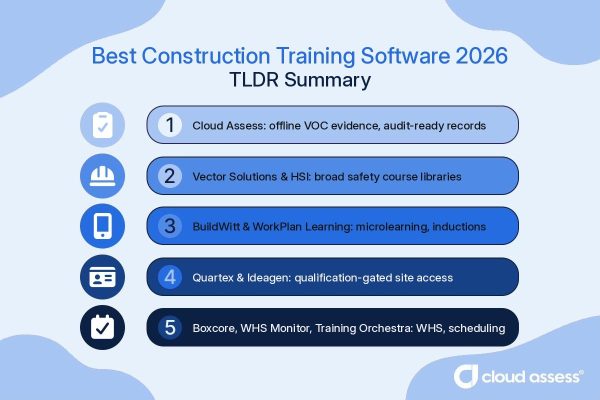
Best Construction Training Management Software TLDR Summary
Cloud Assess verifies on-site competency using photo, video and digital logbook evidence, with offline assessments and licence expiry alerts.
Vector Solutions and HSI lead on ready-made safety course libraries, while BuildWitt delivers mobile microlearning filmed on real job sites.
Quartex, Ideagen Workforce Safety and Boxcore tie qualification checks to site access and centralised training records.
WorkPlan Learning, WHS Monitor and Training Orchestra cover contractor inductions, WHS-linked training and instructor-led scheduling.
What is Construction Training Management Software?
Construction training management software (TMS) is a digital system that enables planning, delivering, and tracking construction workforce training. It centralises training records, certifications, and competencies across sites, crews, and contractors. Construction companies use it to prove every worker holds current, valid qualifications for the tasks they perform.
Unlike general training management systems, which are designed to manage training for any industry, a construction TMS is purpose-built for site-based workforce training needs. The construction industry carries high safety risk and strict regulatory obligations. Training software helps companies stay ahead of both. Key capabilities typically include:
- Certification and licence tracking with expiry alerts
- Site induction and onboarding workflows
- Competency assessments and skills verification
- Skills tracking across roles, crews, and projects
- Mobile training delivery and evidence capture on site
- Compliance reporting for audits and regulators
Quick Picks
- Best Fit for Skills Verification and Compliance: Cloud Assess
- Best Fit for Construction Safety Course Content: Vector Solutions
- Best Fit for EHS Training Libraries: HSI
- Best Fit for Mobile-First Field Training: BuildWitt
- Best Fit for High-Risk Site Training Compliance: Quartex
- Best Fit for Contractor Training and Inductions: WorkPlan Learning
- Best Fit for AI-Driven Risk Prediction: Ideagen Workforce Safety
- Best Fit for Site Training Records: Boxcore
- Best Fit for WHS Training and Competency Tracking: WHS Monitor
- Best Fit for Internal Training Operations: Training Orchestra
Top 10 Construction Training Management Systems
Best Fit for Skills Verification and Compliance
#1 Cloud Assess
Average User Score: 4.7 / 5



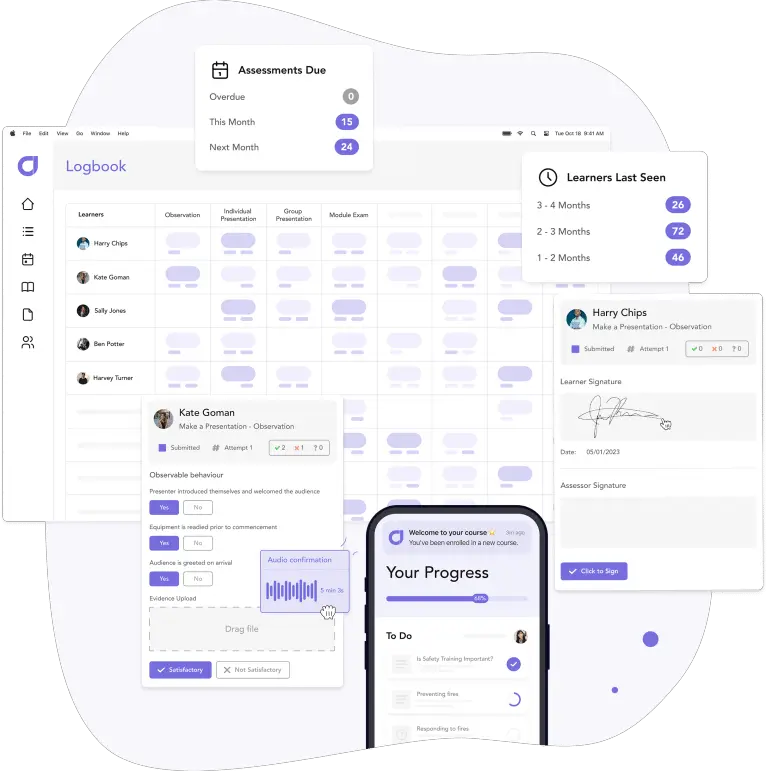
Cloud Assess is built for construction businesses where worker competency must be verified and compliance must be proven. It combines training delivery, practical observation, and automated compliance tracking in one system.
The platform allows construction organisations to validate skills on site. This is done through photos, videos, and digital logbooks. It helps create a permanent, audit-ready record of every assessment. It comes with automated alerts that flag expiring licences, tickets, and certifications before workers start their tasks. The platform also offers QR-coded certificates that allow instant verification on site. When an audit or incident investigation arrives, records are retrievable in under two minutes.
Cloud Assess treats compliance as an outcome of verified competency, rather than a box-ticking exercise. Its mobile app works fully offline, so assessments continue in remote sites without disruption.
This makes Cloud Assess well-aligned for:
- Construction companies performing verifications of competency (VOC)
- Principal contractors managing subcontractor compliance
- Multi-site operations standardising training and assessment
- High-risk trades requiring defensible competency evidence
- Businesses replacing paper-based VOCs and spreadsheets
Key Features
- Skills matrix
- Role mapping
- Course authoring
- AI assessment generation
- Mobile learner app
- Offline training delivery
- VOC workflows
- Photo and video evidence
- Competency sign-offs
- Licence expiry alerts
- Contractor training records
- Training certification management
- Compliance management and reporting
- HRIS integrations
- Construction course library
Pros
- Live competency mapping to spot risks by site or crew
- Offline assessments that sync once crews regain connectivity
- QR-coded certificates for instant qualification checks at the gate
- Video and logbook evidence that strengthens audit defensibility
- AI marking support that keeps assessor decisions consistent
Pricing
Cloud Assess offers an all-inclusive solution for employee training in high-risk, high-compliance industries. Every feature is included from day one, including mobile offline assessment, verification of competency, skills matrix and automated compliance tracking. There are no upgrade paths or feature gates. Visit our pricing page for an accurate quote.
Rating
4.7/5 (average rating from Capterra, G2, GetApp, Software Advice)
Best Fit for Construction Safety Course Content
#2 Vector Solutions
Average User Score: 4.4 / 5
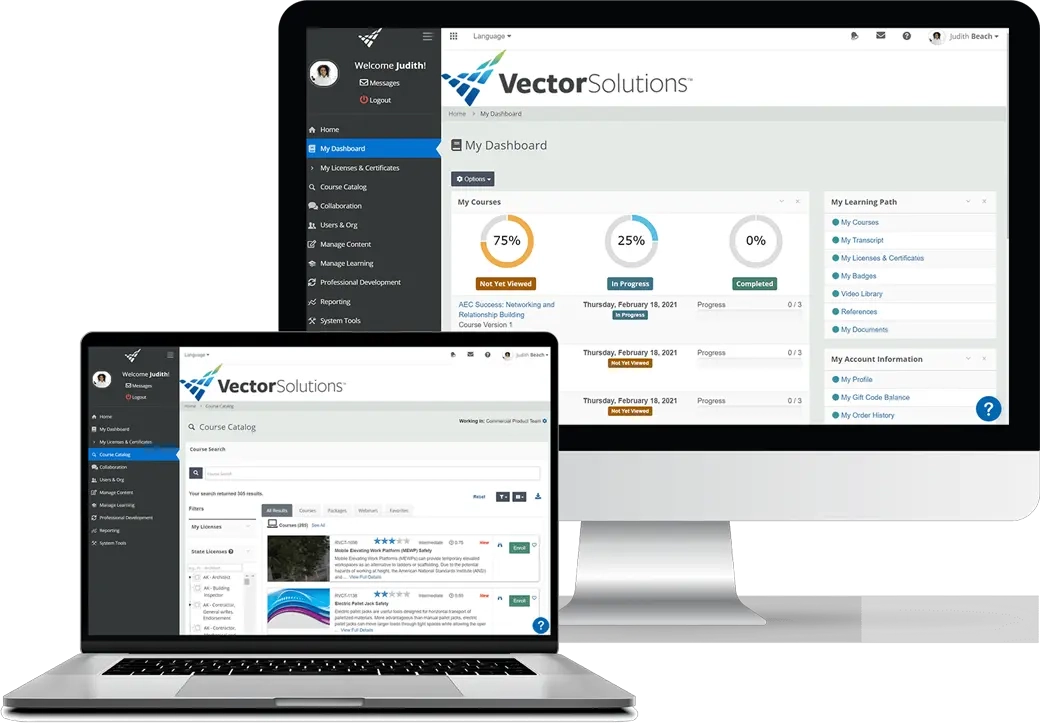
Vector Solutions provides construction workers with expert-built safety and compliance training. It offers training courses authorised by the USA’s Occupational Safety and Health Administration (OSHA). These cover topics such as falls, electrocution, struck-by, and caught-in hazards. It allows employees to train on their own schedule, reducing downtime on the job.
Vector Solutions leads with a deep library of ready-made content. This suits organisations that already verify competency and need to fill their training library.
This makes Vector Solutions well-aligned for:
- Contractors delivering OSHA-aligned safety training at scale
- Firms without in-house course development resources
- Architecture, engineering, and construction teams needing continuing education
- Safety managers linking training with incident data
However, Vector Solutions course content leans heavily on US regulations. Organisations outside of the US will need supplementary local content.
Key Features
- Construction course library
- OSHA-authorised training
- Credential management
- Continuing education tracking
- Training assignments
- Learner progress tracking
- Incident reporting
- Safety communications tools
- Compliance management
- LMS integrations
Pros
- Deep safety and skills training content that reduces course creation workload
- OSHA-authorised training for US regulatory confidence
- Automated compliance calendar to keep retraining on schedule
- Continuing education support for licensed professionals
- Combined LMS and Environmental Health and Safety (EHS) tools connect training with incidents
Cons
- Content skews US regulations
- Limited practical competency verification
- Reporting customisation is restricted
- Admin setup can feel complex
Pricing
Vector Solutions doesn’t make pricing information available on their website. Contact their team directly for a tailored quote.
Rating
4.4/5 (average rating from G2, Capterra, GetApp, Software Advice)
Best Fit for EHS Training Libraries
#3 HSI
Average User Score: 4.6 / 5
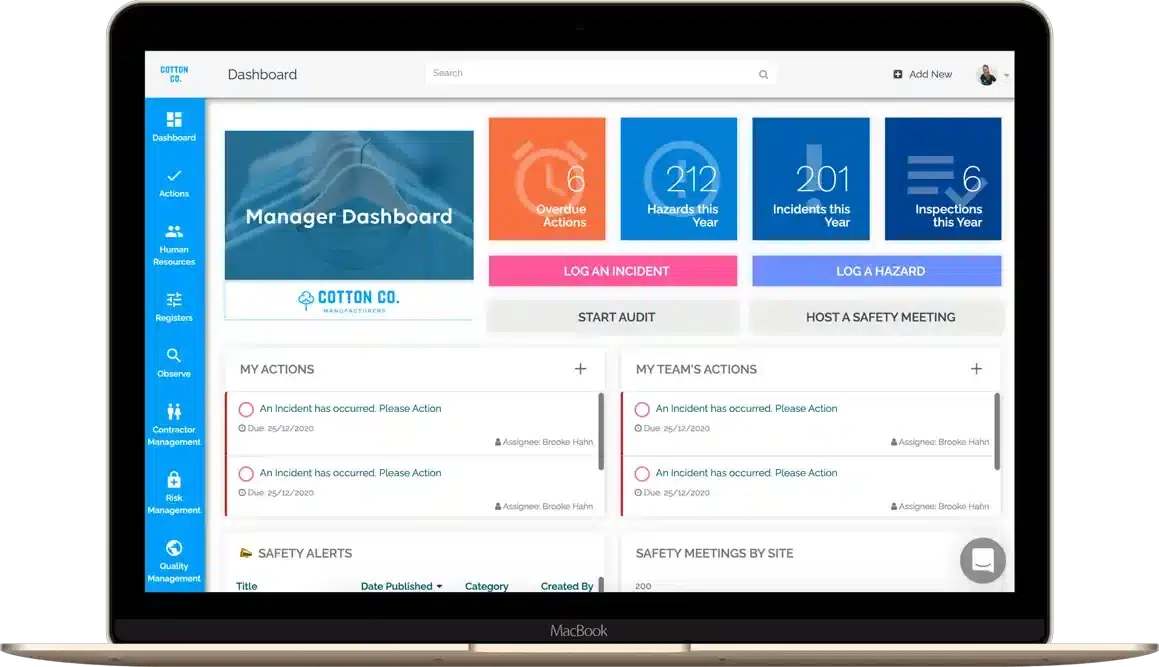
HSI delivers construction safety and compliance training through its learning management system (LMS), which is connected to a wider environmental, health and safety (EHS) platform. It offers a library of over 5,000 courses covering hazard communication, PPE, and workplace safety. Admins can assign training directly from incident records, closing gaps before they repeat.
HSI’s strength is library breadth rather than construction-specific competency verification. This suits contractors managing training alongside incidents and audits in one system.
This makes HSI well-aligned for:
- Contractors needing a broad safety course library
- Firms managing EHS and training in one platform
- Organisations linking corrective training to incidents
- Multi-site operations tracking compliance centrally
However, HSI focuses on safety knowledge rather than hands-on trade competency. Construction firms may still need a separate way to verify practical, on-the-job skills.
Key Features
- Safety course library
- Training assignments
- Corrective training enrolments
- Onboarding automation
- Learning paths
- Certification management
- QR code cards
- Compliance monitoring
- Incident management
- Reporting dashboards
Pros
- Incident-linked enrolments that close safety gaps faster
- Unified platform to manage safety and training together
- Worker self-registration that cuts enrolment admin
- AI assistant for instant answers on compliance questions
- QR-coded completion cards that prove training on site
Cons
- Library skews towards general safety, rather than industry-specific
- Course authoring lacks depth
- Feature breadth can overwhelm small teams
- No dedicated VOC workflows
Pricing
HSI doesn’t offer pricing details on their website. Contact their teams to get a personalised quote.
Rating
4.6/5 (average rating from G2, Capterra, GetApp, Software Advice)
Best Fit for Mobile-First Field Training
#4 BuildWitt
Average User Score: 4.8 / 5
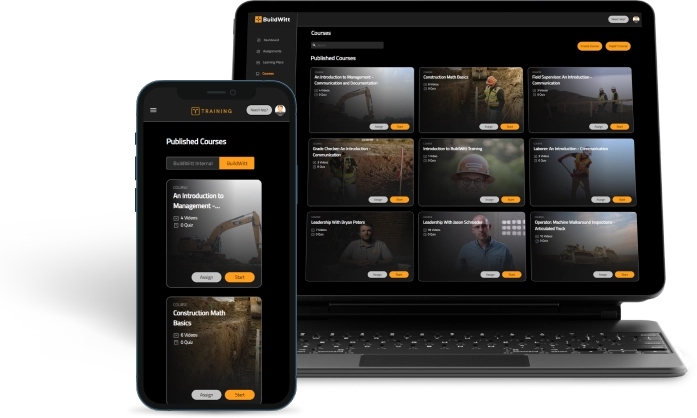
BuildWitt is construction training software that provides construction crews with mobile microlearning built for the field. Lessons run two to three minutes long and are filmed on real job sites with industry experts. Content covers labourers, operators, pipelayers, and field supervisors. Admins can assign lessons by role, division, or site.
Daily engagement through mobile learning is the focus. This helps contractors boost training completion rates and build a culture of learning.
This makes BuildWitt well-aligned for:
- Heavy civil and infrastructure contractors
- Companies onboarding new labourers and operators
- Firms building leadership pipelines from the field up
- Contractors training large, distributed crews
However, BuildWitt does not track licences or compliance deadlines. Firms still need a separate system to stay audit-ready.
Key Features
- Construction lesson library
- Microlearning delivery
- Mobile learner app
- Custom content uploads
- Role-based assignments
- Daily lesson scheduling
- Bilingual content support
- Team discussion prompts
- Progress tracking and reporting
- Analytics dashboards
Pros
- Lessons filmed on real job sites to build crew credibility
- Short daily videos that fit around production schedules
- English and Spanish lessons so mixed-language crews train together
- Discussion prompts that turn lessons into toolbox conversations
- Engagement dashboards that reveal which workers want to grow
Cons
- No licence expiry tracking
- Quiz-based assessment only
- No induction workflows
Pricing
BuildWitt’s pricing is based on annual subscriptions tied to user tiers. The lower tier starts at $14.17 per user per month for up to 50 employees. This drops to $10 per user per month for up to 150 users, with prices decreasing further as tiers increase.
Rating
4.8/5 (average rating from Capterra, GetApp, Software Advice)
Best Fit for High-Risk Site Training Compliance
#5 Quartex
Average User Score: 4.2 / 5
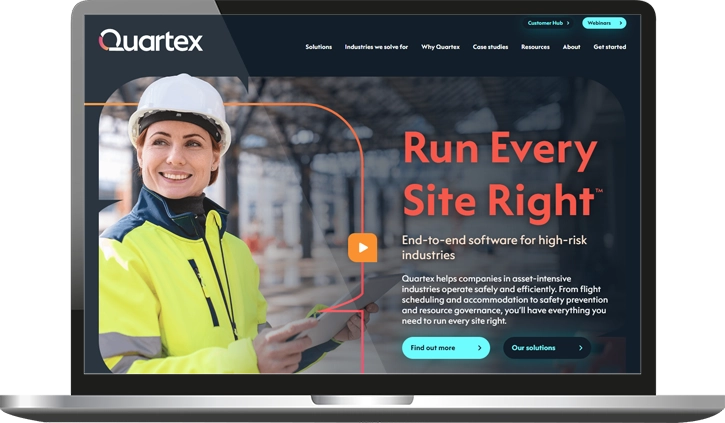
Quartex helps construction businesses control who is qualified to be on a high-risk site. It centralises training records, qualification checks, and compliance in one system. The platform allows admins to author training modules for site-specific hazards. Teams can verify licences and certifications before granting site access. Quartex applies the same assessment method for a given role no matter which site or project it’s used on. This means a worker who is judged as competent on one site meets the same standard on the next.
Quartex treats training as part of a wider risk system, alongside incident and safety data. This suits contractors managing compliance across large, high-risk operations.
This makes Quartex well-aligned for:
- Teams needing custom training for site-specific hazards
- Principal contractors managing large contractor networks
- Multi-site operations needing standardised competency checks
- Organisations facing frequent regulator audits
However, setting up Quartex takes structured planning across construction sites and contractors. Smaller firms may find this heavier than needed.
Key Features
- Qualification verification
- Competency tracking
- Practical assessments
- Training module authoring
- Induction delivery
- Certificate expiry alerts
- Competency prerequisite mapping
- Contractor compliance
- Site access control
- Compliance reporting
Pros
- Gate checks that stop unqualified workers reaching site
- Equivalency mapping to cut duplicate training across sites
- Standardised practical assessments for consistency across roles
- Single system covering contractors, employees, and visitors
- Regulator-ready audit trails that hold up under scrutiny
Cons
- Course delivery tools are basic
- No off-the-shelf content
- Rollout requires structured planning
Pricing
Quartex doesn’t provide pricing information on their website. Book a demo with their team to get a customised quote.
Rating
4.2/5 (average rating from G2)
Best Fit for Contractor Training and Inductions
#6 WorkPlan Learning
Average User Score: No ratings available
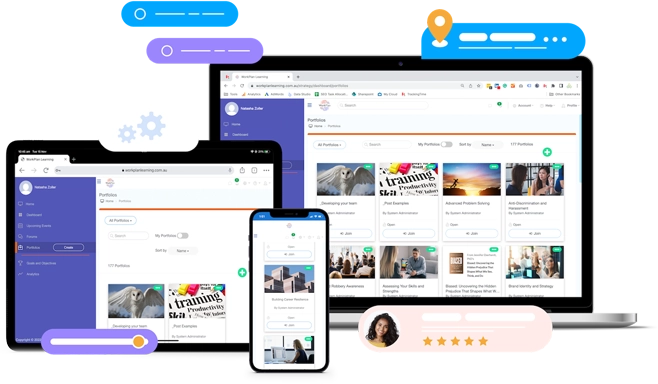
WorkPlan Learning is an Australian LMS and workforce capability platform. It helps construction companies manage contractor induction with ongoing skill development. It allows them to manage compliance and worker learning. Role, project, or site rules drive what each person is assigned. The platform allows supervisors to verify capability through uploads, observations, and sign-offs. The coaching sessions and performance assessments are logged for later review.
WorkPlan’s Australian team works directly with each customer to build and reconfigure the system. The team also helps reshape workflows as contractor numbers or sites change.
This makes WorkPlan well-aligned for:
- Principal contractors managing multiple contractor companies
- Businesses wanting employee onboarding and development in one place
- Organisations needing evidence-based competency sign-off
- Teams wanting ongoing implementation support
However, WorkPlan primarily operates in Australia. Its compliance workflows are built around Australian WHS rules. This means organisations outside the region will need extra reconfiguration to match local regulations.
Key Features
- Online inductions
- Contractor onboarding
- Competency assessments
- Supervisor sign-offs
- Licence management
- Role-based learning assignment
- Microlearning library
- Quizzes and surveys
- Toolbox talk records
- Reporting dashboards
Pros
- Online inductions that get contractors site-ready before arrival
- Evidence-based assessments to verify real capability
- Ready-made microlearning courses that blend with your own material
- Coaching and toolbox talk logs that stay audit-ready
- Local support team to shape the platform around you
Cons
- Integration options are limited
- Limited presence outside Australia
- No site access control
Pricing
Workplan Learning offers a fixed monthly or annual licence that offers a simple, predictable fee structure.
Rating
No ratings available
Best Fit for AI-Driven Risk Prediction
#7 Ideagen Workforce Safety
Average User Score: 4/ 5
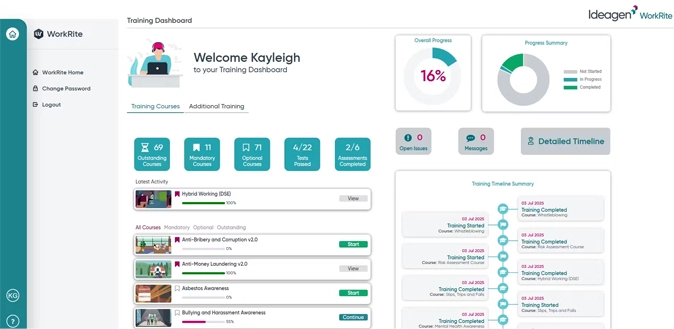
Ideagen Workforce Safety uses AI agents to predict workforce risk before it turns into an incident. These agents continuously analyse training data and certification status. The platform then connects that insight into enterprise systems like Oracle and SAP. Training status also ties to physical site entry. The biometric terminals confirm identity at the gate and deny access if a certificate has lapsed.
This depth of predictive analytics and enterprise integration goes beyond most site access tools.
This makes Ideagen well-aligned for:
- Organisations wanting predictive visibility into training gaps
- Enterprises integrating training with existing HR systems
- Large sites with strict, automated access control
- Multi-contractor projects needing fraud-proof verification
However, the biometric terminals require hardware investment and setup. This suits large, established sites more than short-term projects.
Key Features
- Digital inductions
- Site training assignment
- Competency profiles
- Certification expiry alerts
- Contractor verification
- Biometric site access
- eLearning modules
- Training completion tracking
- Permit management
- Analytics dashboards
Pros
- Automated gate denial when worker certifications lapse
- Predictive alerts to address training gaps before incidents
- Digital inductions that cut onboarding from days to hours
- Independent verification to prevent contractor credential fraud
- Oracle and SAP connections for unified workforce data
Cons
- Biometric hardware adds setup effort
- Geared to enterprise deployments
- Training only sold within access suite
Pricing
Ideagen doesn’t make pricing available on their website. Contact their team directly for accurate pricing information.
Rating
4/5 (average rating from G2, Capterra, GetApp)
Best Fit for Site Training Records
#8 Boxcore
Average User Score: 5 / 5
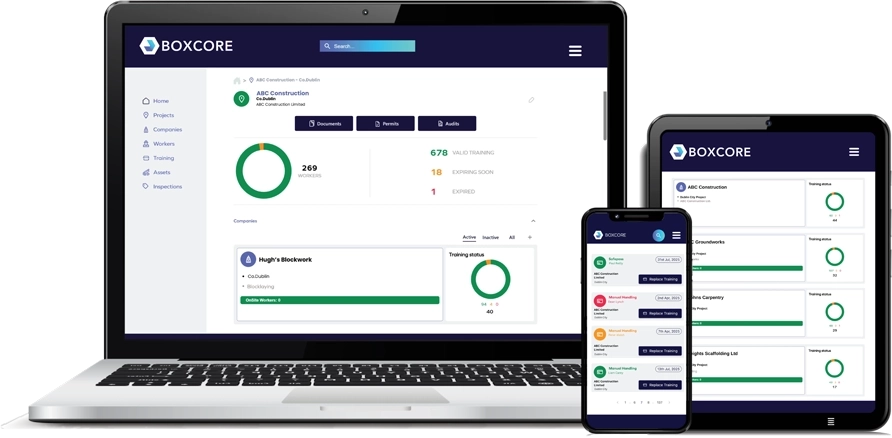
Boxcore is construction software that keeps every worker’s training record current, centralised, and ready to produce on demand. Subcontractors upload their own training certifications directly. This removes the email chains contractors usually rely on to chase paperwork. Site safety cards across the UK, Ireland, and the US sit together in one register, linked to real-time attendance.
Boxcore’s edge is speed and simplicity rather than depth. Most sites go live within 48 hours, well ahead of the heavier enterprise systems this category often involves.
This makes Boxcore well-aligned for:
- Contractors needing fast, low-admin record keeping
- Subcontractors managing their own compliance documents
- Sites with limited connectivity or IT resources
- Multi-contractor projects needing shared visibility
However, Boxcore does not deliver training content. Businesses still need a separate system to build worker skills.
Key Features
- Training records
- Certificate expiry alerts
- Digital inductions
- Worker onboarding
- Subcontractor record sharing
- Facial recognition attendance
- Safety document management
- Training registers
- Audit exports
- Equipment inspections
Pros
- 48-hour setup that includes full data migration
- Card tracking covering CSCS, Safe Pass, and SST
- Subcontractor uploads that end record chasing
- Works on low-bandwidth sites so records stay current
- One-click sharing that proves compliance to main contractors
Cons
- No built-in course delivery
- Limited skills development tools
- Smaller vendor track record
Pricing
Boxcore doesn’t provide pricing details on their website. Book a demo with their team to get a tailored quote.
Rating
5/5 (average rating from Capterra, GetApp, Software Advice)
Best Fit for WHS Training and Competency Tracking
#9 WHS Monitor
Average User Score: 4.6 / 5
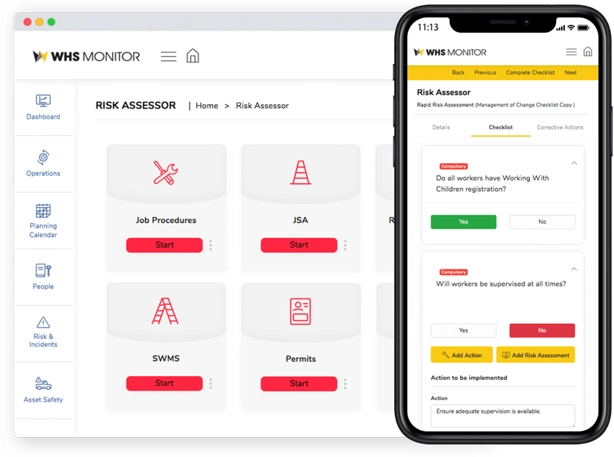
WHS Monitor treats training as one part of a wider work health and safety (WHS) system, connected to incidents, risk registers, and audits. A training needs analysis identifies what each role requires, then flags gaps automatically. WHS Monitor’s safety specialists update the platform whenever legislation changes.
Training sits inside this broader risk picture, rather than existing as a standalone module. Gaps identified through training feed directly into corrective actions.
This makes WHS Monitor well-aligned for:
- Businesses wanting training linked to incidents and risk
- Organisations managing contractor prequalification at scale
- Teams needing legislative currency without manual monitoring
- Multi-site operations needing consolidated compliance reporting
However, connecting training to the wider WHS system takes a steep learning curve. New admins need time before using every module confidently.
Key Features
- Training records
- Training needs analysis
- Competency verification assessments
- Online inductions
- Contractor prequalification
- Site attendance visibility
- Training expiry notifications
- Corrective actions
- Incident reporting
- Reporting dashboards
Pros
- Automated needs analysis that surfaces training requirements
- Specialist legislation updates to keep you compliance-ready
- Corrective action links that turn gaps into fixes
- Contractor prequalification for smoother site mobilisation
- Preset compliance reports that cut reporting time
Cons
- Training secondary to WHS suite
- Role-based permissions lack flexibility
- Module connections take learning
Pricing
WHS Monitor doesn’t offer any pricing information on their website. Contact their teams for an accurate, tailored quote.
Rating
4.6/5 (average rating from Capterra, GetApp, Software Advice)
Best Fit for Internal Training Operations
#10 Training Orchestra
Average User Score: No ratings available
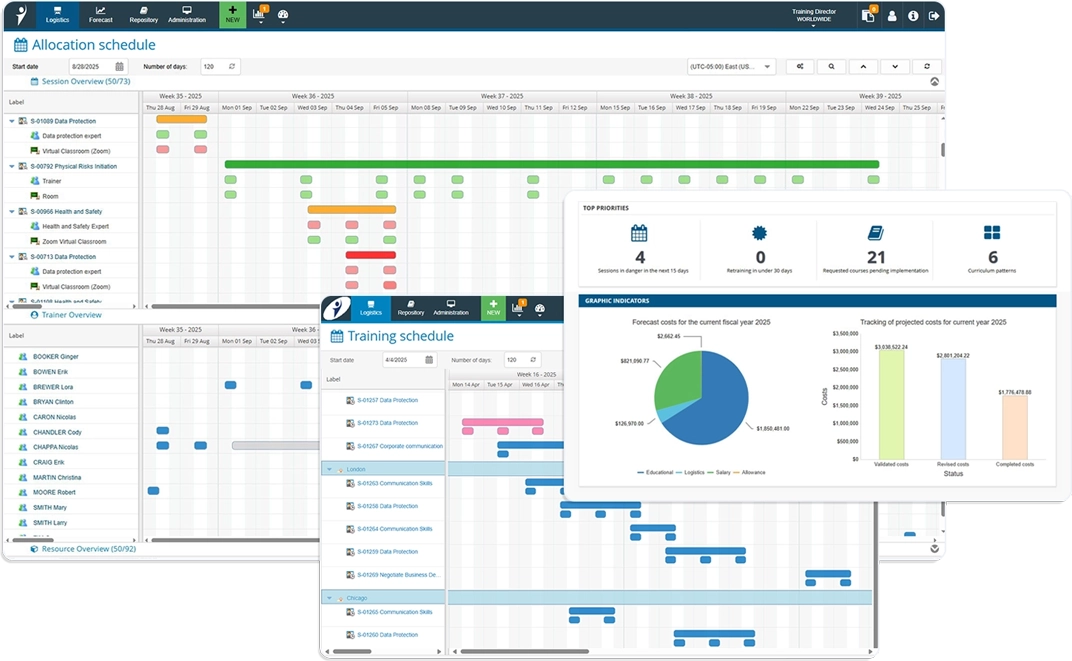
Training Orchestra is a training management system that manages the logistics behind instructor-led training, rather than the content itself. It enables scheduling, instructor availability, and resource bookings to run from one dashboard. The platform also allows contract trainers to sit alongside in-house instructors, matched to sessions automatically.
It helps compliance teams track certification expiry centrally, and it gives training managers real-time visibility into budget and return per session.
This makes Training Orchestra well-aligned for:
- Large contractors running sizeable internal training departments
- Businesses running mass training sessions or group onboarding
- Teams conducting regular equipment demonstrations
- Businesses needing to prove training ROI
However, Training Orchestra is not built for site conditions. It manages classroom and virtual sessions well, but has no tools for field-based competency checks.
Key Features
- Session scheduling
- Instructor management
- Resource allocation
- Instructor portal
- Task management
- Cost tracking
- Conflict detection
- Schedule notifications
- Reporting and analytics
- LMS integrations
Pros
- Drag-and-drop scheduling that ends spreadsheet cross-checking
- Instructor matching to assign qualified trainers to sessions
- Real-time budget tracking that proves training ROI
- Session templates for duplicating recurring courses quickly
- Contractor trainer management alongside in-house teams
Cons
- Requires a separate LMS for delivery
- No licence or ticket tracking
- Not designed for site environments
- Limited to instructor-led operations
Pricing
Training Orchestra offers three pricing plans: Essential, Professional, and Enterprise. Pricing details for each of these is available on request. Request a demo to get a custom quote.
Rating
No ratings available
Construction Training Management Software Buyer’s Guide
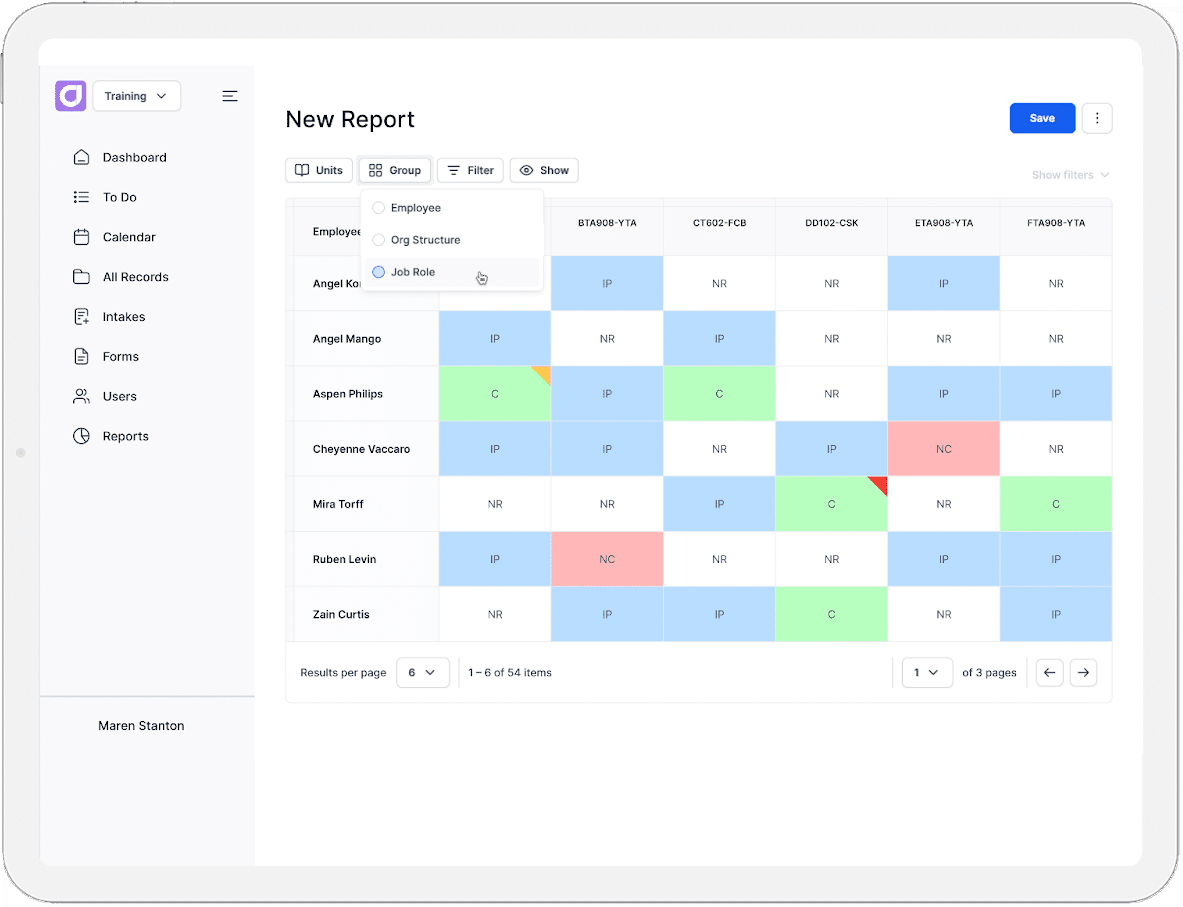
- Track licences and certifications. Construction relies on tickets, trade certifications, and site-specific qualifications with expiry dates. Automated alerts should flag renewals before they lapse, keeping training and compliance requirements in one place.
- Consider linking training to site access. Some platforms tie training status to physical entry, blocking unqualified workers at the gate. Others simply keep records for reference.
- Check contractor and subcontractor coverage. Construction workforces shift constantly across projects. A strong system tracks compliance for contractors alongside direct employees.
- Look for genuine competency verification. Practical roles need evidence such as photos, videos, or supervisor sign-off, not just a passed quiz.
- Confirm mobile and offline functionality. Site conditions often mean poor connectivity. Training and assessments should work on a phone and sync once reconnected.
- Measure training program effectiveness. Reporting should go beyond completion rates to track training programs across sites and roles, showing where gaps remain.
Employee Training
Frequently Asked Questions (FAQs)
Construction FAQs
How long does it take to implement construction training software?
Timelines vary by platform and workforce size. Simpler tools can go live within 48 hours, while enterprise systems with site access hardware or complex integrations may take several weeks. Most vendors provide onboarding support and data migration to speed up the process.
Can subcontractors use the same platform as direct employees?
Most construction training platforms support subcontractors alongside permanent staff. This usually means subcontractors can upload their own certifications, complete inductions remotely, and appear in the same compliance dashboards as employees.
What happens if a worker's certification expires while they're on site?
Most platforms flag the expiry rather than pulling a worker off the job mid-shift, since access checks usually happen at entry, not throughout the day. A supervisor gets notified and decides whether the worker can keep working. Systems with automated gate control are the exception: if that worker leaves and tries to re-enter after the certificate has lapsed, they can be blocked at the gate.
Is construction training software worth it for small contracting businesses?
Smaller contractors often start with simpler, faster-to-deploy platforms rather than enterprise systems built for large multi-site operations. The right choice depends on workforce size, number of active sites, and how much contractor turnover needs managing.


