What Counts As Evidence?
Evidence is the documentation that proves the activity in the log actually took place. The log states what happened. The evidence backs it.
What qualifies depends on the activity type:
- Formal training. A certificate of completion or attainment from the provider, showing the worker’s name, the activity, and the date.
- Conferences and seminars. Attendance confirmation, a registration record, or the program alongside proof of attendance.
- Self-directed learning. The worker’s own written output or where the activity was completed online, a completion certificate, grade, or result. Notes from a literature review, a case study summary, or a reflective account of what was read and what changed as a result.
- Workplace activity. Records of mentoring, supervised practice, incident debriefs, or toolbox talks, confirmed by whoever supervised them.
- Assessments. The result record, including the date, where applicable, the assessor. For online assessments, this may be a results page rather than a named assessor.
Verification and Sign-Off
Verification is confirmation that someone other than the worker has checked the entry. It turns a self-reported log into a record an auditor can rely on.
Not every entry needs it. Formal training is verified by the provider’s certificate, which carries its own authority. The entries that need internal sign-off are the ones with no external document behind them:
- Workplace activity. The supervisor who observed the mentoring, coaching, or supervised practice confirms it took place and how long it ran, since this kind of activity leaves no paper trail unless someone who was there puts it on record.
- On-the-job assessment. The assessor confirms the outcome and the date they made the judgement, because the assessor’s judgement is the evidence here, there’s no separate document to fall back on.
- Internal training. The trainer confirms attendance and content covered, standing in for the certificate an external provider would normally issue.
- Self-directed learning. Where the output is the worker’s own notes, summary, or reflection rather than a certificate or result, a supervisor or manager confirms the activity took place and that the output reflects it, closing the gap between an activity that’s easy to claim and one that’s actually verified.
Sign-off itself needs three things recorded. Who verified the entry, what their authority to verify it was, and when they did it. An initial in a margin fails all three.
Who is Responsible for CPD Tracking?
Employer CPD Tracking Responsibilities
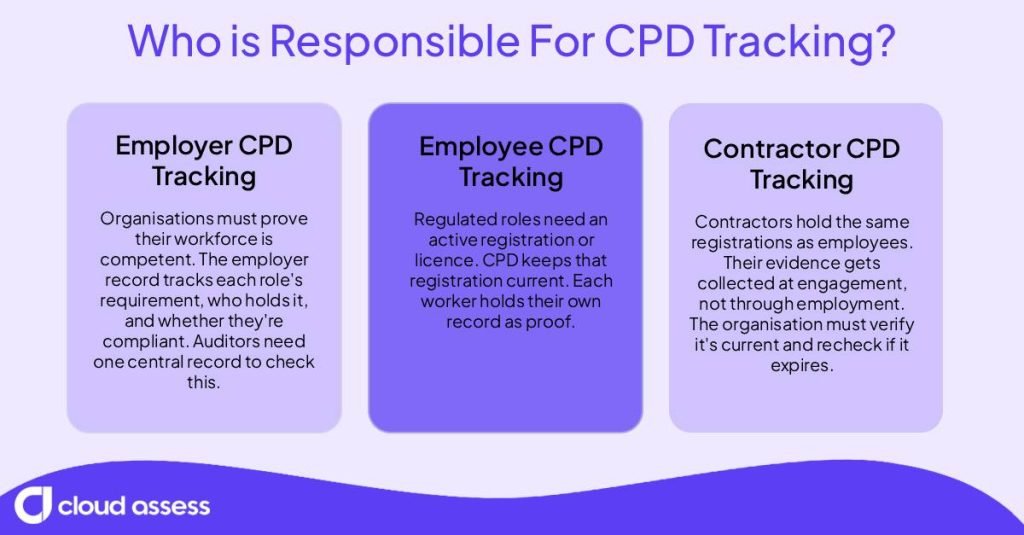
Accreditation requires organisations to evidence that their workforce is competent for the work it performs. Bodies such as the Aged Care Quality and Safety Commission in Australia and the Care Quality Commission in the UK expect this evidence at organisational level. The employer record is organised by role and requirement, not by activity. It tracks:
- Which CPD or currency requirement attaches to each role
- Which workers hold that role
- Whether each worker’s requirement is met
- When the next deadline falls
An auditor reviewing an organisation samples across the workforce and asks whether the people delivering the work were qualified to deliver it. That question can only be answered from a central record.
Employee CPD Tracking Responsibilities
Many regulated roles, including nurses, electricians, and engineers, must hold a professional registration or licence. Completing CPD is a condition of keeping that registration up to date.
Each worker builds and holds their own CPD record. For every registration they hold, that record covers:
- Hours or points completed against the total required
- Which activities fall into mandatory categories
- The evidence supporting each entry
- When the current cycle closes
Holding this record lets the worker declare compliance at renewal and produce evidence if the board audits that declaration.
Contractor CPD Tracking Responsibilities
Contractors, labour hire workers, and subcontracted crews hold their own registrations and CPD records, the same as any employee. What changes is the collection point. Their evidence has to be requested as a condition of engagement rather than gathered through employment processes.
The engaging organisation’s record therefore covers:
- Which CPD or currency requirement applies to the work the contractor is engaged for
- What evidence was sighted, and on what date
- Who verified it
- When that evidence expires
Accreditation makes no distinction between directly employed and contracted labour. If a contractor performs work within scope, the organisation has to evidence they were qualified to perform it. That means recording the verification at the point it happens, and re-checking when an engagement runs past an expiry date.
How To Keep Your CPD Records Accreditation-Ready
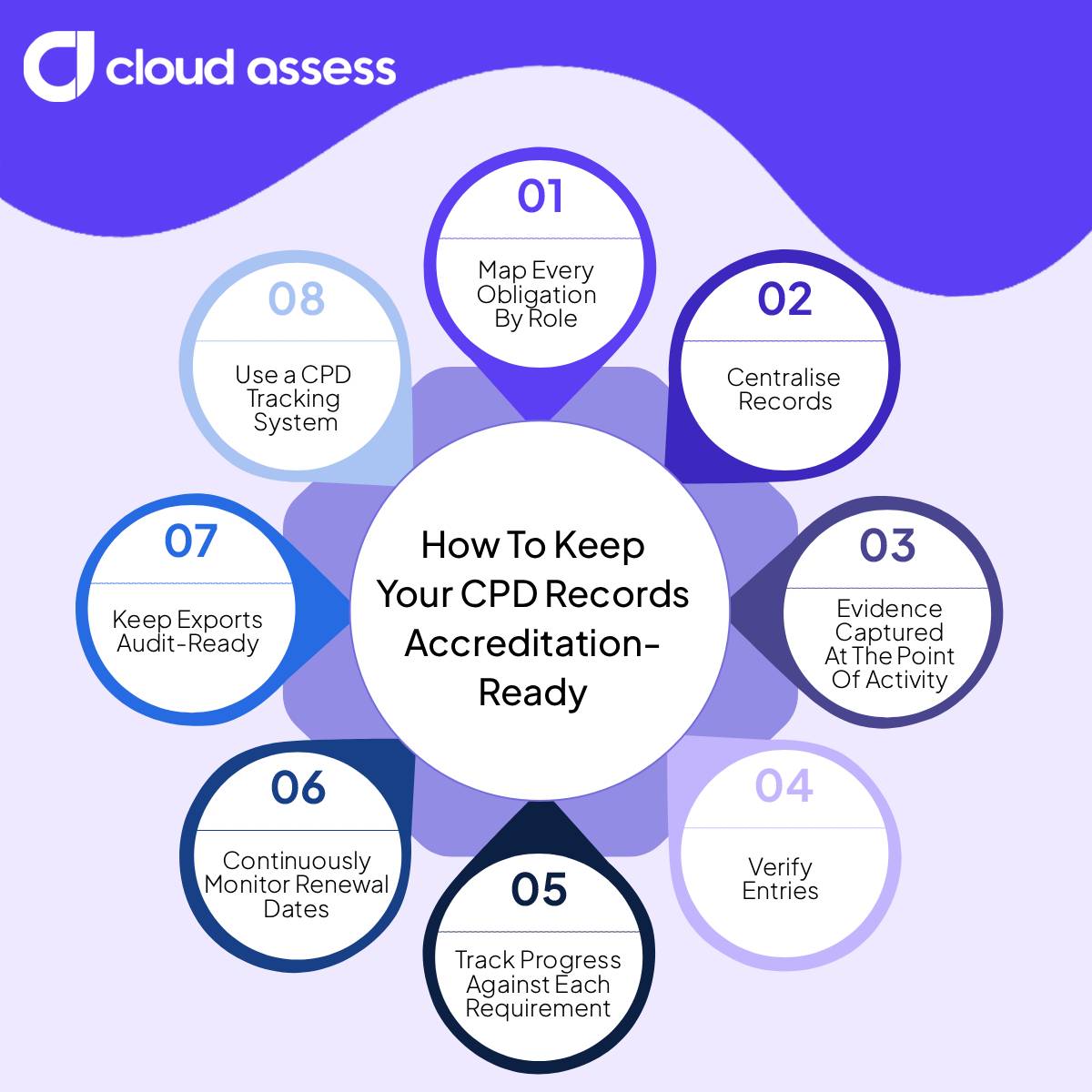
1. Map Every Obligation By Role
Requirements arrive from different places. A registration board, a licensing authority, an accreditation standard, a client’s contract conditions. Start by writing the full picture down. Work role by role. Each role carries a list of every CPD and currency requirement attached to it, and for each requirement:
- The scheme or body that sets it
- The total required, in hours or points
- The cycle length
- Any mandatory categories within it
- The renewal or reporting date
Assign workers to roles rather than to individual requirements. Someone changing roles inherits the right obligations automatically, rather than depending on somebody remembering to update a list.
2. Centralise Records
Every worker has one record, and it holds everything. Current entries, historical evidence, and the requirements each entry counts towards.
Build this by collecting what already exists. Certificates, attendance confirmations, assessment results, competency sign-offs, and field records get pulled from inboxes, shared drives, training folders, and personal phones. Everything then sits in one place it can be retrieved from on request. Ask workers and contractors directly for anything only they hold. Ask those who are leaving first, because audits cover past periods and the organisation still has to evidence work they performed.
Keep records together to make them readable as a group. Auditors often ask about coverage across a site, a shift, or a team, and that answer only appears when the individual records sit side by side.
3. Evidence Captured At The Point Of Activity

Attach evidence while the activity is happening. A supervisor can confirm a competency check before leaving the work area, a trainer can record attendance at the end of a toolbox talk. Or a worker can photograph a completed practical assessment on site.
This matters most for field activity. Mine sites, construction jobs, transport depots, and remote work generate a large share of CPD, and none of it produces paperwork automatically. Ensure evidence capture happens on a phone or tablet where the work occurs.
Recording at the time also protects the quality of the record. Dates will be accurate rather than estimated, and categories can be assigned by whoever was present. This means evidence can easily be retrieved rather than recreated, which is a difference auditors notice.
4. Verify Entries
Give each entry a clear confirmation that someone has checked it. For external delivery, verify the entry against the provider’s certificate. For internal activity, ask the supervisor, assessor, or trainer who was present to sign off on it.
Complete the verification when you log the entry, rather than after the fact. Because the person confirming it was present, they can confirm what they observed rather than relying on what they remember later.
Clearly designate any entries that haven’t been verified. This prevents them from being mistaken as complete and lets you identify the gap before an auditor does.
5. Track Progress Against Each Requirement
Start with the total hours or points each CPD requirement asks for. This might be twenty hours a year, forty points over three years, for example. Keep a running count against that total for every worker it applies to, updating it as entries are logged.
If a worker is registered as both an electrician and a high-risk work licence holder, keep two separate counts running. A course that counts towards one requirement may not count towards the other.
If a scheme divides its total into mandatory categories, track each category separately too. A nurse may need a set number of hours in a specific area within their annual total. If you’re only looking at the overall figure, you might miss that they’re short on hours in a particular speciality.
6. Continuously Monitor Renewal Dates
Record an end date against every registration, licence, and CPD cycle in your map, then monitor those dates on a set schedule. This helps you identify workers approaching a deadline with outstanding hours while there is still time to close the gap.
Set notice periods that give you enough time to act. A four-week warning is of little use if the outstanding requirement takes three months of training to complete. Base your lead times on what each requirement actually takes.
For multi-year cycles, build in interim checkpoints. A three-year requirement creates little natural deadline pressure until the final months, so set review points throughout the cycle. If a worker is a third of the way through the cycle with none of the required hours completed, treat it as a live issue rather than assuming there is still plenty of time.
7. Keep Exports Audit-Ready
Keep your records ready to produce on request, without additional preparation. If an auditor asks for every worker holding a particular licence or one worker’s full three-year history, you should be able to provide a complete export rather than compile it from multiple sources.
Include the evidence behind each entry, not just the log. Link each entry to the relevant certificate, sign-off, or field record so an auditor can move from a claimed hour to the document supporting it without needing to request a second file.
Match your export format to what the scheme expects. Some regulators publish templates or specify required fields, so structure your records to align with those requirements rather than reformatting them under deadline. Audit notice can be short or sometimes absent. If your records would take a fortnight of chasing to produce, they aren’t truly audit-ready.
8. Use CPD Management Software

Stay accreditation-ready to manage all of this in CPD management software. This helps you avoid the risks of manual CPD tracking, such as scattered evidence, missed renewal dates, and outdated totals. You can centralise every CPD record an audit typically calls for alongside the obligation map that gives each entry its purpose.
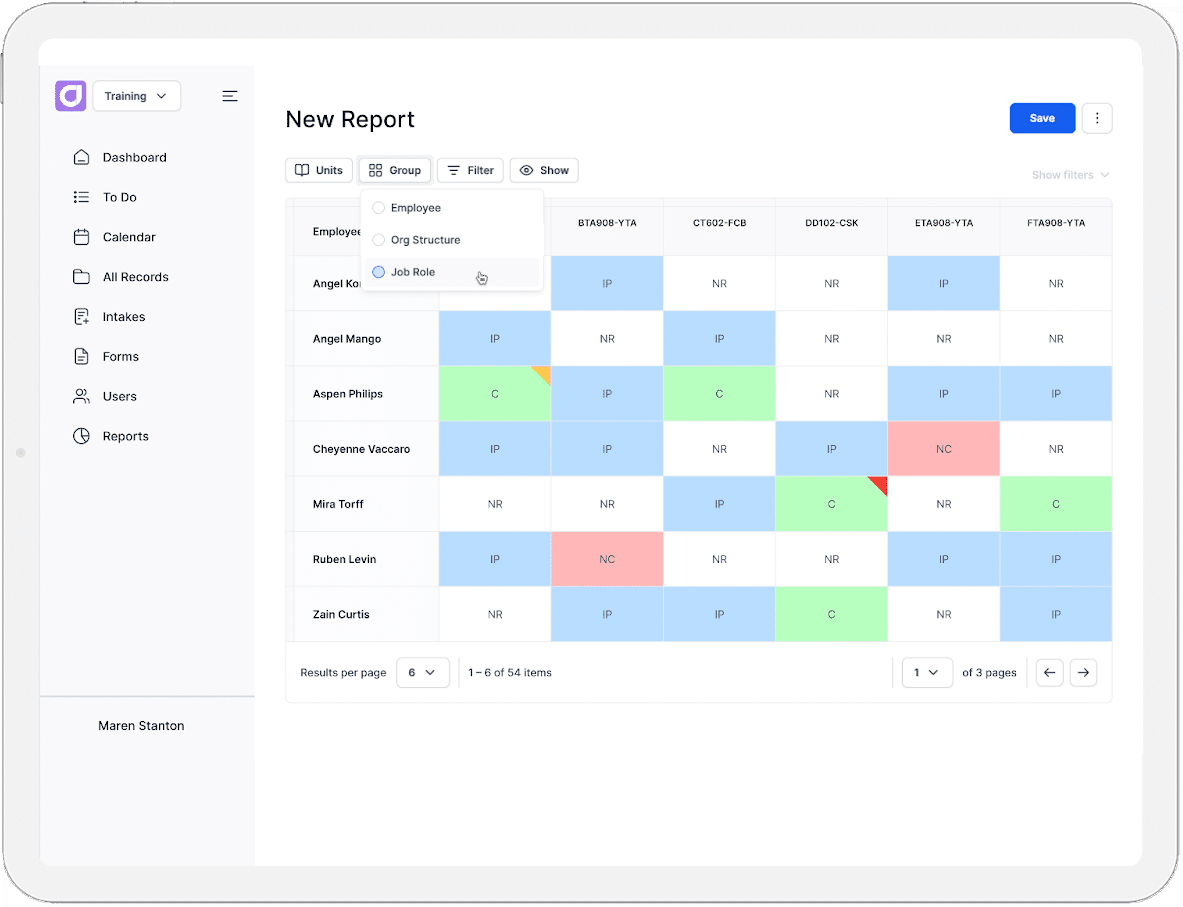
Define each requirement once and apply it to a role, so every worker assigned to that role inherits the right obligations. Set the platform to flag renewal dates and expiries ahead of time, with notice periods long enough to complete outstanding hours. You can then view approaching deadlines and lapsed requirements across your workforce, or filter them by requirement and site.
Give supervisors the ability to sign off competency checks and workplace activity from the site. They can record their name and the date against each entry as they complete it. Workers can also attach their own certificates and field evidence from a phone, linked to the requirement it counts towards.
When an audit arrives, export a full record for one worker or an entire requirement, with the supporting evidence attached.
How Cloud Assess Supports Accreditation-Ready CPD Records
Cloud Assess is built for frontline workers in mining, construction, healthcare, transport, and manufacturing. The platform comes with built-in capabilities and features to help organisations manage accreditation-ready CPD records. These include:
- Centralised records. Organisations can keep every worker’s external training, licences, and certifications alongside internally delivered activity. This ensures that historical evidence and current entries stay in one record.
- Field evidence capture. Assessors, including third-parties, can run verification of competency workflows on mobile devices. They can attach photos, videos, GPS stamps, and digital signatures, with offline data syncing once back in range.
- Automatic audit trail. Every training activity, assessor decision, and digital signature is timestamped and stored as it is logged. This makes sure verification is recorded at the point it happens.
- Renewal monitoring. Administrators can configure expiry alerts ahead of credentials lapsing, set notification intervals per requirement, and assign re-certification workflows automatically.
- Workforce dashboards. Managers can view competencies, CPD status, and statutory and mandatory training completion across departments. It provides automated alerts for registration and certification deadlines.
- Audit-ready exports. Compliance managers can pull compliance reports and complete worker records when an auditor asks for them.
Ready to see how Cloud Assess helps you centralise CPD records, track requirements, capture evidence, and stay ahead of renewal deadlines? Request a demo with our team today!