

Switching from one learning management system (LMS) to another can be a complicated process. You might be upgrading from a legacy LMS or moving to a more modern cloud-based solution. Maybe you need better integration capabilities or scalability to reduce employee training costs. Whatever the case may be, a successful transition requires careful planning.
A smooth LMS migration involves more than just transferring data. You need the right tools and a clear plan aligned with both technical and strategic goals to ensure success.
In this LMS migration guide, we explore:
- Why companies migrate their learning management systems
- The most common challenges when switching learning systems
- Step-by-step strategies and key considerations for making a smooth transition
- A free LMS migration checklist to help ensure that no part of the process is overlooked
Why Do Companies Migrate Their LMS?
Companies switch to a new LMS when their current one can’t meet their needs anymore. A new LMS might offer better tools, faster performance, or more ways to support learners. For example, it may include mobile learning, detailed tracking, or stronger security.
But switching isn’t always easy. The old LMS might not store data in a way that works with the new one. That can make it hard to move courses, results, or learner records. Even if the new system is better, the switch requires time, planning, and sometimes extra help.
Download an LMS Migration Checklist
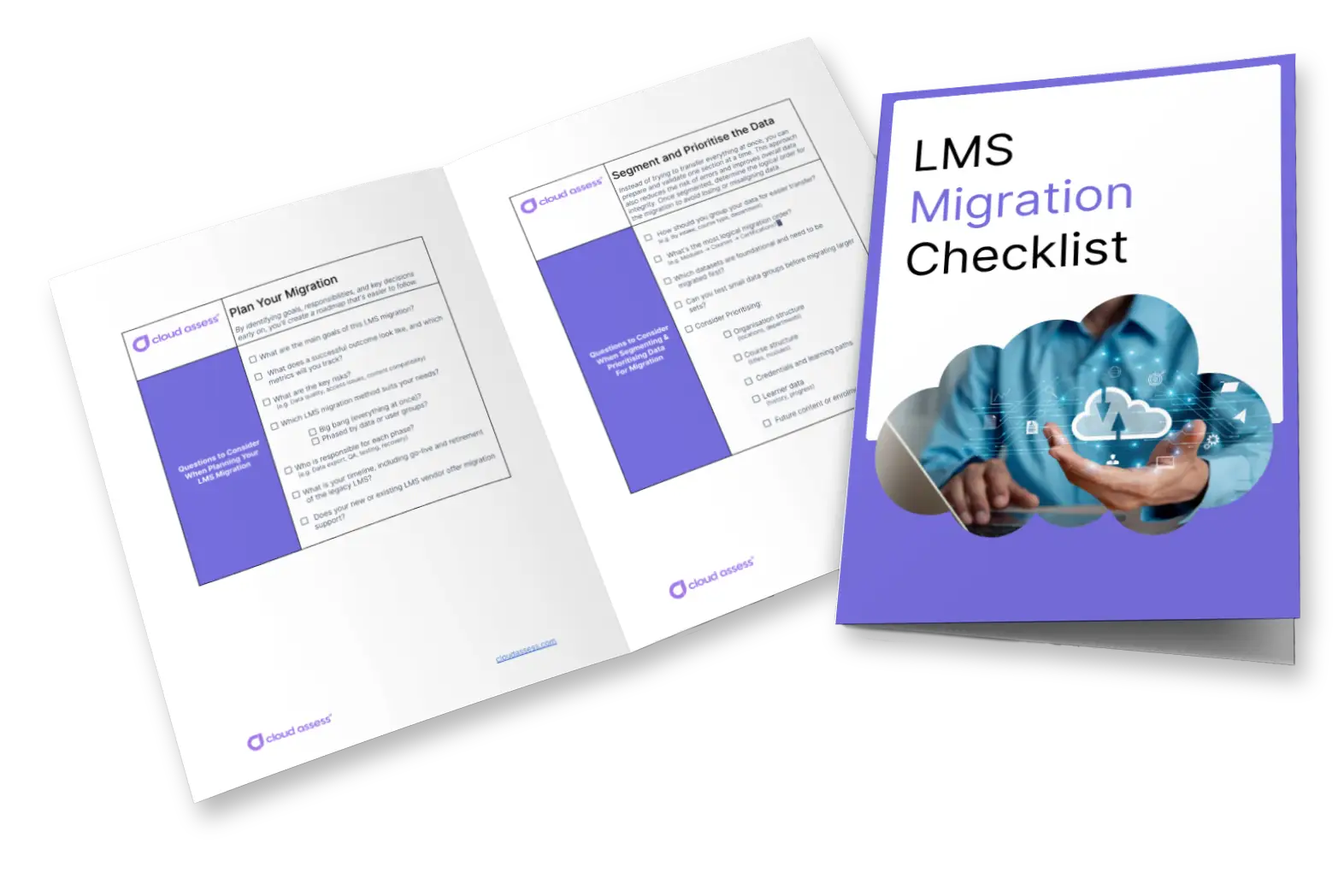
Ensuring a smooth and successful LMS migration takes careful planning. The last thing you want is to skip an important step or miss a critical detail. Having a checklist for the process will help to guide your decision-making and ensure the project is a success. And Cloud Assess has you covered!
Our free, customisable checklist includes the basic areas that any company should consider when switching to a new LMS. It covers fundamental areas of the LMS migration process. It can also be easily adapted to meet your unique operational needs.
Key LMS Migration Challenges
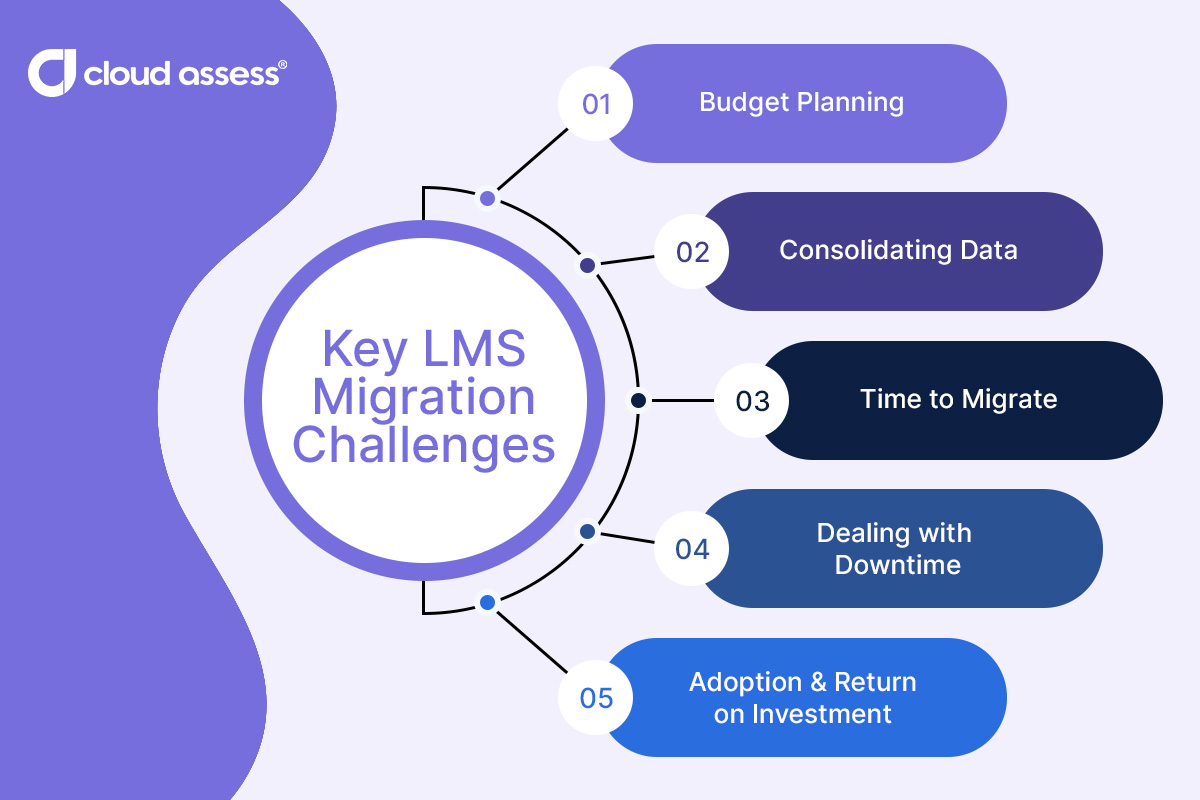
Budget Planning
LMS migration can be a major financial investment. Costs include licensing, implementation, data migration, training, and support. The budget can also grow quickly if the project runs longer than expected or needs extra resources. This can make it difficult to plan ahead. It can also delay the rollout of critical features. This is why choosing the right LMS provider and setting a clear migration project plan is essential.
Consolidating Data
- Different Data Structures. Learning management systems often store data in different formats. Their tables, relationships, and logic may not align. For example, one LMS might store user progress in a single JSON column, while another uses multiple relational SQL tables. These differences make it difficult to map and migrate data accurately. Without careful handling, this can lead to lost data, mismatched records, or reporting errors after the LMS migration.
- Incorrect Formats. Some learning content may not follow standard formats like SCORM or xAPI. For example, a SCORM course tracks quiz scores using specific API calls. But a custom course might save scores in a separate app or database. If the new LMS can’t read that format, it may fail to track learner progress correctly.
- Missing Information. Sometimes, data is already incomplete before migration starts. Past errors or poor data entry can lead to missing records. These might include incomplete or incorrect enrolment dates, completion statuses, or quiz results. These gaps can create problems during migration. They make it especially difficult to verify progress or ensure accurate reporting in the new system. Addressing these gaps early helps maintain data standardisation throughout the LMS migration process.
Time to Migrate

Migrating to a new LMS can take anywhere from 2 to 9 months. During this period, most organisations keep using their old system, even if it no longer supports their goals. This prevents full access to the new system’s benefits. It also adds pressure and raises the costs of maintaining two systems. That’s why planning and preparation are essential to keep timelines on track. This stage of the LMS migration project requires careful coordination across systems, teams, and your LMS vendor.
Dealing with Downtime
If any step in the migration goes wrong, learning and training may need to pause while you work to fix the issue. These disruptions often stem from unexpected technical problems.
For example, the migration team might lose data during transfer. Someone might configure the new LMS platform incorrectly, leading to system errors. Software bugs could block access or break parts of the learning content. This can impact compliance, onboarding, or ongoing development. Even short outages can damage user trust and slow adoption. Having a backup plan is key to reducing this risk.
Adoption and ROI
A new LMS only delivers value if people actually use it. If the system is confusing, slow, or not well supported, adoption will suffer. Employees may feel frustrated if they can’t find content or don’t understand how to navigate the platform. This directly impacts learning outcomes and the return on investment. This makes effective training and user support essential for long-term success. Digital literacy training, for example, can help employees adopt new technologies more quickly. Software-specific training from your new LMS vendor help teams become familiar with new features. Early communication and training will also improve learner engagement. This, in turn, will ensure a more successful migration.
8 Essential Steps for a Seamless LMS Migration
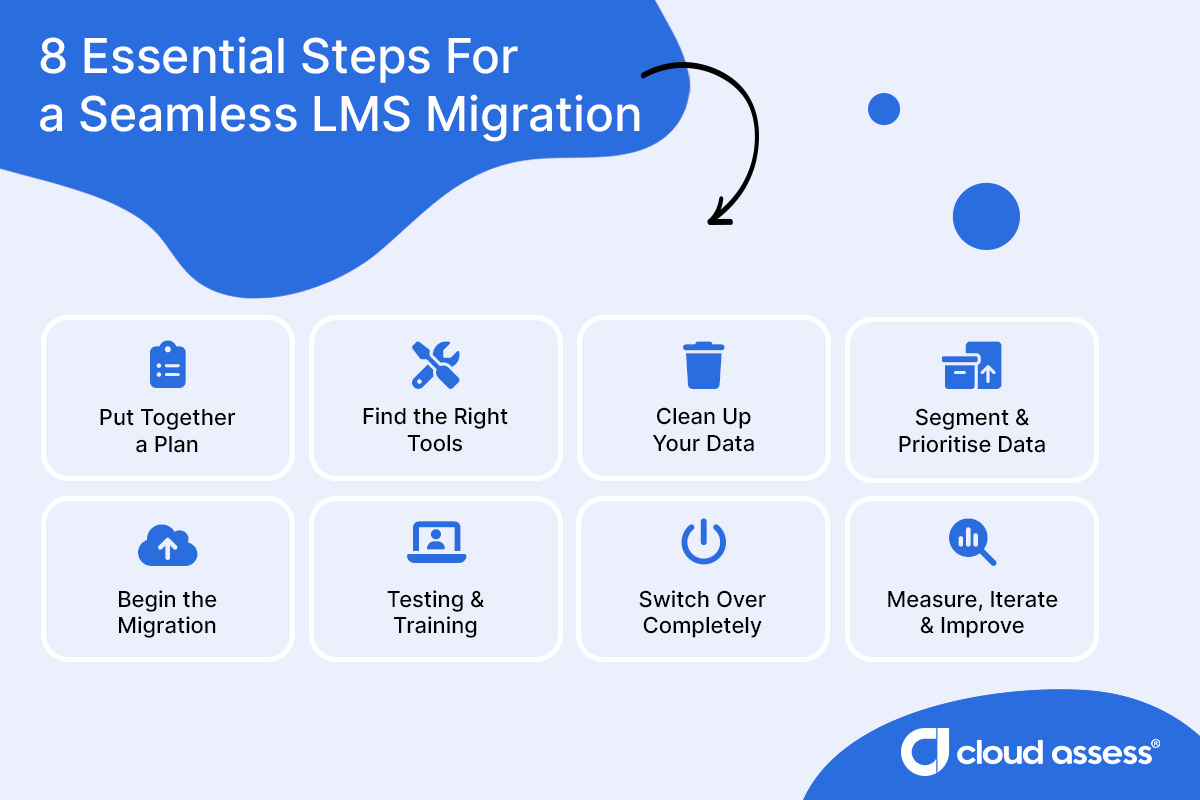
1. Put Together a Plan
Before any migration begins, it’s essential to build a clear and realistic plan. This helps reduce risk, avoid delays, and keep everyone aligned throughout the process. By identifying goals, responsibilities, and key decisions early on, you’ll create a roadmap that’s easier to follow. To ensure a seamless transition, include this first step in your well-prepared LMS migration plan.
Use the questions below to guide your planning and set your migration up for success:
- Are there any problem areas that you are especially concerned about? These may include data quality, user access or content format challenges.
- What does a successful migration look like? Consider which metrics you’ll track before, during, and after the learning platform transition.
- Which LMS is the right fit for your organisation? It’s also important to find out whether your existing platform or new LMS offers support during the migration.
- Which LMS migration method is right for your business?
- Do you want to take the big bang approach and move everything across all at once?
- Do you want to migrate data one step at a time for the entire organisation?
- Would you prefer to move one department, region or user type at a time?
- Who will be in charge of each step of the migration process? This may include responsibilities for data extraction, testing, validation, and go-live. It should also include communication and recovery planning in case something goes wrong.
- What are the deadlines for each step, and when should the old LMS be fully retired? Setting clear timelines will help manage expectations and reduce overlap between systems.
2. Find the Right Tools
Once you’ve made a plan, it’s time to make sure you have the right tools to carry it out. These tools can help with tasks like organising, cleaning, and transferring data. This will save time and reduce the risk of errors. These tools should align with your existing data, tech stack, learning strategy, and the needs of your migration team.
Some platforms offer built-in features to support successful LMS migration. Others may require third-party tools or external help. If you’re not confident working with complex data structures, you may want to consider partnering with an expert. They can make the process faster, smoother, and more reliable.
3. Clean Up Your Data

Before starting your LMS data migration, take time to review and clean your data. Not all information needs to move across. Some may be outdated, irrelevant, or incomplete. Removing unnecessary records helps speed up the migration. It also reduces clutter in the new system. Use this phase to check for consistency, fill in missing fields, and make sure the data you’re keeping is actually useful. This step helps you avoid data migration challenges and transfer only valuable information.
Questions to ask during this step include:
- Have any employees left whose training data you can delete?
- Is there data from courses that you haven’t run in over five years?
- Is all the data stored consistently, or is there missing information that you can add?
- Are there fields that won’t be relevant in the new platform?
- Are there fields that will be relevant in the new platform that you can fill in before you move?
4. Segment and Prioritise the Data
Segmenting your data helps make the LMS migration process more manageable. Instead of trying to transfer everything at once, you can prepare and validate one section at a time. This approach also reduces the risk of errors and improves overall data integrity.
Start by breaking down your existing LMS data by relevant categories, such as:
- Training facility
- Delivery method
- Intake
- Type of information (such as registration details or existing user data)
A logical data order might include:
- Base information (such as locations and departments)
- Course information (such as course IDs and titles)
- Curricula and certifications
- Course offering and structure
- Learner information
- Manager information
- Completion data
- Future-facing information (like users interested in upcoming training)
5. Begin the Migration
Now that you’ve segmented and prioritised your data, it’s time for the migration process to begin. It’s important to start small but scale smartly. Begin with a limited data set or a pilot group to test the migration in a controlled environment. This helps identify any issues early and ensures your new LMS provider is handling the data correctly. Once the initial phase is successful, you can gradually scale up the LMS data migration. This may involve adding more users, training content, and courses to the migration plan.
6. Testing and Training

Before you make the switch permanent, it’s essential to make sure everything is working as expected. Thorough testing of the new LMS platform helps identify issues. These could include problems with data accuracy, user access, or learning content. You’ll be able to address problems while you still have the safety net of your legacy LMS.
This is also the ideal time to train your teams on how to use the new system. Training should include LMS administrators, managers, and learners. Early training improves learner engagement and reduces confusion. It can also increase the ROI on your LMS migration project. The more confident your users feel, the smoother your transition will be.
7. Switch Over Completely
Once you’re confident that the new LMS platform is working as expected and your team is ready, it’s time to make the switch. This means retiring your legacy LMS and moving fully to the new system.
Before shutting down the old platform, double-check that your team has transferred all valuable data. Then, validate it to make sure nothing is missing or incorrect. This should include both user records and learning content. Clearly communicate the switchover timeline to everyone involved. Doing so will help avoid confusion, reduce delays, and give your team time to fix any issues in the new system before removing the old one.
8. Measure, Iterate and Improve
A smooth and final transition marks the official end of the LMS migration project. But that doesn’t mean your work is done. This is the time to measure success, gather feedback, and continuously improve the learning environment.
Track your key training metrics to evaluate the effectiveness of your new LMS provider. This may include learner adoption, course completion rates, and knowledge retention. Check how well the migration plan aligns with your broader learning strategy and L&D budget. Use these insights to refine your training programs. This will help you get the most value from your LMS solution going forward.
Find the Right LMS to Migrate To
Migrating to a new learning management system takes planning, patience, and the right tools. With the right approach, you can avoid common pitfalls and make the switch with confidence.
Cloud Assess simplifies the LMS migration process and supports your success every step of the way. It’s a smart choice for teams ready to scale, streamline, and future-proof their training. But don’t take our word for it. Request a demo or Explore Pricing to see for yourself.



