

Artificial intelligence has rapidly evolved over the past five years, with machine learning, natural language processing, and generative AI finding applications across every sector—including education.
Organisations are increasingly leveraging AI in training to develop courses, automate workflows, and streamline processes within their learning and development initiatives. One area where AI has proven particularly beneficial is in marking and grading assignments and assessments.
In this article, we explore some of the best AI marking tools on the market and provide a buyer’s guide with best practices for selecting and implementing these technology solutions.
What is an AI Marking Tool?
An AI marking tool is software that uses artificial intelligence to grade various types of assignments and assessments based on a provided rubric, example answer, or natural language processing. AI marking significantly reduces grading time and provides educators with valuable insights to further their training programs and provide students with tailored support.
The Best AI Marking Tools



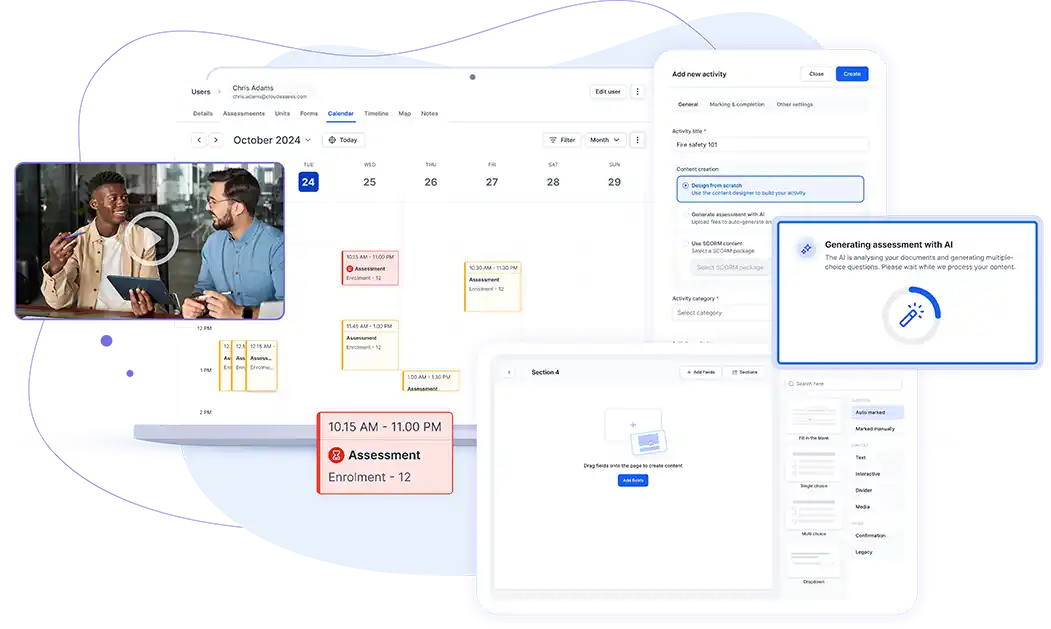
Cloud Assess is a versatile training and assessment platform that leverages AI to enhance learning and evaluation processes. As a flexible learning management system (LMS), it offers robust features tailored to skill development and competency-based assessments, making it ideal for vocational education and training (VET) providers, and corporate training initiatives.
A standout feature is the AI Marking Assistant, which analyses both long- and short-form responses and suggests marking outcomes to assessors. This feature streamlines grading by combining the efficiency of AI with human oversight, allowing trainers to save time while delivering personalised feedback to learners. This approach improves grading accuracy and boosts learner engagement by ensuring they receive the support they need.
Key Features
- AI Marking Assistant
- AI assessment generation
- Customisable assessment templates
- Evidence portfolios for competency-based assessments
- Workflow automation
- Content digitisation
- LMS features
- Student management features
- Real-time reporting and analytics
- Mobile app with offline functionality
- Extensive integration options
- User-friendly interface
Pros
- Supports course creation, assessment generation, automated grading, and student management in a single platform
- Supports various training methods and types of assessment
- Leverages AI across assessment creation, marking and workflow management, reducing administrative burden
- Tracks student performance in real-time through customisable dashboards and reports
- Training materials are accessible to learners and educators both online and offline through the Cloud Assess mobile app, with progress syncing once connection restored
- Supports data sharing across any tech stack with over 5000 integrations
Pricing
Cloud Assess offers one all-inclusive plan for Registered Training Organisations, priced as a flat fee from $600 AUD per month. Every feature is included from day one, including AVETMISS reporting, USI validation, AI-powered assessment creation and marking, and enrolment management. There are no upgrade paths or feature gates. Visit our pricing page for an accurate quote.
Rating
4.7/5 (average rating from Capterra, G2, GetApp, Software Advice)
#2 Gradescope

Gradescope by Turnitin is dedicated grading software that enables educators to mark assessments efficiently. Its scanning and transcription features simplify the digitisation of paper-based exam and essay submissions, reducing paperwork and supporting digital transformation initiatives. A standout benefit is Gradescope’s ability to prevent cheating, seamlessly integrating with Turnitin’s plagiarism detection tools.
However, while Gradescope does provide accessibility through their mobile app, the platform doesn’t offer offline functionality. This limitation can make it challenging to use in remote or on-the-job training settings where consistent internet access may not be available.
Key Features
- Answer grouping
- Supports various assessment types
- Customisable assessment rubric templates
- LMS integrations
- Detailed analytics and reporting
- Collaboration tools for educators
- Automated plagiarism detection
- Mobile app for on-the-go grading
- Student access to AI-graded assessments
Pros
- Focus on ensuring accuracy and avoiding plagiarism
- Groups similar answers and grades them together for quicker marking
- Helps trainers grade digital and paper-based assessments in various formats, including exams, homework and programming assessments
- Supports collaboration between multiple trainers and assessors
Cons
- Limited offline functionality
- AI grouping for assessment answers may require manual input
- Many features only available on Institutional pricing plan
Pricing
Gradescope is available on two pricing plans—Basic and Institutional. The Basic plan provides assessment rubrics and statistics on student performance. However, AI-powered grading and collaboration features are only available on the Institutional plan. Pricing for both options is available on request.
User Volume
Gradescope is used by educational institutions of all sizes, from K-12 to tertiary education, supporting various disciplines, including STEM and humanities.
Rating
4.4/5 (average rating from Capterra, G2, GetApp and Software Advice)
#3 EssayGrader
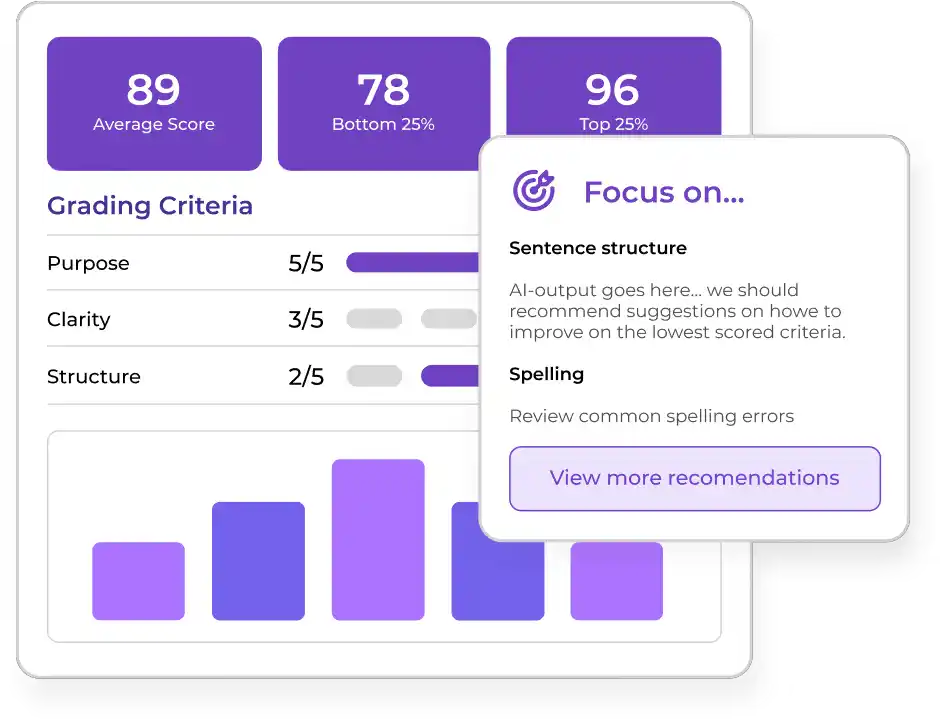
EssayGrader is another education-based AI marking tool that helps teachers grade batches of written assessments in minutes. The platform includes features for detecting plagiarism and AI-generated content in essays, helping educational facilities ensure learners’ ideas truly reflect their understanding. EssayGrader also provides customisable rubrics to ensure consistency in grading, and offers support in multiple languages, including English, Spanish, French and Russian.
However, EssayGrader only supports the marking of essays, making it less suitable for VET providers that use various assessment methods. The platform is also education-focused, making it less adaptable for workplace training.
Key Features
- AI-powered essay grading
- Customisable marking rubrics
- Instant feedback for students
- Detailed student performance analytics
- User-friendly interface
- Multi-language support
- LMS integrations
Pros
- Customisable marking rubrics make it quick and easy to gather consistent, objective and detailed feedback when you upload multiple essays
- Detects plagiarism and AI-generated learner content
- Integrates with popular learning management systems like Canvas LMS and Google Classroom
Cons
- Doesn’t support other types of assessment beyond essays
- Education-focus doesn’t meet workplace and skill assessment needs
- Doesn’t support paper-based assessment submissions
Pricing
EssayGrader has a Free tier available for educators who want to test the platform, providing basic grading for up to 25 essays per month. Their paid plans start with Lite, which costs $6.99 monthly and includes grading and brief summaries for 100 essays of up to 2000 words. Pro and Premium plans provide more monthly essays, higher word counts, and advanced support options.
User Volume
EssayGrader is used by schools and universities of all sizes worldwide.
Rating
No rating available
#4 Cognii
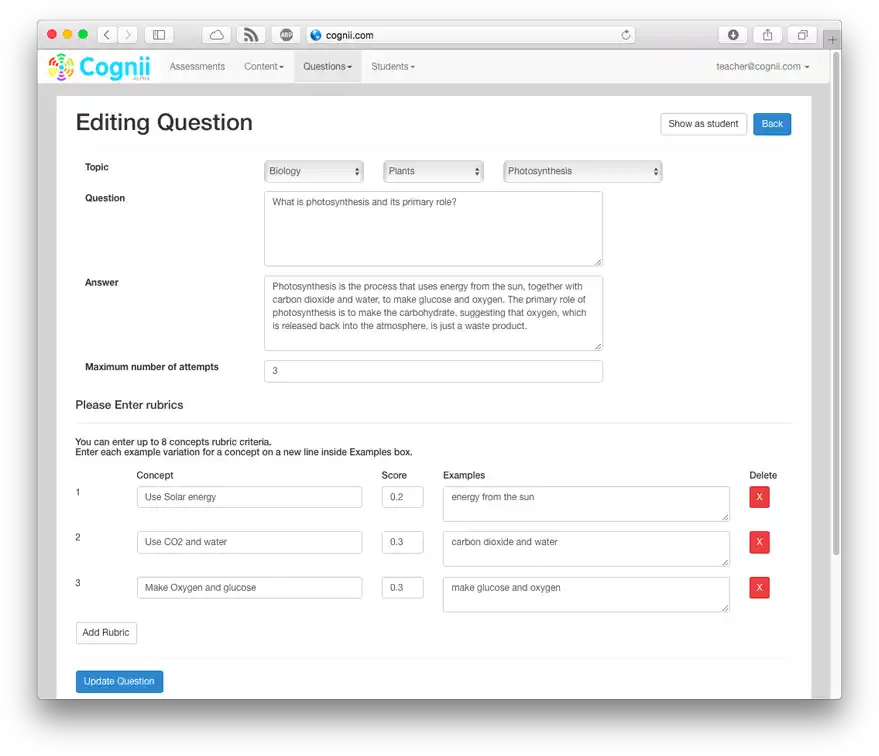
Cognii provides AI-driven learning and assessment tools for educational institutions and businesses, with a strong focus on interactive learning experiences. Its Virtual Learning Assistant is a chatbot-style generative AI that delivers questions, grades responses, and offers real-time feedback, acting as a tutor to guide learners. Educators benefit from real-time analytics, allowing them to track student progress and address learning gaps efficiently.
However, Cognii’s AI-driven conversational approach is less suited for grading traditional exams, long-form essays, and structured assessments. Its reliance on an internet connection also makes adoption challenging in low-connectivity and remote learning environments.
Key Features
- AI-powered Virtual Learning Assistant
- Conversational AI prompts
- Assessment authoring tools
- Instant feedback for learners
- Adaptive learning paths
- Real-time analytics
- Integration with various platforms
Pros
- Interactive conversations boost learner engagement
- Provides immediate feedback based on learner responses to questions
- Encourages critical thinking and problem-solving skills
- Adaptable to educational and workplace training environments
Cons
- Comes with steep learning curve and may require training to implement across organisations
- Dependent on internet connectivity
- Limitations in understanding learner responses
Pricing
Cognii doesn’t make pricing available on their website. You would need to contact them directly for a quote.
User Volume
Cognii caters to a diverse range of educational institutions, including K-12 schools, higher education, and corporate training programs.
Rating
No rating available
#5 Gradient
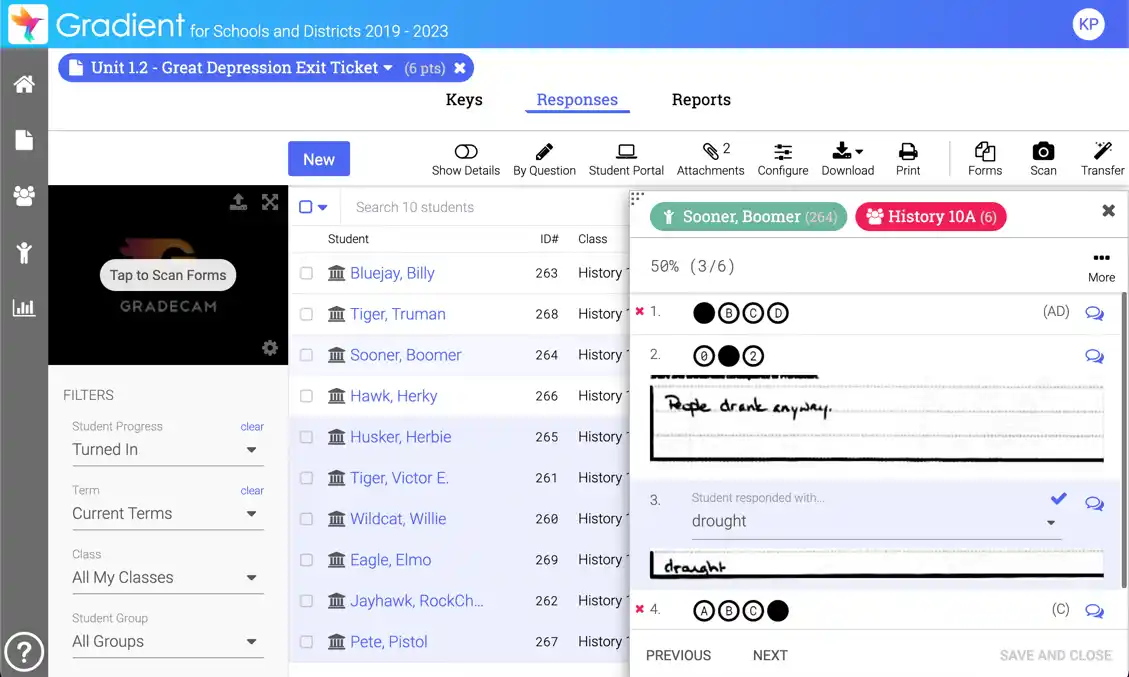
Gradient by GradeCam offers a comprehensive suite of AI-powered assessment tools for schools and businesses. Its varied features help educators create and conduct online assessments, grade assignments, and provide instant feedback on students’ work. The platform supports paper-based, formative and summative assessments, including multiple-choice and essay formats, making it adaptable to different evaluation techniques. By streamlining grading and reporting, Gradient helps educators save time and focus on enhancing training programs and delivering tailored support.
However, Gradient has a steeper learning curve than competitors like Cloud Assess and EssayGrader, requiring more setup, training, and customisation. Additionally, its long-form answer grading is more limited than EssayGrader and Gradescope.
Key Features
- AI-assisted grading tool
- Customisable answer forms and rubrics
- Paper-based and online assessment grading
- Formative, summative and skill-based assessment support
- Real-time analytics and reporting
- Offline grading capabilities
- Instant feedback for learners and educators
- Integration with gradebooks and LMS platforms
Pros
- Instant scanning simplifies the capture of paper-based assessments
- Supports diverse question types including multiple choice, fill-in-the-blanks and open responses
- Offline grading capabilities support diverse training environments
- Adaptable to meet educational and corporate assessment needs
Cons
- Requires significant time for setup, customisation and training
- Limited long-form answer support
- Higher pricing compared to some competitors
Pricing
Gradient’s K-12 packages start from $2800 per year, with an additional one-time onboarding fee. Thereafter, a charge of $3.50 per student applies. Pricing for their business solution is available on request.
User Volume
Gradient by GradeCam is widely used by schools, educational institutions and businesses of all sizes.
Rating
4.6/5 (average rating from Capterra, G2, GetApp and Software Advice)
#6 CoGrader
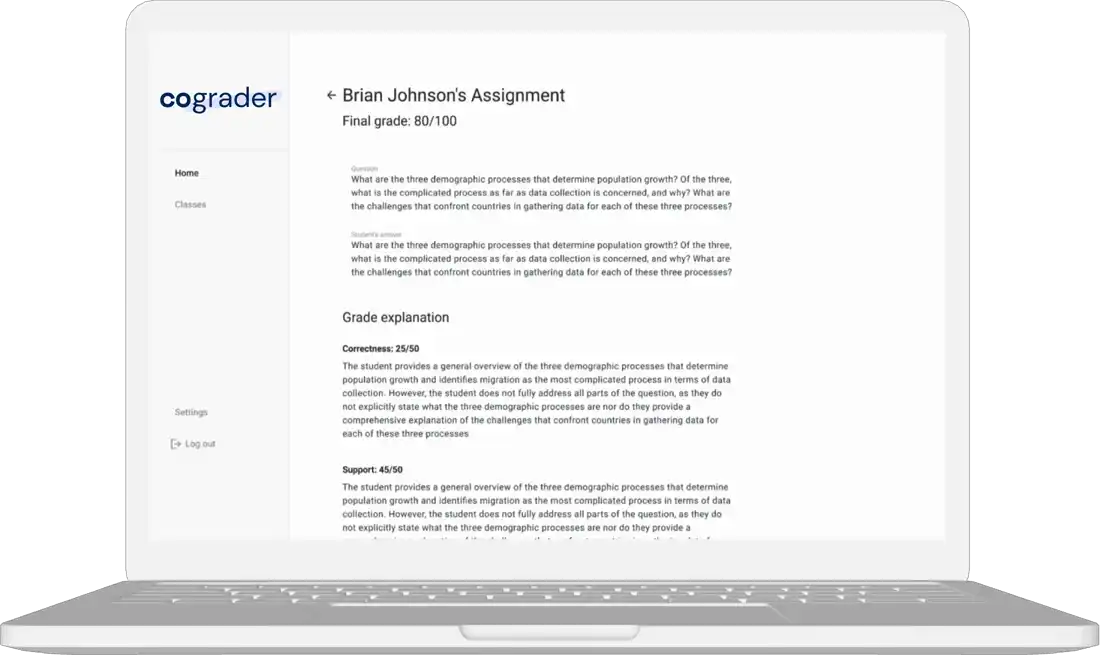
CoGrader is an AI-powered essay-marking tool designed to ensure consistent and fair grading. Its AI-content detection helps educators verify that learners grasp course material rather than relying on AI-generated responses. Like Cloud Assess, CoGrader provides initial grading suggestions and detailed feedback, allowing educators to review and refine results before sharing them with students. This ensures grading accuracy while maintaining a personalised learning approach.
However, CoGrader has a steeper learning curve, making adoption slower compared to some competitors. It is also less adaptable to various assessment types than platforms like Cloud Assess and Gradient, and has limited LMS integration options.
Key Features
- AI-powered essay grading tool
- Customisable marking criteria
- Feedback and grading suggestions
- AI detection in assessment submissions
- Individual and class-wide reporting features
- Multi-language support
- Integrations with Google Classroom, Canvas and Schoology
Pros
- Grading suggestions allow for improved accuracy and personalised, detailed feedback
- Customisable marking criteria ensure fairness and consistency
- Strong reporting and analytics features support data-driven training optimisation
Cons
- Fewer integration options make data-sharing more difficult across your tech stack
- Significant time required for initial setup and familiarisation
- Limited offline functionality
Pricing
A free version of CoGrader is available for educators marking fewer than 100 assignments per month. The platform’s paid tiers start from Standard, which costs $15 monthly and includes 350 assignments and Google Classroom integration. Further integrations, APIs and unlimited submissions are available on the Schools & Districts and Higher Ed & Enterprise pricing plans.
User Volume
CoGrader is used across K-12 and higher education institutions. Its Higher Ed & Enterprise plan also caters to corporate training needs.
Rating
No rating available
#7 Kangaroos AI
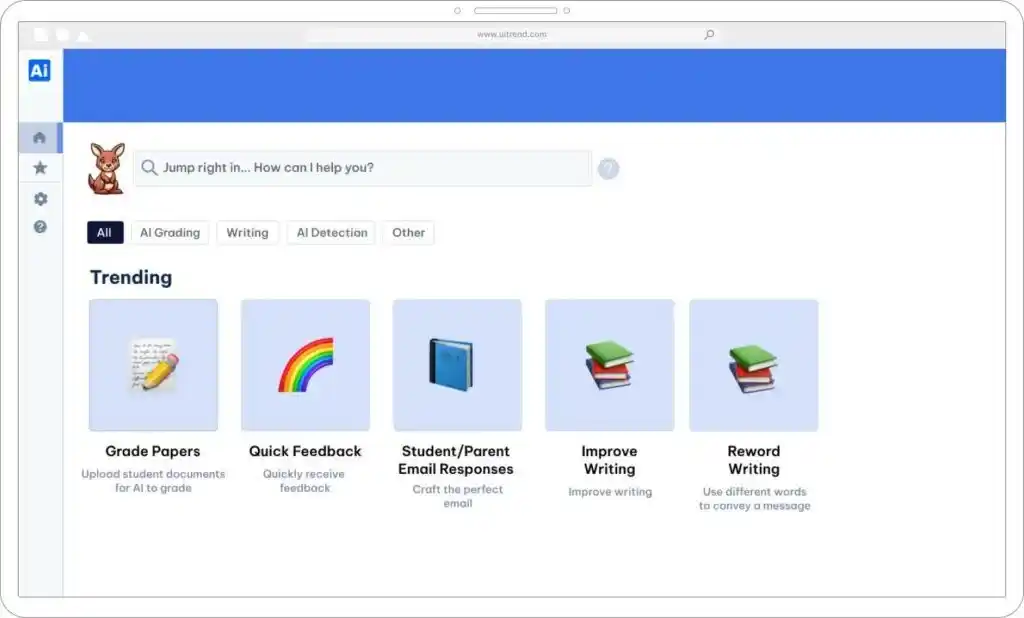
Kangaroos AI provides a suite of AI-powered tools designed to support educators across institutions of all sizes. Its grading capabilities cover essays, multiple-choice questions, and short-answer responses, alongside generative AI tools for lesson planning and teaching materials. The platform allows teachers to upload marking rubrics and assists in generating AI-powered rubrics, ensuring grading consistency while giving students clear assessment expectations.
However, Kangaroos AI lacks some of the advanced features found in competitors. It only supports digital assessments, making it less versatile than solutions like Gradescope and Gradient. It also lacks a human oversight buffer for AI grading errors, as seen in Cloud Assess and CoGrader, which may affect grading accuracy.
Key Features
- AI-powered assessment grading
- AI-generated rubrics
- Bulk essay upload and grading
- Plagiarism detection features
- Detailed feedback on student work
- Real-time analytics on student performance
- User-friendly interface
- Multi-language support
Pros
- Bulk uploads ensure consistency while reducing grading time
- Provides learners with instant, objective feedback
- Insights into student performance support targeted interventions
Cons
- Dependent on digital assessments
- AI inaccuracies occasionally require manual intervention
- Aimed at educational institutions with limited support for workplace training
Pricing
Kangaroos AI doesn’t provide pricing on their website. You would need to contact them directly to request a quote or schedule a demo.
User Volume
Kangaroos AI caters to educational institutions of all sizes from K-12 to university level.
Rating
No rating available
#8 Coursebox
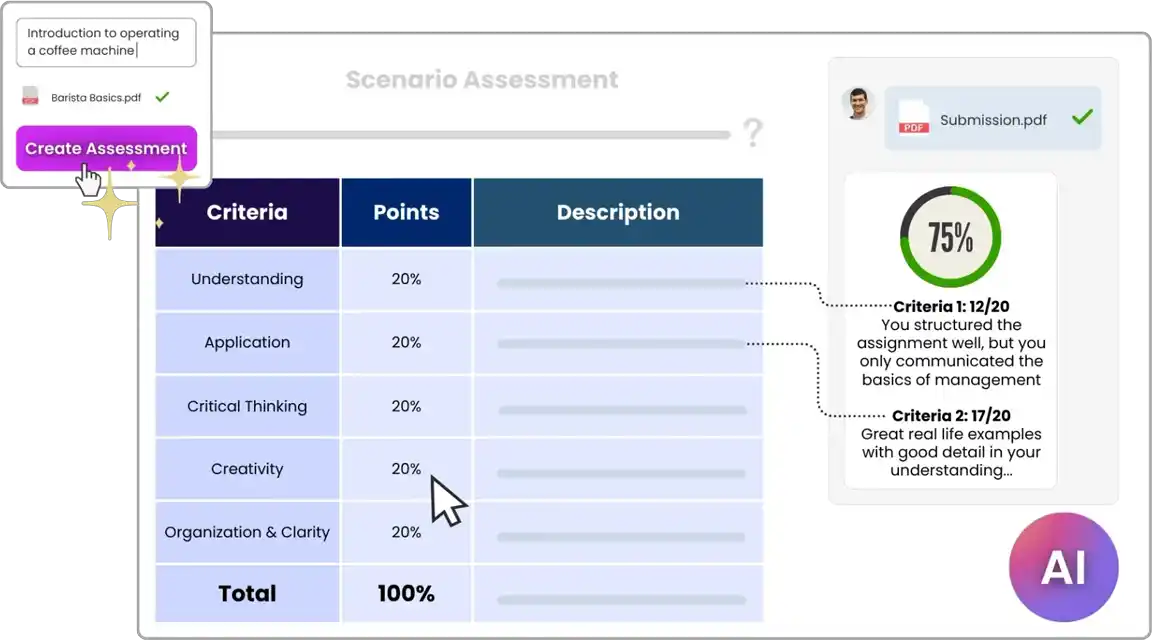
Coursebox is an LMS with AI designed to streamline course creation and assessment. The platform supports multimedia content and can automatically convert files and videos into interactive assessments, providing instant grading and feedback. Like Cognii, it features an AI tutor chatbot that engages learners in real-time, improving knowledge retention and engagement.
However, Coursebox-generated content requires human oversight to ensure accuracy. While it simplifies course development, AI-generated courses and assessments may contain errors, requiring manual corrections before deployment. Similarly, grading inconsistencies can occur, making instant feedback occasionally inaccurate.
Key Features
- AI-driven course and assessment creation
- Automated grading features
- AI tutor chatbot
- Content digitisation
- Customisable templates and course modules
- Multimedia learning material support
- Instant student feedback
- Real-time collaboration tools for educators
- Real-time analytics and reporting
- User-friendly interface
- Multi-language support
- Integrations with various digital learning platforms
Pros
- Supports course creation, assessment generation and automated grading in a single platform
- Automatically transforms videos and files into gradable assessments
- Enhances collaboration and communication between educators and students
- Supports diverse content formats
Cons
- Dependence on AI throughout the creation process may require manual checking and intervention
- AI-reliance may also result in inaccuracies during grading
- Limited offline functionality
Pricing
Coursebox pricing starts at $18 monthly on an annual contract for their Creator tier. This includes 5 courses with AI-generated assessments and automated grading. Additional courses and variations of the AI tutor chatbot are available on higher pricing tiers.
User Volume
Coursebox caters to the needs of training providers and companies of all sizes in over 180 countries.
Rating
4.8/5 (average rating from Capterra, G2, GetApp and Software Advice)
#9 Markr
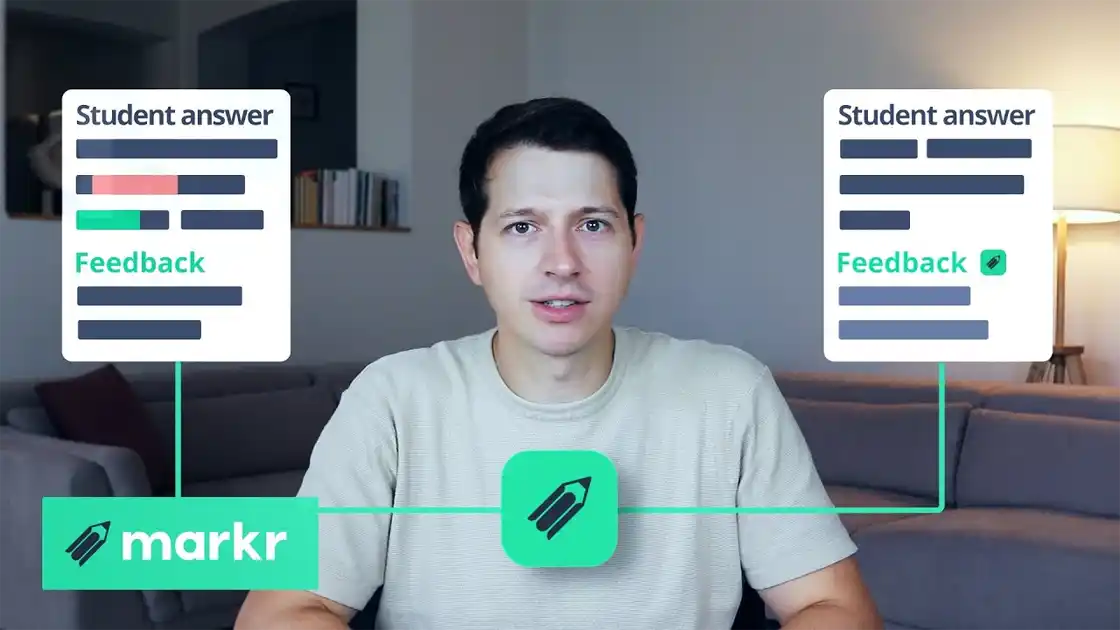
Markr is another AI-assisted marking tool that caters to the education industry, in particular. However, unlike many other solutions, its integration with your LMS is key to its success. Similar to solutions like Grammarly, Markr tracks the way teachers grade assignments and essays, learning their marking style and making suggestions based on the feedback they’ve provided. It becomes more effective the longer it’s used, ultimately saving educators and trainers significant time and providing consistent and accurate feedback.
However, the time it takes for Markr to learn individual educators’ grading styles means it takes longer to start adding measurable value to the marking process. And because the solution is based on individual styles, it can make maintaining consistent marking across a class or grade more difficult.
Key Features
- AI-assisted grading for open-ended questions
- Adaptive to educator grading styles
- Continuous improvement through machine learning algorithms
- Real-time grading suggestions
- Personalised feedback generation
- User-friendly interface with minimal setup
- Integrations with LMS platforms
Pros
- Quick and easy to use with minimal setup or training required
- Individuals’ marking styles reflected in feedback suggestions
- Works with various learning management systems
- Opportunity to review suggestions before sending feedback to learners
Cons
- Difficulty in maintaining consistency across educators
- AI takes time to learn and adapt to individual marking patterns and styles
- Few reporting features
- Limited offline functionality
Pricing
Markr doesn’t make pricing available on their website. You would need to contact them directly to request a quote or book a demo.
User Volume
Markr serves a diverse range of educational institutions, from K-12 schools to higher education establishments.
Rating
No rating available
#10 Magic School AI

Magic School AI provides a diverse range of AI-powered tools designed to enhance both teaching and learning experiences. For students, the platform offers personalised learning pathways, improving engagement and digital literacy. For educators, it includes lesson planning assistance, AI-generated rubrics, and grading tools that help streamline assessments. Teachers can also use Magic School AI to provide targeted feedback, emphasising areas for improvement.
However, grading is not the platform’s primary focus. While it offers over 80 AI-driven tools, only a few are dedicated to marking and assessment. Educators specifically seeking an AI grading solution may find a more targeted platform more effective.
Key Features
- AI-powered grading
- Customisable marking rubrics
- Extensive AI tools for student and educator support
- Personalised learning pathways
- Resource library for educators
- Collaboration tools for teaching communities
- Integrations with popular tools
Pros
- Supports personalised learning through targeted feedback on assignments and assessments
- Comprehensive AI platform meets various educator needs
- Streamlines grading and other routine tasks to reduce administrative burden
Cons
- Grading features are minimal compared to other AI tools the platform provides
- Few customisation options compared to competitors
- AI tools come with steep learning curve and require manual intervention to ensure accuracy and consistency
- Education-focus doesn’t meet workplace and skill assessment needs
Pricing
Magic School AI makes the majority of their features available free of charge for educators and students. Their Plus pricing plan includes unlimited access and advanced features, while their Enterprise solution helps schools and companies adopt AI tools across their training efforts.
User Volume
Magic School AI is used by a broad range of educational institutions, including K-12 schools and higher education.
Rating
4.5/5 (average rating from Capterra, G2, GetApp and Software Advice)
AI Grading Tools Buyer’s Guide
- Prioritise Data Security. AI tools require significant access to data, making it essential for organisations to carefully monitor their data privacy policies and security measures. Be sure to review terms and conditions to understand how information is processed and shared, ensuring compliance with GDPR, FERPA, or other relevant regulations.
- Plagiarism Detection. These tools compare responses against existing databases, published research, and online sources to flag potential instances of copied work. Some platforms integrate AI-content detection to identify ChatGPT or AI-generated responses, helping educators maintain academic integrity.
- Integrations with LMS. Seamless integration with learning management systems is crucial for streamlining workflows. Without proper LMS integration, educators may need to manually transfer grades and feedback, reducing efficiency.
- Automated Assessment Workflows. Features like auto-scoring multiple-choice questions, AI-assisted rubric grading for essays, and real-time feedback generation can significantly reduce educators’ workload. Bulk grading options also allow for faster and more accurate processing of large student cohorts.
- Video
Automate the Admin. Free Your Assessors.
Watch this webinar to see how Cloud Assess puts these workflows into practice for your team.
- Analytics on Learner Performance. Tracking trends in results, areas where students struggle and learner progress helps educators identify learning gaps, tailor interventions, and enhance curriculum planning. Some platforms also offer predictive analytics, flagging students who may require additional support.
- Accuracy. The effectiveness of an AI marking tool depends on its ability to assess responses fairly and accurately. Look for solutions that use natural language processing and machine learning to evaluate content meaning, not just keyword matching. Platforms with human oversight features, such as manual review options before finalising grades, can improve reliability and reduce errors.
- Flexibility. A good AI grading tool should support various question types beyond multiple-choice, including short answers, essays, coding assignments, and project-based work. Also check whether it allows for customisable grading rubrics, adaptive assessment features, and support for multiple languages, ensuring it meets diverse assessment needs.



