

Canvas LMS Alternatives TLDR Summary
Cloud Assess is a training and assessment platform built for VET providers and corporate training, offering workflow automation, AI capabilities, and a powerful assessment engine. For K-12 learning, Google Classroom and Blackboard Learn are strong options, with the latter also suited to higher education. Open-source platforms Moodle, Chamilo, and Open LMS suit institutions with technical resources, while Odoo adds e-commerce course reselling functionality. Businesses focused on internal training may prefer 360Learning, Easy LMS, or LearnWorlds, which offer branded academies, custom learning journeys, and AI-assisted course creation.

Finding a Learning Management System that meets all your needs can be challenging. Various options exist on the market with a myriad of different features. Some may sound like a fit but miss some key features. Others may work well for one industry, but be less suitable for another.
Maybe you’re using Canvas LMS and have noticed a shortcoming. Maybe you just want to explore Canvas competitors before you buy. This article may contain the best solution for you. Whether you’re looking for a K-12 platform, a higher education portal, or a workplace learning solution, this blog post is a good place to start. We look at 10 powerful LMS platforms that can fit your needs.
What is Canvas LMS?
Canvas is a Learning Management System (LMS) with a strong focus on schools and higher educational institutions. It aims to provide an engaging, easy-to-use platform to create courses and manage learners. This centralises the learning experience. Canvas LMS also provides several modules to make teaching and learning easier.
It’s also free to use for teachers and students but does have paid options available for institutions or training organisations.
The platform offers good integrations with other popular software. This is part of what makes it an excellent option for K-12 learning environments. For more advanced functionality, however, it can fall short of expectations. Higher-ed learning institutions or businesses may require more powerful features. This is where the alternatives on this list could be a better fit your needs.
Why Companies Look For Canvas LMS Alternatives
No LMS is a great fit for every organisation. Canvas LMS offers simplified learning management features. However, many organisations require more advanced capabilities. There are plenty of Canvas LMS alternatives out there that are better suited to these needs.
Some K-12 educational institutions that need more advanced student tracking or customisation features. They may want to consider Moodle, Google Classroom and Blackboard Learn. Meanwhile, Vocational Education and Training providers benefit from Cloud Assess’ student management features.
Some companies want a platform that caters to corporate training. Solutions like Cloud Assess, Easy LMS, 360Learning and LearnWorld may be more suitable. Canvas LMS is focused on K-12 education. These powerful LMS solutions offer advanced features for employee training and performance management.
And don’t think that an upgrade necessarily means you’ll be paying more! Similar to Canvas, platforms like Moodle, Odoo, Chamilo and Google Classroom offer free pricing tiers. Open LMS is also based on open-source technology, which keeps it affordable. This is especially true for organisations with in-house technical expertise. They won’t need to outsource hosting, setup and maintenance.
Alternatives to Canvas LMS



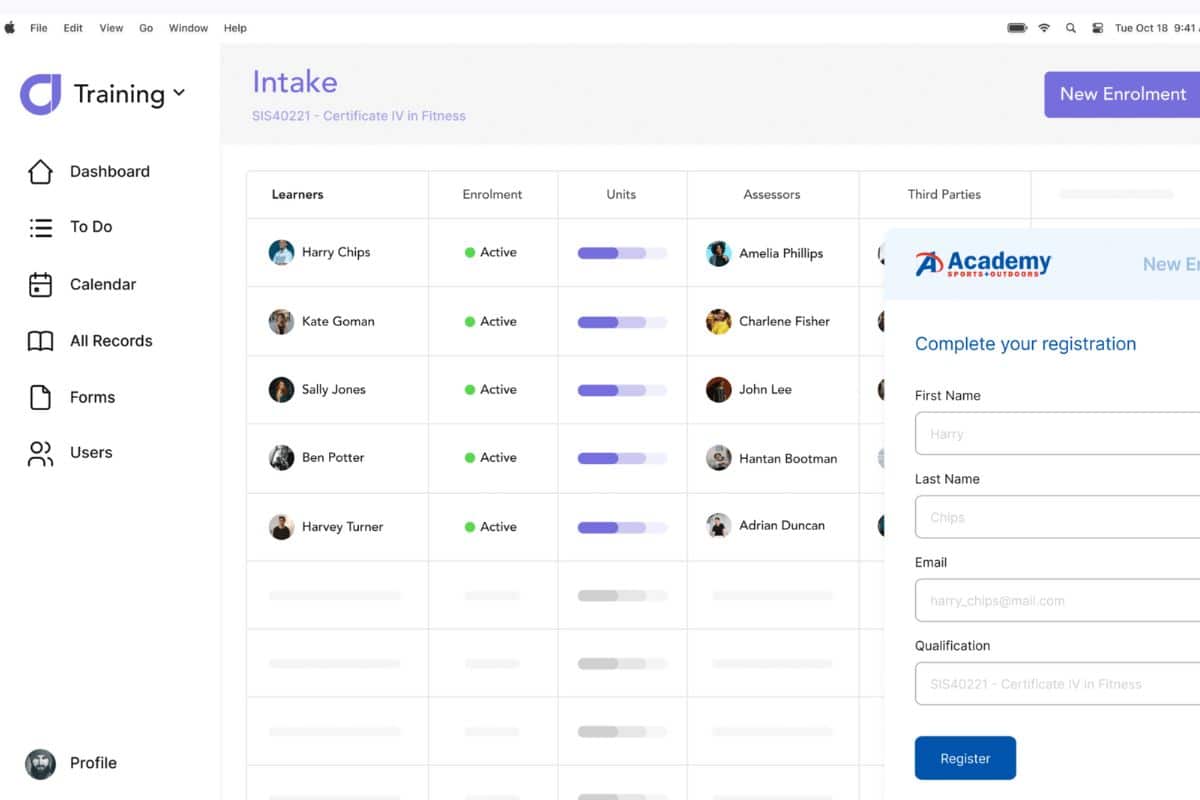
Cloud Assess is a powerful training and assessment software. It offers high levels of customisation, as well as advanced features. These include workflow automation, AI capabilities and detailed course authoring. This advanced functionality doesn’t cater to K-12 learning. However, Cloud Assess is an excellent fit for VET providers and internal business training.
The platform features custom learning paths, a mobile learning app, and a powerful assessment engine. These make it perfect for business use. Inherent cloud-based security and data integrity also come standard. This makes Cloud Assess a powerful and centralised learning solution.
A tiered pricing structure helps balance affordability and functionality. This makes the platform appeal to businesses both large and small.
Key Features
- Intuitive and user-friendly interface
- Custom learning experiences for focused skill development
- Live custom reports for up-to-date progress tracking
- Learner management and course authoring in one platform
- Supports evidence portfolios, log books, and automated forms
- A free library of online courses
- Corporate training features for tracking employee skills and performance
Pros
- Large parts of the user management process can be automated for time savings
- Effortless user enrollment through a variety of methods ensures quick access for learners
- A host of third-party integrations help create a unified tech stack
Canvas vs Cloud Assess
As a Canvas alternative, Cloud Assess offers:
- Powerful capabilities for enterprise and training organisations
- Fits various learning requirements across a range of industries
- High degrees of customisation across courses and learning portals
Pricing
Cloud Assess offers one all-inclusive plan for training organisations and workplace training, priced as a flat fee per learner from $12. Every feature is included from day one, with no upgrade paths or feature gates. Visit our pricing page for an accurate quote.
Rating
4.7/5 (average rating from Capterra, G2, GetApp, Software Advice)
#2 Moodle
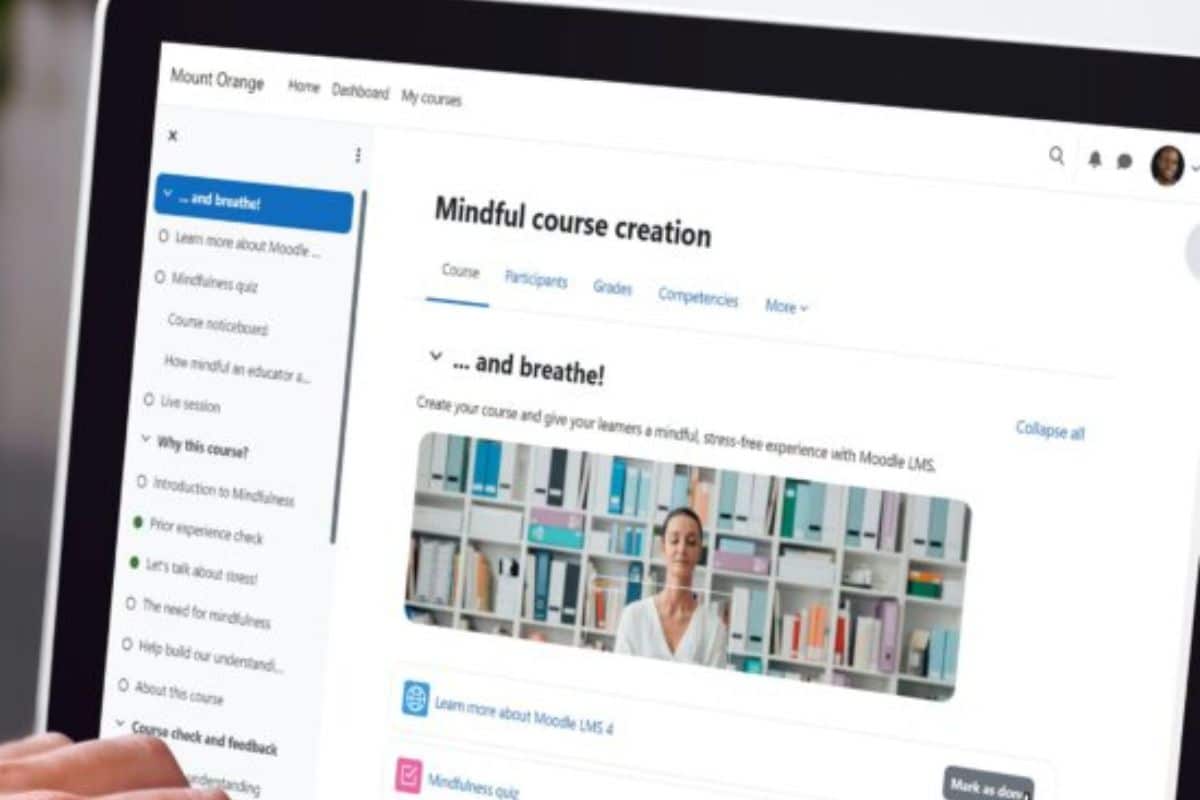
Moodle is a highly customisable learning management system thanks to its open-source nature. With the right skills, you can manipulate its code to suit your needs. It offers mobile compatibility, scalability and an intuitive interface.
Moodle is free, but hosting and setup costs are a factor to consider. If you don’t have the right in-house skills to assist with implementation, outsourcing may be required. However, affordable hosting is available from Moodle. They also offer a range of third-party services.
Finally, Moodle has a great community. Their third-party plugins (free and paid) add even more functionality to the platform.
If you think your ideal solution is more in line with what Moodle offers, you should consider our list of Moodle Alternatives.
Key Features
- Open-source software that is highly customisable
- Adaptable to a range of scenarios, from higher-ed to corporate training use
- Community-created add-ons and plugins market
Pros
- Basic LMS is free to use
- Simple, clean and user-friendly interface
- Strong community support for issue resolution
Cons
- Set-up and hosting require ample resources
- Trained software developers may be necessary to make the most of it
- Some tools are outdated
Canvas vs Moodle
As a Canvas alternative, Moodle offers:
- Customisation options for a variety of uses
- Community-created add-ons and plugins
Pricing
Hosting via Moodle starts from $180 AUD per year for up to 50 users. There are also set-up and assistance services available. The LMS module itself is free to use.
Rating
4.3/5 (average rating from Capterra, GetApp, Software Advice)
Prefer to Compare Moodle with Cloud Assess Instead?
See how they stack up in features, flexibility, and functionality to find the right training solution.#3 Odoo
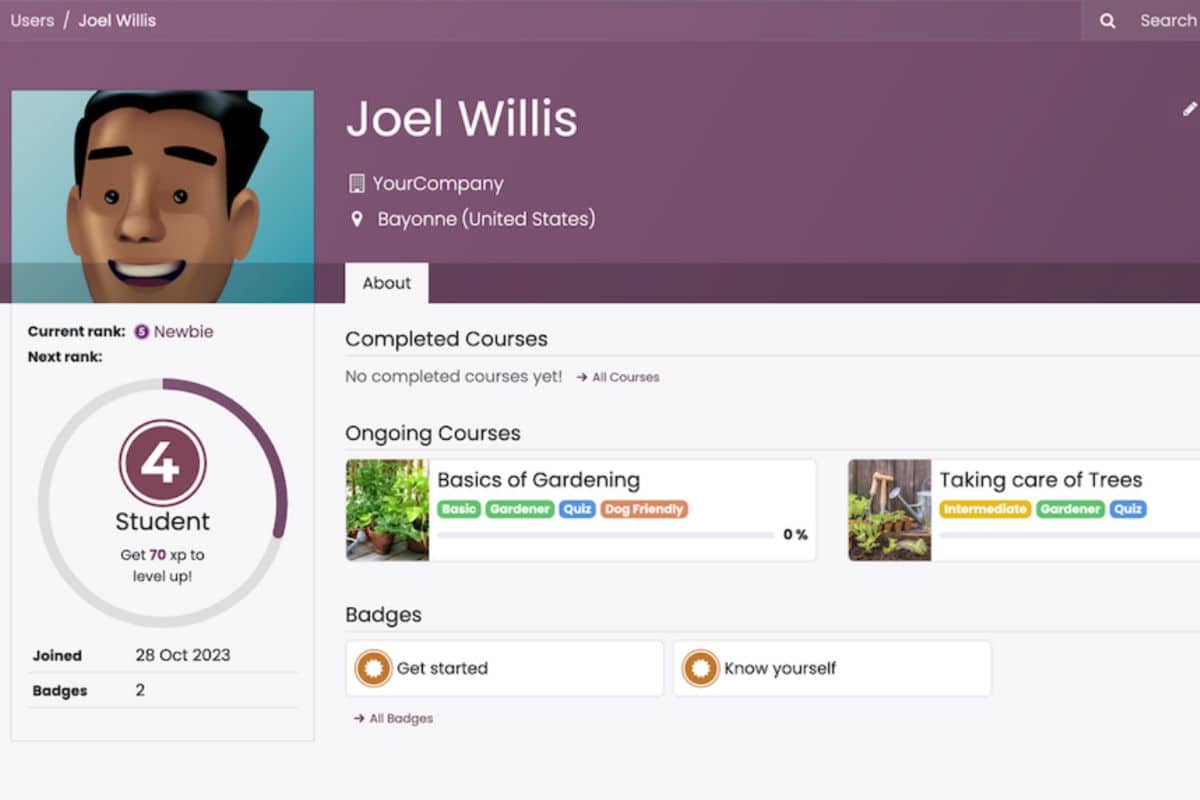
Odoo offers a wide range of business apps, from CRM to inventory to HR. It also offers an eLearning app, which earns it a place on this list. Odoo has a free forever pricing plan for a single app, and thus its eLearning solution can be used for free for unlimited users.
It offers good basic functionality with course authoring and learner management. You can also create a forum, get feedback with reviews, and resell courses.
There are limitations to the free plan, such as limited customisation options. According to reviews, the paid version can also be pricey when compared to alternatives in the market. Finally, the platform lacks some features that other Canvas LMS alternatives offer.
Key Features
- Basic free-forever plan
- Custom digital learning course authoring
- Progress tracking and insight reports
- e-Commerce features for reselling courses
Pros
- Free plan could be a great cost saver
- Gamification and interactive content offer an excellent way to engage learners
- Built-in expense tracking a useful feature for small course resellers
Cons
- Limited feature set not a fit for advanced learning needs
- Many useful features are exclusive to the paid version
- Lack of internal video management capability
Canvas vs Odoo eLearning
As a Canvas alternative, Odoo eLearning offers:
- Course reselling aspect useful to small learning institutions
- Easy to set up and use
Pricing
Odoo eLearning has a free version. Beyond that, there is no clear pricing information available on their website. According to reviews, many features are locked into the paid version, which can be more expensive than other tools on the market.
Rating
4.1/5 (average rating from Capterra, GetApp, Software Advice)
#4 Chamilo LMS
Chamilo is an open-source LMS featuring good overall functionality. It features course authoring, learner management, and overall respectable customisation options. It does lack some of the more powerful features that many paid platforms offer.
Set-up is fairly straightforward and it can be a good fit for small classrooms, businesses or learning institutions. However, the user interface appears dated, and the platform does not stand up to complex training requirements. For more advanced enterprise or training organisation features, there are better options on this list.
Key Features
- Learning management system is free to use
- Learner management and custom course authoring
- Collaborative learning focus
Pros
- Free to use, though donations are encouraged
- Course authoring is surprisingly powerful
- Quick to set up and get started
Cons
- Graphically dated
- Lack of advanced features for complex training scenarios
- Can be difficult to customise templates
Canvas vs Chamilo LMS
As a Canvas alternative, Chamilo LMS offers:
- Free to use for both education and business purposes
- Built-in communication for trainers and students
Pricing
The LMS is completely free to use. There are paid plugins and add-ons available to enhance functionality.
Rating
4.7/5 (average rating from Capterra, GetApp, Software Advice)
#5 360Learning
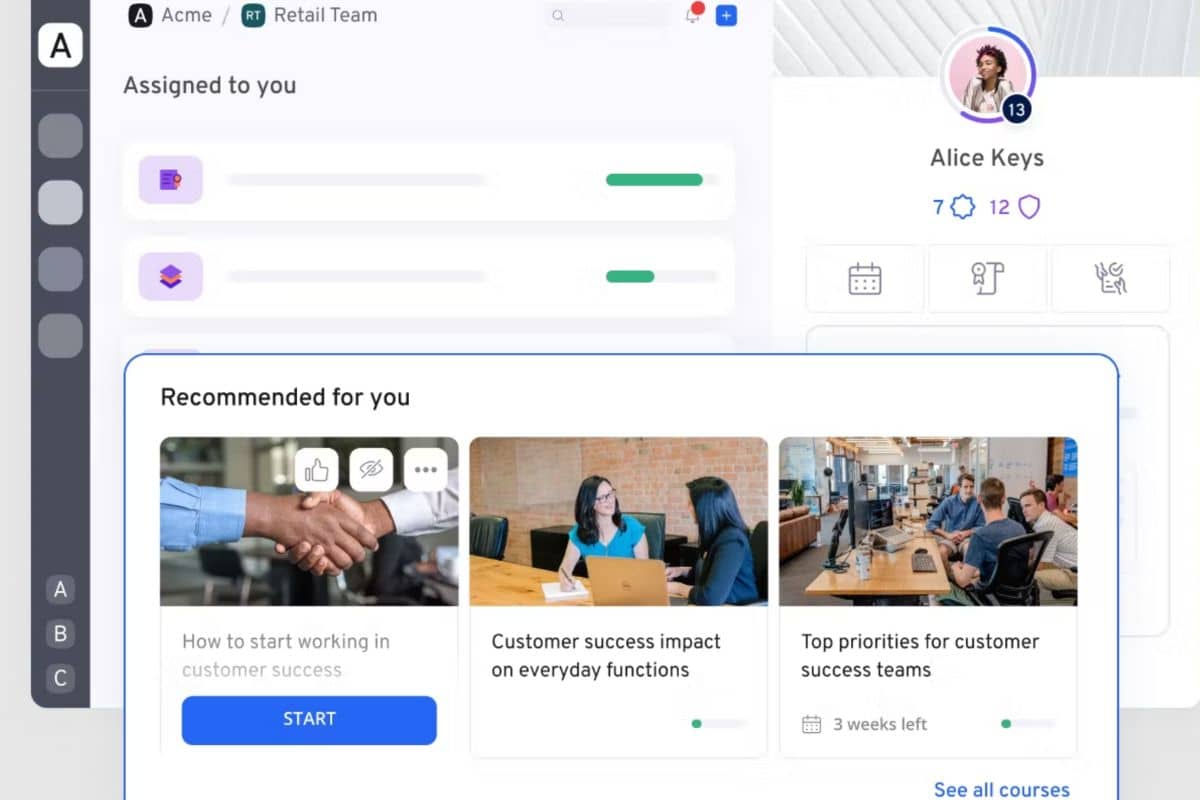
360Learning is a paid LMS that offers great overall functionality. Course management and authoring, custom learning journeys, and even automatic enrollments are all possible with this platform. While it lacks an open-source option, it can handle more complex training requirements.
360Learning is mostly geared towards internal business learning. However, it does feature branded portals and sub-groups of users. These make it a viable option for higher educational institutions as well. It’s too advanced for K-12 learning, especially for younger learners.
While powerful, 360Learning does have a few drawbacks. Its reporting system is rigid, and there is initially a steep learning curve to the platform.
Key Features
- Personalised learning journeys
- Some gamification with badges and achievements
- Optional co-authoring on course builder
Pros
- Fully branded academies allow a custom look and feel
- Course customisation offers a wide variety options
- Good collaboration features
Cons
- Set-up can be difficult and time-consuming
- Steep initial learning curve
- Platform lacks total customisability
Canvas vs 360Learning
As a Canvas alternative, 360Learning offers:
- Better niche focus on internal business learning
- Comprehensive learning management system feature set
Pricing
360Learning costs $8 per user per month for up to 100 users. A larger enterprise plan is also available and requires a quotation to determine costs.
Rating
4.6/5 (average rating from Capterra, GetApp, Software Advice)
#6 Open LMS
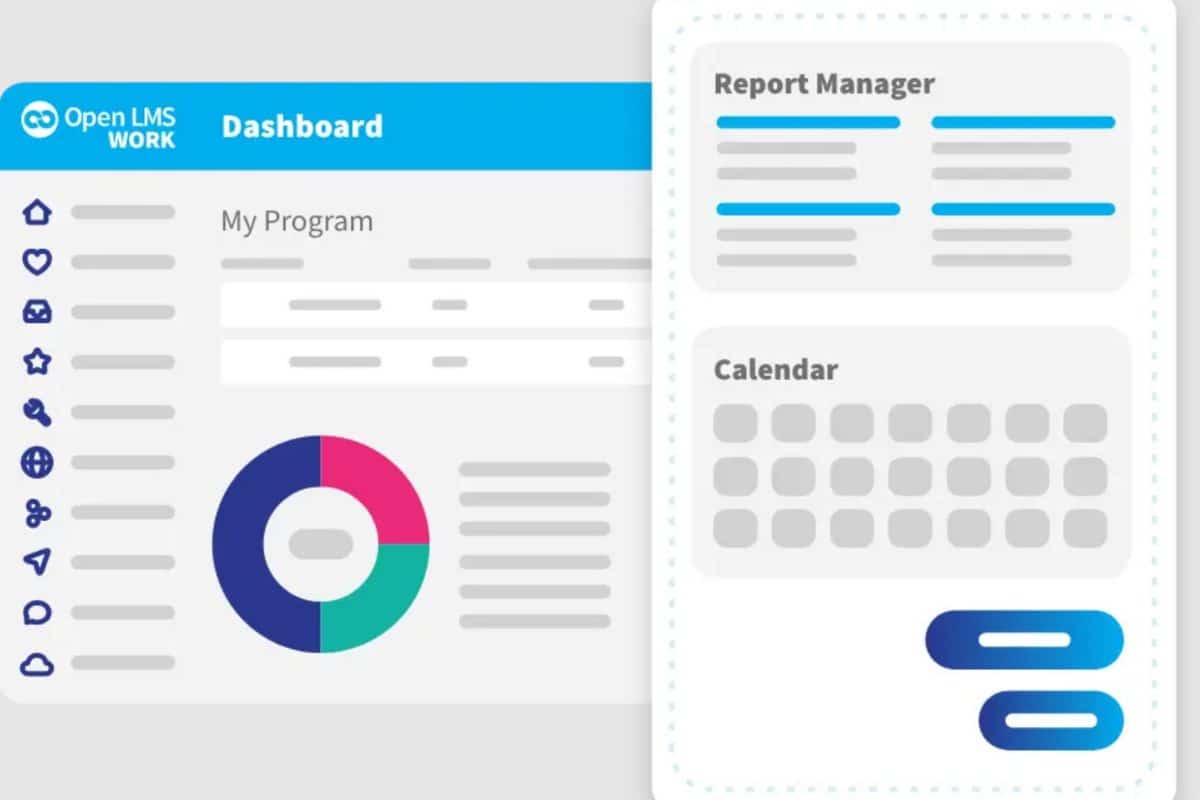
Open LMS features two separate models. One for educational institutions and another for workplace learning. The platform is based on Moodle, but boasts value-added features that make it a great fit for those who need a highly customised platform.
Some of the features on offer are customised learning paths and competency training capabilities. Open LMS also provides functional reporting features and advanced analytics. Overall it’s a good platform and while it lacks an open-source option, it caters to a wider variety of needs than Canvas or standalone Moodle.
Key Features
- Built entirely on open-source technology
- Offers integrations with third-party software
- Flexible course management, authoring and distribution
Pros
- Migration support for a seamless learning experience
- Plugins and add-on marketplace for expansion of base functionality
- Powerful customisation options for individual needs
Cons
- There are delays on plugin installations that can cause frustration
- User interface navigation can be difficult
- Functionality is dependent on Moodle
Canvas LMS vs Open LMS
As a Canvas alternative, Open LMS offers:
- A more robust offering for serious businesses or training organisations
- Dedicated support team
Pricing
Pricing can be obtained via quote and depends on the needs of the customer.
Rating
4/5 (average rating from Capterra, GetApp, Software Advice)
#7 Easy LMS

Easy LMS is a good choice for medium-sized training providers or businesses. It offers the ability to manage learners either as customers or as employees. Some notable features include learning path automation and advanced course authoring. Organisations can also add multiple branded academies.
Easy LMS also has a good exam engine that combines well with automatic certificate generation. One drawback is that reporting functionality is limited. The user interface can also be confusing for first-time users. The latter can cause issues with the seamless enrollment of new students or employees.
Key Features
- Centralised knowledge-sharing platform
- Multiple branded academies
- Blended learning with a variety of multimedia
Pros
- Course authoring is intuitive and easy to learn
- Great customisation options when building online courses
- Good variety of question types on assessments
Cons
- Basic functionality not a fit for complex requirements
- Animations are tailored to a younger audience
- No built-in ability to import existing PowerPoint courses
Canvas LMS vs Easy LMS
As a Canvas alternative, Easy LMS offers:
- Course creation and deployment made simple
- Good fit for medium-sized training providers
Pricing
Easy LMS offers three pricing tiers and ranges between $105 and $275 per month. Pricing is per academy, and additional academies will cost extra.
Rating
4.6/5 (average rating from Capterra, GetApp, Software Advice)
#8 Google Classroom
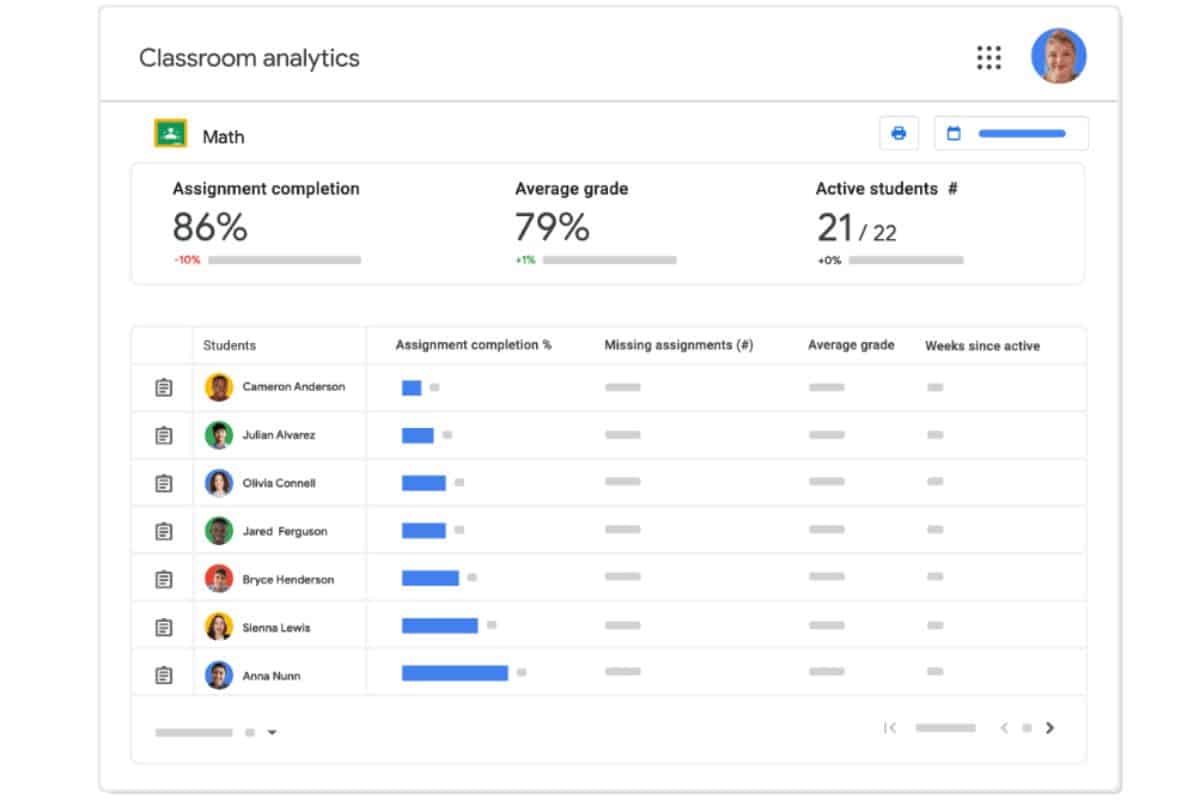
Google Classroom is a purpose-built platform exclusively for K-12 learning. This makes it less suitable for higher education institutions or workplace training. It offers powerful student learning features including streamlined enrolments using links or codes. It integrates with various student information systems. The platform also offers automatic notifications for both students and educators.
If you’re considering apps like Canvas LMS for its potential to assist in K-12 learning, Google Classroom is worth a look. It has a free option, as well as several more powerful paid options.
Key Features
- Manage multiple classrooms
- Track student progress with the grade book
- Automatic notifications for teachers and students
Pros
- Purpose-built for K-12 educator support
- Wide range of classroom features for easier management
- Virtual classrooms and video recordings for seamless teaching and learning experiences
Cons
- Not a fit for businesses or training organisations
- Limited customisation options
- Reporting can be confusing
Canvas LMS vs Google Classroom
As a Canvas alternative, Google Classroom offers:
- A niche focus on K-12
- Useful free option for educators
Pricing
There are four tiers offered by Google Classroom. The first is free to use, while the other three are subject to individual quotations.
Rating
4.6/5 (average rating from Capterra, GetApp, Software Advice)
#9 Blackboard Learn
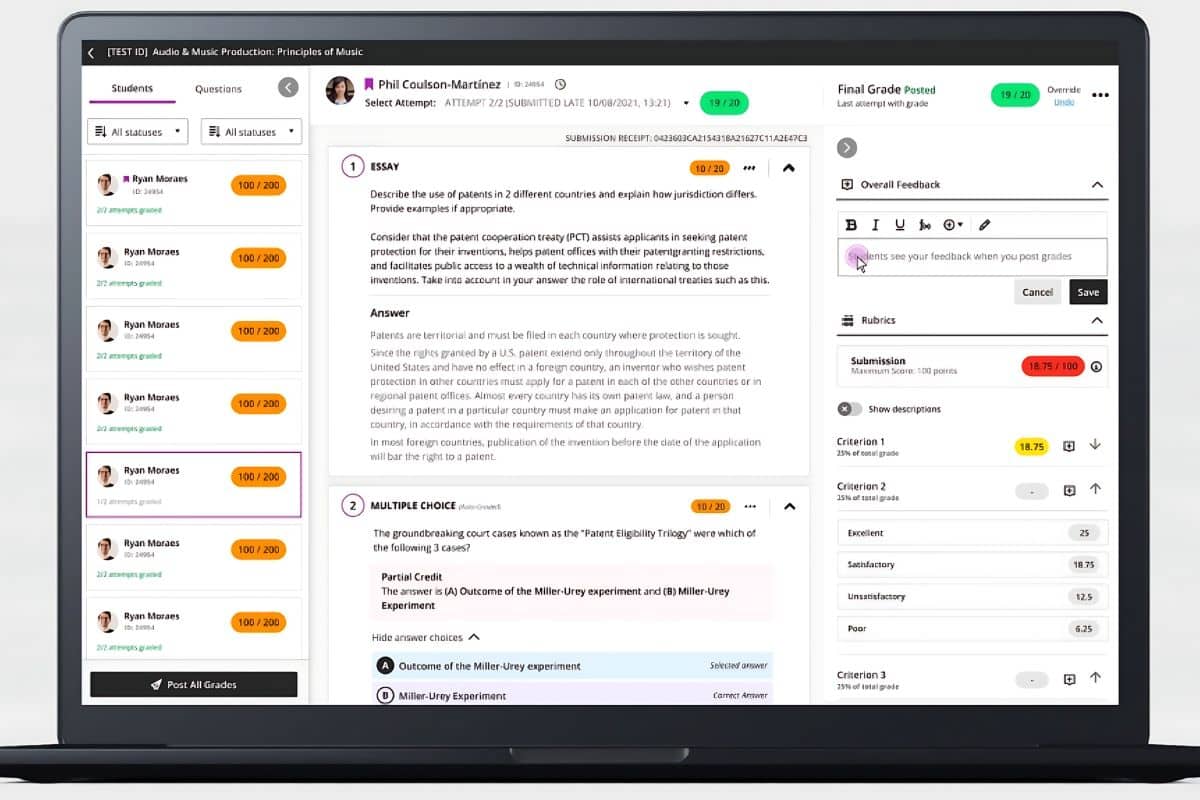
Blackboard Learn is an learning management system with a host of features. This makes it a good fit for training organisations and higher-ed use. It features AI-assisted capabilities, course creation, and effective learner management. The platform’s core focus on accessibility for all.
It can also be applied to workplace training and K-12 learning but is most useful in higher education. It lacks some core workplace functionality such as compliance management. Other modules further assist in higher education. For example, Anthology Reach and Student help with enrolment and student information management.
Key Features
- Information is centralised and accessible to all
- Variety of assessment types
- AI functionality
Pros
- Built-in communication tools offer a highly collaborative environment
- Ease of use provides accessibility for students
- Integrations for a unified software environment
Cons
- Graphically dated user interface
- Functionality on the mobile app is lacking
- Occasionally slows down during busy times
Canvas LMS vs Blackboard Learn
As a Canvas alternative, Blackboard Learn offers:
- Personalised learning experiences
- Good exporting functionality for reports
Pricing
Blackboard LMS doesn’t offer any pricing information on the website. However, there is a free trial available to test it before you commit.
Rating
4.1/5 (average rating from Capterra, GetApp, Software Advice)
#10 LearnWorlds
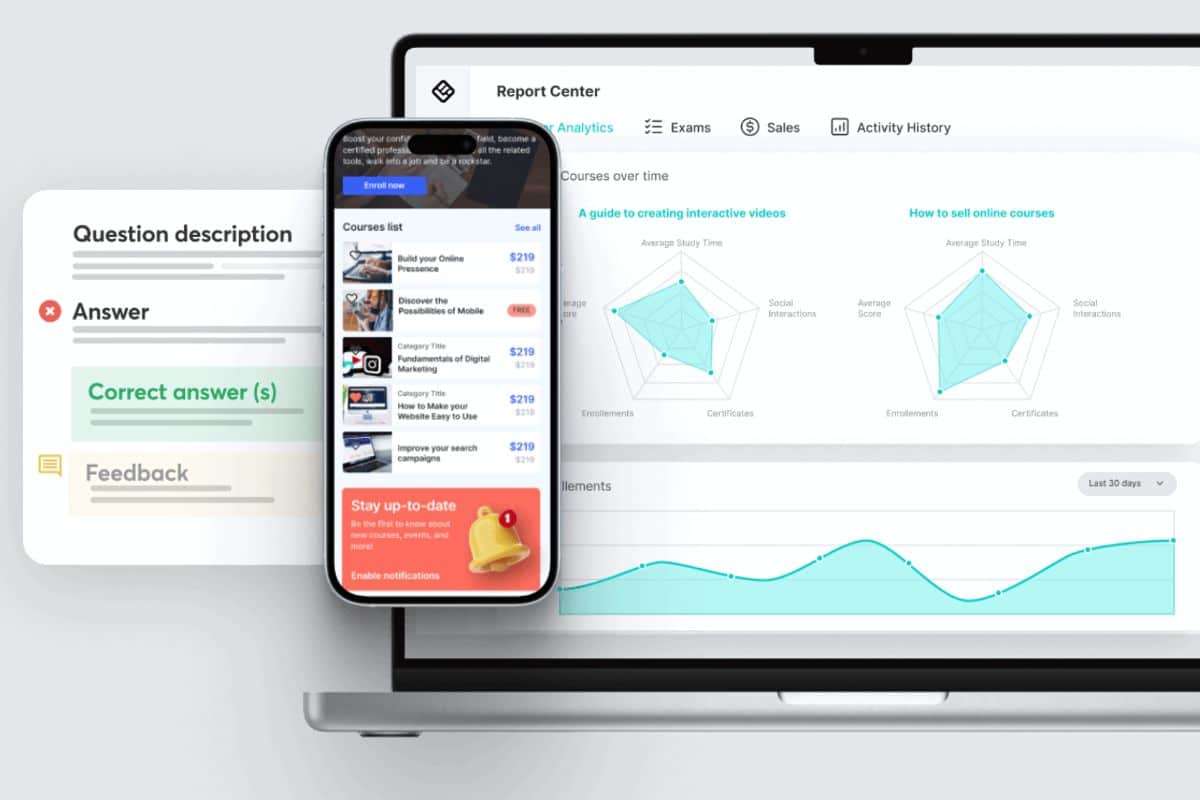
LearnWorlds is a versatile platform that offers both a lightweight enterprise LMS solution. It alo comes with an e-Commerce course reselling solution. This makes it a good fit for a variety of scenarios within the business and higher education industries.
LearnWorlds offers AI-assisted course creation and individual learning paths. It also includes robust reporting capabilities with advanced analytics. Its assessment engine simplifies course creation. Custom-branded learning portals also makes learning engaging for students. Overall, the platform it a good option for serious training organisations.
LearnWorlds Not Right For Your Needs?
These alternative solutions could be a better fit.Key Features
- Customised course creation
- Branded academies
- Lightweight and easy to use
Pros
- Various content types aid learner engagement
- Great design templates make course creation easy
- Graphically appealing and intuitive interface creates a pleasant learning experience
Cons
- Steep learning curve in some areas
- Single courses cannot be broken up into digestible modules
- Notification management can cause frustration
Canvas LMS vs LearnWorlds
As a Canvas alternative, LearnWorlds offers:
- Community engagement tools
- AI-assisted course outlining
Pricing
LearnWorlds offers three pricing tiers, starting from $24 per month. The Corporate pricing plan for high-volume users is quoted on an individual basis.
Rating
4.7/5 (average rating from Capterra, GetApp, Software Advice)
Ensure Your Canvas LMS Alternative Leaves Room for Expansion
As you search, keep in mind that goals and requirements do change over time. You may be on the lookout for a lightweight solution for 20 users today, but can your lightweight solution keep up as your business scales? It’s wise to keep this in mind to avoid more future migrations.
Cloud Assess offers a healthy balance between cost, scalability, and functionality. The platform was originally designed for Australian Registered Training Organisation (RTO) industry. However, it’s evolved to meet many different needs for companies across a wide range of industries.
If you’re looking for a reliable, functional, and highly scalable solution, consider aExplore Pricing to include in your testing. It may even form the benchmark for success.
Looking for More Alternatives?
We’ve done the hard work for you. Explore these curated lists of popular platforms and alternative solutions.



