TL;DR
Artificial intelligence (AI) assessment software is a digital tool that helps teams generate questions, recommend marks, and verify evidence. Workplace training teams use these tools to cut assessment workload, while assessors keep competency sign-off.
- Cloud Assess converts training materials into multiple-choice questions and recommends marks for assessor sign-off.
- Questionmark and Coursebox use AI rubrics to suggest marks on written answers.
- Litmos analyses sentiment, speaking pace, and key themes in recorded video responses.
- Assessors set LAAMP rules to auto-approve compliant photo and video evidence from practical tasks.
- Workera’s adaptive tests and iMocha’s technical tests link skill gaps to personalised training.
- Absorb LMS generates quizzes from course content and role-based learning plans from results.
- Acorn builds capability frameworks, while Disprz scores role fitment for promotions and succession planning.
Assessment workload is one of the biggest pressures on workplace training teams. Assessors spend hours writing questions, marking responses, and checking evidence. That time comes at the expense of coaching and supporting workers.
Training teams now use AI to take on the repetitive parts of assessment. Assessors keep control of competency decisions while spending far less time on admin.
This blog compares the top AI assessment platforms for workplace training. It helps organisations find the right fit for their assessment needs.
What is AI Assessment Software?
AI assessment software is a digital tool that uses artificial intelligence to support the evaluation process. It automates routine tasks and increases the accuracy of decisions. It also provides timely insights that help educators focus on learner progress.
Assessment Software vs AI Assessment Software
Assessment software is a digital tool that uses artificial intelligence to create, mark, or verify assessments against set criteria. It digitises assessment processes and makes results easily available, supporting reporting and workforce decisions. However, many of the processes rely on manual input.
AI assessment software builds on those same foundations. It adds AI to the assessment process itself, helping teams generate questions, recommend marks, and verify evidence. It also provides faster, data-driven insights that support better decision-making.
| Order | Category | Platform |
|---|---|---|
| 1 | Best AI for Compliance-Based Assessment | Cloud Assess |
| 2 | Best AI for Assessment Authoring and Scoring | Questionmark |
| 3 | Best AI for Adaptive Skills Assessment | Workera |
| 4 | Best LMS for AI Assessment Creation | AbsorbLMS |
| 5 | Best AI for Verifying Practical Assessment Evidence | LAAMP |
| 6 | Best AI for Video-Based Assessment | Litmos |
| 7 | Best AI for Technical Skills Assessment | iMocha |
| 8 | Best AI for Capability Assessment | Acorn |
| 9 | Best AI for Rubric-Based Grading | Coursebox |
| 10 | Best AI for Role-Readiness Assessment | Disprz |
10 Top AI Assessment Software Solutions
Best AI for Compliance-Based Assessment
#1 Cloud Assess
Average User Score: 4.7 / 5
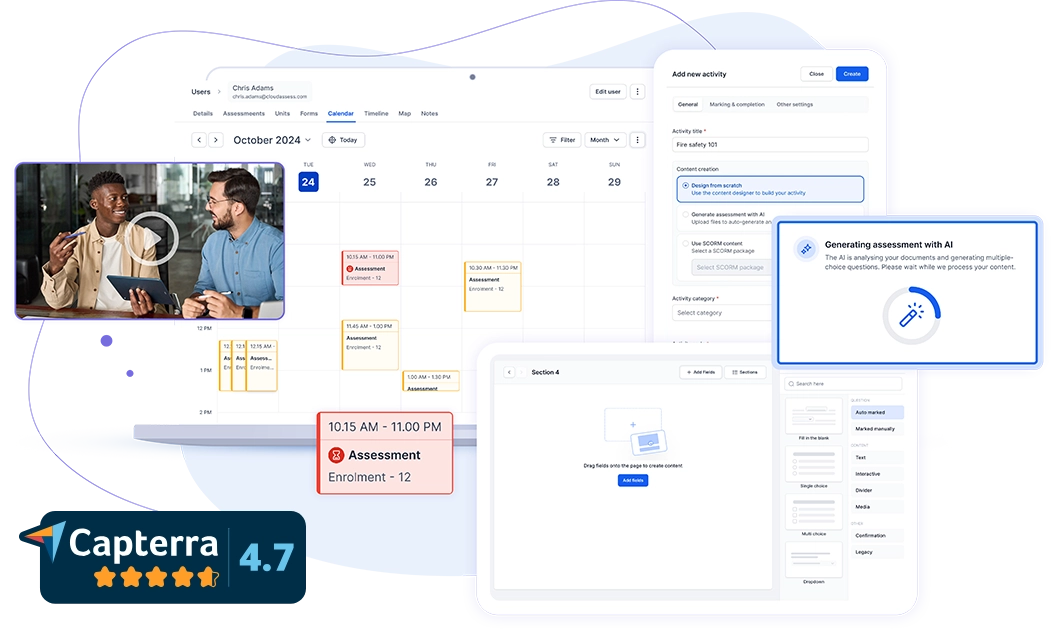
Cloud Assess is a training and assessment platform that uses AI to speed up workplace competency assessment. It comes integrated with AI assessment capabilities designed to support frontline workers in high-compliance industries. These include sectors like mining, construction, healthcare, and rail.
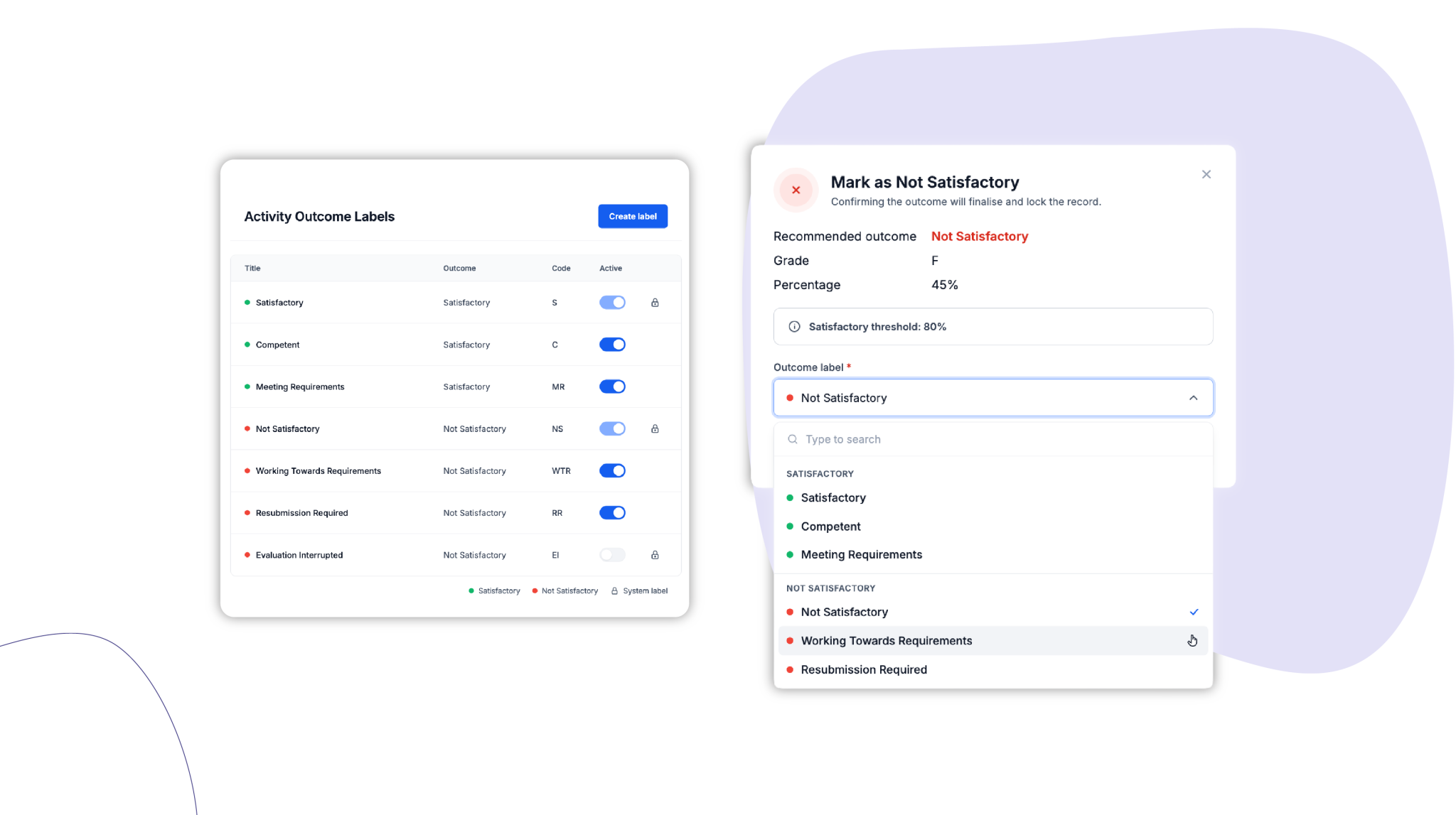
The platform’s AI assessment generator converts existing training materials into multiple-choice questions. This speeds up assessment creation. An AI marking assistant analyses learner responses and recommends marking outcomes to assessors. The final decision always stays with the assessor, so competency sign-off remains with qualified people.
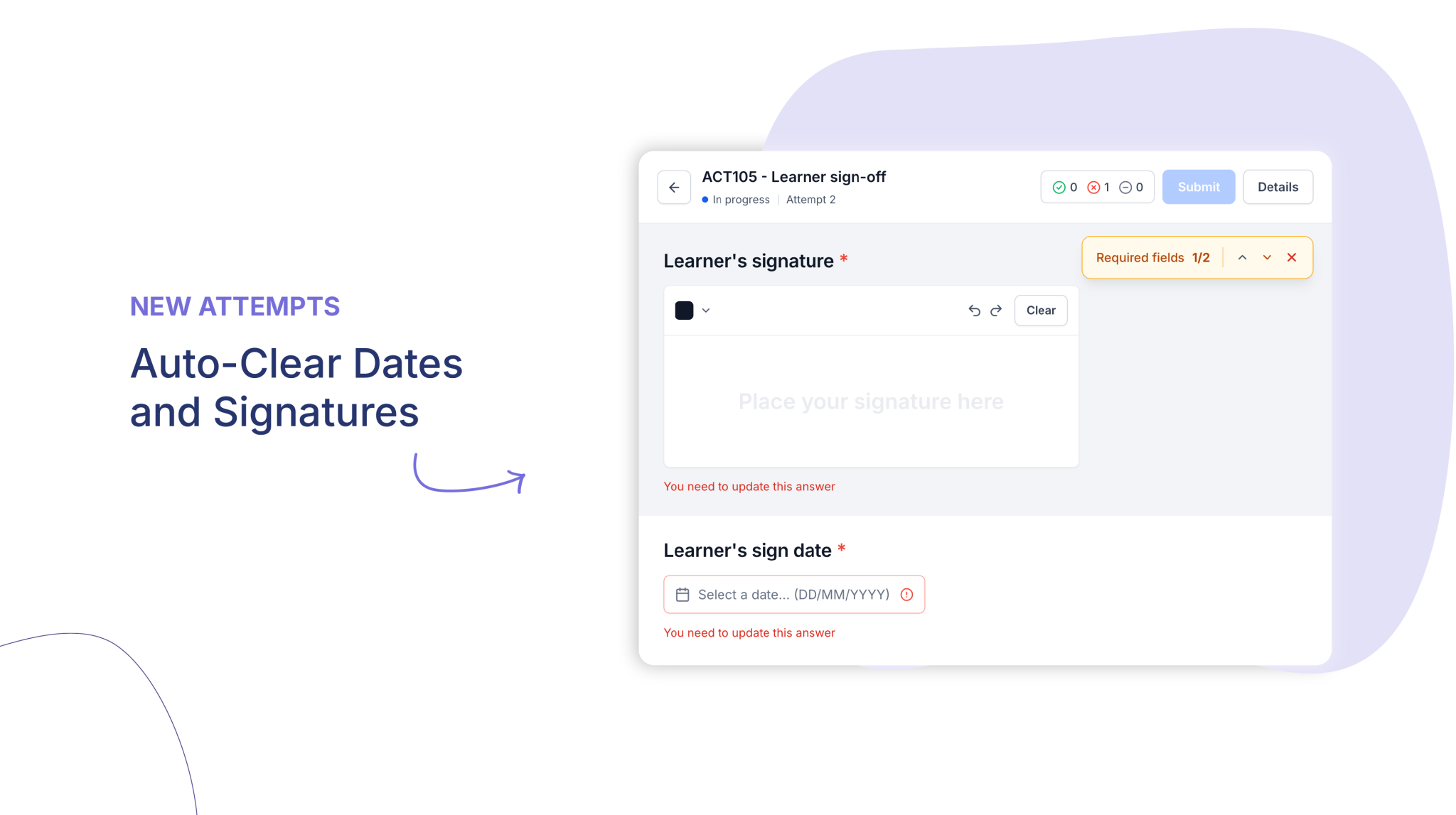
Cloud Assess supports competency-based assessment with practical evidence capture, mapping, and skills tracking. Trainers can conduct assessments directly in workplace environments using mobile and offline tools. Automated workflows streamline submissions and keep processes consistent. This helps to unify assessment, compliance, and learner management in one system.
This makes Cloud Assess a strong choice for:
- Frontline and deskless workers in high-risk, high-compliance industries
- Enterprises managing ongoing skills compliance across multiple sites
- Training managers and L&D teams needing structured, evidence-based assessment
- Organisations transitioning from paper-based to digital assessment processes
Key Features
- AI assessment generation
- AI marking assistant
- Competency-based assessments
- Offline assessments
- Customisable assessment templates
- Skills matrix
- Practical skills evidence
- Compliance tracking tools
- Workflow automation
- Real-time reporting and analytics
- Integration capabilities with 5000+ platforms
Pros
- Connects assessments directly to compliance and audit requirements
- Uses AI tools to speed up assessment preparation for training teams
- Supports workplace competency assessment across practical roles
- Reduces marking time through AI assistance during grading tasks
- Helps organisations monitor skills development across entire cohorts
Pricing
Cloud Assess offers one all-inclusive plan for training organisations and workplace training, priced as a flat fee per learner from $12. Every feature is included from day one, with no upgrade paths or feature gates. Visit our pricing page for an accurate quote.
Rating
4.7/5 (average rating from Capterra, G2, GetApp, Software Advice)
#2 Questionmark
Best AI for Assessment Authoring and Scoring
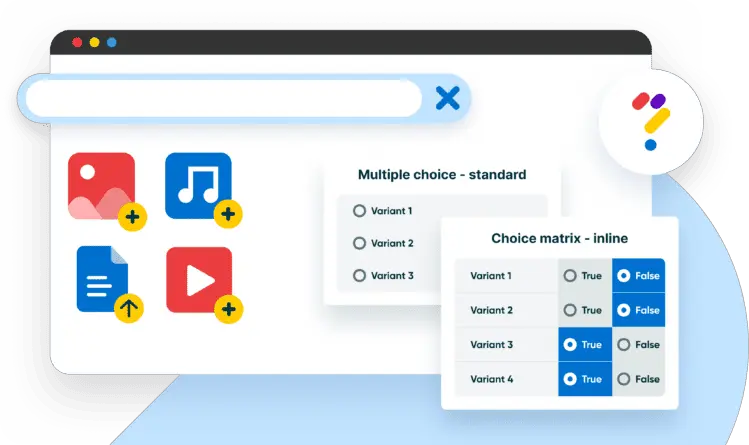
Questionmark is an assessment platform that uses AI to help teams author and score workplace exams. On the authoring side, it helps turn existing training material into draft questions for subject matter experts to review. For scoring, it lets teams draft rubrics which it uses to review written responses. It then provides suggested marks for assessors to confirm.
This makes Questionmark a good fit for:
- Certification teams building large question banks quickly
- Compliance programs needing secure, high-stakes workplace exams
- Assessors marking high volumes of written responses
- Training teams reducing reliance on subject matter expert time
However, Questionmark’s AI scoring only covers written responses, so practical assessments are marked manually.
Key Features
- AI question generation
- AI-rubric scoring
- 40+ question types
- Item banking
- Collaborative review workflows
- Performance-based assessments
- Secure exam delivery
- Remote proctor integration
- Certification lifecycle support
- Role-based reporting views
Pros
- Generates assessment questions up to 10 times faster with AI
- Keeps customer data out of AI model training
- Supports more than 40 question types for varied formats
- Strengthens training certificate management with full-lifecycle capabilities
- Delivers secure assessments suitable for regulated industries
- Integrates with enterprise LMS platforms for streamlined workflows
Cons
- AI scoring limited to written responses
- Complex items may need expert writers
- Better suited to formal exams than practical tasks
Pricing
Questionmark does not publish pricing information on their website. Contact their team directly for an accurate quote.
Rating
3.8 / 5 (average rating from G2, Capterra, GetApp, Software Advice)
Best AI for Adaptive Skills Assessment
#3 Workera
Average User Score: 4.1/5
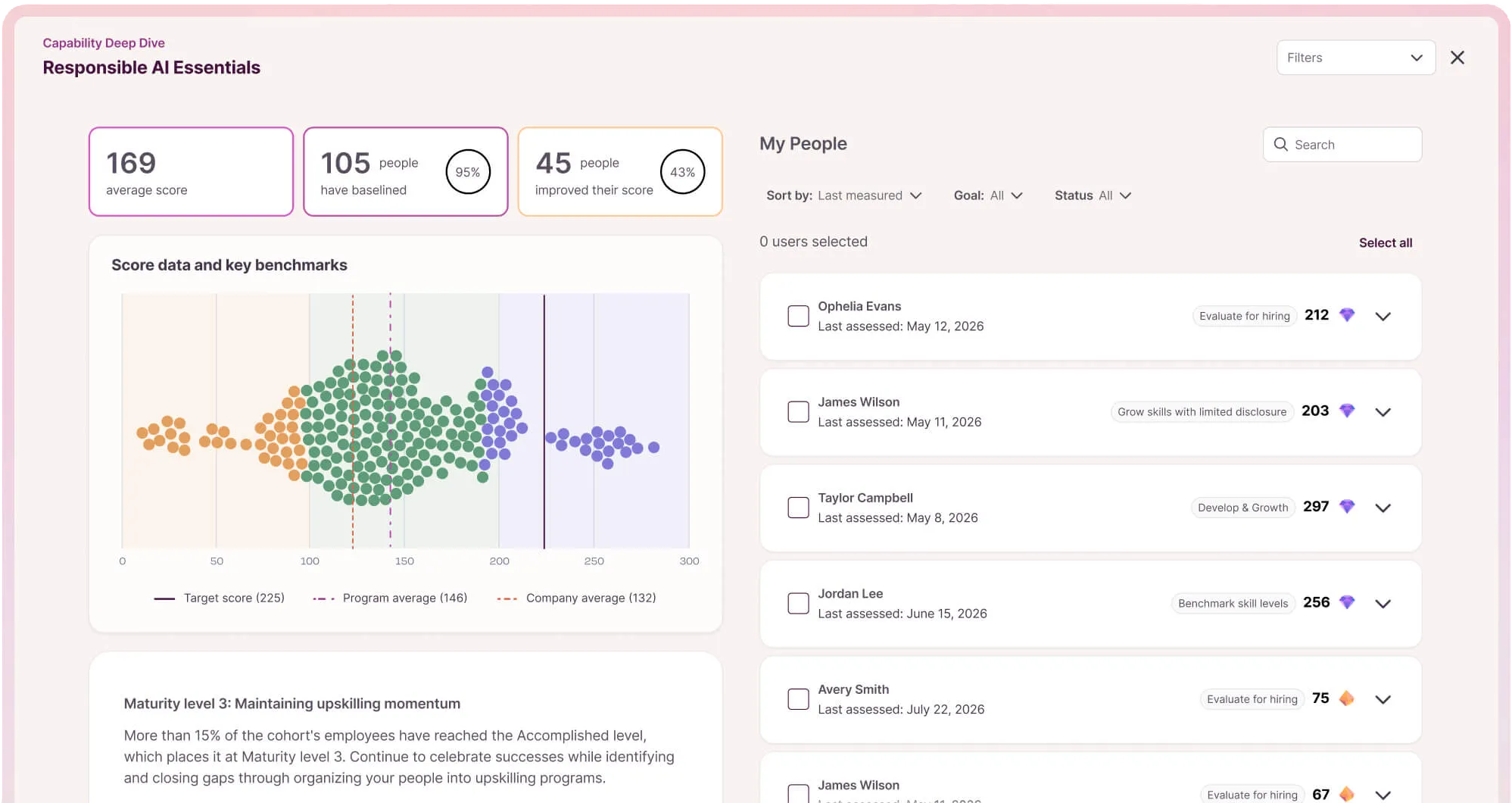
Workera is an adaptive assessment platform that organisations use to verify employee skills and proficiency levels. Each AI-driven assessment adjusts its difficulty as the employee responds. Scenarios, simulations, and technical challenges reflect real role requirements. This gives L&D teams verified evidence of employee skill levels. Each skill gap then links to a personalised upskilling path.
This makes Workera a well-aligned choice for:
- L&D teams verifying skills before and after reskilling programs
- Enterprises measuring AI readiness across large workforces
- HR leaders planning internal mobility using verified skills data
- Organisations proving return on training investment
However, Workera’s assessments centre on knowledge-based and digital skills. It isn’t built for practical, on-the-job assessment of hands-on tasks.
Key Features
- Adaptive skills assessments
- AI-generated assessment scenarios
- Conversational AI assessment dialogues
- Technical challenges
- Skills benchmarking
- Skill gap analysis
- Personalised upskilling paths
- AI mentor
- Workforce skills analytics
Pros
- Verifies skills through assessment rather than relying on self-reported data
- Adapts question difficulty to each employee’s responses
- Benchmarks workforce capability against industry data
- Links every assessment result to a targeted learning path
- Covers technical, cognitive, and interpersonal skills in one platform
Cons
- Not designed for practical or observational assessment
- Relies on partner content libraries to deliver upskilling courses
Pricing
Workera does not publish pricing information on their website. Contact their team directly for an accurate quote.
Rating
4.1/5 (average rating from G2, Capterra, GetApp, Software Advice)
Best LMS for AI Assessment Creation
#4 Absorb LMS
Average User Score: 4.5/5
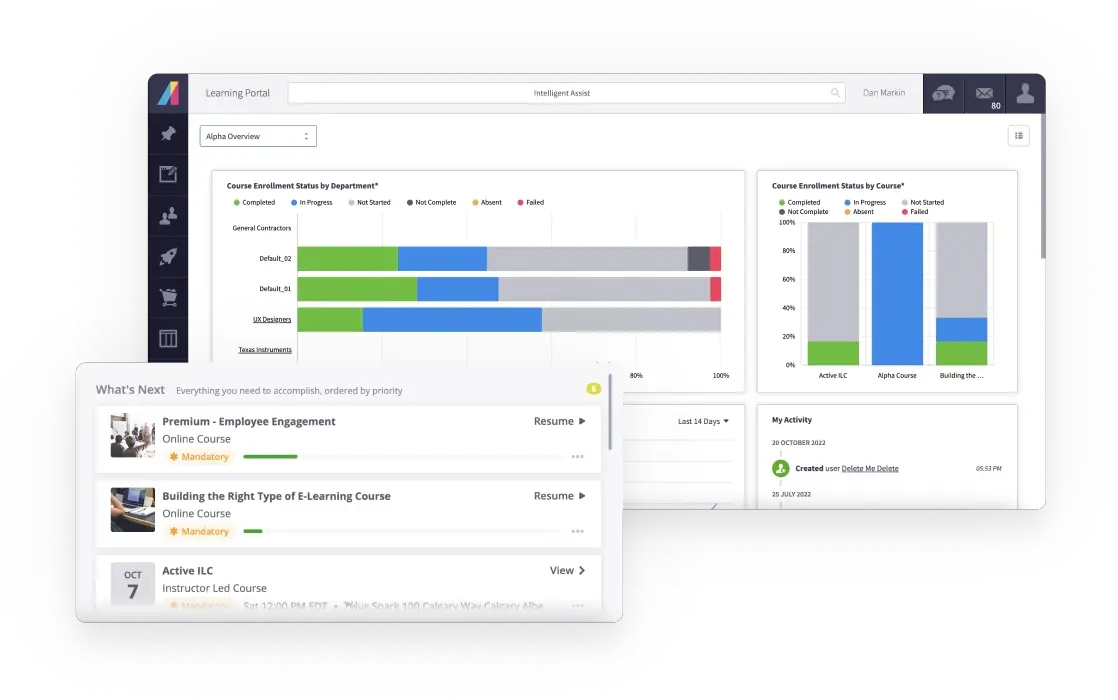
Absorb LMS is a workplace learning platform that uses AI to create assessments alongside training courses. AI helps teams generate quizzes directly from course content in Absorb Create, with every question editable before learners see it. Teams then assess employee skills with Absorb Skills and use AI to build role-specific learning plans from the results.
This makes Absorb LMS a good fit for:
- Enterprise training teams creating assessments at scale
- Regulated industries automating certification workflows
- Managers linking skills results to employee development plans
- Organisations training employees, partners, and customers together
However, Absorb’s AI focuses on knowledge quizzes rather than practical, on-the-job assessment, so assessors must check practical skills manually using observation checklists.
Key Features
- AI course and assessment generation
- AI-generated quizzes
- Skills assessments
- AI-generated role-based learning plans
- AI agents
- Training certification management
- Compliance training automation
- Built-in course authoring
- Learning analytics
- Mobile learning
Pros
- Builds full courses and their quizzes from a single prompt
- Automates compliance and certification workflows through AI agents
- Publishes assessments in SCORM, xAPI, and HTML5 formats
- Serves employees, partners, and customers from one system
- Supports learning on mobile for dispersed workforces
Cons
- No AI marking of open responses
- AI role-play not yet available
- Assessment sits within a broader LMS
Pricing
Absorb does not publish pricing information on their website. Contact their team directly for an accurate quote.
Rating
4.5/5 (average rating from G2, Capterra, Software Advice, GetApp)
Best AI for Verifying Practical Assessment Evidence
#5 LAAMP
Average User Score: No ratings available
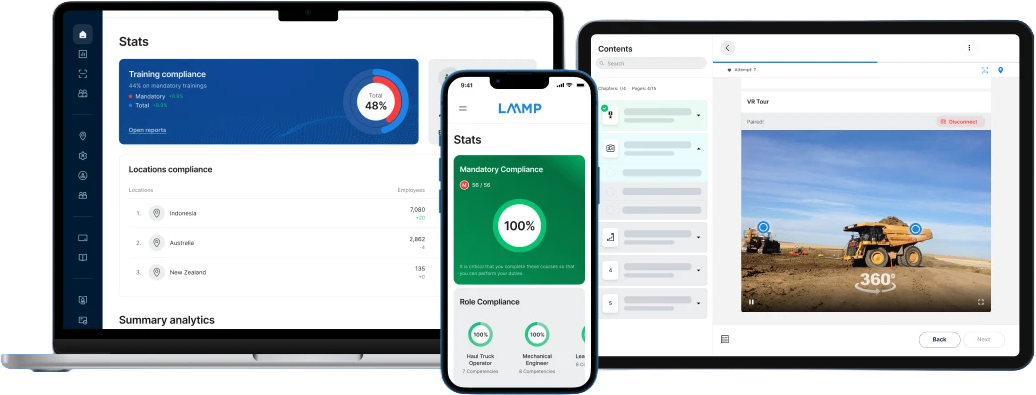
LAAMP is an assessment platform that uses AI to verify the photo and video evidence workers submit for practical tasks. It allows assessors to set rules to auto-approve compliant submissions, which cuts the time spent on manual review. Attempts showing outside help or repeated guessing go to assessors. This ensures only genuine competency is signed off.
This makes LAAMP well-suited to:
- Mining and construction companies running practical assessments on site
- Safety teams needing tamper-resistant assessment evidence
- Training managers reducing manual review of submissions
- Healthcare providers standardising clinical skills verification across sites
However, LAAMP doesn’t use AI to build assessments. Teams will still need to manually create practical assessments within the platform.
Key Features
- AI auto-verification
- AI proctoring verification
- Multi-face detection
- Brute-force attempt detection
- Location-based verification rules
- Practical skills assessments
- Offline mobile assessments
- Digital evidence capture
- Electronic logbooks
- Transferable skills passports
- Site inductions
- VR and AR training
Pros
- Blocks automatic approval when attempts show fail streaks or rapid retries
- Detects multiple or obscured faces in submitted photos and videos
- Applies stricter verification rules to higher-risk sites
- Keeps competency records portable through transferable skills passports
- Supports immersive practical training through VR and AR
Cons
- Assessment creation relies entirely on manual authoring
- AI verification depends on photo and video evidence being submitted
- Verification rules need configuring separately for each location
Pricing
LAAMP prices its plans per active user. The Bright tier costs $6.25 per user and adds on-the-job and task-based assessment. Enterprise pricing is available on request.
Rating
No ratings available
Best AI for Video-Based Assessment
#6 Litmos
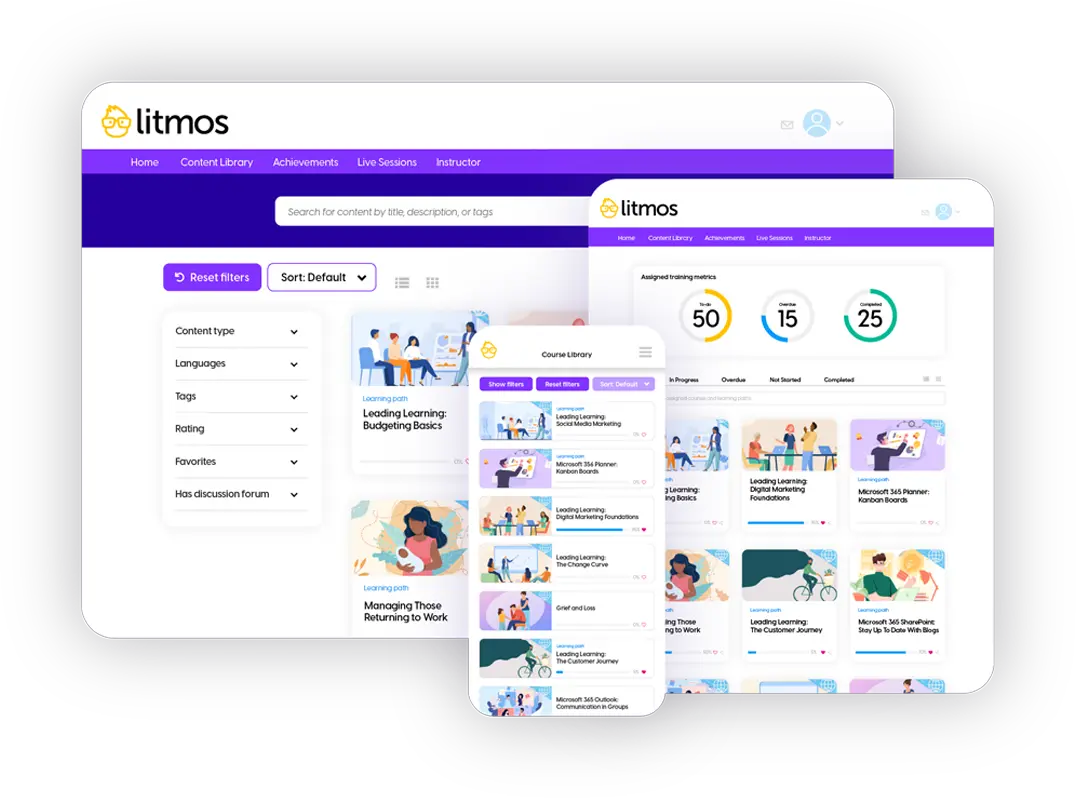
Litmos is a workplace learning platform that uses AI to assess learners’ recorded video responses. AI scores each submission against predefined criteria, analysing sentiment, speaking pace, and key themes to give learners instant feedback. Managers then review the AI feedback alongside the original video, using both to guide targeted coaching.
This makes Litmos a good fit for:
- Sales teams rehearsing pitches before client meetings
- Customer service teams practising difficult conversations
- Managers coaching communication skills across dispersed teams
- Organisations running oral knowledge checks at scale
However, Litmos’ AI focuses on assessing communication skills. Technical and practical tasks still need manual review.
Key Features
- AI video assessments
- AI scoring and feedback
- AI assistant
- AI content authoring
- AI playlists
- Assessment reporting
- 37-language support
- Offline access
- Off-the-shelf course library
Pros
- Encourages learners to revise submissions using AI analysis
- Reduces scoring bias through consistent, criteria-based evaluation
- Builds training content with embedded AI authoring
- Supports learners in 37 languages, online or offline
- Reports on assessment scores alongside course completions
Cons
- AI scoring limited to video responses
- Focuses on communication, not technical skills
Pricing
Litmos offers three plans, with AI video assessments included in the Platinum AI Suite. Contact their team directly for an accurate quote.
Rating
4.3/5 (average rating from G2, Capterra, GetApp, Software Advice)
Best AI for Technical Skills Assessment
#7 iMocha
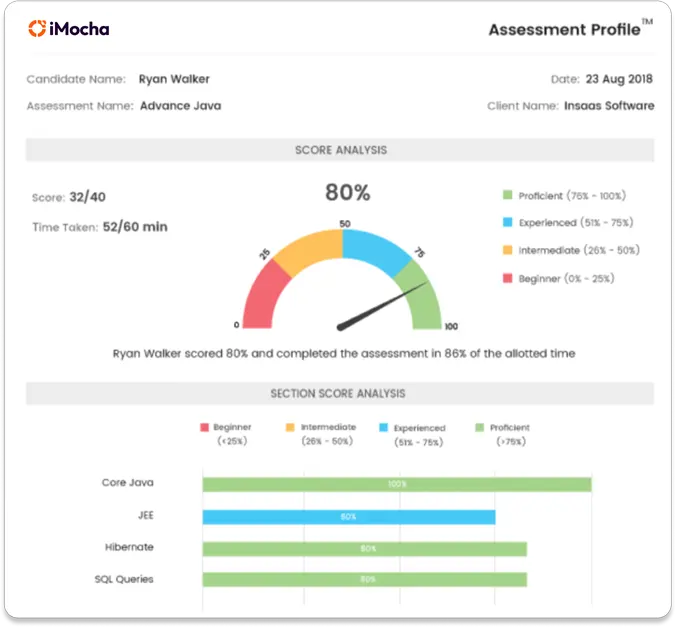
iMocha is a skills assessment platform that uses AI to test employees’ technical skills against role requirements. AI helps teams build each test around specific roles, drawing on more than 3,000 coding, domain, and functional tests. It can also generate new questions where needed. Once employees have completed the assessments, it compares results across roles to pinpoint technical gaps. This ensures organisations can identify specific skill gaps and target them through personalised training.
This makes iMocha a good fit for:
- IT teams validating coding skills before project allocation
- Engineering managers benchmarking technical capability across teams
- Training teams targeting technical upskilling at proven gaps
- Enterprises assessing technical skills across multiple job families
However, iMocha’s test library is largely built for hiring. Organisations may need to adapt tests to accommodate continuous assessment.
Key Features
- AI skills assessment
- AI question generation
- Coding assessments
- Technical skills validation
- Role-based assessment mapping
- Ready-made test library
- Skill gap analysis
- AI skills inference
- HR system integrations
Pros
- Offers large libraries that support rapid assessment deployment
- Highlights existing and emerging AI skill gaps across workforces
- Measures AI skills alongside coding and domain knowledge
- Updates skill profiles between formal assessments through AI inference
- Connects technical skills data with HR tools like Workday and SAP SuccessFactors
Cons
- Some tests need adapting for internal employee use
- Frontline tests check knowledge rather than practical performance
- Skills inference depends on connected HR data
Pricing
iMocha does not publish pricing information on their website. Contact their team directly for an accurate quote.
Rating
4.4/5 (average rating from G2, Capterra, GetApp, Software Advice)
Best AI for Capability Assessment
#8 Acorn
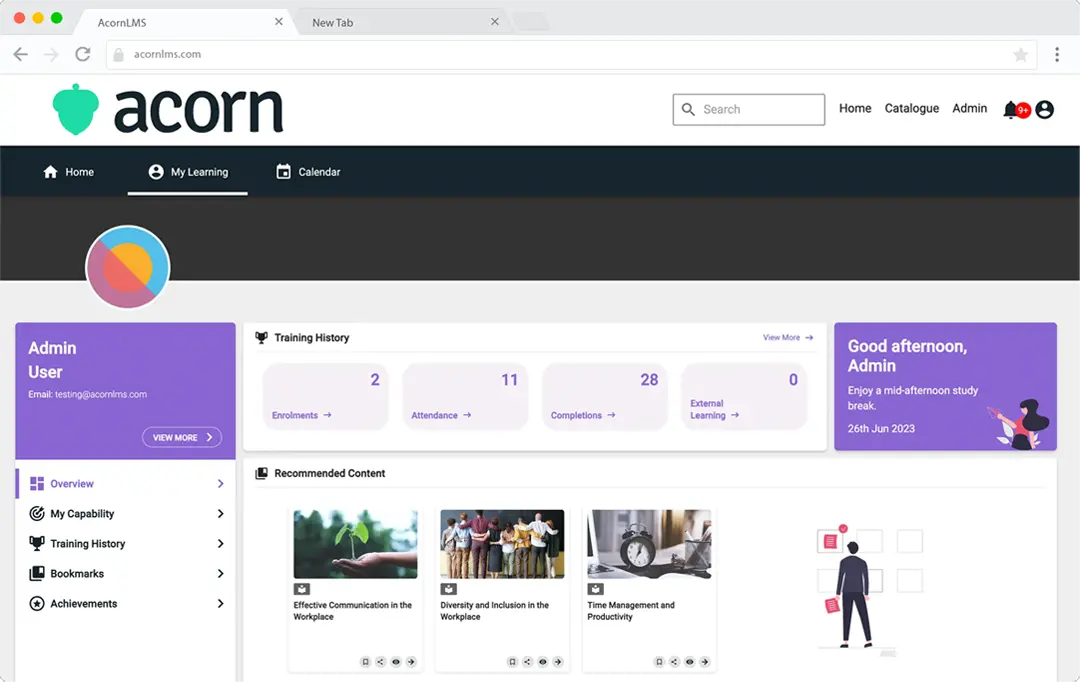
Acorn is a performance and learning platform that uses AI to build the capability frameworks employees are assessed against. It analyses job descriptions and business strategy to suggest relevant capabilities from its capability library. HR teams map those capabilities to roles and automate assessments at set milestones, so progress is measured consistently. Managers then use AI-generated development plans, built from each result, to guide performance conversations.
This makes Acorn a good fit for:
- HR teams building capability frameworks without months of manual work
- Enterprises linking assessment results to career pathways
- L&D teams proving learning impact beyond course completions
- Large organisations standardising capability across job families
However, Acorn’s AI suggestions still need review and refinement by HR. Teams should allow time to check that the capabilities fit their roles before employees are assessed against them.
Key Features
- AI capability library
- AI capability framework builder
- Role and capability mapping
- Automated capability assessments
- AI-generated development plans
- Learning content mapping
- Performance conversation tools
- Career pathways
- Impact reporting
Pros
- Generates a full capability framework from simple role prompts in minutes
- Draws on more than 1,600 capabilities and 4,800 proficiency levels
- Maps learning content directly to the capabilities employees are assessed on
- Reports on performance impact rather than course completions
- Combines learning, assessment, and performance management in one system
Cons
- Requires a capability framework before assessing
- Rates proficiency rather than testing knowledge
- Suits organisations adopting a performance-led model
Pricing
Acorn does not publish pricing information on their website. Book a demo with their team directly for an accurate quote.
Rating
4.6/5 (average rating from G2, Capterra, Software Advice, GetApp)
Best AI for Rubric-Based Grading
#9 Coursebox
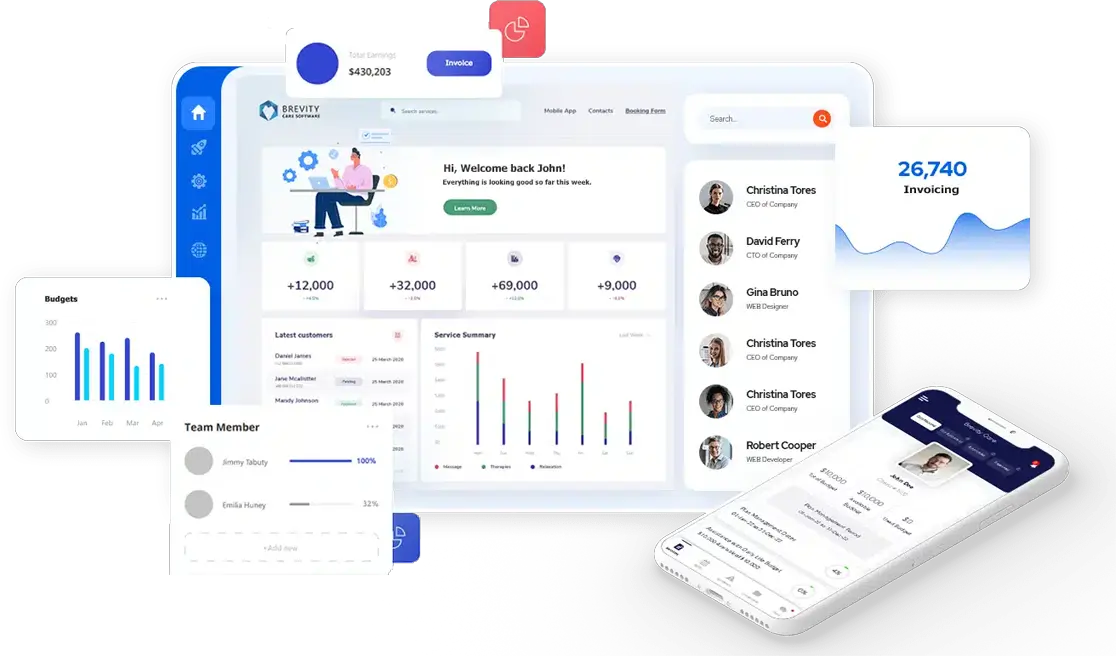
Coursebox is an employee training platform that uses AI to grade assessments against rubric criteria as part of the course experience. AI helps teams generate a rubric from any assessment task, then grades written answers against it with instant, criterion-specific feedback. Assessors can review and edit every grade before release, keeping final decisions with the team.
This makes Coursebox a good fit for:
- Training teams marking high volumes of written submissions
- Multinational organisations grading in employees’ own languages
- Onboarding teams turning process documents into assessed courses
- Organisations adding AI grading to an existing LMS
However, detailed per-question grading records don’t yet sync back to external LMS platforms.
Key Features
- AI assessment grading
- AI feedback generation
- AI rubric generator
- Rubric-based evaluation
- Text response analysis
- AI quiz generator
- Custom assessment creation
- Course authoring tools
- AI tutor
- 100+ language support
- SCORM and LTI integration
- Learner progress tracking
Pros
- Generates rubrics with clear criteria and scoring guidance in seconds
- Grades and returns feedback in more than 100 languages
- Exports grades to LMS platforms
- Supports learners 24/7 through AI tutors trained on course content
Cons
- AI grading limited to written work
- Per-question LMS sync still in development
- AI-generated rubrics need careful manual review before use
Pricing
Coursebox offers Free, Creator, Plus, Pro, Business, and Enterprise plans. Book a demo with their team for an accurate quote.
Rating
4.8/5 (average rating from G2, Capterra, GetApp, Software Advice)
Best AI for Role-Readiness Assessment
#10 Disprz
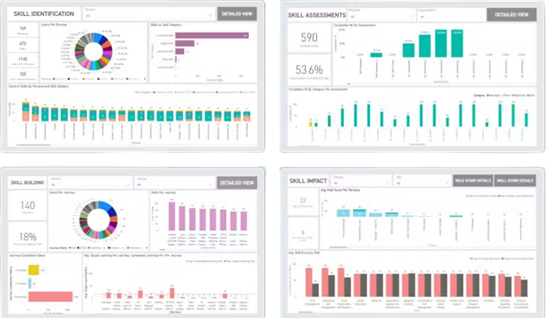
Disprz is a workplace learning platform that uses AI to assess how ready employees are for their roles. AI helps teams generate adaptive, situational assessments that adjust to each response, producing a skill score and role fitment score for every employee. Managers use those scores to spot gaps and assign AI-recommended content before role progression, while HR teams use them to identify who is ready for the next role and support succession planning.
This makes Disprz a good fit for:
- HR teams checking readiness before promotions
- Sales teams practising buyer conversations through voice simulations
- Frontline managers tracking skills across distributed teams
- Enterprises linking skill scores to business KPIs
However, some Disprz skill assessments rely on employee self-assessment, which need validating against observed performance.
Key Features
- AI assessment generation
- Adaptive situational assessments
- Skill and role fitment scoring
- AI voice simulations
- Skill gap analysis
- Role capability mapping
- Personalised learning paths
- Agentic AI content creation
- Frontline enablement
- Mobile learning delivery
- Enterprise integrations suite
Pros
- Simulates buyer conversations using a company’s own sales playbook
- Benchmarks employee skills against trending industry skills
- Maps every job role to an off-the-shelf skills taxonomy
- Connects learning activity to skill gaps and business KPIs
Cons
- Some assessments rely on self-ratings
- Complex roles need admin setup
- AI content needs policy review
Pricing
Disprz does not share pricing details on their website. Contact their team directly for an accurate quote.
Rating
4.7/5 (average rating from G2, Capterra, GetApp, Software Advice)
AI-Powered Assessment Software Buyer’s Guide
- Accuracy and reliability. AI features should produce consistent outcomes that support fair and confident assessment decisions. Look for scoring against clear, editable criteria. Ask vendors how AI results compare with experienced assessors. Consistent criteria also make AI outcomes easier to defend during audits.
- Human oversight. Assessors should be able to review and edit AI outputs. Final competency decisions should stay with qualified people. Oversight matters most in high-risk roles, where a wrong sign-off creates safety risks. Look for review queues that route exceptions to assessors.
- Evidence management. Look for tools that organise, tag, and present evidence clearly so assessors can review it efficiently. Each result should link back to the evidence and criteria behind it. Clear evidence trails make internal and external audits faster.
- Automation that saves time. Prioritise features that reduce manual workload. Examples include marking support, feedback generation, or document processing. Start by identifying where assessors currently spend the most hours. Then check whether the platform’s AI targets that work directly.
- Support for different assessment methods. The platform should handle written responses, practical demonstrations, observations, and workplace-based evidence. Many AI features only cover written responses or quizzes. Check which assessment types still need manual marking.
- Integration with existing systems. Smooth connections with LMS, HR systems, or reporting tools help reduce double-handling and keep data aligned. Assessment results should flow into skills records without manual re-entry. Check which platforms connect natively and which need custom work.
- Data security and compliance. Ensure the software meets industry standards for privacy, security, and recordkeeping. Check whether your data is used to train the vendor’s AI models. Employee assessment data often includes personal and performance information. Confirm where it’s stored and who can access it.
AI & Automation

Frequently Asked Questions (FAQs)
FAQs About AI Assessment Platforms
What is a top AI solution for technical and non-technical role evaluations in one platform?
Top AI solutions for both technical assessments and non-technical role evaluations include Cloud Assess and iMocha. Cloud Assess supports competency-based evaluation across frontline and vocational roles in high-compliance industries. iMocha uses AI to assess coding, functional, and behavioural skills across diverse job families in one platform.
Between Cloud Assess and similar assessment software, which has the strongest features for auditing and reporting?
Among AI assessment platforms, Cloud Assess has the strongest features for auditing and reporting. It connects assessments directly to compliance requirements and maintains a defensible trail of competency evidence. Questionmark also offers strong reporting through AI-powered analytics dashboards.
Which assessment tools offer AI-powered scoring?
Assessment tools that offer AI-powered scoring include Cloud Assess, Questionmark, Coursebox, and iMocha. Each uses AI to evaluate responses and support consistent marking outcomes. This saves assessors time and reduces administrative burden.
What's the best AI assessment services for enterprise teams?
The best AI assessment platforms for enterprise teams include Cloud Assess, Questionmark, and iMocha. Cloud Assess supports enterprise compliance assessment across multiple sites with automated workflows and real-time reporting. Questionmark offers secure, large-scale exam delivery with strong analytics depth. iMocha provides role-based skills tests across complex, multi-function workforces.
What platforms use AI to assist with performance review calibration?
The platforms best suited to AI-assisted performance review calibration are iMocha and Cloud Assess. iMocha’s skill gap analytics and job readiness scoring connect directly to performance review processes. Cloud Assess supports calibration through its skills matrix and real-time competency tracking across teams. Disprz also supports performance-aligned assessment through role-based capability mapping.