

Training at enterprise scale is complex. Large, distributed workforces and evolving compliance obligations demand more than a standard learning platform can offer. The right enterprise LMS brings structure, consistency, and visibility to learning across the entire organisation.
We look at the top learning management systems (LMS) for enterprise businesses. These learning platforms offer the features needed to streamline and standardise employee training.
What is an Enterprise Learning Management System?
An enterprise LMS is a platform that manages, delivers, and tracks training and development at scale. It gives organisations a central place to build learning content, assign it to the right people, and measure outcomes. These platforms are built to handle large and complex workforces. They support multiple teams, departments, and locations. They often also support external audiences such as partners or customers, all from a single system.
Enterprise LMS vs Standard LMS
A standard LMS is built for straightforward course delivery. It allows organisations to create and assign training, track completions, and manage basic certifications. This works well for smaller teams with consistent training needs and limited complexity.
An enterprise LMS goes further. It is designed to handle large, distributed workforces across multiple departments, locations, and audiences. It supports advanced compliance management and multi-portal configuration. It also supports deeper integrations with HRIS and CRM systems, and reporting that connects learning to business outcomes.
For organisations with complex training needs, regulatory obligations, or global workforces, an enterprise learning management systemLMS provides the infrastructure standard platforms cannot.
Enterprise Learning Management Systems vs Enterprise Training Platforms
An enterprise training platform is a broad software solution. It includes eLearning authoring tools, skills frameworks, and deep integrations with HR and performance systems. This ensures training aligns with organisational goals.
An enterprise learning management system focuses specifically on learning creation, delivery, assessment, and tracking. There is typically less emphasis on measuring organisational impact.
Many platforms on this list blur the line between the two. Cloud Assess, for example, combines core learning management with a live skills matrix and real-time compliance reporting. This connects training directly to workforce outcomes.
Top Enterprise Learning Systems



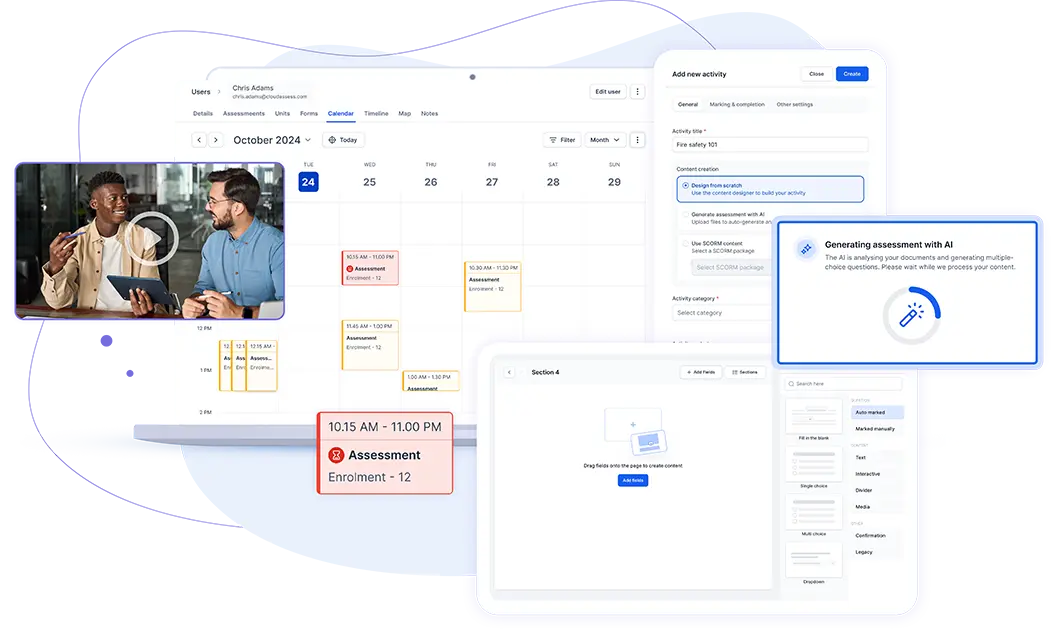
Cloud Assess is a cloud-based LMS that helps organisations create, deliver, and manage training at scale. The platform offers advanced reporting, compliance management, and workplace skills assessment tools. It provides an all-in-one solution for running effective employee training programs across large, distributed teams.
Cloud Assess is a strong fit for enterprise organisations requiring frontline training solutions. Its enterprise training system features include a built-in live skills matrix. This gives HR, safety, and operations teams real-time visibility into workforce capability across sites and departments. It also has a mobile app with offline functionality that ensures access to training materials on any device. This includes access in remote or disconnected environments, where internet connectivity is limited. The platform also supports on-the-job training. It allows organisations to gather evidence and verify skills as part of everyday work processes rather than outside of them.
Cloud Assess integrates with over 5,000 business apps and tools. This makes it straightforward to embed corporate training into an existing technology stack.
Key Features
- Course authoring tools
- Assessment builder
- Competency tracking
- Competency-based training and assessment
- Skills matrix
- Compliance management
- Training certificate management
- Offline mobile access
- Gamification
- Social learning
- Collaborative learning
- Automated workflows
- Blended learning delivery
- Revision control
- Reporting and analytics
- Evidence capture tools
- Third-party integrations
- Free course library
Pros
- Mobile-first design to support deskless and frontline workers
- Offline access for training in remote or low-connectivity environments
- Flexible assessment tools to verify competency in the field
- Skills matrix to identify and address workforce gaps quickly
- AI-powered workflows to reduce admin across the training cycle
- Strong reporting tools for real-time visibility into compliance
Pricing
Cloud Assess offers an all-inclusive solution for employee training in high-risk, high-compliance industries. Every feature is included from day one, including mobile offline assessment, verification of competency, skills matrix and automated compliance tracking. There are no upgrade paths or feature gates. Visit our pricing page for an accurate quote.
Rating
4.7/5 (average rating from Capterra, G2, GetApp, Software Advice)
#2 Absorb LMS

Absorb LMS combines learning management, learning experience, and content authoring capabilities in a single platform. It provides a multi-portal setup that gives each audience a distinct, branded experience.
Absorb is well-suited to enterprises that need to train multiple audiences without managing multiple platforms. It offers AI-driven skills gap analysis tools. This helps L&D teams identify development priorities and build personalised learning paths at scale. Absorb Infuse embeds learning directly into the tools and applications employees already use. This keeps learning in the flow of work. It also reduces the friction that often limits learner engagement in large organisations.
However, Absorb’s cross-filtering and sub-group reporting can be restrictive for enterprises with complex data needs.
Key Features
- Course authoring tools
- Learning path management
- AI skills gap analysis
- Compliance management
- Reporting and analytics
- Multi-portal setup
- Headless LMS capability
- Gamification
- eCommerce tools
- Extended enterprise training
Pros
- Intuitive interface that keeps learners coming back for training
- Headless LMS to deliver learning seamlessly within existing platforms and workflows
- AI-driven skills gap analysis to target development effectively
- Multi-portal setup to manage distinct audiences from one platform
- eCommerce tools to monetise and distribute training at scale
Cons
- Cross-filtering and sub-group reporting can be restrictive
- Mobile app experience lags behind the desktop version
- Collaboration and social learning features are limited
Pricing
Absorb LMS doesn’t provide pricing details on their website. You would need to contact them directly for a demo or quotation.
User Volume
Most commonly used by large enterprises and organisations with complex training needs. This is across technology, healthcare, financial services, and manufacturing industries.
Rating
4.5/5 (average rating from G2, Capterra, GetApp, Software Advice)
#3 Docebo
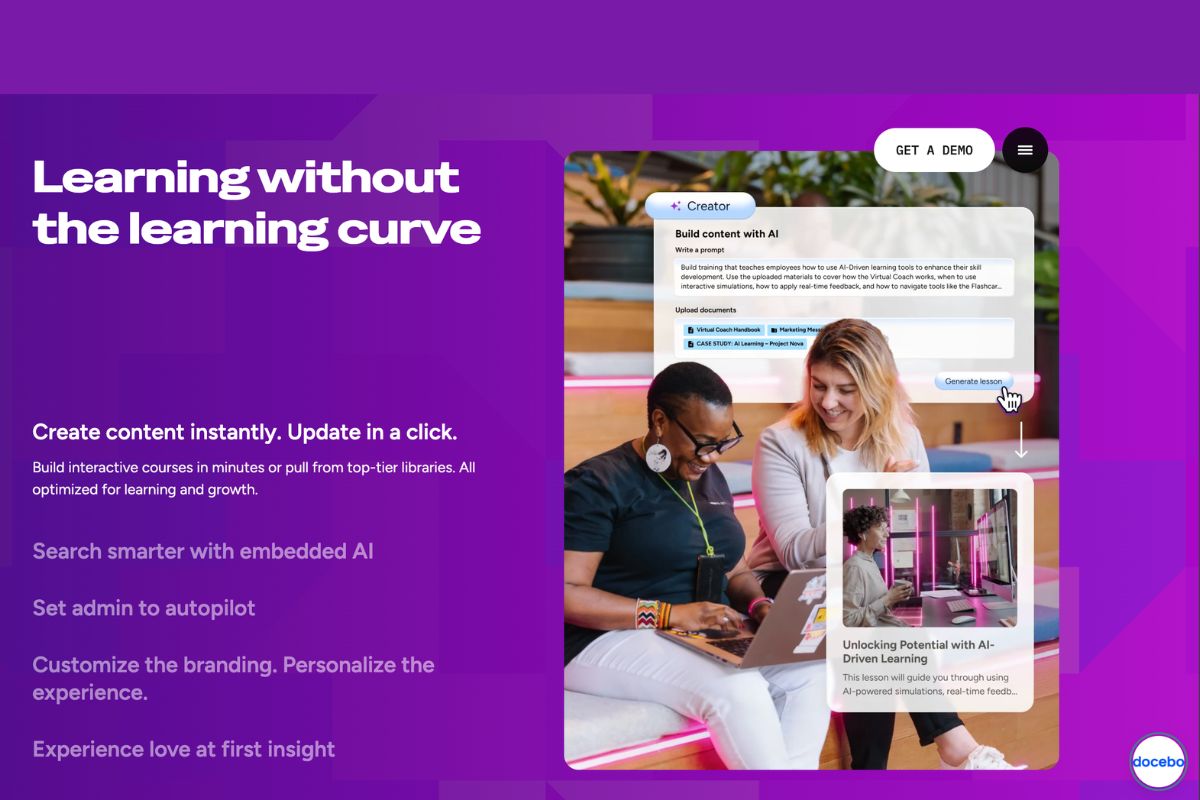
Docebo is an extended enterprise learning system built with AI in training features. Its AI powers personalised learning path recommendations based on each learner’s role, skills, and goals. It enables scenario-based coaching simulations for real-world skills practice. It also automates administrative tasks such as enrolments, content tagging, and workflow management at scale. This makes it a strong choice for enterprises looking to reduce admin overhead while delivering more relevant learning experiences.
The platform supports unlimited users, courses, and bandwidth. This makes it reliable for global organisations with complex training requirements.
However, initial setup for Docebo can be complex. The breadth of the platform means it can take time to configure and fully utilise across the organisation.
Not Sure That Docebo Will Meet Your Needs?
Consider these alternative solutions.Key Features
- Course authoring tools
- AI content creation
- Learning path management
- Social learning tools
- Compliance management
- Reporting and analytics
- Multi-audience portals
- Content marketplace
- Skills tagging
- Third-party integrations
Pros
- AI-powered content creation that turns existing materials into courses quickly
- Modular architecture for adding capabilities as organisational needs grow
- Content marketplace with off-the-shelf courses to supplement internal training
- Deep analytics that connect learning activity to business outcomes
- Multi-audience portals for managing employees, partners, and customers centrally
Cons
- Complex initial setup can slow time to value
- Reporting customisation requires technical knowledge
Pricing
Docebo offers an Enterprise solution that includes features such as advanced analytics, extended enterprise, and more integrations. However, the pricing information is only available on request.
User Volume
Large enterprises and organisations focusing on advanced learning technologies, across industries including retail, financial services, manufacturing, and technology.
Rating
4.3/5 (average rating from G2, Capterra, GetApp, Software Advice)
#4 360Learning

360Learning is an enterprise training software built around collaborative learning. It is designed for large organisations that want to tap into internal expertise to build and deliver learning at scale. The platform gives subject matter experts the tools to create and publish courses quickly. It allows them to rely less on L&D teams to build everything from scratch.
Its AI tools help identify skills gaps across the workforce. They also recommend relevant learning at the point of need. The platform comes with automated enrolment, recertification management, and audit-ready reporting. These features reduce compliance administration across large, distributed teams.
Unlike Docebo and Absorb LMS, 360Learning takes a more collaborative, peer-driven online training approach to learning. However, it is less suited to organisations that require formal, top-down training structures.
Key Features
- Collaborative course authoring
- AI content recommendations
- Subject matter expert tools
- Learning path management
- Peer feedback tools
- Social learning tools
- Compliance management
- Skills gap identification
- Reporting and analytics
- Multi-language support
Pros
- Collaborative authoring that turns internal experts into course creators
- AI tools for highlighting skills gaps and recommending relevant learning
- Peer feedback tools that keep course content accurate and up to date
- Multi-language support for scaling learning across global teams
- Strong compliance automation that reduces manual admin at scale
Cons
- Less suited to formal, structured top-down training programs
- Reporting depth falls short for complex enterprise requirements
- Customisation options can feel limited for larger organisations
Pricing
360Learning offers Enterprise pricing that is only available upon request. Contact their team directly for a custom quote.
User Volume
Used by large enterprises across technology, retail, manufacturing, and professional services that prioritise peer-driven, collaborative learning at scale.
Rating
4.6/5 (average rating from G2, Capterra, GetApp, Software Advice)
#5 LearnUpon
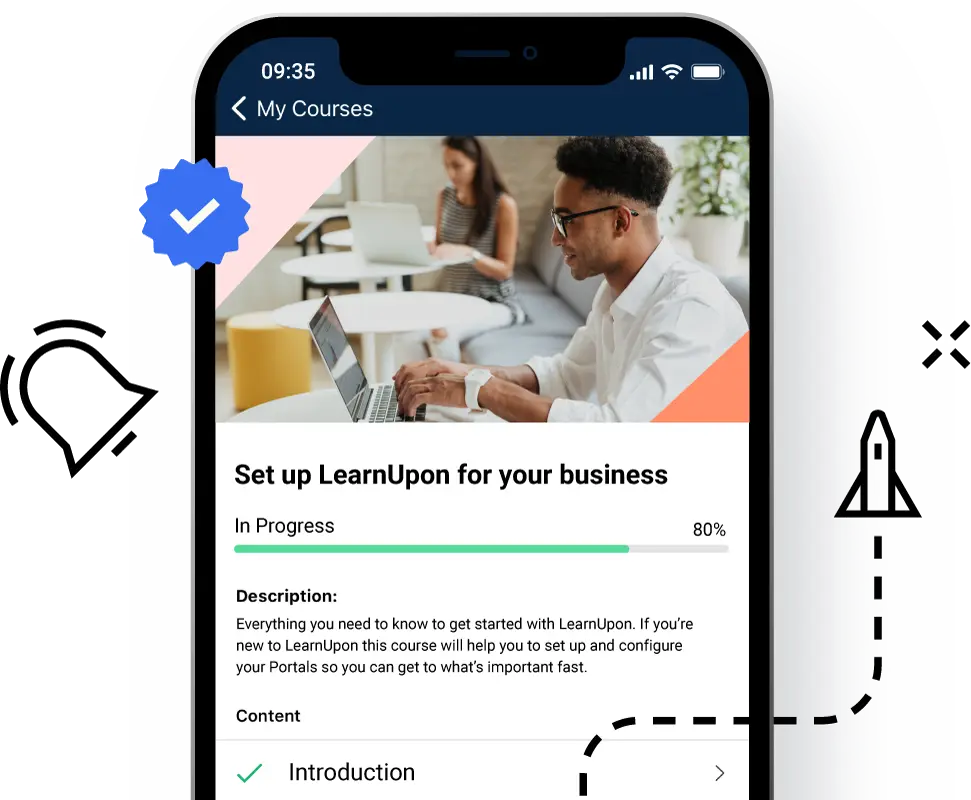
LearnUpon is an enterprise training platform built around simplicity and ease of deployment. This makes it a strong choice for organisations that want to get training programs running quickly without extensive configuration. The platform manages the full training cycle. This includes everything from course creation and blended learning delivery to certification, compliance tracking, and reporting.
The platform’s learning journeys feature allows admins to automate personalised training workflows using if/then logic. It draws on real-time learner data from HRIS and CRM integrations. This keeps training aligned with individual roles and goals without manual intervention.
LearnUpon offers a clean, straightforward experience with little configuration overhead. However, LearnUpon comes with limited flexibility to customise workflows and learner experiences, which can be restrictive for organisations with complex training requirements or the need to align learning closely with internal processes.
Already tried LearnUpon?
You may be interested to learn about similar platforms.Key Features
- Course authoring tools
- Learning path management
- Multi-portal setup
- Blended learning delivery
- Compliance management
- Certification management
- Reporting and analytics
- Gamification
- eCommerce tools
- Third-party integrations
Pros
- Multi-portal setup for delivering distinct experiences to each audience
- Clean interface that reduces time to deployment across large teams
- Strong certification management for compliance-heavy industries
- eCommerce tools that enable partners and customers to access paid training
Cons
- Reporting lacks flexibility for detailed cross-audience analysis
- Social and collaborative learning features are limited
Pricing
LearnUpon offers a LearnUpon for Employees plan, for 100 users and more. The pricing details are only available on request.
User Volume
Used by global enterprises looking for a reliable, user-friendly LMS with good support.
Rating
4.6/5 (average rating from G2, Capterra, GetApp, Software Advice)
#6 TalentLMS
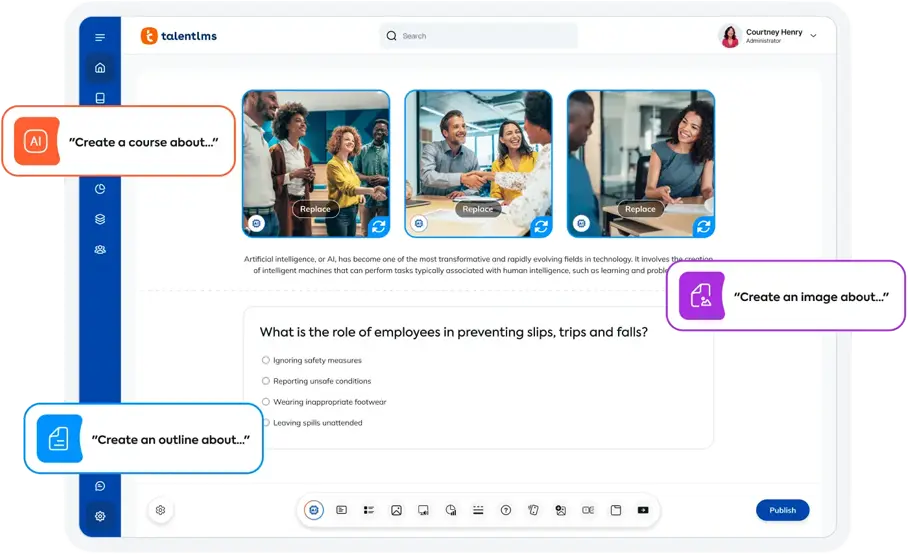
TalentLMS is another top learning management system that caters to enterprise training. Its AI-powered tools allow L&D teams to generate courses, assessments, and summaries quickly. They can do these tasks without specialist instructional design skills. The platform provides gamification features to drive learner engagement at scale. It supports blended learning delivery that includes self-paced, instructor-led, and virtual classroom training across distributed teams.
Its branch management structure allows enterprises to deliver tailored training experiences to different departments, regions, or audiences. Each branch operates independently while remaining connected to a single centralised system.
Unlike Docebo, TalentLMS offers a fast setup with a low configuration overhead. However, reporting lacks the depth expected by larger enterprise teams managing complex, cross-audience data requirements.
Looking for other options?
These TalentLMS alternatives may be better suited to your needs.Key Features
- Course authoring tools
- Learning path management
- Compliance management
- Reporting and analytics
- Gamification
- Multi-portal setup
- Blended learning delivery
- Certification management
- Branch management
- Third-party integrations
Pros
- Fast setup that gets enterprise training programs running quickly
- Branch management for tailored experiences across business units
- Gamification tools with proven impact on engagement across large workforces
- Flexible multi-portal setup supporting different audiences from one platform
- Broad third-party integrations that fit into existing enterprise workflows
Cons
- Reporting lacks the depth expected by larger enterprise teams
- Limited advanced features for complex compliance requirements
- Limited platform flexibility for organisations with complex or specific needs
Pricing
TalentLMS offers an Enterprise plan that starts at 1000 users. Pricing is tailored according to unique business needs.
User Volume
Suits enterprises looking to launch and scale training quickly across industries including technology, healthcare, manufacturing, and retail.
Rating
4.7/5 (average rating from G2, Capterra, GetApp, Software Advice)
#7 Adobe Captivate and Adobe Learning Manager
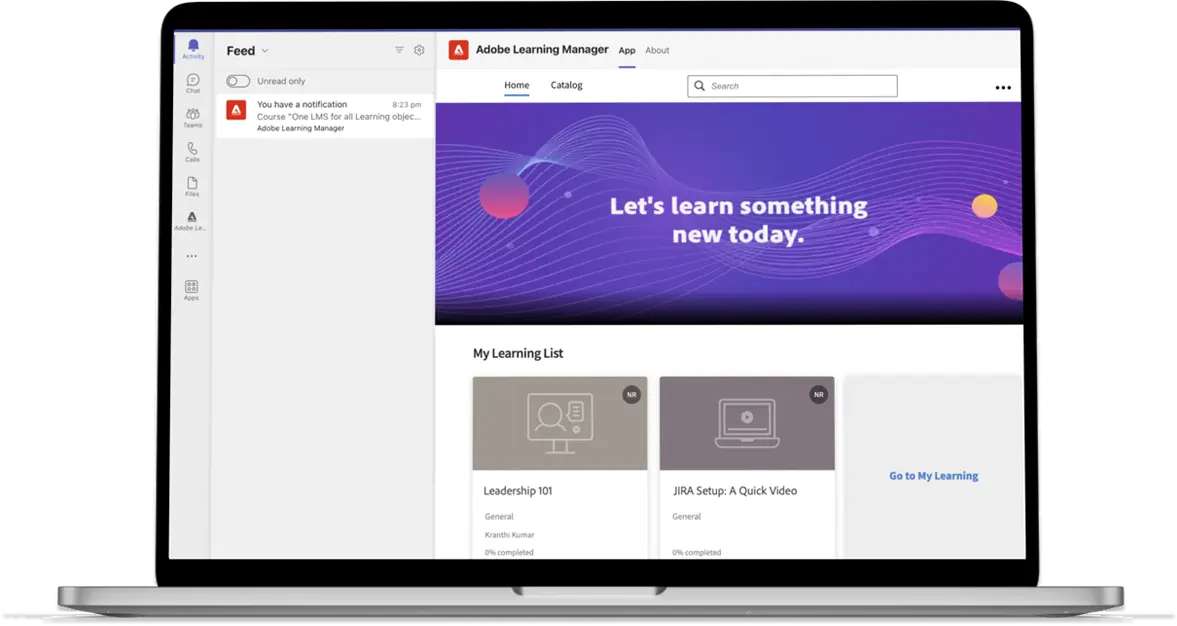
Adobe Learning Manager provides AI tools for content recommendations. They are based on each learner’s role, skills, course history, and interests. The generative AI tool allows admins to create courses from uploaded documents quickly. The platform’s automated enrolments, role-based dashboards, and workflow automation.
This reduces administrative overhead across large organisations. It delivers personalised learning paths, social learning tools, gamification, and compliance management. A unified content player handles multiple content formats without interruption. This keeps the learner experience consistent across formats and devices. It provides a headless LMS capability. This allows learning to be embedded directly into enterprise applications and branded portals.
However, the platform’s full potential is best realised by organisations already committed to the Adobe ecosystem. Teams operating outside it may find integration and customisation more limited.
Key Features
- AI content creation
- Learning path management
- AI content recommendations
- Multi-portal setup
- Blended learning delivery
- Compliance management
- Reporting and analytics
- Social learning tools
- Gamification
- Adobe ecosystem integrations
Pros
- AI-powered content creation that generates online courses from documents quickly
- Personalised learning recommendations based on role, skills, and behaviour
- Headless LMS capability for embedding learning across enterprise applications
- Broad multi-language support that serves global workforce training needs
Cons
- Reporting and analytics can be cumbersome to navigate
- Customisation outside the Adobe ecosystem requires additional effort
- Interface complexity can slow adoption for non-technical admins
Pricing
Adobe’s Learning Manager is only available on request. Contact their team directly for a custom quote.
User Volume
A strong fit for large enterprises already operating within the Adobe ecosystem. Used across technology, financial services, manufacturing, and retail.
Rating
4.2/5 (average rating from G2, Capterra, GetApp, Software Advice)
#8 iSpring LMS
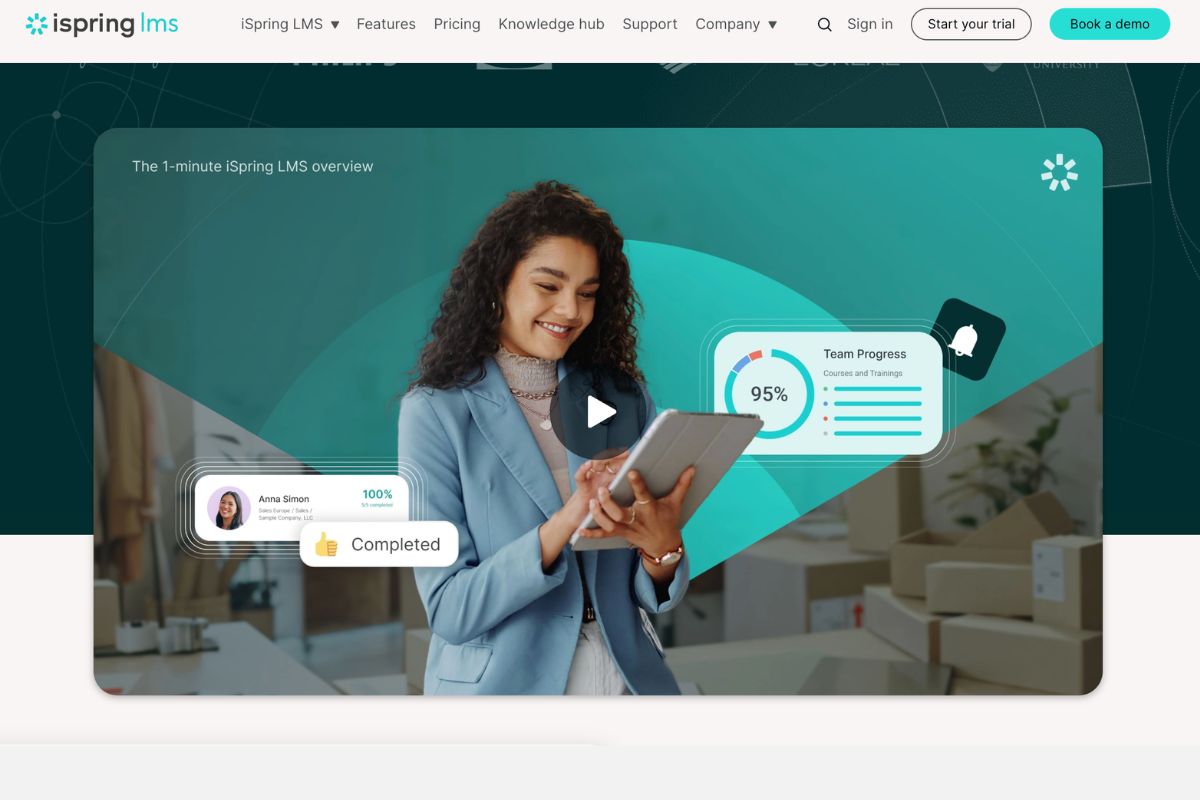
iSpring LMS manages the full employee training cycle, from onboarding and skills development to compliance and certification. It supports structured learning tracks and blended learning delivery.
It offers an intelligent re-enrolment system that tracks certification expiry dates. This system also assigns renewal training automatically. iSpring LMS also supports built-in 360-degree performance reviews. These help connect learning directly to individual development goals. On-premise deployment is also available for organisations with strict data governance requirements.
iSpring LMS offers a structured approach to the full employee development lifecycle. However, it relies on PowerPoint as the primary authoring environment. This can limit content complexity and design flexibility.
Key Features
- Course authoring tools
- PowerPoint course conversion
- Learning path management
- Reporting and analytics
- Compliance management
- Certification management
- Automated enrolment workflows
- 360-degree performance reviews
- Mobile learning app
- Third-party integrations
Pros
- PowerPoint conversion tools that lower the barrier to course creation
- 360-degree performance reviews linking learning directly to development goals
- Automated enrolment workflows that keep large learner cohorts on track
- Strong certification management for regulated industries
- Intuitive interface with minimal admin burden for L&D teams
Cons
- Limited social and collaborative learning features
- Reporting lacks depth for complex enterprise data needs
- Less suited to multi-audience training at enterprise scale
Pricing
iSpring Learn offers an Enterprise plan for up to 150,000 users. But pricing information is only available on request.
User Volume
Medium to large enterprises that use a Microsoft environment and need an easy-to-use LMS with strong content creation tools.
Rating
4.6/5 (average rating from G2, Capterra, GetApp, Software Advice)
#9 Litmos
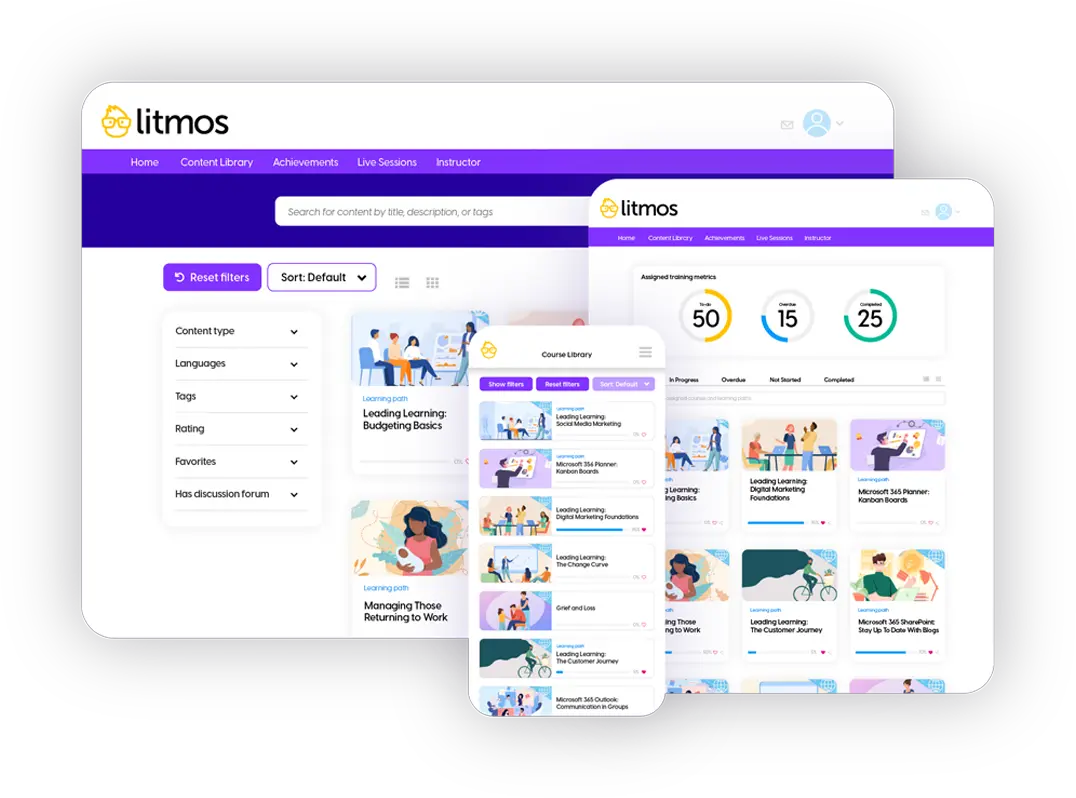
Litmos is built for organisations that need to deliver training quickly and at scale. It supports employee onboarding, compliance training, and skills development. The built-in content authoring tool allows L&D teams to create courses directly within the system.
Its AI-powered tools assist with course creation, content recommendations, and training automation. It provides video assessments that allow organisations to verify practical skills. The platform provides gamification features to drive engagement across large learner populations. It also supports content localisation and granular permissions for complex global deployments.
Compared to platforms such as iSpring LMS and TalentLMS, Litmos offers a broader content library and stronger out-of-the-box compliance tooling. However, reporting flexibility falls short for enterprises with complex data requirements.
Key Features
- Course authoring tools
- Content library
- Learning path management
- Compliance management
- Reporting and analytics
- Video assessments
- Gamification
- AI content recommendations
- White-label branding
- Extended enterprise training
Pros
- Fast deployment that gets enterprise learning programs live quickly
- Built-in content library for reducing reliance on custom course development
- Video assessments that verify practical skills beyond course completion
- White-label branding for consistent learner experiences across audiences
- AI-driven content recommendations that keep learning relevant at scale
Cons
- Reporting flexibility falls short for detailed enterprise analysis
- Limited customisation options for complex workflows
- Integration ecosystem narrower than larger enterprise platforms
Pricing
Litmos offers a Platinum AI plan for enterprise businesses. Pricing for this plan is available on request.
User Volume
Suitable for enterprises in financial services, healthcare, manufacturing, technology, hospitality, and retail.
Rating
4.3/5 (average rating from G2, Capterra, GetApp, Software Advice)
#10 Cornerstone Galaxy
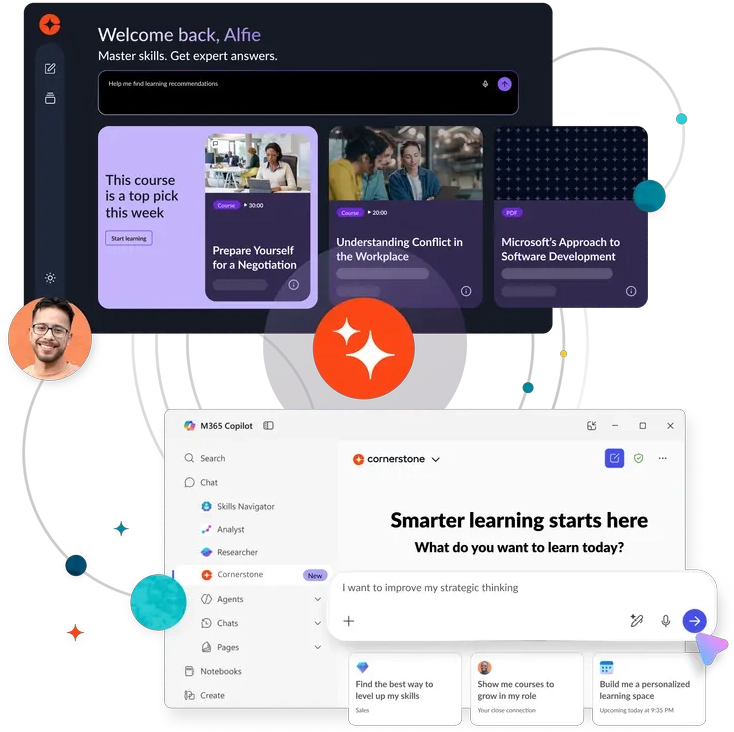
Cornerstone Galaxy is an AI-powered enterprise training platform used across 180 countries. It connects training, skills intelligence, talent development, and performance in a single unified system. The platform supports multi-modal training delivery and personalised learning paths. It also supports compliance management and certification tracking across complex, global organisations.
It comes with AI agents that are embedded across the platform to automate administrative tasks. These include enrolment management, compliance monitoring, and content setup. Its skills intelligence tool draws on labour market data. It uses this information to identify workforce gaps and recommend targeted development. It also offers immersive learning tools, including VR-based training scenarios.
Compared to all other platforms on this list, Cornerstone Galaxy operates at the greatest scale. It offers the deepest integration between learning and talent management. However, implementation complexity is significant.
Key Features
- Course authoring tools
- AI learning recommendations
- Learning path management
- Skills framework management
- Compliance management
- Certification management
- Reporting and analytics
- Extended enterprise training
- Talent management suite
- Immersive learning tools
Pros
- AI-powered skills framework that aligns learning with workforce strategy
- Talent management suite connecting learning to performance and succession planning
- Immersive learning tools, including VR, for high-impact training scenarios
- Extended enterprise capability for training partners and customers at scale
- Deep compliance and certification management suited to regulated industries
Cons
- Implementation complexity requires significant time and resources
- Interface can feel complex compared to more modern platforms
Pricing
Cornerstone onDemand doesn’t share pricing details on their website. Contact their team directly for accurate pricing.
User Volume
Built for large enterprises that need to unify learning, skills, and talent management in a single platform. Used across 180 countries by organisations in regulated, global, and complex workforce environments.
Rating
4.3/5 (average rating from G2, Capterra, GetApp, Software Advice)
Cornerstone Galaxy Not the Right Fit?
See how Cloud Assess measures up, or discover which enterprise LMS platforms make the best alternatives.Enterprise Learning Management Software Buyer’s Guide
- Decide how you need to deliver training. Enterprise workforces are rarely uniform. Consider whether the platform supports blended learning, instructor-led training, self-paced courses, and on-the-job assessment from a single system.
- Assess course authoring and content management capabilities. Consider whether the enterprise learning management system allows L&D teams to build and update content internally. Strong content management ensures training stays current and aligned with organisational needs at scale.
- Understand how the platform handles multiple audiences. Many enterprises need to train external and internal learners, including employees, partners, and customers. Check whether the platform supports separate, branded portals for each audience without requiring separate systems.
- Check the depth of compliance and certification management. Compliance obligations vary by industry and region. Look for automated enrolment, certification tracking, renewal workflows, and audit-ready reporting built into the platform.
- Look for personalised learning paths. A one-size-fits-all approach limits engagement and development. The platform should support role-based, skills-based, or behaviour-driven learning paths that adapt to each learner’s needs and goals.
- Consider how the platform supports skills management. Enterprise L&D is increasingly skills-led. Look for tools that map skills to roles, identify gaps across the workforce, and connect training directly to development outcomes.
- Assess scalability before you commit. Enterprise training needs grow over time. Confirm the platform can handle your current user volumes and scale without performance issues as your organisation expands across teams, regions, and audiences.
- Look beyond standard reporting. Large enterprises need more than completion rates. Advanced reporting and robust learning analytics should support cross-audience filtering, custom dashboards, and the ability to connect learning activity directly to business outcomes.
- Check integration depth, not just integration count. An enterprise LMS works best when it connects deeply with your HRIS, CRM, and performance systems. Confirm that data flows both ways and that integrations are maintained and supported over time.

Frequently Asked Questions (FAQs)
FAQs About Enterprise LMS and Enterprise Training Platforms
What does enterprise learning management involve?
Enterprise learning management involves overseeing the full training lifecycle across a large organisation. This includes assigning learning content, tracking completions, managing certifications and renewals, and reporting on compliance. At enterprise scale, it also means managing multiple audiences, locations, and regulatory requirements from a single system.
How can I choose the best enterprise learning system for my organisation?
Start by identifying your core training requirements. Consider whether you need to support multiple locations, external audiences, or compliance-heavy workflows. Look for strong reporting, scalable user management, and HRIS integration. Shortlist two or three platforms and run a structured demo before committing.
What features should an enterprise training system include?
An enterprise training system should include course authoring tools, learning path management, competency tracking, and compliance management. It should also support skills frameworks, certification renewals, and audit-ready reporting. Deep integration with HR and performance systems ensures training aligns with workforce goals. For distributed teams, mobile access and multi-audience portals are essential. At scale, automated workflows and real-time analytics help manage training efficiently across the organisation.


