

Most registered training organisations’ (RTOs) audit findings rarely come down to the questions their assessments asked. It’s often the mapping document that didn’t match their assessment tool. The version of an evaluation that a learner completed, but nobody could locate. The validation that happened, but left no record.
The Standards for RTOs 2025 tighten these documentation requirements. They stipulate that assessment tools must be reviewed before they reach a learner, and those reviews must inform changes. But manual review and validation processes take up valuable time.
This is why many providers are turning to AI to automate processes and streamline administrative effort. In this article, we explore AI tools that support assessments beyond creation and delivery.

Best AI Assessment Tools for RTOs TLDR Summary
Cloud Assess is purpose-built for RTOs managing competency-based assessment end to end, combining AI assessment generation, an AI marking assistant, and offline evidence capture. Assessors retain the competency decision, while unit mapping checks, revision control, moderation sampling, and national data reporting support audit and validation.
For assessment documentation and content creation, VETos produces assessment tools, assessor guides, and mapping documents linked to the national training register, eSkilled converts legacy resources into interactive online courses, RTOAiVoX drafts marking guides and coverage matrices mapped to individual performance criteria, and Coursebox AI generates portable unit-mapped content for native or exported delivery.
For question banks and compliance governance, aXcelerate builds reusable AI question libraries inside a full LMS and SMS, RTO Radar analyses uploaded tools and assessor judgements across defined validation phases, and RTOSafe maps policies and procedures to the Standards for RTOs 2025 clauses.
What Is an AI Assessment Tool?
AI assessment tools are digital solutions that use artificial intelligence to help RTOs build, deliver, document, and manage compliant assessments. An assessment tool is more than the questions and tasks a learner completes. It also sets out the context and conditions of assessment. It also holds the evidence to be gathered, the criteria for judging competency, and the recording requirements.
The AI within these solutions supports every part of that toolbox. It can draft assessment tasks and questions from existing materials. It can map them back to unit requirements. It can recommend marking outcomes, while the assessor retains the competency decision. AI can also manage the paperwork around assessment, including validation records, version control, and audit evidence. Some platforms below cover the full toolbox, while others specialise in one part of it.
Assessment Tools vs Assessment Software
AI assessment software focuses on questions and tasks. It creates assessments, delivers them to learners, and helps mark the responses.
AI assessment tools cover everything around those tasks as well. That includes mapping to unit requirements, evidence criteria, version control, and validation records.
Quick Picks
- Best Fit For End-to-End AI Assessment Processes: Cloud Assess
- Best Fit For AI Assessment Tool Generation: VETos
- Best Fit For AI Assessment Content Creation: eSkilled
- Best Fit For AI Marking Guides and Documentation: RTOAiVoX
- Best Fit For AI Question Generation: aXcelerate
- Best Fit For Portable AI Assessments: Coursebox AI
- Best Fit For AI Assessment Validation: RTO Radar
- Best Fit For AI Policy and Document Control: RTOSafe
Top AI Assessment Tools For RTOs




Cloud Assess is a platform purpose-built to help RTOs manage competency-based assessments. The platform’s AI features help providers streamline delivery and compliance processes. One of these features is an AI generation tool, which providers can use to quickly build evaluations that support various assessment methods. These include written tasks, practical demonstrations, direct observation checklists, and third-party reports. Every assessment is tied directly to the criteria assessors apply to reach a judgement.
Cloud Assess also offers an AI marking feature that helps streamline grading across assessments, providing recommendations that qualified assessors review before deciding outcomes. The platform gathers evidence in one place as learners progress, whether on site or offline.
It also supports the record-keeping and reporting that assessment requires. This includes features like version tracking, coverage verification, moderation sampling, and national reporting help to reduce administrative burden.
This makes Cloud Assess well-aligned for:
- RTOs delivering competency-based training and assessment
- Providers assessing practical skills in workplaces and on site
- Trade, construction, health, and community services qualifications
- Compliance managers preparing for audit and validation
- Assessors managing large learner cohorts
Key Features
- AI assessment generation
- Document and prompt uploads
- AI question refinement
- AI marking assistant
- Assessment builder
- All assessment types
- Unit mapping checks
- Revision control
- Quality checks and moderation
- Evidence portfolios
- Log books
- Recognition of prior learning
- Audit trail logging
- National data reporting
- Offline assessment delivery
Pros
- Build complete assessments from existing documents in minutes
- Generated questions arrive with marking criteria already attached
- Assessors keep the competency decision while AI recommends outcomes
- Learners always work from the current assessment version
- Mapping checks reveal coverage gaps before assessment begins
- Evidence, logbooks, and observations captured in one place
- Timestamped records support audit and validation requirements
Pricing
Cloud Assess offers one all-inclusive plan for Registered Training Organisations, priced as a flat fee from $600 AUD per month. Every feature is included from day one, including AVETMISS reporting, USI validation, AI-powered assessment creation and marking, and enrolment management. There are no upgrade paths or feature gates. Visit our pricing page for an accurate quote.
Rating
4.7/5 (average rating from Capterra, G2, GetApp, Software Advice)
Best For AI Assessment Tool Generation
#2 VETos (by Supahuman)

VETos is an AI content and compliance generation tool that produces the documentation that assessment tools require. The platform’s AI helps providers develop assessments, assessor guides, and mapping documents in a single pass. Each one links to the relevant scope items on the national training register.
VETos’ AI features also trace how well the documentation covers elements, performance criteria, and evidence. This helps providers recognise gaps in their assessment processes early. Where direct observation is difficult, VETos builds a fictional workplace and the documents that scenario relies on.
This makes VETos well-aligned for:
- RTOs rewriting assessment tools ahead of validation
- Providers managing large or complex scopes
- Compliance and quality teams responsible for mapping
- Instructional designers producing assessment resources
- Qualifications requiring simulated assessment environments
However, VETos stops at the point of documentation. Providers still need a system to deliver assessments to learners, record outcomes, and report training activity.
Key Features
- Assessment tool generation
- Assessor guide generation
- Mapping document generation
- Training register linking
- Scope coverage mapping
- Clustered assessment support
- Simulated workplace scenarios
- Supporting document generation
- Review and approval workflows
- Version history tracking
Pros
- Coverage traced to every element and performance criterion
- Superseded training products flagged before they cause problems
- Simulated workplaces supply evidence for hard-to-observe skills
- Approval workflows record who reviewed each tool
Cons
- No AVETMISS or VET Information Standard reporting or learner records
- Does not mark learner work
- Delivery relies on separate platform
Pricing
VETos pricing starts from $250 per unit of competency annually. Volume pricing is available for providers with more than 50 units. Enterprise support is also available as an add-on from $500 per year.
Best For AI Assessment Content Creation
#3 eSkilled RTO Software

eSkilled is an AVETMISS-compliant student management system (SMS) and learning management system (LMS) in one. It converts existing training material into structured online courses with AI.
The platform helps providers digitise legacy resources. This reduces the time they need to spend designing new courses from scratch. Uploaded documents become interactive modules, with knowledge questions produced alongside the content. Assessors also receive AI support when reviewing learner responses.
eSkilled also offers a validation module, which records review cycles, assigns reviewers, and captures outcomes against each training product. Providers also get enrolment, scheduling, certification, and reporting in the same environment. This helps them align assessment processes with compliance requirements and minimises administrative workload.
This makes eSkilled well-aligned for:
- RTOs modernising legacy course and assessment material
- Providers rebuilding course content at volume
- Teams without in-house instructional design resources
- Trainers delivering theory-heavy qualifications
- Providers needing multilingual course content
However, eSkilled’s AI features stop at content creation. The platform doesn’t produce unit mapping documentation, which either becomes a manual process or requires separate software.
Already Know eSkilled Isn’t The Right Fit?
Explore alternatives, and compare the platform to Cloud Assess directly.
Key Features
- AI course generation
- Document to course conversion
- AI quiz generation
- AI marking assistance
- SCORM export
- Online assessment delivery
- Validation cycle management
- Reviewer assignment
- Course resource library
- AVETMISS reporting
- Compliance reporting
Pros
- Existing documents become interactive courses without rebuilding
- Quizzes generated alongside course content in one pass
- Validation cycles tracked with reviewers and outcomes recorded
- Marking assistance reduces assessor workload across submissions
- Single system covers enrolment through to compliance reporting
Cons
- Limited competency-based assessment support
- No unit mapping documents generated
- Validation workflow lacks AI support
Pricing
eSkilled offers pricing plans for their standalone LMS or SMS products, or a plan for a combined LMS and SMS.
Best For AI Marking Guides and Documentation
#4 RTOAiVoX

RTOAiVoX produces the assessment documents RTOs are audited on. The platform uses AI to generate marking guides, model answers, and coverage matrices against a chosen unit.
RTOAiVoX’s mapping features don’t only apply to the unit as a whole. The platform maps individual performance criteria. Every question and task relates back to the criterion it proves. This makes it easy to recognise gaps in assessments and address them early. Validation analysis also works clause by clause against the current standards. The platform also helps providers manage Recognition of Prior Learning (RPL) evidence matrices and pre-training assessment strategies.
This makes RTOAiVoX well-aligned for:
- Small RTOs without dedicated compliance teams
- Consultants preparing documentation for multiple providers
- Trainers writing marking guides from scratch
- Providers assessing RPL applications regularly
However, everything RTOAiVoX produces leaves the platform as a file, rather than staying available in an interactive platform. This means that providers still need to manage approvals, revisions, and storage manually.
Key Features
- Assessment tool drafting
- Marking guide generation
- Model answer generation
- Assessment mapping matrix
- Coverage gap flagging
- Standards clause validation
- RPL evidence matrix
- Self-assurance register
- Document compliance analysis
- Trainer currency tracking
Pros
- Marking guides arrive mapped to every performance criterion
- Coverage gaps surface before tools reach learners
- Builds RPL evidence matrices and LLND strategies
- Reviews existing documents for readability
Cons
- Provides static documents, rather than an interactive solution
- No live version control
- No assessment delivery or capture
Pricing
RTOAiVoX offers Starter, Pro, and Team pricing plans. The Starter plan, which is designed for individuals, starts from $9.99 monthly. The Team plan, which is designed for RTOs with multiple staff members, starts from $49.99 monthly.
Best For AI Question Generation
#5 aXcelerate

aXcelerate is RTO software that helps providers generate quiz-based assessments quickly. RTOs can upload documents and have the platform’s AI generate questions from them and store them in a reusable library. Assessors can then build quizzes from that library and deliver them alongside observation items, logbooks, and workplace tasks.
aXcelerate also offers a full LMS and SMS, helping providers enrol learners, schedule training, deliver courses, and record results. It also generates reports for national and state training authority submissions, replacing manual processes and reducing administrative workload.
This makes aXcelerate well-aligned for:
- Larger RTOs with established administrative processes
- Providers delivering across multiple states and funding streams
- Teams building reusable question banks
However, aXcelerate’s AI reaches only part of the assessment process. Generation is restricted to certain assessment types, and the documentation, validation, and mapping features don’t use AI at all.
Looking For More Options?
Check out these aXcelerate alternatives, and see how Cloud Assess measures up.
Key Features
- AI question generation
- PDF question extraction
- Assessment library storage
- Quiz creation tools
- Online assessment authoring
- Observation marking scales
- Work-based learning logbooks
- Trainer competency matrix
- Audit log tracking
- National data reporting
Pros
- Questions drawn straight from existing assessment documents
- Generated questions stored for reuse across programs
- Observation items and logbooks support workplace evidence
- Competency matrix keeps trainer currency evidence audit ready
- Established platform handles enrolment through to reporting
Cons
- Observation and marking types excluded
- AI absent from documentation features
- Conversational assistant not yet released
- Configuration demands significant setup time
Pricing
aXcelerate doesn’t offer detailed pricing information on their website. Contact them directly to book a demo or request a quote.
Best For Portable AI Assessments
#6 Coursebox AI

Coursebox AI generates course and assessment content mapped to training packages. The platform helps providers develop portable unit materials that can either be delivered through the platform’s native LMS, or exported for use with the RTO’s existing learning delivery platform. For RTOs that choose to use Coursebox for delivery, content runs in a branded environment on the provider’s own domain.
The platform also offers AI marking tools that work against rubrics the provider defines. This provides recommendations for competency outcomes alongside written feedback. Mapping matrices export for validation and audit purposes.
This makes Coursebox AI well-aligned for:
- RTOs with an existing delivery platform
- Providers launching new qualifications quickly
- Smaller RTOs without instructional design resources
However, Coursebox AI concentrates on content rather than the systems around it. It doesn’t offer SMS features or work-based learning support. Providers will need separate systems for managing those requirements.
Key Features
- AI course building
- Unit mapped content
- Competency assessment generation
- Mapping matrix export
- AI grading
- AI feedback generation
- Rubric-based evaluation
- Trainer and learner guides
- SCORM and LTI export
- White-label LMS
Pros
- Unit content generated and mapped to training packages
- Content runs natively or exports to other platforms
- Mapping matrices exported for validation and audit
- Competency outcomes recorded against rubrics you define
- Feedback generated for learners at scale
Cons
- Providers need a separate SMS
- Limited workplace evidence capture
- Assessment version history not documented
Pricing
Coursebox AI offers a Creator plan for small businesses at $30 USD per month, which includes AI quiz generation and AI grading. The Business plan adds additional LMS features from $600 monthly.
Best For AI Assessment Validation
#7 RTO Radar

RTO Radar reviews assessment tools and the judgements assessors make with them. The platform supports validation through defined phases, from planning to rectification.
RTO Radar’s AI analyses uploaded tools and flags where evidence falls short. It also examines recorded judgements, producing guidance and summary reports that feed straight into continuous improvement efforts. Providers can also manage documents, trainer and assessor requirements, and training and assessment strategies (TAS). These sync to the national register, reducing the need for manual checks.
This makes RTO Radar well-aligned for:
- Providers meeting mandatory pre-use validation requirements
- Compliance managers running validation across multiple qualifications
- RTOs strengthening self-assurance
However, RTO Radar reviews assessment rather than conducting it. Providers need a delivery system in place, and mapping documents to the 2025 standards is a manual process.
Key Features
- Assessment judgement register
- AI judgement guidance
- AI summary reports
- Unit validation workflows
- AI document analysis
- File version control
- Document control register
- Continuous improvement register
- Digital TAS builder
- Training register sync
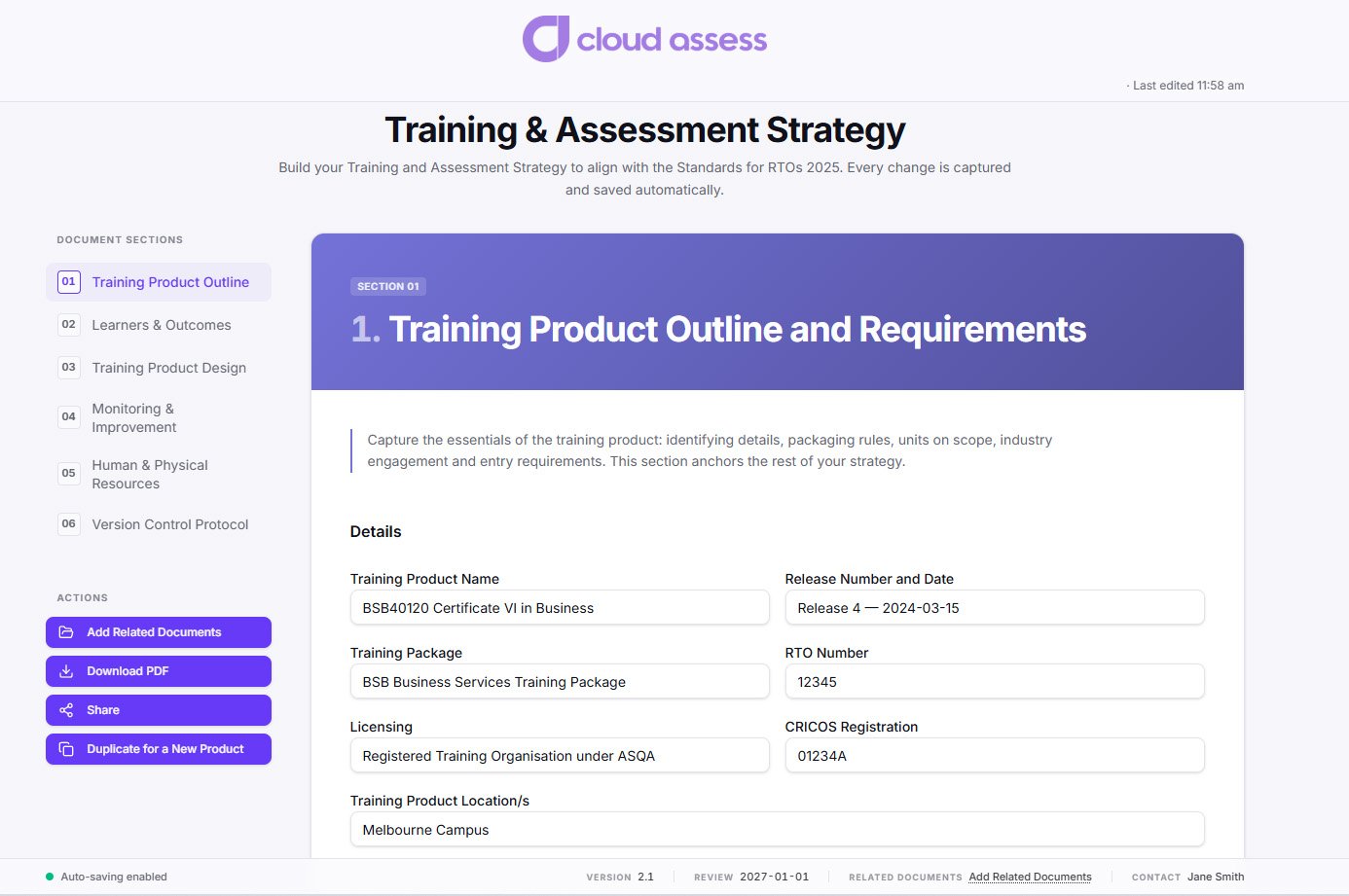
Streamline Your Training and Assessment Strategy Management.
We’ve got the right tool for the job.
Pros
- Assessor judgements reviewed with AI guidance and reporting
- Uploaded tools analysed for compliance gaps
- Validation phases tracked from planning through to rectification
- Document management features keep policies versioned and reviewed
- TAS built and synced to the national register
Cons
- Standards mapping requires manual administration
- Doesn’t create or deliver assessment content
- Requires an existing LMS and SMS
Pricing
RTO Radar doesn’t list pricing on their website. Contact them directly to book a demo or request a quote.
Best For AI Policy and Document Control
#8 RTOSafe

RTOSafe applies AI to the policies and procedures that govern assessment. Providers upload documents into the platform, and it links them to the clauses from the Standards for RTOs 2025 that each document addresses. RTOSafe then analyses the provider’s policy library, identifying areas with weak coverage and recommending improvements.
Every document that a provider uploads creates a new version automatically, with review dates, approvals, and staff acknowledgements recorded. This helps to ensure RTO staff are working from the latest version every time. RTOSafe keeps track of improvements, feedback, complaints, and trainer evidence. Validation activity is scheduled by risk across a rolling five-year cycle. This helps providers maintain a clear trail of assessment validation efforts.
This makes RTOSafe well-aligned for:
- RTOs rewriting policies to align with the latest standards
- Compliance managers proving systematic evidence coverage
- Providers scheduling validation across a full scope
- RTOs building self-assurance processes from scratch
However, RTOSafe governs assessment without touching it. Its AI reads policies rather than assessment tools or learner evidence.
Key Features
- AI policy analysis
- AI standards gap analysis
- Document standards mapping
- AI risk gap analysis
- AI control suggestions
- Policy procedure centre
- Version control history
- Evidence clause linking
- Validation program scheduling
- Audit export tool
Pros
- Policies mapped to standards clauses in seconds
- Evidence gaps identified across provider policies
- Version control applied automatically to every document upload
- Higher-risk qualifications validated more often
Cons
- No assessment creation or delivery
- Mapping is clause-based, rather than unit-based
- AI never reviews learner evidence
Pricing
RTOSafe offers Starter, Team, and Organisation pricing plans. The Starter plan, designed for small RTOs, starts from $395 monthly.
AI Assessment Tool Buyer’s Guide
- Check which assessment methods the AI can generate. Competency-based assessment relies on more than written questions. Some platforms generate knowledge questions only. Others produce practical tasks, observation checklists, and third-party reports. Confirm the AI covers the methods your qualifications require.
- Look at the level the AI maps to. Mapping to a unit proves very little. Mapping to individual performance criteria shows what each question or task evidences. This is what exposes a criterion your assessment fails to cover, and it’s what an auditor will look for.
- Establish whether a mapping document is produced. Some platforms map internally without generating anything you can hand over. Ask whether the mapping exports as a document, and whether it updates when the assessment changes.
- Confirm the assessor retains the competency decision. AI can draft, pre-mark, and flag responses for review. A qualified assessor must still decide whether a learner is competent. Check that the platform records who made each judgement and when.
Learn Why Assessors Maintaining Judgement Is Essential.
This is part of responsible AI use. We explore what it means and how it impacts RTOs.
- Ask how assessment versions are controlled. Pre-use validation is now mandatory under the 2025 standards, and review outcomes must inform changes to your tools. Version history proves which tool was used with which learner, and what changed after review.
- Test how it handles both unit formats. The Training Package Organising Framework introduced the Application of Skills and Knowledge (ASK) format in July 2025. It sits alongside traditional elements and performance criteria, and your scope will hold a mix while training packages are progressively updated. Confirm the platform maps both structures without extra work.
Registered Training Organisations

Frequently Asked Questions (FAQs)
AI Assessment Tool FAQs
Does using AI to write assessments need to be disclosed?
There is no requirement to tell learners or ASQA that a tool was AI-generated. Your obligations relate to the tool itself, not how it was produced. It must meet the Principles of Assessment and Rules of Evidence, map to unit requirements, and be validated before use. Where AI is used, providers should record that in their continuous improvement documentation, since an auditor may ask how a tool was developed and reviewed.
Can AI-generated assessments be used without validation?
No. Validation is required regardless of how a tool was created, and AI does not reduce that obligation. If anything, AI-generated content warrants closer review. Generated questions can look plausible while missing performance criteria, misreading a unit’s assessment conditions, or pitching language above the required reading level.
Do learners need to be told if AI marked their work?
There is no national rule requiring this. In practice, providers should address it in their assessment policy and learner information. Learners have appeal rights over assessment decisions, so they need to know who made the decision and how to challenge it. Since the assessor makes the final judgement, the appeal sits with them.


