

Manufacturing companies face constant pressure to keep workers skilled and compliant. The demands on the production floor are always changing. As teams grow and processes become more complex, managing training across roles and sites becomes harder. A strong learning management system (LMS) helps bring order to that challenge.
In this blog, we’ll discuss 10 of the best LMS platforms built to support training in manufacturing environments.
Why LMS Solutions Matter for the Manufacturing Industry?
In manufacturing, the cost of mistakes can be high. Safety protocols, equipment handling, and compliance rules leave little room for error. That’s why consistent and accessible training is essential. A learning management system gives manufacturers a way to deliver structured learning. It helps teams stay current with certifications and procedures.
Manufacturing environments often include many roles, shifts, and locations. An LMS brings consistency across all of them. It also reduces downtime by allowing workers to train on their own schedules. Many LMS platforms also serve as onboarding software for manufacturing. This helps new hires get up to speed faster and more efficiently.
An LMS also creates a digital record of learning activities. This is especially helpful during audits, inspections, or quality checks.
In short, LMS solutions help manufacturers improve safety, increase efficiency. It helps them manage training with less stress.
Best Learning Management Systems for Manufacturing




Cloud Assess is a purpose-built learning management system that caters to the manufacturing industry. It offers a strong focus on compliance, skills development, and training effectiveness. It is mobile-first and offline-enabled. This makes it ideal for delivering mandatory training. It also supports delivery of machinery-specific knowledge directly on the factory floor.
The platform supports training programs tailored to an organisation’s unique training needs. It includes visual assessments, skills matrices, and real-time training progress tracking. Seamless integrations with existing systems enable automated user management. Examples include enterprise resource planning (ERP) and human resource information system (HRIS) integrations. They also help manufacturing companies streamline operations. The platform is user-friendly and supports visual assessments for frontline evaluations.
Key Features
- Custom course builder
- Blended learning support
- Mobile offline access
- Compliance certification tracking
- Real-time online skills matrix
- Role-based pathways
- Automated alert system
- HR and ERP integration
- Organisational structures & site-based segmentation
- Digital evidence collection & audit trails
- Integrated certificate QR verification
- Free microlearning course library
- Gamification & digital badging
- Automated inductions & onboarding journeys
Pros
- Built specifically for high-compliance industries like manufacturing
- Skills matrix enables rapid identification of workforce competency gaps
- Offline mobile access ensures uninterrupted training in low-connectivity or field environments
- Real-time certificate validation via QR codes streamlines site access and compliance checks
- Automated onboarding and role-based pathways accelerate time-to-productivity for new hires
- Provide fast, personalised assistance
Pricing
Cloud Assess offers an all-inclusive solution for employee training in high-risk, high-compliance industries. Every feature is included from day one, including mobile offline assessment, verification of competency, skills matrix and automated compliance tracking. There are no upgrade paths or feature gates. Visit our pricing page for an accurate quote.
Rating
4.7/5 (average rating from Capterra, G2, GetApp, Software Advice)
#2 Absorb LMS
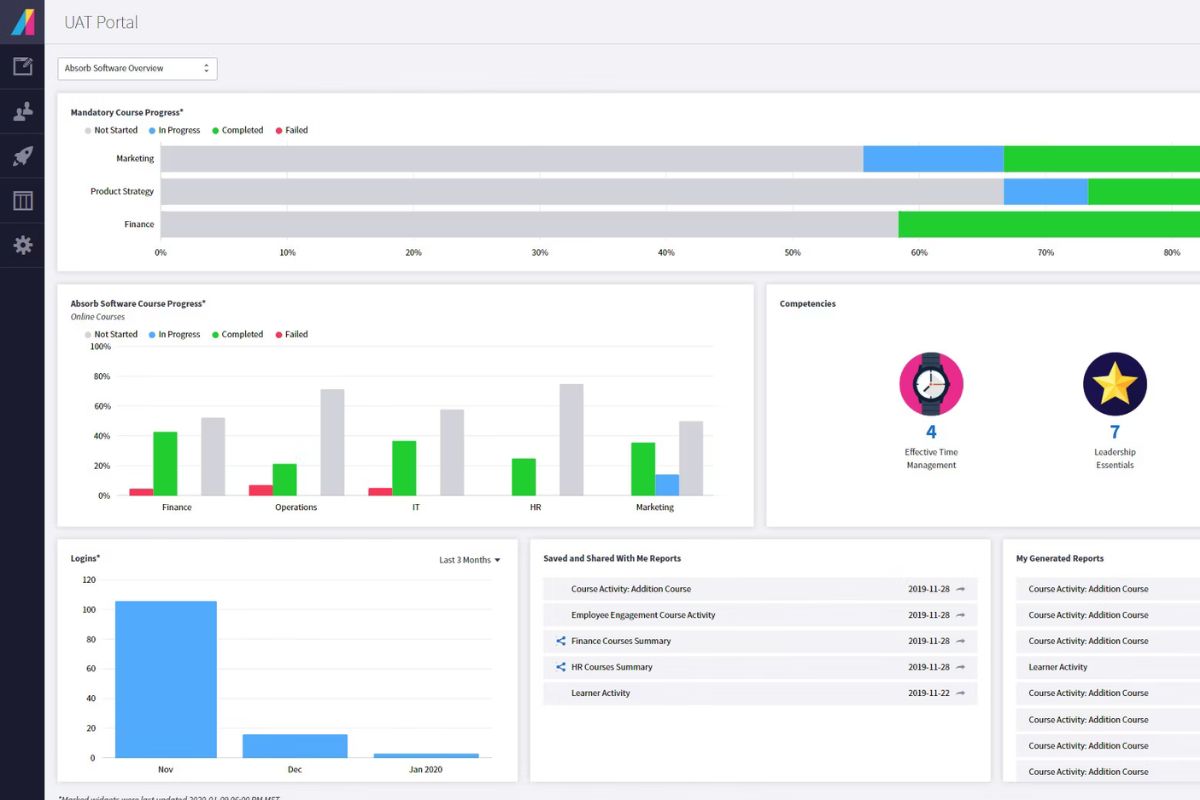
Absorb LMS is one of the best LMS systems for manufacturing companies. It supports learning programs that are scalable, multilingual, and work on mobile devices. The platform delivers compliance training and helps with skill development. It also supports extended enterprise needs. Manufacturers can track learning outcomes across locations using detailed reports and automatic alerts. Absorb LMS also integrates with existing systems. This keeps employee training programs aligned with industry regulations. Teams can also create customisable reports to match their operations. Absorb LMS helps companies grow by delivering training across global sites.
However, the platform’s depth may overwhelm smaller teams without dedicated admin support. Some training content customisation can require external tools or assistance.
Key Features
- Enterprise compliance tracking
- Multi-language content delivery
- Mobile learning app
- Custom learning portals
- Skills reporting tools
- Auto recertification reminders
- Supervisor dashboard views
- ERP and HRIS integration
Pros
- AI-powered recommendations help streamline role-specific training
- Skills reporting tools help monitor performance across departments
- Strong certification tracking supports compliance in regulated industries
- Flexible multi-language interface suits diverse workforces
- Centralised dashboards support region-specific reporting
Cons
- Implementation process can be lengthy for complex environments
- Interface requires configuration to suit shop-floor use
- Offline learning functionality less robust than mobile-first platforms
- Premium features often locked behind additional costs
Pricing
Absorb LMS offers customised pricing tailored to each organisation’s needs. Their model considers factors like learner numbers, types, delivery method, and integration requirements. Contact them directly for a tailored quote.
User Volume
Well-suited for mid‑to‑large manufacturers with multi-site operations. Supports scalable, mobile-first learning and manufacturing-specific training support.
Rating
4.5/5 (average rating from G2, Capterra, GetApp and Software Advice)
#3 UpsideLMS
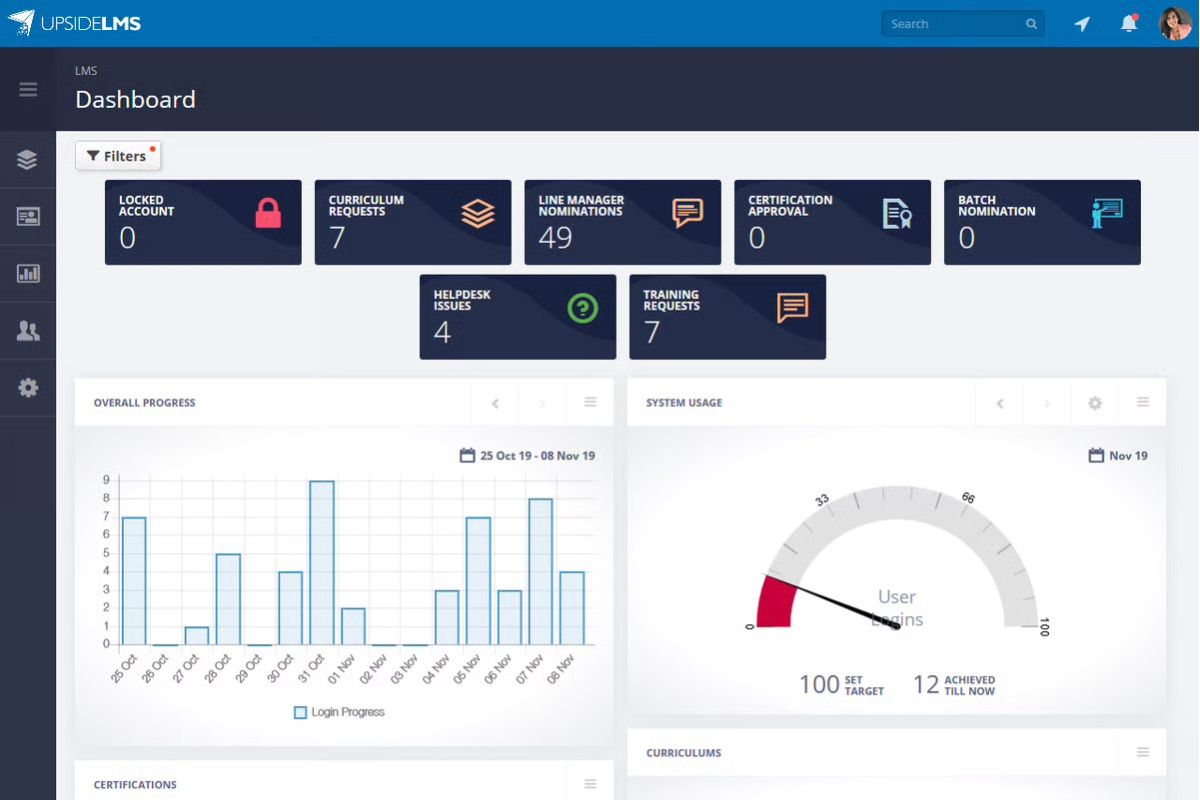
UpsideLMS is a mobile-first learning platform. It helps manufacturing organisations with dispersed teams deliver effective training. It supports offline learning, multilingual delivery, and automated user management. The system includes tools for compliance training, gamification features, and learner progress tracking. Manufacturers can integrate it with existing systems like ERP, HR, and CRM platforms. The multi-portal setup is ideal for training contractors, partner networks, and regional teams.
However, its custom integrations may need external development. These include integrations for manufacturing execution systems (MES) or warehouse management systems (WMS). Some features require setup to align with manufacturing workflows.
Key Features
- Mobile offline access
- Compliance certification tracking
- Role-based learning paths
- AI-powered content suggestions
- Skill-gap analytics
- Gamified learning elements
- Multi-portal architecture
- ERP and HRIS integration
Pros
- Mobile app supports offline learning in low-connectivity manufacturing zones
- AI tools assist in building multilingual microlearning for safety and operational tasks
- Certification tracking maps compliance to role and department
- Multi-portal structure enables segmented training across global sites and contractors
- Gamified assessments improve engagement with repetitive safety and SOP content
Cons
- Smaller brand presence compared to global enterprise vendors
- UI may need adjustment to suit industrial use cases
- Offline sync can be delayed in remote regions with unstable networks
- Manufacturing-specific content requires internal development
- Limited integration with niche MES or plant-floor automation systems
Pricing
UpsideLMS offers the LeAP plan at USD 249 per month for up to 100 users (billed annually). Pricing for up to 250 users starts at USD 399 per month. Additional add-ons are available at USD 99 per feature per month, with custom services priced at USD 30 per hour.
User Volume
Designed for global manufacturers, including clients in the UK, Australia, and APAC. Best suited to meet AI-enhanced, multilingual, offline-friendly compliance and workforce skills development needs.
Rating
4.4/5 (average rating from G2, Capterra, GetApp and Software Advice)
#4 eFront
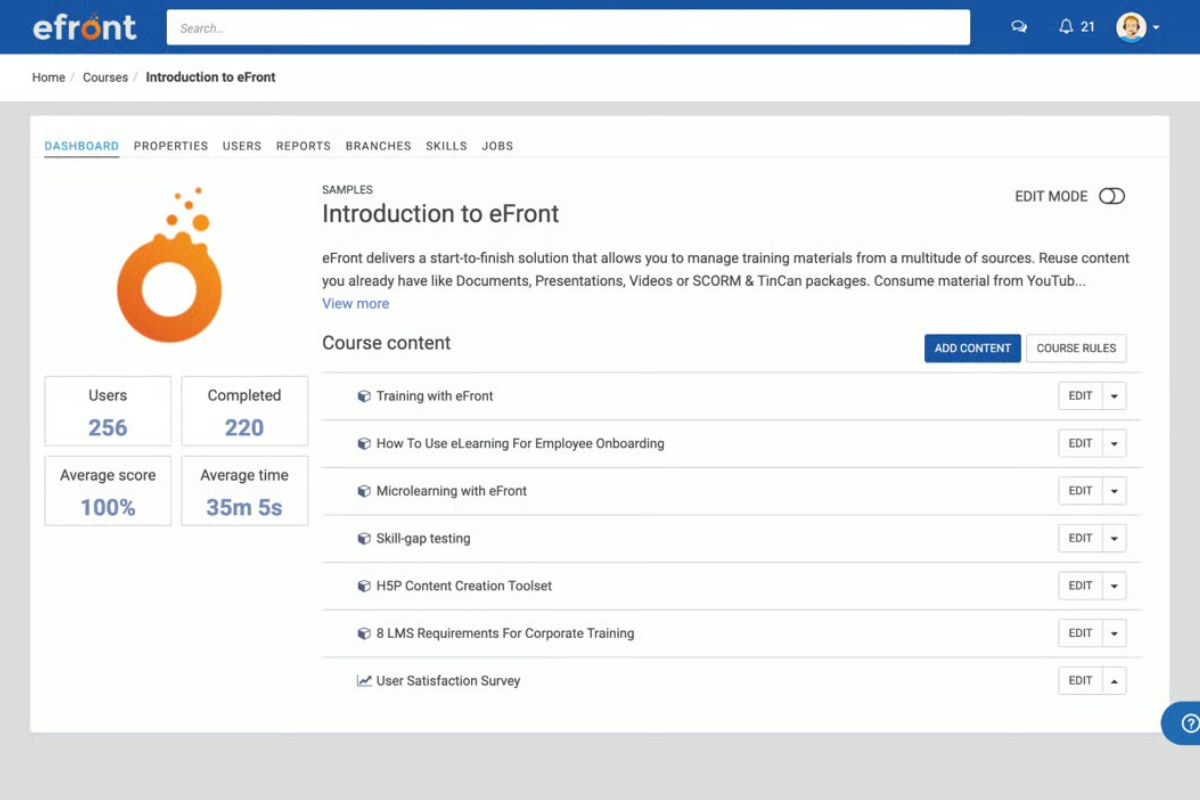
eFront is a highly configurable learning management system designed for regulated manufacturing businesses. It supports on-premise deployment, strict access controls, and advanced compliance training tools. Manufacturers can manage training programs, a skills matrix, and training content. The platform gives them full control over employee training data and structure. eFront integrates with existing systems using open APIs and SSO. The design is flexible and supports customisation. This makes it suitable for companies working within strict industry standards. And those needing to maintain strict regulatory compliance.
But some of its admin features need technical setup and oversight. The mobile experience is also less advanced than cloud-native LMS platforms. This may limit accessibility for frontline workers.
Key Features
- On-premise deployment option
- Advanced compliance tracking
- Role-based learning automation
- Secure certification management
- Skills matrix
- Custom reporting dashboards
- Offline content access
- API and SSO integration
Pros
- On-premise option supports strict data control in regulated manufacturing environments
- Advanced permission controls allow precise access by job role or facility
- Skills matrix helps identify skills gaps in technical competencies
- Audit-ready reports simplify compliance during regulatory inspections
- Customisable architecture supports factory-specific workflows
Cons
- Requires internal IT support for on‑premise hosting and updates
- Interface can feel dated compared to newer cloud-native systems
- Mobile functionality is less seamless than mobile-first LMSs
- Manufacturing-specific content requires custom authoring
Pricing
eFront offers three pricing tiers. The Registered plan starts at $720/month for up to 300 users. The Active plan starts at $1,600/month for 100 active users. An On-premises plan is also available with custom pricing.
User Volume
Perfect for highly regulated manufacturers in Australia, the UK, and beyond. A good fit for organisations that require on‑premise deployment and strict data governance.
Rating
4.5/5 (average rating from G2, Capterra, GetApp and Software Advice)
#5 Innform
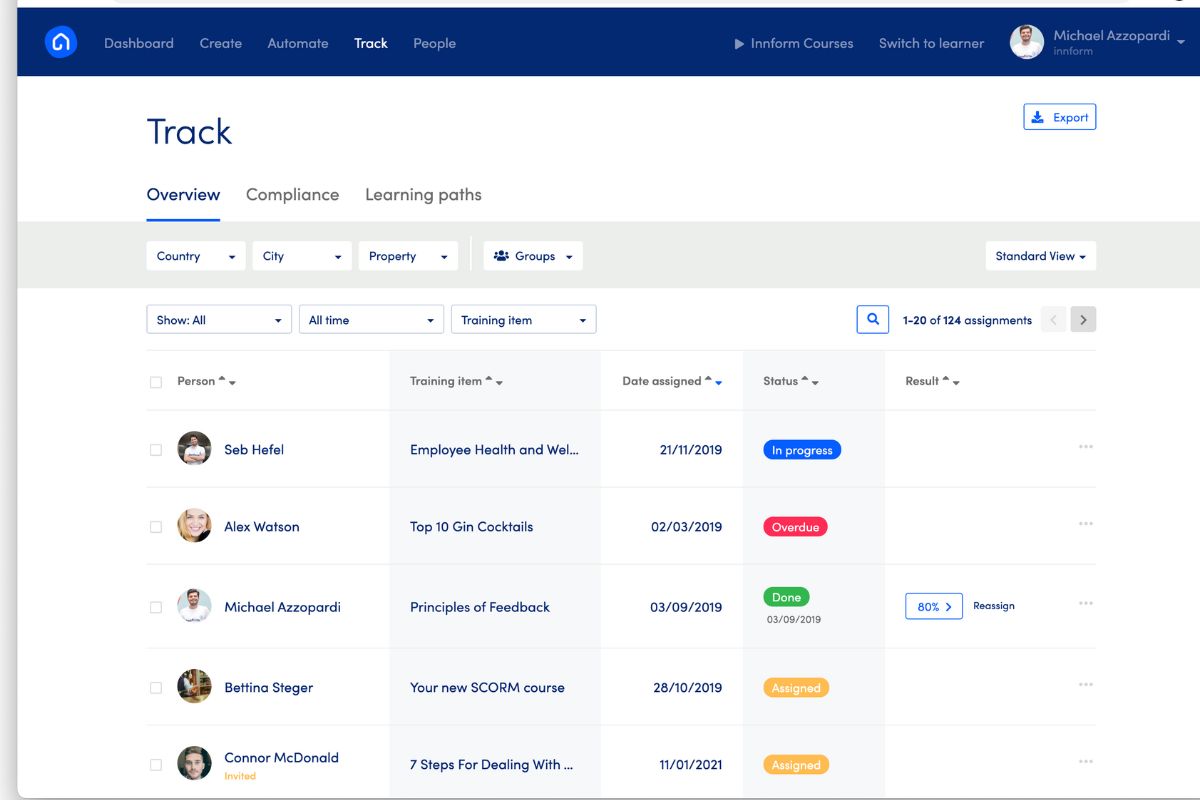
Innform is a mobile-first LMS for manufacturing. It has a strong focus on compliance training, certification tracking, and training effectiveness. The platform includes built-in course authoring, and automated user management. It also offers critical training content tools that make safety and operational training easier.
Manufacturers can assign content by role, department, or site. The platform also supports offline learning and provides visual dashboards for performance tracking.
But Innform offers fewer third-party integrations than larger learning management systems. Its configurability may be limited for companies with highly complex, multi-site training needs.
Key Features
- Custom course builder
- Blended learning support
- Mobile offline access
- Certification tracking
- Skills matrix
- Role-based learning paths
- Compliance alerts
- HR system integration
Pros
- Custom course builder to support machine operation, quality control, and safety content
- Batch assignment and group tracking to handle learners across sites and suppliers
- Interactive manuals and course-to-manual conversion streamline standard operating procedures and maintenance procedures
- Discussion boards and instant chat support keep on-floor staff connected with trainers
- Certification tracking and auto reassignments ensure compliance for WHS, equipment handling, and audits
Cons
- Fewer enterprise integrations compared to large LMSs
- Advanced analytics features are still in early stages
Pricing
Innform uses a per-active-user pricing model. The Starter plan begins at £1 per user/month, followed by the Essential plan at £2 per user/month. The Pro plan is priced at £4 per user/month, with an Enterprise tier available on request for larger organisations.
User Volume
Innform is well-suited to UK-based manufacturers and their global suppliers. It supports mobile-first, compliance-enabled training delivery.
Rating
4.9/5 (average rating from G2, Capterra, GetApp and Software Advice)
#6 iSpring Learn
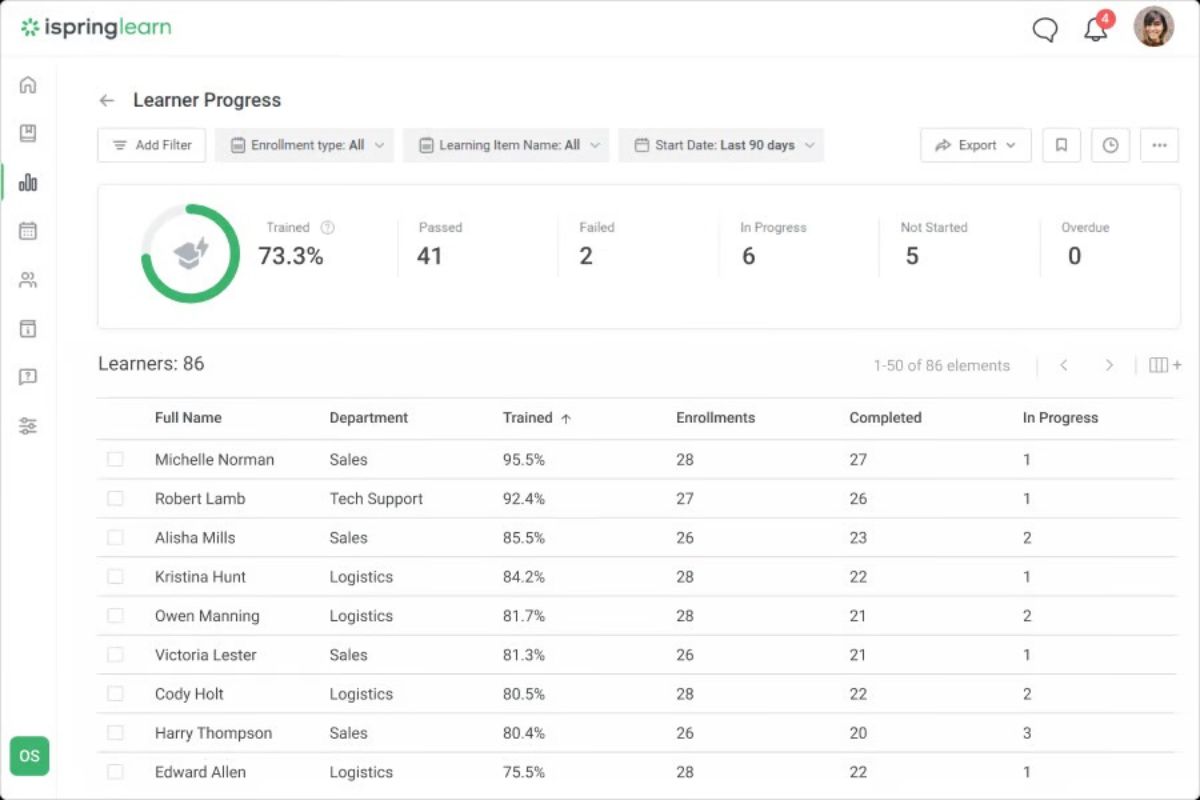
iSpring Learn is a good learning management system for small to mid-sized manufacturing companies. It supports rapid content creation using PowerPoint, SCORM uploads, and blended training programs. Manufacturers can track training outcomes, assign courses by role, and manage compliance training. The platform also offers mobile offline access, making it practical for factory-floor environments.
But, its analytics and automation tools are more limited compared to larger corporate training LMS systems. It may not suit companies with advanced integration or multi-site workflow needs.
Key Features
- SCORM course upload
- PowerPoint-based authoring
- Mobile offline access
- Certification tracking
- Skills matrix for manufacturing
- Role-based learning paths
- Blended learning support
- HRIS integration
Pros
- PowerPoint-based authoring to quickly build equipment and safety training
- Mobile app enables offline learning for floor and field workers
- Certification tracking ensures timely compliance reviews and renewals
- Supervisor dashboards monitor training progress by role or line
- Simple setup process ideal for small to mid-sized manufacturing teams
Cons
- Integration limitations with external tools and enterprise APIs
- Reporting tools may feel basic without external BI enhancements
- Limited built-in support for specialist shop-floor systems like MES/WMS
- Some administrative controls can be too lightweight for complex organisations
Pricing
iSpring Learn uses a pay-for-active-user pricing model starting at USD 8.82 per user/month for 50 users. At 100 users, the rate drops to USD 6.64 per user/month (billed annually). Pricing continues to decrease with USD 4.10 per user/month for 300 users and USD 3.75 per user/month for 500 users.
User Volume
Best for small to mid-market manufacturers in Australia and globally. Works well for rapid course creation via PowerPoint and flexible deployment with on‑premise options.
Rating
4.7/5 (average rating from G2, Capterra, GetApp and Software Advice)
#7 Litmos
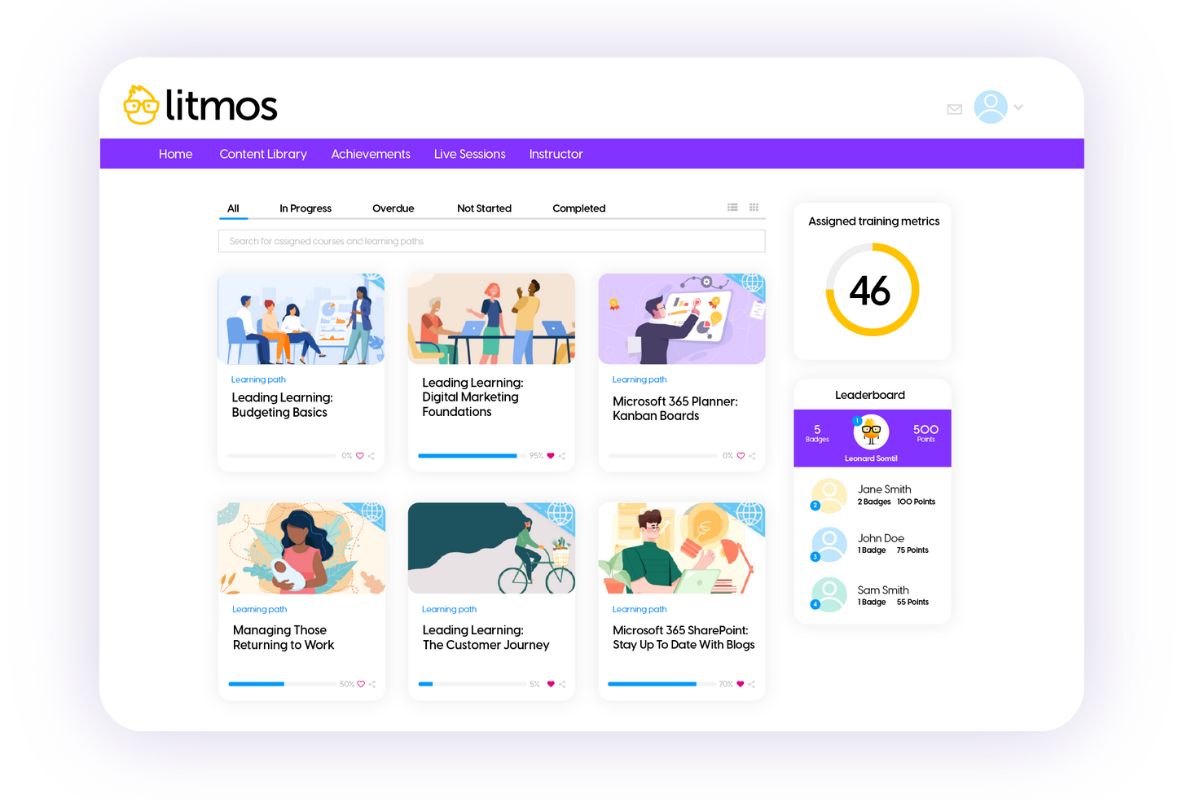
Litmos is a widely adopted learning management system used by global manufacturing companies. It offers a strong mix of mobile learning, mandatory and statutory training, and AI-powered content tools. Companies can benefit from prebuilt manufacturing training content and customisable dashboards. The platform also includes gamification features that improve employee engagement. The system integrates with over 50 platforms, supporting a range of existing systems across HR, ERP, and CRM.
But, some features need onboarding or professional services to fully configure. The platform’s deep functionality may also be excessive for smaller teams focused on basic training needs.
Key Features
- AI course authoring
- Mobile offline access
- Compliance certification tracking
- Skills reporting tools
- Role-based learning paths
- Blended learning support
- ERP and HRIS integration
- Off-the-shelf manufacturing courses
Pros
- Offline learning via mobile app for floor-based accessibility
- AI-powered authoring for rapid deployment of training programs
- Prebuilt manufacturing and safety content in course library
- Gamified assessments and performance dashboards for supervisors
- Broad integration options with ERP, HR, and CRM platforms
Cons
- Advanced interface customisation requires professional services
- In-depth analytics beyond reporting can require external tools
- Integration with niche MES/WMS systems needs custom development
Pricing
Litmos offers three learning solution packages tailored based on business objectives. Contact them directly to get a custom quote.
User Volume
A strong choice for enterprise manufacturers seeking a mobile-first, AI-augmented LMS. Also offers extensive compliance content and global integration capabilities.
Rating
4.2/5 (average rating from G2, Capterra, GetApp and Software Advice)
#8 360Learning
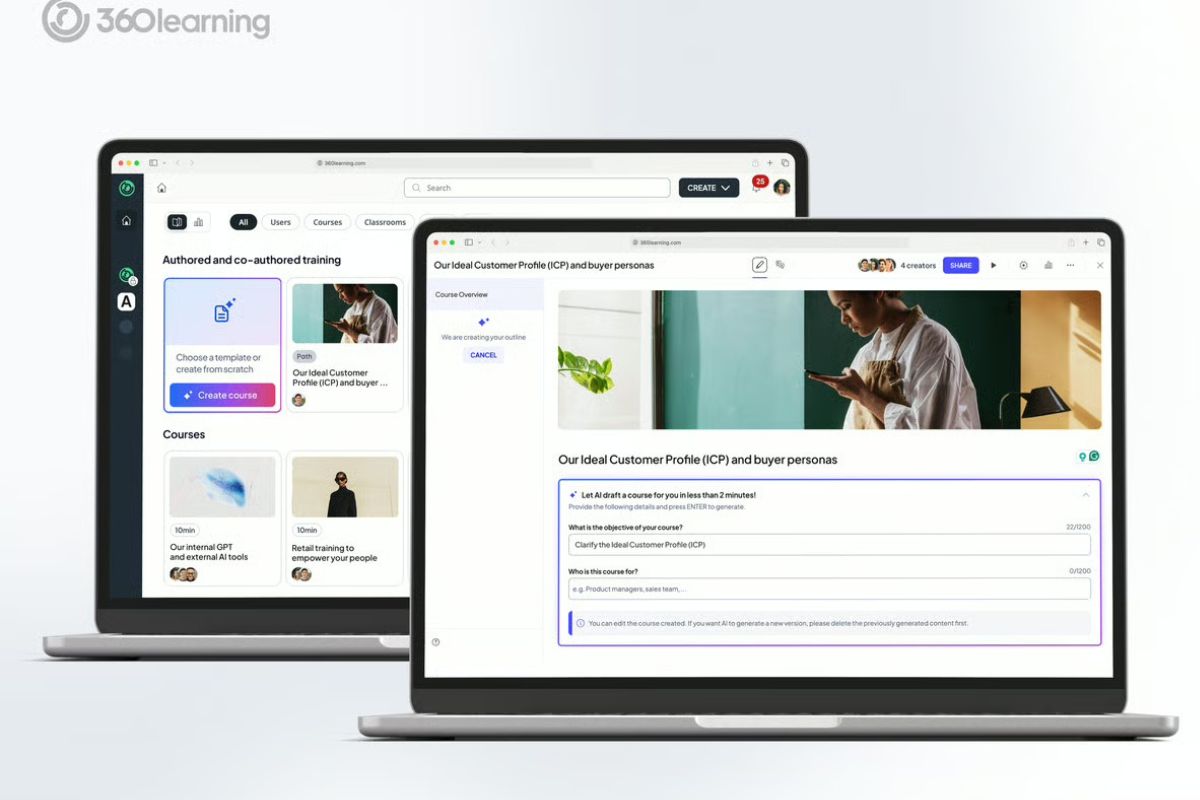
360Learning is a collaborative LMS for manufacturing. It helps teams capture internal expertise and scale knowledge through peer-led content. The platform supports social learning and SME contributions. It also uses AI-driven skill mapping to address training gaps. Manufacturers can assign learning by role or shift. They can track training progress using supervisor dashboards. It also supports digital transformation through mobile access and integrations with existing systems.
But, the platform relies on internal collaboration to generate training materials. It may not suit manufacturers looking for structured safety training or compliance content.
Key Features
- Skills matrix
- Compliance certification tracking
- AI-powered content suggestions
- Mobile app access
- Blended learning support
- Collaborative authoring
- Automated alert system
- ERP and HRIS integration
Pros
- Collaborative authoring to capture and scale SME knowledge in technical teams
- AI-driven skill-gap analytics to identify and address training needs proactively
- Automated certification and reminders keep frontline staff compliant with safety protocols
- Mobile-enabled learning supports technicians across global manufacturing sites
- Audit-ready reporting with real-time dashboards for managers and safety officers
Cons
- Requires internal coordination for SME-led content creation
- Some deeper analytics may need export or use of external BI tools
- Integration with specialised MES/WMS systems may require custom work
- Mobile app has fewer offline features compared to others
Pricing
360Learning offers a Team Plan priced at USD 8 per user/month for up to 100 users. Business and Enterprise plans are available with custom pricing based on organisational needs.
User Volume
Great for UK and international manufacturers. Helps them leverage collaborative, SME-driven learning and AI-powered skills insight at scale.
Rating
4.6/5 (average rating from G2, Capterra, GetApp and Software Advice)
#9 Tovuti LMS
Average User Score: 4.8/5
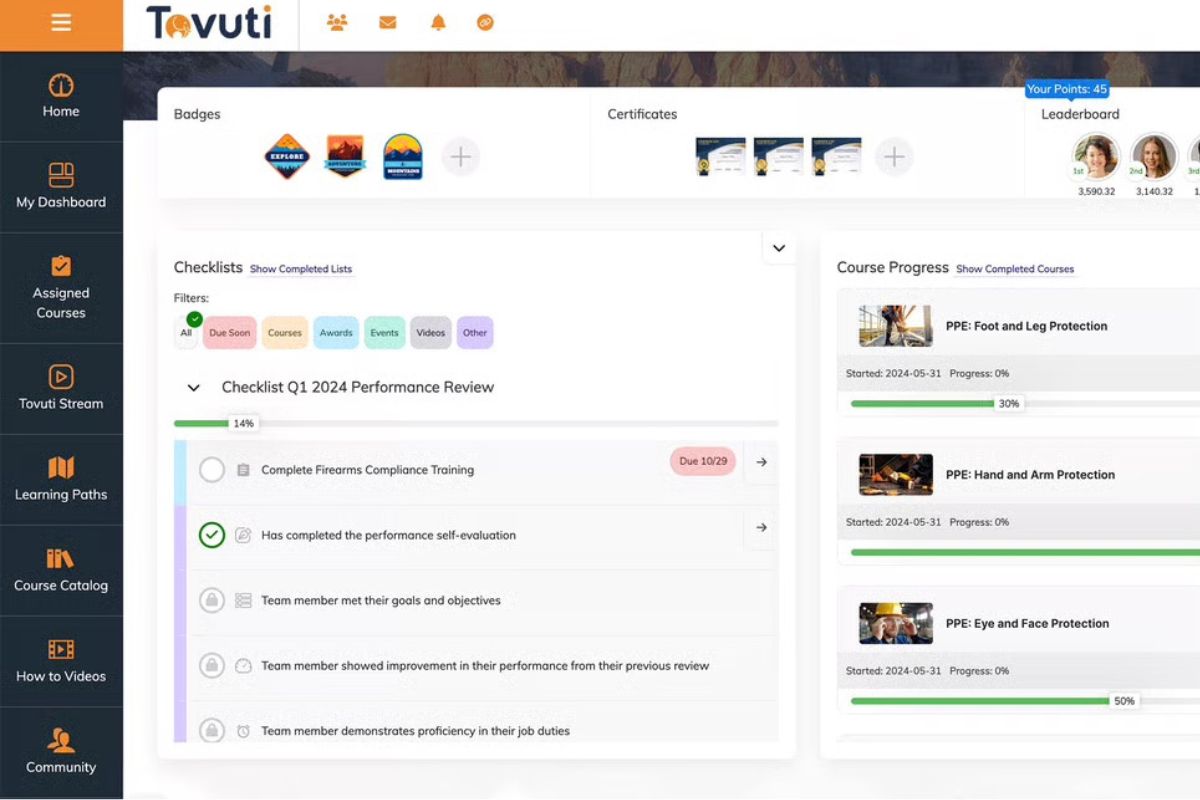
Tovuti LMS is a flexible cloud-based LMS for mid-sized manufacturing companies. It includes built-in authoring tools to create interactive training materials. These support safety training, SOP delivery, and compliance training. The platform integrates with over 2,000 tools, including HR, ERP, and MES systems. It also offers customisable portals to segment training by location, department, or partner. The platform encourages continuous learning through interactive modules and self-paced delivery.
But, advanced analytics and automation features may need admin configuration. Some manufacturers may also need external support to connect custom MES or workflow tools.
Looking For More Options?
These Tovuti Alternatives may be a better fit for your organisation.
Key Features
- Built-in course authoring
- Mobile learning app
- Compliance certification tracking
- Role-based learning paths
- Automated alert system
- ERP and HRIS integration
- Blended learning support
- Interactive content types
Pros
- Built-in authoring offers 40+ interactive content types
- Mobile app and responsive design enable shop-floor access and some offline capability
- E-signature support and auditable completion tracking cover WHS/OSHA compliance workflows
- Multi-portal and branding options allow differentiated portals for plants, contractors, and regions
- 2,000+ API integrations to seamlessly link MES, ERP, CRM, and HR systems
Cons
- Custom MES/WMS integrations may require development effort
- Advanced analytics and automation need configuration by admins
- Some deeper learning features may require custom setup for manufacturing needs
Pricing
Tovuti LMS doesn’t make pricing details accessible on their website. Contact their sales team to get accurate pricing information.
User Volume
Ideal for mid-sized manufacturers needing an interactive, portal-based LMS. Provides strong HR/ERP/MES integrations for enhanced operational training.
Rating
4.8/5 (average rating from G2, Capterra, GetApp and Software Advice)
#10 Docebo
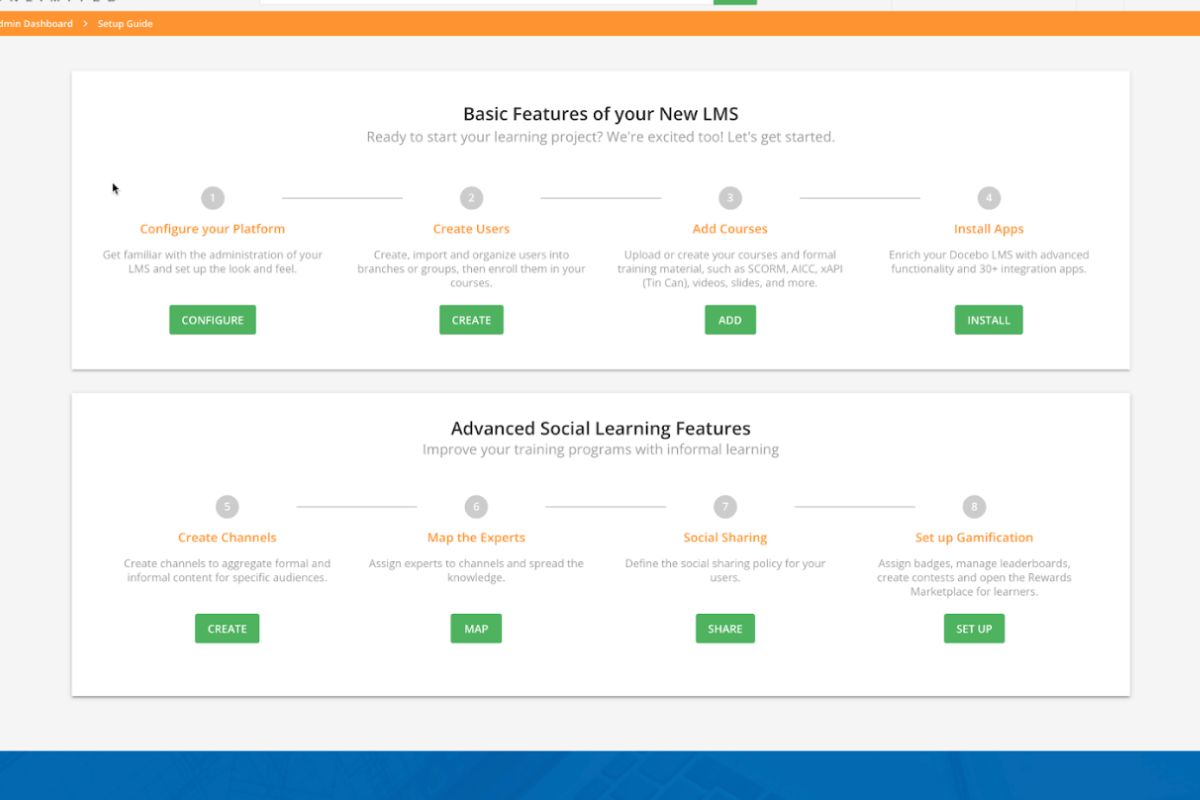
Docebo is a powerful digital learning platform built for global manufacturers. It supports training delivery at scale. It helps build essential workforce skills across roles and regions. The platform offers AI-driven authoring, flexible automation, and curated content libraries. These include modules tailored to the manufacturing sector. Teams can assign training programs by department, location, or shift. Docebo also promotes continuous learning through personalised content and mobile access. It helps train employees efficiently. The system integrates with over 400 tools, including ERP and MES platforms.
Docebo helps large manufacturers drive operational excellence at scale. But it’s not built for smaller organisations with basic training needs. Not to mention, its advanced setup may require dedicated admin resources.
Key Features
- AI-powered content authoring
- Mobile offline access
- Compliance certification tracking
- Prebuilt manufacturing courses
- Skills reporting tools
- Role-based learning paths
- Automated alert system
- ERP and HRIS integration
Pros
- AI tools for fast development of compliance and technical training
- Offline learning via mobile app for shop-floor environments
- Automation for certification, retraining, and compliance reminders
- Manufacturing-focused content library to accelerate onboarding
- Integrations with 400+ enterprise systems for streamlined operations
Cons
- Advanced analytics often require external BI tools
- Custom MES/WMS integrations may need additional development
- Automation workflows can be complex to configure
- Admin features may be overwhelming for non-technical teams
Pricing
Docebo offers two custom pricing plans: Elevate and Enterprise. These are tailored based on your company needs. Contact Docebo to get accurate pricing information.
User Volume
Tailored for global manufacturers seeking AI-enabled learning. Comes with extensive compliance automation, manufacturing-centered course libraries, and broad system integrations.
Rating
4.4/5 (average rating from G2, Capterra, GetApp and Software Advice)
Manufacturing LMS Buyer’s Guide
- Ease of Use for All Skill Levels. The LMS should be easy to navigate for users with different levels of tech experience. Workers on the factory floor shouldn’t need extra training just to use the system.
- Support for Onboarding and Compliance. Look for platforms that streamline onboarding and track compliance training. This is especially important in regulated industries where safety and certification records must be kept up to date.
- Mobile and Offline Access. Employees should be able to access training on tablets or phones, even in areas with limited connectivity. Offline mode ensures learning doesn’t stop in remote environments.
- Multi-Language Support. Manufacturing teams are often global. An LMS with multi-language options ensures that training is accessible to workers across regions.
- Tracking and Reporting Tools. The system should offer clear dashboards to track progress, certifications, and gaps in training. This helps managers stay ahead of compliance issues and skill gaps.
- Integration with Existing Systems. A good LMS should connect easily with your HR software, onboarding software, or shift management tools. This creates a smoother workflow and reduces admin tasks.
- Scalability Across Sites. If your company operates across multiple plants or regions, the LMS should scale with you. It should support consistent training across all locations.
- Custom Content and Course Authoring. The platform should allow you to create training that matches your machines, workflows, and safety protocols. This is key for maintaining relevance on the shop floor.
- Audit-Ready Records. Choose an LMS that keeps clear, time-stamped records of who completed what and when. This is crucial during safety inspections or audits.
- Free Trials and Live Demos. Always test the system before you commit. Ask for a Explore Pricing or a demo to see how the platform works with your actual team and workflows.



