Choosing a learning management system (LMS) for a mining operation is not like choosing one for any other industry. The environment is demanding, the compliance requirements are strict, and the workforce spans employees, contractors, and people working across multiple sites.
There are dozens of learning platforms on the market, and most will tell you they can handle mining. So how does an organisation know which ones actually can?
In this guide, we’ll cover:
- Why choosing the right mining LMS is critical
- Essential strategies to follow in the process of choosing the right mining LMS
- How Cloud Assess supports mining operations
Why Mining LMS Selection Is Important
Most mining organisations understand that training matters. What is less obvious is how much the choice of platform determines whether that training actually delivers. The wrong LMS can underperform and create gaps that are invisible until something goes wrong. The right mining LMS platforms actively support the way a mining operation runs.

- Compliance Confidence. Well-chosen learning management software gives an organisation the ability to demonstrate compliance at any point, not just during an audit. Training records are complete, current, and accessible. Without it, gaps in documentation can trigger penalties.
- Operational Continuity. When training and certification data is properly managed, operations run without interruption. Workers are qualified for their roles, and certifications are renewed before they lapse. Site managers also have visibility across their teams. A platform that cannot keep up creates bottlenecks that slow down or stop work entirely.
- Workforce Readiness. Mining environments change constantly. Whether through role changes, site transfers, or new regulatory requirements. The best learning management systems ensure workers are always trained for the environment they are in, not the one they were in six months ago.
- Risk Reduction. Training gaps in high-risk environments have serious consequences. An aligned learning management system maps training to roles and flags gaps before they become incidents. Tracking competency alongside course completion makes that possible.
How to Choose an LMS for Mining Using 15 Strategies

1. Start With Your Environment
Mining sites are not office environments. Workers are underground, in remote locations, or moving between facilities. Connectivity is often unreliable, and devices are often shared. Many LMS platforms for corporate training are built for office-based workforces and adapted for industry as an afterthought. On paper, they tick the boxes. In practice, they create friction.
A user-friendly interface is also not a nice-to-have, it’s an operational requirement. An LMS platform that workers find confusing or difficult to navigate will see low adoption. In a safety-critical environment, low adoption is a risk.
Before looking at a single feature list, answer these questions:
- How many of your sites have reliable internet access?
- What mobile devices are they using, and who owns them?
- Are training requirements consistent across sites, or do they vary?
- How many contractors move through your operation each month, and how are they inducted?
- Does the platform have an intuitive user interface that workers can navigate without prior training?
2. Get the Right People Involved Early
An LMS selection process that is driven by one department rarely lands well. The platform affects training teams, safety managers, site supervisors, HR, and IT. If those stakeholders are not involved in the evaluation, their requirements will come to light after the decision has been made.
Involve safety and compliance teams early. They understand the regulatory requirements and will be the ones producing audit evidence. Their input on reporting, compliance management and functionality is not optional.
Site supervisors and managers will live with the platform. They can tell you whether the usability requirements are realistic. They can also tell you whether the visibility features actually reflect how they work. IT and procurement also need to be across integration requirements, data sovereignty, and contract terms before a decision is finalised, not after.
3. Build Your Evaluation Process
Without a structured evaluation and selection process, platforms become difficult to compare objectively. Stakeholders pull in different directions, and decisions get made on impression rather than evidence.
- Start with an internal requirements brief. Document your environment, regulatory obligations, workforce complexity, and deep integration requirements. The sections that follow in this guide will help you build that brief. Use them as a framework for what to capture before your first vendor conversation.
- Decide in advance how you will structure vendor demos. The most useful demos are built around your requirements, not the vendor’s strongest features. Prepare specific scenarios drawn from your environment and ask every vendor to walk through the same ones. That consistency is what makes comparison possible.
- Plan for a pilot before you commit. A pilot should replicate real site conditions as closely as possible. That means testing offline environments, shared devices, contractor access workflows, and reporting outputs, not just the key features that looked good in the demo.
- Decide how you will verify vendor claims. Reference checks from mining customers in comparable operations are more valuable than vendor-supplied case studies. Build that step into your process from the start.
4. Account for Offline and Mobile Realities on Site

Mobile and offline learning is essential in the mining sector. It’s more than a nice-to-have. It is a baseline requirement. Workers in remote or underground environments cannot always access a stable internet connection. If your LMS cannot function without one, it cannot function on site.
- Mobile-responsive is not the same as offline-capable. A mobile-responsive platform adjusts its layout for a smaller screen. That is a design feature, not a functionality that enables mobile learning. Offline capability means the platform continues to function, records learner progress, and syncs data when connectivity is restored. These are fundamentally different things. Vendors do not always make that distinction clear.
- Reliable offline sync matters as much as offline access. It is not enough for a platform to work offline if it cannot reliably sync that data back when connectivity returns. Ask vendors specifically how sync works, and what happens to learner progress data if a session is interrupted. Find out whether sync failures are logged and flagged.
- Usability in harsh conditions is a real consideration. Gloved hands, bright sunlight, dusty screens, and shared devices all affect how usable a platform is on site. A system that works well in a demo environment may frustrate workers in the field. Ask whether the platform has been tested in comparable environments.
5. Keep Compliance and Regulatory Audits Top of Mind
When evaluating LMS providers, ask specifically which regulations their platform supports and how. A reporting dashboard and SCORM support are not compliance. Mining organisations are subject to different legislative requirements that vary by country and commodity.
- In Australia, Work Health Safety legislation and state-level mining regulations apply. Commodity type matters. Coal mining in Queensland operates under different regulations than hard rock mining in WA.
- In the UK, the Health and Safety at Work Act and the Mines Regulations 2014 set the framework.
- In New Zealand, the Health and Safety at Work Act and Mining Operations Regulations apply.
Know what a regulator and auditors actually want to see. Verify compliance credentials before shortlisting. Ask vendors for specific examples of how their platform has supported organisations through regulatory audits in mining.
6. Understand What Competency Verification Actually Requires
Completing an online course and demonstrating competency are not the same thing. A worker can pass an online module without being able to perform a task safely in the field. Verification of competency (VOC) is the process that bridges that gap. It is a formal assessment of whether a worker can apply training in real site conditions. For many high-risk roles, it is a regulatory requirement.
The right learning management system should allow assessors to record practical observations and create an evidence trail. It should enable them to sign off on competency separately from course completion. VOC records should sit alongside training records and be retrievable in the same audit trail.
7. Stay Ahead of Certification Tracking and Expiry
Effective training certification management starts with knowing when certifications expire. An expired certification is a compliance breach. A worker whose certification has lapsed should not be on site in that role.
- Automated compliance tracking is non-negotiable. A platform should track expiry dates, trigger alerts ahead of time, and escalate to managers if renewal is not completed. That process should not depend on someone remembering to check.
- Managers need visibility at the right level. Site managers should see certification status for their workforce without navigating the entire system. Access should be structured by site and role.
- Record retention matters. Regulators across AU, UK and NZ have specific requirements for how long training records must be kept. Ask vendors how retention periods are configured and whether records are immutable.
8. Ensure You Map Training to Safety-Critical Roles
Mining operations assign training requirements by role, site, and risk level. A surface operator, an underground worker, and a contractor each carry different training obligations. A platform that cannot reflect that structure will require manual workarounds to fill the gap.
Role-based training matrices should be built into the platform. Workers should be automatically assigned the right training when they are onboarded. The same applies when their role changes or when they move to a different site. That automation reduces the risk of a gap going unnoticed.
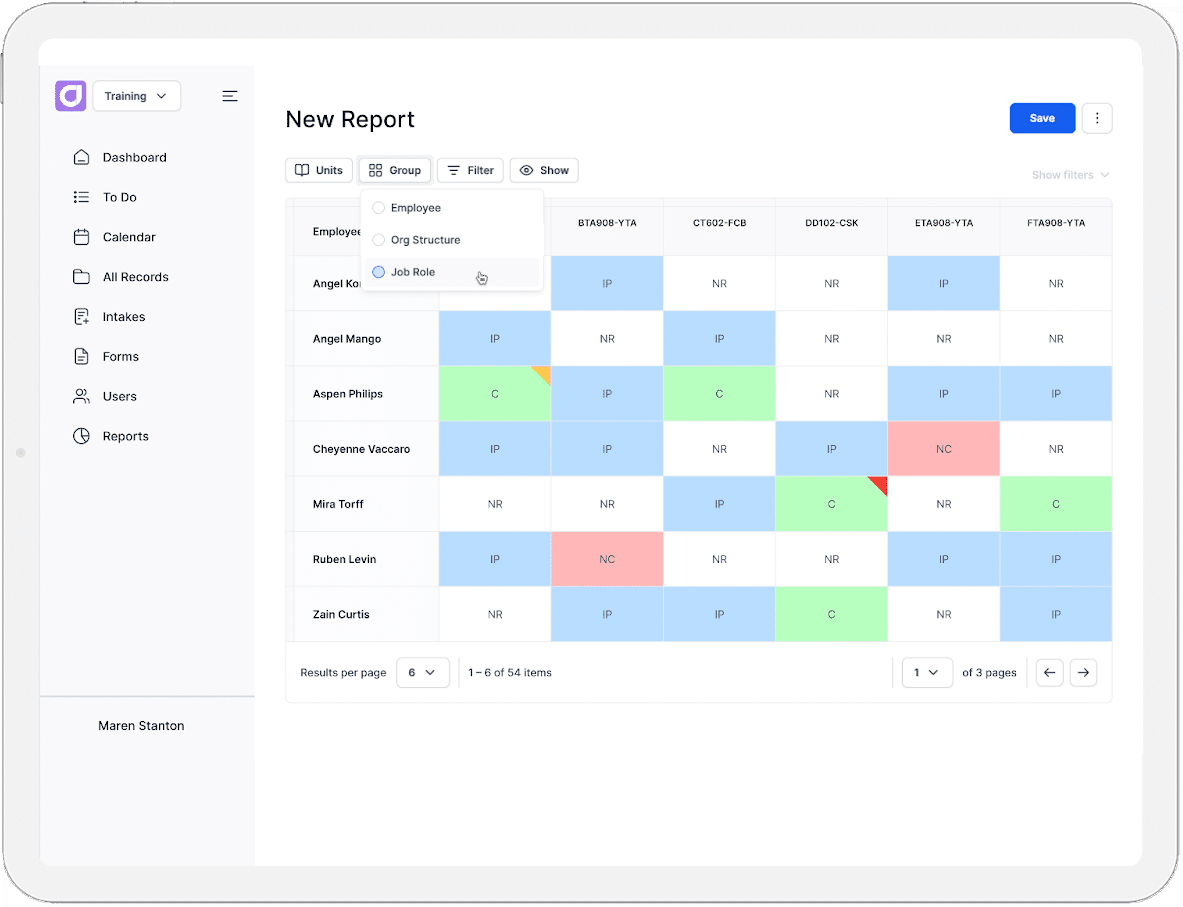
Managers also need skills gap analysis visibility. It should be immediately clear which workers in a given role or site are fully trained, who has only completed partial training, and who has not started.
9. Account for Workforce Diversity and Accessibility

Mining workforces are diverse environments with various languages, literacy levels, and learning preferences. A platform that relies heavily on text-based content will not work equally well for everyone. In a safety-critical environment, that is not an acceptable gap.
A platform should support multi-language content. Audio and video alternatives to text-heavy content should be easy to implement. These formats:
- Accommodate different learning styles
- Improve learner engagement
- Support better knowledge retention
This is particularly the case for workers who struggle with written content. Where written content is unavoidable, plain-language design matters.
Accessibility standards are also worth checking. WCAG compliance is the baseline. Ask vendors how their platform performs for workers with disabilities. Ask whether accessibility has been tested beyond a checkbox exercise.
10. Ensure Your LMS Can Handle Contractors and Multiple Sites
Contractor training is often harder to manage than permanent employee training. Contractors move in and out of operations frequently, and come from multiple organisations. They may be subject to site-specific induction requirements that differ from your direct workforce. A platform that is not built to handle that complexity will create gaps.
Third-party user access needs to work cleanly. Contractors should be able to complete mandatory training before arriving on site. All without needing a full user account or access to content that is not relevant to them.
Emergency and safety inductions are a distinct workflow. Some platforms support time-gated access or integration with site gate systems. This means a worker cannot proceed until induction is complete and verified. This is worth asking about specifically.
Licensing models can also become a significant cost consideration in contractor-heavy operations. Understand how the platform charges for users who are active only periodically.
11. Consider Support for Custom and Existing Content
A pre-built course library alone will not meet the compliance training needs of a mining organisation. Operations have site-specific procedures and equipment-specific training. They have existing training content that has already been developed and approved. A platform needs to support all of that.
Uploading and version-controlling your own training materials is a basic requirement. When procedures change, the platform should make it straightforward to update content. It should make it easy to ensure workers are assigned the revised version.
SCORM and xAPI compatibility matters if you have existing training materials and assessment types built in those formats. Check whether the platform supports both, and whether there are any limitations on how that content is tracked or reported.
Some vendors offer content digitisation services. These allow companies to convert existing paper-based or legacy materials into platform-ready content. Ask what that service covers and what it does not before factoring it into your decision.
12. Prioritise Support for Robust Reporting and Audit-Readiness
Reporting in a mining context is not just about visibility. It is about being able to produce evidence quickly and cleanly when a regulator, auditor, or inspector asks for it. Those two things are not the same, and not every platform delivers both. A well-aligned platform should make that easy to do without IT involvement, manual effort, or delay.
Compliance reports should highlight accurate, timestamped records showing who completed what and to what standard. It also needs to show whether that training is still current. Records should be fixed and exportable in a format that satisfies a regulator.
13. Look at How It Can Integrate With Your Existing Systems
Employee data that lives in disconnected systems is a risk. When your LMS does not talk to the systems that manage work rotas, site access, and HR, information gaps open up. A worker’s profile, including their training status, role, site, and certifications, should be consistent across every system that depends on it.
Integration with workforce management solutions and HR systems ensures that when a worker is onboarded, changes roles, or leaves, their training profile reflects that automatically. Integration with access control systems means training status can influence who is permitted on site.
Data sovereignty is also worth raising early. Ask vendors where data is hosted and whether it crosses borders. For government-linked mining operations in particular, this is increasingly part of procurement requirements.
14. Evaluate Vendor Fit Beyond the Feature List

Essential feature lists across competing platforms can look almost identical on paper. What separates a vendor that genuinely understands mining from one that has adapted a generic platform for industry is not always visible in a demo. It comes out in the details.
Regulated industry experience matters. An LMS software vendor who has deployed their platform in mining operations will understand the regulatory environment. They will understand the workforce complexity and operational constraints that come with the territory.
LMS implementation and onboarding are also worth scrutinising. A smooth sales process does not guarantee a smooth go-live. Ask vendors what their implementation process looks like. Find out who is responsible for it, and what support is available after the platform is live.
Vendor stability is a long-term consideration. Organisations are making multi-year decisions. A vendor that is well-resourced and actively developing their product is a safer bet than one with an uncertain roadmap.
Data portability is worth raising before you sign anything. If you decide to move to another platform, what happens to your records? Can they be exported in a usable format?
15. Get the Full Picture on Cost and Total Ownership
The licence fee is rarely the full story. LMS implementation, onboarding, content digitisation, and hardware can add significantly to the total cost of a platform. Organisations that evaluate vendors on licence fee alone often encounter unexpected costs after the decision has been made.
Pricing models also vary in ways that matter for mining. Per-seat pricing charges for every user regardless of activity. Active user pricing charges only for users who engage with the platform in a given period. For contractor-heavy operations where large numbers of users are intermittently active, the difference can be substantial.
How Cloud Assess Supports Mining Operations