

TL;DR
A student management system (SMS) centralises learner records, enrolments, and regulatory reporting in one platform. Providers need one that keeps data accurate and audit-ready. The right choice depends on where they operate, what they deliver, and how large they are.
- Cloud Assess combines competency-based training and assessment with built-in student management
- TechnologyOne and Ellucian serve higher education providers across Australia and the UK
- Workday Student brings student, HR, and finance data together for institutions already using Workday
- VETtrak and Ready Student are ReadyTech’s SMS platforms for Australian VET providers, from established RTOs to TAFE networks
- Wisenet and aXcelerate help Australian RTOs automate administration and AVETMISS reporting
- Classe365 and SELMA SIS combine student records with built-in CRM and learning tools in one cloud platform
Education and training providers manage large volumes of learner data. Every enrolment, result, and certificate needs to be recorded and reported accurately. Regulators in Australia, New Zealand, and the UK set strict rules for this data.
A student management system keeps learner records in one connected place. Providers can track each learner from enrolment to completion and report from the same data. That consistency is especially valuable for Vocational Education and Training (VET) providers. Registered Training Organisations (RTOs), for example, face ongoing reporting and audit requirements.
In this article, we explore top student management systems that meet specific needs for each type of provider.
What is a Student Management System?
A student management system (SMS) is software that centralises learner records across the full student lifecycle. Education and training providers use an SMS to manage enrolments, attendance, results, and certification.
Regulated providers also rely on their SMS to meet government reporting requirements. These vary by country and provider type, and include:
- Australian Vocational Education and Training Management Information Statistical Standard (AVETMISS). RTOs report training activity to the National Centre for Vocational Education Research (NCVER). The VET Information Standard (VET IS) replaces AVETMISS, and RTOs must transition to it by 1 January 2029.
- Commonwealth Register of Institutions and Courses for Overseas Students (CRICOS). Registered providers must report international student enrolments and changes to the Australian Government.
- Tertiary Collection of Student Information (TCSI). Higher education and VET Student Loans providers report student and course data through this system.
- New Zealand Qualifications Authority (NZQA). Private training establishments (PTEs) report learner results against NZQA unit standards and qualifications. PTEs are New Zealand’s private tertiary education providers.
- Single Data Return (SDR). New Zealand tertiary providers submit enrolment and completion data to the Tertiary Education Commission.
- Higher Education Statistics Agency (HESA). UK higher education providers submit annual returns on their students and courses.
How Does a Student Management System Differ From RTO Student Management Software?
A general student management system supports a wide range of education providers. These include universities, colleges, Technical and Further Education (TAFE) institutes, and private training providers. Its features focus on core administration, like enrolments, records, and results.
An RTO student management system is built specifically for Australian Registered Training Organisations. It includes features for supporting compliance with the Standards for RTOs 2025 and tracking competency-based progress. RTOs can also manage AVETMISS or VET IS reporting from the same system.
Quick Picks
| Order | Category | Platform |
|---|---|---|
| 1 | Best for Competency-Based Training and Assessment | Cloud Assess |
| 2 | Best for Dual-Sector Institutions | TechnologyOne Student Management |
| 3 | Best for Higher Education Providers | Ellucian |
| 4 | Best Modular Student Management System | Classe365 |
| 5 | Best for Unified HR, Finance, and Student Data | Workday Student |
| 6 | Best for Flexible Hosting | VETtrak |
| 7 | Best for Automated Learner Lifecycle Workflows | Wisenet |
| 8 | Best for Large Public VET Providers | Ready Student |
| 9 | Best for Enterprise Training Providers | aXcelerate |
| 10 | Best for Trans-Tasman Providers | SELMA SIS |
How we chose these platforms. We assessed each platform against vendor documentation, published pricing, and independent user reviews. We prioritised platforms that support reporting requirements in Australia, the UK, or New Zealand.
What are the 10 Best Student Management Systems?
Best for Competency-Based Training and Assessment
#1 Cloud Assess
Average User Score: 4.7 / 5



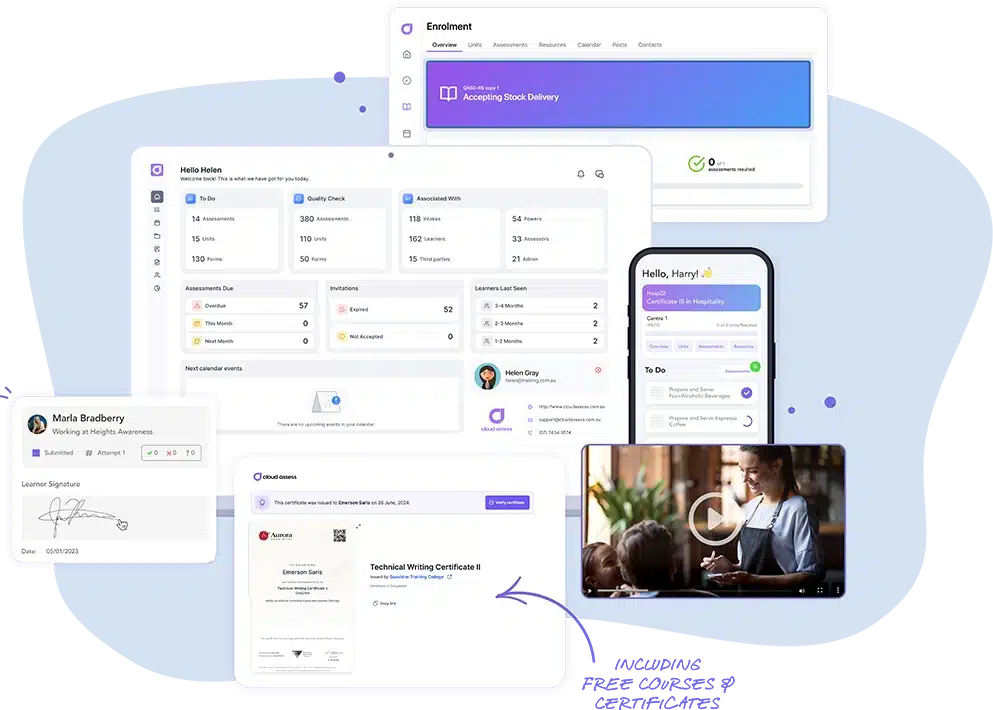
Cloud Assess is a training and assessment platform built around competency. Their learning management system (LMS) helps assessors capture video, photos, and eSignatures as evidence of practical skills. Observation checklists help trainers assess tasks in real workplace settings. AI marking tools also help assessors review submissions faster and more consistently. Providers can use Turnitin to check for plagiarism in assessments.
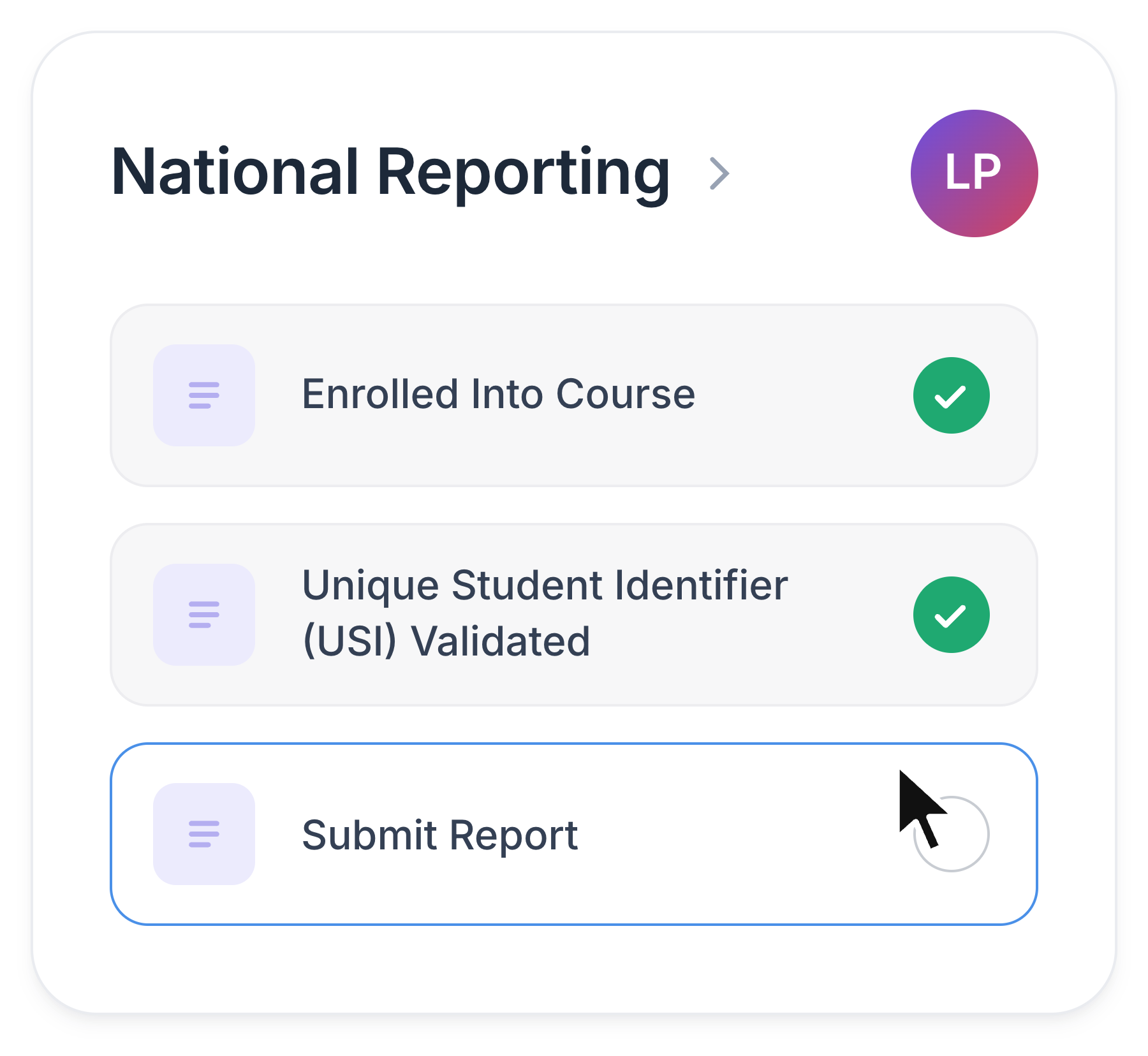
Cloud Assess also includes built-in student management features. Providers can manage enrolments, validate Unique Student Identifiers (USIs), and generate AVETMISS reports. These features support ongoing RTO compliance, rather than handling it as a last-minute task before audits. Providers can also issue, manage, and revoke certificates, Statements of Attainment, and digital badges. The platform offers extensive integrations with other tools, including popular SMS solutions like Wisenet and VETtrak. This makes it a flexible option for providers that have an existing SMS and still want to leverage Cloud Assess’ LMS features.
This makes Cloud Assess well aligned for:
- RTOs delivering apprenticeships and traineeships that rely on workplace sign-off
- High-risk industry training where practical skills must be observed and recorded
- Remote or regional programs where learners train with limited connectivity
- Providers keeping an existing student management system while upgrading assessment
- Assessor teams looking to reduce marking time across large cohorts
Cloud Assess SMS. Smarter Student Management!
Effortlessly manage students, streamline compliance, and automate workflows in one powerful platform.
Key Features
- Competency-based assessments
- Assessment mapping
- Digital evidence portfolios
- AI marking assistant
- Recognition of prior learning (RPL)
- Online student management system
- Lead capture and enrolment engine
- USI validation
- RTO training plans
- Mobile learning app with offline functionality
- Learner progress tracking
- Workflow automation
- Training certificate management
- AVETMISS reporting
Pros
- Combined LMS and SMS for training delivery, assessment, and student management
- Integrations with 5,000+ apps streamline data sharing across existing systems
- Built-in compliance tracking and reporting help providers stay audit-ready
- Automated enrolment workflows reduce manual admin from first enquiry to completion
- Assessment mapping shows how each task covers unit requirements
- RPL workflows help experienced learners gain recognition for existing skills more quickly
- RTO training plans with eSignatures simplify apprenticeship tracking and management
- Competency outcomes flow into student records, reducing double entry
- USI validation alerts help administrators correct learner details
Pricing
Cloud Assess offers one all-inclusive plan for Registered Training Organisations, priced as a flat fee from $600 AUD per month. Every feature is included from day one, including AVETMISS reporting, USI validation, AI-powered assessment creation and marking, and enrolment management. There are no upgrade paths or feature gates. Visit our pricing page for an accurate quote.
Rating
4.7/5 (average rating from Capterra, G2, GetApp, Software Advice)
Best for Dual-Sector Institutions
#2 TechnologyOne Student Management
No ratings available
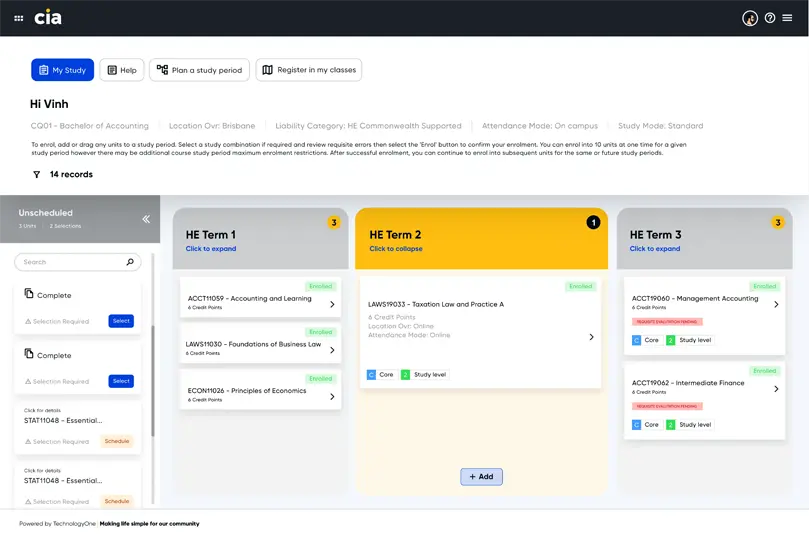
TechnologyOne Student Management is built for vocational and higher education. It’s a popular option for institutions that deliver both. This includes universities with polytechnic arms and TAFEs that offer degree pathways. Staff work from a single student record, regardless of the qualification type. The platform also integrates with TechnologyOne’s finance and payroll software, giving leaders a consolidated view of the whole institution.
This makes TechnologyOne well aligned for:
- Dual-sector institutions consolidating separate vocational and higher education student records
- TAFEs building pathways from certificate courses into bachelor degrees
- Finance teams tracking course profitability across both sectors
- Student services teams supporting wellbeing across diverse learner cohorts
However, TechnologyOne’s integrated approach isn’t well suited to small training providers. The SMS module is designed to be part of a larger solution, rather than a standalone platform.
Key Features
- Dual-sector curriculum management
- Dual-sector compliance reporting
- Integrated finance and payroll
- Customer Relationship Management (CRM) tools
- Online application and enrolment
- Timetabling integration
- Assessment tracking
- Student wellbeing module
- Student self-service portal
- Real-time dashboards
Pros
- One platform for vocational units of competency and higher education courses
- Connects student records with finance, HR, and payroll modules
- Wide adoption across Australian TAFEs and UK universities
- Student wellbeing tools help staff identify and support at-risk students
Cons
- Not designed as a standalone SMS
- Enterprise scope may exceed the needs of small providers
- Complex implementation requiring dedicated teams
Pricing
TechnologyOne doesn’t list pricing on their website. Contact them directly to book a demo or request a quotation.
Rating
No reviews available on Capterra, G2, GetApp, Software Advice
Best for Higher Education Providers
#3 Ellucian
Average User Score: 3.6/5
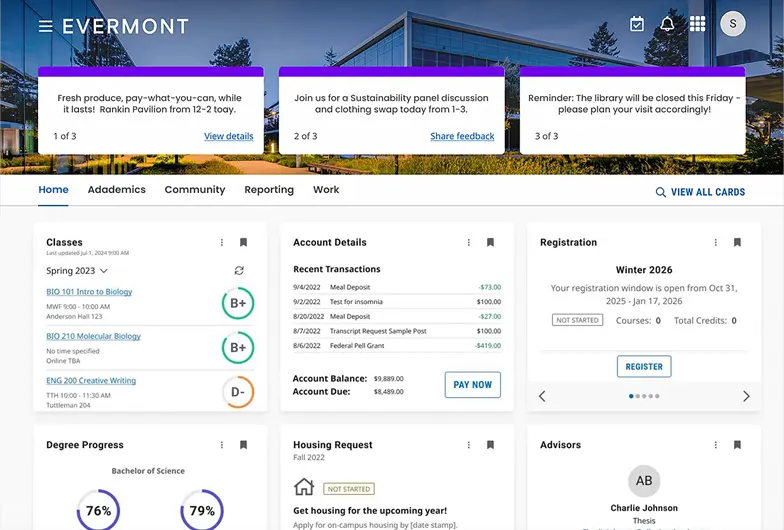
Ellucian is a student information system designed specifically for higher education. Universities and colleges worldwide use it to manage students from application to graduation. Admissions teams can process applications and enrolments in one place. Registrars can also manage government reporting. This includes HESA returns in the UK and TCSI reporting in Australia.
This makes Ellucian well aligned for:
- Universities replacing legacy student records systems
- Private higher education providers tracking student progress
- Admissions teams handling high application volumes during peak intake periods
- Registrars managing mandatory reporting
However, Ellucian isn’t as intuitive to navigate as newer cloud platforms. Staff often need dedicated onboarding before they can use the platform confidently, which can slow adoption.
Key Features
- Higher education student records
- Admissions and offer management workflows
- HESA and TCSI reporting
- Degree auditing
- Customer Relationship Management
- Online enrolment
- Course scheduling and registration
- Student self-service portal
- Fees and student finance
- AI-powered analytics
Pros
- Centralises the full student lifecycle from recruitment to graduation
- Flexible deployment, with SaaS, private cloud, and on-premises options
- Supports UK and Australian regulatory reporting
Cons
- Outdated interface is difficult to navigate
- Steep learning curve requires dedicated onboarding
- Limited reporting options compared to higher education SMS competitors
- Overlapping student management products, like Banner, Colleague, and SITS, can complicate platform selection
Pricing
Ellucian doesn’t list pricing on their website. Contact them directly to schedule a demo or request a quote.
Rating
3.6/5 (average rating from Capterra, G2, GetApp, Software Advice)
Best Modular Student Management System
#4 Classe365
Average User Score: 4.7/5
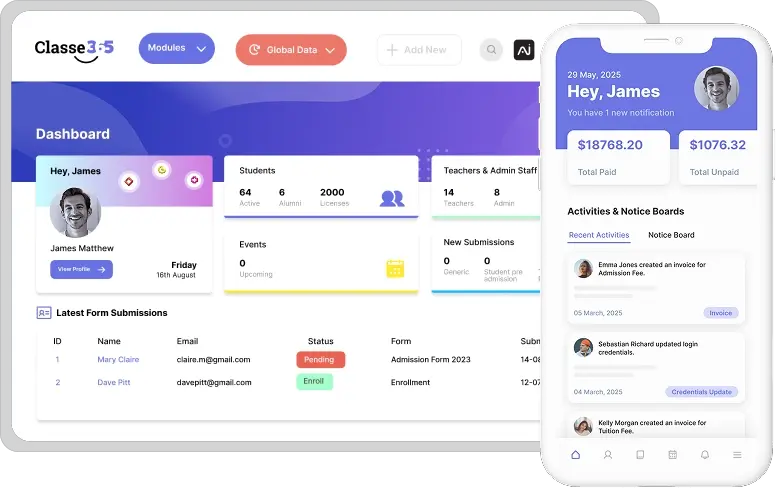
Classe365 is a cloud-based student management platform built around modules. Providers start with core student records and only add the tools they need. These can include learning management features, a CRM, finance tools, or AI capabilities. This makes it easy for small providers to start with the basics and expand as enrolments and operations grow.
This makes Classe365 well aligned for:
- Small colleges adopting their first dedicated SMS
- Growing providers requiring additional LMS and CRM features over time
- Administrators replacing spreadsheets with centralised student records
- Teams wanting student, learning, and enquiry data in one place
However, Classe365 isn’t built around any one country’s regulatory requirements. Australian, New Zealand, and UK providers may need additional tools to support compliance reporting.
Key Features
- Modular add-on structure
- Core student records module
- Unlimited staff users
- CRM and lead management
- Online admissions and enrolment
- Attendance tracking
- Built-in LMS module
- Grading and assessment tools
- Fee and finance management
- Reporting dashboards
Pros
- Providers activate only the modules they need
- Straightforward setup suits small and mid-sized teams without dedicated IT support
- Serves schools, colleges, and VET providers across multiple countries
Cons
- Few region-specific compliance tools
- Less suited to institutions with enterprise-level requirements
- Platform can become difficult to manage as more modules are added
- Limited customisation options compared to competitors
Pricing
Classe365’s core module pricing starts from $100 monthly for up to 100 students. Add-ons are available for $75 monthly.
Rating
4.7/5 (average rating from Capterra, G2, GetApp, Software Advice)
Best for Unified HR, Finance, and Student Data
#5 Workday Student
Average User Score: 4.3/5
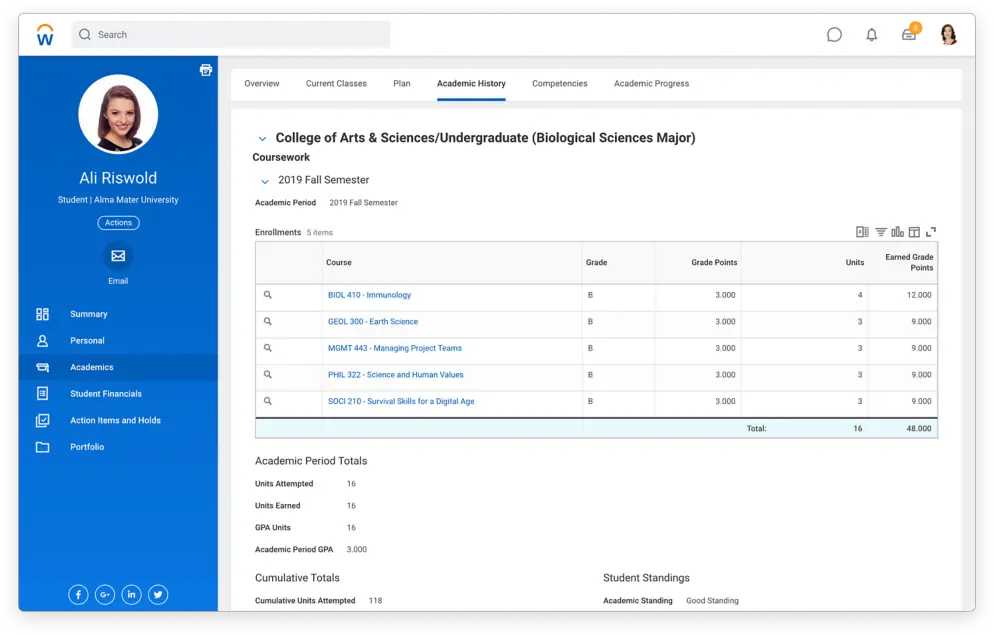
Workday Student is a cloud-native platform within Workday’s wider suite of HR systems and employee management software. Institutions that already use Workday for finance and staff management can bring student data into the same environment. Student administrators, HR, and finance teams then work from shared, consistent records. Leaders gain a single view of enrolments, staffing, and budgets across departments.
This makes Workday Student well aligned for:
- Institutions already running Workday Human Capital Management (HCM) and Financials
- Leadership teams planning a consolidated enterprise resource planning (ERP) system
- Finance teams linking tuition revenue with staffing and operating costs
However, Workday Student won’t launch for UK institutions until 2027. Providers in the UK and Ireland can’t adopt it until then, even if they already use Workday HR.
Key Features
- Workday HCM integration
- Workday Financials integration
- Student employment management
- Recruitment and admissions
- Curriculum management
- Course registration
- Academic advising tools
- Student financial management
- Mobile-first interface
- AI-powered insights
Pros
- Connects student records with HR and finance for consistent institutional data
- Standard interface across Workday products reduces retraining across departments
- Mobile-first design gives students real-time access to records and registration
Cons
- Not yet available in the UK and Ireland, with launch planned for 2027
- Most value for institutions already using Workday solutions
- Feature-heavy design can be overwhelming for those only needing basic SMS features
- Stronger focus on higher education institutions, rather than VET providers
Pricing
Workday doesn’t list pricing on their website. Contact their Sales team to request a quote or access to their demo environment.
Rating
4.3/5 (average rating from Capterra, G2, GetApp, Software Advice)
Best for Flexible Hosting
#6 VETtrak
No ratings available
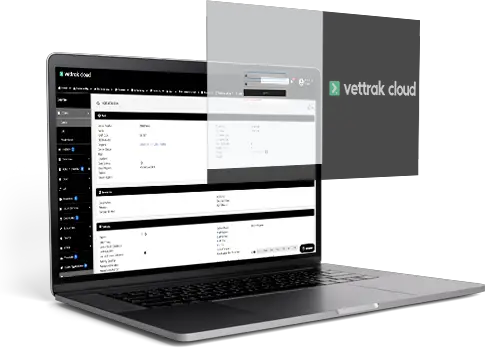
VETtrak is a long-standing SMS designed for Australian VET providers. The platform supports cloud hosting and an on-premises installation. This makes it a good option for established providers with existing IT infrastructure or specific data-control needs. The platform’s RTO training plan software also helps providers manage apprenticeships and traineeships alongside AVETMISS and CRICOS reporting.
This makes VETtrak well aligned for:
- RTOs with in-house IT teams that prefer to host their own data
- Providers moving gradually from on-premises software to the cloud
- Established RTOs connecting student records to existing finance tools
- Australian institutions delivering training to overseas students
However, VETtrak’s features are designed for advanced student management in large, established RTOs. Newer or smaller providers may find the system more complex than they need.
Already Know VETtrak Isn’t Right For You?
Explore alternative options and see how Cloud Assess compares.
Key Features
- Cloud-based hosting
- On-premises hosting
- Open live API
- Student CRM pipeline
- Custom enrolment forms
- Timetabling and rostering
- Trainer and student portals
- Automated workflows
- Finance and invoicing
- AVETMISS and CRICOS reporting
Pros
- Supports both cloud and on-premises hosting
- Specifically designed for the VET sector
- Supports regulatory reporting across states and territories
- Extensive integrations with finance and learning management systems
Cons
- Desktop interface feels dated compared to newer cloud-native platforms
- Depth of features creates a steep learning curve for smaller RTOs
- Built for Trans-Tasman VET, with no support for UK providers
Pricing
ReadyTech doesn’t list pricing for VETtrak on their website. Contact them directly to request a quotation.
Rating
No reviews available on Capterra, G2, GetApp, Software Advice
Best for Automated Learner Lifecycle Workflows
#7 Wisenet
Average User Score: 4.2/5
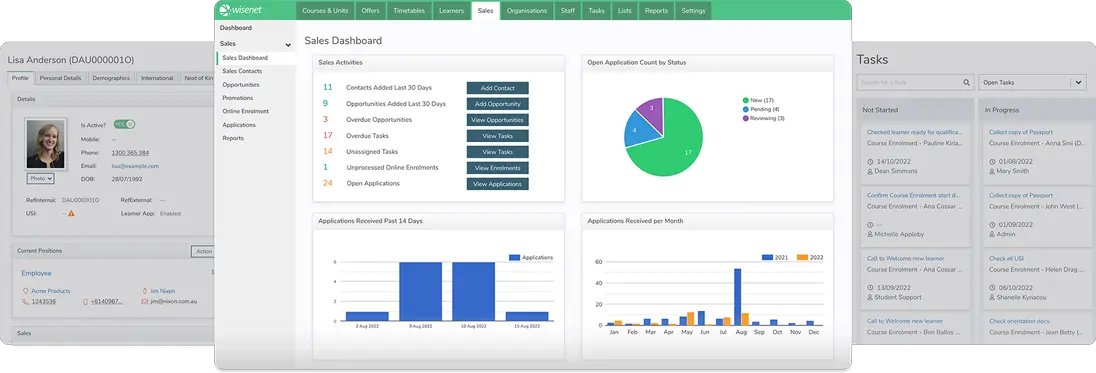
Wisenet is an AVETMISS-compliant SMS that supports each stage of the learner lifecycle. The platform includes CRM features that help providers manage student communication from enquiry through to completion. Administrators can set up workflows triggered by real-time events, such as a new enquiry or enrolment. These workflows can schedule emails, text messages, and tasks, or nurture leads that haven’t yet enrolled. This reduces manual follow-up and helps students receive the right communication at every stage of their studies.
This makes Wisenet well aligned for:
- Admissions teams generating letters of offer as applications progress
- RTOs automating follow-ups for enquiries that haven’t converted
- Trainers sending final results from an LMS into student records
- Short course providers running high volumes of repeat enrolments
However, Wisenet’s automation requires careful configuration. Teams need to plan triggers, audiences, and timing before going live. Poorly planned rules can create more errors than they resolve.
Looking For More Options?
We’ve got a list of alternatives that may better suit your needs.
Key Features
- Learncycle workflow automation
- Trigger-based task creation
- Automated document generation
- Enquiry and sales management
- Admissions and enrolment
- Learner relationship management
- Timetabling and attendance
- LMS grade sync
- Learner and trainer apps
- Xero invoicing integration
- AVETMISS and CRICOS reporting
Pros
- Automates tasks, messages, and documents at each stage of the learner lifecycle
- Custom triggers control exactly when each automation runs
- Integrations sync final LMS grades into unit enrolments without manual data entry
- Supports AVETMISS, CRICOS, and USI compliance for Australian providers
Cons
- Extensive feature set with steep learning curve
- Workflow setup takes careful planning to configure triggers correctly
- Relies on separate modules and integrations for eLearning, online assessment, and finance functions
Pricing
Wisenet offers Starter, Standard, and Premium pricing plans from $290 monthly.
Rating
4.2/5 (average rating from Capterra, G2, GetApp, Software Advice)
Best for Large Public VET Providers
#8 Ready Student
No ratings available
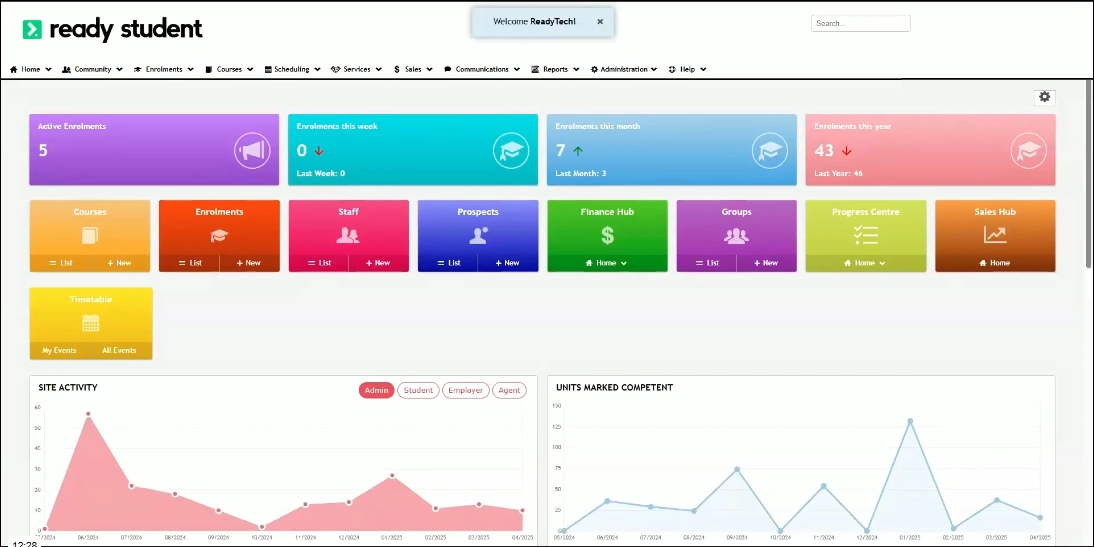
Ready Student by ReadyTech is an SMS designed around large-scale vocational education providers. It can handle the complexity of TAFEs and multi-campus organisations with thousands of students. The platform helps providers bring student data, enrolment procedures, and course information into one system. This removes the need to reconcile records across separate campuses. Administrators can also manage state funding contracts, VET Student Loans, and AVETMISS reporting across the whole organisation.
This makes Ready Student well aligned for:
- TAFE networks standardising student management across multiple institutes
- Multi-campus providers consolidating separate student records into one system
- Government-funded RTOs managing complex state funding contracts
- Student support teams monitoring engagement across large cohorts
However, smaller or private RTOs may find Ready Student’s setup and configuration more complex than they need. A lighter system may be faster to adopt.
Is Ready Student Not The Right Fit?
Have a look at these alternative solutions and compare it to Cloud Assess side-by-side.
Key Features
- Multi-institute network support
- State funding contract compliance
- Scalable cloud architecture
- Online enrolment forms
- Student lifecycle management
- Drag-and-drop workflow builder
- Two-way communication tools
- Early intervention triggers
- AVETMISS and VET Student Loan reporting
- Open APIs
Pros
- Built to handle the scale of multi-campus and multi-institute operations
- Covers VET and higher education compliance, including AVETMISS and TCSI
- Early intervention alerts help staff identify and support at-risk learners sooner
Cons
- Enterprise-first design can be complex for smaller or private RTOs
- Time-consuming implementation that often requires significant onboarding support
- Configuring the platform for specific needs can require vendor involvement
Pricing
ReadyTech doesn’t list pricing for Ready Student on their website. Contact them directly to request a quotation.
Rating
No reviews available on Capterra, G2, GetApp, Software Advice
Best for Enterprise Training Providers
#9 aXcelerate
Average User Score: 2.8/5
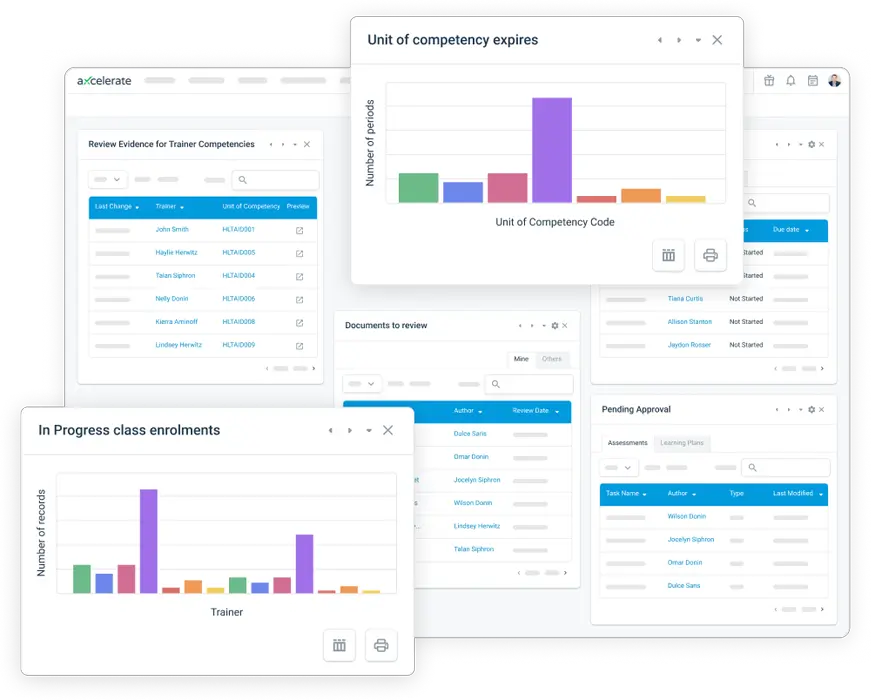
aXcelerate is a training management platform for enterprise RTOs, supporting nationally recognised qualifications and internal employee training. It’s a strong option for RTOs that deliver accredited training to their own workforce. For these organisations, employees are effectively the student cohort. They still need to meet the same regulatory requirements as any other RTO, including AVETMISS or VET IS reporting. aXcelerate supports these processes and includes assessment tool features that help organisations map units of competency to each assessment task.
This makes aXcelerate well aligned for:
- Large employers delivering accredited qualifications to their own frontline staff
- Mining and construction companies pairing high-risk work units with site-specific training
- Corporate training teams maintaining regulatory reporting data alongside internal completion records
However, aXcelerate’s integrations can be complex and slow to set up, requiring internal IT teams or vendor support. Enterprise RTOs rely on these to connect training records with HR and payroll systems.
Already Tried aXcelerate?
We’ve compiled a list of other options and look at Cloud Assess side-by-side.
Key Features
- Workforce competency management
- Accredited and non-accredited training
- Trainer competency matrix
- Custom competency frameworks
- Online enrolment and portals
- Integrated LMS
- Assessment authoring and mapping
- Work-based learning support
- Workflow automation
- AVETMISS reporting
Pros
- Supports accredited, non-accredited, and workplace training in a single system
- Tracks workforce competencies, currency, and authorisations across teams and sites
- Integrated SMS and LMS reduces double handling between administration and delivery
Cons
- Interface can be unintuitive for daily tasks
- Integration setup is complex and requires significant time and technical expertise
- Advanced features come with a steep learning curve for new administrators
Pricing
aXcelerate offers options for short-course, long-course, or hybrid delivery. Contact them directly for a personalised quote.
Rating
2.8/5 (average rating from Capterra, GetApp, Software Advice)
Best for Trans-Tasman Providers
#10 SELMA SIS
No ratings available
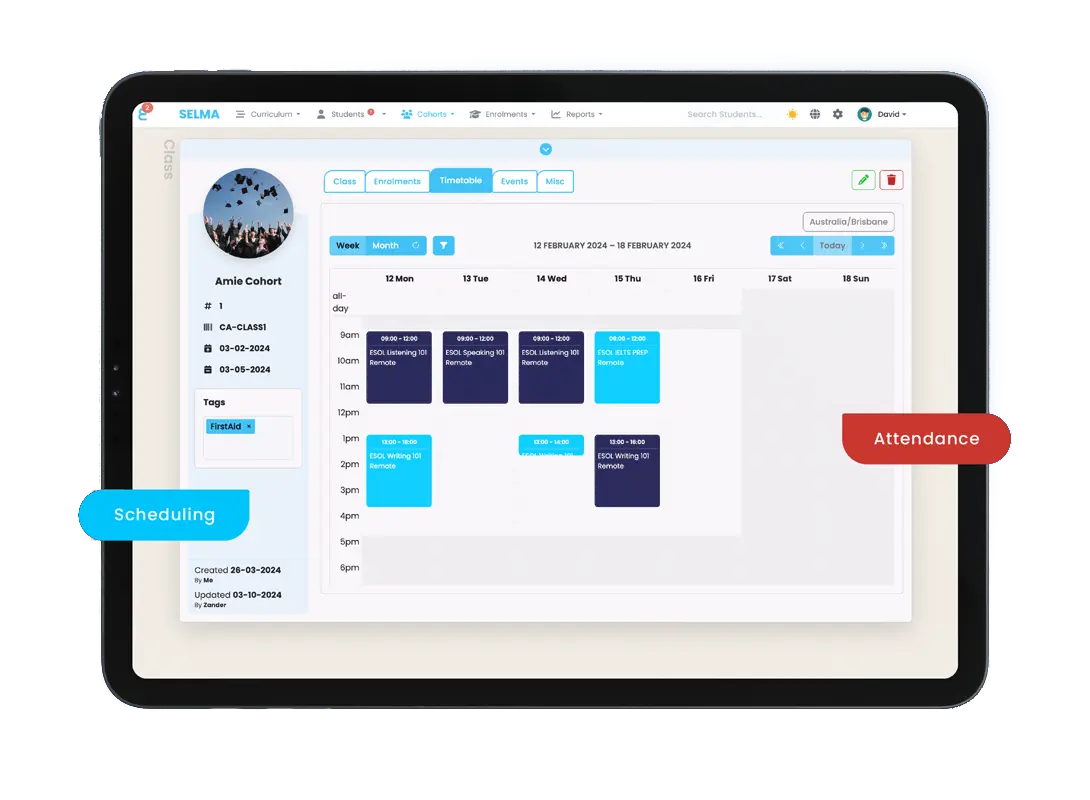
SELMA SIS is a cloud-native student management system and LMS for PTEs and RTOs. It helps training providers in Australia and New Zealand manage training delivery, compliance, and student information from a single platform. Providers can manage AVETMISS and CRICOS reporting alongside NZQA requirements. The platform also imports qualifications and unit standards from NZQA, helping PTEs map training against unit requirements.
This makes SELMA SIS well aligned for:
- Providers operating campuses or programs in both Australia and New Zealand
- Australian RTOs expanding their delivery into the New Zealand market
- Finance teams reconciling government funding contracts across jurisdictions
However, SELMA has a stronger footprint in New Zealand than in Australia, and doesn’t support UK training organisations. Australian-only providers may find fewer peer reviews to guide their decision. This makes it harder to judge how effectively the platform handles purely Australian delivery and reporting.
Key Features
- AVETMISS reporting
- NZQA and SDR reporting
- Direct Industry Training Register API integration
- CRICOS management
- Built-in CRM
- Native form builder
- Multi-employee enrolment forms
- Timetabling and attendance
- Two-way messaging
- Funding contract reconciliation
Pros
- One platform covers Australian and New Zealand compliance
- Built-in CRM keeps enquiries, conversations, and enrolments in one connected record
- No-code workflow builder automates tasks without technical expertise
- Training.gov.au and NZQA integrations keep qualification and unit data current
Cons
- Smaller presence in Australia means fewer peer references and reviews
- Takes time to configure and master
- Excessive features for small, single-market providers
Pricing
SELMA offers Swift, Starter, Growth, and Professional pricing tiers, starting from $149 monthly for 20 students.
Rating
No reviews available on Capterra, G2, GetApp, Software Advice
Student Management Software Buyer’s Guide

- Map Your Reporting Obligations. Reporting requirements differ by country and provider type. List every reporting requirement that applies to you, like AVETMISS, CRICOS, HESA, or NZQA. Then check if the SMS supports each one natively. Upcoming changes, like the VET Information Standard, should be on the vendor’s roadmap too. Our guide to what makes an RTO SMS compliant covers the key requirements for Australian providers.
- Match the Platform to Your Size. Enterprise platforms suit large, multi-campus institutions with dedicated IT teams. Smaller providers often need a lighter system they can adopt quickly. A system that’s too complex can slow adoption and add admin.
- Decide How You’ll Deliver Training. Some SMS platforms include built-in learning and assessment tools. Others rely on a separate LMS connected through integrations. A combined platform can reduce double-handling between administration and delivery.
- Check Integrations With Your Existing Tools. Most providers already use finance, HR, or learning systems. Look for native integrations or an open API that connects them. Without these connections, staff end up re-entering the same data across systems.
- Test Usability. Administrators, trainers, and learners all use an SMS differently. Involve each group in demos or trials. Check how quickly new users can complete common tasks, like enrolments.
- Plan Your Data Migration. Moving years of learner records is often the hardest part of switching. Check how the vendor supports migration from your current system. Historical enrolments and results should transfer accurately, so reporting stays consistent. A student management system migration guide can help you plan each stage.
Manage Students From Enrolment to Completion
Manage enrolments, student records, and AVETMISS reporting together. Keep training and admin connected, with no double handling.
Frequently Asked Questions (FAQs)
Student Management System FAQs
What is the difference between an SMS and a student information system (SIS)?
The terms are often used interchangeably. But a student information system (SIS) traditionally focuses on core academic records, like enrolments, grades, and transcripts. Universities and higher education providers commonly use this term. A student management system usually covers a broader range of administration, including compliance reporting, communications, and finance.
Do RTOs need an SMS?
Yes. RTOs must report training activity using AVETMISS-compliant software. The Australian Skills Quality Authority (ASQA) requires applicants to have this in place before initial registration. Providers can use either a full SMS or a simpler data entry tool. A full SMS goes further, managing enrolments, results, and certificates alongside reporting.
Do UK training providers need a student management system?
Most UK training providers rely on an SMS to meet their reporting obligations. Further education and apprenticeship providers in England submit Individualised Learner Record data throughout the year. An SMS helps them collect and validate this data accurately.
How does a student management system improve student engagement?
An SMS gives learners clear visibility of their enrolments, timetables, and results. Many platforms include learner portals or apps, along with automated reminders and messages. These keep learners informed about what’s due and when. When paired with an LMS, providers can also track progress and support learners who fall behind.
Is a student management system secure and compliant with data privacy regulations?
Most SMS platforms include security features like encryption, access controls, and audit trails. Providers still need to check that a platform meets the privacy laws where they operate. These include the Privacy Act 1988 in Australia, GDPR in the UK, and the Privacy Act 2020 in New Zealand. Data hosting location also matters, as many providers prefer their data stored onshore.
Can student management systems be integrated with other institutional systems?
Yes. Most SMS platforms connect with other tools through native integrations or an open API. Common examples include accounting software like Xero and LMS platforms like Cloud Assess. Some also connect with government services, like the USI Registry System. Integration options vary widely, so providers should check which connections each platform offers.
Should providers choose a cloud-based or on-premises SMS?
Most providers now choose a cloud-based SMS. The vendor manages hosting, updates, and security, so providers don’t need in-house IT support. An on-premises SMS is installed on a provider’s own servers instead. This gives more control over data, but requires internal resources to maintain. Some platforms, like VETtrak, offer both options.


