

TL;DR
Organisations use eLearning authoring software to build interactive courses and training content. Teams then publish courses in formats an LMS can deliver and track. The right tool depends on the content type, author skills, and delivery needs.
- RTOs and regulated workplaces can author, assess, and deliver training in Cloud Assess.
- Articulate Storyline and Lectora suit designers building complex courses, with Lectora focused on accessibility.
- Non-specialists build courses from PowerPoint in iSpring Suite or with AI in Easygenerator.
- Trainers use Camtasia for video lessons and Adobe Captivate for interactive software simulations.
- Large teams deliver consistent, multilingual content in Create and mobile-ready courses in Gomo Learning.
- Organisations use dominKnow | ONE to tailor courses to each learner’s existing knowledge.
Businesses and educational institutions are increasingly adopting new methods to engage learners. The era of relying solely on instructor-led training is over. In today’s digital world, it’s essential for learners to access courses and content anytime, anywhere, and on any device.
To facilitate this shift to digital platforms, schools, universities, Registered Training Organisations (RTOs), Vocational Education and Training (VET) providers, and companies are turning to online solutions. eLearning development software allows organisations to design interactive and engaging courses.
In this article, we compare eLearning authoring tools to find the top solutions for educational and corporate instructional designers.
What is eLearning Authoring Software?
eLearning authoring software is a tool that educators, instructional designers, trainers, training managers, and subject matter experts use to build online courses, interactive training content, and assessments. It allows authors to combine text, video, and different assessment types into a single course. They can then publish courses in standard formats for delivery through a Learning Management System (LMS).
Also called eLearning creation software, these tools vary in scope. Some focus on a single format, like video or software simulations. Others pair eLearning content design tools with assessment software and LMS features.
What is the Difference Between eLearning Authoring and Course Creator Software?
eLearning authoring software is a tool used to create the content itself, such as interactive modules, quizzes, and simulations.
Course creator software is a platform for organising existing content into structured lessons and modules. Many course creators also include hosting and payment features for selling courses online.
Organisations often build content in an authoring tool, then organise it in a course creator tool. Some LMS platforms combine authoring and course creation features in one system.
Quick Picks
| Order | Category | Platform |
|---|---|---|
| 1 | Best for All-in-One Training and Assessment | Cloud Assess |
| 2 | Best for Custom Interactive Courses | Articulate Storyline 360 |
| 3 | Best for Accessibility Compliance | Lectora |
| 4 | Best for Creating eLearning Materials From PowerPoint | iSpring Suite |
| 5 | Best for Video-Based eLearning | Camtasia |
| 6 | Best for Large Content Teams | Create |
| 7 | Best for Multi-Device Responsive Content | Gomo Learning |
| 8 | Best for Software Simulations | Adobe Captivate |
| 9 | Best for Non-Technical eLearning Authors | Easygenerator |
| 10 | Best for Adaptive Learning | dominKnow | ONE |
What Are the Best eLearning Authoring Tools and Software Providers?
Best for Training & Assessment Authoring
#1 Cloud Assess
Average User Score: 4.7 / 5



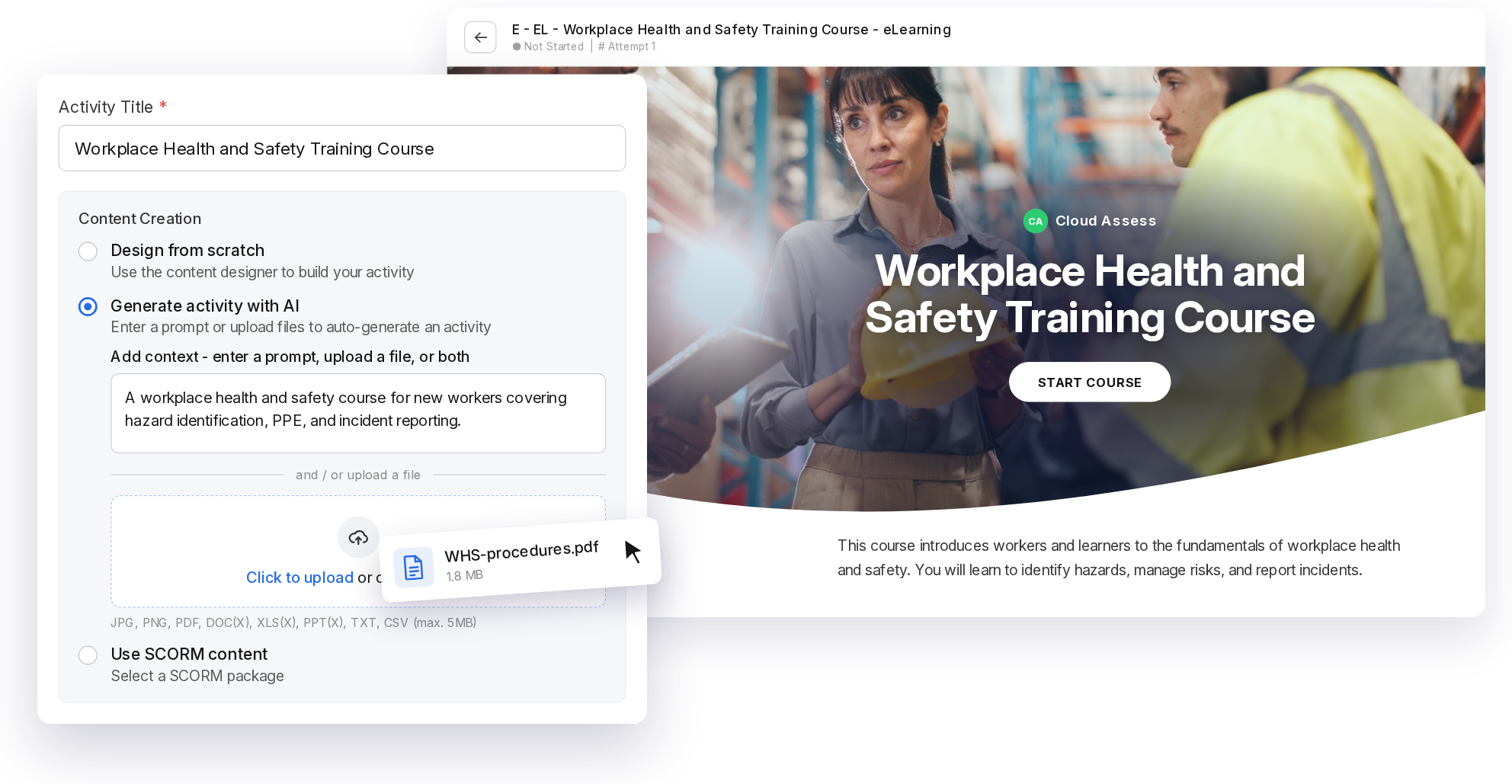
Cloud Assess is a training and assessment platform authoring for RTOs, and high-risk workplaces. The platform helps organisations create, deliver, assess, track, and manage training in one system. This means no more having to juggle separate authoring tools, an LMS, and compliance spreadsheets.
The platform’s interactive course builder uses a drag-and-drop designer to combine video, SCORM files, and interactive activities. There are also AI features that speed up the process, allowing authors to upload an existing document or provide a prompt, and get tailored learning materials in minutes. Assessors build quizzes, observation checklists, and recognition of prior learning (RPL) workflows in the same designer. They can then refine questions and create industry-specific images without leaving the designer.
Assessors mark submissions faster with AI marking recommendations, while maintaining final decision-making. Managers track completions, expiries, and competency gaps in live dashboards. RTOs also manage enrolments through built-in student management system features, including AVETMISS reporting.
This makes Cloud Assess well-aligned for:
- RTOs building courses and assessments in one system
- Mining, construction, and rail employers running site inductions
- Workplaces tracking competency across high-risk roles
- UK employers managing training in regulated industries
- Providers converting paper-based resources into digital courses
- Video
Want to Learn More About Content Design?
Key Features
- Drag-and-drop content designer
- AI eLearning activity generation from prompts or documents
- AI assessment generator
- AI image generator
- AI marking assistant
- Interactive and multimedia content
- Observation checklists
- Digital logbooks
- RPL workflows and third-party reports
- Automated learner journeys
- Offline mobile learner app
- Training and skills matrices
- Live reporting and dashboards
- Expiry and renewal tracking
- Certificate issuing and verification
- Student management system with AVETMISS reporting
- Content digitisation service
- 5000+ integrations
- SCORM and xAPI compliance
Pros
- Creation, delivery, assessment, and tracking sit in one platform
- AI tools speed up every stage of course and assessment creation
- AI marking recommendations improve consistency across assessor teams
- Practical observations and knowledge checks share one designer
- Offline mobile access supports learners on remote sites
- Purpose-built for VET compliance and regulated workplaces
Pricing
Cloud Assess offers one all-inclusive plan for training organisations and workplace training, priced as a flat fee per learner from $12. Every feature is included from day one, with no upgrade paths or feature gates. Visit our pricing page for an accurate quote.
Rating
4.7/5 (average rating from Capterra, G2, GetApp, Software Advice)
Best for Custom Interactive Courses
#2 Articulate Storyline 360
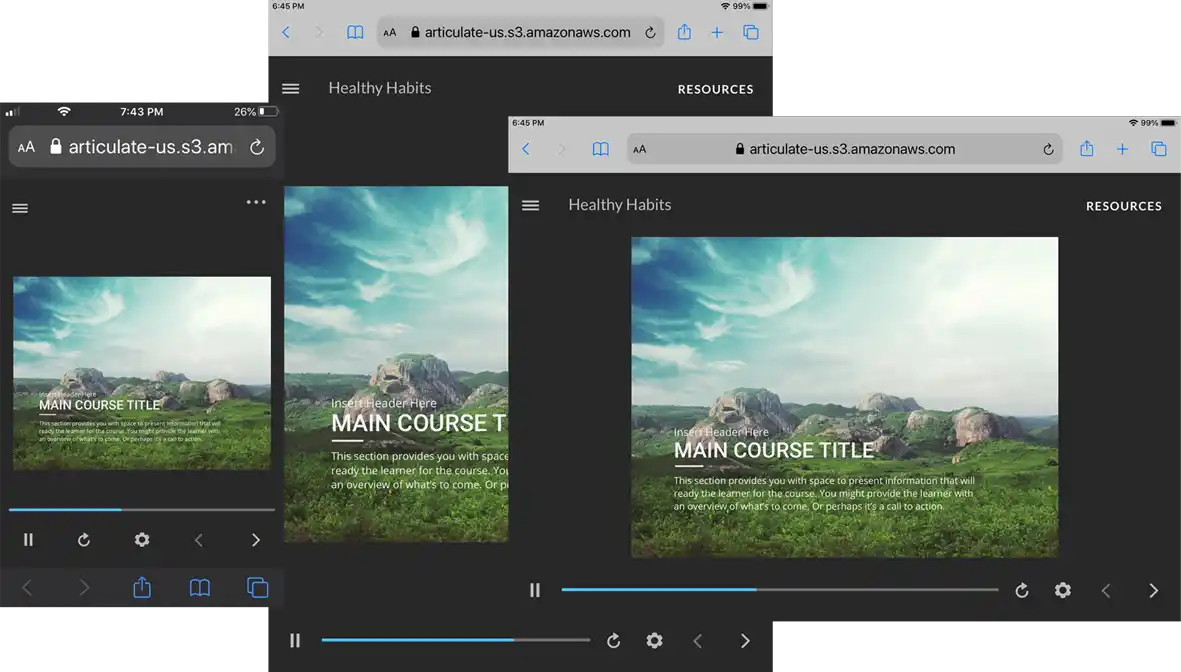
Articulate Storyline is a slide-based authoring tool known for building custom interactive courses. It uses triggers, variables, and layers to build branching scenarios and tailored learner pathways. The platform supports various multimedia elements and offers extensive customisation options, making it a favourite among instructional designers.
This makes Articulate Storyline well-aligned for:
- Instructional design teams building complex branching scenarios
- Healthcare and aged care providers training clinical decision-making
- RTOs creating scenario-based learning for customer-facing qualifications
- Financial services firms delivering UK conduct and compliance training
- L&D teams producing bespoke, highly branded courses
However, Storyline is part of the larger Articulate 360 AI solution. It comes with collaboration tools and AI tutor features that add complexity for organisations that only need authoring software and already have an LMS for delivery.
Want To Explore Other Platforms Like Articulate?
Find the best alternatives for workplace learning.
Key Features
- Slide-based content creation
- Interactive elements and branching scenarios
- Triggers, variables, and layers
- Custom JavaScript support
- Multimedia support
- Responsive player for mobile learning
- Integration with Articulate 360 suite
- Template library
- Content importing
Pros
- Highly customisable and versatile
- Triggers and variables support complex learner pathways
- Strong community and support resources
- Seamless integration with other Articulate tools
Cons
- Steep learning curve for beginners
- Windows-only desktop app, with Mac use requiring virtualisation software
- Cannot buy Articulate Storyline on its own
Pricing
Articulate Storyline is available under the platform’s Articulate 360 AI solution. This starts from $1749 per seat yearly for teams.
Rating
4.7/5 (average rating from Capterra, G2, GetApp and Software Advice)
Best for Creating Accessible Content
#3 Lectora
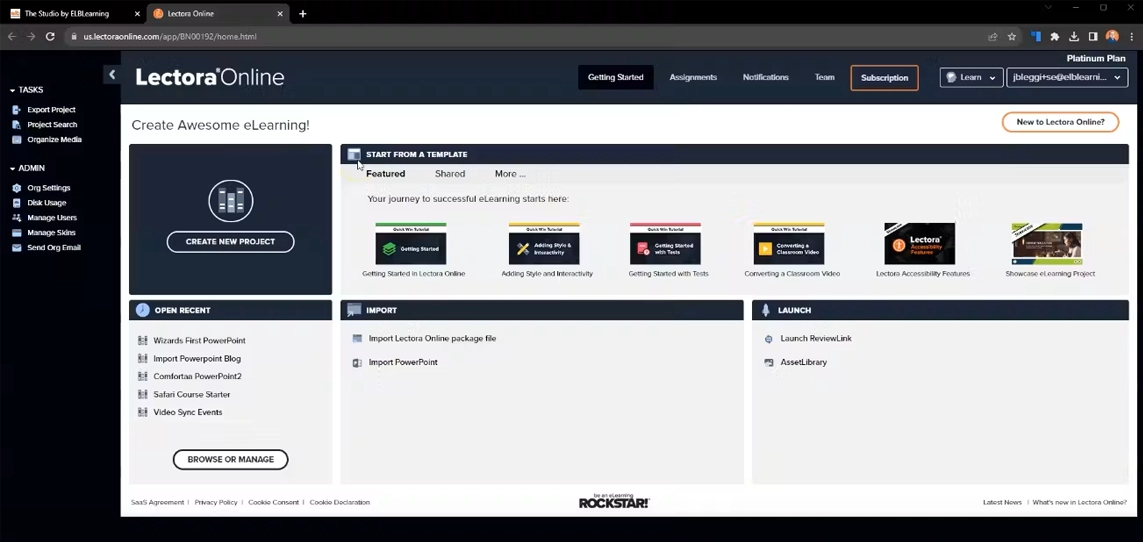
Lectora is an eLearning authoring tool for creating content that meets the Web Content Accessibility Guidelines (WCAG). Authors can publish content that meets WCAG 2.2 AAA, the highest level, and control settings such as reading order. It comes with tools to add alt text to images, buttons, animations, and media, captions to audio and video, and header rows to tables. Its built-in checker flags page elements that need attention. It also supports complex branching scenarios and assessments.
This makes Lectora well-aligned for:
- Australian government agencies building courses to WCAG standards
- UK public sector bodies meeting digital accessibility regulations
- RTOs meeting obligations under the Disability Standards for Education
- Universities and further education colleges supporting learners with disability
- Organisations producing training for screen reader users
However, reviews suggest that the platform is text-heavy and the interface isn’t as user-friendly as alternatives.
Key Features
- Built-in accessibility checker
- Web accessibility settings
- Reading and tab order control
- HTML5 content creation
- Interactive elements and quizzes
- Responsive design support
- SCORM, xAPI, and AICC compliance
- AI content creation
- Template library
Pros
- Supports content that meets WCAG 2.2 AAA standards
- Accessibility checker flags page elements needing attention
- Highly flexible and customisable
- Supports complex interactions and branching scenarios
Cons
- Interface can be complex for new users
- Desktop version only runs on Windows
- Designing eLearning courses isn’t a smooth process
Pricing
Lectora’s Studio Gold Suite pricing plan starts from $1,549 per year. They also offer a Learning Creation Studio bundle from $10,547 per year.
Rating
4.3/5 (average rating from Capterra, G2, GetApp and Software Advice)
Best for Creating eLearning Materials From PowerPoint
#4 iSpring Suite
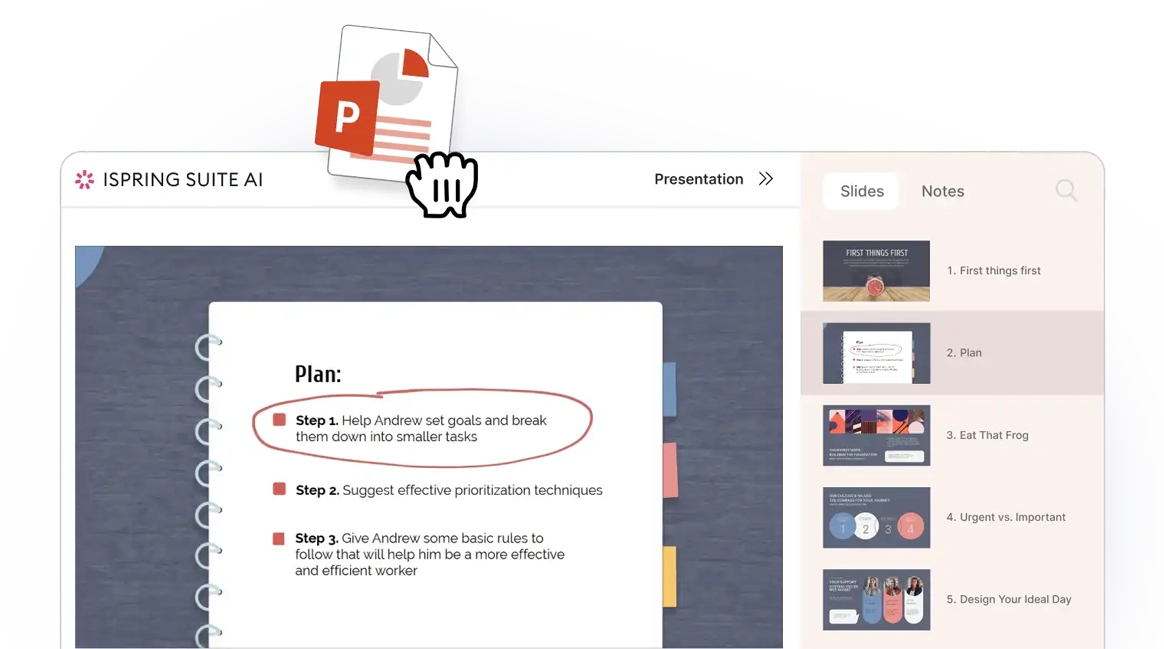
iSpring Suite is a platform that helps authors create courses, quizzes, and assessments from PowerPoint slides. It lets subject matter experts turn their knowledge into courses without design support. It also allows instructional designers to spend their time creating interactive modules instead of rebuilding existing content.
This makes iSpring Suite well-aligned for:
- Trainers converting classroom slide decks into online modules
- RTOs digitising existing training resources quickly
- UK further education colleges moving face-to-face content online
- Corporate trainers building induction courses in a familiar tool
- Small L&D teams without dedicated instructional designers
However, iSpring Suite only works with Microsoft PowerPoint installed or as a PowerPoint add-in, so teams that don’t use PowerPoint can’t use the tool.
Key Features
- PowerPoint integration
- Slide animation and transition support
- Interactive courses, quizzes and assessments
- Video lectures and screencasts
- Dialogue simulations
- SCORM, xAPI, and AICC compliance
- Responsive design for mobile learning
- LMS integration with iSpring Learn
- AI assistant
Pros
- Easy to use with a familiar PowerPoint interface
- Maintains animations and transitions to boost engagement
- Fast content creation process
- Strong range of interactive features
Cons
- Heavy reliance on PowerPoint
- Limited advanced customisation options
- Designed around Windows users
Pricing
iSpring Suite pricing starts from $970 per author yearly. iSpring Cloud AI, which is their cloud-native authoring solution, starts from $729 per author yearly. A bundled plan with both solutions (known as iSpring Suite AI) starts from $1,290 per author yearly.
Rating
4.6/5 (average rating from Capterra, G2, GetApp and Software Advice)
Best for Video-Based eLearning
#5 Camtasia
Average User Score: 4.6/5

Camtasia is a screen recording and video editing tool for creating training videos. The platform helps authors add quizzes and interactive hotspots to videos and export them as SCORM packages that report results to an LMS. Camtasia is ideal for creating tutorials, video lectures, and software demonstrations.
This makes Camtasia well-aligned for:
- Trainers recording software demonstrations and how-to videos
- RTOs recording theory lectures for online and blended delivery
- Safety teams editing toolbox talks and equipment demonstration videos
- Universities and colleges producing recorded lecture content
- Customer support teams creating product tutorials
However, Camtasia builds video lessons rather than full courses. Its focus on video makes it harder to add other multimedia elements to training.
Key Features
- Screen recording and video editing
- Interactive hotspots
- Quizzes
- Annotations and callouts
- Multi-track timeline editing
- SCORM export
Pros
- Strong video editing features
- Quizzes and hotspots add interactivity within videos
- Easy to use with a low learning curve
- SCORM exports make it easy to track quiz results in an LMS
Cons
- Limited capabilities for non-video content
- May require additional software for more complex eLearning needs
Pricing
Camtasia offers Business and Enterprise pricing plans for teams and businesses. The Business plan starts from $198 per user yearly. A discounted rate of $162.36 is available to accredited educational institutions.
Rating
4.6/5 (average rating from Capterra, G2, GetApp and Software Advice)
Best for Large Content Teams
#6 Create
Average User Score: 4.3/5
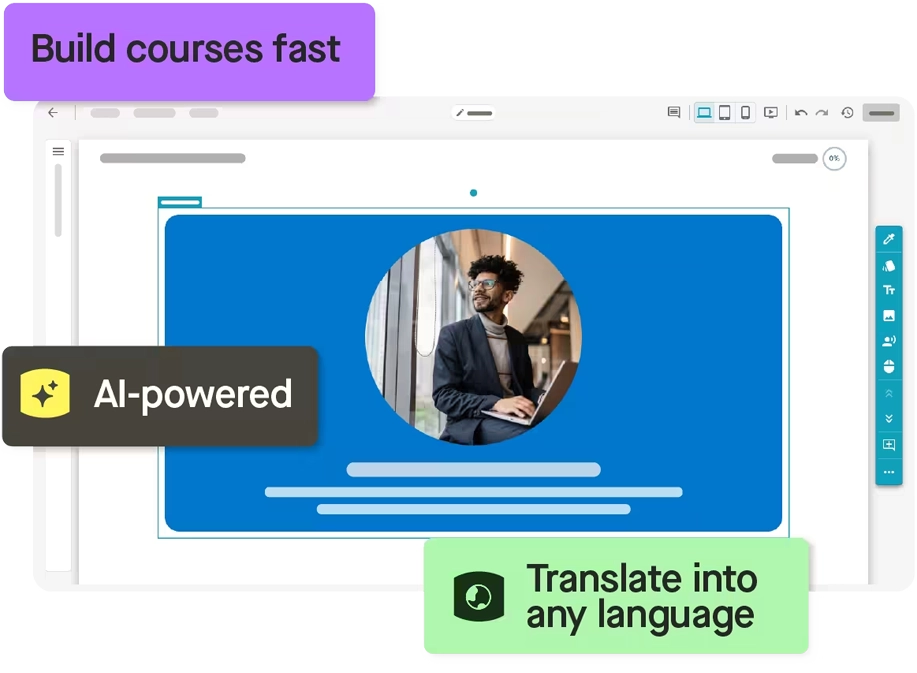
Create by Confirm, formerly Elucidat, is a cloud-based authoring tool for large frontline content teams. When many people build courses, styles and quality can quickly drift. L&D teams prevent that drift by setting shared themes that every author works within. Stakeholders can review the content and provide feedback from inside the platform, without needing separate tools. Teams can also edit and translate live courses without rebuilding each version, with changes reflecting instantly across markets.
This makes Create well-aligned for:
- Global L&D teams producing content in multiple languages
- Retail and hospitality chains training frontline staff across sites
- Large organisations enforcing brand consistency across many authors
- Central L&D teams collaborating with reviewers across departments
However, Create relies on templates, which limits creative control over course design. Designers wanting custom layouts or complex interactions may need a more flexible tool.
Key Features
- In-app collaboration and review
- Global brand and style locking
- Advanced user management
- Pre-built templates
- Auto-translation with glossary controls
- SCORM publishing with live updates
- Learner analytics and engagement data
- AI course outline generation
- PowerPoint-to-course import
- PDF source material upload
Pros
- User management supports governance across large teams
- In-app reviews let experts comment without authoring skills
- Translations for over 75 languages support global organisations
- Brand locking for consistency across authors
Cons
- Authoring requires an internet connection
- Template customisation can feel restrictive for advanced designers
- Average implementation time of 2 months
Pricing
Confirm sells Create as a standalone product. Pricing isn’t available on their website directly. Contact them for a quote or to book a demo.
Rating
4.3/5 (average rating from Capterra, G2, GetApp and Software Advice)
Best for Multi-Device Responsive Content
#7 Gomo Learning
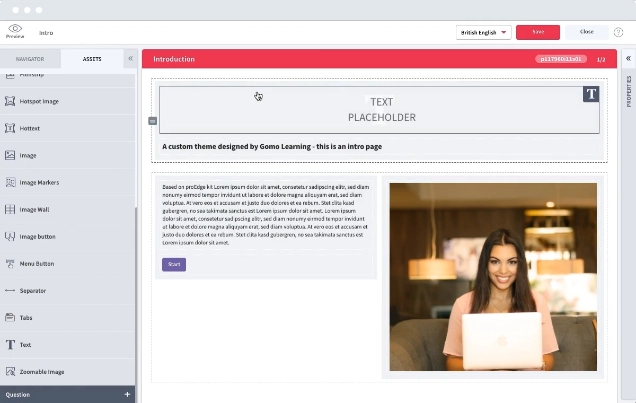
Gomo Learning is another cloud-based eLearning authoring tool known for its strong support for responsive design. It allows for engaging and interactive content development, ensuring courses and training materials work seamlessly across multiple devices. Gomo Learning’s collaborative features also make it easy for teams to work on eLearning projects together simultaneously.
This makes Gomo Learning well-aligned for:
- Mobile workforces learning on phones and tablets
- Healthcare and aged care staff completing training between shifts
- Multinational employers delivering one course across many languages
- Field service and transport workers training away from a desk
- Organisations replacing desktop-only legacy eLearning
However, using Gomo’s advanced features requires technical expertise. This can slow adoption and limit how much of the platform less technical teams use.
Key Features
- Device-adaptive interactions
- Multi-language courses (250+ languages)
- Cloud-based authoring
- Course wizard
- Responsive design for multi-device compatibility
- Interactive content and course creation
- Collaboration and review tools
- SCORM and xAPI compliance
- Theme library
- Single sign-on (SSO) functionality
Pros
- Strong responsive design capabilities
- Interactions adapt to devices, like clicking on desktop and swiping on mobile
- Supports collaborative authoring
- Multiple languages supported within a single course
Cons
- Steeper learning curve than some competitors
- Advanced features require technical expertise to master
- Few advanced interaction options
Pricing
Gomo Learning offers Authoring, Authoring + Delivery, and Authoring + Delivery + LMS pricing plans. Contact them directly to request a quotation, demo, or free trial.
Rating
4.6/5 (average rating from Capterra, G2, GetApp and Software Advice)
Best for Software Simulations
#8 Adobe Captivate
Average User Score: 4.2/5

Adobe Captivate is an eLearning authoring tool known for software simulations. It helps authors record a software task once and publish it as either a demo, guided training, and an assessment. Captivate also supports responsive courses, quizzes, and virtual reality (VR) content that improves learner experience.
This makes Adobe Captivate well-aligned for:
- Organisations rolling out new business software to staff
- Hospitals and National Health Service (NHS) trusts training staff on electronic patient records
- Contact centres teaching staff to navigate customer systems
- RTOs delivering business and IT qualifications with software tasks
- Banks and insurers training staff on internal platforms
However, Adobe Captivate is better suited to authors who are already familiar with products like Adobe Learning Manager, Photoshop and InDesign. It can come with a steep learning curve for those who are unfamiliar with the environment.
Key Features
- Responsive content creation
- Pre-built template library
- Software simulations and screen recordings
- Demo, training, and assessment simulation modes
- Full-motion recording
- VR training content support
- Interactive quizzes and assessments
- SCORM, xAPI, and AICC compliance
Pros
- One recording produces a walkthrough, guided practice, and a test
- Full-motion recording captures complex on-screen actions
- Strong mobile learning capabilities
- Integrates well with other Adobe products
Cons
- Steep learning curve for those unfamiliar with Adobe products
- VR content creation is currently only available in Captivate Classic, with plans to add it to the new Captivate in future updates.
- Requires more technical expertise than many competitors
Pricing
A single subscription for Adobe Captivate costs $39.99 per month. The platform also offers pricing for enterprises and education purposes. Contact them directly to learn more.
Rating
4.2/5 (average rating from Capterra, G2, GetApp and Software Advice)
Best for Non-Technical eLearning Authors
#9 Easygenerator
Average User Score: 4.7/5
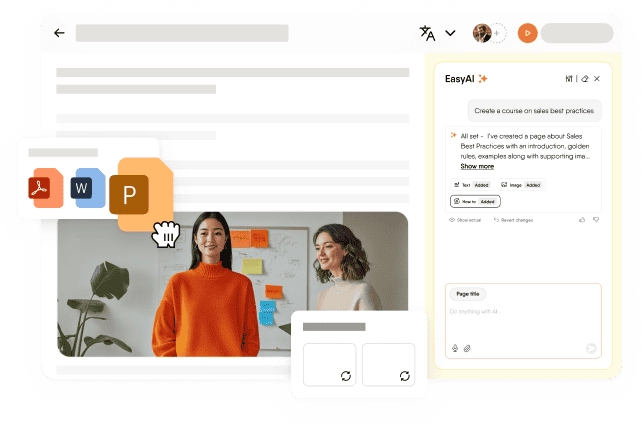
Easygenerator is an AI-powered eLearning authoring tool designed for L&D teams with little to no technical background. It comes with a drag-and-drop editor and uses artificial intelligence in training to help authors who are new to eLearning build interactive courses quickly.
This makes Easygenerator well-aligned for:
- Subject matter experts sharing knowledge without design skills
- Organisations spreading content creation across departments
- Operations managers creating procedure training for their own teams
- Small RTOs without in-house instructional designers
- Multilingual workplaces needing fast course translation
However, the platform’s features, while easy to use, can be too basic for many organisational needs. Advanced designers may also outgrow its simpler layouts and interactions.
Key Features
- EasyAI Agent co-authoring
- Drag-and-drop content creation
- Interactive quizzes and assessments
- AI writing feedback
- Template library
- PowerPoint import
- Multi-language translation features
- SCORM and xAPI compliance
- Collaboration and review tools
Pros
- Very easy to navigate and use effectively
- Staff across the business can turn their knowledge into training
- AI roleplays let learners practise real workplace conversations
- Courses translate into 75+ languages in one click
Cons
- Limited advanced customisation options
- Features lack depth for complex eLearning needs
- Limited question types for assessments
Pricing
Easygenerator offers Pro, Team, and Enterprise pricing plans. The Pro tier is designed for individuals and starts from $125 monthly for 10 courses and 100 learners. The Team plan starts from $625 monthly and includes 5 authors with unlimited courses and learners. Enterprise pricing is available on request.
Rating
4.7/5 (average rating from Capterra, G2, GetApp and Software Advice)
Best for Adaptive Learning
#10 domiKnow | ONE
Average User Score: 4.3/5
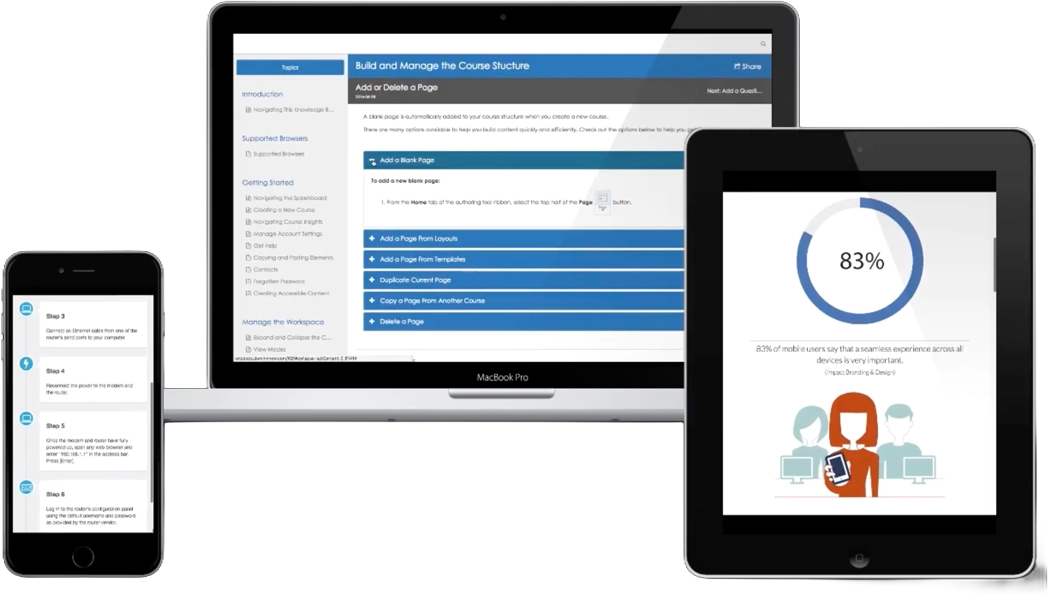
dominKnow | ONE helps authors build adaptive courses using pre-tests, branching scenarios, variables, and conditions. It links pre-tests to learning objectives to ensure learners skip content they already know. The tool allows authors to set conditions that route learners based on their choices and scores. It also offers rich assessments, such as multiple-choice (text or images), sequencing, hotspot image, scenario, and simulation questions to check understanding before learners move on. Teams can reuse this content across courses and publish it to their LMS.
This makes dominKnow | ONE well-aligned for:
- Mixed-experience cohorts where experienced staff skip familiar content
- UK apprenticeship providers tailoring learning to prior knowledge
- RTOs tailoring pathways for learners with existing industry experience
- Compliance refreshers adjusted to each learner’s existing knowledge
- Scenario-based training that branches on learner choices
- Large training teams managing many versions of similar content
Smaller institutions and those that use other software for course management and publishing may find dominKnow | ONE too extensive for their needs.
Key Features
- Pre-training assessments
- Skills-based course adaptation
- Multi-tool authoring platform
- Responsive and adaptive content creation
- Collaboration and review tools
- SCORM, xAPI, and AICC compliance
- Extensive reporting and analytics
Pros
- Pre-testing helps learners advance without recovering content they already know
- Courses adapt to address knowledge, skill, and competency gaps
- Strong collaboration features
- Supports a wide range of content types
Cons
- Complex interface for new users
- Requires a high level of initial setup and configuration
- Features may be too advanced for smaller educational institutions
Pricing
dominKnow | ONE is available on Business, Business Plus, and Enterprise pricing tiers. Contact them directly to request a detailed quote, demo, or free trial.
Rating
4.3/5 (average rating from Capterra, G2, GetApp and Software Advice)
eLearning Authoring Software Buyer’s Guide
- Check which operating systems your authors use. Many desktop tools only run on Windows. If your team works on Macs, look for tools that support MacOS or run in a browser.
- List the content types you need to build. Video tutorials, software simulations, and branching scenarios all suit different tools. Match your most common formats to each platform’s strengths.
- Test a published course in your LMS before you buy. Most tools support SCORM exports and xAPI packages. However, LMS support may vary. Upload a test course and check that completions and scores record correctly.
Learn How Cloud Assess Simplifies Assessor Admin
Watch our free webinar today.- Plan how you’ll update live courses. Compliance and safety training content require regular updates. Some platforms update published courses instantly. Others require you to republish and re-upload every package.
- Confirm your accessibility obligations. UK public sector bodies must meet digital accessibility regulations. In Australia, training providers have obligations under the Disability Standards for Education. Ask vendors which WCAG level their published content can meet.
- Consider where learners will complete training. Workers on mining, construction, or remote sites may lack reliable internet. If so, check that courses can be completed offline and synced later.
- Match the tool to your authors’ skill levels. Dedicated instructional designers can handle complex tools with branching and variables. Subject matter experts usually need simpler interfaces and built-in guidance.
- Look at translation support for multilingual teams. Some tools translate courses automatically and keep every language in one package. Others export text files for translation agencies, adding time to every update.
- Ask where your data is stored. Organisations handling learner records may need data hosted in Australia or the UK. Confirm hosting locations and privacy compliance before signing a contract.
Build Engaging Training, Fast
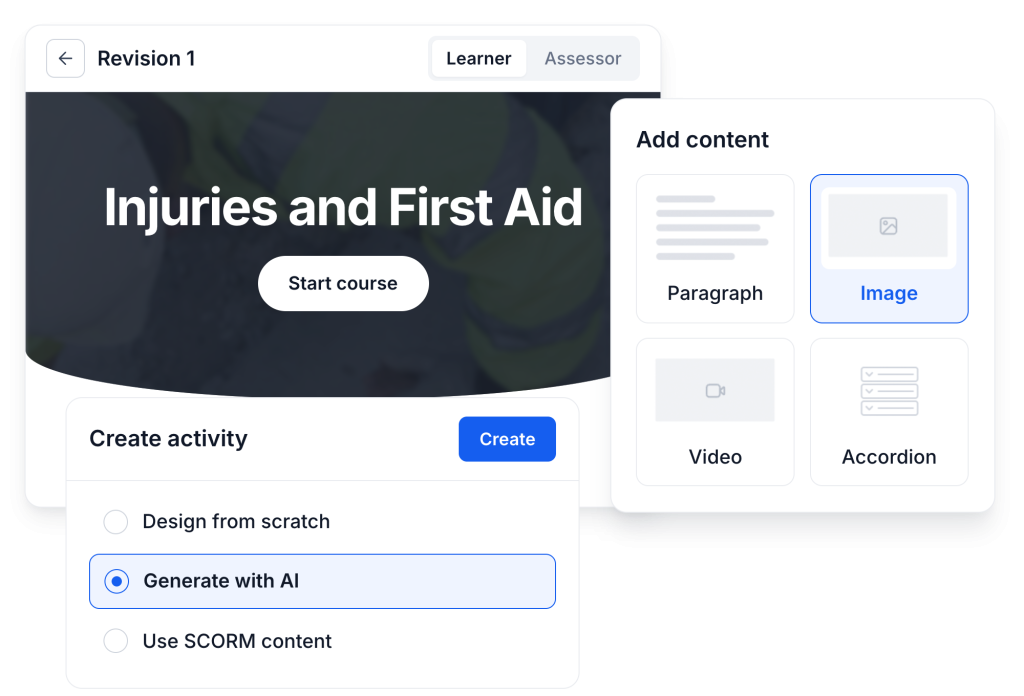
Create courses, learning activities, and assessments in one place. Start from scratch, generate with AI, or bring your SCORM content.
Frequently Asked Questions (FAQs)
eLearning Authoring Software FAQs
What is the best eLearning authoring tool?
The best eLearning authoring tool depends on the content your organisation needs to build. Storyline suits custom interactive courses, while Camtasia suits video-based training. Captivate is strongest for software simulations, and Easygenerator suits non-technical authors. Organisations delivering workplace training may also need assessment and compliance tracking. RTOs often need student management system integration as well. In those cases, an all-in-one platform like Cloud Assess may suit them better.
What are the benefits of using eLearning authoring software?
Using eLearning authoring software offers several benefits, including simplifying the content creation process, improving learner engagement, boosting knowledge retention, and streamlining organisational processes. These tools also make training easily scalable, supporting growing companies and vocational education and training providers. They ensure consistency in training materials, allow for easy distribution across multiple devices, and provide analytics and tracking capabilities to monitor learner progress and effectiveness.
Can I integrate eLearning authoring software with my Learning Management System?
Most eLearning authoring software can be integrated with Learning Management Systems. These tools typically export content in standard formats such as SCORM, xAPI (Tin Can), or Aviation Industry Computer-Based Training Committee (AICC), which are widely supported by LMS platforms. This integration allows seamless content delivery, tracking, and reporting within the LMS environment.
Do you need an LMS to use eLearning authoring software?
Most organisations need an LMS to deliver and track content built in an authoring tool. Teams build courses in authoring software, then manage enrolments and reporting in the LMS. Some authoring platforms include basic hosting, like Articulate Reach or shareable web links. All-in-one platforms like Cloud Assess combine authoring and LMS features in one system.


