The learning management system (LMS) market is crowded. For workplace training teams, narrowing the options down is about finding one built for the realities of your environment. The wrong choice means wasted budget, low adoption, and a frustrating experience for everyone involved. In high-risk, high-compliance industries, those consequences go further.
The right LMS removes that risk by making training tracking, reporting, and evidence collection part of everyday operations.
In this blog, we’ll explore:
- Why choosing the right learning management system matters
- How to choose an LMS for workplace training in 10 steps
- The consequences of choosing the wrong LMS
Why is Choosing the Right Workplace Training LMS Important?

- Streamlined Training Delivery. Generic LMS platforms are built for structured course delivery. But workplace training has different demands. Shift-based scheduling, role-specific pathways, and multi-site enrolment are realities any system must work within. A purpose-built workplace training LMS handles that complexity natively. Managers assign training by role, site, or team. Employees get what they need without navigating a system built for someone else.
- Better Training Outcomes. A general LMS tracks course completions. A workplace training learning platform tracks competency. That distinction matters when training is tied to job performance, licensing, or regulatory compliance. Purpose-built platforms align assessment to workplace standards. Trainers can measure whether employees can actually do the job, not just whether they finished a module.
- Reduced Administrative Burden. Generic platforms may reduce some administrative load, but add complexity and manual processes in others. A workplace training LMS reduces the right load. Compliance tracking, training certification management, and audit-ready reporting are built into the system rather than bolted on. Teams stop working around the platform. The platform works around the organisation.
- Scalable Growth. As workforce size, site count, and compliance requirements grow, generic LMS systems create workarounds. Purpose-built platforms are designed to absorb that complexity from the start. Role hierarchies, multi-site structures, and evolving compliance frameworks are features, not problems to solve.
How to Choose an LMS for Workplace Training in 10 Steps

1. Audit Your Current Training Setup
Before evaluating any platform, get a clear picture of how training is currently delivered, tracked, and managed. Map out your existing tools and processes. Identify what is working and where the gaps are.
The audit should cover:
- Current training platforms in use
- How training is assigned across roles, teams, and sites
- Where completion and compliance records are stored
- How certificates and licences are managed
- Current reporting and analytics tools
- Reporting processes and who needs access to training materials and data
- Known gaps, pain points, and workarounds
This step is not about building a business case. It is about making sure the LMS you choose solves the right problems.
2. Identify Your Stakeholders
Choosing an LMS is not a one-person decision. The platform will affect multiple teams across the organisation. Getting the right people involved early prevents misalignment later.
Key stakeholders typically include:
- L&D and training teams. Responsible for content creation and delivery
- IT teams. Responsible for security, integrations, and data compliance
- Finance teams. Responsible for budget sign-off and contract review
- Compliance and legal teams. Particularly important in regulated industries
- Managers and supervisors. Assign and monitor training in their teams
- Employees. Ultimately determine whether the platform succeeds
Each stakeholder group has different priorities. IT will ask about security and integrations. Finance will ask about the total cost of ownership. Employees will care about usability. Understanding those priorities upfront shapes how you evaluate platforms and present the final recommendation.
3. Define the Features You’ll Need
Delivery Features
Workplace training needs to reach employees where they are. That means supporting delivery across multiple sites, shifts, and work environments without requiring employees to step away from their roles for extended periods.
Features to consider include:
- Mobile learning app with offline access for employees without reliable internet access on site
- Learning in the flow of work for embedding training into daily tasks and workflows rather than separating it from them
- Blended learning support for combining online modules with in-person or on-the-job components
- Self-paced training courses for learning that fits around shift patterns and workloads
- Skills-based learning pathways for structured upskilling, reskilling, and multi-skilling across roles
- Accessibility and language support for diverse workforces
Skills and Competency Management Features
Workplace training is ultimately about building and maintaining workforce skills. These features give organisations visibility into where skills gaps exist and whether training is closing them.
Features to consider include:
- Skills matrix for mapping employee skills against role requirements
- Competency matrix for tracking competency levels across teams and sites
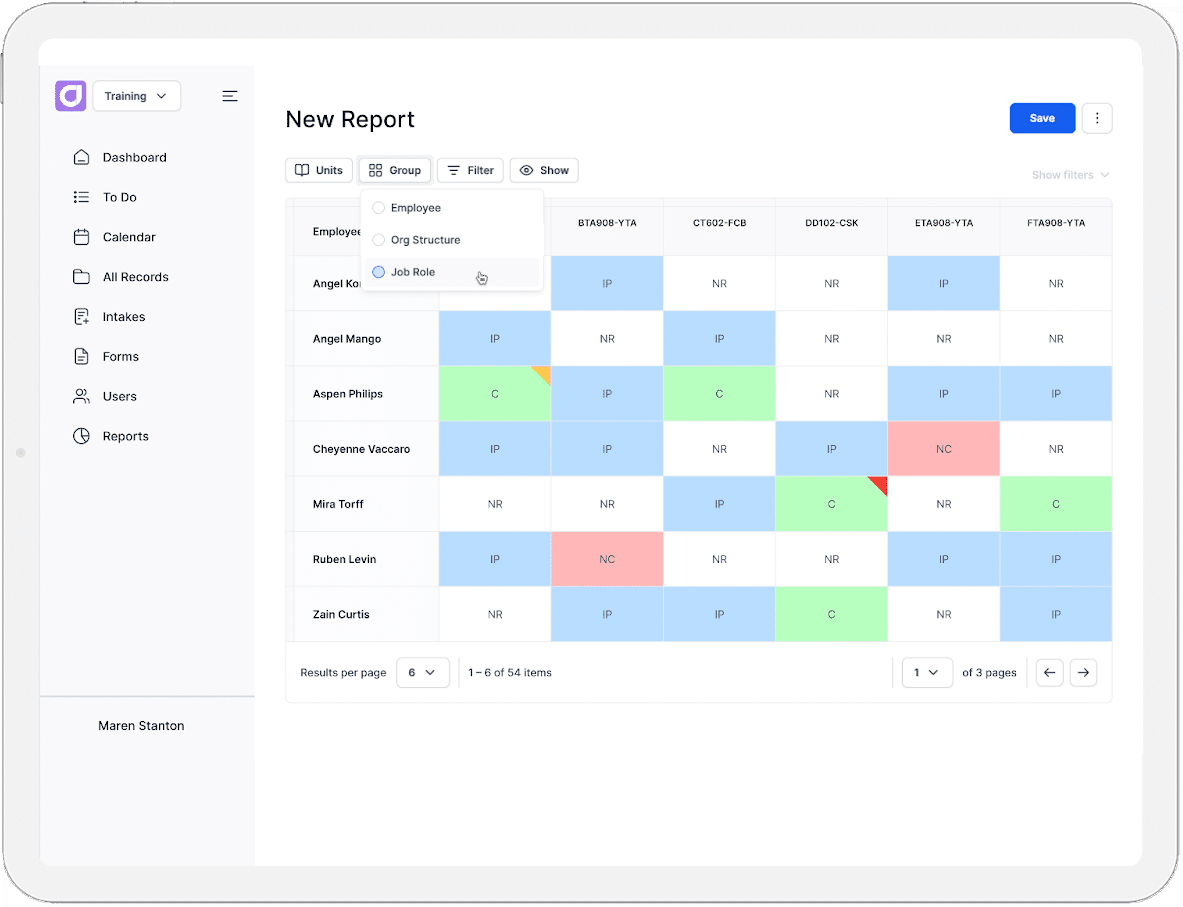
- Training matrix for visibility into who has completed what and what is outstanding
- Training plans for setting structured development pathways by role or individual
- Job role mapping for aligning training requirements to specific roles and responsibilities
Content and Assessment Features
Workforce training assessments need to reflect real job tasks and industry standards. The ability to capture practical evidence is as important as delivering online content.
Features to consider include:
- Practical and observational assessment types support
- Evidence portfolio and logbook tools
- Built-in eLearning authoring tools for creating role-specific content
- SCORM and xAPI support for importing existing content
- Video and multimedia support
Learner Experience Features
Employees have primary responsibilities that take priority over training. A poor learner experience creates friction that reduces completion rates and learner engagement.
Features to consider include:
- Intuitive interface that requires minimal onboarding for learners
- Clear role-based learning pathways
- Mobile accessibility across devices
- Microlearning
- Progress visibility so employees know exactly where they stand
- Support for multiple content formats video, audio, interactive modules, and written content
- Gamification and digital badging for motivation and recognition
- Social learning features for peer-to-peer knowledge sharing and collaborative learning
AI Features

For workplace training teams managing large employee cohorts, AI features reduce the manual workload considerably.
Features to consider include:
- Automated enrolment workflows triggered by role, site, or onboarding stage
- AI-assisted content and assessment generation
- Adaptive assessments that adjust difficulty and content based on learner responses)
- Automated reminders for incomplete or expiring training
- Personalised learning journeys based on role or competency gaps
- AI marking for streamlining assessment grading and providing instant feedback
Compliance Features
In workplace training, compliance is not a reporting exercise. It is a direct operational and legal obligation. The platform needs to support ongoing compliance management, not just record completions.
Features to consider include:
- Licence and certification tracking with automated renewal alerts
- Verification of competency tools
- Audit-ready reporting and evidence collection
- Document management with version control
- Automated alerts for mandatory training requirements, compliance deadlines, and expiring qualifications
- Compliance training capabilities for ensuring teams understand their obligations
Reporting and Analytics Features
Managers and Health Safety Environment teams need real-time visibility into workforce compliance status. Reporting should reveal gaps before they become incidents, not after.
Features to consider include:
- Customisable reporting dashboards
- Advanced reporting on training metrics
- Compliance status dashboards by site, role, or team
- Expiry and renewal tracking
- Training gap identification
- Administrator dashboards with upcoming deadlines and outstanding tasks
- Export formats and integrations to connect reporting insights from various business tools
Data and Migration Features
Switching platforms means moving existing employee records, completion histories, and compliance data. How a platform handles that migration matters as much as what it offers once you are in it.
Features to consider include:
- Data migration support for employee records, completions, and certificates
- Demos and pilot programs
- Data residency options relevant to your region and industry requirements
- Single sign-on
- Role-based access control
Support and Onboarding Features
Workplace training teams often have limited IT resources. A platform that requires significant technical support to operate adds to the administrative burden rather than reducing it.
Features to consider include:
- Structured onboarding and implementation support
- Dedicated account management
- Accessible ongoing support via phone, email, and AI chat
- Self-service knowledge base for day-to-day troubleshooting
Platform Integrations
A staff training LMS needs to connect with the systems your organisation already runs on. Workforce management and HR systems are the most critical integration points.
Most platforms offer either native integrations or API integrations:
- Native integrations are pre-built and require no technical setup
- API integrations are custom-built and typically require developer involvement
Security and Data Privacy

Employee training records contain sensitive personal data. The platform must meet the privacy and security requirements relevant to your region and industry.
Features to consider include:
- Role-based access controls
- Data encryption
- Clarity on data storage location and ownership
- Compliance with relevant privacy legislation, such as GDPR or the Australian Privacy Act
4. Consider Your Industry’s Specific Requirements
Not all workforce training operates under the same conditions. Industry context shapes which features are non-negotiable, and which compliance obligations apply. It also shapes how training needs to be delivered and evidenced. Some industries carry regulatory and safety obligations that make certain platform capabilities essential rather than optional.
Some examples of industries with particularly specific workplace training requirements include:
- Mining. High-risk environments require verified competency records, site induction management, and offline mobile access for remote locations.
- Construction. Licence and ticket tracking, multi-site visibility, and evidence of safety training are critical operational requirements.
- Healthcare and aged care. Continuous professional development (CPD) tracking, clinical competency management, and strict evidence standards are central to workforce compliance.
- Rail and transport. Network-specific safety certifications and rigorous renewal tracking are non-negotiable in regulated transport environments.
- Retail and hospitality. High staff turnover means onboarding speed, multi-skilling pathways, and scalable enrolment are the priority.
If your industry carries specific regulatory requirements, identify them before evaluating platforms. A system that cannot meet those requirements is not a viable option, regardless of its other strengths.
5. Look for an LMS Designed for Workplace Training
Not every LMS is built with workplace training in mind. They can be adapted for workplace use, but adaptation creates gaps.
The best learning management systems built for staff training will reflect the realities of your environment from the start. Look for platforms that speak to workforce compliance, competency management, and multi-site training delivery in their core feature set.
Beyond the feature list, look for:
- Evidence that the platform serves organisations in your industry
- Customer reviews and case studies from comparable organisations
- Recognition in software guides and analyst reports focused on workplace or corporate training
- Community recommendations from peers who have navigated the same decision
A platform built for employee training will also use your language. If compliance, competency, and workforce capability are central to how a vendor talks about their product, that is a strong signal the platform was designed with your context in mind.
6. Shortlist Your LMS Software Options

By this point, you have a clear picture of your requirements. Use that to narrow the field to a manageable number of platforms before investing time in deeper evaluation. A shortlist of three to five platforms is typically enough. Any more and the evaluation process becomes difficult to manage. Any fewer and you risk making a decision without enough comparative context.
To build your shortlist:
- Cross-reference your must-have features against what each platform offers
- Remove any platform that cannot meet your non-negotiables
- Prioritise platforms with demonstrated experience in workforce training
- Factor in early pricing signals to rule out options that are clearly outside your budget
Your shortlist should represent genuinely viable options. It is not a longlist with the obvious mismatches removed. Every platform on it should be a realistic candidate.
7. Evaluate LMS Vendors, Not Just Platforms
A platform can look strong on paper and still be the wrong choice. The LMS vendor behind it matters as much as the product itself.
Evaluate beyond the key feature list:
- Customer support reputation. Look for reviews that specifically mention support quality and responsiveness.
- Vendor stability. Consider how established the vendor is and whether the product has a clear development roadmap.
- Contract terms. Understand minimum terms, data ownership clauses, and what happens to your data if you leave.
- Customer reviews. Prioritise reviews from organisations with a similar size, industry, and training context.
Before committing, ask vendors directly about data migration, onboarding timelines, post-LMS implementation support, and how pricing scales with growth. Also consult your internal stakeholders. They may flag requirements or concerns you have not considered.
Where possible, take up trials and demos. Involve the managers, trainers, and administrators who will use the platform daily, not just decision makers. Use demos to assess capability and trials to assess usability. Gather structured feedback from everyone involved before moving forward.
8. Consider Pricing and Scalability
A platform that meets your requirements is only a good choice if it is affordable now and remains affordable as your organisation grows. Current fit is not enough on its own.
LMS pricing models vary significantly. Common structures include:
- Per learner. Costs scale directly with the number of users
- Per administrator. Costs are based on the number of people managing the platform rather than using it
- Flat fee with tiered features. A fixed cost that increases as you access higher capability tiers.
Understand how each model affects your costs at different stages of growth. A per-learner model that looks affordable today can become expensive quickly as headcount increases. A flat fee model may offer better long-term value for larger organisations.
Also consider the total cost of ownership beyond the licence fee. Implementation, data migration, onboarding, and ongoing support can all add to the overall investment.
9. Make Your Decision
Weigh up your feature priorities, budget, vendor evaluation, and the feedback gathered during trials and demos.
No platform will be perfect. Focus on the one that meets your non-negotiables and leaves the fewest gaps elsewhere. A platform that scores highly across your must-have requirements is a stronger choice than one with impressive features you do not need.
Document your rationale. Recording why you chose a platform and what trade-offs were accepted gives you a clear reference point if questions arise later.
10. Roll Out and Train Your Teams
Before rolling the platform out organisation-wide, test it with a small, representative group. A pilot gives you a controlled environment to identify issues and resolve them before they affect everyone. Once the pilot is complete and you are confident in the platform, prioritise onboarding for administrators and trainers first. They need to be in a position to support learners as the broader rollout begins.
Most vendors offer onboarding sessions and documentation. Make use of them early. Consider developing internal standard operating procedures for key tasks specific to your organisation’s workflows.
Consequences of Choosing the Wrong LMS for Workplace Training

Compliance Risk
A platform not built for workplace training creates gaps in compliance processes that are difficult to manage manually. Incomplete training records, missed licence renewals, and poor evidence collection increase exposure during audits. In high-risk industries, those gaps carry direct legal and safety consequences.
Operational Inefficiency
A misaligned platform creates friction across the entire training operation. When systems do not integrate, data becomes siloed and manual workarounds become the norm. Trainers and administrators spend more time managing the system than delivering training. Errors in records, reporting, and employee communications become more frequent as a result.
Wasted Investment
Implementing a new LMS carries real costs. Migration, onboarding, and lost productivity during the transition all add up. Those costs are compounded if the platform ultimately does not meet your needs. Low adoption rates make the problem worse. A platform your teams do not use effectively is a platform you are paying for without return.
Why Cloud Assess is One of the Best LMS Platforms for Workplace Training
Cloud Assess was built for high-risk, high-compliance industries such as mining, construction, healthcare, and aged care. It is designed around the realities of workplace training, not adapted from a platform built for something else. Where generic platforms require workarounds, Cloud Assess handles workplace training complexity natively.
Key capabilities that make Cloud Assess a strong fit for workplace training include:
- Competency and skills matrix. Map employee skills and competencies against role requirements. Identify skill gaps and track learner progress as training closes them.
- Training matrix. Get real-time visibility into who has completed training courses and what is outstanding across teams, roles, and sites.
- Licence and certification tracking. Automated alerts flag expiring licences and certifications before they lapse.
- Evidence portfolios and digital logbooks. Capture practical, on-the-job evidence directly in the platform. No paper, no manual collation.
- AI-assisted content creation. Build role-specific training content and assessments faster with built-in AI tools.
- Automated training journeys. Trigger enrolments, reminders, and learning pathways automatically based on role, site, or onboarding stage.
- Audit-ready reporting. Compliance dashboards give administrators and managers real-time visibility into workforce training status.
- Extensive integrations. Connect Cloud Assess to your existing workforce management systems for seamless data flow.