

The eLearning market is full of platforms that make convenient and accessible learning possible. But the challenge is finding the perfect fit. LearnWorlds has an impressive range of features that allow educators, trainers, and businesses to create and manage online courses. However, it’s not suitable for everyone’s employee training goals.
This is why we’ve created this guide to some of the best LearnWorlds alternatives to consider. We’ll examine their features, ease of use, pricing, and support to help you make an informed decision.
What is LearnWorlds?
LearnWorlds is a cloud-based software that serves as both a lightweight corporate learning management system (LMS) and an online course reselling system. This means that businesses can not only train their teams effectively, but make a profit by reselling their courses to other businesses and learners. Many are drawn to this platform because it delivers engaging and interactive learner experiences.
It also has some impressive features like a drag-and-drop professional website builder, true white-labelling and a user-friendly learning experience. These make the platform easy to use, customisable, and interactive for both learners and educators.
However, organisations run into challenges that push them to explore other options. Some of the common challenges include:
- Steep Learning Curve: Many users find that LearnWorlds has a significant learning curve, making it difficult for beginners to quickly become accustomed to the platform.
- Limited Customisation Options: There is a desire for more extensive customisation options for course design and structures, reflecting the need for greater flexibility and creative control.
- Pricing Concerns: Pricing is not flexible enough for small entrepreneurs, making it difficult for them to access this platform.
Alternatives to LearnWorlds



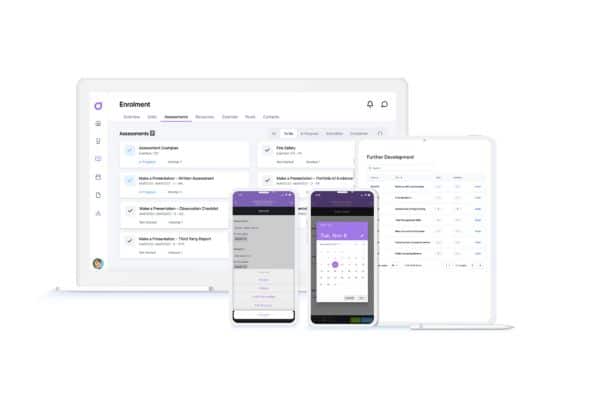
Cloud Assess is a digital learning platform tailored to registered training organisations (RTOs), vocational education and training (VET) providers, and businesses across different industries. It allows you to create custom courses and offers great features like quick course delivery and personalised learning journeys to make the learning experience more effective.
Key features
- Drag-and-drop course builder
- Custom training journeys
- Intuitive learner management
- Advanced reporting capabilities
- A free library of online courses
- Online skills matrix
- Workflow automation
- Digital badging
Pros
- Flexible offering allows use in a vast range of industries and departments.
- Offers high degrees of course customisation.
- An all-in-one platform that makes learner management, course management, and compliance easy.
- Automated workflows and content digitisation options reduce time spent on course creation and administrative tasks.
LearnWorlds vs Cloud Assess
Cloud Assess offers:
- Strong features for compliance tracking and practical assessments.
- Users can conduct assessments offline.
- Highly customisable workflows to match specific assessment and training processes.
Pricing
Cloud Assess offers an all-inclusive solution for employee training in high-risk, high-compliance industries. Every feature is included from day one, including mobile offline assessment, verification of competency, skills matrix and automated compliance tracking. There are no upgrade paths or feature gates. Visit our pricing page for an accurate quote.
Rating
4.7/5 (average rating from Capterra, G2, GetApp, Software Advice)
#2 Thinkific
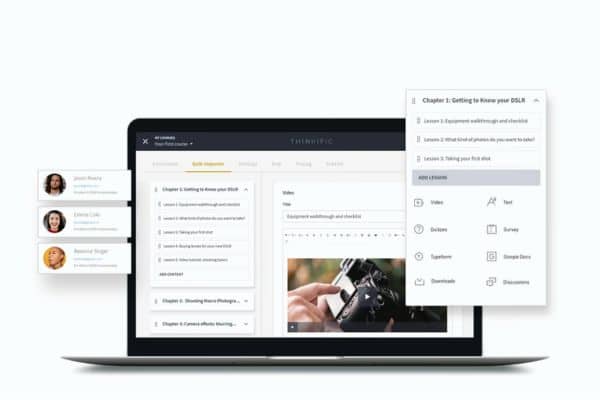
Thinkific is an agile online course creator solution that allows individuals and small businesses to create, market, and sell digital courses. Companies that want to provide effective employee training also use Thinkific.
However, reviewers suggest that Thinkific’s design and customisation options could be improved, and that it isn’t a good fit for mobile learning.
Key features
- Robust tools for creating multimedia courses
- Features for selling courses
- Detailed insights into student progress and course performance
Pros
- Easy-to-use interface for creating courses without technical skills
- Tools for drip content, prerequisite lessons, and multiple instructors
Cons
- Limited design templates and customisation options
- No dedicated mobile app for course creators or students
- Higher cost for advanced features
LearnWorlds vs Thinkific
Thinkific offers:
- Users can easily brand their course sites to match their business identity.
- Integrates seamlessly with a wide range of third-party tools.
Prices
Thinkific’s basic plan starts at $49 per month, which is more than LearnWorld’s $29 Starter plan. However, the other Thinkific plans are significantly lower than LearnWorlds.
Ratings
4.7/5 ( average rating from Capterra, GetApp, Software Advice)
#3 TalentLMS
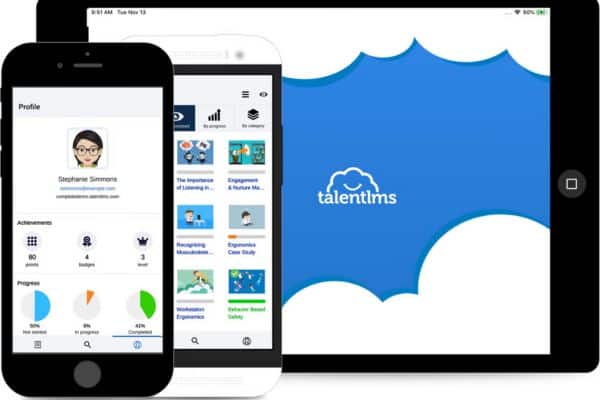
TalentLMS is a cloud-based LMS that offers easy course building and intuitive course management. It’s known for its user-friendly interface and scalability.
This software caters to diverse training needs with options for customisation and integration with third-party tools. However, based on reviews, some users do find customisation options for branding and interface design to be somewhat limited compared to more flexible platforms.
Not sure about TalentLMS?
We’ve put together a list of alternatives.Key Features
- User-friendly interface and easy setup
- Support for various content types (SCORM, video, documents)
- Customisable branding and domain
- Mobile-friendly learning experience
Pros
- Comprehensive customer support and online training resources
- Scalable for large organisations with robust reporting and analytics
- Integration capabilities with third-party apps
Cons
- Limited advanced customisation options compared to some competitors
- Occasional interface lag reported by users in busy environments
- Advanced reporting features may require higher-tier plans
- Some users find the interface design could be more modern
LearnWorlds vs TalentLMS
TalentLMS offers:
- Intuitive interface designed for quick setup and use
- Emphasis on corporate training and employee development
- Responsive design and mobile app for learning on the go
Prices
TalentLMS is available in five pricing tiers, starting from $69. They also offer a limited free plan for small companies or for testing the basic functionality of the platform.
Ratings
4.7/5 (average rating from Capterra, GetApp, Software Advice)
#4 Docebo
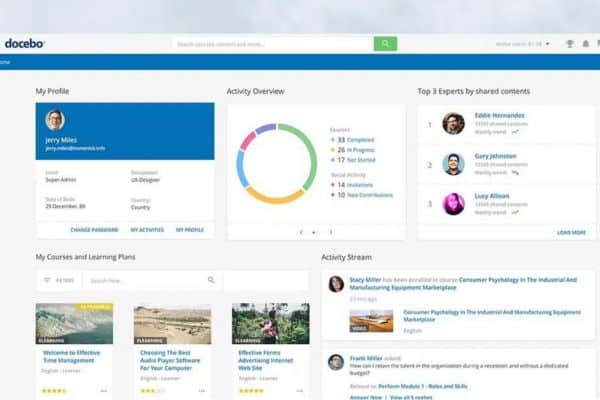
Docebo is an AI-powered customised e-learning solution that allows organisations to deliver and manage training programs efficiently.
This platform supports various learning formats like e-learning, blended learning, and social learning. It’s designed for individuals or businesses focused on enhancing user experience through artificial intelligence in training to improve learning results. But while it’s a great platform, user feedback suggests that the pricing structure is a bit high for smaller businesses or those with limited budgets.
Key features
- AI-powered LMS
- Customisable learning paths and certification programs
- Social learning capabilities with forums and user-generated content
- Mobile app for on-the-go learning
- Advanced reporting and analytics for tracking learner progress
Pro
- Strong emphasis on user experience and interface design
- Comprehensive functionality for selling courses
- Active user community and regular updates
Cons
- Higher price point compared to some other LMS options
- Complex setup and initial configuration
- Customisation requires technical expertise
- Some users report occasional issues with customer support
LearnWorlds vs Docebo
Docebo offers:
- A solution designed for corporate training and enterprise learning.
- Artificial intelligence for personalised learning paths and recommendations.
- Focus on student engagement and interactive learning experiences.
- Full white-label options for branding the learning experience.
Prices
Docebo does not disclose pricing information publicly. You’ll need to request a quote to determine the total cost based on the specific modules required for your needs.
Ratings
4.3/5 (average rating from Capterra, GetApp, Software Advice)
#5 Kajabi
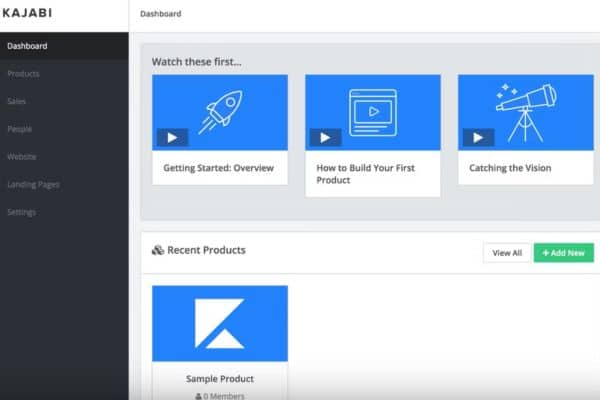
Kajabi is an all-in-one platform for hosting courses, building professional websites, and managing marketing efforts. It simplifies online course creation with customisable themes and a robust marketing tool. However, reviewers note that Kajabi can be challenging for beginners to learn and navigate due to the complexity of certain features and functionalities.
Key Features
- All-in-one platform for course creation, website building, and marketing
- Customisable themes and templates for branding
- Membership site capabilities with drip content
- Analytics dashboard for tracking student progress
Pros
- Suitable for both beginners and advanced users in online course creation
- User-friendly interface with drag-and-drop functionality
- Customer support via chat, email, and community forums
- Comprehensive built-in marketing tools
Cons
- Higher pricing compared to some standalone course platforms
- Limited flexibility in certain design aspects
- Dependency on Kajabi’s infrastructure for hosting and updates
LearnWorlds vs Kajabi
Kajabi offers:
- Intuitive and user-friendly interface with easy setup
- Combines online courses, website building, email marketing, and sales funnels
Prices
Kajabi’s pricing plans include a Starter for $55, Basic for $199, Growth for $159 and Pro for $319.
Ratings
4.6/5 (average rating from Capterra, GetApp, Software Advice)
#6 Teachable
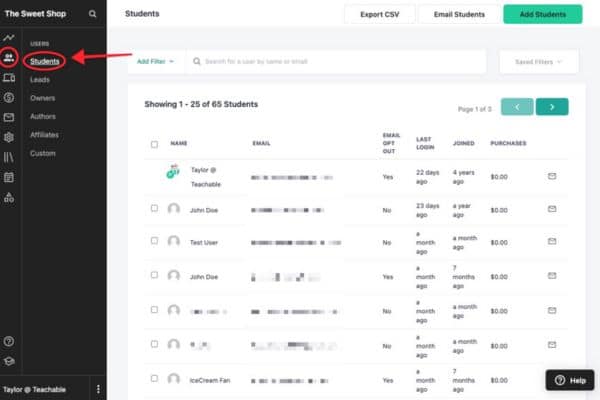
Teachable is primarily known as a course management software rather than a traditional learning management tool. It’s the best LearnWorlds alternative for individuals or small businesses looking to create and distribute online courses effectively. However, the platform is less flexible and offers limited capabilities compared to some of the other platforms in this list.
Key Features:
- User-friendly interface with easy course creation and customisation
- Customisable sales pages and course player
- Drip content scheduling for course delivery
Pros
- Extensive customisation options for branding and course structure
- Comprehensive analytics and reporting tools
- Active community and support resources
Cons
- Limited email marketing capabilities compared to LearnWorlds.
- Advanced features like certificates and quizzes are only available on higher-tier plans.
- Less flexibility in design compared to self-hosted solutions.
LearnWorlds vs Teachable
Teachable offers:
- Primary focus on course delivery and basic student progress tracking.
Prices
Teachable does offer a free plan which allows businesses to publish a course, coaching or download. However, this also comes with a $1 fee and 10% commission every time someone enrols. They also offer a Basic plan priced at $39, and Pro and Pro+ plans, which include advanced features, are priced at over $100.
Ratings
4.4/5 (average rating from Capterra, GetApp, Software Advice)
#7 Podia
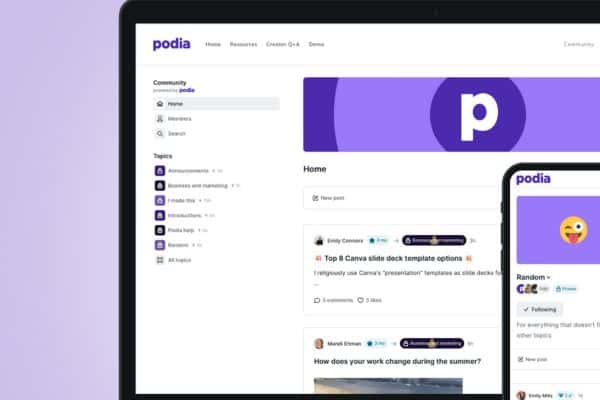
Podia is a versatile platform for selling e-learning courses. It provides a user-friendly interface that allows creators to easily set up their digital products without needing technical expertise. The platform supports various content types such as video, audio, text, and downloadable files, making it versatile for different types of courses and digital products.
While Podia is appreciated for its effective functionality in basic course creation and management, some users express a desire for more customisation features available on other platforms.
Key Features
- All-in-one platform for selling online courses, memberships, and digital downloads
- Customisable storefront with branding options
- Multimedia hosting for videos, downloads, and webinars
- Built-in email marketing and drip campaigns
Pros
- Simple and intuitive interface for course creation and management
- Unlimited courses, unlimited students, and uncapped bandwidth on all plans
- Excellent customer support via live chat and email
Cons
- Limited customisation options
- Fewer integrations with third-party tools compared to LearnsWorld
- Marketing automation features are basic
LearnWorlds vs Podia
Podia offers:
- No limits on the number of courses or students.
- User-friendly interface with simple setup and management.
- All-in-one solution with online courses, digital downloads, memberships, and webinars.
Prices
Podia’s pricing ranges from $39 to $199 per month, while LearnWorlds plans start from $29 to $508 per month. This makes Podia slightly more expensive for small businesses, but significantly more affordable for larger companies.
Ratings
4.8/5 (average rating from Capterra, GetApp, Software Advice)
#8 Mighty Networks
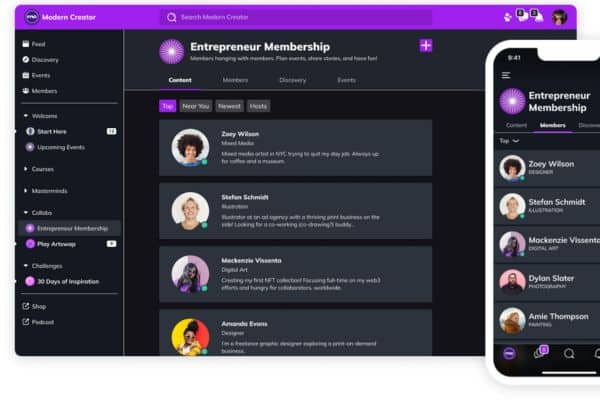
Mighty Networks integrates online courses, enabling individuals and businesses to provide multimedia-rich educational content along with community features. If your goal is to offer courses that foster student interaction and community engagement, Mighty Networks is the best LearnWorlds alternative.
While Mighty Networks does offer robust features for creating and managing online courses, it is more accurately described as a community-building platform with strong online course capabilities.
Key Features
- Community-centric platform
- Customisable branding and domain mapping
- Multimedia content hosting (videos, podcasts, articles)
- Mobile app for community engagement on iOS and Android
Pros
- Focus on building engaged communities with discussions and events
- Comprehensive analytics for tracking member engagement
Cons
- Limited customisation options compared to more flexible platforms
- Higher pricing compared to some simpler course platforms
- A bit of a learning curve for setting up and managing community features
LearnWorlds vs Mighty Networks
Mighty Networks offers:
- Tools for creating and organising content such as posts, articles, and multimedia content.
- Robust analytics to track community growth and engagement metrics.
Prices
Mighty Network’s Courses Plan will cost you $99 per month and if you’re looking for customisation and white-labelling, the Business Plan will set you back by $179.
Ratings
4.6/5 (average rating from Capterra, GetApp, Software Advice)
#9 LearnDash
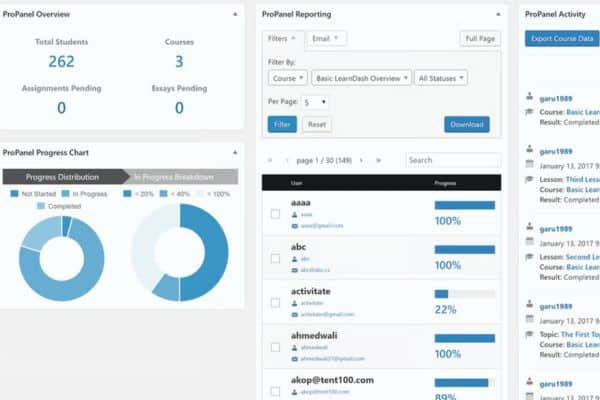
LearnDash is a popular learning management plugin for WordPress that allows you to create and sell online courses.
It’s known for its flexibility, allowing course creators to customise their courses extensively and integrate with other WordPress plugins and themes. It’s widely used by educational institutions, businesses, and entrepreneurs to deliver engaging and interactive online learning experiences. However, reviewers have noted integration challenges, particularly with custom plugins and themes.
Key Features
- Flexible course builder with drag-and-drop functionality
- Drip-feed content to schedule course availability
- Quiz and assignment creation with grading capabilities
- Certificates and badges for course completion
Pros
- Comprehensive reporting and analytics for tracking learner progress
- Gamification features to increase learner engagement
- Active community and extensive documentation
Cons
- Requires WordPress to operate, which adds complexity for new users
- Setup and initial configuration may require technical expertise
- Limited built-in payment processing options compared to all-in-one platforms
LearnWorlds vs LearnDash
LearnDash offers:
- Efficient course delivery
- Gamification features such as badges, and certificates
Prices
LearnDash has three-tier subscription pricing options, starting from $25 per month for the Starter plan, $41 for the growth plan and $83 for the pro plan.
Ratings
4.6/5 (average rating from Capterra, GetApp, Software Advice)
#10 Tovuti LMS
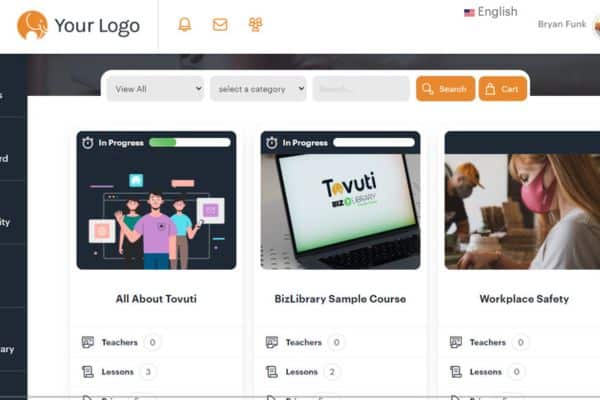
Tovuti LMS is a robust learning portal and online course creation platform that offers a host of tools and multimedia support. The platform’s gamification options, social learning features, and extensive customisation capabilities make it a good choice for organisations looking to enhance employee training and educational offerings.
However, some user feedback reveals that the setup and implementation process can take longer than expected, often requiring several months to get everything running smoothly
Key features
- Customisable learning paths and course catalogues
- Social learning features like forums and live chat
- Built-in video conferencing and virtual classroom capabilities
- Integrated eCommerce for selling courses and materials
- Advanced reporting and analytics dashboard
Pros
- Scalable platform suitable for small to large enterprises
- User-friendly interface with drag-and-drop course builder
- Flexible branding and customisation options
- Extensive integration capabilities with third-party tools
Cons
- Reviews suggest that pricing may be high compared to other LMS options.
- Complex setup and configuration for advanced features
- Steep learning curve for administrators and instructors
LearnWorlds vs Tovuti LMS
What Tovuti LMS offers:
- Scalability for both small businesses and large enterprises.
- Extensive customisation options with drag-and-drop functionality for course creation.
Prices
Tovuti LMS does not publicly provide pricing information. You need to request a personalised quote to get detailed cost information.
Ratings
4.8/5 (average rating from Capterra, GetApp, Software Advice)
Choose a LearnWorlds Alternative That Minimises Complexities
When searching for the ideal course creation platform, prioritise simplicity and functionality. Define your must-have features and usability expectations to guide your decision-making process effectively. Choose a platform that streamlines content creation, offers intuitive tools for customisation, and supports seamless student engagement.
A user-friendly platform like Cloud Assess ensures a smooth course development experience, empowering educators to focus more on content quality and less on technical complexities.
Looking for More Alternatives?
We’ve done the hard work for you. Explore these curated lists of popular platforms and alternative solutions.



