

Finding the right solution to train your employees has never been more challenging. There is a wide array of learning management platforms that boast new ways of boosting workplace skills and enhancing productivity. You’d think this would simplify the process. However, the broad market makes it more difficult to find a solution with the unique features and learner experience you need to meet operational goals.
One popular learning management solution on the market is eduMe. We look at the platform, where it falls short of expectations, and alternative solutions that you may want to consider.
What Is eduMe?
eduMe is a mobile-first learning management system (LMS) that focuses on AI-powered microlearning for frontline businesses. If you run a B2C organisation and want to train your employees with short multimedia courses, eduMe is likely a good fit for your needs. They aim to improve the overall customer experience.
However, while eduMe makes good use of artificial intelligence in training, it presents several challenges to businesses. if your company isn’t customer-facing and doesn’t need frontline training, eduMe may leave much to be desired. Even B2C companies have faced a number of difficulties when using the learning platform.
- Feature gaps. Boasts fewer features than many alternative platforms.
- Limited customisation. Courses and content have a generic look and feel.
- Lacking in assessments. Limited to quizzes for assessment, and reviews suggest the process is unintuitive.
- Video focused. Heavily focused on video content, which can be data-intensive to access.
Interested in Microlearning?
We’ve put together some of the most innovative microlearning examples.Alternatives to eduMe



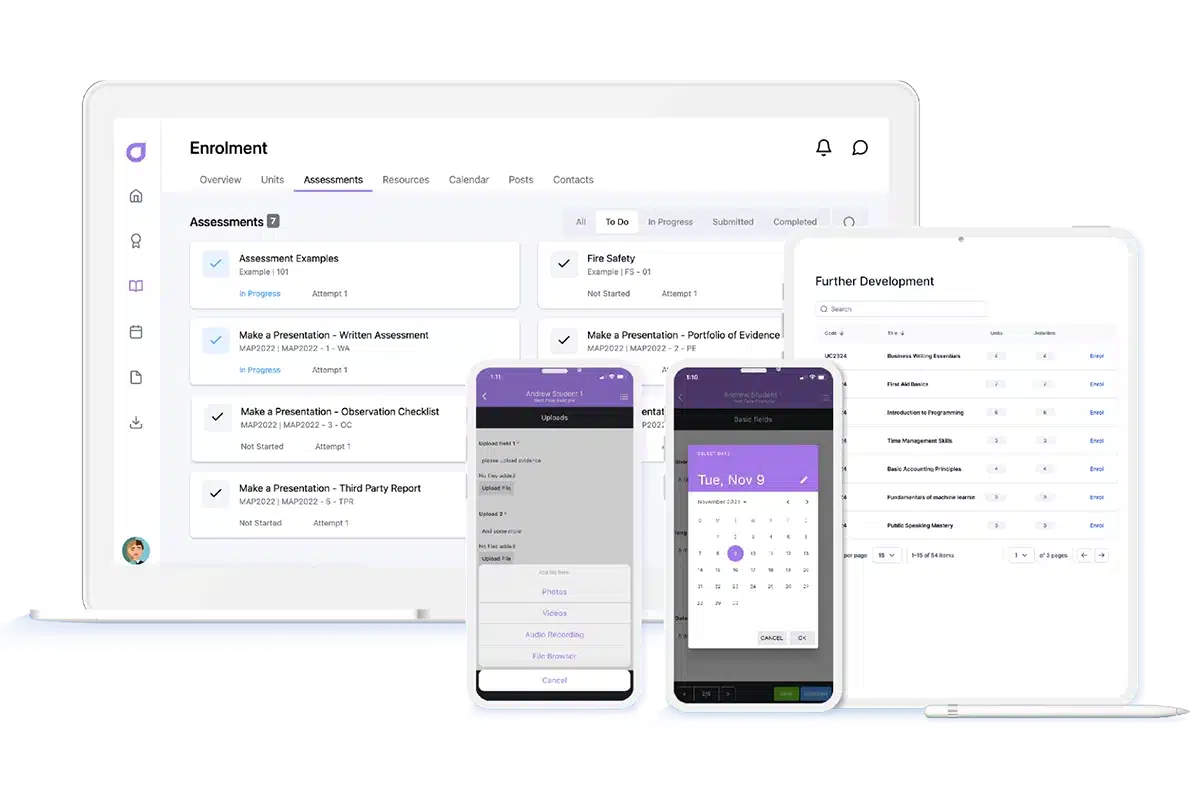
Cloud Assess provides businesses with extensive analytics, automated workflows, personalised learning paths, and workplace skill development. The platform also helps businesses embrace many different learning styles, incorporating microlearning and both off-the-job and on-the-job training techniques.
The employee training solution caters to both mobile and offline learning. This makes it easy for your teams to access training materials and assessments no matter where they are or how good their connectivity is. It also makes training easier for onsite, remote and hybrid environments, and more readily accessible for deskless workers.
Cloud Assess caters to several industries including registered training organisations (RTOs), vocational education and training (VET) providers, small businesses, and larger enterprises.
Key Features
- Skill assessments
- Competency mapping through online skills matrix
- Automated feedback mechanisms
- Personalised learning paths and adaptive content delivery
- Advanced reporting and analytics features
- Virtual coaching and mentoring
- Comprehensive learning content library
- Comprehensive compliance features
Pros
- User-friendly and intuitive admin and learner interfaces
- Strong focus on blended learning and wide range of assessment types
- Customisable automated workflows
- Accessible for offline and online training on mobile devices
- Encourages engagement through multimedia content and digital badges
eduMe vs Cloud Assess
Cloud Assess offers:
- Extensive features to meet a wide range of business needs
- Various branding and customisation options
- Multiple assessment types that are easily created with a drag-and-drop designer
- Incorporates video together with other multimedia and interactive elements.
Pricing
Cloud Assess offers one all-inclusive plan for training organisations and workplace training, priced as a flat fee per learner from $12. Every feature is included from day one, with no upgrade paths or feature gates. Visit our pricing page for an accurate quote.
Rating
4.7/5 (average rating from Capterra, G2, GetApp, Software Advice)
#2 Docebo
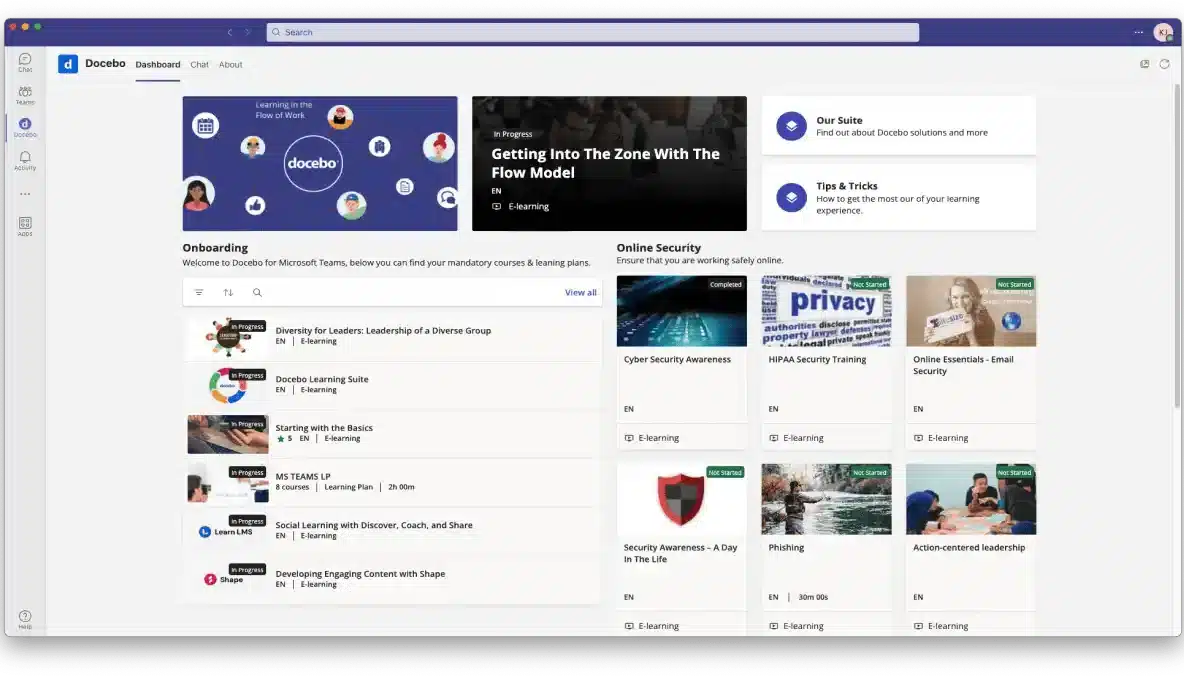
Docebo is a learning content management system that uses AI well across its training tools. Automated course creation and AI-generated course recommendations make adopting Docebo within large-scale businesses easy and still offer personalised learning experiences. Docebo thrives in bigger operations — they know they don’t cater well to companies with fewer than 300 users.
If you’re a large organisation and have IT specialists on hand to help with customisation, Docebo may be a good fit. However, small and medium enterprises (SMEs) will find it difficult to justify the hefty investment in the learning platform. Many companies may also not have time to adapt to the steep learning curve that many advanced features come with.
Unsure Whether Docebo Meets Your Needs?
Consider these alternative solutions.Docebo is a learning content management system that uses AI well across its training tools. Automated course creation and AI-generated course recommendations make adopting Docebo within large-scale businesses easy and still offer personalised learning experiences. Docebo thrives in bigger operations — they know they don’t cater well to companies with fewer than 300 users.
If you’re a large organisation and have IT specialists on hand to help with customisation, Docebo may be a good fit. However, small and medium enterprises (SMEs) will find it difficult to justify the hefty investment in the learning platform. Many companies may also not have time to adapt to the steep learning curve that many advanced features come with.
Key Features
- Automated and personalised learning recommendations
- Virtual coaches and AI-powered chatbots
- AI-based social learning
- Automated course creation
Pros
- Notable client base including companies like TripAdvisor and Zoom
- Multi-language support
- Extensive integration options
- Quick adoption and distribution of courses thanks to AI
Cons
- Highest price point on this list
- Complex setup and customisation
- Minimal offline access options
- Limited support availability
eduMe vs Docebo
Docebo offers:
- Wide range of features for large businesses
- Advanced customisation options, but require IT expertise to master
- Interactive courses and assessments maximise engagement
Pricing
Pricing for Docebo starts at $25,000 per year on a 3-year contract. Their Elevate pricing tier, which includes skills management tools and customised reporting starts at $40,000. Custom pricing for their Enterprise solution is available on request.
Rating
4.3/5 (average rating from Capterra, GetApp, Software Advice)
#3 Absorb LMS
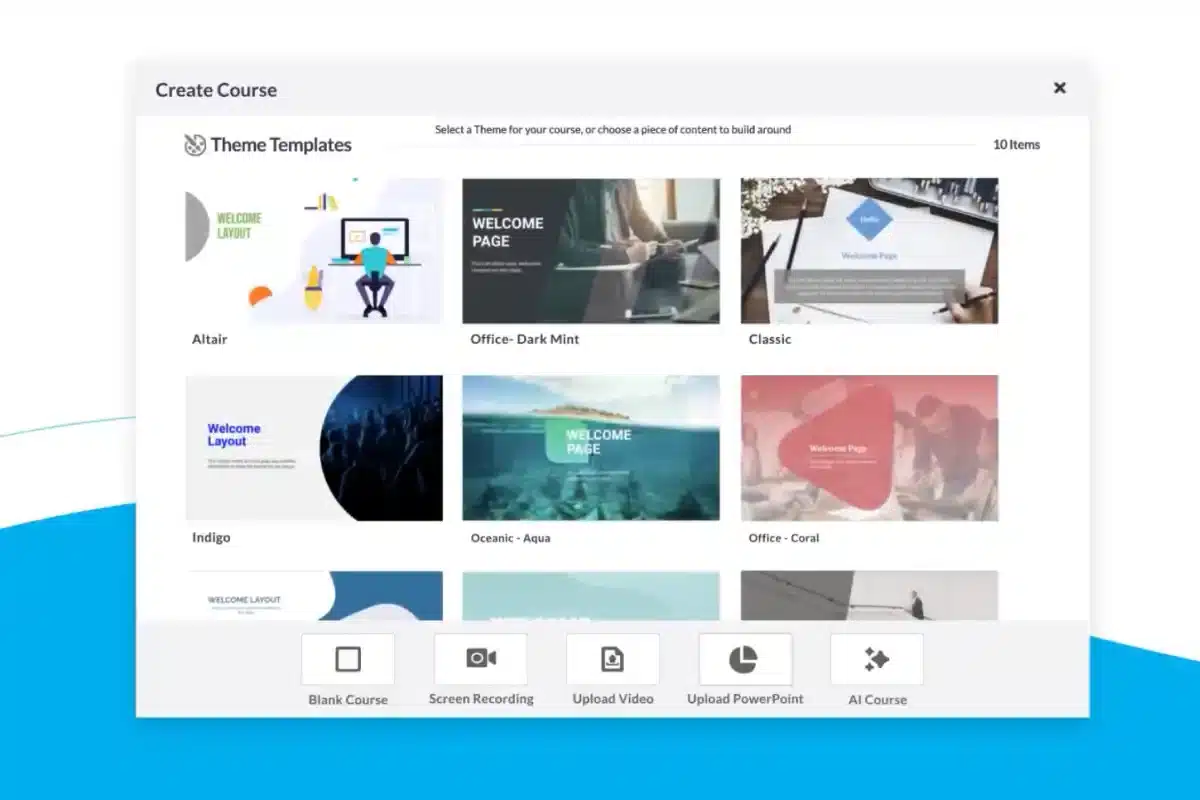
Where eduMe falls short when it comes to learner engagement, Absorb LMS thrives. The digital learning platform offers gamification features and an intuitive user interface that makes it easy for employees to access and interact with training content. Tools like automation and AI-driven content recommendations also aim to minimise admin and maximise efficiency.
Absorb struggles with assessments and reporting. The platform offers limited options for assessing skills and training development, and reviews indicate that reporting is difficult to navigate. Absorb LMS is likely not the right option if you need an eduMe alternative that offers more flexibility in these two areas.
Want to improve your skill assessment?
This guide will help.Key Features
- Gamification and social learning
- Automated learning pathways
- AI-driven content recommendations
- AI-based assessment and feedback
Pros
- Gamification improves learner engagement
- Curated course libraries allow for quick training
- Strong support tools like AI chatbot and knowledge base
Cons
- Doesn’t make any free courses or features available
- Reviews report occasional technical issues and glitches
- Steep learning curve for reporting and customisation
- Limited assessment options
eduMe vs Absorb LMS
Absorb LMS offers:
- Extensive list of features for any business size
- Multimedia elements contribute towards gamification and increase engagement
- Some customisation options, though complicated to implement.
Pricing
Absorb LMS doesn’t make their pricing readily available on their website, but you can contact them for a quote.
Rating
4.5/5 (average rating from Capterra, GetApp, Software Advice)
#4 SC Training (Formerly EdApp)
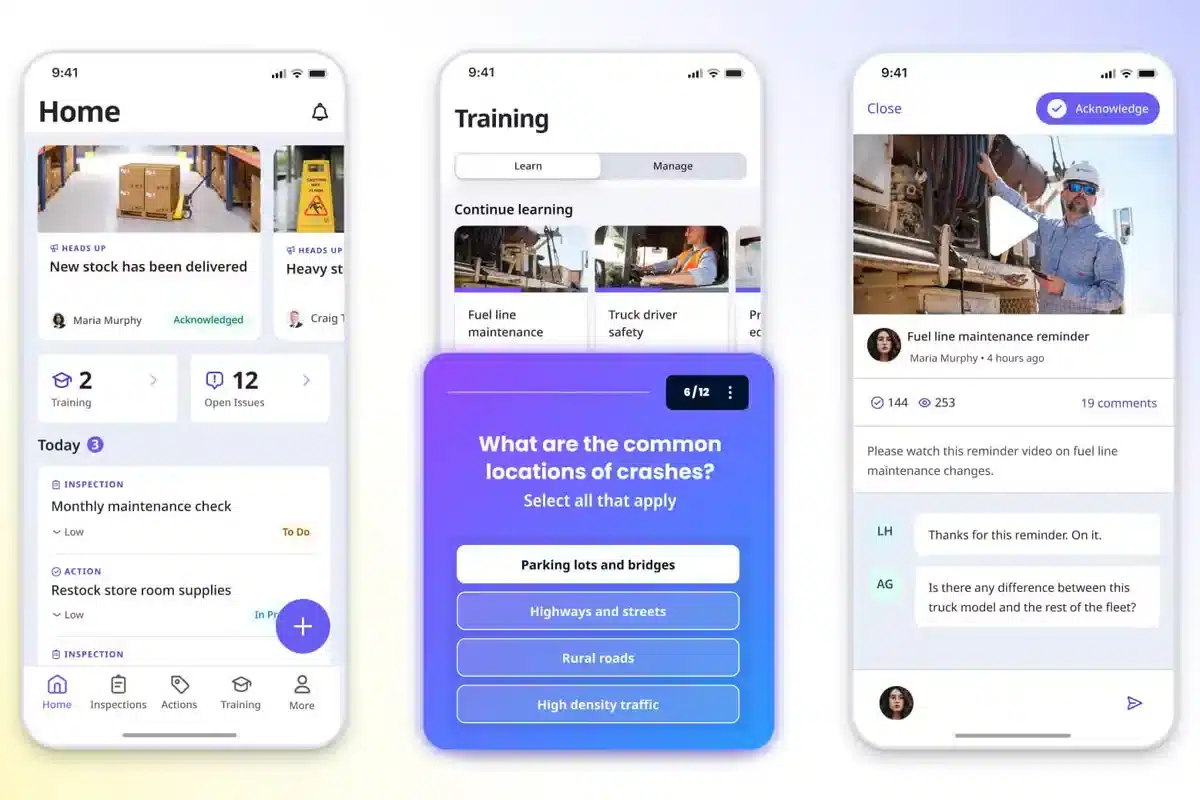
EdApp, now SC Training, takes a mobile-first approach to training. They’ve incorporated AI elements to break courses into microlearning lessons and provide automated reminders, taking this one step further.
However, focusing on gamification and online content means other types of learning styles are overlooked. Other eduMe alternatives cater better to a mix of microlearning and long-form content.
Already tried SC Training?
See how Cloud Assess compares.Key Features
- AI-based microlearning
- Automated reminders
- Personalised content
- Adaptive learning paths
- AI-enhanced gamification
Pros
- Improves learner interaction and engagement through gamification
- Easy to adapt and create microlearning content
- User-friendly mobile app
Cons
- Limited integrations compared with other eduMe alternatives
- Unreliable performance with occasional technical issues
- Limited community support
eduMe vs SC Training
SC Training offers:
- Wide range of features for creating customised training courses
- Turn existing online courses into microlearning opportunities
- Support for multimedia course content and gamification
Pricing
SC Training offers a free comprehensive learning content library. They also offer a free pricing tier for up to 10 users, which includes access to basic features. Their Premium plan, which provides access to more advanced features, starts at $5 per learner and $24 per administrator.
Rating
4.6/5 (average rating from Capterra, GetApp, Software Advice)
#5 LearnUpon
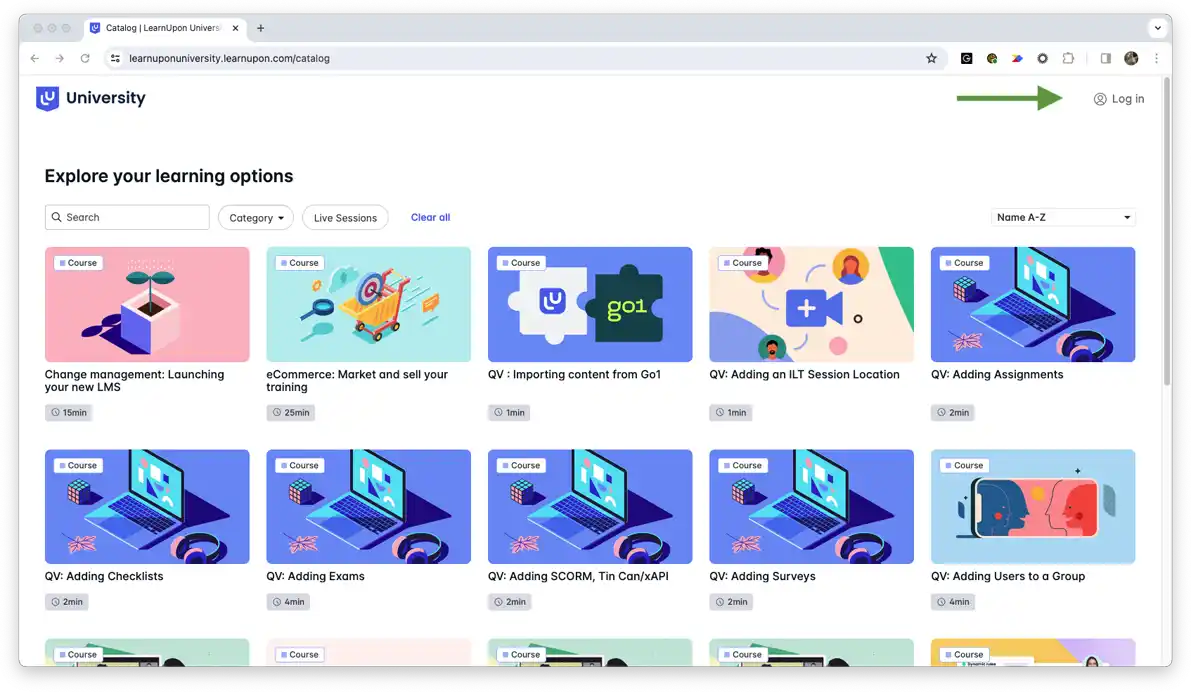
LearnUpon is a virtual learning environment that enables businesses to create content for multiple purposes. Its multiple training instances are beneficial for both employees and customers. LearnUpon also leverages generative AI to simplify the course creation process and personalise learning paths at a large scale. These make it easy for large businesses to adopt.
However, smaller businesses will often find its multi-tiered approach less useful. Its smallest plan is for 150 users, showing it’s more targeted at large-scale enterprises than SMEs. The platform can also be unintuitive, making it a difficult adjustment for companies that aren’t already familiar with corporate training programs.
Already tried LearnUpon?
We’ve pulled together some great alternatives for internal and external training.Key Features
- Automated learning pathways
- Adaptive content delivery
- Multiple training instances
- Virtual coaching tools
- Generative AI course creation
Pros
- Personalised learning paths increase learner engagement
- Multiple instances for unique content delivery
- Strong community, support and customer service
Cons
- Caters to large businesses
- Less intuitive than competitors
- Users report slow load times during high usage periods.
eduMe vs LearnUpon
LearnUpon offers:
- Various advanced features and integrations
- Custom branding across multiple training instances
- Gamification and social learning enhance learner engagement
- Multimedia course creation including videos, webinars and instructor-led training
Pricing
LearnUpon doesn’t make their pricing readily available on their website. However, you can compare the features of their Essential, Premium and Enterprise pricing tiers, request a quote, or book a demo.
Rating
4.8/5 (average rating from Capterra, GetApp, Software Advice)
#6 360Learning
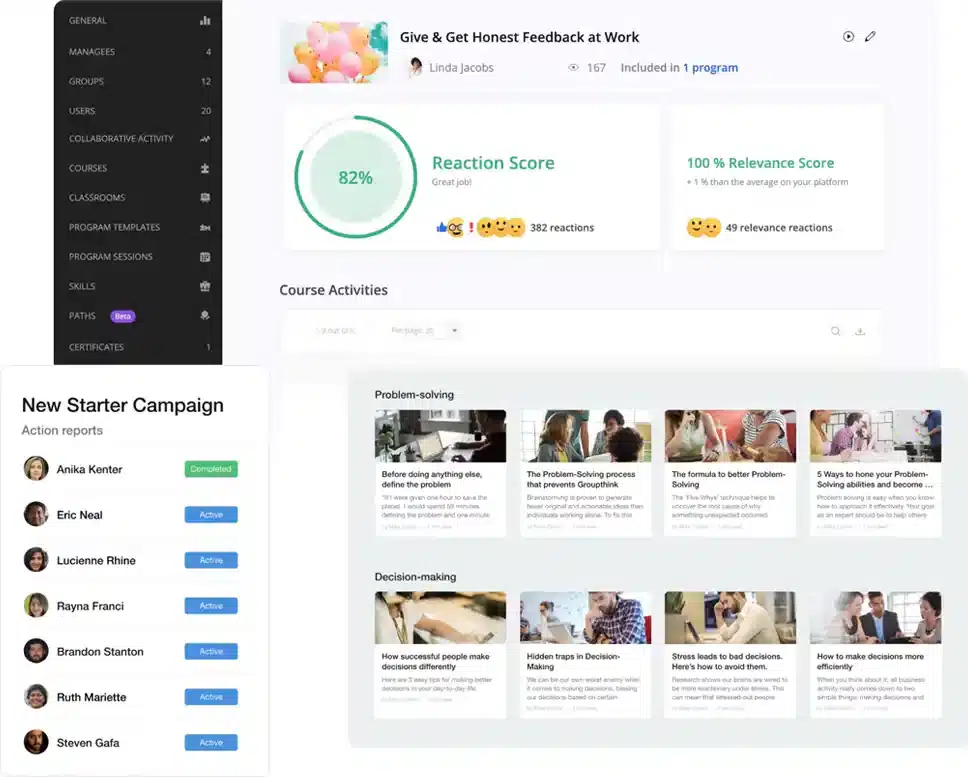
360Learning encourages learners to enrol in courses and create them as well. This kind of collaborative learning helps teams share knowledge and improve teamwork. The learning portal also uses generative AI in innovative ways to help anyone create a course quickly and easily.
However, while collaborative learning can improve engagement and expand custom content, it can also be an administrative nightmare. Ensuring accurate and high-quality courses can be difficult when anyone can create them. While the content itself may be customised, 360Learning doesn’t offer many branding options, leading to content often having a generic look and feel.
Key Features
- User-generated content backed by generative AI
- AI-powered collaboration features
- AI-enhanced peer learning
- Real-time collaboration and peer reviews
- Social learning features
Pros
- Social learning and collaborative features encourage active participation and engagement.
- Simplified and AI-backed content and course creation
- Encourages a company culture of learning and development (L&D)
Cons
- Increased administrative tasks
- Limited customisation options
- Not suitable for companies that prefer traditional learning styles
eduMe vs 360Learning
360Learning offers:
- Easy custom course creation, but limited branding opportunities
- A wide range of multimedia content options
- A learning experience heavily focused on engagement and participation
Pricing
Pricing starts at $8 per user per month for up to 100 users on their Team package. Business package pricing is available on request.
Rating
4.7/5 (average rating from Capterra, GetApp, Software Advice)
#7 Cornerstone OnDemand LMS
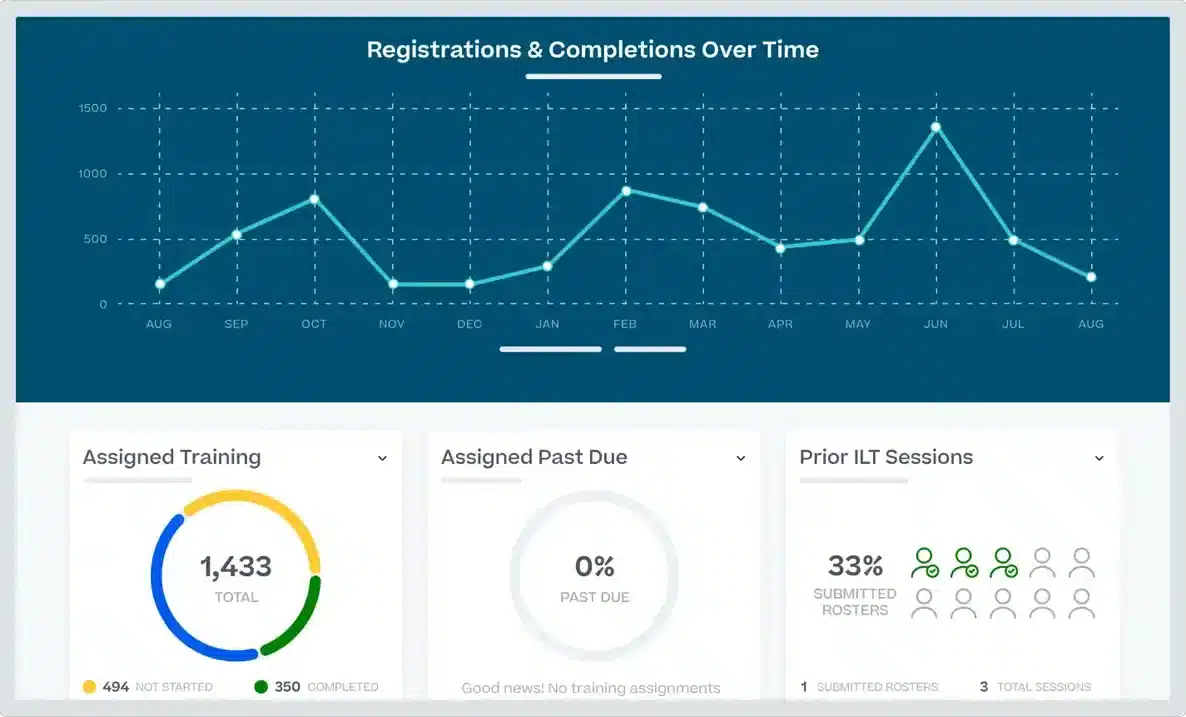
Cornerstone OnDemand is more than just a learning management system. The competency management system offers a unified platform which includes employee training, to ensure businesses are ready to grow and evolve. They refer to themselves as a ‘workforce agility platform’, and see learning management as just part of what helps businesses future-proof their operations.
The LMS effectively uses AI to offer personalised learning recommendations and simplified performance tracking. It also helps develop workplace skills and ensure compliance.
Cornerstone may be a good option if you need a solution for more than just training.. However, businesses that aren’t ready to shift their entire tech stack to Cornerstone may find less benefit in implementing this learning management system alone.
Key Features
- AI-powered personalised learning recommendations
- Skills graph and career pathing
- Predictive analytics for learning engagement
- Automated content curation
- AI-based compliance tracking
Pros
- Comprehensive talent management suite integrates learning with business operations
- Integrates seamlessly with Cornerstone OnDemand solutions
- Various other integration options
- Focus on growth culture and future-proofing
Cons
- More content curator than course creator
- Complex setup and customisation
- Targeted at businesses that use other Cornerstone OnDemand solutions
- Reviews suggest occasional lag in performance
eduMe vs Cornerstone OnDemand
Cornerstone OnDemand offers:
- Social learning opportunities to boost learner engagement
- Various types of training and assessment including AI and instructor-led coaching
Pricing
Cornerstone OnDemand doesn’t offer a pricing structure for their learning management system on their website. However, you can book a demo with them directly to learn about their prices.
Rating
4.3/5 (average rating from Capterra, GetApp, Software Advice)
#8 TalentCards
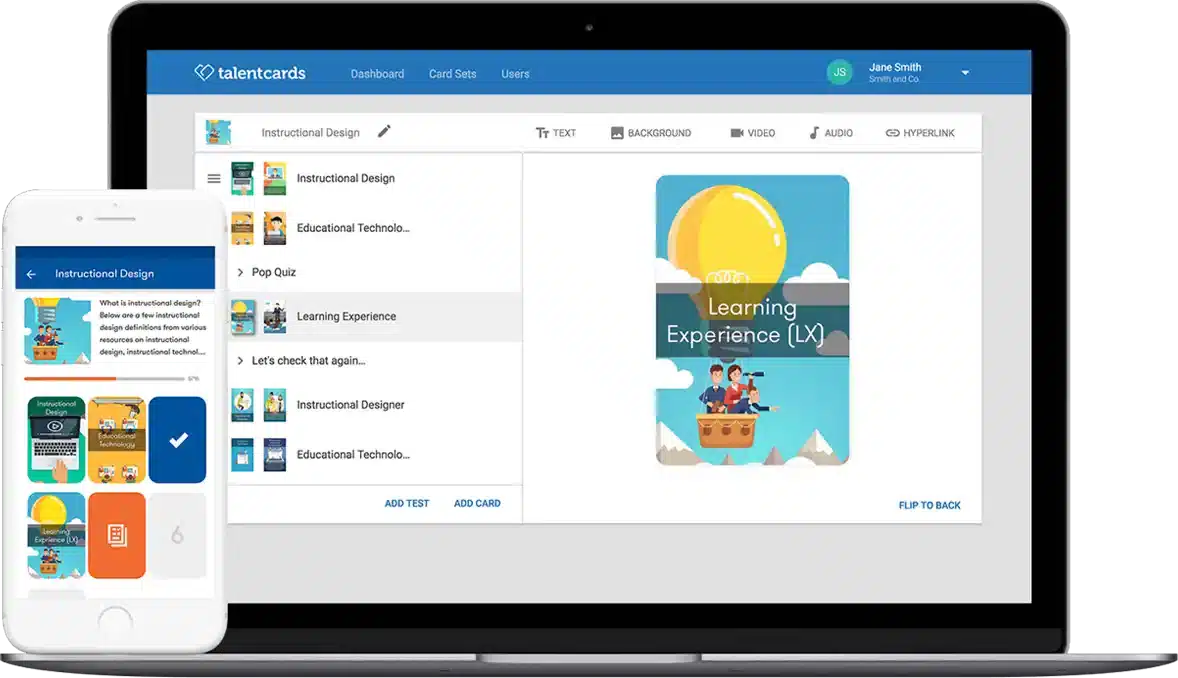
TalentCards is another good learning management system for frontline employees. It leverages AI across course creation, reporting and tracking learner performance. It also caters to a variety of training scenarios, accommodating deskless, reinforcement, compliance, product, student and onboarding training. This makes it a comprehensive L&D solution.
However, TalentCards users experience many of the same challenges that eduMe’s clients face. It doesn’t embrace as many learning styles as other options on this list and is more focused on training than assessment. It doesn’t offer many assessment types beyond quizzes.
Key Features
- AI-powered course creation
- AI-based microlearning
- AI-driven performance tracking
- Virtual coaching features
- Reskilling features
- Gamification features
Pros
- Quick and easy microlearning course creation
- Caters to multiple business learning needs
- Gamification helps teams embrace training
Cons
- Limited learning and assessment types
- Advanced features only available on higher pricing plans
- Fewer integrations than other eduMe competitors
- Reviews suggest occasional performance issues
eduMe vs TalentCards
TalentCards offers:
- Better engagement through microlearning content than eduMe
- Multimedia course creation, rather than focusing solely on video training
Pricing
TalentCards has a free plan available for up to 5 users, which helps businesses get a basic idea of the platform.
Their Standard package starts at $50 per month for 50 users and $1 per user thereafter. A Premium solution, which includes more advanced AI and reporting features, costs $75 per month for 50 users and $1.50 per user thereafter.
Rating
4.6/5 (average rating from Capterra, GetApp, Software Advice)
#9 LearnWorlds
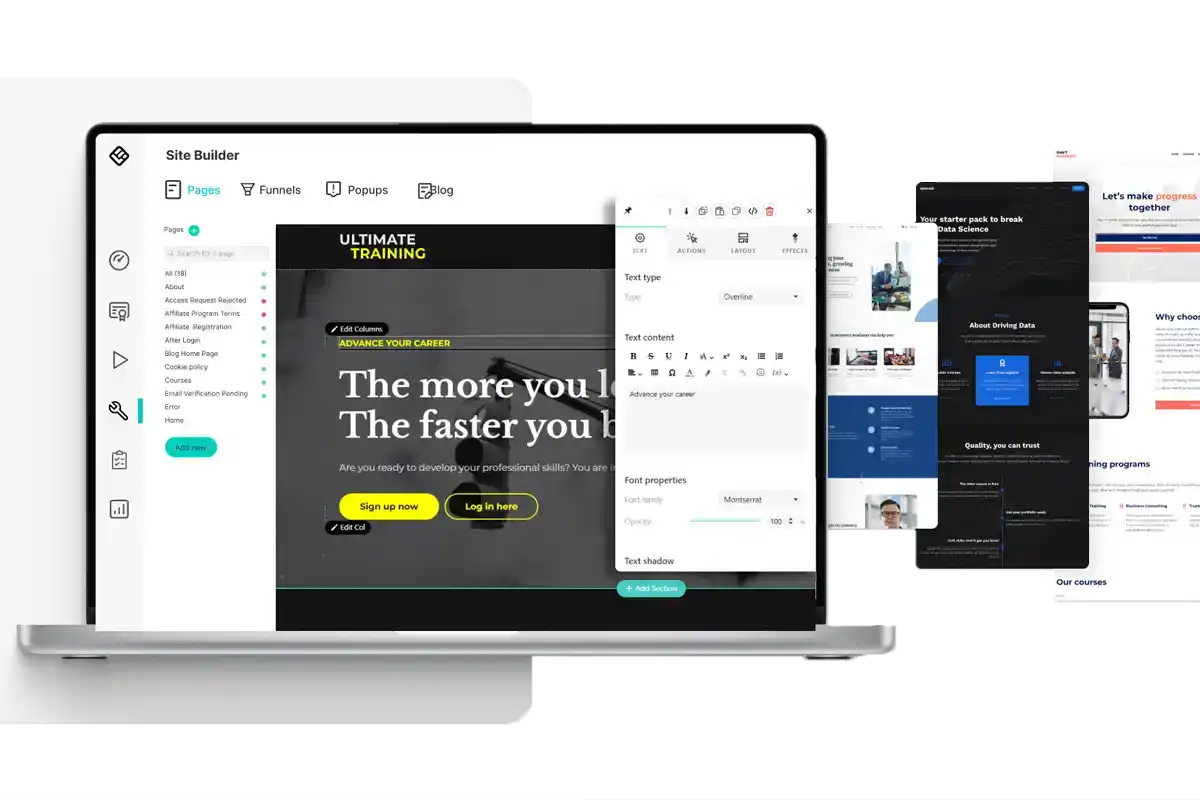
LearnWorlds helps businesses develop and deliver custom courses. It also offers a marketplace for courses. This provides additional revenue for companies with a unique way of working.
LearnWorld’s eLearning solutions include white-labelled websites for promoting courses, which helps with branding. The platform also accommodates multimedia better than options like eduMe and TalentCards. AI features like content recommendations and adaptive learning experiences help ensure training success.
However, while LearnWorlds does offer an affordable Starter package, most of its features are only available on their larger plans, which are significantly more expensive. This means that the platform doesn’t cater well to SMEs. Also, while they offer white-labelled websites, there aren’t many course customisation options.
Already worked with LearnWorlds?
We’ve put together a list of alternative LMS solutions.Key Features
- AI assistant
- Automated assessment and feedback
- AI video indexing
- Website builder
- Marketing tools
- Course marketplace
Pros
- Strong support for multimedia content including interactive videos and live training sessions.
- Multiple options for assessment
- Option to resell courses to a wider audience
Cons
- Doesn’t cater well to small businesses
- Limited customisation options
- Majority of features only available on higher pricing tiers
eduMe vs LearnWorlds
LearnWorlds offers:
- Varied assessment types with simplified assessment builder
- Wide range of features on Pro Trainer and Learning Center tiers
Pricing
LearnWorlds offers four pricing levels. The Starter level costs $29 per month. However, an additional fee of $5 is charged for every course you sell.
The Pro Trainer level costs $99 per month, while the Learning Center costs $299 and the Mobile App option costs $598 monthly. LearnWorlds does offer discounts on these rates when paying 6 months in advance.
Rating
4.7/5 (average rating from Capterra, GetApp, Software Advice)
#10 Paradiso
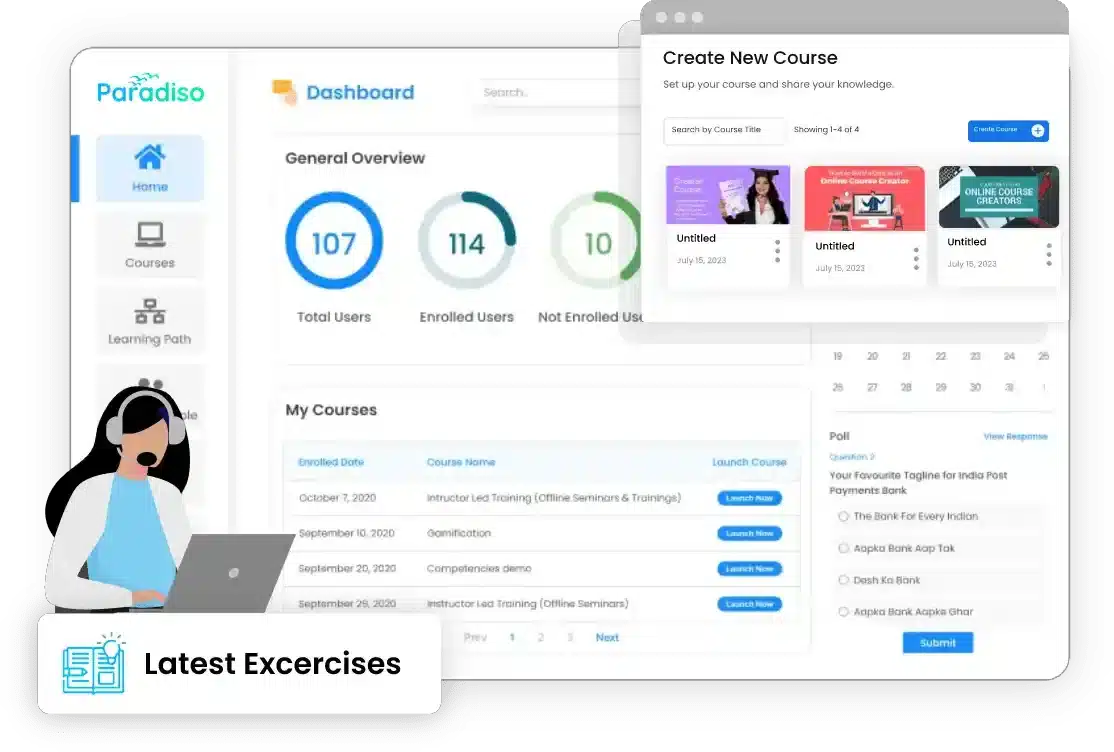
Paradiso boasts about offering one of the world’s most customisable eLearning solutions. This makes it a good learning management system for companies that are disappointed in eduMe’s lack of customisation options. The platform uses AI to speed up course creation and improve personalisation and reporting. Paradiso also supports blended learning and leverages gamification and social learning to boost learner engagement.
However, while the platform may be designed for learners’ ease of use, it has a steep learning curve for administrators. And while Paradiso boasts many awards and recognitions, it’s the lowest-rated option in this list.
Key Features
- Automated content curation
- AI-powered course authoring tool
- Predictive analytics for learner engagement
- Blended learning
- Gamification features
- Social learning features
- Training tracking software features
Pros
- Extensive customisation and branding options
- Encourages learner engagement through gamification, collaboration and social learning
- Multi-language support
- Boasts numerous awards and recognitions
Cons
- Steep learning curve for administrators
- Limited offline learning options
- Reviews suggest occasional lags in performance
- Overall rating of 4.2 compared to the average of 4.5 for listed eduMe alternatives
eduMe vs Paradiso
Paradiso offers:
- Multiple customisation options, even labelling itself as the world’s most customisable platform
- Extensive feature list
- Focus on learner engagement
Pricing
Paradiso doesn’t list its pricing option on the website. However, they indicate that businesses can customise available features and only pay for the ones they need. Contact them directly to get a quote.
Rating
4.2/5 (average rating from Capterra, GetApp, Software Advice)
Looking for More Alternatives?
We’ve done the hard work for you. Explore these curated lists of popular platforms and alternative solutions.



