

Frontline workers face unique challenges when it comes to training. While hard skills are essential to their day-to-day roles, soft skills like communication, adaptability, and emotional intelligence help them build lasting customer relationships. Yet, soft skills are hard to teach and even harder to measure.
To complicate things further, frontline workers often work away from offices, with limited time and access to complete traditional training programs.
Luckily, there are purpose-built software solutions that make frontline training more accessible, engaging, and effective.
What is Training Software for Frontline Workers?
Training software for frontline workers is designed to deliver practical, engaging, accessible and mobile-friendly learning to employees who work directly with customers. These solutions help companies build training materials and courses to support soft skill development in their frontline workforces, alongside onboarding, induction training and compliance management.
Top 10 Training Software Solutions For Frontline Teams




Cloud Assess is a cloud-based training and assessment platform with a focus on practical and engaging skill development. As a learning management system (LMS), it helps companies create and deliver targeted training that can be accessed on any device, anywhere, online or offline. This makes it easy for frontline employees to access training materials and complete courses and assessments while on the go, even in remote areas. Any progress they make will be synced as soon as connectivity returns.
On top of extensive LMS features, Cloud Assess also supports employee management with a skills matrix, compliance management capabilities, and performance tracking. Companies can use the platform to track, develop and measure workforce skills across teams and departments. Cloud Assess’ customised reporting and automation tools also streamline processes, reducing administrative burden and ultimately saving companies time and money.
Key Features
- Cloud-based LMS
- Intuitive and user-friendly interface
- Mobile-first design
- Offline functionality
- Free course library
- Interactive course builder
- Gamification features
- Microlearning features
- Social and collaborative learning options
- On-the-job training support
- AI assessment generator
- AI marking assistant
- Online skills matrix
- Employee management features
- Extensive customisation options
- Real-time reporting and analytics
- Workflow automation
- 5000+ integrations with existing tools
Pros
- Interactive and multimedia courses and various types of assessment make it easier to accommodate different learning styles
- Mobile app with offline functionality helps frontline workers access training materials anywhere and from any device
- Gamification, social learning and collaborative learning features enhance the learning experience and improve employee engagement
- AI tools and features automate manual tasks, reducing human errors and streamlining training and administrative processes
Pricing
Cloud Assess offers an all-inclusive solution for employee training in high-risk, high-compliance industries. Every feature is included from day one, including mobile offline assessment, verification of competency, skills matrix and automated compliance tracking. There are no upgrade paths or feature gates. Visit our pricing page for an accurate quote.
Rating
4.7/5 (average rating from Capterra, G2, GetApp, Software Advice)
#2 Bites
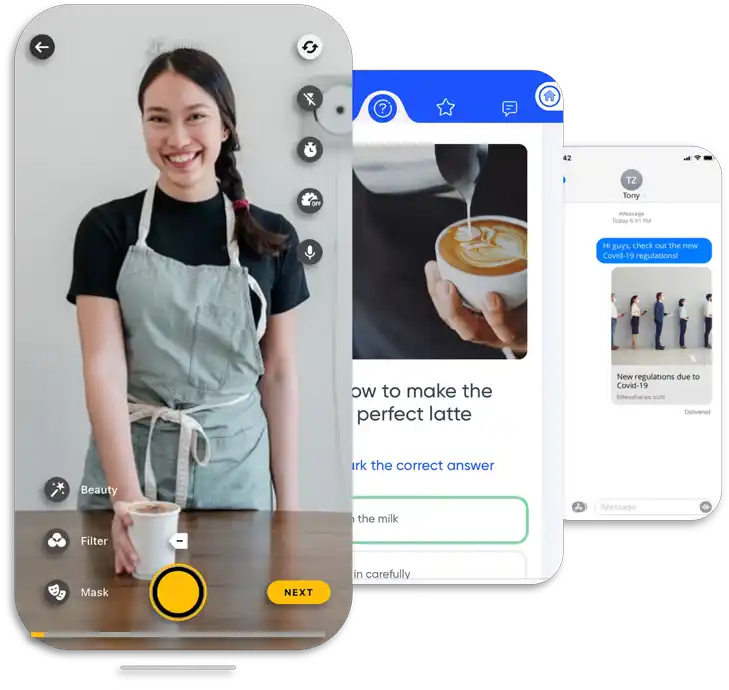
Bites is a workplace training platform that helps companies design and deliver microlearning courses. Their bite-sized training content makes it easy for frontline employees to fit training into even the busiest schedules. Interactive videos and AI-powered recommendations make learning engaging, while real-time analytics and reporting help companies measure the overall success of their employee training programs.
However, not all training can be reduced into bite-sized courses, and Bites’ focus on microlearning can make it more difficult to meet complex training needs. Some users also report technical issues that include long load times, occasional crashes and general slowness.
Key Features
- Microlearning content creation
- Customisable templates
- Interactive video-based training
- AI-powered content recommendations
- Social learning features
- Gamification elements
- Real-time analytics and reporting
- Mobile accessibility
- Offline access
- Seamless integration with existing systems
Pros
- Supports quick and engaging training for busy frontline teams
- AI content recommendations help to personalise learning paths and support self-paced learning
- Real-time analytics help companies track learning progress
Cons
- Strong focus on video content and microlearning doesn’t meet complex training needs
- Limited customisation options can make Bites feel generic rather than tailored to each company’s needs
- Long load times and general slowness of the platform can lead to frustration
Pricing
Bites doesn’t make pricing available on their website. You would need to contact them directly to request a quote.
User Volume
Bites provides interactive and engaging training content for industries like retail, hospitality, healthcare, construction and fitness.
Rating
4.9/5 (average rating from Capterra, G2, GetApp and Software Advice)
#3 Axonify
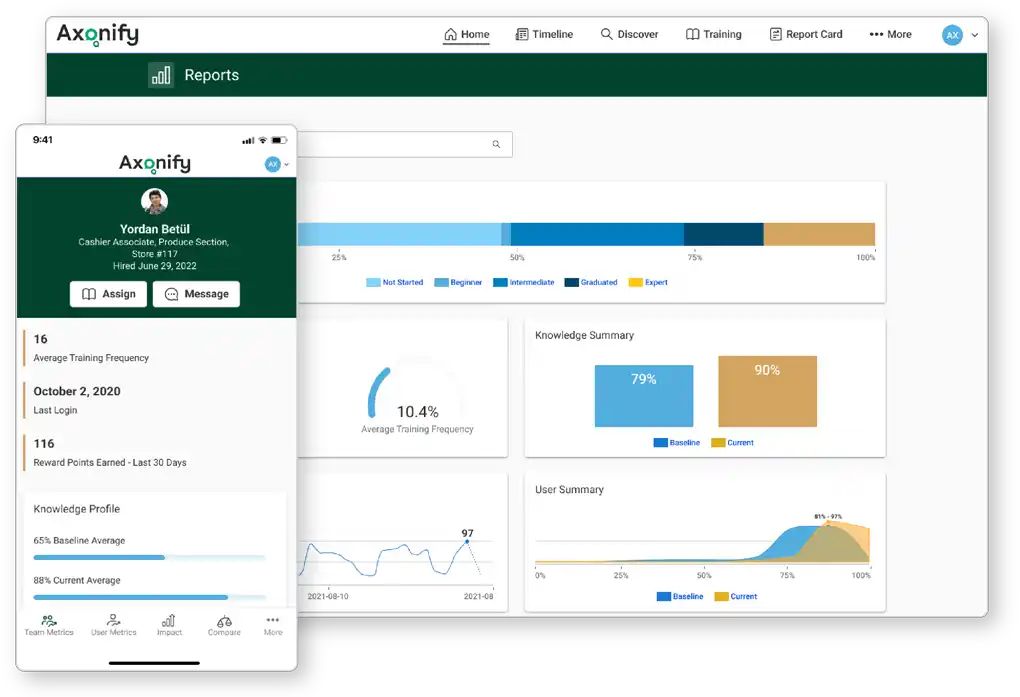
Axonify is another microlearning app that delivers personalised and highly engaging training for frontline workforces. The platform focuses on repetitive and continuous learning through gamification to support long-term knowledge retention and positive behaviour changes. This makes it an effective tool for helping teams develop the workplace skills they need in frontline roles.
However, like Bites, Axonify’s focus on microlearning can make it more difficult to implement advanced employee development plans. Some users have also found that the platforms’ administrative and customisation features are lacking compared to competitors.
Already Tried Axonify?
We’ve compiled a list of alternative solutions.Key Features
- Personalised content delivery
- Microlearning modules
- Gamification elements
- Multi-device support
- Real-time analytics
- Content marketplace
- Centralised information hub
- Learning management system integrations
- API access
Pros
- Centralised information hub makes it easy for employees to access knowledge bases and training courses across different departments
- LMS integrations and API access make it easy to incorporate Axonify into any tech stack
- Content marketplace allows companies to resell training courses they’ve developed as an additional revenue stream
Cons
- Platform requires significant setup time and is less intuitive than solutions like Cloud Assess, Bites and SwipeGuide
- Users report that administrative and customisation features are lacking compared to competitors
- Microlearning and gamification elements may not be suitable for advanced training needs
Pricing
Axonify doesn’t make pricing available on their website. You would need to contact them directly to request a quote or product tour.
User Volume
Axonify meets the needs of medium to large-scale enterprises across various sectors with frontline workforces.
Rating
4.7/5 (average rating from Capterra, G2, GetApp and Software Advice)
#4 Mitti (SC Training)
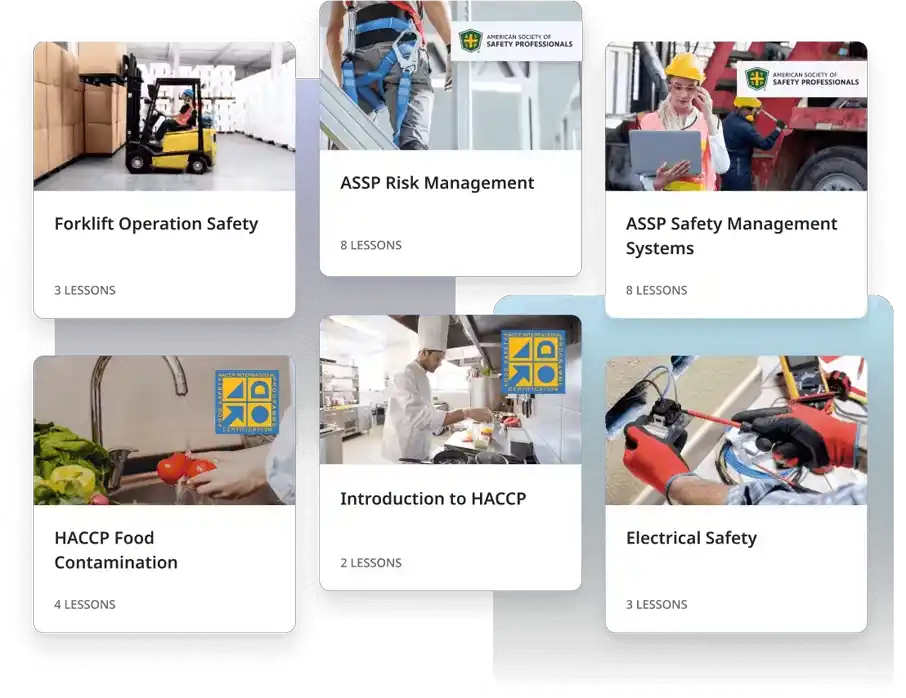
Mitti, formerly SC Training and EdApp, is a customised eLearning solution that helps companies develop branded training that aligns with their company culture. The platform uses AI in training to support rapid course creation and digitise training content. Like Cloud Assess, Mitti incorporates microlearning and gamification elements, but without them being the platform’s core focus. This makes it easier to create versatile courses and assessments that are engaging and thorough.
However, Mitti focuses more on product, sales and customer training than on skill development. While these help to familiarise frontline employees with processes and solutions, they can hamper the power skill development they need to manage customer interactions.
Want to See How Mitti and Cloud Assess Compare?
See the two platforms side by side.
Key Features
- AI-assisted course creation
- Microlearning support
- Social learning features
- Gamification elements
- Customisable course templates
- Customer training portal
- Mobile-first design
- Offline access
- Basic analytics and reporting
- Custom branding
Pros
- User-friendly interface and AI course creation makes the platform easy for companies to adopt and quick to start using
- Mobile-first platform with offline access makes training easily accessible for frontline workforces
- Extensively customisable to help companies develop branded training materials
Cons
- Focus is more on product training than skill development
- Users report limited integration capabilities, making it difficult to synchronise data across a technology stack
- Analytics can take time to update, leading to a delay in reporting
Pricing
Mitti (SC Training) offers a free tier for up to 10 users, allowing companies to test-drive the platform with basic features. Premium and Enterprise pricing is available on request.
User Volume
Mitti supports learning in industries like retail, aged care, hospitality, pharmaceuticals, and insurance.
Rating
4.7/5 (average rating from Capterra, G2, GetApp and Software Advice)
#5 eduMe
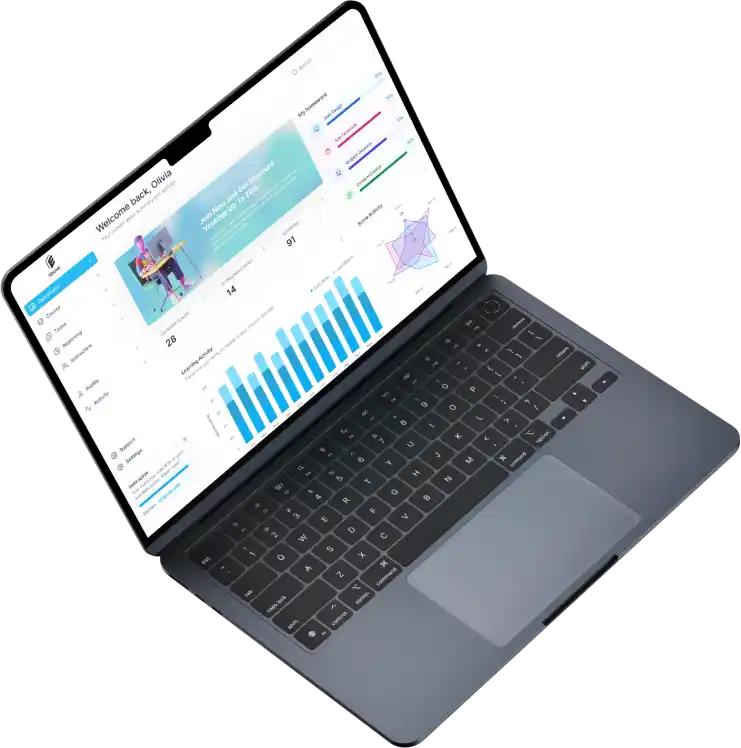
eduMe is an online course platform that supports frontline and deskless workers with engaging learning materials. Its advanced content authoring tools simplify the development of interactive and engaging courses, while personalised learning paths ensure employees can access relevant training. The online courses are also accessible on any device, both online and offline, making it easy for frontline workers to access training even in remote areas.
However, like Bites and Axonify, eduMe doesn’t offer many customisation features. Users also report that while the platform supports multiple languages, localisation issues make it ineffective for training global teams.
Already Know eduMe Isn’t Right For You?
These alternatives may be a better fit.Key Features
- Content authoring tools
- Mobile-first design
- Offline functionality
- Microlearning modules
- Gamification elements
- Social learning features
- Personalised learning paths
- Real-time analytics and reporting
- Multilingual support
- Integration with existing systems
Pros
- Intuitive interface and extensive integration options make it easy to adopt
- Engaging and interactive courses boost employees’ knowledge retention
- Mobile design with offline capabilities make it suitable for on-the-go training
Cons
- Limited customisation options compared to competitors like Cloud Assess and Mitti
- Localisation issues make it difficult to adopt for global teams
- Users report assessment options are limited compared to solutions like Cloud Assess
Pricing
eduMe doesn’t make pricing available on their website. You would need to contact them directly to book a demo or submit a pricing request.
User Volume
eduMe works well for frontline training in industries like retail, hospitality, manufacturing, transport and logistics.
Rating
4.4/5 (average rating from Capterra, G2, GetApp and Software Advice)
#6 iTacit
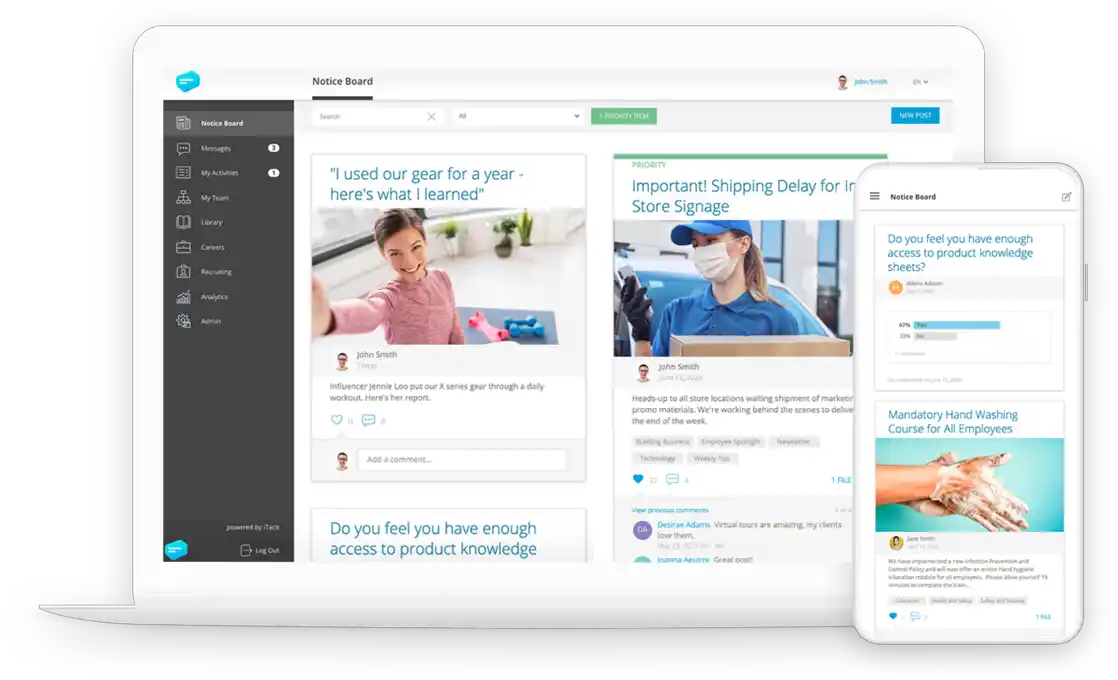
iTacit is a comprehensive platform that combines LMS features with employee management software. This helps companies deliver engaging training to their frontline workforce, while incorporating communication and employee engagement tools to boost overall productivity and performance. Extensive compliance tracking and customisation features also make iTacit an attractive option for large organisations.
However, the platform’s extensive feature set also comes with a steeper learning curve than many competitors. The software isn’t as intuitive as the frontline training solutions from Cloud Assess and eduMe, and some features require training from customer support to master.
Key Features
- Mobile learning platform
- eLearning authoring tool
- LMS features
- Surveys and training feedback collection
- Employee management features
- Compliance tracking
- Document management
- Task management
- Communication and collaboration tools
- Customisable branding
- Integration with HR systems
Pros
- Comprehensive platform supporting multiple business needs
- Strong focus on enhancing employee engagement across training, communication and task management
- Strong compliance features support high-risk industries with frontline workers
Cons
- User interface isn’t as intuitive as some competitors
- Features require significant training for effective use
- Limited integrations beyond HR systems makes it difficult to sync data across a tech stack
Pricing
iTacit doesn’t make pricing available on their website. You would need to contact them directly to schedule a personalised 1:1 demo or request a quote.
User Volume
iTacit specialises in delivering frontline training in high-risk industries that include construction, manufacturing, healthcare and safety.
Rating
4.5/5 (average rating from Capterra, G2, GetApp and Software Advice)
#7 YOOBIC
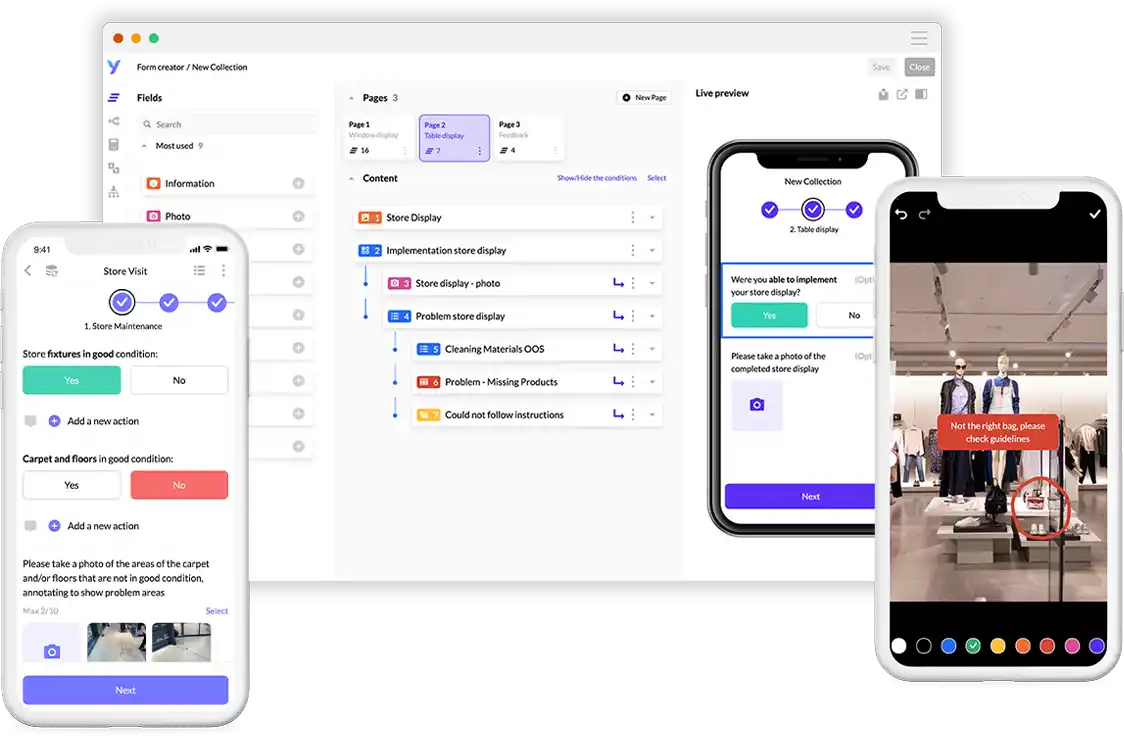
YOOBIC is another all-in-one solution for frontline training, task management and communication. When it comes to training itself, the platform takes a microlearning approach, much like Bites and Axonify, prioritising accessibility and gamification. On top of its LMS features, YOOBIC also offers digital checklists and real-time performance analytics to boost productivity and operational efficiency. This ensures alignment between training initiatives and larger organisational goals.
However, like iTacit, YOOBIC comes with a steep learning curve. The platform also doesn’t offer offline learning functionality, making it more difficult for frontline teams in remote areas to access training courses and assessments.
Key Features
- Mobile-first design
- Microlearning modules
- Gamification features
- Content distribution
- Training feedback and survey tools
- Digital checklists
- Real-time performance analytics
- Real-time communication tools
- Task management features
Pros
- Comprehensive platform supporting training, task management and communication from a single solution
- Content distribution features allow companies to develop training materials and share them across communication channels like Microsoft Teams and SharePoint
- Performance analytics ensure alignment between frontline training and operational efficiency
Cons
- Steep learning curve for new users
- Limited offline functionality make it difficult to adopt for on-the-go and on-the-job training
- Customisation options are limited compared to platforms like Cloud Assess and Mitti
Pricing
YOOBIC doesn’t make pricing available on their website. You would need to contact them directly to get a demo or request a quote.
User Volume
YOOBIC supports frontline workers in industries like retail, hospitality, fashion, pharmaceuticals and manufacturing.
Rating
4.4/5 (average rating from Capterra, G2, GetApp and Software Advice)
#8 Operandio

Operandio provides businesses with the tools they need to manage frontline tasks, communication and training through a user-friendly and customisable interface. Administrators and employees can jump straight in and start building or accessing learning materials like digital checklists or online training modules. They can also track learning progress and overall performance.
However, Operandio is more focused on employee management than learning. If frontline training is your goal, Operandio may help, but won’t necessarily offer all the functionality you need.
Key Features
- Mobile accessibility
- Training modules
- Digital checklists
- Learning progress tracking
- Performance tracking
- Task management features
- Communication tools
- Scheduling tools
- Compliance management
- Customisable workflows
- Integration capabilities
Pros
- User-friendly interface makes it easy to adopt
- Comprehensive tool to streamline daily operations across training, task management and performance tracking
- Improves communication and collaboration across frontline workforces
Cons
- Limited advanced features compared to competitors
- More focus on employee management than frontline training
- Reporting and analytics aren’t as advanced as some competitors
Pricing
Operandio doesn’t make pricing available on their website. You would need to contact them directly to book a demo or request pricing.
User Volume
Operandio is used by frontline staff in sectors like hospitality, childcare, entertainment, fitness and retail.
Rating
4.9/5 (average rating from Capterra, G2, GetApp and Software Advice)
#9 SwipeGuide
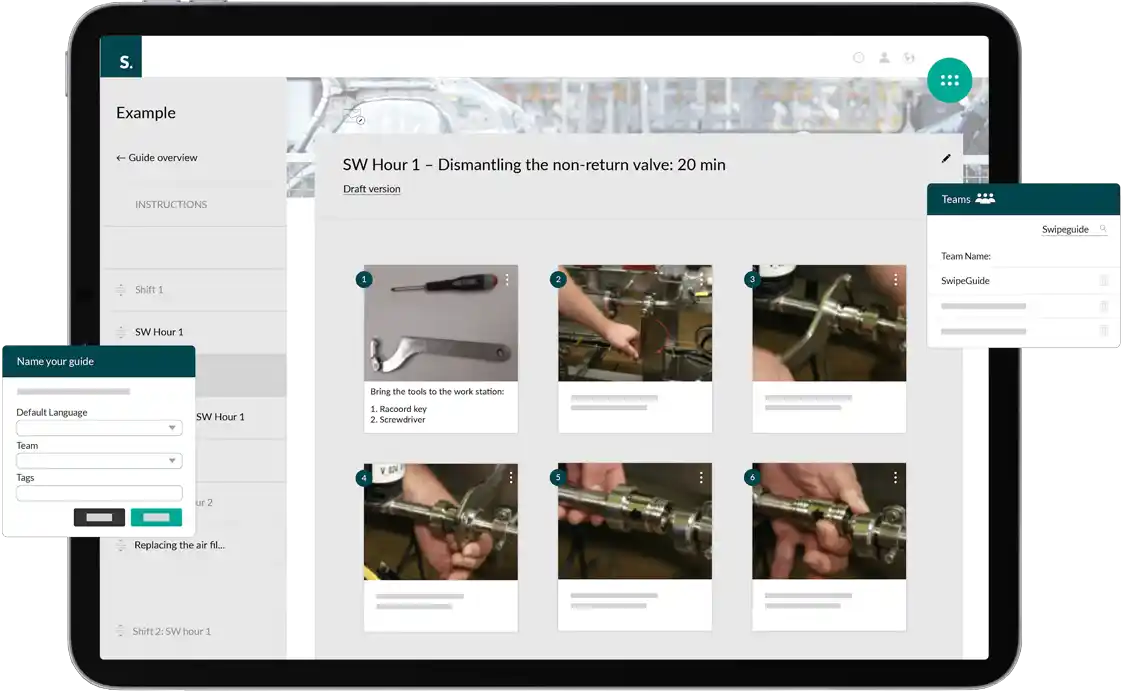
SwipeGuide is a frontline training platform that specialises in creating visual, step-by-step instructions for employees to follow. This makes it a great tool for providing your teams with practical guides for following Standard Operating Procedures (SOPs) and familiarising themselves with operational processes. The platform supports employee onboarding, induction and continuous on-the-job training with guides helping to address skill and knowledge gaps across your frontline workforce.
However, SwipeGuide isn’t as intuitive as competitors like Cloud Assess and Operandio, and can take significant time to setup. Users report that regularly updating the content to keep it relevant can also be challenging and time-consuming.
Key Features
- Step-by-step digital training guides
- Mobile accessibility
- Offline functionality
- Customisable templates
- Visual content integration
- Collaborative authoring
- Feedback collection
- Real-time analytics
- Multilingual support
- Integration with existing systems
Pros
- Collaborative authoring makes it easy for multiple administrators and trainers to develop content simultaneously
- Visual content creation and integration help companies accommodate different learning styles
- Supports standardisation of operational processes with guides being delivered across onboarding, induction and continuous training
Cons
- Initial setup can take significant time
- Updating visual content can be challenging and time-consuming
- Limited advanced customisation options can make training feel generic
Pricing
SwipeGuide doesn’t offer pricing on their website directly. You would need to get in touch with them for a product tour or to request a quote.
User Volume
SwipeGuide meets the needs of frontline staff in technical sectors like manufacturing, processing, biotechnology, industrial machinery and automotive industries.
Rating
4.4/5 (average rating from Capterra, G2, GetApp and Software Advice)
#10 Lingio
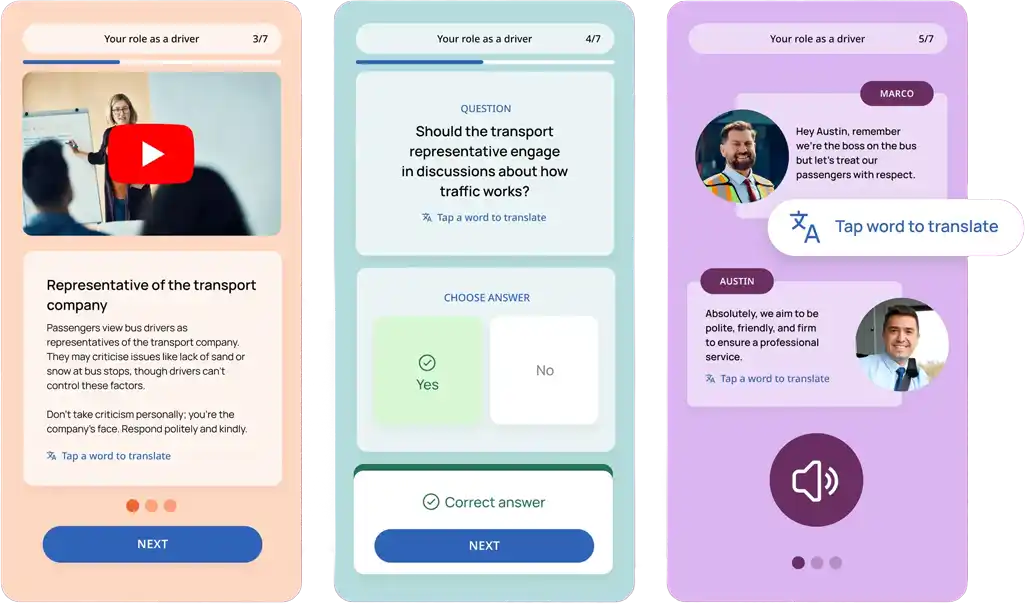
Lingio is a modern, mobile-first solution tailored for frontline training in diverse, multilingual and global environments. Its multilingual content support and AI course creation make it quick and easy to adapt learning materials into digital formats in different languages. This makes it ideal for companies with teams across different countries who want to convert manuals and documents into gamified, interactive training courses.
However, Lingio’s LMS features are relatively lightweight compared to platforms like Cloud Assess and Mitti For example, the platform doesn’t support SCORM and xAPI standards, making it difficult to share data and training metrics across different technologies.
Key Features
- Accessible and inclusive design
- AI-powered course creation
- Gamified microlearning modules
- Real-life scenario simulations
- Coaching tools
- Offline capabilities
- Multilingual content support
- Industry-specific course library
- Customisable branding and white-label options
- Manager dashboard
- Learner progress reporting
- Automated reminders
Pros
- Quick and easy to create courses in multiple languages with the help of AI
- Gamification features and real-world scenarios boost employee engagement
- Learner progress reporting and coaching tools help companies track training and support timely interventions
Cons
- Doesn’t support SCORM or xAPI standards, making it difficult to adopt in highly-regulated industries
- AI-generated content can require manual intervention to ensure consistency and accuracy
- No reviews on Capterra, G2, GetApp or Software Advice makes it difficult to determine the platform’s reliability
Pricing
Lingio offers two pricing tiers. The Essential solution accommodates 50-100 learners from $416 monthly on an annual commitment, and lets administrators create up to 10 courses. The Professional tier accommodates 150 learners and unlimited courses at a cost of $625 monthly on an annual contract. However, it can support up to 1000 learners at a cost of $6 per extra user monthly.
User Volume
Lingio is a popular frontline training solution in industries like aged care, cleaning, transport and hospitality, and in the public sector.
Rating
No rating available
Frontline Workforce Training Software Buyer’s Guide
When choosing training software for your frontline workforce, look for platforms designed to meet the unique challenges of deskless, distributed teams. Make sure the solution you choose is:
- Accessible. The platform should work seamlessly on mobile devices and in low-connectivity environments—ideally with offline access—so employees can train anywhere, anytime.
- User-Friendly. Look for intuitive interfaces with minimal learning curves, especially important for workers with limited time or digital literacy.
- Supports Global Teams. Multilingual support, timezone flexibility, and culturally inclusive content help ensure consistent training across borders.
- Safety-Focused. Built-in safety training features—like checklists, SOPs, or scenario-based learning—are critical for high-risk industries.
- Ensures Compliance. Choose tools that support audit trails, version control, certifications, and automated reminders to meet regulatory training requirements.
- Skills-Based. Effective platforms offer competency frameworks, skills tracking, and personalised learning paths tied to specific job roles.
- Integrated. Ensure the software integrates with your HRIS, payroll, or existing LMS for smoother workflows and reporting.
- Scalable. The solution should grow with your workforce—whether you’re training 50 employees or 50,000—without compromising performance or usability.
- Offers a Free Trial or Demo. A hands-on trial or live demo helps you evaluate whether the platform truly suits your training needs before you commit.



