Sourcing training content is easier than it has ever been. Whole libraries can be bought in a single subscription, and topics that once needed a specialist provider now sit a search away. What has not changed is the harder part. Content still has to fit the way an organisation works, and reach people who are not sitting at a desk. It must also prove something about capability once it is finished.
Go1 is a popular choice for organisations that want breadth without producing training themselves. But because Go1 supplies content rather than a training system, organisations often reach a point where they need more than a catalogue.
In this article, we explore ten Go1 alternatives for workplace training and development. We look at what each platform does well, where it falls short, and how it handles the challenges Go1 users most commonly raise.
What is Go1?
Go1 is a content library for workplace training. It gives organisations off-the-shelf courses from more than 250 content publishers in one subscription. Rather than building training, teams choose from a catalogue of over 100,000 ready-made resources. Topics span compliance, leadership, technology, and soft skills, in more than 45 languages.
The library is designed to sit inside the systems companies already use, including HRIS and HCM platforms. Companies without a learning system can use the Go1 platform instead. Administrators assign courses, set completion rules, and track progress centrally. AI tools support search and build playlists for different roles and teams. This makes Go1 a fit for organisations that want broad employee training without producing content themselves.
Uncover Your Skill Gaps Right Now!
Our AI tool is quick and free to use.
However, while Go1 solves the content sourcing problem, many organisations hit limits as their training matures. Problems that they encounter include:
- Training Data Sits in a Separate System. Go1 supplies courses, but it is designed to deliver them through an LMS the company already owns. Organisations without one must run the Go1 platform instead, though training data then sits apart from the tools that manage people and records.
- Generic Off-the-Shelf Content. Library courses are written for broad audiences. They cannot reflect a company’s own procedures, equipment, or policies. Teams still need another way to train people on how work is actually done.
- Uneven Industry Coverage. Go1 does not create its own courses, so industry depth depends on which publishers cover that sector. Office-based and general compliance topics are well served. Specialist trades and high-risk coverage is thinner, which pushes those organisations to source content elsewhere.
- Courses Get Removed From the Library. Go1 licences its content from publishers, so titles are added and removed each month. A course used in an induction or compliance program can be retired, with a replacement suggested in its place. Admins then have to rebuild parts of a program they had already signed off.
- Content Discovery Takes Time. With over 100,000 resources in the library, several courses can cover the same topic at different depths and standards. Someone has to sit and compare them before assigning anything. Small teams with no dedicated L&D resource feel this most.
- Assessment Limited to Knowledge Checks. Course assessments cover quizzes and single questions, such as multiple-choice and matching. There is no practical observation or evidence gathered on-the-job. Passing a quiz does not prove someone can do the task safely.
- Reporting Built Around Completion. Compliance reporting runs on course completion data. Administrators can see who finished a course and when. That tells them about activity, not about capability.
10 Best Go1 Alternatives
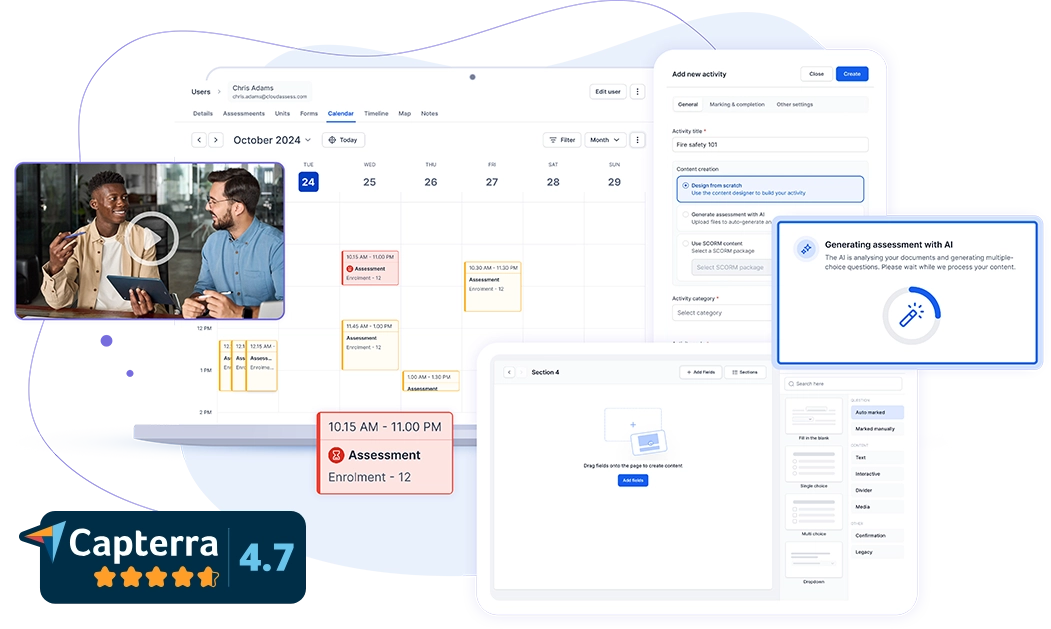
Cloud Assess is purpose-built for organisations with deskless and frontline workers. It provides a drag-and-drop course creator that allows trainers to easily design courses from scratch. The platform helps organisations sequence learning into structured pathways, releasing content and triggering enrolments as workers progress. It also comes with built-in training certificate management. This helps organisations track expiries, so renewals happen before qualifications lapse.
Its compliance management features keep requirements mapped to roles, giving managers a live view of who is compliant and who is not. The platform also makes workforce skills visible in real time, so gaps are identified, and upskilling can start before capability becomes a problem.
Cloud Assess takes a more hands-on approach to training than Go1. Rather than supplying only a course library, it also gives organisations in regulated industries the tools to build and run training that reflects how their own business operates.
Key Features
- Pre-built course library
- Course authoring
- AI assessment generator
- Compliance training
- Observation checklists
- Skills matrix
- Practical assessment tools
- AI marking assistant
- Evidence portfolios
- Verification of competency
- Digital certificates
- Custom reporting
- Automated reminders
- Offline mobile app
Pros
- Compliance management to track qualifications, expiries, and renewals
- Supervisors confirm skills on site, so competence is not assumed
- Offline access means remote crews keep training without connection
- Single dashboard for enrolments, progress, and sign-offs across cohorts
- Skills matrix that maps capability across roles, sites, and teams
- Evidence stored against each worker, so audits need no preparation
Go1 vs Cloud Assess
- Training, assessments and records held in one system
- Course authoring for training built around your own procedures
- Content built for regulated and high-risk industries
- Content you own outright, so nothing is withdrawn from your program
- Practical assessment that confirms a worker can do the task
- Evidence portfolios that hold proof of competence
Pricing
Cloud Assess offers an all-inclusive solution for employee training in high-risk, high-compliance industries. Every feature is included from day one, including mobile offline assessment, verification of competency, skills matrix and automated compliance tracking. There are no upgrade paths or feature gates. Visit our pricing page for an accurate quote.
Rating
4.7/5 (average rating from Capterra, G2, GetApp, Software Advice)
#2 OpenSesame
Average User Score: 4.7/5
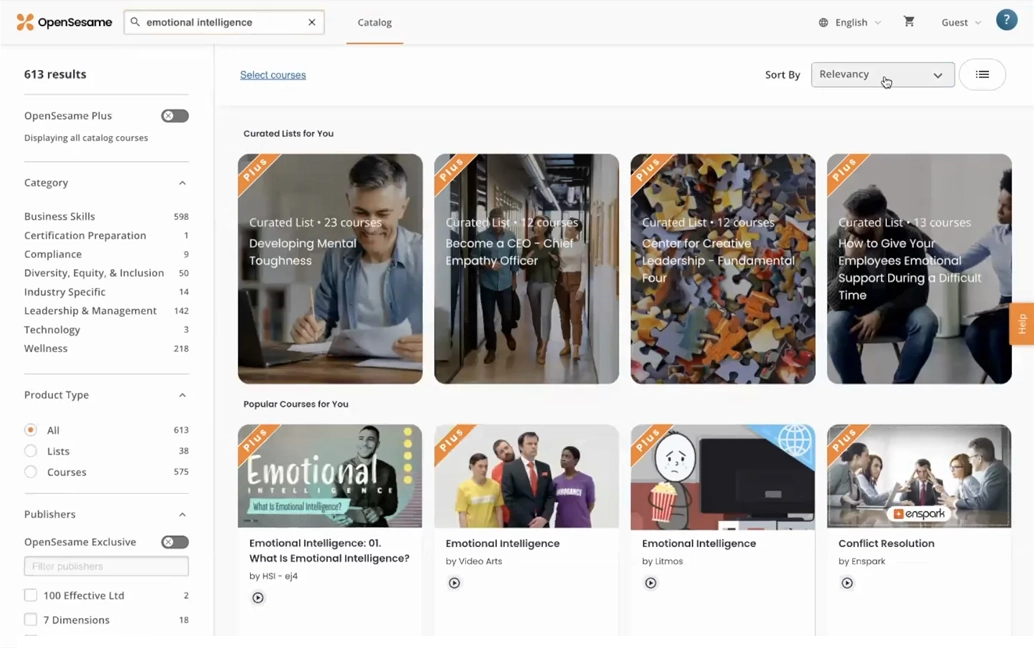
OpenSesame is a curated online course platform that helps organisations source workplace training from global publishers. The platform maps courses to organisational competencies, giving L&D teams a structure to build programs around. Its AI matches learners to courses based on their role, skill goals, and previous experience. Courses reach employees through an existing LMS or directly, so organisations are not forced to change systems.
Unlike Go1, where breadth across every topic is the selling point, OpenSesame leans on curation. Quality checks and skills mapping are applied before any publisher is listed.
However, OpenSesame remains a content source rather than a training system. Organisations still need their own platform to manage learners, run programs, and maintain records.
Key Features
- Course marketplace
- Multi-publisher catalogue
- Compliance course library
- Multilingual content
- Curated course collections
- Course previews
- AI content recommendations
- LMS delivery
- Usage analytics
- HRIS integrations
Pros
- Multilingual catalogue that helps shift workers learn in their own language
- Course previews that confirm quality before any purchase decision
- Content recommendations that surface courses matched to a learner’s history
- Usage analytics that show which courses employees actually finish
- Role-based mapping to ensure employees gets training matched to their position
Cons
- No built-in delivery system
- Limited variety in course titles
- No practical assessment tools
- Reporting limited to usage data
Go1 vs OpenSesame
- Deeper coverage across specialist and technical fields
- Filtering by more than 3,500 skills to narrow the catalogue
Pricing
OpenSesame offers two pricing plans based on the number of active courses needed. OpenSesame Plus 100 for up to 100 courses, and OpenSesame Plus Complete with unlimited courses.
Rating
4.7/5 (average rating from Capterra, G2, GetApp, Software Advice)
#3 Confirm (formerly Learning Pool)
Average User Score: 4.4/5
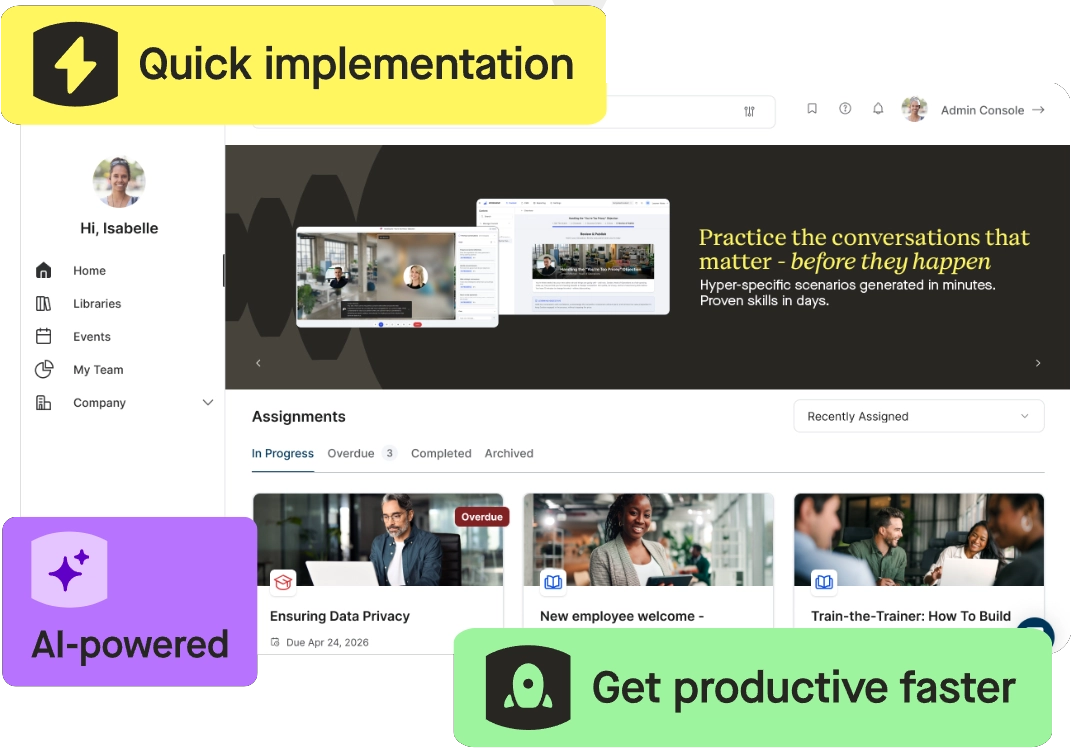
Confirm, formerly Learning Pool, is a workforce platform built around frontline workers. It pairs a ready-made course library with eLearning authoring tools, so organisations buy and build training in one place. Confirm sequences training into learning paths, meaning development follows a deliberate order rather than a list of courses. The platform connects training records to engagement and performance data, giving operational leaders a view of capability across sites in real time. It also integrates with existing business and HR systems, so workforce information flows between them.
Go1 sends its courses into other companies’ systems. Confirm runs its own, keeping learning, performance, and compliance in one place.
However, Confirm’s administration can feel complex for smaller teams. Organisations without dedicated L&D resources may need longer to configure and maintain it.
Key Features
- Off-the-shelf course library
- Compliance course library
- Course authoring
- Editable course content
- Content branding
- Learning paths
- Learning record store
- Learning analytics
- Performance tracking
- System integrations
Pros
- Compliance and performance in one system to spot capability gaps sooner
- Learning record store that pulls training activity data from other systems
- Engagement surveys that show where frontline employee retention is at risk
- Talent calibration tools for fairer promotion and progression decisions
Cons
- Complex back end for administrators
- Rigid course rules across all users
- No practical assessment tools
- Limited industry-specific course depth
- Library smaller than large marketplaces
Go1 vs Confirm
As a Go1 alternative, Confirm offers:
- Learning, engagement and performance data in one platform
- Courses can be edited or built from scratch to match your own procedures
- Records learning activity beyond course completions
Pricing
Confirm doesn’t provide pricing information on their website. Contact their team directly for a custom quote.
Rating
4.4/5 (average rating from Capterra, G2, GetApp, Software Advice)
#4 Skillsoft Percipio
Average User Score: 4.3/5
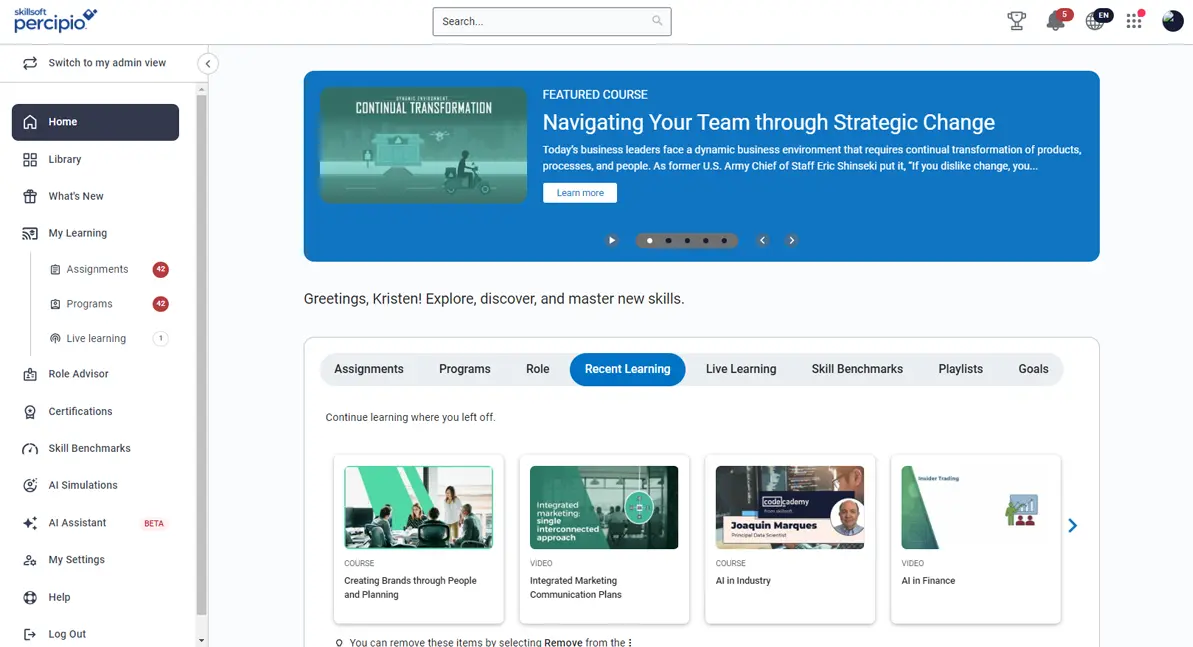
Skillsoft Percipio is a skills intelligence platform that helps large organisations develop and measure workforce capability. Its library is organised into more than 500 curated learning paths, kept current so employees are not working from dated material. Its content spans books, audiobooks, videos, and summaries, letting employees choose a format that fits the time they have. The platform runs live bootcamps and virtual events too, giving technical teams instructor-led training alongside self-paced study.
Compared to Go1, which leaves organisations to judge the courses each employee needs. Skillsoft Percipio measures skill levels first. It uses this insight to assign the training that closes the gap it finds.
However, Percipio is built for enterprise scale. Smaller organisations may find the platform and its administration heavier than they need.
Key Features
- Course library
- Compliance course library
- Technology certifications
- AI course authoring
- Role-based learning paths
- Personalised search
- Practice simulations
- Skills mapping
- Skills intelligence
- Progress reporting
Pros
- Live bootcamps that give technical teams instructor-led training
- Industry-recognised certifications that count towards technical career progression
- Practice scenarios to rehearse difficult conversations in a safe setting
- Role-based paths that remove guesswork from what each employee learns
- An AI coach that turns development needs into concrete goals
Cons
- Limited video playback controls
- Administration can feel complex
- No workplace competency assessment
Go1 vs Skillsoft Percipio
Compared to Go1, Skillsoft Percipio offers:
- Content and learner records held on the same platform
- AI authoring that turns internal knowledge into courses in minutes
- Courses produced in-house, so no publisher can withdraw them
- Search that re-ranks results by job role, cutting browsing time
- Diagnostic assessment that measures skill level, not just course completion
Pricing
Skillsoft doesn’t make Percipio’s pricing details readily available on their website. Contact them directly for accurate pricing information.
Rating
4.3/5 (average rating from Capterra, G2, GetApp, Software Advice)
#5 BizLibrary
Average User Score: 4.4/5
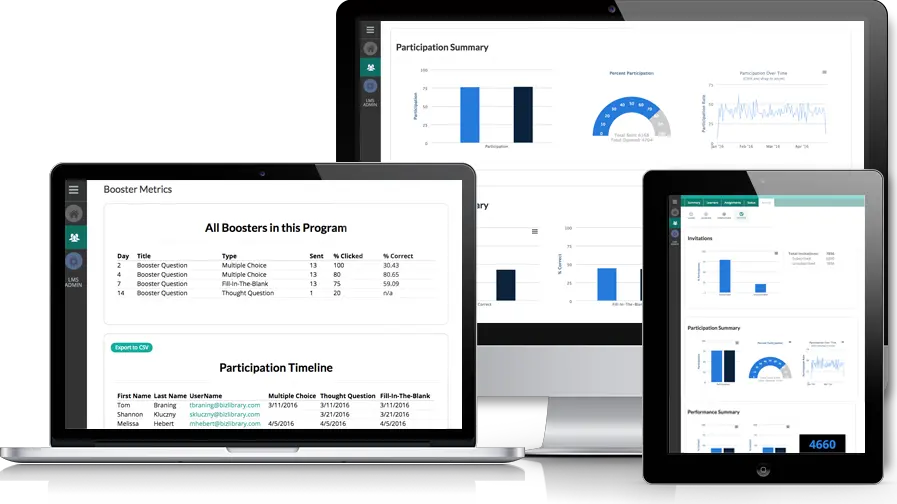
BizLibrary is a training platform built for small to mid-sized organisations. It pairs a compliance and professional development library with its own learning management system, so one vendor covers both. The platform maps training to 1,500 skills across 500 job roles, giving managers a structure for employee development planning. BizLibrary also lets teams upload their own policies and training files, so employees find company and library content together.
Go1 hands courses over to whatever system a company runs, so training sits apart from the tools that manage it. BizLibrary keeps courses and administration together, so assigning and tracking all happen in one place.
However, BizLibrary’s reporting lacks flexibility. Teams wanting to build their own views often cannot select the exact data they need.
Key Features
- Off-the-shelf course library
- Compliance course library
- Microlearning videos
- Content upload
- Course assignment
- Learning paths
- Automated notifications
- Learner dashboards
- Completion reporting
- HRIS integrations
Pros
- Microlearning courses short enough to fit between shifts
- Learning paths that sequence training over weeks rather than one sitting
- Overdue training chased automatically, without manager involvement
- Learner dashboards showing each employee what is due next
- A dedicated success manager to plan and review training programs
Cons
- Admin interface can feel cumbersome
- Setting up recurring rules takes time
- Limited certification pathway support
- No custom content creation
Go1 vs BizLibrary
As a Go1 alternative, BizLibrary offers:
- Library and records in one system
- Uploads of your own policies and files, held beside purchased content
- Training mapping that assigns courses based on roles
Pricing
BizLibrary doesn’t offer any pricing information on their website. Book a demo to request pricing details.
Rating
4.4/5 (average rating from Capterra, G2, GetApp, Software Advice)
#6 eloomi
Average User Score: 4.4/5
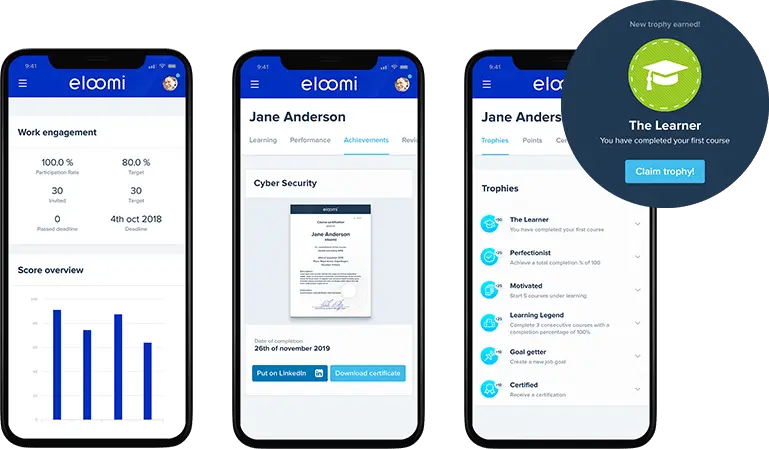
eloomi is a performance management system built for mid-sized and larger employers. It automates employee onboarding from preboarding onwards. This helps organisations easily assign courses and tasks to new starters so that they’re prepared from day one. The platform provides course templates and a builder that needs no technical skill. This lets HR teams produce training without design support. Its content library covers compliance, leadership, soft skills, and workplace safety. Organisations can also upload their own SCORM files alongside it.
While Go1 concentrates on the content employees consume, eloomi tracks how that learning shows up in someone’s work. It links the training to check-ins, goals, and performance conversations.
However, eloomi’s reporting lacks depth for larger organisations. Teams wanting detailed analysis often find dashboard customisation limited.
Key Features
- Course library
- Course builder
- Content upload
- Learning paths
- Onboarding workflows
- Automated enrolments
- Skills tracking
- Performance reviews
- Completion reporting
- HRIS integrations
Pros
- Preboarding and employee onboarding workflows to get new starters productive in week one
- Training assigned automatically by role, team, or start date
- Course sign-ups with waiting lists for oversubscribed sessions
- Performance reviews linked to the training that closes each gap
Cons
- Some course content feels repetitive
- Courses can run long
- Localised libraries are searched separately
- No compliance or reporting depth
Go1 vs eloomi
Compared to Go1, eloomi offers:
- Training records sitting alongside onboarding and performance data
- A course builder and templates for training specific to your workplace
- Training linked to check-ins, goals, and reviews, not just completions
Pricing
eloomi doesn’t provide pricing details on their website. Contact their team directly for a quote.
Rating
4.4/5 (average rating from G2, and Capterra)
#7 GoodHabitz
Average User Score: 4.6/5
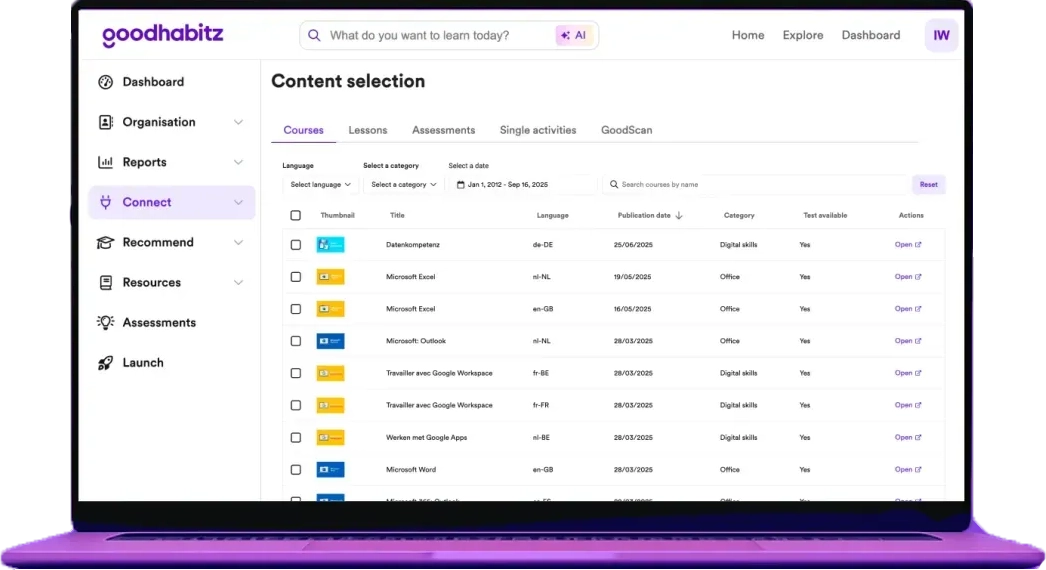
GoodHabitz is a training platform focused on the skills that shape how people work together. Its courses break into short activities that employees complete in any order. This allows learning in the flow of work. GoodHabitz includes team exercises alongside individual study, letting groups work through material together. The platform provides an employee self-assessment tool that helps employees identify their own gaps and pick what to learn next.
Go1 takes a broad approach, covering every business topic an employer might need. GoodHabitz prioritises four themes: leadership, teamwork, well-being, and digital skills. This works well for organisations wanting a focus on how their teams work together.
However, GoodHabitz offers little technical or role-specific content. Organisations training people on tools, systems, or trade skills will need another source.
Key Features
- In-house course library
- Multilingual content
- Interactive activities
- Learning campaigns
- Mobile app
- Self-assessments
- Course certificates
- Progress tracking
- LMS integration
- Standalone platform access
Pros
- Team exercises that encourage collaborative learning
- Content localised for 20 languages, not translated word for word
- Ready-made campaign materials for driving participation across teams
- Psychometric testing to assess employee skills
Cons
- Limited digital and technical skills content
- Some course content repetitive
- Courses can run long
- Localised libraries are searched separately
- No compliance or reporting depth
Go1 vs GoodHabitz
As a Go1 alternative, GoodHabitz offers:
- Its own platform holding content and completion records together
- Courses produced in-house, so no publisher can withdraw them
- A self-assessment that matches each employee to relevant courses
Pricing
Good Habitz offers custom pricing based on each organisation’s size and needs. Contact them directly for a tailored quote.
Rating
4.6/5 (average rating from Capterra, G2, GetApp, Software Advice)
#8 Vector Solutions
Average User Score: 4.4/5
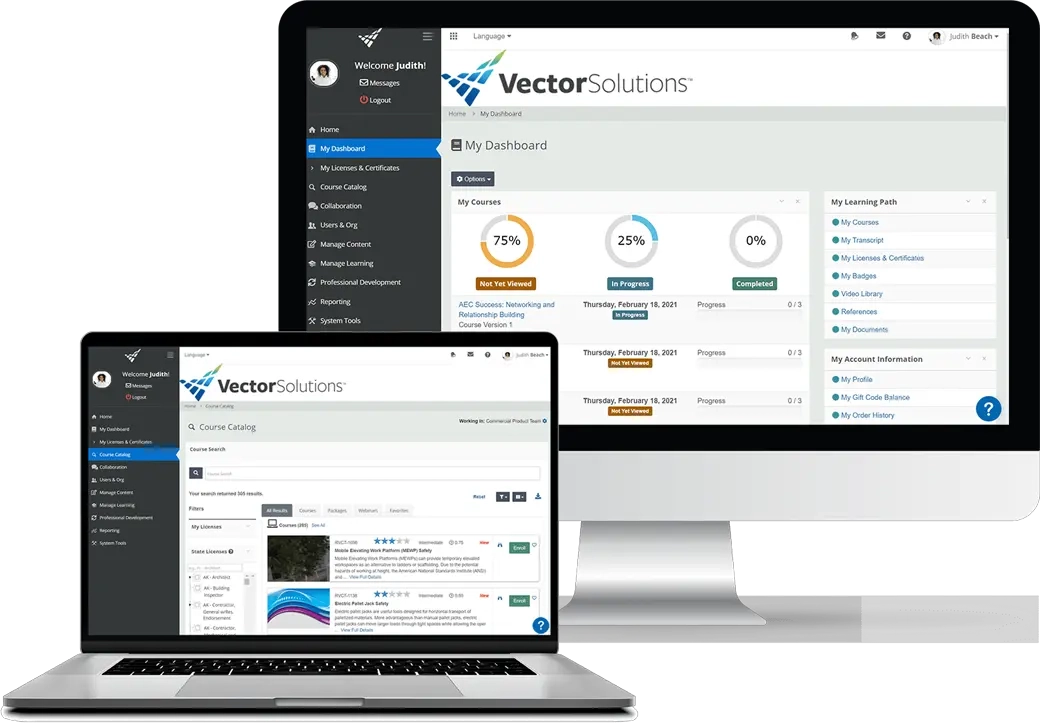
Vector Solutions is a training platform built for industrial and skilled trades workforces. It runs pre-training assessments on new hires, then builds a training plan around the gaps those assessments reveal. The platform also lets teams build their own competency-based assessments. It draws on a question bank or writing evaluations specific to a site. Its career pathing maps the training required to move between roles, giving operators a route into supervisory work.
Unlike Go1, which relies on publishers for industry content, Vector Solutions produces its own for manufacturing and maintenance work. That matters where training has to match the equipment and hazards on a real site.
However, Vector Solutions is built around North American regulatory requirements. Organisations elsewhere will need to supplement it with local compliance content.
Key Features
- Industry course libraries
- US compliance course library
- Course assignment
- Training management
- Competency assessments
- Qualification tracking
- Incident reporting
- Compliance reporting
- Mobile access
- System integrations
Pros
- Career pathing that maps the training needed to move between roles
- A question bank for building site-specific evaluations
- Pre-assessments that build a training plan from a new hire’s gaps
- Incident reporting linked to the training that prevents recurrence
Cons
- Built primarily for North American compliance
- Bulk assignment tools confuse users
- Report customisation is limited
- Content refresh cycles feel slow
Go1 vs Vector Solutions
Compared to Go1, Vector Solutions offers:
- Training, credentials and compliance records in a single system
- Industry content made in-house for industrial and trades work
- Ownership of its own content, so nothing is withdrawn by a publisher
- Competency assessments measured against role requirements
Pricing
Vector Solutions doesn’t make pricing information available on their website. Contact their team directly for a custom quote.
Rating
4.4/5 (average rating from Capterra, G2, GetApp, Software Advice)
#9 MobieTrain
Average User Score: 4.5/5
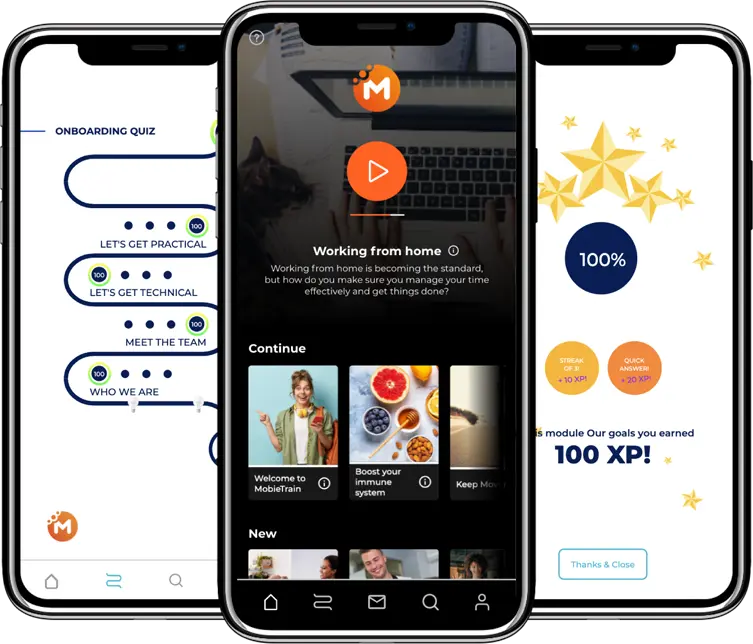
MobieTrain is a mobile-first training platform built for frontline and deskless workers. It delivers microlearning through a smartphone app, so staff fit learning into a shift instead of stepping away from work. The platform uses scenario-based questions, putting employees in situations they meet at work instead of testing knowledge retention. Its coaching tool lets trainers review completed assessments and give feedback on how someone is performing.
Where Go1 assumes an employee sitting at a screen with time to spare, MobieTrain assumes neither. Training is built for a phone, in the middle of a shift.
However, MobieTrain is built for short, informal training. Organisations needing structured courses or formal certification will need a second system alongside it.
Key Features
- Retail training course library
- Course builder
- Content auto-translation
- Microlearning paths
- Mobile learning app
- Push notifications
- Gamification
- Team messaging
- Role-based analytics
- Offline access
Pros
- Microlearning paths sized to fit inside a frontline shift
- One course auto-translated across 30 languages
- Gamification with points and leaderboards to sustain participation
- A coaching tool for trainers to review work and give feedback
- Offline learning for training in stores, warehouses, and depots
Cons
- Dashboard loading and query issues
- Full functionality takes time to learn
- Small pre-built content library
- No practical assessment tools
Go1 vs MobieTrain
As a Go1 alternative, MobieTrain offers:
- Content, delivery and role-level records in one frontline platform
- A course builder for pushing out procedure updates within hours
- Content built for retail, hospitality, and logistics operations
- Analytics by role and location, showing where knowledge is thin
Pricing
MobieTrain doesn’t make pricing details available on their website. Fill in the form on their website or book a demo to request a quote.
Rating
4.5/5 (average rating from Capterra, G2, GetApp, Software Advice)
#10 iAM Learning
Average User Score: No ratings available
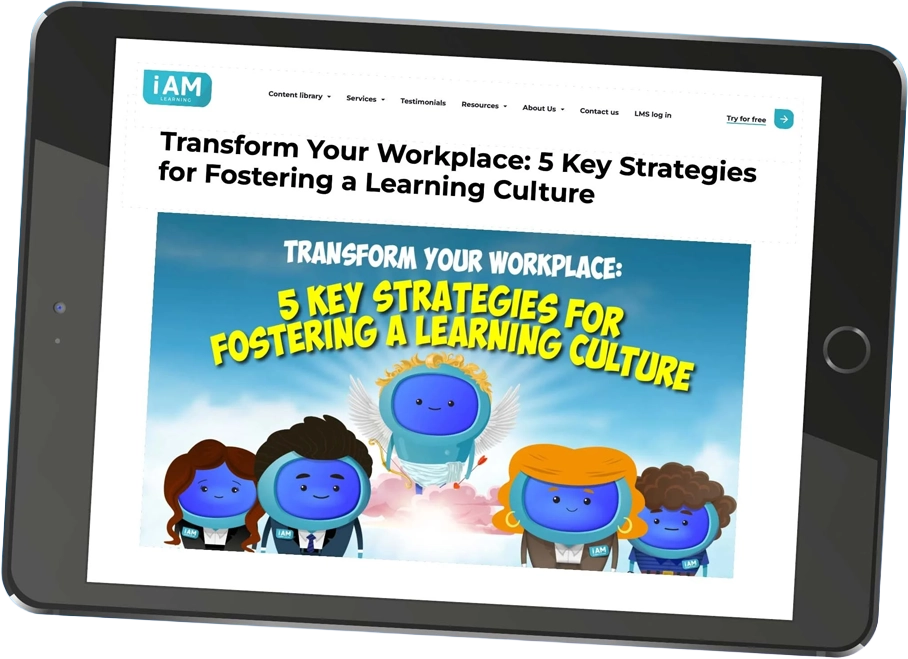
iAM Learning is an off-the-shelf content provider for organisations struggling with training engagement. It includes its own LMS that helps organisations assign courses, track completions, and streamline reporting. Its courses use animation and storytelling to explain compliance topics. These run from 5 to 15 minutes each, so employees can finish them in one sitting. Every course carries Institution of Occupational Safety and Health (IOSH) approval or continuous professional development (CPD) certification. This gives regulated employers accredited training without commissioning it.
Both Go1 and iAM Learning produce short, engaging courses for busy employees. The difference is consistency, since iAM Learning develops courses, while Go1 assembles its catalogue from hundreds of publishers.
However, iAM Learning’s animated format suits awareness training rather than technical instruction. Organisations teaching processes or equipment will need another platform for practical training.
Key Features
- Off-the-shelf course library
- Compliance course library
- Sector course collections
- CPD certified courses
- Custom animation studio
- Course quizzes
- Basic LMS
- SCORM delivery
- Completion tracking
- Unlimited user access
Pros
- Bite-size animated courses that are quick and engaging
- Podcasts and interactive materials support different learning styles
- All courses are CPD certified, with IOSH accreditation across the safety range
- Content available in multiple languages for distributed teams
- No cap on user numbers, so training reaches the whole workforce
- Supporting resources attached to every course for reference afterwards
Cons
- Limited course library
- Only lightweight LMS features
- No API available for integrating data
- No practical assessment tools
Go1 vs iAM Learning
Compared to Go1, iAM Learning offers:
- A native LMS that keeps courses and completion records together
- Bespoke course development built from your own scenarios
- Courses animated in-house, so no publisher can withdraw them
- Collections by industry, with course selection already done
Pricing
iAM Learning doesn’t provide pricing details on their website. Contact their team directly for a tailored quote.
Rating
No ratings available