

Blended learning is no longer just about combining online and face-to-face delivery. For training providers, employers, and vocational organisations, the real challenge is proving that learning has actually led to competency. That is where assessment becomes critical. The right platform does not just manage content and schedules. It captures evidence, supports assessors, and validates student outcomes across every format your programs use.
This guide explores platforms that combine blended learning and assessment in a single system. Whether you are evaluating your first platform or replacing an existing one, this guide gives you the information you need to make the right decision.
What is a Blended Learning Assessment Platform?
A blended learning assessment platform combines online and in-person learning with structured assessment tools in a single system. It offers more than standard course delivery by treating assessment as a core function, not an add-on.
These platforms support a range of assessment types to reflect how blended learning actually works:
- Online knowledge checks, quizzes, formative assessments and written submissions for digital delivery
- Practical observations, evidence uploads, and assessor sign-offs for in-person and workplace activity
- Learner records that consolidate both, giving a complete view of capability beyond course completion
For organisations running blended learning programs, the priorities are consistent. Assessment tools need to work across all delivery formats. Assessors need clear workflows to review evidence, give feedback, and sign off on competency in a way that holds up to audit. And, reporting needs to show where gaps exist and where student outcomes have genuinely been met.
Quick Picks
- Best For Practical And Workplace Assessments: Cloud Assess
- Best For AI-Powered Blended Assessment: Open eLMS
- Best For Course-Selling Training Providers: Accessplanit
- Best For Frontline Blended Assessment: Wisetail
- Best For Learner-Centred Blended Assessment: IQualify LMS
- Best For Regulated Industry Blended Assessments: Totara Learn
- Best For Vocational ePortfolio Assessments: Onefile
- Best for Cognitive Assessment: Aptem
- Best For Apprenticeship Assessments: Bud Systems
- Best For Assessor-Led Observation and Sign-Off: OneAdvanced ePortfolio
Top Blended Learning Assessment Platforms
Best For Practical and Workplace Assessments
#1 Cloud Assess
Average User Score: 4.7 / 5



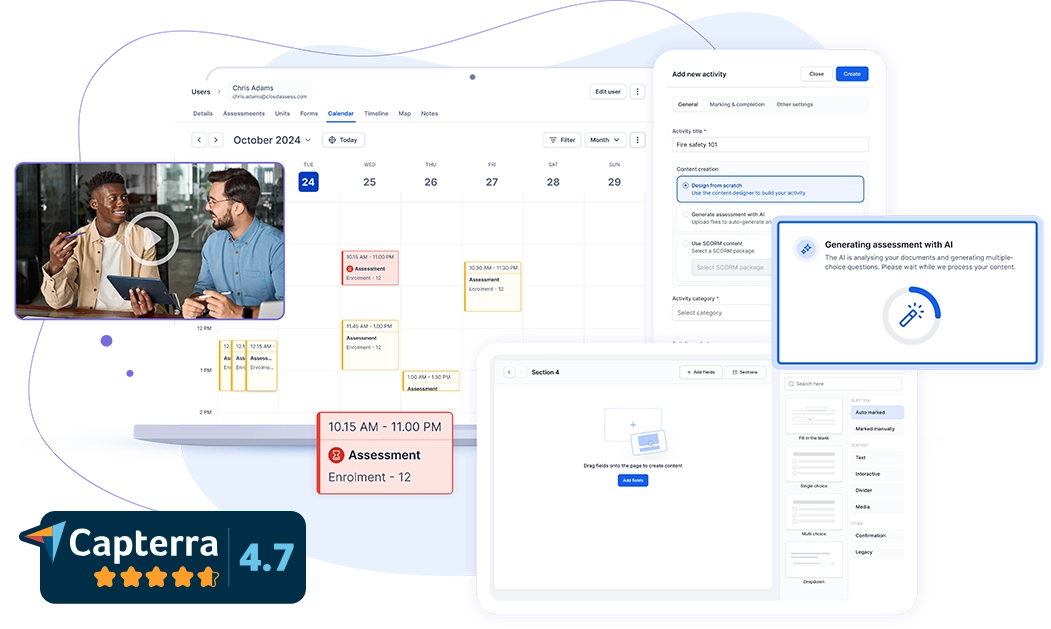
Cloud Assess is built for organisations where competency must be formally validated in real work environments. It combines online course delivery with practical observation, evidence capture, and assessor workflows in a single system. It tracks training whether it happens in a classroom, on a worksite, or in the field. The platform also offers a dedicated mobile app with offline learning capability. This means assessments can be completed in remote or low-connectivity environments without disrupting workflows.
Cloud Assess is built around assessment, rather than treating it as a secondary function. It also offers AI-powered digital tools to support faster assessment generation and more consistent marking across large assessor teams. Its automated workflows handle enrolments, certifications, and compliance without manual intervention.
This makes Cloud Assess well-aligned for:
- RTOs delivering vocational qualifications with practical components
- Frontline industries that need to perform verification of competency
- Organisations managing both online and field-based assessment
- High-compliance environments such as mining, construction, and healthcare
- Training teams needing audit-ready records across a dispersed workforce
Key Features
- Assessment authoring and templates
- Blended course delivery
- Observation checklists
- Evidence portfolio capture
- Practical and VOC assessments
- AI marking
- AI assessment generation
- Mobile app with offline access
- Gamification tools
- Digital signatures and authentication
- Revision control and quality checks
- Compliance and AVETMISS reporting
- Certification and credential management
- Skills matrix and gap reporting
- Student progress dashboards
- Enrolment and learner management
- HRIS and SMS integrations
Pros
- Supports delivery and assessment across online and in-person formats
- Mobile app keeps assessors productive in remote and offline environments
- Revision control ensures learners always access current assessments
- AI tools reduce creation and marking time without compromising evidence quality
- Strong compliance tools keep training records audit-ready
Pricing
Cloud Assess offers one all-inclusive plan for training organisations and workplace training, priced as a flat fee per learner from $12. Every feature is included from day one, with no upgrade paths or feature gates. Visit our pricing page for an accurate quote.
Rating
4.7/5 (average rating from Capterra, G2, GetApp, Software Advice)
Best For AI-Powered Blended Assessment
#2 Open eLMS
Average User Score: 4.9 / 5
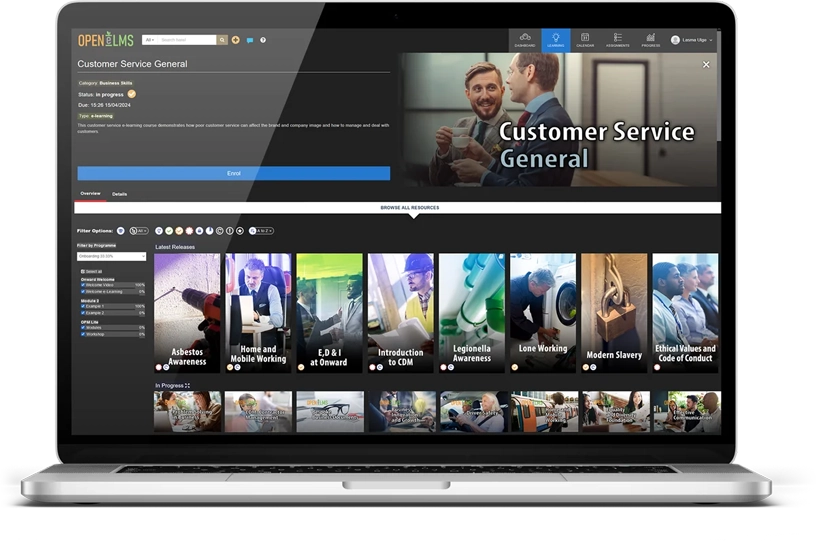
Open eLMS is a UK LMS for training providers and workplace organisations. It supports online learning, virtual classroom delivery, and practical evidence upload within the same environment. The platform comes with built-in AI-powered assessment tools that enable training providers and workplace teams to create, deliver, and assess blended learning programs from a single system. Its AI tools also allow trainers to build structured courses and assessments quickly from document uploads or plain-language prompts. This helps reduce content creation time significantly.
This makes Open eLMS well-aligned for:
- Training teams looking to reduce course and assessment creation time through AI
- Organisations delivering blended programs across online and virtual classroom formats
- Smaller training providers needing an accessible and affordable all-in-one platform
- Organisations new to the blended learning approach looking for an intuitive starting point
However, Open eLMS’s assessment tools are limited to quizzes and evidence uploads. Organisations requiring structured assessor workflows will need a more assessment-focused platform.
Looking For More Options?
These Open eLMS alternatives may be a better fit for your needs.
Key Features
- AI course and assessment generation
- Blended learning delivery
- Smart classroom and virtual event management
- SCORM content hosting
- Evidence upload and portfolio tools
- Learning path creation
- Gamification and badges
- Skills scan and gap analysis
- Learner progress tracking and reporting
- API and HRIS integrations
Pros
- Intuitive interface makes it accessible for non-technical trainers and learners
- Evidence upload and portfolio tools support practical assessment alongside digital delivery
- Generous free tier makes it accessible for smaller training organisations
Cons
- Limited assessment tools in comparison to other platforms on this list
- Some users report a learning curve to access the full feature set
Pricing
Open eLMS offers four plans: Standard, Professional, Enterprise, and Enterprise AI. Standard is free and includes core LMS functionality. The paid plans start from £10 per user annually with no usage limits.
Rating
4.9/5 (average rating from Capterra, GetApp, Software Advice)
Best For Course-Selling Training Providers
#3 Accessplanit
Average User Score: 4.6 / 5
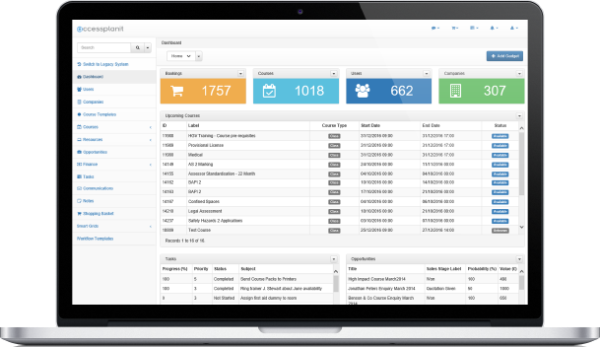
Accessplanit is built for commercial training providers that sell and schedule courses across multiple formats. It enables providers to manage face-to-face, virtual, and eLearning delivery from a single system. The platform supports SCORM content uploads and delivers quiz-based assessments alongside scheduled training. This keeps learning and assessment records in one place.
This makes Accessplanit well-aligned for:
- Commercial training providers managing high volumes of course bookings
- Providers needing automated workflows for bookings, communications, and certifications
- Teams looking to centralise course administration and reporting in one platform
- Training businesses needing CRM and finance tools alongside learning delivery
However, assessment functionality is basic compared to dedicated assessment platforms. Providers with complex competency or evidence-based assessment needs will likely require an additional tool.
Key Features
- Course scheduling and management
- Blended learning delivery
- SCORM and eLearning hosting
- Quiz and assessment tools
- Learner progress tracking
- Training certification management
- Automated communications and workflows
- Delegate and booking management
- Custom reporting and dashboards
- CRM and finance integrations
- eCommerce
Pros
- Manages face-to-face, virtual, and eLearning delivery from a single platform
- Automates bookings, communications, and certifications to reduce admin overhead
- Strong reporting tools give training providers visibility across all program activity
- Integrates well with external tools including Moodle for deeper assessment functionality
Cons
- Assessment tools are basic compared to dedicated assessment platforms
- Primarily an administrative and delivery tool rather than a competency platform
Pricing
Accessplanit does not publish pricing publicly. Contact their team directly to request a personalised quote.
Rating
4.6/5 (average rating from G2, Capterra, GetApp, Software Advice)
Best For Frontline Blended Assessment
#4 Wisetail
Average User Score: 4.6 / 5
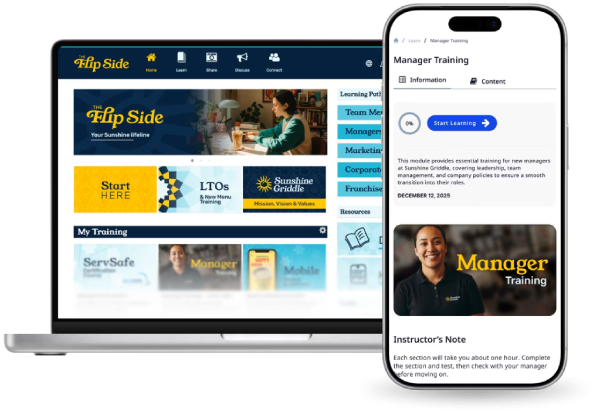
Wisetail is built for multi-location organisations in highly-regulated industries. It enables managers to close the gap between online learning and practical assessment by combining digital course delivery with in-person observation checklists. Once a learner completes online training, managers can assess whether they can apply that knowledge on the job. The results get captured and added to the same learner transcript. This creates a complete blended assessment record without managing separate systems for online and in-person activity.
This makes Wisetail well-aligned for:
- Multi-location businesses training hourly, deskless, and frontline workers
- Organisations in hospitality, retail, and healthcare needing blended assessment tracking
- Organisations prioritising learner engagement across distributed teams
However, Wisetail is built primarily for the North American market. Organisations outside the region may find limited implementation support and compliance alignment.
Key Features
- Course authoring and content creation
- Blended learning delivery
- In-person observation checklists
- Assessment and quiz tools
- Learning path management
- Gamification and student engagement tools
- Social and community learning
- Multi-location training management
- Learner progress tracking
- HRIS and operations integrations
Pros
- In-person observation checklists connect face-to-face assessment to digital records
- Multi-location structure makes it easy to manage training across dispersed teams
- Engaging learner experience through social learning and gamification features
- Strong HRIS integrations support workforce-wide training management
Cons
- Primarily serves North American hospitality and retail markets
- Not designed for training providers or regulated vocational programs
Pricing
Wisetail pricing is tailored to each organisation’s learning and operational needs. Request a quote directly through their website.
Rating
4.6/5 (average rating from G2, Capterra, GetApp, Software Advice)
Best For Learner-Centred Blended Assessment
#5 iQualify LMS
Average User Score: 4.2 / 5
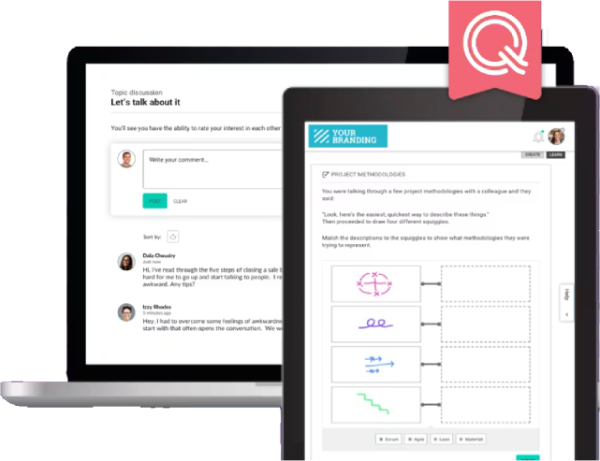
iQualify LMS helps facilitators embed interactive quizzes, peer evaluations, and multimedia submission tasks directly within course content. This allows learners to be assessed as they progress through the material. Facilitators can also mark submissions, provide feedback, and track student engagement from the same environment. Like Cloud Assess, iQualify builds assessment into the learning journey itself. This makes it continuous and learner-driven throughout the program.
This makes iQualify LMS well-aligned for:
- Organisations encouraging student engagement alongside structured assessment
- Teams needing an intuitive platform that is easy to author and facilitate
- Schools, universities, and membership organisations in the ANZ region
- Providers looking for a mobile-friendly platform with strong facilitator tools
However, reporting and analytics are less advanced than larger learning management systems. This may limit visibility into blended assessment outcomes at scale.
Key Features
- Course authoring and content creation
- Blended and online learning delivery
- Inline assessment and quiz tools
- Collaborative learning tools
- Evidence and multimedia submission
- Social learning and discussion tools
- Facilitator marking and feedback
- Learner progress dashboards
- Mobile and offline access
- LTI and third-party integrations
Pros
- Inline assessment tools make it easy to evaluate learners within the course itself
- Clean and intuitive interface reduces friction for both facilitators and learners
- Collaborative learning features like peer evaluation, group projects and multimedia submission support various assessment methods
- Social learning features encourage student engagement throughout the program
- Mobile-friendly design supports flexible access for time-poor learners
Cons
- Relatively small user base outside New Zealand limits third-party validation
- Reporting and analytics are less advanced than larger competitors
- Limited integration options
Pricing
iQualify LMS offers plans starting from $3.50 per active user per month.
Rating
4.2/5 (average rating from Capterra, GetApp, Software Advice)
Best For Regulated Industry Blended Assessments
#6 Totara Learn
Average User Score: 4.1 / 5
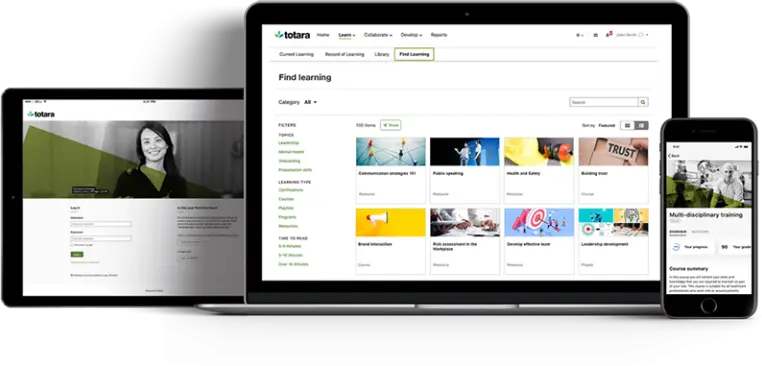
Totara Learn is an LMS with AI capabilities specifically built for regulated industries. It enables organisations to structure complex programs that combine online content, face-to-face delivery, and formal assessment within a single system. The platform enables learning and assessment to be mapped against competency frameworks. This gives organisations a structured way to demonstrate that training outcomes have been met and maintained over time.
This makes Totara Learn well-aligned for:
- Large enterprises in regulated industries such as healthcare, financial services, and utilities
- Organisations managing compliance training across a dispersed workforce
- Teams needing competency frameworks tied directly to assessment outcomes
- Providers requiring multi-tenancy to manage different learner audiences from one platform
However, Totara Learn requires significant setup time and technical expertise to configure effectively. This makes it less suitable for smaller organisations without in-house IT teams.
Key Features
- Blended course and program delivery
- Assessment and quiz tools
- Competency and skills frameworks
- Learning path and certification management
- Performance management integration
- Multi-tenancy and audience management
- Compliance and recertification tracking
- Reporting and analytics dashboards
- HRIS and third-party integrations
- Open-source customisation
Pros
- Open source architecture makes it highly configurable to support complex blended learning programs
- Strong compliance management tools for regulated industries
- Competency frameworks connect learning activity directly to assessment outcomes
Cons
- Initial setup and configuration requires significant time and technical expertise
- Can feel complex for learners and administrators
- Requires a partner or dedicated resource to get the most from the platform
Pricing
Totara Learn does not publish pricing publicly. Contact a Totara partner or their team directly to discuss pricing options.
Rating
4.1/5 (average rating from G2, Capterra, GetApp, Software Advice)
Best For Vocational ePortfolio Assessments
#7 OneFile
Average User Score: No ratings available
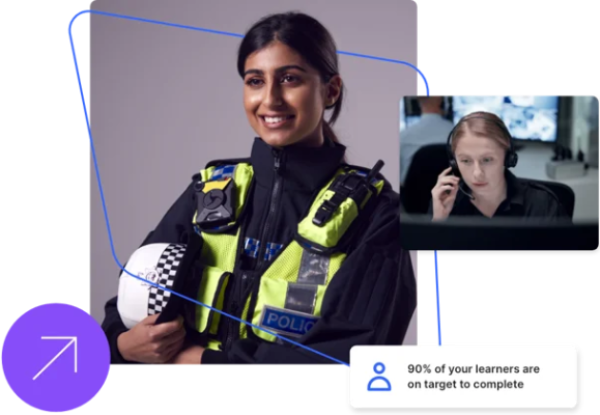
OneFile is CPD management software built for UK training providers delivering apprenticeships and competency-based programs. It offers assessor workflows that help providers manage the full assessment process online. This includes setting tasks, mapping criteria, providing feedback, and final sign-off. It brings evidence capture, assessment planning, and sign-off into a single blended learning environment. Managers can get visibility across cohorts through internal quality assurance tools that support inspection readiness.
This makes OneFile well-aligned for:
- UK apprenticeship providers managing evidence-based assessment
- Further education colleges delivering vocational programs
- Training providers needing audit-ready compliance records
- Organisations preparing learners for end-point assessments
- Providers looking to replace paper-based portfolio processes
However, OneFile is built primarily around assessment and evidence. Learning delivery tools are limited and may require a separate learning management system integration.
Key Features
- Assessment creation and templates
- Evidence upload and tagging
- Criteria mapping and sign-off
- Assessor feedback workflows
- Off-the-job training tracking
- Internal quality assurance tools
- Student progress reviews
- Delivery plan management
- Digital signatures and audit trail
- Compliance and Individualised Learner Record (ILR) reporting
Pros
- Evidence capture and assessor sign-off sit within a single workflow
- On- and off-the-job training tracking feeds directly into compliance records
- Clear progress visibility for learners, assessors, and employers
- Integrates well with existing tech stacks
Cons
- Mobile app has limited functionality compared to the web version
- Primarily built for UK-funded learning contexts
- Learning delivery tools are less developed than assessment features
Pricing
OneFile has three pricing plans, Standard, Pro, & Enterprise. Contact their team directly for an accurate quote.
Rating
No ratings available
Best For Cognitive Assessments
#8 Aptem
Average User Score: No ratings available
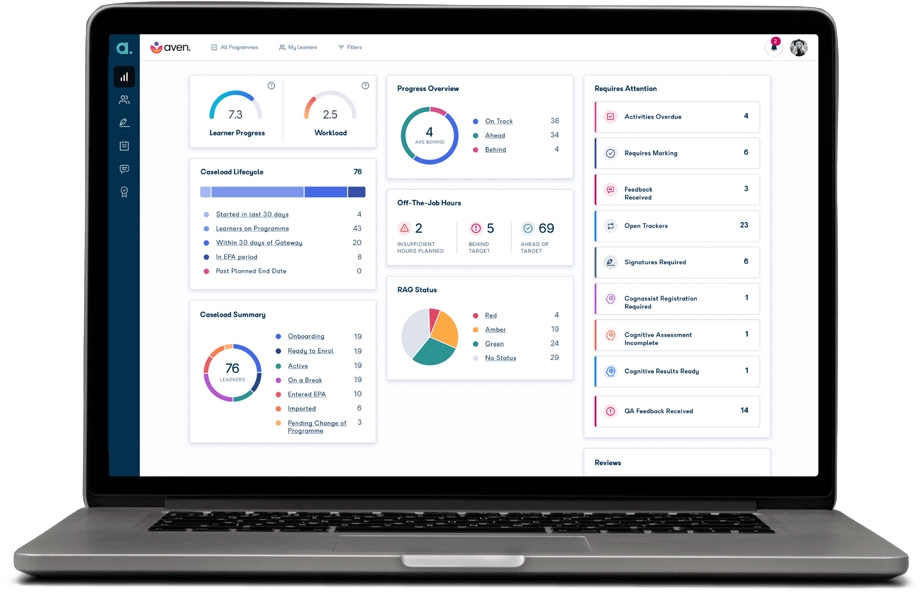
Aptem helps training providers and higher educational institutions manage the full learner journey from onboarding to end-point assessment. It combines blended learning delivery with evidence capture, progress tracking, and funding compliance. It provides a built-in cognitive assessment tool that identifies learner needs early. This screens for things like memory, reasoning, and processing speed, helping flag potential learning difficulties or support requirements before they affect a learner’s progress.
This makes Aptem well-aligned for:
- Training providers delivering funded apprenticeship programs
- Universities and colleges managing large apprenticeship cohorts
- Providers needing end-to-end compliance from enrolment to end-point assessment
- Organisations requiring cognitive assessment alongside program delivery
- Teams looking to reduce administrative overhead through AI-powered tools
However, Aptem is built almost exclusively for UK-funded apprenticeship and skills delivery. Providers operating outside this context will find limited applicability.
Key Features
- Knowledge, Skills, and Behaviour (KSB) mapped course authoring
- Blended and online learning delivery
- Cognitive assessment tools
- Evidence capture and portfolio building
- Off-the-job training tracking
- Progress reviews and milestone tracking
- AI-powered review summaries
- End-point assessment preparation
- Funding and ILR compliance
- Learner and employer dashboards
Pros
- KSB-mapped delivery keeps online and in-person learning directly tied to assessment outcomes
- End-to-end workflow from enrolment through to end-point assessment readiness
- Cognitive assessment tools identify learning needs early in the program
- Highly configurable to suit different program structures
Cons
- Primarily built for UK apprenticeship delivery
- Smaller providers may find the depth of configuration time-consuming to set up
- Limited use outside funded vocational programs
Pricing
Aptem offers bespoke pricing across three product areas: apprenticeship delivery, skills programs, and employability services. Reach out to their team for a personalised quote.
Rating
No ratings available
Best For Apprenticeship Assessments
#9 Bud Systems
Average User Score: No ratings available
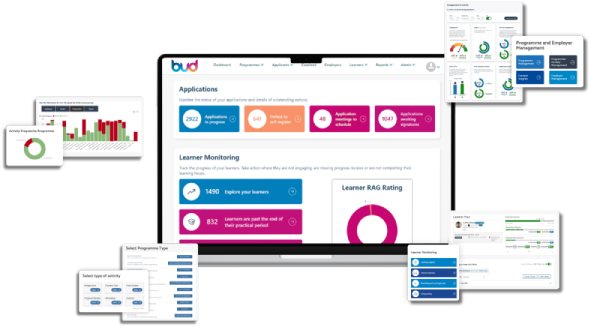
Bud Systems is built for UK training providers delivering funded apprenticeship programs. It structures the entire program around KSB. This maps learning activity, evidence, and assessor feedback directly to standards from day one. As apprentices progress through blended online and workplace-based learning, assessors can capture and evaluate evidence continuously rather than saving it for the end of the program. Providers can log and track off-the-job training within the same system. This keeps programs compliant and assessment-ready throughout.
This makes Bud Systems well-aligned for:
- Independent training providers delivering funded apprenticeships
- Providers managing employer relationships across multiple programs
- Teams looking to replace disconnected online tools with a single platform
- Providers delivering blended programs across online and workplace settings
However, Bud’s online assessment depth relies on the eportfolio rather than structured marking tools. This can make consistent, criteria-based grading harder to achieve, particularly for providers who need standardised rubrics or detailed marking breakdowns across large cohorts.
Key Features
- Evidence capture and portfolio management
- Assessment creation and sign-off
- Criteria and standard mapping
- Off-the-job training logging
- Learner progress tracking
- Risk and intervention indicators
- Employer visibility and reporting
- Internal quality assurance workflows
- Digital signatures and audit trail
- Integration with LMS and functional skills tools
Pros
- Unified platform connects learning delivery, evidence capture, and funding compliance
- Skills scan tracks KSB progress throughout the programs in real time
- Paperless enrolment and digital signatures reduce administrative load significantly
- Clear progress visibility for learners, employers, and trainers in one place
- Built specifically around UK funding rules and compliance requirements
- Highlights the advantages of off-the-job training and its impact on learning goals
Cons
- Scoped almost entirely to UK-funded apprenticeship and skills programs
- Less suitable for providers delivering non-funded or commercial training
- Online assessment depth relies on the eportfolio rather than structured marking tools
Pricing
Bud offers three plans: Essential, Premium, and Enterprise. These start from £6.50 per active learner monthly.
Rating
No ratings available
Best For Assessor-Led Observation and Sign-Off
#10 OneAdvanced ePortfolio
Average User Score: No ratings available
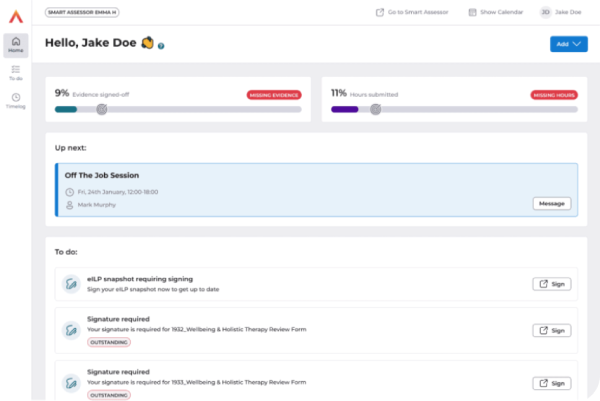
OneAdvanced ePortfolio (formerly Smart Assessor) is built around the assessor’s role in the apprenticeship journey. The platform enables assessors to observe, record, and sign off on learner progress against specific criteria. Evidence portfolios, on- and off-the-job tracking, and gateway readiness tools sit within a single workflow. It also enables providers to identify at-risk learners early through built-in intervention indicators. Its employer visibility tools also share progress reports directly with employers. This maintains transparency across the full three-way relationship.
This makes ePortfolio well-aligned for:
- UK apprenticeship providers prioritising structured assessor workflows
- Providers needing clear audit trails for Ofsted inspection readiness
- Teams requiring employer engagement tools built into the assessment process
However, ePortfolio works best within the broader OneAdvanced suite. Providers using it as a standalone tool may find integration with external systems are limited.
Key Features
- Course scheduling and management
- Blended learning delivery
- SCORM and eLearning hosting
- Quiz and assessment tools
- Learner progress tracking
- Certification and expiry management
- Automated communications and workflows
- Delegate and booking management
- Custom reporting and dashboards
- CRM and finance integrations
Pros
- Evidence portfolios and assessor workflows sit within a single connected system
- Employer visibility tools support three-way communication across the program
- Integrates with functional skills and learner management tools in the OneAdvanced suite
- Detailed dashboards support Ofsted inspection readiness
Cons
- User interface is difficult to navigate
- Mobile app is a reduced version of the desktop experience
- Works best within the OneAdvanced ecosystem rather than as a standalone tool
Pricing
OneAdvanced does not publish ePortfolio’s pricing publicly. Contact their team directly to discuss your needs and receive a quote.
Rating
No ratings available
Blended Learning Assessment Solutions Buyer’s Guide
- Look for integrated assessment authoring tools. The ability to build assessments directly within the platform saves time and keeps learning and assessment connected. Check whether the platform supports a range of question and task types beyond basic quizzes.
- Check for practical and observational assessment tools. Platforms vary in how they support in-person assessment. Look for observation checklists, evidence upload, and assessor sign-off tools if your programs include workplace or practical components. Internal quality assurance features are essential for regulated or funded programs.
- Look for evidence portfolio and criteria mapping features. For competency-based or vocational programs, learners need a structured way to submit and map evidence against specific standards. Check whether this is built in or requires a separate tool.
- Consider who needs access to assessment data. Learners, assessors, managers, employers, and compliance teams all have different visibility needs. Check whether the platform makes assessment data accessible to each audience without requiring complex reporting tools.
- Look for blended reporting across all delivery formats. Assessment data from online and in-person activity should feed into a single learner record. Check whether reports show demonstrated competency and progression, not just course completion.
- Check compliance and regulatory alignment. Assessment platforms handle compliance differently across sectors and regions. Make sure the platform supports the specific standards, funding rules, or regulatory requirements your organisation is accountable to.

Frequently Asked Questions (FAQs)
Blended Learning Assessment Software FAQs
How long does it take to implement a blended learning assessment platform?
Implementation timelines vary depending on platform complexity and how much configuration is required. Out-of-the-box platforms can be set up within a few weeks. More configurable platforms require longer setup times and dedicated technical resources. Data migration, assessor training, and system integrations will also affect how long it takes to go live.
How do I choose between an assessment-first and a learning-first platform?
Start by identifying where the greater risk sits in your blended learning strategies. If demonstrating competency is critical for compliance or regulation, an assessment-first platform is likely the stronger fit. If engaging learners and delivering content is the priority, a learning-first platform with solid assessment tools may be sufficient. Many organisations find both needs equally important, in which case platforms that genuinely balance the two are worth prioritising.
How reliable is AI-generated assessment for formal or regulated programs?
AI tools are capable of generating question banks, marking responses, and flagging inconsistencies across a range of assessment methods. However, AI should support human judgement rather than replace it. Always check how a platform documents AI involvement in the assessment process, as this may affect your audit trail.


