Many organisations deliver training through course-based learning programs. These are built around defined courses, set completion rules, and clear learner requirements. They are common in environments where planning, assigning, and tracking learning is vital.
Wet Fish LMS is often used to support this type of delivery. It helps teams manage courses, enroll learners, and monitor progress across training programs. For teams running structured, course-led training, this approach provides consistency and administrative control.
However, not all organisations deliver courses in the same way. Assessment needs vary from one organisation to another. Reporting requirements, delivery models, and system integrations do too. These differences influence how well a learning management system (LMS) fits into everyday operations.
This article reviews a range of Wet Fish LMS alternatives for course-based learning delivery.
What is Wet Fish LMS?
Wet Fish LMS is a cloud-based learning management system. The Australian learning technology provider WetFish developed the LMS. Officially called Scodle, but it is most commonly referred to as WetFish LMS. Organisations that deliver formal, course-based training across different environments use Scodle.
Wet Fish built the platform around course-led learning delivery. Organisations use it to create and publish courses. They can also enroll learners and track progress across modules and programs. Learners access assigned courses and track their progress through a central dashboard. Instructors and administrators view learner engagement data and reporting from the same system. This suits organisations that deliver training through predefined courses. It helps organisations that expect learners to complete specific requirements.
However, while Wet Fish LMS is a good platform for course-based learning, some organisations may need more than it offers. This is because:
- Course structure flexibility. Wet Fish LMS is designed for courses that follow a fixed structure. Some organisations require more variation in how courses are set up, completed, or administered. These organisations may prefer platforms that offer greater configuration.
- Reporting depth and configuration. The platform provides visibility into learner progress and course completion. Some teams require more granular insight. They may also need customised reporting formats or complex data exports. In these cases, standard reporting may be insufficient without additional configuration or support.
- Operational fit and integration. Course-based delivery often sits alongside other systems. Some organisations have specific integration needs. Others operate with tightly defined administrative workflows. In these cases, Wet Fish LMS may not align seamlessly with their broader learning or operational ecosystem.
TLDR; Best Wet Fish Alternatives
Best Wet Fish LMS Alternatives for Flexible Course Configuration
- Cloud Assess
- Docebo
- 360Learning
Best Wet Fish LMS Alternatives for Compliance & Regulated Course Delivery
- Cloud Assess
- aXcelerate
- ELMO
- Absorb LMS
Best Wet Fish LMS Alternatives for Multi-Audience & Scalable Course Delivery
- Cloud Assess
- LearnUpon
- Adobe Learning Manager
- TalentLMS
- iSpring LMS
Best Learning Management System Alternatives to Wet Fish
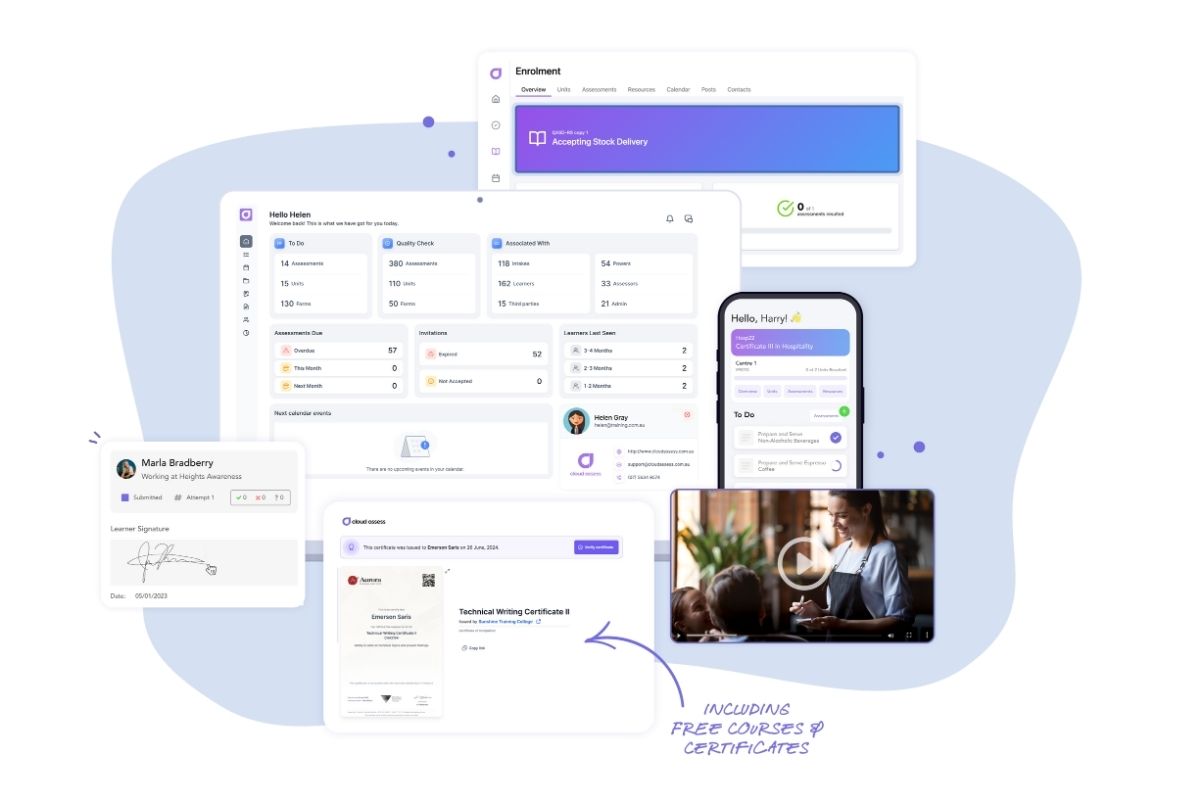
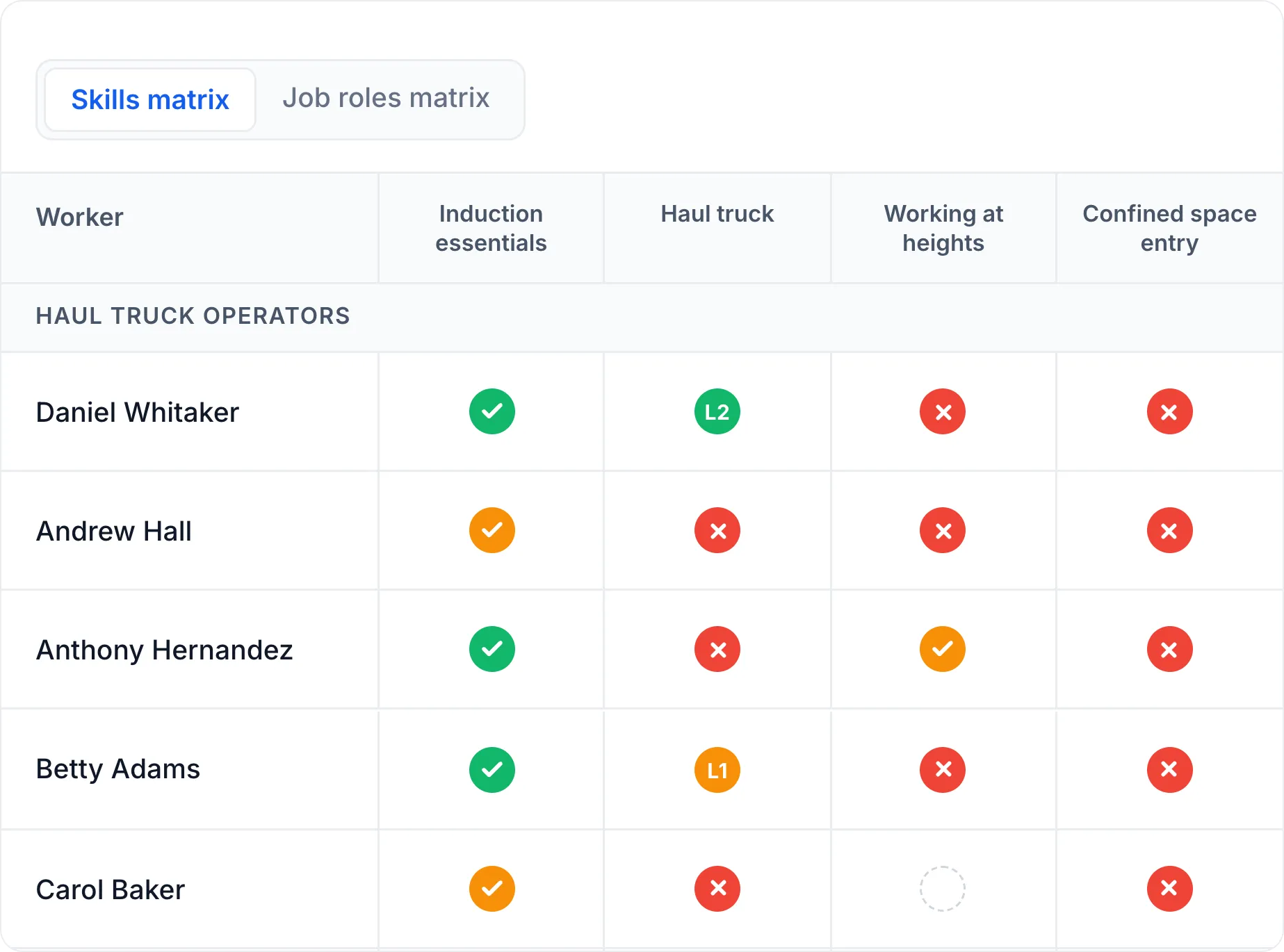
Cloud Assess is a cloud-based LMS built to deliver structured courses from enrolment through to completion. Courses are organised into units and lessons. This allows learners to move through content in a defined order rather than consuming isolated materials. This makes it suitable for programs that require consistent delivery across cohorts.
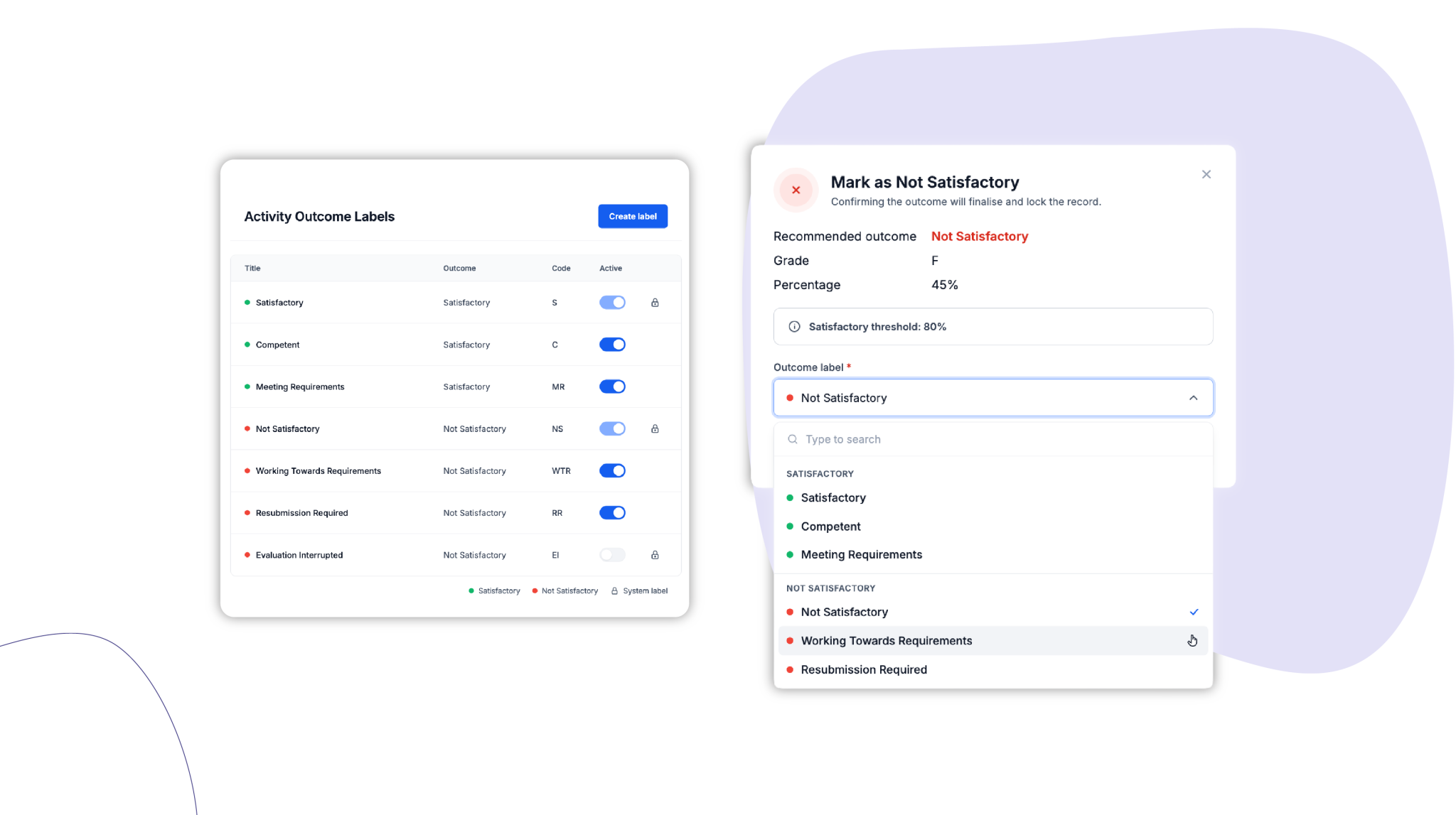
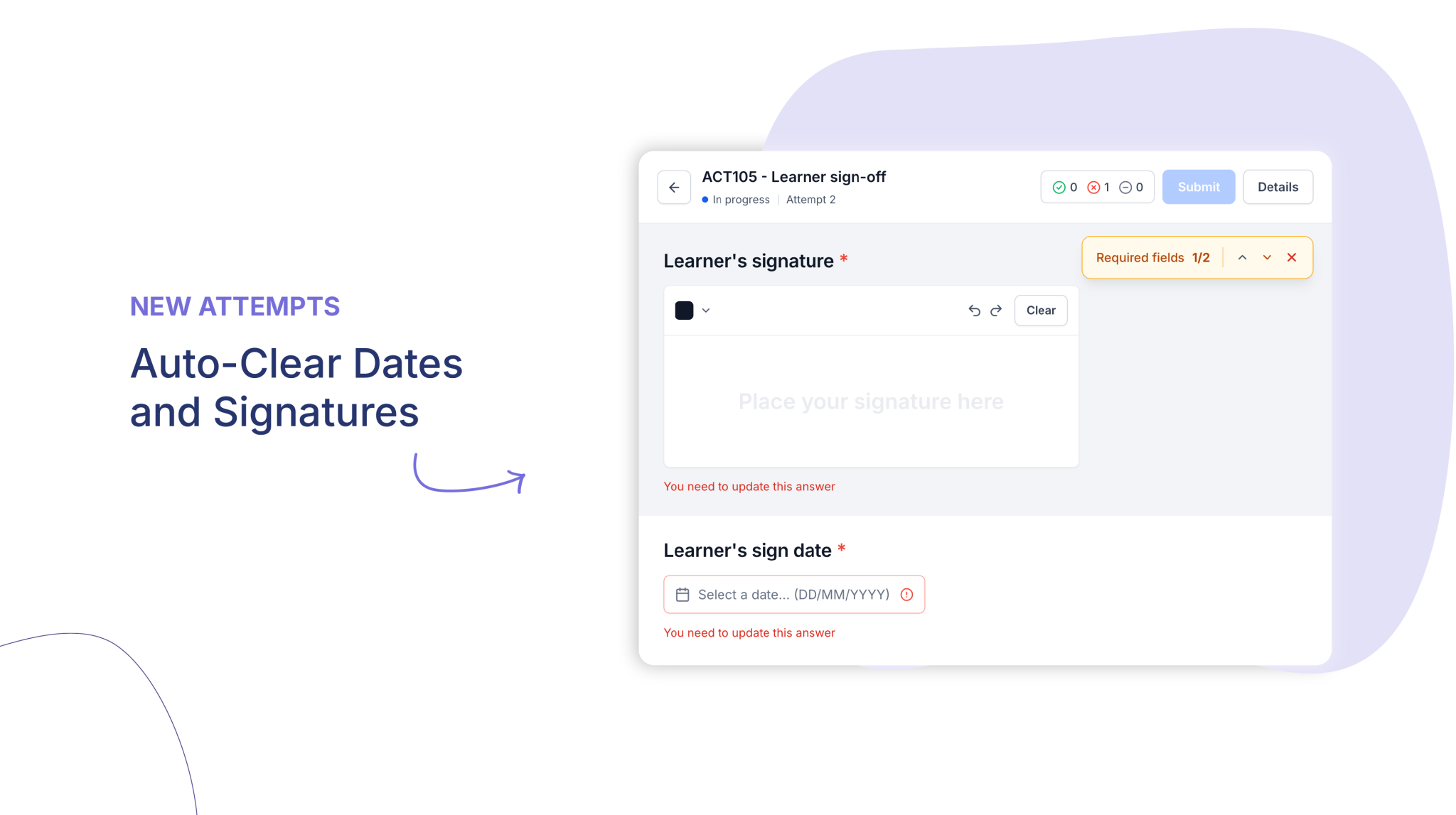
Learners complete courses through a web interface or mobile app, with offline learning access for deskless roles. Learning content and assessment sit together. This means quizzes, evidence uploads, and practical tasks are linked to specific courses. Progress and completion are tracked automatically. Reporting can be configured at course, unit, lesson, and assessment level. Cloud Assess also supports integrations with compliance tools, HR systems and other workplace tools. This positions Cloud Assess as a practical alternative to Wet Fish. It’s an excellent choice for organisations that need structured delivery alongside customisable reporting and system connectivity.
Key Features
- Structured course creation
- Unit and lesson sequencing
- Embedded learning content
- Mobile learning
- Offline course access
- Course-based assessments
- Evidence uploads and portfolios
- Certificates of completion
- Digital badges
- Automated learner enrolment
- Course progress visibility
- Reporting dashboards
Pros
- Built for structured course delivery
- Supports consistent delivery across multiple cohorts
- Combines learning and assessment in a single course flow
- Mobile learning and offline access suit frontline and field-based learners
- Reduces administration when running courses at scale
Wet Fish LMS vs Cloud Assess
Cloud Assess offers:
- Customisable learner journeys with logic-based progression
- Combined course delivery and assessment in one workflow
- Stronger support for evidence uploads and practical course tasks
- Mobile app and offline access for frontline course delivery
- Better alignment to competency-based course outcomes
Pricing
Cloud Assess offers an all-inclusive solution for employee training in high-risk, high-compliance industries. Every feature is included from day one, including mobile offline assessment, verification of competency, skills matrix and automated compliance tracking. There are no upgrade paths or feature gates. Visit our pricing page for an accurate quote.
Rating
4.7/5 (average rating from Capterra, G2, GetApp, Software Advice)
#2 aXcelerate
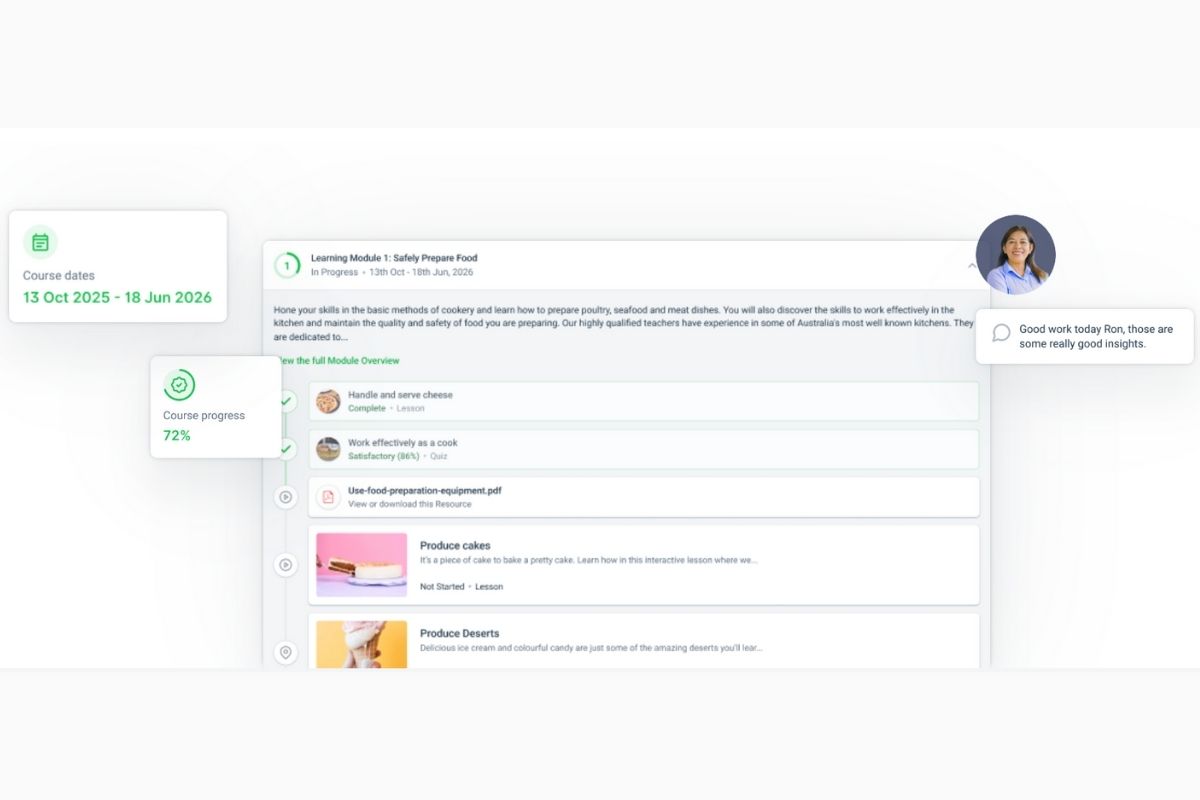
aXcelerate is primarily a training management system. It’s built for organisations that run formal courses and is widely used by training providers. These organisations need to manage enrolments, learner records, and compliance reporting. Course delivery sits alongside these administrative requirements.
aXcelerate supports unit-based course structures and scheduled course delivery. Trainer and assessor access sits alongside learner record history for regulated training workflows. This suits environments where course delivery is linked to regulatory or funding obligations.
However, this focus on administration can come at the expense of simplicity. Teams that want faster setup or a lighter learning experience may find aXcelerate more complex than necessary.
Key Features
- Course and program setup
- Unit-based course structure
- Scheduled course delivery
- Learner enrolment management
- Online learner portal
- Course progress tracking
- Assessment submissions
- Trainer and assessor access
- Compliance reporting
- Audit-ready records
- Training certificate management
- Learner record history
Pros
- Strong fit for accredited and compliance-driven courses
- Designed around fixed course structures and formal delivery
- Supports detailed learner records for regulated online training
- Well-suited to high-volume course administration
Cons
- Can feel complex for teams that want a simpler setup
- Less flexible for organisations that need lighter course delivery workflows
- Interface and administration can take time to learn
Wet Fish vs aXcelerate
aXcelerate offers:
- Stronger support for regulated and accredited course delivery
- Training provider focused administration and learner record management tools
- Better alignment to compliance-driven reporting requirements
- More suitable workflows for high-volume course enrolments
- Broader integration options for training provider systems
Pricing
aXcelerate doesn’t have pricing readily available on their website. You need to contact them for detailed and personalised pricing.
Rating
3.3/5 (average rating from G2, Capterra, GetApp, Software Advice)
#3 ELMO

ELMO is a learning management system designed for compliance-led course delivery. Organisations use this LMS platform to assign required corporate training across teams and job groups.
The platform helps teams automate mandatory training from assignment through to sign-off. Reminders keep learners on track, while managers monitor progress and verify training status across teams. Its audit-ready reporting capability supports repeat training cycles and compliance checks. This makes ELMO a strong fit for structured workplace training.
However, ELMO Learning is best suited to standardised programs. Teams that need highly customised course structures or varied completion rules may find it limiting.
Key Features
- Group-based course assignment
- Course enrolment management
- Internal course catalogues
- Scheduled course delivery
- Course completion tracking
- Automated training reminders
- Manager course visibility
- Team completion tracking
- Training records management
- Certificates of completion
- Completion reporting
- Audit-ready reporting
Pros
- Focused on internal, compliance-led course delivery
- Supports role-aligned and requirement-driven training
- Clear oversight of mandatory training status
- Works well for organisation-wide training consistency
Cons
- Better suited to internal training than external course delivery
- Limited fit for highly customised or specialised course structures
- Can feel rigid for teams that want more flexibility in course design
Wet Fish vs ELMO Learning
ELMO Learning offers:
- Stronger focus on internal compliance training delivery
- Better support for recurring and role-based training requirements
- Clearer manager visibility into training status across teams
- Stronger integration with HR and workforce management systems
Pricing
ELMO doesn’t offer pricing information for its LMS. Contact their team directly for accurate pricing details.
Rating
4.5/5 (average rating from Capterra, GetApp, Software Advice)
#4 Docebo
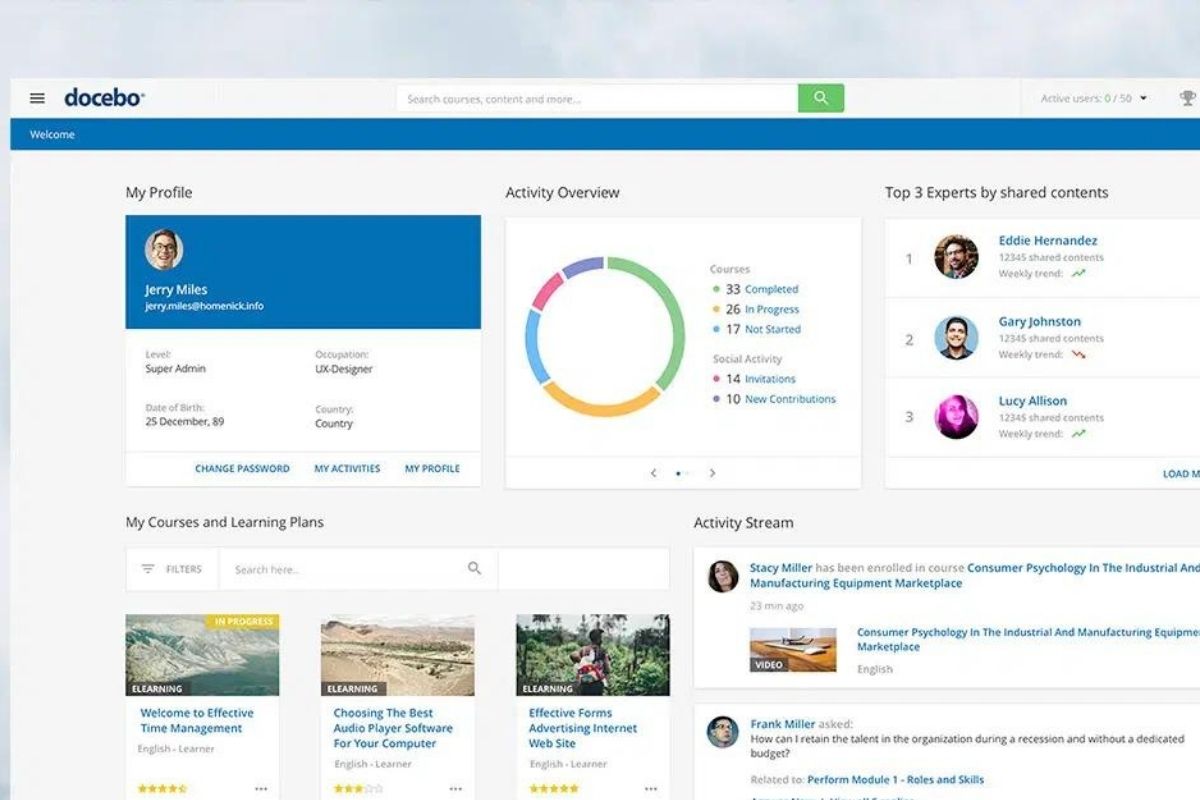
Docebo is an enterprise LMS designed for frontline and deskless training at scale. Large organisations use it to deliver consistent courses across teams, regions, and shift-based workforces. The platform is built to handle complexity and high learner volume.
Automation is a core part of Docebo’s course delivery. It supports automated enrolments, recurring assignments, and training notifications. Learning paths and structured curricula guide learners through courses in the right order. Enterprise reporting dashboards help teams track training metrics across large learner populations.
However, Docebo can feel complex for organisations with simple course delivery needs. Teams with smaller course libraries may find it heavier than required.
Key Features
- Structured course creation
- Learning paths and curricula
- Automated course enrolment
- Group-based course assignment
- Multi-audience course delivery
- Instructor-led training support
- Course completion tracking
- Certificates of completion
- Extended enterprise portals
- Enterprise reporting dashboards
- Bulk course management
- Advanced analytics and reporting
Pros
- Built to deliver courses at enterprise scale
- Strong automation for large, recurring training programs
- Designed for consistent training across frontline and deskless workers
- Supports consistent course delivery across regions and audiences
- Handles complex course libraries with high learner volumes
Cons
- Can feel complex for organisations with simple course delivery needs
- Steep learning curve requiring technical expertise
- Less suited to small teams that want a lightweight learning management system
Wet Fish vs Docebo
Docebo offers:
- Better fit for deskless and frontline workers in shift-based teams
- Flexible learning paths and modular course structure
- Customisable reporting and analytics dashboards
- Broad integration options with HR, CRM, BI and productivity tools
- Scalable architecture built for large enterprises
Pricing
Docebo provides two pricing tiers; Elevate and Enterprise. Pricing available on request.
Rating
4.3/5 (average rating from G2, Capterra, GetApp, Software Advice)
#5 Absorb LMS

Absorb LMS is a digital learning platform that helps deliver structured, course-based training. Organisations use it to deliver structured programs with clear completion requirements. The platform is designed to support consistent delivery across teams.
Absorb LMS works well for teams running formal training programs. It includes standardised course templates for repeatable delivery. Program-based course delivery keeps training consistent across cohorts. This suits organisations with clear learning and training needs, including those delivering elearning courses at scale.
However, Absorb LMS is less suitable for teams that need more flexible course structures and may find it limiting.
Key Features
- Structured course creation
- Program-based course delivery
- Standardised course templates
- Group-based course assignment
- Course enrolment management
- Course completion tracking
- Certificates and transcripts
- Learner progress visibility
- Administrative reporting
- Branded learner portals
- eCommerce management
Pros
- Designed for consistent, standardised course delivery
- Clear structure for managing formal training programs
- Strong fit for organisations with repeatable course requirements
- Well-suited to organisations that plan to sell courses online
Cons
- Less flexible for teams that need varied course completion rules
- Not ideal for highly customised or evolving delivery models
Wet Fish vs Absorb LMS
AbsorbLMS offers:
- More standardised course delivery for repeatable training programs
- Better suitability for predictable administration workflows
- Reliable delivery for formal internal course requirements
Pricing
Absorb LMS’s pricing is available only on request. It’s designed to cater based on the number of users.
Rating
4.8/5 (average rating from Capterra, G2, GetApp, Software Advice)
#6 LearnUpon
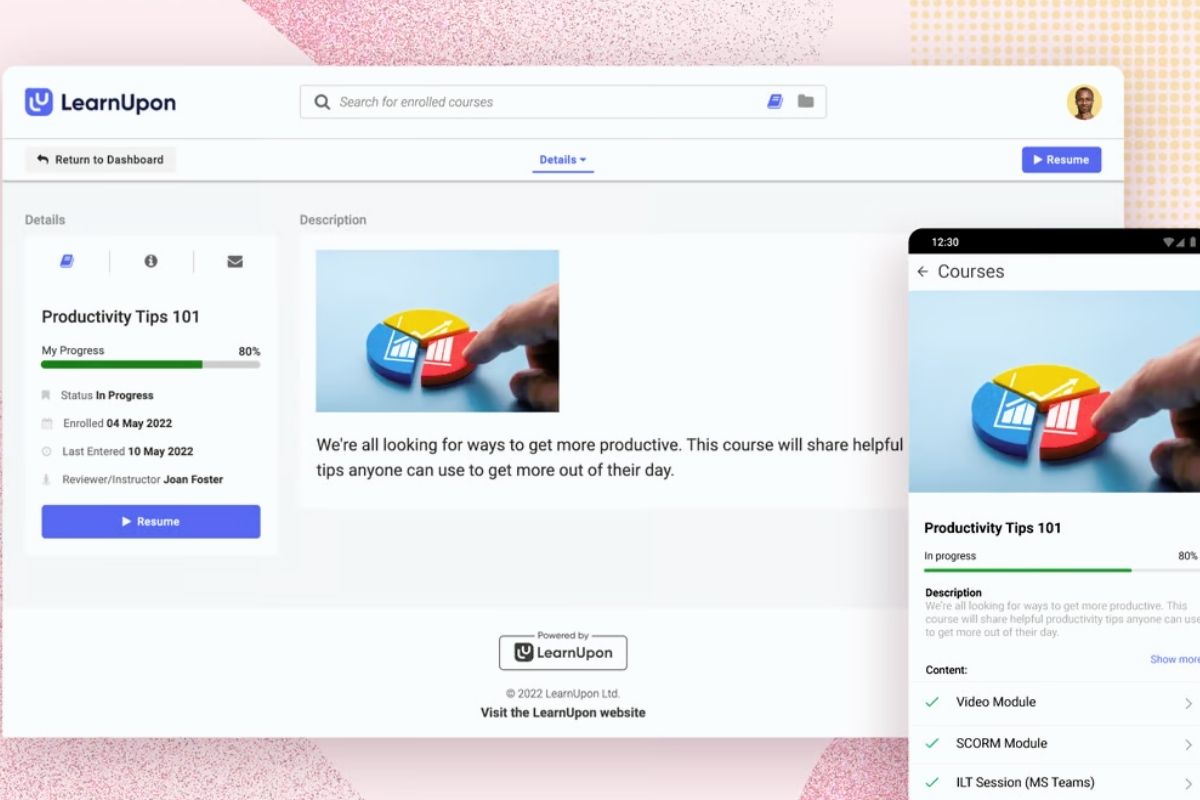
LearnUpon is an employee training software. It is built for organisations that deliver online learning to more than one audience. Teams use it to train employees, customers, partners, or members from the same platform. Courses are reused and adapted across groups rather than rebuilt each time.
It supports multi-portal course delivery and audience-specific course access, so each group can have its own portal and course permissions. This allows organisations to run internal and external training side by side. Courses still follow defined structures, with clear completion requirements.
However, teams delivering highly specialised programs or complex delivery rules may find the platform less flexible.
Key Features
- Structured course creation
- Multi-portal course delivery
- Audience-specific course access
- Shared course libraries
- Course enrolment management
- Course completion tracking
- Certificates of completion
- Learner progress visibility
- Portal-level reporting
- Internal and external training
Pros
- Built to deliver courses to multiple audiences from one platform
- Supports internal and external training through separate learning portals
- Centralised course management across audiences and portals
- Consistent course delivery at scale across different learner groups
Cons
- Less flexible for complex delivery rules across different training programs
- Portal setup can add extra admin work for smaller teams
- Not ideal for highly specialised course structures
Wet Fish vs LearnUpon
LearnUpon offers:
- Multi-portal course delivery for different learner audiences
- Separate branded portals for internal and external training
- Stronger audience-based access control for course delivery
- Simpler management of shared course libraries across groups
Pricing
LearnUpon offers Essential, Premium, and Enterprise plans. Pricing is available on request.
Rating
4.6/5 (average rating from Capterra, G2, GetApp, Software Advice)
#7 Adobe Learning Manager
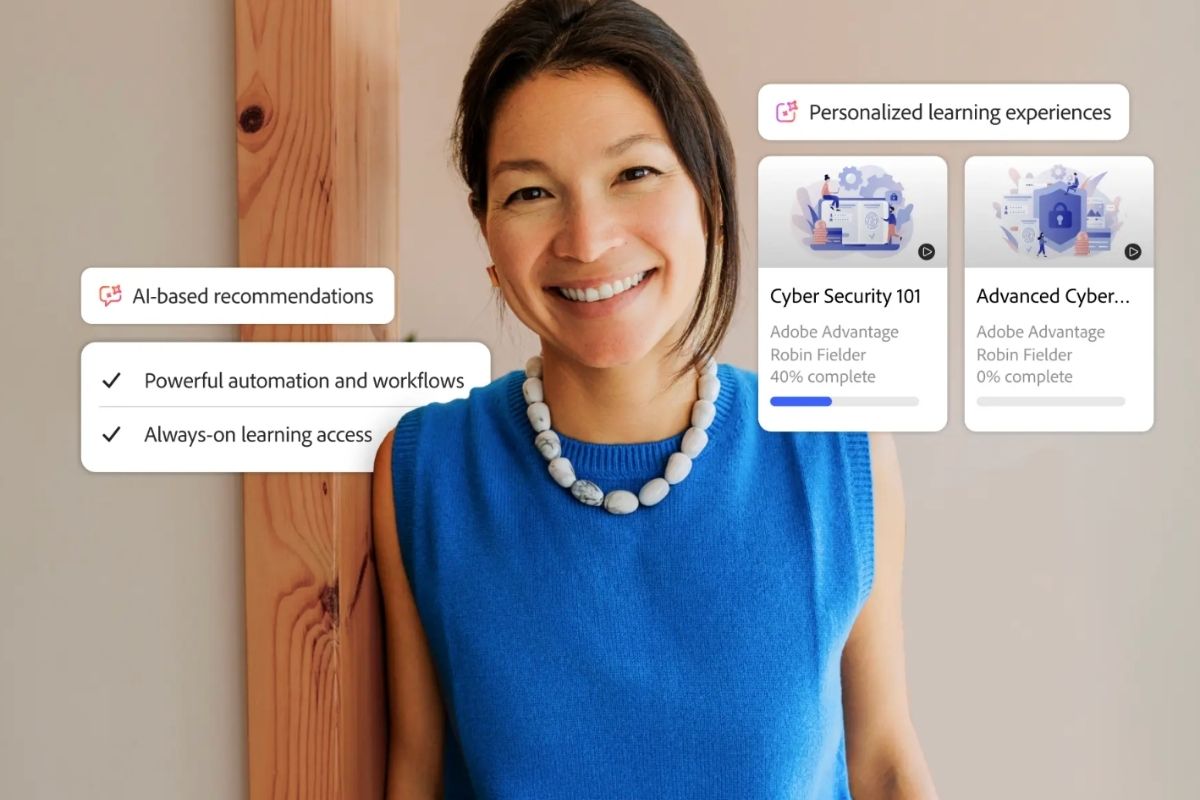
Adobe Learning Manager is a blended learning platform. It is made for organisations that want online learning to sit inside a broader digital ecosystem. It is part of Adobe’s suite of business tools rather than a standalone training system. This shapes how organisations approach course delivery for corporate learning.
Adobe Learning Manager supports structured courses that connect with other Adobe tools. The platform also supports AI-assisted content creation for faster course rollout. Organisations can pair it with Adobe Captivate for interactive course content. They can also use Adobe Connect for live virtual sessions and blended learning programs. This suits teams that want learning, content, and delivery to work together in one environment.
However, Adobe Learning Manager works best for organisations already invested in Adobe. Teams looking for a lightweight, standalone LMS may also find the platform heavier than needed.
Key Features
- Structured course creation
- Learning program management
- Blended learning support
- Multi-channel course delivery
- Adobe ecosystem integration
- SCORM and xAPI support
- Course assignment controls
- Course progress tracking
- Certificates of completion
- Skills-based learning paths
- Enterprise learner management
- Learning analytics
Pros
- Well-suited to organisations already using Adobe products
- Supports course delivery within a broader digital ecosystem
- Handles structured learning programs with clear requirements
- Fits enterprise environments with integrated content workflows
Cons
- Can feel heavy for organisations with simple course delivery needs
- Requires alignment with the broader Adobe ecosystem to realise full value
Wet Fish vs Adobe Learning Manager
Adobe Learning Manager offers:
- Native integration with the broader Adobe product ecosystem
- Stronger alignment to enterprise learning environments with linked systems
- Support for content-rich learning experiences tied to digital workflows
- Scalable learning delivery across complex organisational ecosystems
Pricing
Adobe doesn’t make pricing information available on their website. Contact them directly for an accurate quote.
Rating
4.2/5 (average rating from Capterra, G2, GetApp, Software Advice)
#8 iSpring LMS
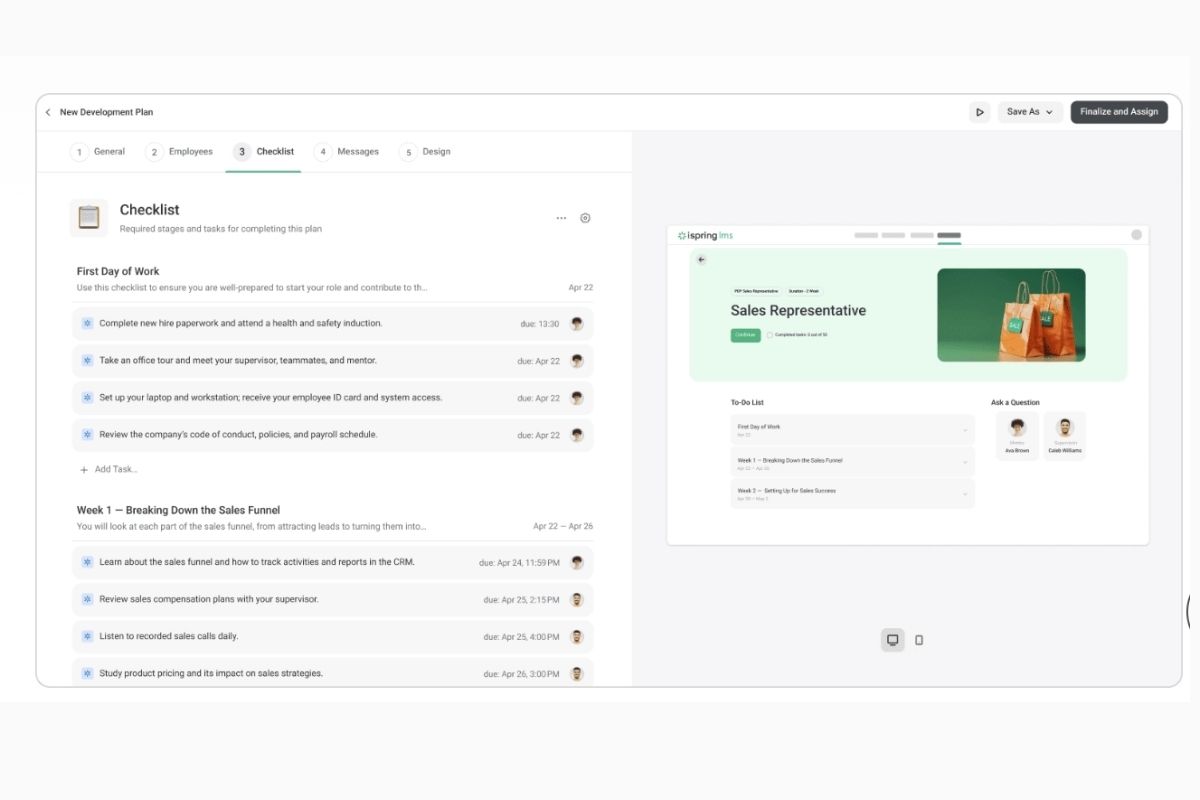
iSpring LMS (formerly iSpring Learn) is an eLearning authoring software. It is built around content that already exists. Many teams use it to turn PowerPoint presentations into online courses. Course delivery starts with slides, not learning management software configuration.
Authors create training in familiar tools and publish it directly to the platform. Courses are delivered as packaged units with a fixed flow. This keeps rollout simple and reduces the need for complex setup. It works well for organisations that rely on presentation-led training. The platform provides an AI-powered course translation feature. This helps teams localise training content quickly for global learners. It also provides AI image generation for course visuals, which supports faster course creation.
For teams that don’t use PowerPoint, however, iSpring LMS can feel like a less natural fit. It works best when courses are built from slides. It is also less geared toward customisation and collaborative course creation than some alternatives.
Key Features
- Structured course creation
- PowerPoint-based course authoring
- AI course translation
- AI image generation
- SCORM course delivery
- Packaged course publishing
- Course enrolment management
- Course completion tracking
- Certificates of completion
- Learner progress visibility
- Mobile course access
- Offline course access
Pros
- Built for fast course creation and rollout
- Strong fit for presentation-led course delivery
- Keeps course setup simple and predictable
- Works well for teams with existing training content
Cons
- Less suitable for teams that don’t build courses in PowerPoint
- Limited flexibility for highly customised course experiences
- Not designed for collaborative course creation workflows
Wet Fish vs iSpring LMS
iSpring LMS offers:
- Faster course creation from PowerPoint-based training content
- A simpler approach to packaged course delivery
- Quick publishing for teams with existing course materials
- Better fit for presentation-led course programs
Pricing
iSpring LMS has a Business Plan that starts at $4.46 for 300 users, $3.97 for 500 users, $3.58 for 1000 users, and a customised Enterprise plan.
Rating
4.7/5 (average rating from Capterra, G2, GetApp, Software Advice)
#9 TalentLMS
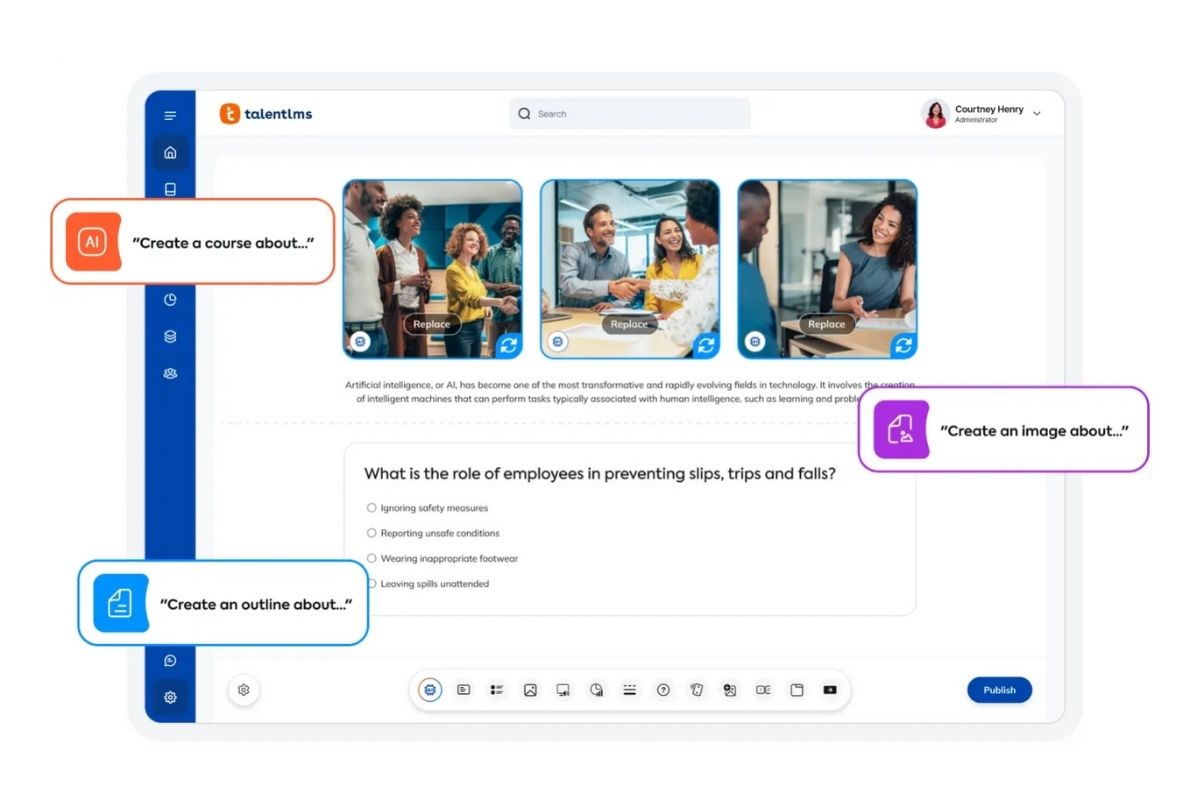
TalentLMS is an LMS for corporate training. It is designed for teams that want to launch courses quickly without heavy setup. It focuses on getting training online fast rather than supporting complex delivery models.
TalentLMS is often used as a lightweight course hub. Teams can publish training, enroll learners, and keep delivery moving without complex admin work. It supports SCORM course delivery and simple completion tracking. Its automated notifications help keep learners on track. This works well for employee training, onboarding, and basic compliance training programs.
However, TalentLMS is not built for highly complex course programs. Teams that need advanced course control may outgrow it.
Key Features
- Structured course creation
- AI-assisted course creation
- Quick course setup
- Self-paced course delivery
- Course enrolment management
- Course completion tracking
- Certificates of completion
- Course progress visibility
- Automated training notifications
- Basic reporting dashboards
Pros
- Low setup effort for launching employee training programs
- Good fit for growing teams with basic course needs
- Easy to manage short, online courses for self-directed learning
Cons
- Can feel limited for large or complex course programs
- Less suited to organisations needing advanced course control
- Reporting and structure may not scale for demanding requirements
Wet Fish vs TalentLMS
Talent LMS offers:
- Faster setup for simple course delivery programs
- A lighter platform for teams with basic course requirements
- Quicker course rollout with minimal configuration
- Better fit for short, self-paced course libraries
Pricing
TalentLMS offers Core, Grow, Pro, and Enterprise plans. Pricing starts at $119, with custom pricing available for larger tiers.
Rating
4.7/5 (average rating from Capterra, G2, GetApp, Software Advice)
TalentLMS not for you?
Explore better-fit LMS alternatives in minutes.#10 360Learning
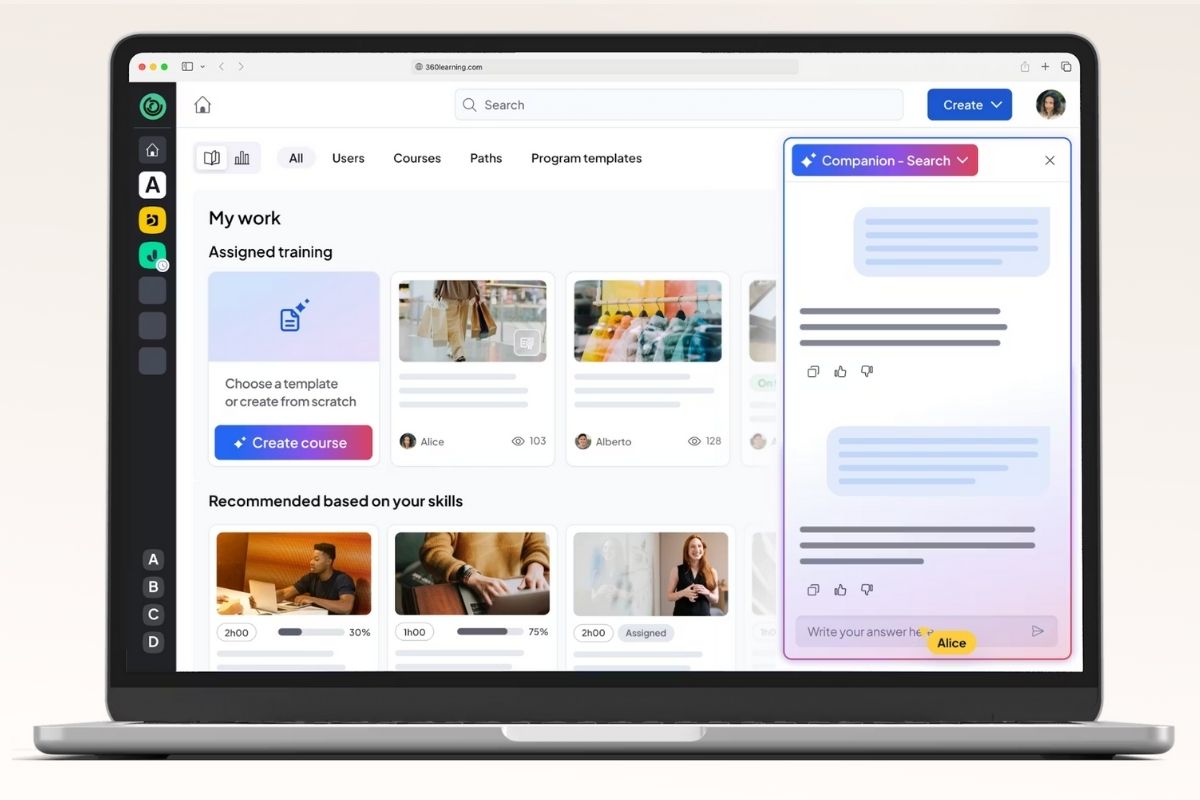
360Learning is a collaborative course management system. It is built around the idea that courses are created by teams. Subject matter experts contribute content directly. They turn internal knowledge into structured courses.
Teams use 360Learning to create courses quickly with input from across the organisation. It includes collaborative course creation tools that support shared content development. It can also help organisations sell courses to external audiences. They can review, refine, and publish content inside the platform. Courses follow defined structures and completion rules, but creation remains decentralised. This supports organisations that want to scale course delivery without relying on a small central team.
However, shared ownership does not suit every training team. If you need tight control over course design and consistency, this collaborative approach can be harder to keep uniform.
Key Features
- Collaborative learning course creation
- Expert-led content authoring
- Structured course publishing
- Peer content contributions
- Course enrolment management
- Course completion tracking
- Social learning features
- Learner progress visibility
- Course feedback tools
- Learning analytics and reporting
Pros
- Enables teams to create and update courses collaboratively
- Reduces reliance on central L&D teams for course creation
- Supports fast conversion of internal knowledge into courses
Cons
- Harder to maintain consistency when many people create courses
- Less suited to tightly controlled or standardised training programs
- Course quality can vary without strong governance
Wet Fish vs 360Learning
360Learning offers:
- Collaborative course creation across teams and subject matter experts
- Faster course updates without relying on a central admin team
- Scalable course development through shared ownership
- Better support for knowledge-led course delivery at pace
Pricing
360Learning offers a Team plan that starts at $8 per user monthly for up to 100 users. Their Business plan is available on request.
Rating
4.7/5 (average rating from Capterra, GetApp and Software Advice)
Looking for More Alternatives?
We create curated lists of popular LMS systems and alternative solutions to make things easier for you.
Ditch the spreadsheets
See every gap, every expiry and every role requirement in one live, AI-powered skills matrix. Audit-ready, whichever regulator you answer to.