

Developing an effective training program for your employees is no small task. As workplaces evolve and skill requirements change, keeping your team up to date has become more important than ever. That’s where employee training software comes in.
These platforms make it easier to manage, deliver, and track training across your organisation. This in turn, helps you create consistent learning experiences for every employee. You may be focused on training new staff or supporting professional development. No matter the goal, the right software can simplify the training process and save you valuable time.
In this guide, we’ll look at some of the best employee training software available. We’ll also compare key features, usability, and pricing to help you find the ideal solution for your organisation.
What is Employee Training Software?
Employee training software is a solution that companies use to create, manage and deliver learning programs to staff. It provides a centralised system for hosting training materials and assigning courses. It also allows organisations to track employee progress in one place.
These platforms support both in-person and remote learning. They give organisations the flexibility to train employees wherever they are. This makes them especially useful for industries with distributed or deskless workforces. These types of solutions help organisations keep training accessible and consistent. They also make it easier to measure results across different teams and locations.
Types of Employee Training Software
- Learning Management Systems (LMSs) deliver structured courses, assessments, and certifications. These ensure compliance and drive employee development.
- Learning Experience Platforms (LXPs) offer AI-driven recommendations and personalised content. This helps encourage self-directed learning.
- Microlearning Apps provide short, and engaging modules. These help employees absorb key skills in less time.
- Digital Learning Tools combine video, quizzes, and interactive media. They enable the creation of dynamic online training experiences.
- Digital Adoption Platforms (DAPs) deliver in-app learning and guidance. This supports real-time software onboarding and process adoption.
Who Uses Employee Training Software?
- HR and Learning Teams use these systems to onboard new hires, assign courses, and monitor progress across departments.
- Managers and Team Leads rely on them to close skill gaps and track training performance within their teams.
- Compliance Officers use business training software to ensure employees complete required certifications. They also ensure that workers meet regulatory standards.
- Employees engage with training platforms to develop skills, and stay compliant.
- Executives and Leaders use these tools to align employee learning with business goals.
Top Employee Training Platforms



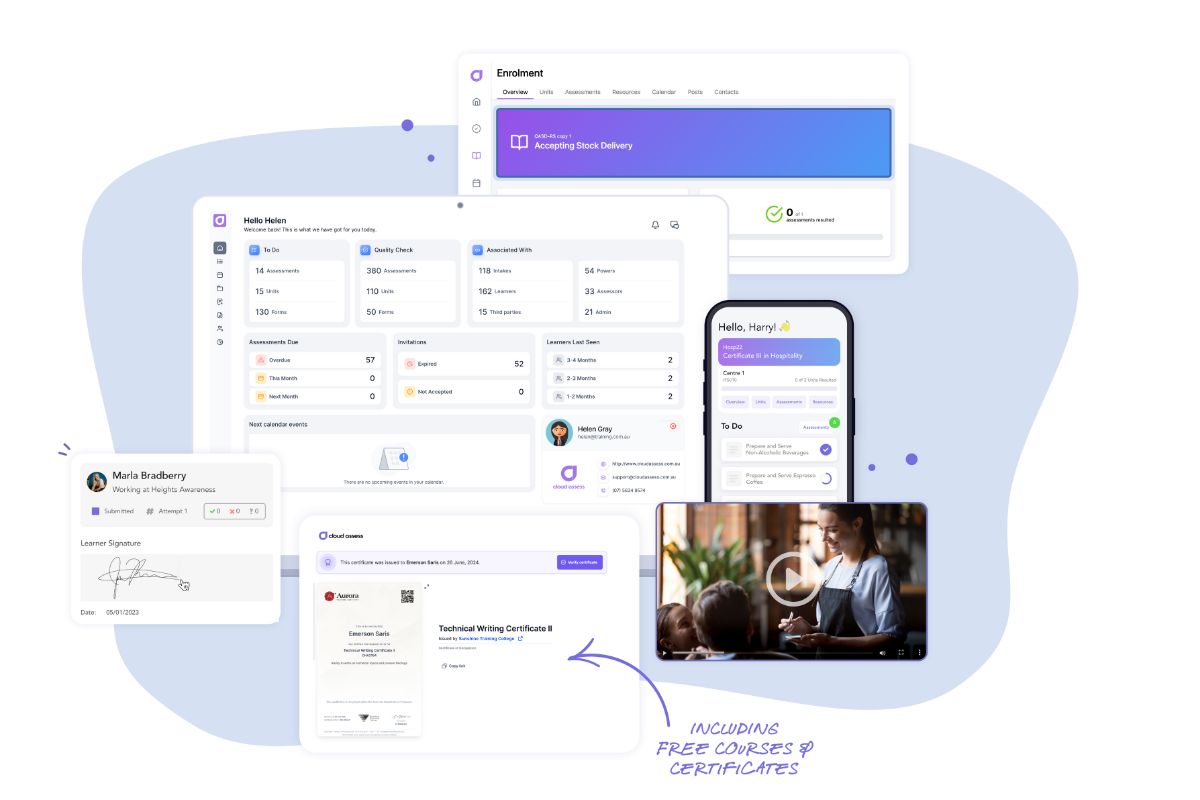
Cloud Assess is a purpose-built digital training and assessment platform. It is specifically designed for organisations with frontline and deskless workers. It comes with robust employee training system features. The platform enables practical, competency-based training through mobile-friendly tools. These include on-the-job assessments, workplace evidence capture, and automated compliance tracking. With support for blended learning and offline access, employees can train anytime, anywhere.
Cloud Assess offers real-time dashboards and reporting. These help managers track progress, identify skill gaps, and maintain compliance. The platform streamlines onboarding, upskilling, and audit-readiness. This empowers businesses to improve safety, productivity, and workforce capability at scale.
Key Features
- Custom training templates
- Mobile learning delivery
- Offline learning
- Onboarding and induction journeys
- Skills assessment tools
- Learner evidence capture
- Third-party user access
- Digital badges and micro-credentials
- Progress monitoring tools
- Skills matrix and competency mapping
- Compliance tracking dashboard
- Workflow automation
- Digital certificate management
- Evidence portfolios and digital signatures
- Revision control and quality checks
- Role-based reporting
- Integration with HR and compliance systems
- Extensive course library
Pros
- Built for compliance-critical and safety-focused industries
- Accessible offline for frontline, and deskless workers
- Simplifies audits and compliance management with real-time tracking
- Accelerates onboarding and upskilling with automated learning journeys
- Reduces admin time through workflow automation and seamless HR integration
- Delivers real-time visibility into workforce skills, progress, and certification status
Pricing
Cloud Assess offers an all-inclusive solution for employee training in high-risk, high-compliance industries. Every feature is included from day one, including mobile offline assessment, verification of competency, skills matrix and automated compliance tracking. There are no upgrade paths or feature gates. Visit our pricing page for an accurate quote.
Rating
4.7/5 (average rating from Capterra, G2, GetApp, Software Advice)
#2 LearnUpon
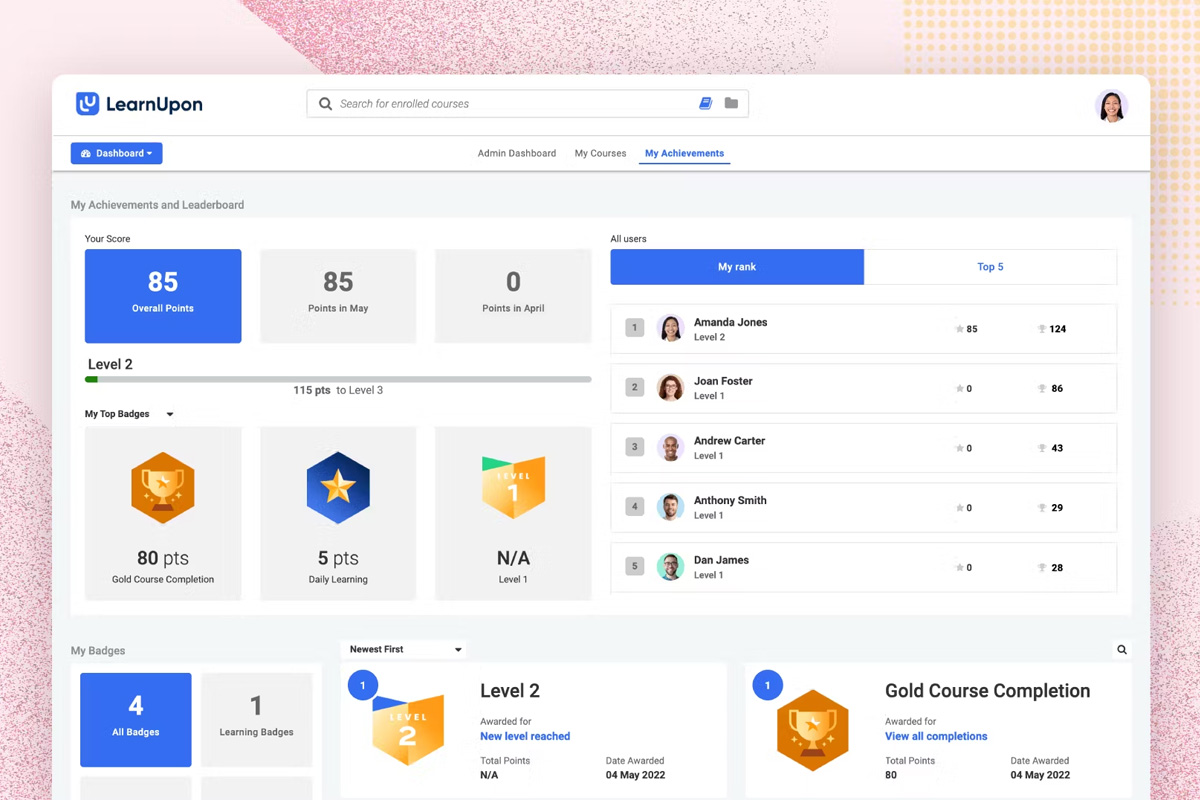
LearnUpon is an enterprise-grade LMS that streamlines corporate training across distributed teams. The platform offers AI-powered content recommendations to personalise each employee’s learning experience. It also provides blended learning delivery and progress tracking to support structured development. L&D teams can design certification paths and automate enrolment workflows. Its analytics dashboards help evaluate engagement and learning effectiveness. Integration with HR and CRM systems ensures data consistency across departments.
LearnUpon may not suit organisations seeking high levels of course design flexibility. It may also not be great for advanced social learning tools. Smaller businesses could also find its enterprise setup more complex than necessary.
Key Features
- Blended learning delivery
- Automated enrolment management
- AI-powered content recommendations
- Advanced reporting tools
- Employee progress tracking
- Compliance course management
- Integration with HR software
- Mobile learning experience
- Gamified learning features
- Custom certification creation
Pros
- Supports enterprise-scale employee learning and development
- Delivers AI-based recommendations to personalise learner pathways
- Simplifies management of multi-department employee training programs
- Provides detailed compliance and progress reporting
- Offers seamless data exchange through HRIS integrations
Cons
- Course builder provides limited design flexibility for interactive content
- Role permissions can be complex to configure for large teams
- Learner interface offers few layout or branding options
Pricing
LearnUpon provides three pricing plans: Essential, Premium, and Enterprise. The pricing details for each of these plans is only available upon request. Contact their team directly for a tailored quote.
User Volume
Ideal for medium to large enterprises delivering centralised employee training and compliance programs across global or multi-department teams.
Rating
4.7/5 (average rating from G2, Capterra, GetApp, Software Advice)
#3 SkyPrep
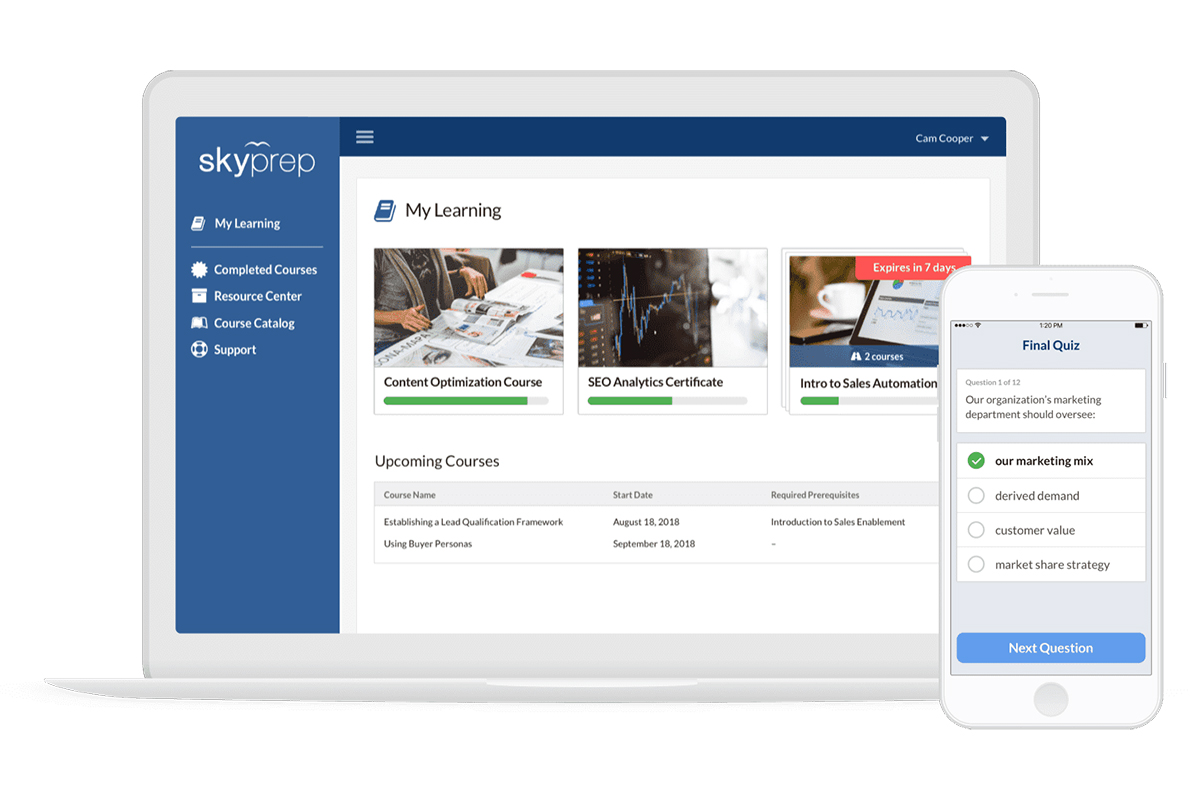
SkyPrep is an intuitive learning management system (LMS). It helps organisations deliver accessible, engaging employee training. The platform allows teams to create, manage, and distribute training through a course authoring toolkit. It supports gamification elements like badges and leaderboards to motivate learners. Managers can track learner progress through visual dashboards and detailed analytics. Its virtual classroom integration enables live, instructor-led training sessions. These sessions help connect distributed employees in real time.
However, SkyPrep’s course design tools are less advanced than those of dedicated authoring platforms. The system may also lack the depth required for complex compliance workflows. Or depth necessary for highly interactive learning experiences.
Key Features
- Course authoring toolkit
- Automated enrolment workflows
- Gamification tools
- Multi-tenant learning portals
- Reporting and analytics
- Virtual classroom support
- Progress tracking per module
- Certification management
- Mobile learning access
- Manager dashboards
Pros
- Delivers simple course creation tools for corporate trainers
- Supports customer-facing teams through branded learning portals
- Provides gamified incentives that boost learner engagement
- Allows real-time tracking of departmental learning progress
- Facilitates live employee sessions through virtual classroom tools
Cons
- Limited depth for compliance training workflows
- Reporting dashboards lack advanced custom visualisations
- Course builder cannot create complex scenario-based learning
- Mobile interface offers fewer admin functions for managers
Pricing
SkyPrep offers Lite, Premium, and Enterprise Learning Suite pricing plans available upon request. Contact them directly to get a customised quote.
User Volume
SkyPrep is well suited to service-based companies, call centres, and retail operations seeking scalable online training and employee engagement tools.
Rating
4.7/5 (average rating from G2, Capterra, GetApp, Software Advice)
#4 WorkRamp
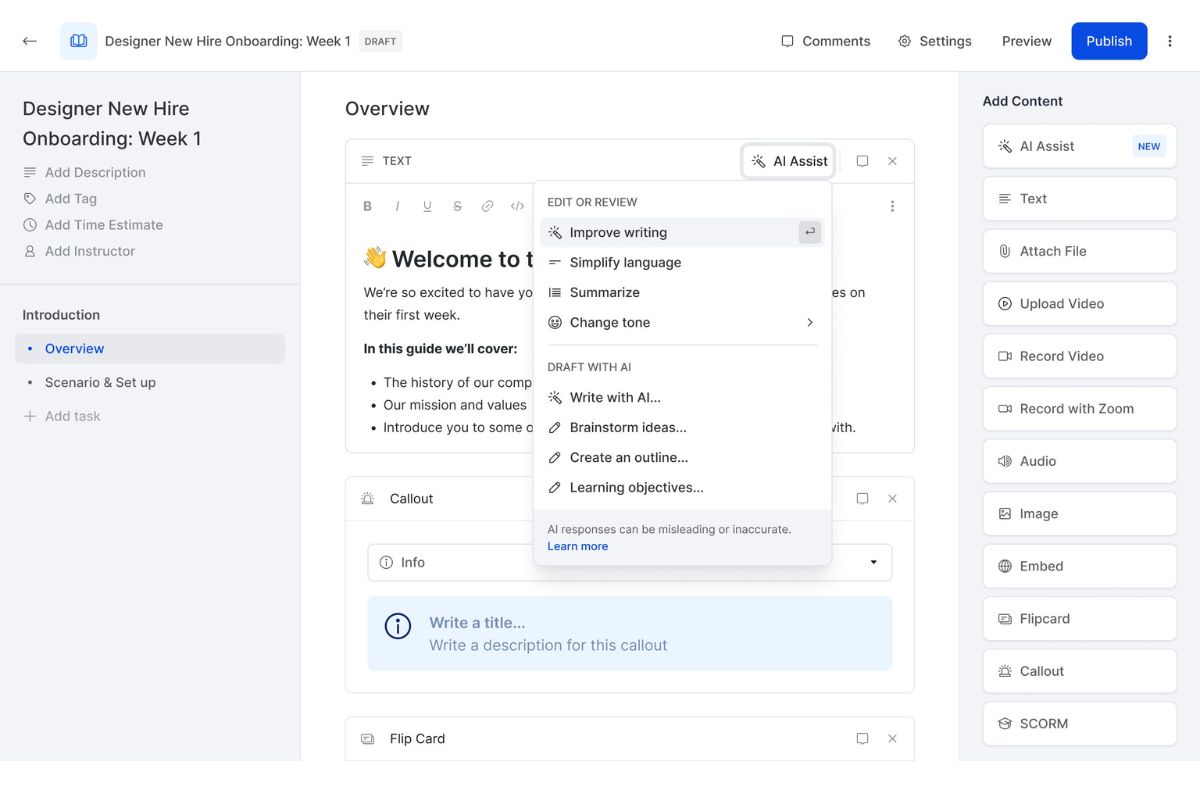
WorkRamp is an AI-Powered LMS built for employee enablement, onboarding, and development. The platform offers AI-assisted content generation to help L&D teams build training quickly. It also provides structured learning paths and certification options for role-specific development. It offers employee performance dashboards that help deliver data-driven insights into engagement and knowledge retention. The platform offers seamless integration with CRM, HR systems and other tools. This enables consistent data flow across departments.
WorkRamp may be less effective for organisations delivering hands-on or frontline training. Some teams may also find its advanced analytics setup and workflow automation features too technical.
Key Features
- AI-assisted content generation
- Custom learning paths
- Automated workflows
- Advanced dashboards
- Multi-system integrations
- Mobile responsive interface
- Scenario-based training
- Certification management
- Role and permission controls
- Performance analytics
Pros
- Provides AI tools to build training quickly for corporate teams
- Integrates training data directly with HR and CRM systems
- Delivers structured onboarding and enablement for new team member
- Offers deep analytics for performance-driven learning programs
- Simplifies training management across departments and regions
Cons
- Limited support for hands-on or frontline training
- Reports can require manual filtering for non-standard KPIs
- Branding options are basic for learner portals
- Initial setup needs technical assistance for workflow automation
Pricing
WorkRamp offers Professional and Enterprise pricing solutions for employee training. The pricing details are available upon request, contact them directly for a quote.
User Volume
WorkRamp is built for fast-growing SaaS firms and enterprise organisations focused on structured enablement for sales and customer-facing teams.
Rating
4.4/5 (average rating from G2, Capterra, GetApp, Software Advice)
#5 LearnWorlds
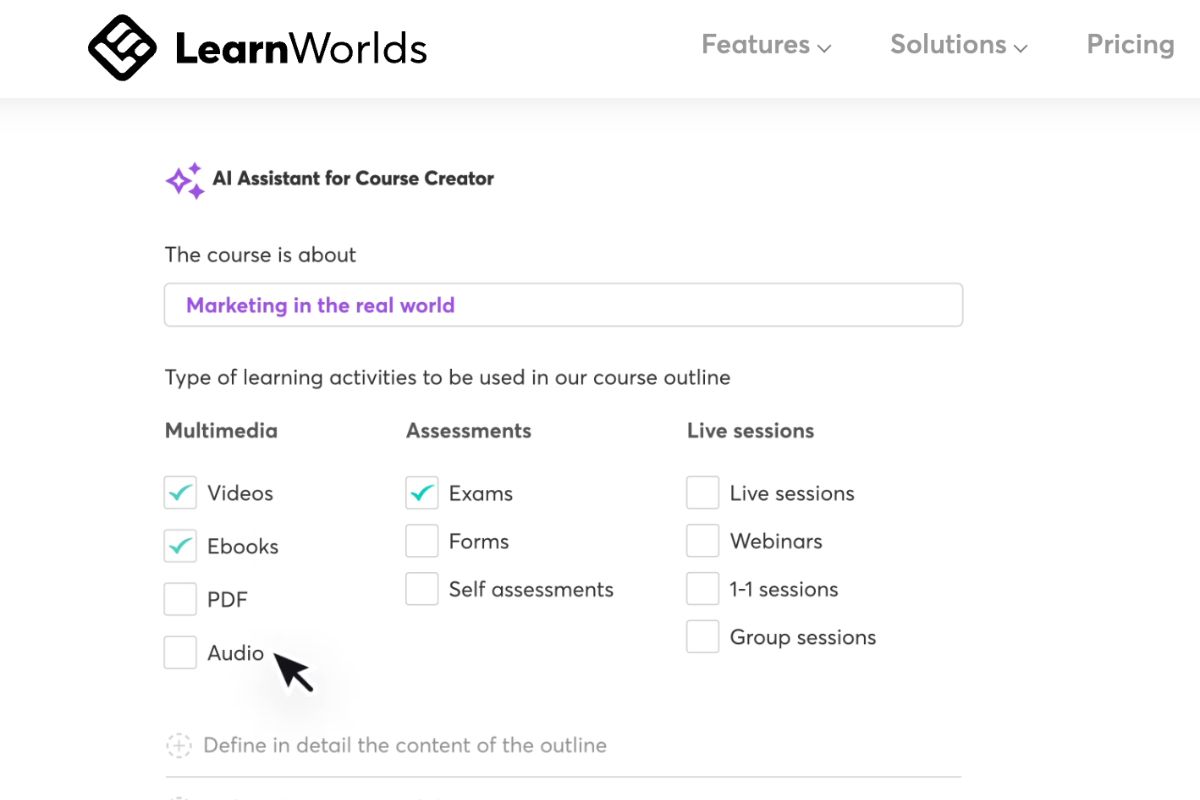
LearnWorlds is an AI-powered training software for companies that need to create branded employee training experiences. It offers tools for building multimedia-rich courses with interactive videos, quizzes, and certificates. It also supports drip-feed content delivery to keep employees engaged over time. It provides built-in analytics that give insights into learner activity and performance. Its multi-language support and white-label options make it suitable for global teams. Especially those that seek custom-branded learning environments.
However, LearnWorlds offers limited HR and compliance integrations compared to enterprise-focused LMS software. Organisations with regulated training needs may find the system restrictive for compliance-based programs. It can also be less aligned with internal approval workflows and tracking requirements.
Key Features
- Interactive video editor
- Drip-feed content delivery
- Course and quiz engine
- Certificate generation
- White-label customisation
- Mobile learning access
- SCORM xAPI support
- Multi-language courses
- Community & social forums
- Analytics & learner insights
Pros
- Enables L&D teams to build branded training hubs for employees
- Supports microlearning with drip schedules and video interactivity
- Issues certificates automatically for compliance and upskilling
- Handles multiple languages to support global or remote staff
- Delivers analytics that highlight course and learner performance
Cons
- Integration options with typical HRIS or compliance systems are limited
- Course builder lacks deep branching logic for complex workflows
- Community forums are basic and lack advanced moderation tools
- Mobile app branding is available only on higher tiers
Pricing
LearnWorlds offers a Starter Plan that starts at $29, Pro Trainer starting at $99, Learning Center starting at $299 and custom HIgh Volume and Corporate plan that’s available upon request.
User Volume
LearnWorlds is suitable for organisations wanting a branded, and interactive employee training, especially where employee engagement is a priority.
Rating
4.7/5 (average rating from G2, Capterra, GetApp, Software Advice)
Already Tried LearnWorlds?
These alternative solutions may be a better fit for your needs.#6 360Learning
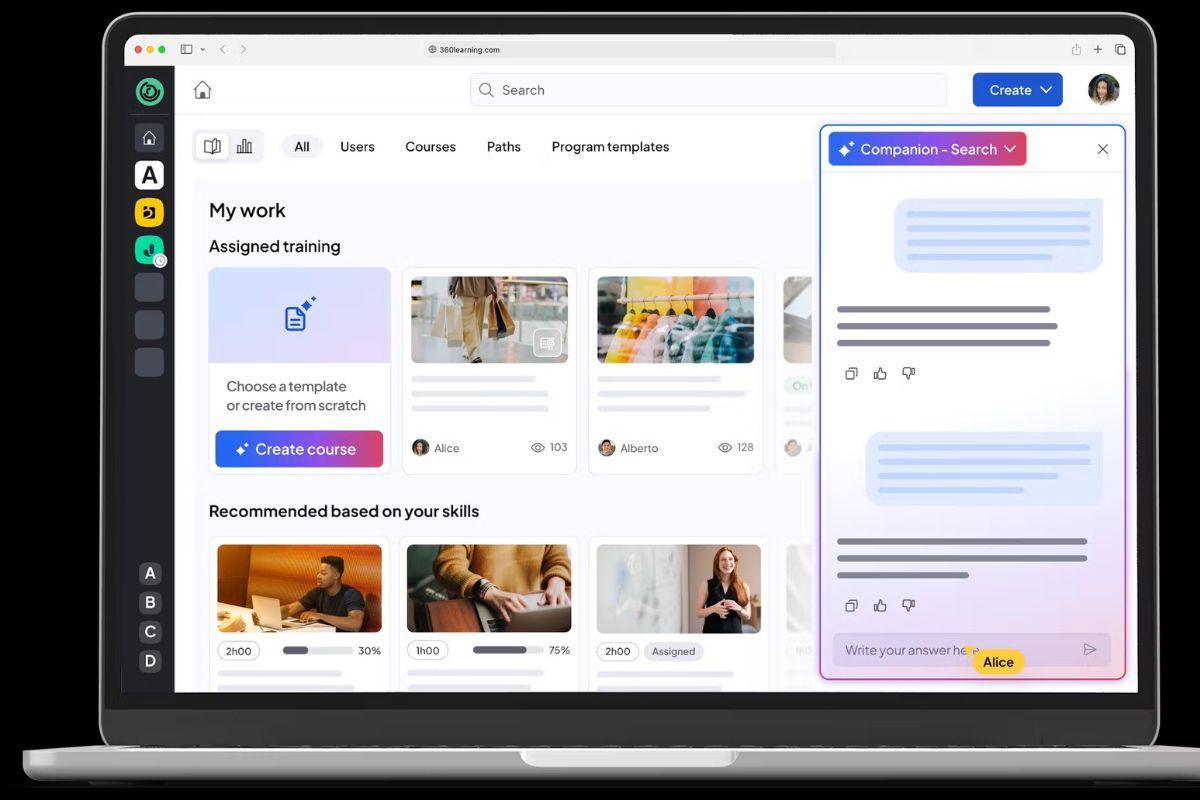
360Learning is a collaborative learning experience platform (LXP). It empowers employees to create, share, and develop knowledge collectively. It combines AI-powered course authoring with social learning tools to foster team-driven training. Employees can suggest topics and co-create courses with subject matter experts. The platform’s predictive analytics help identify learners who need additional support. Its peer discussion features also strengthen engagement and knowledge retention across teams.
However, 360Learning’s AI-generated content focuses mainly on text-based lessons, offering limited interactivity. Larger organisations may also find role configuration and data permissions time-consuming to manage. This is particularly critical during implementation.
Key Features
- Collaborative learning tools
- AI-powered content authoring
- Learning paths
- Social discussion & peer review
- Certification tracking
- Automated enrolment flows
- Predictive analytics
- Offline mobile support
- Multi-role permissions
Pros
- Allows subject matter experts to co-author training alongside L&D
- Generates courses from documents or prompts using AI
- Lets employees signal training needs and shape content scope
- Combines social learning and peer feedback to deepen engagement
- Offers predictive insights to identify learners at risk of drop-off
Cons
- Offline support is limited to core content without full interactivity
- Role permissions setup can be complex in large organisations
- Collaboration tools don’t include task assignment or approval tracking for course creation
Pricing
360Learning Provides a Team plan that starts at $8 for up to 10 users per month. They also offer a Business plan that is tailored according to unique business needs. Contact them directly for a quote.
User Volume
360Learning is suited to mid-sized and enterprise companies that prioritise peer-led learning and collaborative skill development across departments.
Rating
4.6/5 (average rating from G2, Capterra, GetApp, Software Advice)
#7 iSpring
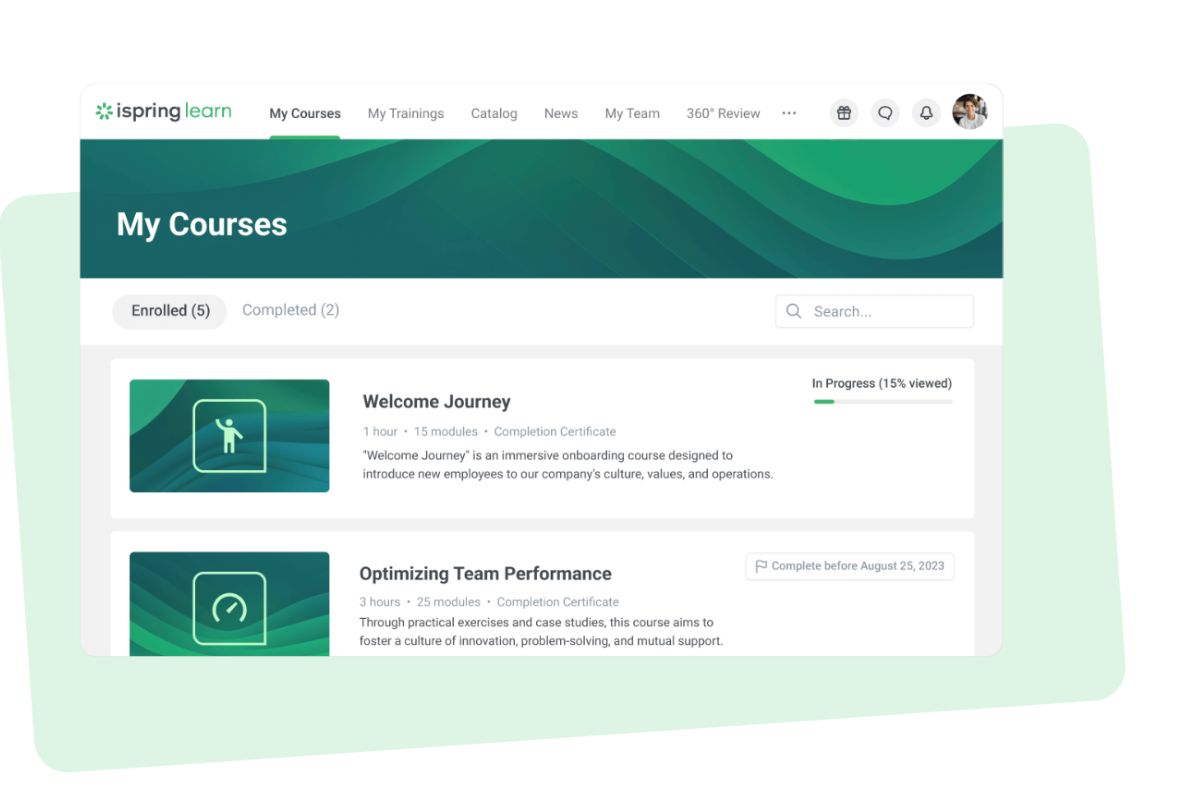
iSpring (formerly iSpring Learn) is an AI-Powered LMS built for employee onboarding, and training. The platform integrates seamlessly with iSpring Suite. This enables rapid course creation and content updates. It provides clear analytics that help HR and L&D teams track employee progress and performance. Automated enrolment and certification tools simplify compliance and renewal processes. Its mobile accessibility supports hybrid and remote work environments where flexibility is essential.
However, iSpring Learn relies heavily on its companion authoring tool for content creation. It also offers limited social learning options. This may not suit teams prioritising collaboration or peer-driven engagement.
Key Features
- Rapid content upload
- SCORM-compliant delivery
- Quiz and assessment builder tools
- Learning paths and checkpoints
- Performance analytics dashboard
- Mobile learning access
- Course completion certificates
- Integration with iSpring Suite
- Automated enrolment rules
- Manager-level reporting
Pros
- Integrates seamlessly with iSpring Suite for rapid course authoring
- Supports structured learning paths for employee onboarding and compliance
- Provides clear analytics for tracking departmental progress
- Simplifies certification for employees requiring regulatory training
- Delivers mobile access suited to hybrid and remote teams
Cons
- Course editing is limited without pairing with iSpring Suite
- Interface design feels dated compared to newer corporate LMSs
- Social learning options are minimal beyond course comments
- Integrations outside the iSpring ecosystem are limited
- Gamification tools are basic and not configurable
Pricing
iSpring Solution uses a pay-for-active-user LMS pricing model for its iSpring Learn solution. It offers Start and Business plans. The Start plan is $10.18 AUD, dropping to $8.77 AUD for 100 users and $5.62 AUD for 300 users. The pricing for the Start plan becomes available on request for 500+ users. On the other hand, the Business plan is only available upon request for users under 500, and costs $5.71 AUD for 500 users and $4.48 AUD for 1000 users.
User Volume
iSpring is well suited to organisations needing structured employee onboarding, compliance tracking, and skills development through rapid course delivery and certification.
Rating
4.7/5 (average rating from G2, Capterra, GetApp, Software Advice)
#8 Absorb LMS
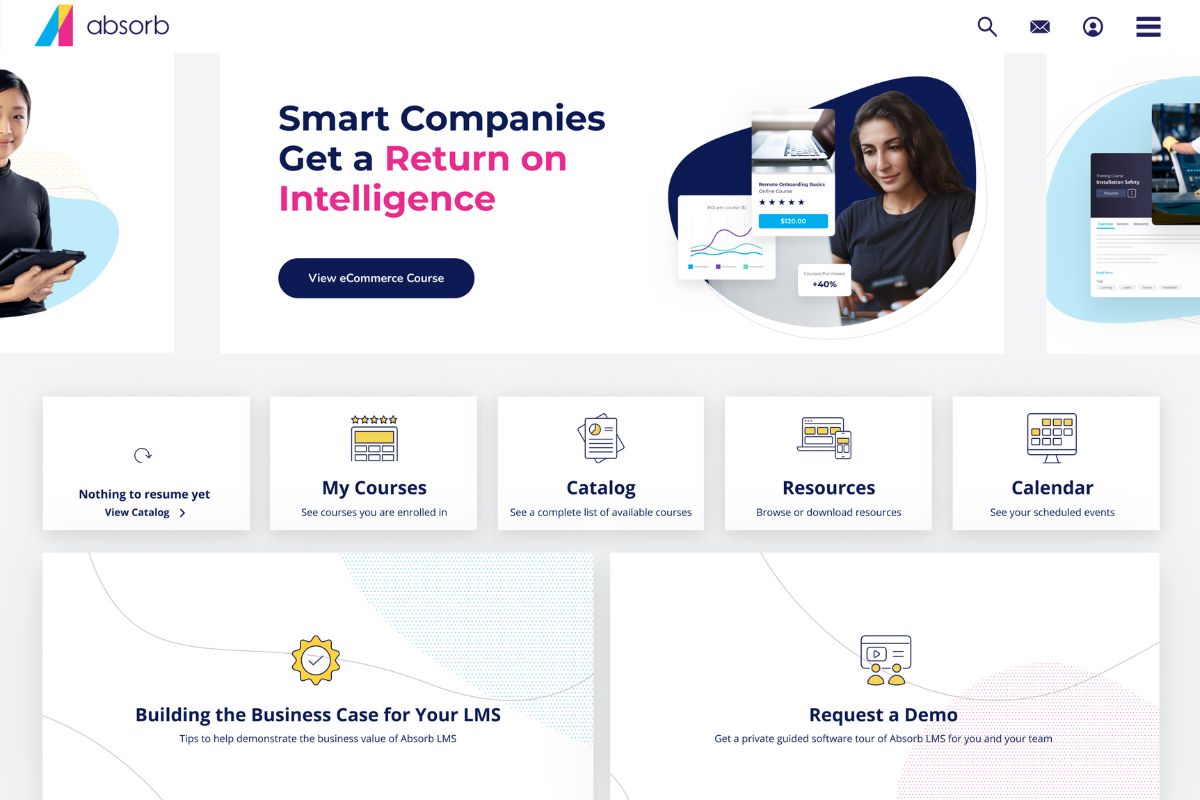
Absorb LMS is an enterprise-ready LMS built for employee training and compliance programs. The platform delivers AI-driven content recommendations to personalise the learning experience. It offers detailed reporting and analytics tools. These help organisations track engagement and performance across teams. Managers can create learning paths and manage certifications from one central dashboard. Integrations with HRIS and CRM systems ensure consistent data flow across business functions.
However, the built-in course builder offers limited design flexibility for interactive content. Custom dashboard configuration needs manual setup for organisations with complex KPI tracking needs.
Key Features
- AI-based learner recommendations
- Automated course enrolment
- Multi-tenant architecture
- Compliance management tools
- Advanced analytics dashboards
- Mobile and offline learning
- Custom branding capabilities
- eCommerce and external portals
- SCORM and xAPI support
- Manager insights and reports
Pros
- Delivers personalised course suggestions using AI-driven recommendations
- Supports compliance and corporate training at enterprise scale
- Integrates smoothly with HRIS and CRM systems for unified reporting
- Provides flexible portals for internal and external audiences
- Offers detailed analytics to evaluate employee engagement and performance
Cons
- Built-in course builder lacks advanced design options found in tools like iSpring Suite
- Interface customisation beyond branding is restricted
- Dashboard setup can require manual configuration for custom KPIs
- Reporting exports are needed for deep comparative analysis
Pricing
AbsorbLMS doesn’t make pricing readily available on their website. Contact their teams directly for pricing details.
User Volume
AbsorbLMS is suited to large enterprises delivering formal employee training, compliance programs, and performance analytics across global or multi-department workforces.
Rating
4.5/5 (average rating from G2, Capterra, GetApp, Software Advice)
#9 TalentLMS
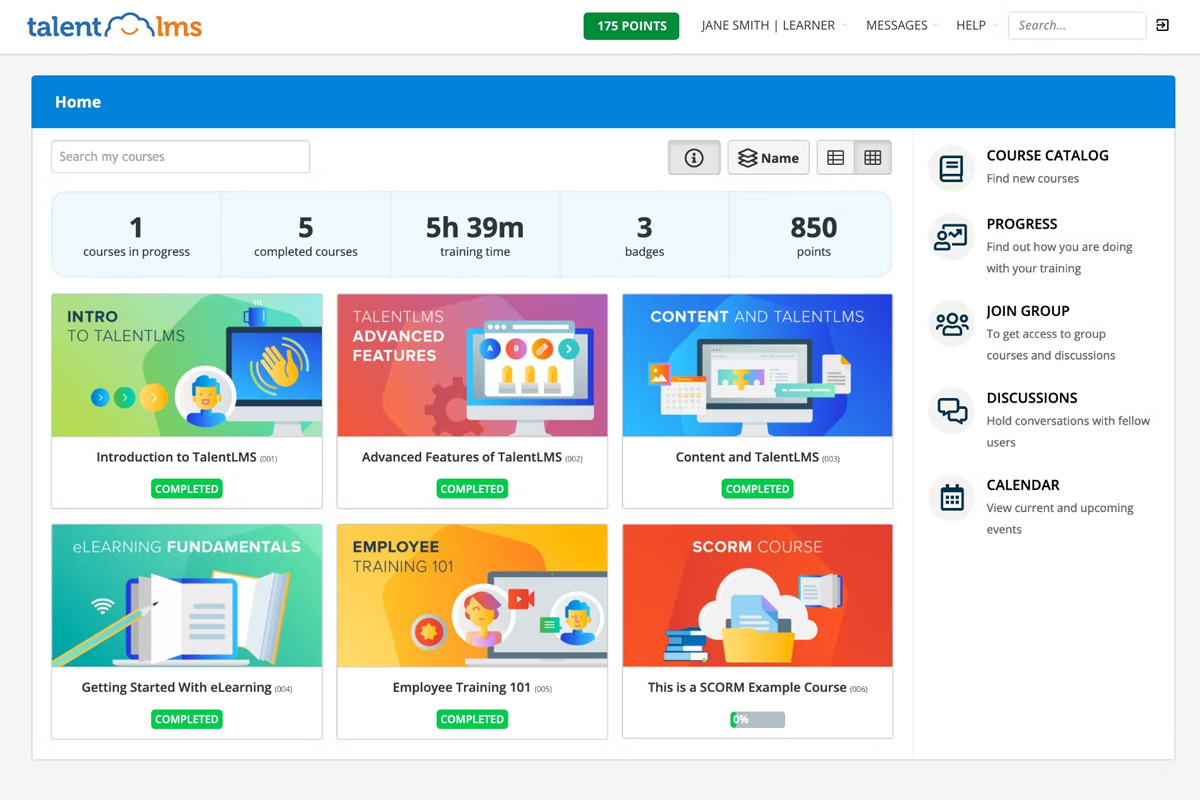
TalentLMS is a digital learning platform built to help companies deliver fast employee training. The platform supports custom learning paths, quizzes, and gamified experiences that enhance engagement. It also integrates with HR tools like BambooHR and productivity platforms such as Slack. Managers can track completion rates and skill development through intuitive dashboards. Its multilingual capabilities make it well suited to global teams. Especially teams that need consistent and complete training delivery across regions.
However, the course builder offers limited interactivity compared to more advanced systems. Larger organisations may find its reporting tools too simple for detailed analysis. The user management features can also feel limited for complex training structures.
Key Features
- Course authoring and import
- Gamification and leaderboards
- Custom learning paths
- Automated notifications
- Quiz and survey builder
- SCORM and xAPI support
- Integrations with HR tools
- Reporting and analytics
- Mobile learning app
- Multi-language support
Pros
- Delivers quick course setup for HR and L&D teams
- Supports gamified elements to engage corporate learners
- Integrates with major HR and productivity platforms like BambooHR and Slack
- Provides flexible reporting for tracking training outcomes
- Offers multilingual support for global workforces
Cons
- Reporting visualisations are limited compared to enterprise LMS tools
- Course design options lack deep interactivity and custom layouts
- User management can feel basic for complex organisational hierarchies
Pricing
TalentLMS offers Core, Grow, Pro, and Enterprise pricing solutions. The first three cost $ 119, $ 229, and $ 449 , per month, respectively. The Enterprise plan is tailored based on unique business needs.
User Volume
TalentLMS is built for small to mid-sized companies across various industries wanting fast, user-friendly employee training with gamification and tracking.
Rating
4.6/5 (average rating from G2, Capterra, GetApp, Software Advice)
Looking Beyond TalentLMS?
Explore LMS platforms that bring flexibility, analytics, and better employee engagement to your learning strategy.#10 Lemon Learning
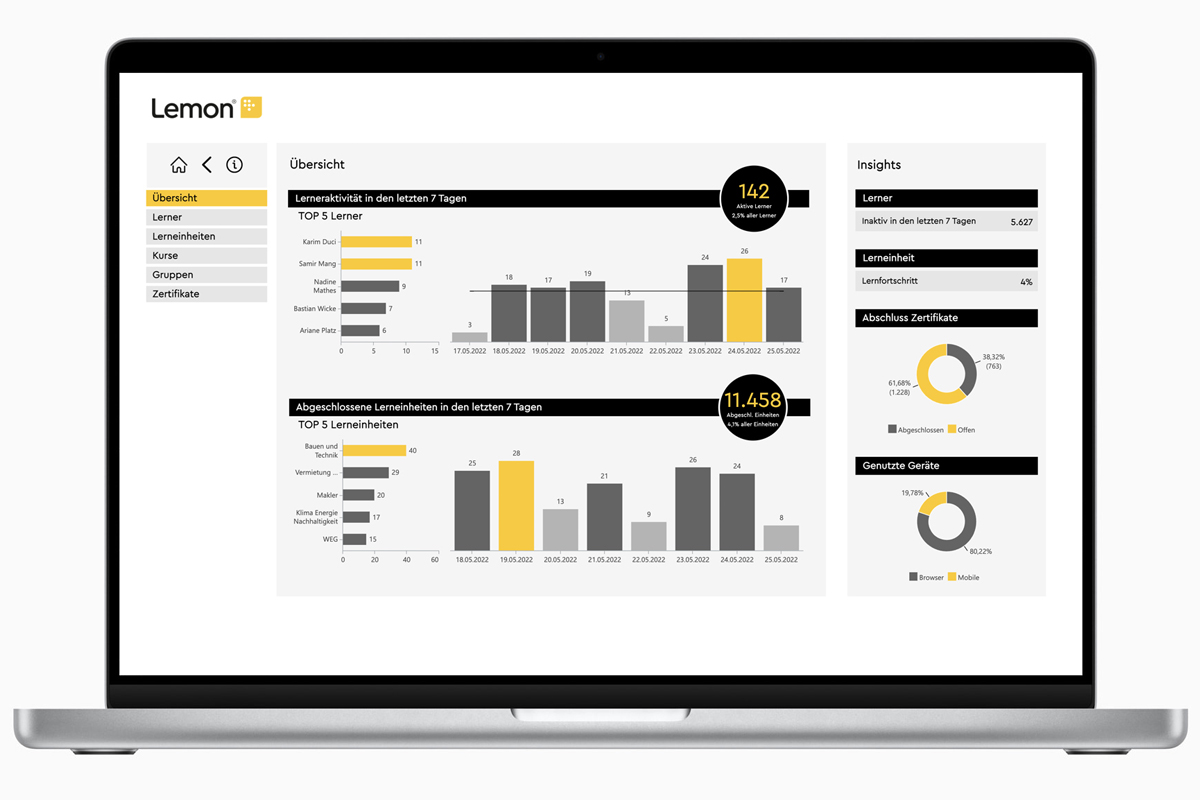
Lemon Learning is a digital adoption platform (DAP). It’s designed to train employees directly within the software they use every day. It provides in-app guidance, and personalised learning journeys. It also offers contextual pop-ups that support real-time learning. The platform helps organisations drive software adoption, and streamline onboarding. It also helps reinforce new processes without pulling employees away from their work tools. L&D teams can update content easily, ensuring training stays aligned with system changes and workflows.
However, Lemon Learning lacks structured course creation and certification tools. It works best as a complement to a traditional LMS rather than a standalone employee training platform.
Key Features
- In-app learning guides
- Interactive walkthroughs
- No-code content creation
- Employee onboarding workflows
- Change management support
- Browser extension deployment
- Real-time performance analytics
- Contextual training triggers
- Integration with SaaS tools
- Multilingual support
Pros
- Delivers personalised training directly within digital workplace tools
- Supports employee onboarding through embedded, step-by-step guidance
- Facilitates change management by reinforcing new processes in real time
- Allows L&D teams to update content without technical development
- Improves employee productivity through contextual microlearning
Cons
- Does not support structured course creation or assessments
- Reporting tools offer limited insights into long-term learning progress
- Lacks certification and compliance management functionality
- Best used alongside a broader LMS or training ecosystem
Pricing
Lemon Learning doesn’t make pricing readily available on their website.
User Volume
Lemon Learning is best suited to organisations driving digital transformation and change management initiatives, providing employees with in-app, personalised learning to support ongoing training and software adoption.
Rating
4.6/5 (average rating from G2, Capterra, GetApp, Software Advice)
Benefits of Employee Training Software
Benefits for Businesses
Scale Training Across Roles and Locations
When your team grows, training usually gets harder to control. More roles, more sites, more managers, more versions of “how we do things.” Employee training software helps you keep training organised as you scale. Because you can roll out the same core training to the right people, in the right roles, without rebuilding everything from scratch each time. It’s especially useful for onboarding waves, new sites, seasonal hiring, or any environment where teams change quickly.
Standardise Learning Across Teams
One of the biggest benefits of an employee training solution is consistency. Instead of different teams learning slightly different versions of a process, you can keep training content in one place. This allows you to make sure everyone is working from approved, up-to-date material. When something changes, you update it once and it’s reflected everywhere. This helps reduce variation across shifts, departments, and locations.
Stay Compliant With Less Effort
Keeping up with compliance training can get messy fast. This is especially true when dealing with recurring refreshers. It also applies to role-based requirements and audit requests. Employee training software makes this easier by keeping employee data organised. This lets you assign the right training to the right people. It also enables you to track completion automatically, and keep a clear record of who’s done what (and when). It gives you a reliable trail you can pull up when you need it.
Measure Training Impact With Real Data
It’s hard to improve training if you can’t see what’s working. Training software gives you practical visibility into learner engagement. It also shows how employees are performing on various types of assessments. It helps you identify where teams are getting stuck. With dashboards and reporting, managers can monitor progress at an individual or team level. This reduces administrative tasks and supports faster decisions about what to reinforce, refresh, or change.
Get Clear Visibility Into Skills and Gaps
Completion rates are useful, but they don’t always tell you what people can actually do. The right employee training software helps you connect learning to skills, so you can see capability at a role, team, or site level. This visibility makes it easier to identify skills gaps early, plan targeted development, and avoid surprises when work changes or new requirements come in. It also gives you a stronger foundation for strategic workforce planning and career mobility. It also makes it easy to decide on succession planning, especially for critical roles where readiness matters. This is because you’re working from evidence, not assumptions.
Reduce Training Costs and Save Time
Traditional training can get expensive quick. The costs of travel, facilitators, printed materials, and time away from the job can all add up. With online employee training software, much of that cost drops away. This is because training can be delivered consistently without needing everyone in the same room. People can complete modules when it suits operations, and you don’t have to keep re-running the same sessions for every new hire or process update. The result is lower cost per employee and less disruption, without sacrificing consistency.
Benefits for Employees
Access Training Anytime, Anywhere
For frontline and deskless teams, access is often the biggest barrier to training. Employee training software makes training available at the point of work. This will allow employees to learn during a shift without relying on a stable internet connection. This is helpful for rotating shifts and multi-site operations where consistency is harder to maintain. It also creates a reliable source of truth. Workers are not relying on outdated printouts or mixed messages from different supervisors. When a procedure changes, you can update the content quickly. Employees can then access the latest approved guidance when they need it.
Learn at Their Own Pace
Employees don’t all learn the same way, and they don’t start at the same level. An employee training solution supports different types of learning styles with formats. These include short videos, step-by-step modules, quizzes, and refreshers. Employees can pause, revisit, and repeat content when needed. This improves knowledge retention and confidence. It also supports better performance on the job. People can spend more time on difficult topics and move faster through what they already know. This makes learning feel more practical, and helps build confidence without slowing down everyone else.
Engage With Interactive, Dynamic Content
Training is easier to stick with when it feels practical and active. Employee training software supports interactive content like videos, quizzes, and scenario-based modules to engage learners. This keeps learners engaged and helps improve knowledge retention. It also breaks training into manageable pieces, which makes it easier to complete alongside daily work. Over time, employees are more likely to finish training and apply it on the job.
Personalise Learning to Their Career Goals
Employees are more motivated when training connects to career development and where they want to grow. Training software can recommend learning paths based on role, skill level, and development goals. This helps employees focus on relevant training instead of working through generic content. It also supports more meaningful conversations with managers about progress and next steps.
Build Skills That Accelerate Career Growth
Training matters most when it leads to real skill development. Employee development platforms help build job-ready employee skills. It enables this through structured learning and repeatable practice. It also makes progress more visible, which supports recognition and development planning. Over time, employees can take on more responsibility and move into new roles with more confidence.
Best Practices for Implementing Online Staff Training Software
- Set Clear Learning Objectives and Success Metrics. Define what success looks like before rollout. Align training objectives to job tasks and business outcomes. Track a small set of metrics consistently, such as completion, assessment results, and time to competency.
- Engage Stakeholders and Department Leads Early. Involve HR, L&D, operations, and team leads from the start. They help validate role requirements and remove rollout blockers. Early buy-in also improves adoption and accountability.
- Provide Onboarding and Support for Employees and Managers. Don’t assume people will figure the platform out on their own. Give managers a simple playbook for assigning training and tracking progress. Provide short guidance for employees on how to access training and what’s expected.
- Start with Pilot Programs and Scale Gradually. Pilot with one team, role, or site first. Use it to test content quality, workflows, and reporting. Then scale in phases, using what you learn to refine the rollout.
- Collect Feedback and Continuously Improve the Learning Experience. Gather feedback from employees and managers after rollout. Look for friction points like unclear content, long modules, or access issues. Make small, regular updates to keep training useful and current.
Common Challenges in Implementing Online Employee Training System
- Low Learner Engagement During Rollout. Engagement can drop if training feels generic or difficult to complete during a shift. Keep modules short, role-specific, and easy to access. Reinforce participation through clear expectations and manager follow-through.
- Resistance to Adopting New Technology. Employees and managers may avoid the system if it feels like extra admin. Explain the practical “why” and show how it makes training easier day to day. Start with a simple workflow and build confidence before adding complexity.
- Limited Technical Skills or Training. Some teams may not be comfortable using new tools at first. Provide quick, practical onboarding and simple guides. Offer support channels so issues don’t stall adoption.
- Integration and Compatibility Issues. Training systems can create friction if they don’t fit your current tools or devices. Confirm requirements early, including device access and connectivity. Test integrations in a pilot before scaling.
- Insufficient Leadership Support or Communication. Rollouts struggle when leadership support is unclear or inconsistent. Leaders should set expectations, communicate priorities, and model participation. Regular updates help keep training visible and accountable.
Employee Training Platform Buyer’s Guide
- Define your training goals: Start by identifying what outcomes matter most to your organisation. Are you focused on onboarding, compliance, or skills development? Clear goals make it easier to match features and functionality to your specific training needs.
- Understand your learners: Consider who will use the system and how they’ll access it. Frontline employees may need mobile and offline access. But corporate teams might rely on data analytics and structured reporting. Aligning the platform to your workforce ensures higher adoption and engagement.
- Check key features: Look for capabilities that support efficient training delivery and tracking. Course creation, automation, AI recommendations, and dashboards help streamline training and administration. The right tools simplify management while keeping employees engaged and progressing.
- Review integrations: Make sure the platform connects with your existing systems. Seamless integration reduces manual work and ensures data consistency across departments. This also helps training align with performance and compliance objectives.
- Prioritise user experience: An intuitive interface encourages employee participation and reduces admin frustration. Look for platforms that provide clean layouts and easy navigation for both learners and managers. A positive user experience leads to stronger engagement and better learning outcomes.
- Assess scalability: Choose software that grows with your organisation. Whether you’re expanding into new locations or adding more learners. Scalability prevents future disruption. A flexible system ensures your training program remains sustainable as business needs evolve.
- Evaluate pricing and ROI: Compare subscription models to understand what’s included at each tier. Look beyond cost and consider long-term value through automation, engagement, and improved performance. The right investment will save time and drive measurable business results.
Build Better Employee Training Experiences
Choosing employee training software is not only about moving training online. It is about building a system people will actually use, and that your business can sustain. The best results come when training is easy to access, clearly tied to roles, and simple to manage across teams.
As you compare options, use the buyer’s guide criteria to stay grounded. Prioritise fit for your workforce. Ensure to prioritise your workforce’s vital needs like offline access, reporting and skills visibility, and day-to-day administration. Then plan implementation with a pilot, clear objectives, and feedback loops so adoption grows naturally.
Ready to upgrade how you train and verify competence across your workforce? Cloud Assess helps you deliver structured training, track workforce skills, and verify learning with clear evidence. Book a demo to see how Cloud Assess can support your training goals, and get a rollout plan tailored to your teams.
Employee Training Software FAQs
Is employee training software only for large organisations?
No, it works for any business size. Small teams can use it to train staff quickly, while big organisations use it to manage learning at scale.
Can employee training software be customised to fit my business needs?
Yes, most platforms let you customise things like branding, courses, and user access. You can set it up to match how your business trains and manages people.
How long does it take to implement employee training software?
Setup is usually quick. Some platforms are ready in a few days, while others take a few weeks if you need integrations or custom features.



