Artificial intelligence is evolving every single day. The tools available are becoming more advanced and integrated into every area of business. They’re attending meetings. They’re summarising emails. And they’re making it easier for companies to personalise workplace training plans to individual needs.
In this article, we explore the top AI platforms on the market and how they’re being used to boost employee development.
What Are AI Tools For Employee Training?
These are learning platforms that leverage artificial intelligence to enhance workplace training. They do this by automating processes, personalising content, and enhancing overall learning experiences. This makes training more engaging, boosting employee motivation and confidence. Engaging training also makes learning more memorable, improving long-term knowledge retention.
AI platforms can also help companies track the impact of training. Machine learning can analyse training metrics and data to provide predictive insights. This helps companies design and adapt training programs to maximise their impact. It also supports talent management, helping stakeholders pinpoint candidates for leadership development. This aids in succession planning and ensures training aligns with organisational goals.
Types of AI Platforms That Can Be Used For Training Employees

Not all AI platforms are equal, and not all of them will suit every company’s training needs. Understanding the different types of software that support AI training can make all the difference. This helps organisations choose the right solution for their unique requirements.
- Learning Management Systems (LMS) use AI to personalise learning paths and recommend content. They also track progress across training programs.

Looking For Top LMS Platforms With AI?
Our curated list has got you covered.- Course Curation Platforms use AI to discover, recommend, and organise relevant training materials. These can be from internal and external sources. This helps employees access training courses at their own pace.
- Assessment Software automatically generates quizzes or tests and analyses performance data. This helps to measure learning outcomes and workforce development.
- Employee Management Software uses AI to support onboarding, development planning, and training workflows. It can highlight analytics based on role and performance data.
- Consolidated Platforms offer a combination of AI features to enhance various operations. Take Cloud Assess for example. It’s a learning management system with assessment tools and employee management features.
Best AI For Employee Training
Cloud Assess is a training and assessment solution. It supports frontline training in highly regulated industries. The platform is designed for accessibility. Their mobile app with offline capabilities makes it easy for employees to access training wherever they are, on any device. Even in remote areas with low connectivity, employees can still access courses and assessments. As soon as internet access returns, their progress is synced to the cloud. This ensures your teams have access to the resources they need, no matter where they’re working.
Cloud Assess leverages AI to save educators and administrators time and effort. This includes using AI to generate assessments and help with marking them. Cloud Assess’ workflow automations also help companies set up processes once and ensure that they’re followed every time. This not only reduces the risk of human error but also reduces administrative burden. It gives time back to your employees to focus on the areas of their work that make the biggest impact.
Cloud Assess also enables long-term skill development through tools like its skills matrix. This tracks employee performance and identifies capability gaps. It also supports strategic workforce planning and enhances compliance. This is especially valuable in sectors where regulatory oversight is critical.
Key Features
- Cloud-based LMS
- Drag-and-drop course creator
- Interactive courses with multimedia support
- Personalised learning pathways
- Free content library
- Social learning tools
- Collaborative learning features
- Blended learning delivery
- AI assessment generator
- AI marking tool
- Workflow automation
- Advanced reporting and real-time analytics
- Customisable dashboards
- Online skills matrix
- Mobile-first design
- Offline functionality
- Compliance management
- Certification management
- Intuitive and user-friendly interface
Pros
- Helps companies digitise training content by bringing existing training materials into the cloud
- Competency-based training and assessment support long-term skill development
- Tailored to meet the needs of frontline workers in highly-regulated industries
- Automated workflows and notifications enhance compliance tracking and risk management
Pricing
Cloud Assess offers an all-inclusive solution for employee training in high-risk, high-compliance industries. Every feature is included from day one, including mobile offline assessment, verification of competency, skills matrix and automated compliance tracking. There are no upgrade paths or feature gates. Visit our pricing page for an accurate quote.
Rating
4.7/5 (average rating from Capterra, G2, GetApp, Software Advice)
#2 SC Training
SC Training is a learning and development tool with a focus on mobile-first training. They offer robust AI features for course generation, adaptive learning, and predictive analytics. Trainers can create content quickly, translate it automatically, and deliver it through microlearning. And all training content is tailored to learners’ progress and engagement levels. AI-generated quizzes and engagement predictions further streamline the training process.
However, SC Training doesn’t offer as many integration options as some competitors. Their offline access and advanced administrative customisation are also limited. This makes the learning platform less suitable for large organisations.
Already Know SC Training Isn’t The Right Fit?
These alternatives may suit your needs.Key Features
- Microlearning modules
- AI-powered course creation
- Adaptive learning algorithms
- Gamification elements
- Spaced repetition
- Automated content translation
- AI-driven quiz generation
- Mobile accessibility
- Editable course library
- Predictive engagement analytics
- Multilingual support
Pros
- Automated translation features and multilingual support help with training global teams
- Adaptive learning paths and gamification enhance employee engagement with learning content
- Detailed analytics and predictive insights support the continuous improvement of training programs
Cons
- Few integration and customisation options make it less suitable for large organisations
- Reviews suggest that offline features aren’t seamless, making the mobile app less effective for use in remote areas than some competitors
Pricing
Companies with up to 10 learners can use a basic version of SC Training for free. Premium pricing starts at $5 per learner and $24 per admin monthly. At least one admin is required per account. Enterprise pricing is available on request.
User Volume
Best for SMEs and distributed teams in hospitality, retail, and field services. Supports mobile-first microlearning and multilingual support.
Rating
4.6/5 (average rating from Capterra, G2, GetApp and Software Advice)
#3 Deel Engage
Deel Engage acquired Zavvy in 2025. Since then, they’ve embedded AI into Deel’s global HR and skill management software. This supports personalised career development, performance coaching, and gap analysis at scale. An AI‑powered library and engagement analytics help companies streamline global training. Engage also integrates seamlessly with other tools under the Deel umbrella. It becomes a consolidated solution for developing talent, compensating them, and ensuring compliance.
However, Engage isn’t a full-featured LMS. It doesn’t offer interactive course creation or offline training tools. Companies would need to integrate it with other LMS and HR tools to add AI features to employee training programs. This makes it less suitable as a standalone solution.
Key Features
- AI‑powered career journeys
- Custom career‑path builder
- AI‑powered L&D course library
- Personalised learning content
- Predictive coaching prompts
- Manager suggestion engine
- Automated skill‑gap analysis
- Engagement analytics
- Performance compensation insights
Pros
- AI used in various ways to personalise learning and continuous professional development
- Helps companies identify skill gaps and address them through targeted training initiatives
- When integrated with other Deel solutions, offers a consolidated platform for workforce management
Cons
- Requires integrations to leverage insights fully
- Mobile experience doesn’t support offline access
Pricing
Pricing for Deel Engage starts from $20 per worker monthly. This includes performance management, learning management and career management features.
User Volume
Deel Engage is ideal for globally distributed companies, from mid‑sized to larger enterprises. It’s best used in conjunction with other Deel tools and solutions.
Rating
4.8/5 (average rating from Capterra, G2, GetApp and Software Advice)
#4 360Learning
360Learning is a course management system that combines AI and collaborative learning. This helps companies deliver highly adaptive, peer-driven training. Its AI features recommend content, generate quizzes, and customise learning based on analytics. These tools help organisations scale training internally while maintaining personalisation and efficiency.
That said, 360Learning’s success relies on employee collaboration and user-generated content. This type of informal training isn’t always appropriate, especially in regulated industries.
Key Features
- Collaborative learning tools
- Adaptive learning paths
- AI content suggestions
- Course authoring
- Customisable templates
- Gamification elements
- Automated question generation
- Intelligent feedback mechanisms
- Predictive learning analytics
- Mobile compatibility
Pros
- Supports social learning, collaboration and knowledge sharing
- User-generated content, adaptive learning paths and gamification features make learning more engaging
- Provides detailed feedback and predictive insights into training success and learner outcomes
Cons
- Focus on informal peer learning isn’t suitable for compliance-heavy industries
- Backend interfaces can be complicated for administrators to navigate
Pricing
360Learning’s Team pricing starts from $8 per user per month for up to 100 users. Their Business plan adds advanced automation features and integrations. Pricing is available on request.
User Volume
Suitable for larger organisations in consulting, finance, and tech that prioritise collaborative learning.
Rating
4.7/5 (average rating from Capterra, G2, GetApp and Software Advice)
#5 Coassemble
Coassemble is a small business LMS that provides AI course creation, analytics, and content curation. Its intuitive, drag-and-drop builder makes it easy to launch training quickly. Meanwhile, predictive engagement tools help SMEs refine learning experiences based on performance insights. AI-generated assessments and adaptive feedback also enhance relevance and learner outcomes.
But, while Coassemble is a good fit for smaller companies, it lacks advanced personalisation or analytics depth. This makes it less suitable for larger companies or those with advanced employee development needs.
Key Features
- AI-assisted course design
- Drag-and-drop course creator
- Interactive templates
- Automated content curation
- Quiz creation
- Dynamically adapts materials
- Real-time intelligent learner analytics
- Predictive engagement and progress tracking
- Mobile responsiveness
- Integration with HR tools
- Certificate issuance
Pros
- Simplified learning platform that’s easy to adopt
- Quick and easy course and assessment creation
- Provides interactive and engaging learner experiences
Cons
- Limited advanced features make it ill-suited to the needs of larger organisations
- Course templates lack customisation features, making them feel restrictive
Pricing
Coassemble offers a free plan for individuals. This includes unlimited course creation and AI features. Their Team plan starts from $100 monthly for up to 5 creators. Enterprise pricing is available on request.
User Volume
It’s suitable for small businesses and creative teams looking for fast course creation with some AI support.
Rating
4.5/5 (average rating from Capterra, G2, GetApp and Software Advice)
#6 Docebo
Docebo is a digital learning platform that champions AI features. Unlike solutions that integrate AI into existing tools, Docebo’s offering is centred around them. Docebo provides intelligent content curation, skill and knowledge gap analysis, and personalised recommendations. These tools help companies automate training delivery and align learning with business goals. Predictive analytics and AI-enhanced search also increase learner engagement and reduce training overheads.
But, despite its advanced AI capabilities, Docebo isn’t designed for smaller organisations. The learning platform makes it clear that businesses with fewer than 250 staff won’t gain as much value from the solution as larger enterprises.
How Does Docebo Compare to Cloud Assess?
We look at the two platforms side-by-side.Key Features
- AI-powered content curation
- Intelligent search functionality
- Course authoring and content creation
- Personalised learning paths
- Social learning tools
- Gamification elements
- Advanced training metrics
- Automated gap analysis
- Predictive performance analytics
- Certification management
Pros
- Champions AI-powered learning, rather than adopting it in one or two features
- Promotes social and collaborative learning for increased knowledge sharing and engagement
- Predictive analytics and gap analysis support versatile training strategies
Cons
- Not suitable for small organisations or simple training needs
- Platform comes with steep learning curve and setup can be resource-intensive
Pricing
Docebo’s Elevate pricing plan provides access to all of the platform’s fundamental features. Enterprise pricing adds advanced analytics and integrations along with elite support. You would need to contact them directly for detailed pricing.
User Volume
Best for enterprise-level organisations in tech, finance, and education requiring and scalable learning.
Rating
4.4/5 (average rating from Capterra, G2, GetApp and Software Advice)
#7 Cornerstone Learning
Cornerstone’s employee LMS leverages AI to map workforce skills, recommend personalised learning. It also helps companies forecast development trends. The platform supports corporate training initiatives with scalable, intelligent tools. These adapt learning to individual and business needs. Its predictive analytics aid in workforce planning and upskilling strategies.
But, like Docebo, Cornerstone Learning’s complexity makes it a difficult platform for smaller businesses to adopt. Customisation and system configuration often require significant internal resources. The interface also isn’t as intuitive as competitors like Cloud Assess and Coassemble.
Cornerstone Learning Not Meeting Your Needs?
We’ve put together a list of alternative solutions.Key Features
- Course authoring
- Content curation
- Intelligent content delivery
- AI-powered learning paths
- Gamification elements
- AI-powered skill mapping
- Skill gap analysis
- Predictive talent and learning analytics
- Certification tracking
Pros
- Personalises learning journeys with AI course recommendations
- Helps companies identify and address skill and knowledge gaps with predictive talent analytics
- Advanced training metric tracking to optimise learning outcomes
Cons
- Extensive feature set may be overwhelming for smaller businesses
- Can be more effective as a content curation, rather than content creation platform
Pricing
Cornerstone doesn’t make pricing available on their website. You would need to contact them directly to book a demo or request a quotation.
User Volume
Suited to large corporations across industries needing deep AI insights for workforce upskilling.
Rating
4.3/5 (average rating from Capterra, G2, GetApp and Software Advice)
#8 HeyGen
HeyGen is a great example of a single-purpose AI solution. It uses artificial intelligence to generate engaging, avatar-led training videos. These can be tailored to learner profiles and languages. It supports rapid script generation, voice cloning, and intelligent localisation. This makes it great for creating scalable video training content across global teams. It significantly reduces the time and costs involved in video production.
However, HeyGen isn’t an LMS or a standalone solution for creating training programs. It lacks learner tracking, interactivity, and assessment tools. It’s used alongside a full-featured learning platform.
Key Features
- AI video creation
- Template library
- Adaptive video personalisation
- Avatar-based presentations
- Multilingual voice synthesis
- Voice cloning
- Video editing tools
- Script generation
- Integration with LMS
Pros
- Uses AI to quickly generate training videos, saving companies time, money and effort
- Personalises training content through adaptive avatars, languages and based on learner profiles
- Extensive multilingual support, including voice synthesis and content localisation
Cons
- Doesn’t offer features for tracking training or implementing advanced employee development plans
- Single-purpose tool that requires integration with more advanced learning platforms
Pricing
HeyGen offers a Free version for individual creators that includes limited features. Their paid pricing starts with a Creator plan from $29 monthly, which caters to individuals as well. The Team plan costs $39 per seat monthly and includes advanced AI features. Enterprise pricing is available on request.
User Volume
Valuable for training teams in any size company that need to create scalable, engaging video content.
Rating
4.8/5 (average rating from Capterra, G2, GetApp and Software Advice)
#9 Absorb LMS
Absorb is an LMS for corporate training. They integrate AI into their LMS features to deliver intelligent content recommendations. AI features also predict learner engagement, and streamline reporting. This helps organisations manage corporate training at scale while still personalising content. AI insights also support early intervention to align training with organisational goals.
But, despite strong analytical features, Absorb LMS doesn’t meet the needs of frontline workforces. Companies in highly regulated sectors may also want to consider other options. Customisation options and offline functionality are fairly limited compared to some competitors.
Key Features
- AI-driven content recommendations
- Course authoring
- Social learning tools
- Gamification elements
- Automated learning analytics
- Intelligent reporting tools
- Certification management
- Predictive engagement tracking
Pros
- Provides personalised and engaging experiences with AI-powered learning recommendations and gamification
- Encourages social and collaborative learning between team members
- Advanced reporting features and AI-driven analytics support long-term training strategies
Cons
- Limited customisation options can lead to learning content feeling generic
- Lack of offline functionality means difficult adoption for deskless and frontline workers
Pricing
Absorb LMS doesn’t make pricing available on their website. You would need to contact them directly for a demo, free trial or quote.
User Volume
A strong choice for mid-sized to large firms seeking analytics-rich, AI-supported learning management.
Rating
4.5/5 (average rating from Capterra, G2, GetApp and Software Advice)
#10 Tovuti LMS
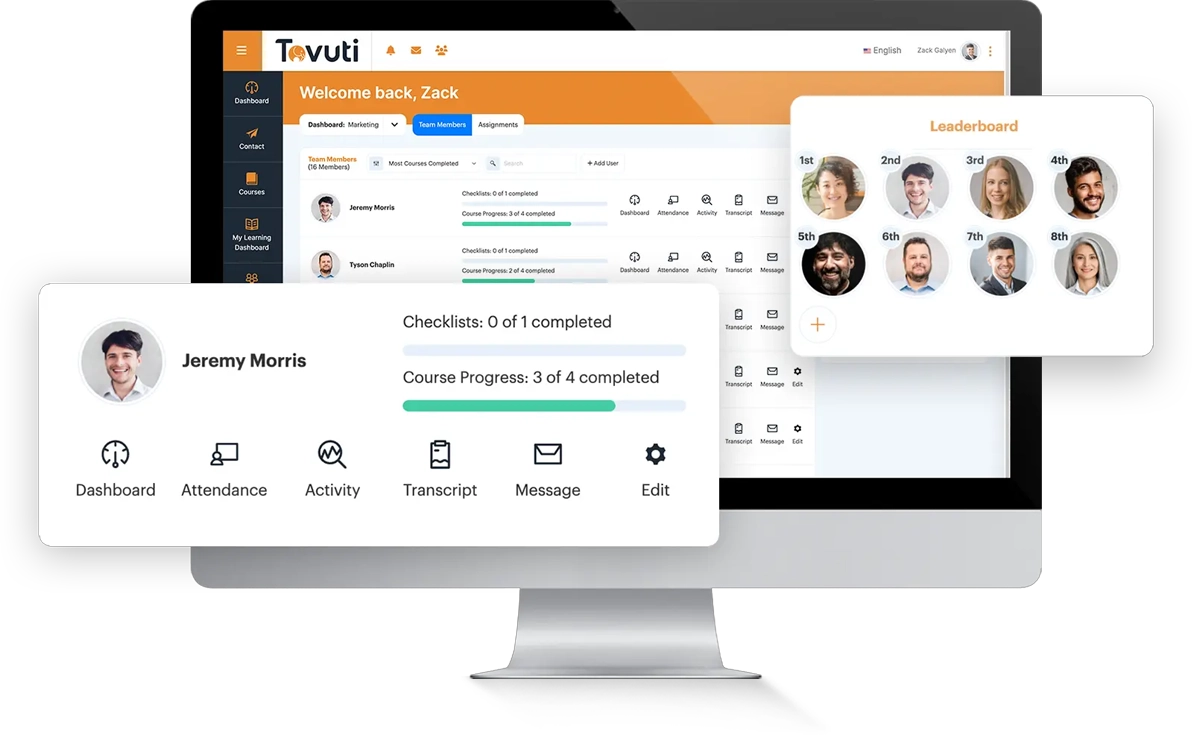
Tovuti LMS is a blended learning platform. It uses AI for content recommendations, performance predictions, and adaptive delivery. They help companies deliver interactive lessons across classroom-based and digital platforms. Its interactive course builder and social learning features round it out into a flexible platform. Its growing intelligence is also well-suited to the SME training needs
However, Tovuti isn’t as scalable as competitors like Cloud Assess or Docebo. The platform’s AI capabilities are also relatively new additions, making them a work in progress. Companies looking to leverage existing AI solutions may be better off looking at alternative options.
Unsure Whether Tovuti Is Right For Your Organisation?
These alternatives may be a better fit.
Key Features
- AI-assisted course authoring tools
- Interactive content creation
- Adaptive learning modules
- Automated content recommendations
- Social learning features
- Gamification elements
- Predictive performance tracking
- Learning analytics
- Certification tracking
Pros
- Simplified platform and tools that are easy to use straight away, with no learning curve
- Learning is personalised and interactive, boosting employee engagement
- Helps companies track learner progress and adapt training to support learning outcomes
Cons
- AI features only recently added to platform and may still be in development
- Limited integrations and advanced features compared to some competitors
Pricing
Tovuti LMS doesn’t make pricing available on their website. You would need to contact them directly to book a demo or get pricing.
User Volume
Suitable for small to medium businesses needing interactive learning with basic AI personalisation.
Rating
4.8/5 (average rating from Capterra, G2, GetApp and Software Advice)
AI Training Platform Buyer’s Guide
Choosing the right AI platform will depend on your organisation’s goals, workforce setup, and industry. Here are key factors to consider:
- AI Functionality. Look for platforms that go beyond basic automation. Prioritise tools with AI-powered personalisation, content recommendations, assessment generation, and predictive analytics. These will help it adapt to learner needs.
- Integration and Compatibility. Ensure the platform integrates smoothly with your existing HR systems, LMS, or payroll tools. Consolidated platforms can streamline workflows, but standalone AI tools may require additional configuration.
- Accessibility and User Experience. If your workforce includes frontline or remote employees, choose platforms with mobile access. Offline functionality and user-friendly interfaces support training in low-connectivity environments.
- Industry Compliance. In regulated sectors, look for automated compliance tracking, certification management, and audit-ready reporting. These reduce risk and human error.
- Scalability and Customisation. Consider how well the platform supports company growth. SMEs may prefer simplicity and speed. Larger enterprises need flexible configuration, custom learning paths, and role-based access.
- Content Creation vs. Curation. Decide if you need to build training from scratch or curate existing resources. Some tools excel in creating interactive modules. Others offer rich libraries and AI-curated content.
- Reporting and Analytics. AI-driven insights should go beyond completion rates. Choose platforms that provide actionable data. This will help you improve training effectiveness, identify gaps, and support succession planning.
- Testing the platform. Look for solutions that offer free trials and demos. This will help you understand the platform’s suitability for your unique needs.