

Small and midsize businesses rely on learning management systems to keep people compliant and skilled. They often do so with very limited learning and development (L&D) resources. Many of these organisations adopted Cornerstone Saba LMS years ago as they grew. Now they face a different reality with tighter budgets and leaner teams. They also face a growing need for tools that are easier to run, quicker to configure, and friendly for non-technical admins.
As Cornerstone consolidates products and pushes customers toward larger suites, SMEs are struggling. They want a learning platform that supports their needs without the cost and complexity of an enterprise stack. That is why interest in alternatives for Saba LMS has increased. Especially among growing businesses and training providers that need a modern, fit-for-purpose LMS.
What is Saba LMS?
Saba LMS, now called Cornerstone Saba or Saba Cloud, is a cloud-based learning management system. It’s a software as a service product within Cornerstone’s broader learning and talent portfolio.
Saba LMS come with LMS features that help organisations create, deliver, and track training programs. Learners and managers use it to access scheduled, self-paced, and blended learning activities. Administrators use it to build catalogues, set up instructor-led training and virtual classroom events. They also use it to manage registrations and eCommerce for paid courses. The platform also helps organisations track skills, certifications, and compliance.
However, while Saba LMS is a capable platform, many mid-sized organisations are now facing big challenges:
- Strong push to upgrade to Galaxy. Cornerstone’s own Saba page invites customers to “upgrade Saba to Cornerstone Galaxy”. The message is clear: Saba LMS becomes Cornerstone Galaxy. This means Saba now sits on a path that leads into the Galaxy platform rather than remaining a long-term destination.
- Galaxy is a broader suite than many SMEs need. Galaxy brings learning, skills, and wider talent tools into one AI-powered suite. Large enterprises may welcome that scope. Smaller businesses often need a focused LMS, not a full talent cloud with extra modules and extra cost.
- Mismatch with modern SME expectations. Smaller organisations expect clean interfaces, quick setup, and simple automation. They also expect pricing that matches their L&D budgets. The Galaxy upgrade prompt often becomes the moment they look for modern alternatives to Saba LMS.
TLDR; Best Saba LMS Alternatives
Best Saba LMS Alternatives for Skills & Compliance-Focused Teams
- Cloud Assess
- Schoox
- Absorb LMS
Best Saba LMS Alternatives for Simpler, SME-Focused Learning
- TalentLMS
- SkyPrep
- iSpring Learn
Best Saba LMS Alternatives for Modern, Engaging Learning Experiences
- 360Learning
- Tovuti LMS
- Connecteam
- LearnUpon
Best LMS Alternatives to Saba LMS



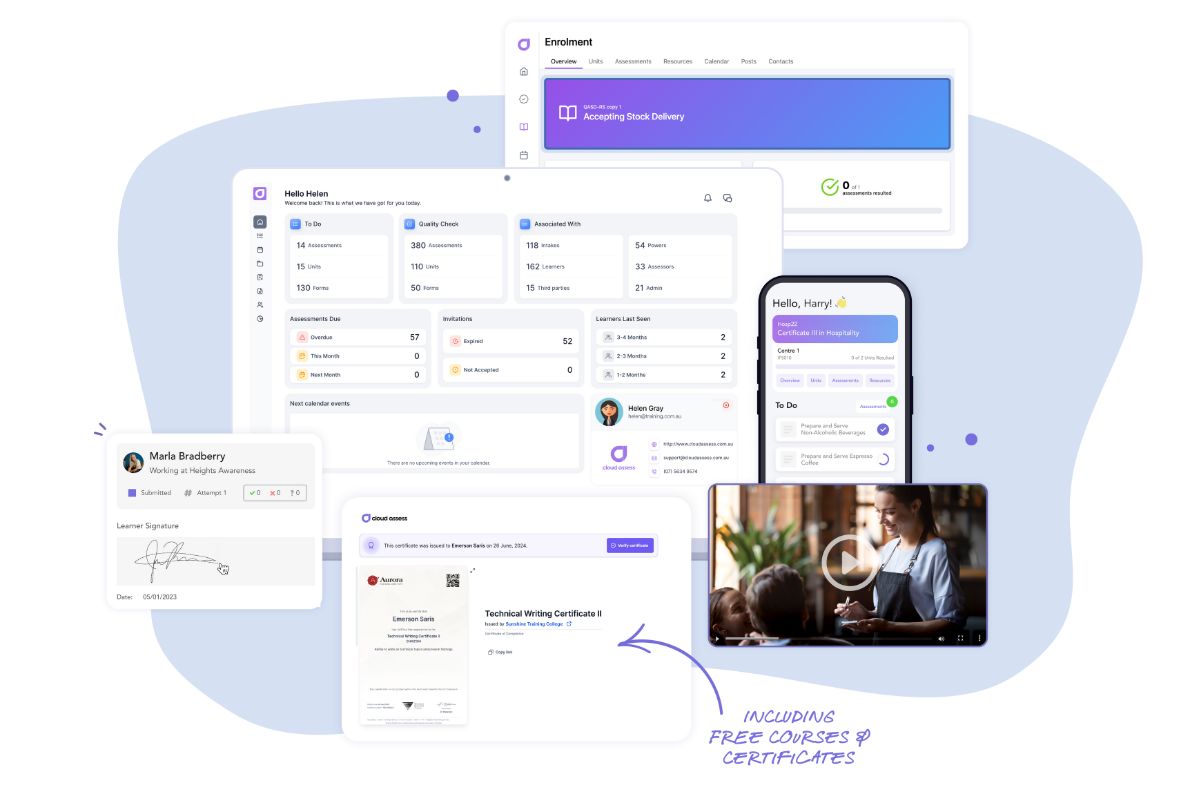
Cloud Assess is a cloud-based LMS for skills-driven and compliance-focused organisations. It supports teams that need flexible delivery online, in person, or blended. The platform provides real-time training and assessment. It offers mobile learning access so learners can complete tasks on any device, even when they work away from a desk. This makes it a good fit for frontline training.
Cloud Assess helps organisations standardise onboarding, compliance training, and skills development. It offers structured, digital, and automated workflows. These allow teams to verify competence, track progress, and respond quickly to risk or skills gaps. This helps small and midsize organisations keep people safe, compliant and productive. All without relying on heavy administration or complex configuration.
Key Features
- Drag and drop course creation
- Skills and compliance matrix
- Skills gap analysis tool
- Job role mapping
- Mobile learning app
- Log books and evidence portfolios
- Revision control
- Verification of competency
- Training certificate management
- Reporting and dashboards
- Free course and resource library
Pros
- Microlearning and gamified experiences keep learners engaged and improve knowledge retention
- Clear skills and compliance view across roles, teams, and locations
- Maps training to job roles so employees see the learning they need for their role
- Mobile learner app that meets the needs of busy frontline and deskless workers
- Automated tracking of expiries and renewals reduces compliance risk
Saba LMS vs Cloud Assess
Cloud Assess offers:
- Balanced learning and core talent features that suit versatile needs
- Easier to configure and administer for lean L&D teams
- Stronger support for mobile and offline learning for deskless and frontline workers
- Clear focus on compliance, skills verification and audit-ready data
Pricing
Cloud Assess offers an all-inclusive solution for employee training in high-risk, high-compliance industries. Every feature is included from day one, including mobile offline assessment, verification of competency, skills matrix and automated compliance tracking. There are no upgrade paths or feature gates. Visit our pricing page for an accurate quote.
Rating
4.7/5 (average rating from Capterra, G2, GetApp, Software Advice)
#2 TalentLMS
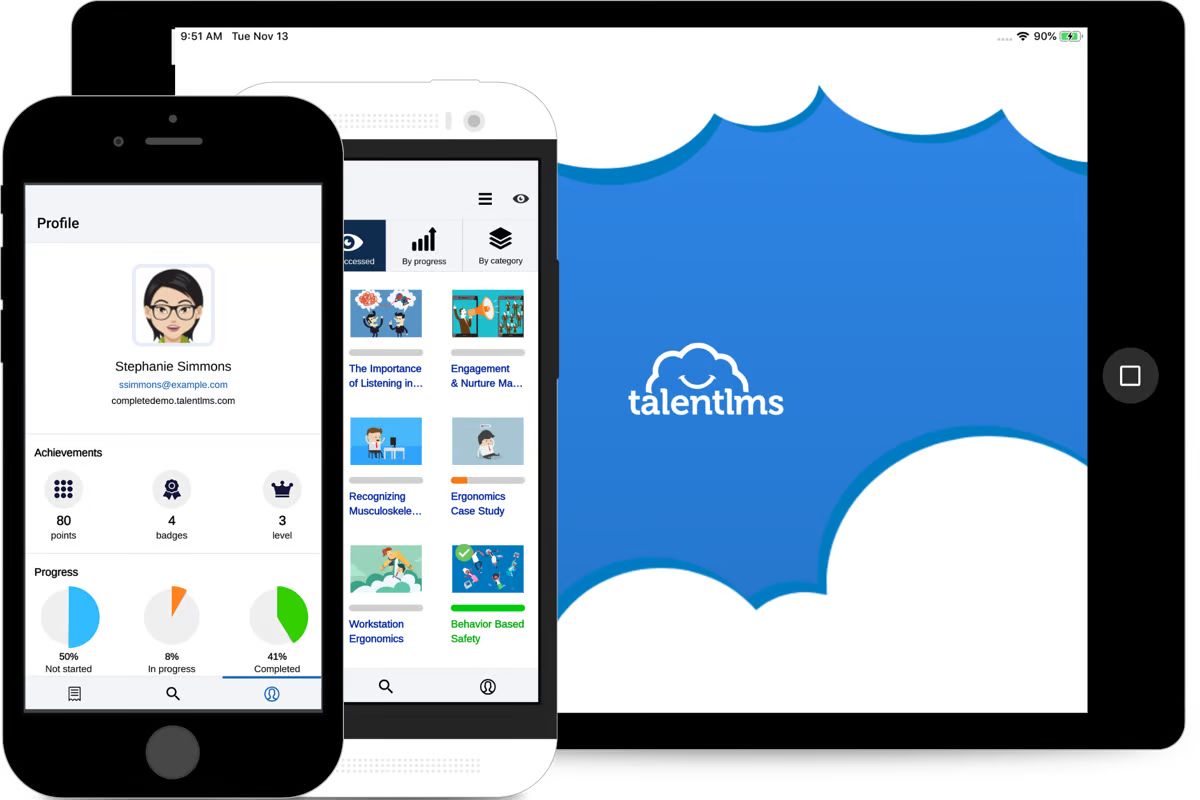
TalentLMS is a small business LMS that’s also designed for midsize organisations. It focuses on simple setup, quick course delivery and a clean interface. This simplifies employee onboarding, product training, customer education, and basic compliance training.
TalentLMS helps SMEs balance time and budget with ready-made templates. It also comes with straightforward built-in automation so teams can keep learners on track. It gives managers a clear view of completions and progress, which helps them prove impact and identify skill gaps early.
However, its advanced automation and some reporting options sit in higher-tier plans. Reviews also note that customisation and mobile capabilities can feel restricted for demanding use cases.
Key Features
- Drag and drop course builder
- Built-in quizzes and assessments
- Video and SCORM support
- Course templates and content reuse
- Custom learner portals and theming
- Basic gamification and digital badges
- Automation rules and notifications
- Reporting and progress tracking
- Integrations and API
Pros
- Simple, intuitive interface that suits small, non-technical teams
- Fast setup so organisations can launch training programs quickly
- Flexible enough for employee, customer, and partner training
- Built-in gamification keeps learners engaged
- Affordable plans that fit SME budgets
Cons
- Advanced automation and some reporting options only available on higher-tier plans
- Limited branding and layout customisation
- Mobile app lacks some desktop features
Saba LMS vs TalentLMS
TalentLMS offers:
- Lighter, more user-friendly experience for SMEs
- Faster to implement and configure, with fewer specialist admin skills needed
- Lower total cost of ownership for small and midsize organisations
- Better fit for teams that want a focused LMS
Pricing
TalentLMS offers four pricing tiers: Core, Grow, Pro, and Enterprise. Plans start at $89 for smaller tiers, with custom pricing available for the larger tiers. The cost varies based on the number of users required.
Rating
4.7/5 (average rating from Capterra, GetApp, Software Advice)
Looking for a Better Alternative to TalentLMS?
Explore powerful LMS alternatives designed for growing teams and complex training requirements.#3 iSpring Learn
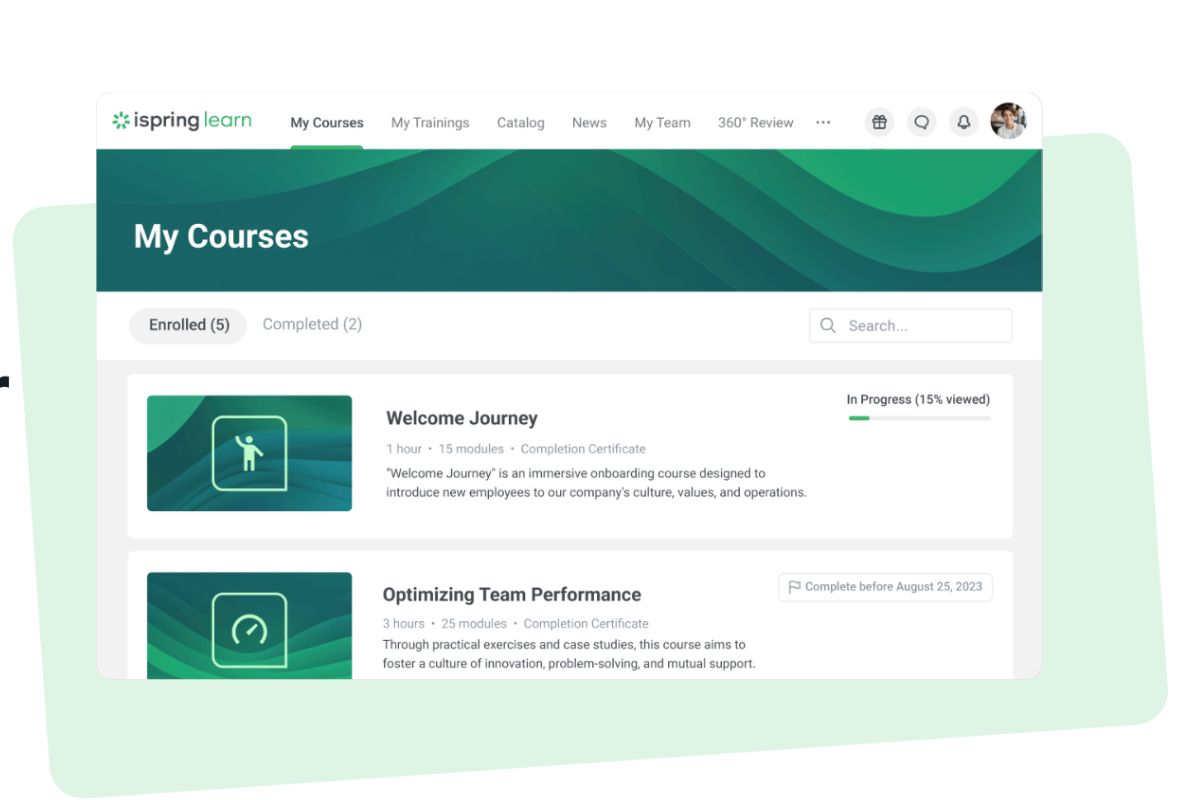
iSpring Learn is a corporate LMS for small and midsize businesses. It offers quick rollout and simple navigation. It provides strong support for SCORM courses, videos, and other digital resources. The platform works well for employee onboarding, product training, and compliance programs.
Many SMEs need modern learning tools without heavy administration. iSpring Learn helps by supporting microlearning, mobile access, and built-in gamification. This allows learners to complete short activities that fit around work. It also gives managers clear reports on completions and progress.
However, some organisations find the platform’s custom reporting and branding options limited. This can be challenging for teams that need advanced analytics or tailored learner portals.
Key Features
- Course, quiz, and training program creation
- Ready-made courses
- Training and user management automation
- Mobile apps with offline learning support
- Custom roles and permissions
- Training reports and analytics
- Report templates
- Scheduled reports
- On-the-job training
Pros
- Clean, intuitive interface helps new admins and learners get started quickly
- Strong microlearning and mobile access suit busy and distributed teams
- Gamification supports engagement and knowledge retention
- Active user pricing works well for SMEs that scale training over time
Cons
- Some functionality depends on the separate iSpring Suite authoring tool, adding cost and tying you to a Microsoft environment
- Limited advanced custom reporting can restrict detailed analytics
- Branding and layout options can feel constrained
- Mobile app doesn’t provide full admin tools on-the-go
- Compliance workflows and role structures may be too simple for heavily regulated environments
Saba LMS vs iSpring Learn
iSpring Learn offers:
- Simpler, more user-friendly experience for small and midsize organisations
- Faster to implement with fewer specialist admin skills
- Strong microlearning, mobile access and gamification make continuous learning easier for busy teams
Pricing
iSpring Learn offers per-user pricing for anywhere from 50 to 1000 users. Their Business package consists of three options starting from: $4.46 for 300 users.
Rating
4.6/5 (average rating from Capterra, G2, GetApp, Software Advice)
#4 LearnUpon
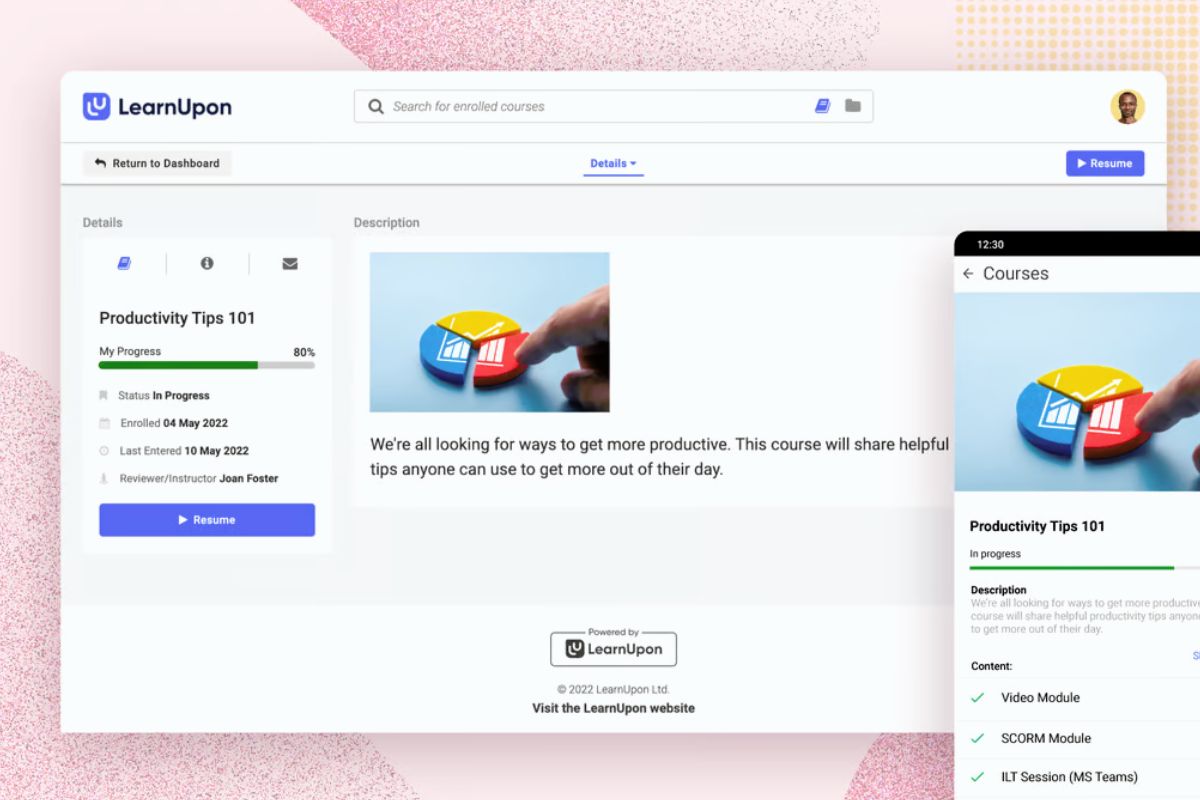
LearnUpon is a blended learning platform for organisations that need to train employees, customers, and partners in one place. It helps organisations deliver structured training programs at scale. It offers learning paths, certifications, and gamification that engage different audiences.
Many SMEs and growing companies use LearnUpon to move away from scattered tools and manual tracking. It helps them manage multiple portals and automate enrolments and reminders. It also allows teams to report on completions and performance.
However, user reviews highlight limits in customisation, navigation, and integrations.. This can be a challenge for smaller organisations that need flexibility.
Key Features
- AI-assisted learning
- Course creation
- On-demand training
- Multiple learning portals
- Microlearning courses
- Gamification features
- Instructor-led training
- Virtual classroom training
- Automation rules
- Reporting and dashboards
- Integrations, SSO, and API
Pros
- User-friendly interface helps users get up to speed quickly
- Strong reporting provides clear visibility into employee, customer and partner progress
- Flexible multi-portal setup supports different audiences in one platform
- Learning paths, certifications and gamification support structured and engaging training journeys
Cons
- Limited customisation options for specific layouts or workflows
- Navigation and learning path management can feel rigid or confusing
- Integrations may not cover tools smaller organisations rely on
Saba LMS vs LearnUpon
LearnUpon offers:
- Simpler, more modern interface
- Faster implementation and configuration
- Strong reporting and automation that prove training impact and support compliance
Pricing
LearnUpon has Essential and Premium plans. The smaller plan is up to 150 users, and the Premium up to 500 users.
Rating
4.6/5 (average rating from Capterra, G2, GetApp, Software Advice)
#5 SkyPrep

SkyPrep is a digital learning platform designed to make online training simple for small and midsize businesses. It focuses on easy course creation, clean navigation and quick setup. This enables non-technical teams to launch training for employees, customers, and partners.
Many SMEs use SkyPrep to move away from email-based training and manual tracking. It helps them deliver self-paced courses, live sessions, and blended learning programs. The platform also offers automation and analytics to keep people on track.
However, some reviewers note limits in branding flexibility and deeper configuration options. This can be a challenge for organisations that want a highly tailored learning experience.
Key Features
- Course creation and uploads
- Custom branding
- Automated enrolment rules
- Blended learning and live sessions
- Quizzes and assessments
- Certificates and compliance tracking
- Gamification with points and badges
- Social learning tools
- Reporting and analytics dashboards
- Integrations and single sign-on
Pros
- Intuitive interface is easy for admins and learners to navigate
- Quick setup helps teams deliver training shortly after implementation
- Strong automation for enrolments and reminders reduce manual admin
- Built-in gamification and social features support learner engagement
- Reporting tools provide clear insight into completions and performance
Cons
- Branding and layout customisation can feel limited
- Some users report performance issues with large or media-heavy courses
- Integrations may require extra configuration or third-party tools
Saba LMS vs SkyPrep
SkyPrep offers:
- Simpler, more approachable interface that suits small and midsize organisations
- Easier configuration and day-to-day administration for lean L&D teams
- Built-in interactive learning helps SMEs engage learners without extensive custom development
- Focus on straightforward online training rather than a broad, complex talent suite
Pricing
SkyPrep offers Lite and Premium pricing solutions. The exact pricing details for these are available upon request.
Rating
4.5/5 (average rating from Capterra, G2, GetApp, Software Advice)
#6 Connecteam
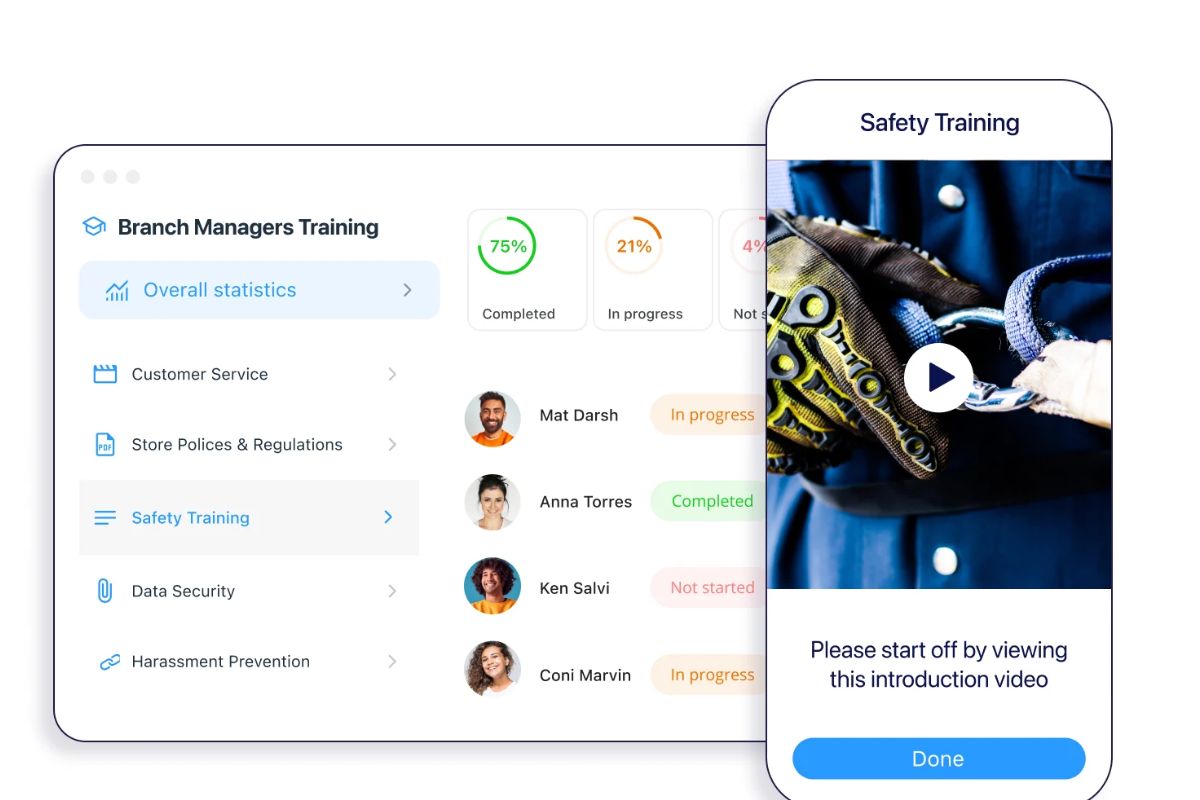
Connecteam is an all-in-one employee app that brings training, communication, and operations into a single platform. It’s built around a mobile-first experience so employees can access learning, tasks and updates on their mobile devices. Teams use it for onboarding, microlearning, and simple assessments.
Connecteam aligns dispersed staff by combining short learning modules, checklists, forms, and chats. This also allows managers to share knowledge, track completion, and follow up quickly.
However, its learning features are lighter than a full LMS. This is challenging for companies needing complex training, detailed assessment workflows or advanced reporting.
Key Features
- Microlearning modules
- Drag and drop course builder
- Quizzes and knowledge checks
- Mobile-first employee app
- Checklists and digital forms
- Communication feed and chat
- Digital forms for training and compliance
- Task management linked to learning activities
- Employee recognition tools
- Reporting and basic analytics
Pros
- Puts training, updates and tasks in the app employees use every day
- Simple content creation for short, focused learning activities
- Caters to SMEs wanting digital training without full LMS implementation
- Helps reduce tool sprawl by combining learning, communication and basic operations
- Mobile-first design works well for deskless teams
Cons
- Limited learning capabilities compared to a dedicated LMS
- Reporting is limited compared with specialist employee LMS platforms
- All-in-one design may not suit all organisations
- May require additional systems for formal certifications, external learner portals, or detailed accreditation workflows
Saba LMS vs Connecteam
Connecteam offers:
- Mobile-first experience that is easier for everyday use
- Simpler setup and administration
- Better fit for organisations that need frequent microlearning
- Lower overall complexity and project effort than moving to Cornerstone Galaxy
Pricing
Connecteam offers a free plan for organisations with up to 10 members. They also offer three paid plans for small to medium companies: Basic at $29, Advanced $49, and Expert at $99 per month.
Rating
4.6/5 (average rating from Capterra, G2, GetApp, Software Advice)
#7 360Learning
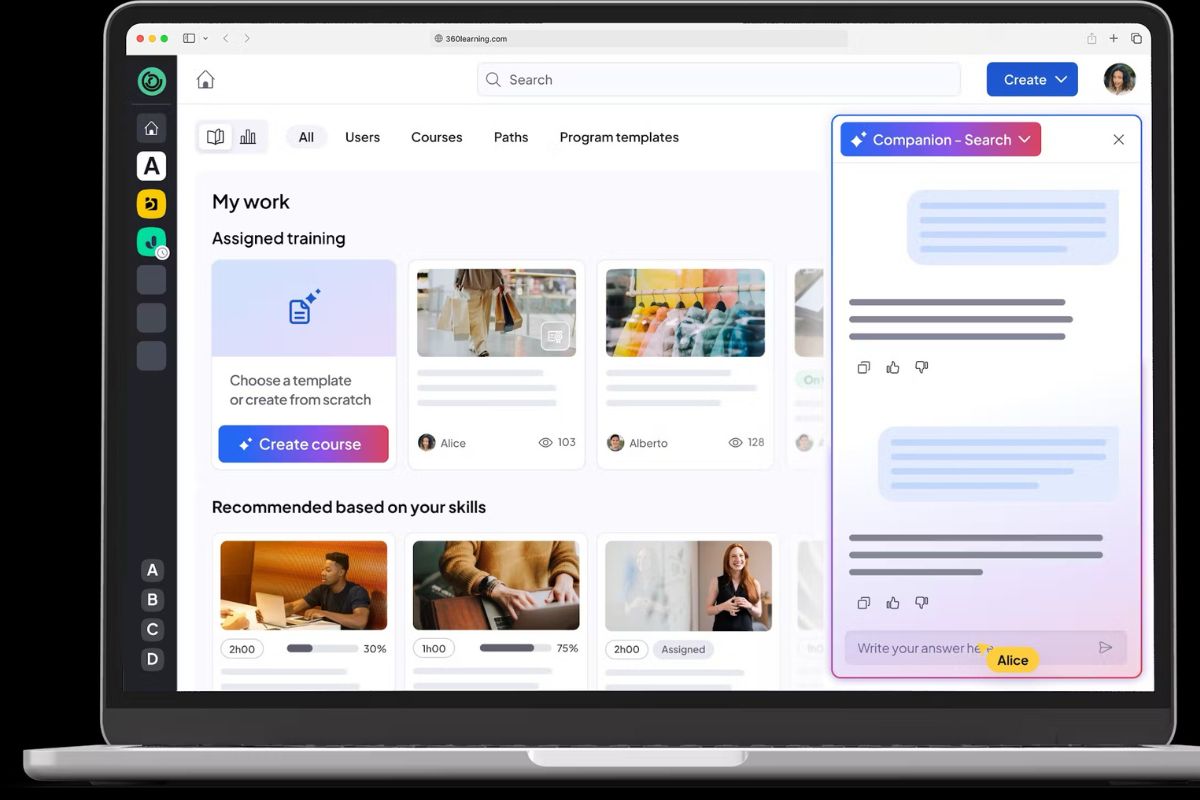
360Learning is a collaborative learning platform. It combines LMS features with social and peer-led learning. It helps small and midsize businesses create courses quickly. It also helps them involve subject matter experts and capture knowledge from across the organisation.
Many organisations struggle to keep training relevant and up to date when only L&D builds courses. 360Learning allows managers and experts to create and refine modules based on learner input. This reduces bottlenecks.
However, its focus on collaboration doesn’t meet structured learning and compliance training needs.
Key Features
- Course authoring
- Collaborative editing and comments
- Social learning feed
- Microlearning modules
- Quizzes and assessments
- Learning paths and programs
- Gamification and leaderboards
- Feedback and reaction tools
- Reporting and dashboards
- Integrations and API
Pros
- Makes it easy for internal experts to create and maintain courses
- Strong collaborative and social features keep training relevant and engaging
- Good fit for SMEs wanting to share knowledge quickly without complex authoring
- Microlearning support helps busy employees fit learning into their day
- Modern, intuitive interface feels familiar to social media users
Cons
- Compliance and audit needs may require extra processes or tools
- Advanced reporting and complex learning rules are not as strong as in some traditional LMSs
- Social style experience is less suitable for formal training
Saba LMS vs 360Learning
360Learning offers:
- Easier for SMEs to capture and share expertise through collaborative authoring
- More engaging learner experience with social features and microlearning
- Faster to keep content current
- Better fit for organisations that value continuous, peer-led learning
Pricing
360Learning pricing starts at $8 per user monthly for up to 100 users on their Team plan. Their Business plan details are only available on request.
Rating
4.7/5 (average rating from Capterra, G2, GetApp, Software Advice)
#8 Schoox
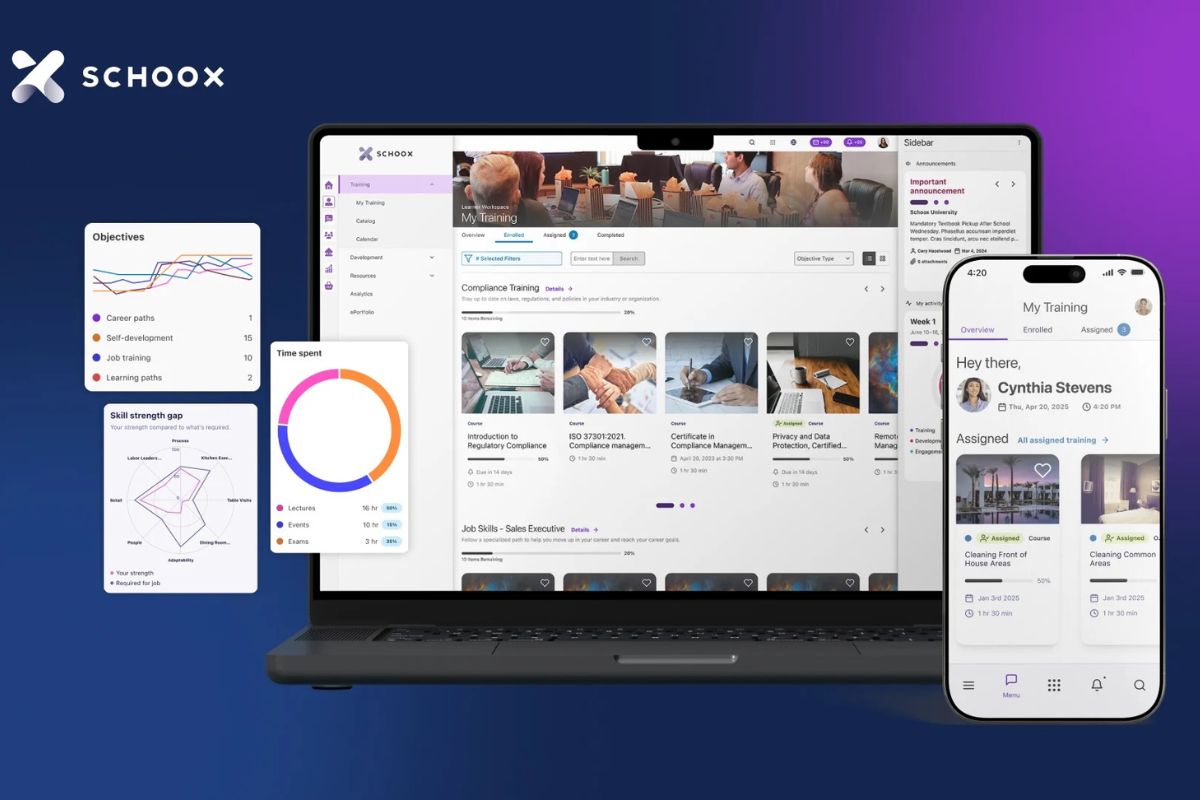
Schoox is an all-in-one learning and development tool for growing businesses. It combines LMS, skills, and performance tools. This allows organisations to deliver training, track skills, and support career development. An interactive learner experience also keeps people engaged and makes training easy to access on any device
Many small and midsize teams use Schoox to consolidate multiple learning tools and spreadsheets into a single system. It helps them build micro courses, assign training by role and see how learning connects to skills and performance.
However, some reviewers highlight limits around bulk editing, brand management and setup of the backend. This can be a challenge for teams that want deep visual customisation or granular admin control.
Key Features
- AI-powered learning
- Built-in course authoring
- Microlearning and card-based courses
- Gamification with points, badges and leaderboards
- Learning paths and curricula
- Certification and compliance management
- Skills and competency management
- Performance and goal management
- Mobile learning with offline access
- Reporting and learning analytics
- Integrations and open API
Pros
- Modern, intuitive learner experience with strong mobile support
- Combines learning, skills, and performance tools
- Microlearning and gamification help keep training relevant and engaging
- Flexible role-based training maps learning to jobs and teams
- Well-rated onboarding and customer support speeds up implementation
Cons
- Brand management and layout customisation can feel limited
- Backend setup and configuration can take time to master
- Some bulk management and advanced admin actions are less streamlined than expected
Saba LMS vs Schoox
Schoox offers:
- More modern user experience with built-in microlearning and gamification
- Integrated skills and performance features without a heavier suite
- Easier mobile access and offline learning options that suit busy and distributed teams
- Simpler platform for learning and development that can be less demanding to manage
Pricing
Schoox doesn’t make pricing available on their website. Contact their team directly for an accurate quote.
Rating
4.3/5 (average rating from Capterra, G2, GetApp, Software Advice)
#9 Absorb LMS
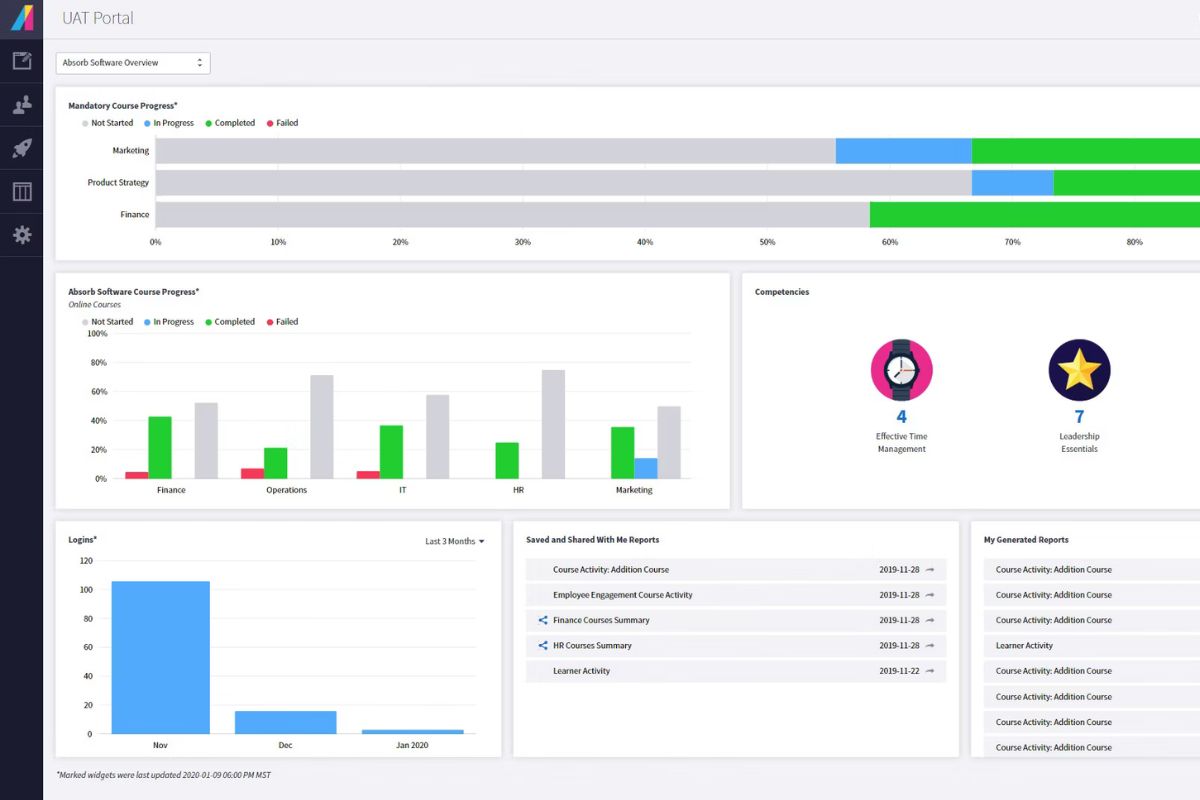
Absorb LMS is an AI-powered LMS for growing and enterprise businesses. It focuses on scalable training across employees, customers, and partners. It also offers strong support for compliance and customer education. The platform also provides advanced reporting, personalisation, and a modern interface.
Many organisations adopt Absorb when they want to move beyond basic tools and scale training more seriously. It helps them automate enrolments, track compliance, and support multiple audiences. It also allows them to integrate with HR and other business systems.
However, some users highlight complexity in use and implementation. This can be a challenge for lean SME teams with limited admin capacity.
Key Features
- AI-powered course recommendations
- Learning paths and curricula
- Compliance and certification management
- Advanced reporting and analytics
- Multiple portals for different audiences
- eCommerce for external training
- Mobile learning app
- Content libraries and course authoring tools
- Integrations with HRIS, CRM and other systems
- Single sig- on and security controls
Pros
- Modern, user-friendly interface with strong admin tools
- Powerful reporting and analytics support compliance and strategic decision-making
- Scalable structure with multiple portals for employees, customers, and partners
- Good range of integrations
- Highly rated customer support and implementation assistance
Cons
- Pricing can be higher than simpler SME-focused LMS options
- Some users report limitations in customisation and occasional complexity in configuration
- Depth of features can lead to a steep learning curve for new admins
Cornerstone Learning vs Absorb LMS
Absorb LMS offers:
- More modern interface and user experience that can feel easier to navigate
- Active roadmap with ongoing AI and analytics enhancements
- Simpler cloud deployment and configuration
- Strong focus on multi-audience and compliance training in one, simplified platform
Pricing
AbsorbLMS’s price structure is tailored according to organisational needs. Absorb offers Pay-Per-User, Pay-Per-Active-User, and Perpetual License Fee pricing structures. The LMS even has an open-source option.
Rating
4.8/5 (average rating from Capterra, G2, GetApp, Software Advice)
#10 Tovuti LMS
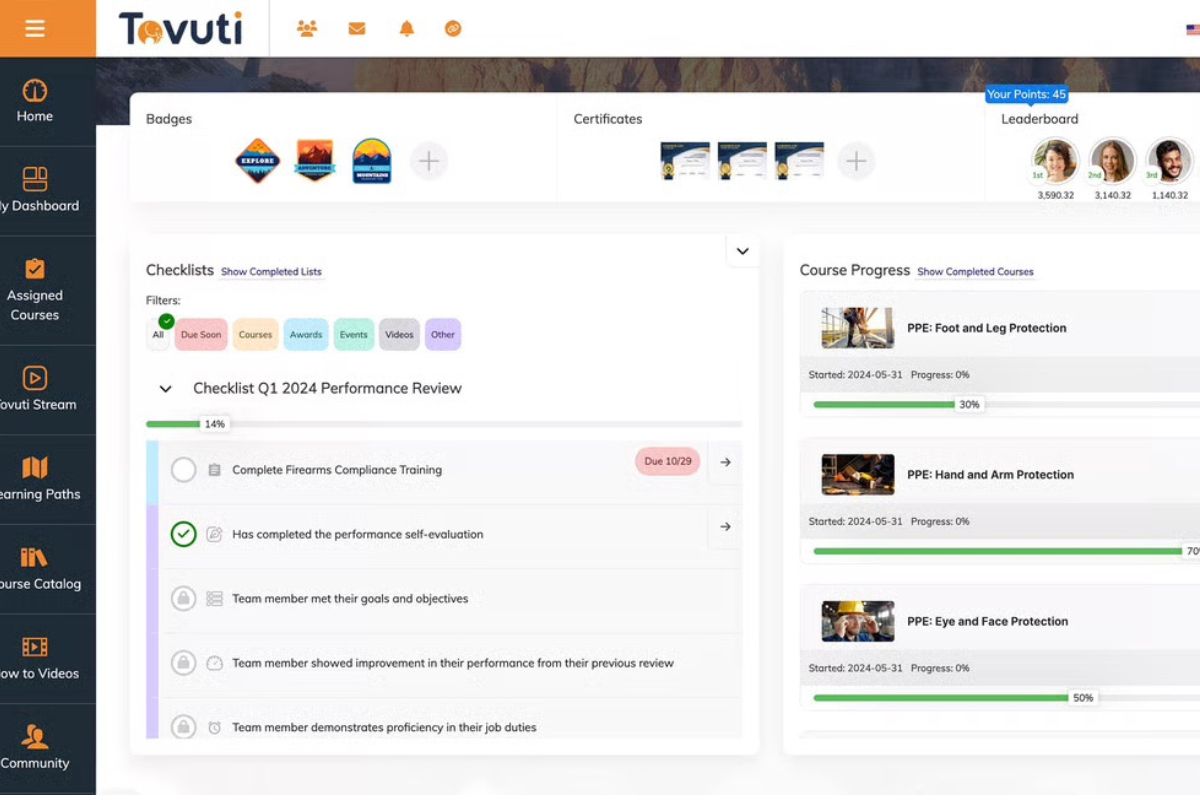
Tovuti LMS is an all-in-one LMS that helps organisations create, deliver and track online training. It includes built- in course authoring, interactive content, gamification, and automation. This enables teams to design engaging learning experiences without relying on separate tools.
Many SMEs want modern features like interactive lessons, social learning and branded portals. But they still need something manageable for a small L&D team. Tovuti supports this with learning paths, checklists, and gamified activities. It also offers white labelling so organisations can align training with their brand and goals.
However, some users report that initial setup, navigation and configuration can feel complex. This can be a challenge for teams with limited admin capacity.
Key Features
- Built-in course authoring
- Interactive content library
- Learning paths and checklists
- Gamified quizzes and assessments
- Branded portals and white labelling
- Automated enrolments and reminders
- Social learning and communities
- Reporting and analytics
- eCommerce for paid courses
Pros
- Rich authoring tools let teams build interactive content
- Strong gamification and engagement features help keep learners motivated
- Flexible branding and portal options support various audiences and use cases
- Modern interface that’s easy to navigate
- Active development roadmap with AI-assisted course creation and automation features emerging
Cons
- Setup and configuration can be time-consuming and complex
- Some users report navigation and course assignment workflows are unintuitive
- Best suited to organisations with internal technicians to help with configuration
Saba LMS vs Tovuti LMS
Tovuti LMS offers:
- More modern, interactive learning experience with built-in gamification and rich content types
- Easier white labelling and branded portals for different audiencesBetter fit for SMEs that want powerful learning features without the heavy enterprise focus
- Positioned as a standalone learning platform
Pricing
Tovuti doesn’t provide pricing on their website. Contact them directly for accurate pricing details.
Rating
4.8/5 (average rating from Capterra, GetApp and Software Advice)



