TL;DR
A UK Learning Management System (LMS) is a training platform built to meet UK regulations and local workforce needs. Key regulations include the UK General Data Protection Regulation (GDPR) and industry-specific standards.
- Cloud Assess ranks first for frontline teams, combining offline training with observation checks and digital logbooks for competency evidence.
- eduMe builds AI microlearning, Thrive fosters social learning, and Growth Engineering gamifies engagement.
- Kallidus Learn suits blended training, Bridge career growth, and Ciphr LMS HR-integrated learning.
- Skillcast offers compliance courses, Access LMS Evo tracks professional development, and Learn:Go maps capability.
Choosing the right Learning Management System (LMS) is crucial for delivering effective training and development. For organisations looking to upskill employees or keep their workforce compliant, the right LMS supports both. It helps organisations deliver training, track progress, and keep employees engaged.
With so many LMS platforms available, finding the best fit can feel overwhelming. We’ve curated a list of the 10 best learning management systems to simplify decision-making for UK companies.
Why Should UK Companies Use a UK LMS?
For UK businesses, choosing an LMS that meets local needs ensures regulatory compliance, particularly with the General Data Protection Regulation (GDPR) and industry-specific standards. A UK-focused LMS also supports local workforce training requirements, keeping learning relevant and effective.
Reliable customer support in the same time zone reduces downtime, while UK-based data hosting enhances security and system performance. Even if an LMS provider isn’t UK-based, those catering to the market often offer compliance, localisation, and seamless integration with HR and payroll systems. The key is selecting an LMS that aligns with UK-specific needs for a smooth, efficient learning experience.
| Order | Category | Platform |
|---|---|---|
| 1 | Best Fit for Frontline Training and Competency Tracking | Cloud Assess |
| 2 | Best Fit for AI-Built Training for Frontline Teams | eduMe |
| 3 | Best Fit for Social and Collaborative Learning | ThriveLMS |
| 4 | Best Fit for Blended eLearning and Classroom Training | Kallidus Learn |
| 5 | Best Fit for Linking Training to Performance and Career Growth | Bridge |
| 6 | Best Fit for Regulated Industry Compliance Courses | Skillcast |
| 7 | Best Fit for HR-Integrated Learning | CIPHR LMS |
| 8 | Best Fit for Automated CPD Tracking | Access LMS Evo |
| 9 | Best Fit for Connected Workforce Capability Insights | Learn:Go |
| 10 | Best Fit for Gamified Employee Engagement | Growth Engineering |
10 Top UK Learning Management Systems
Best Fit for Frontline Training and Competency Tracking
#1 Cloud Assess
Average User Score: 4.7 / 5
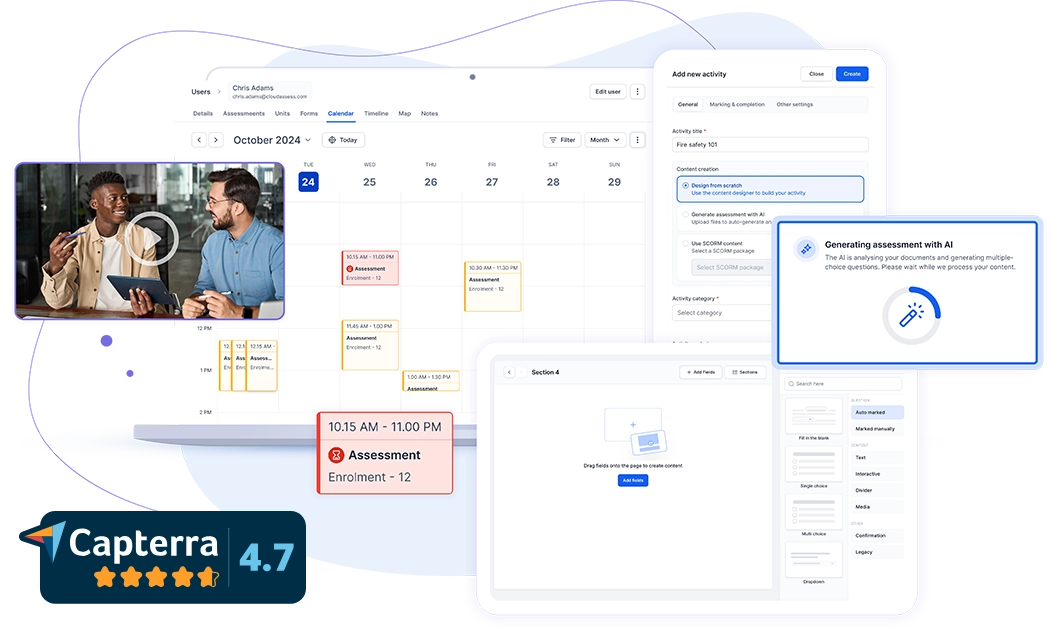
Cloud Assess is a training and competency platform built for frontline workforces. It helps UK organisations train employees and track their skills in one platform. Its offline app lets employees learn in the flow of work, ensuring they can complete training between tasks, with progress syncing once they reconnect.
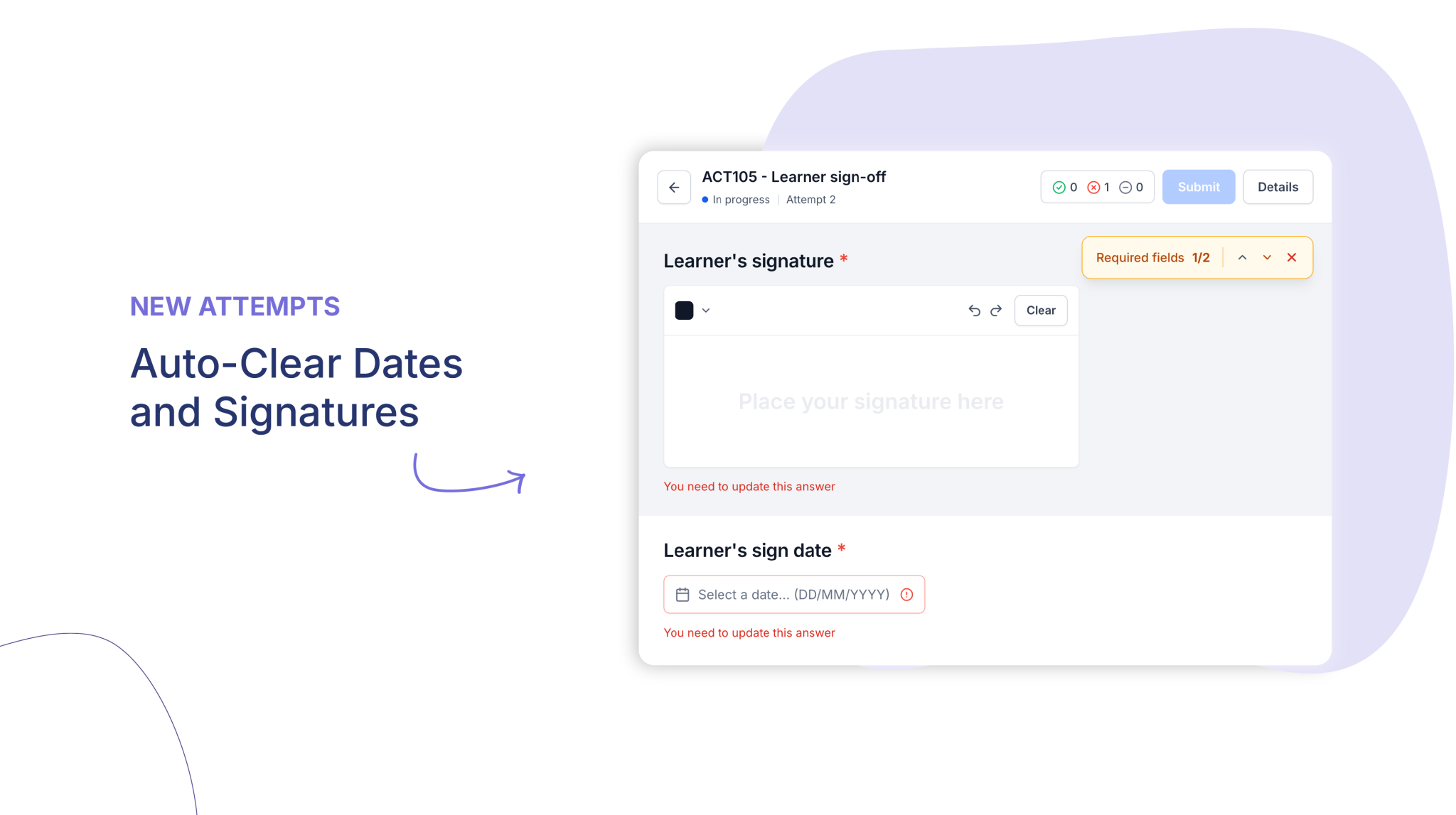
Cloud Assess also gives supervisors observation checks and digital logbooks for on-the-job assessment. Supervisors use them to verify competency and capture photo, video, and signature evidence. Each piece of evidence sits against the employee’s training record.
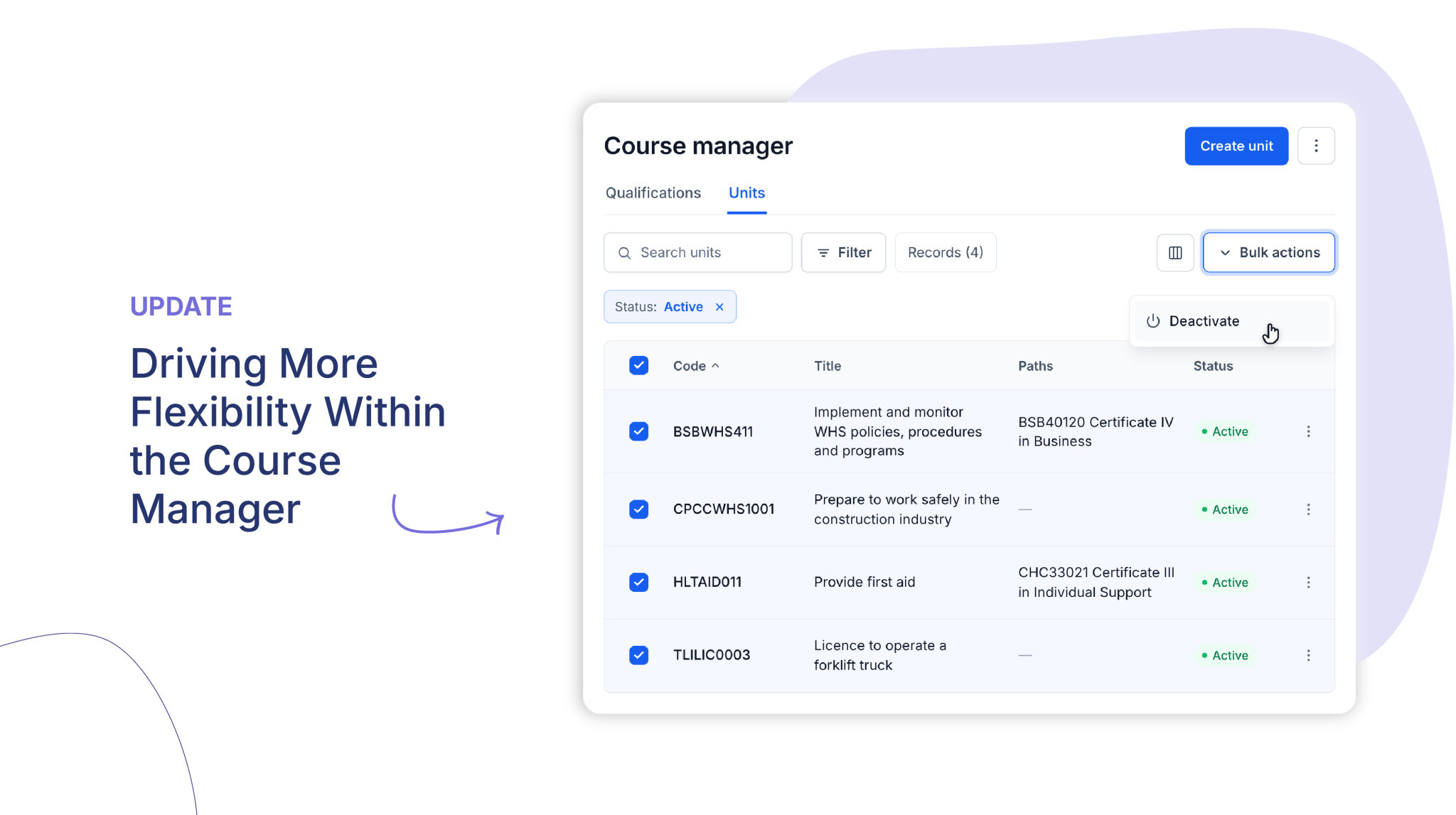
The platform offers automated workflows that allow organisations to assign inductions and refresher training without manual admin. It meets UK GDPR requirements, with UK-based data hosting and record-level audit trails. Organisations can produce compliance evidence quickly during audits.
This makes Cloud Assess well-aligned for:
- On-site or on-the-move employee frontline training
- High-risk sectors such as mining, rail, transport, and logistics
- Multi-site organisations tracking competency across teams
- Safety, HR, and training managers accountable for compliance evidence
Key Features
- Digital assessments
- Offline and mobile-friendly app
- Blended learning support
- Skills matrix
- Compliance tracking
- Verification of competency
- Evidence portfolios
- SCORM, HTML, and LTI support
- Multi-role user management
- Digital logbooks and observation checks
- Induction pathways
- Expiry alerts and refresher training
- Training certificate management
- Custom automated workflows
- Real-time reporting and dashboards
- Enrolment engine
- Audit trails
- Extensive free course library
Pros
- Lets supervisors verify competency on the job with photo and video evidence
- Delivers training offline so frontline teams stay covered on any site
- Automates inductions and refresher training to reduce manual admin
- Tracks skills and competency across every team through a live skills matrix
- Integrates with HR systems, payroll, and CRM systems for seamless management
- Produces audit-ready training records with full audit trails and reporting
Pricing
Cloud Assess offers one all-inclusive plan for training organisations and workplace training, priced as a flat fee per learner from $12. Every feature is included from day one, with no upgrade paths or feature gates. Visit our pricing page for an accurate quote.
Rating
4.7/5 (average rating from Capterra, G2, GetApp, Software Advice)
Best Fit for AI-Built Frontline Training
#2 eduMe
Average User Score: 4.6/5
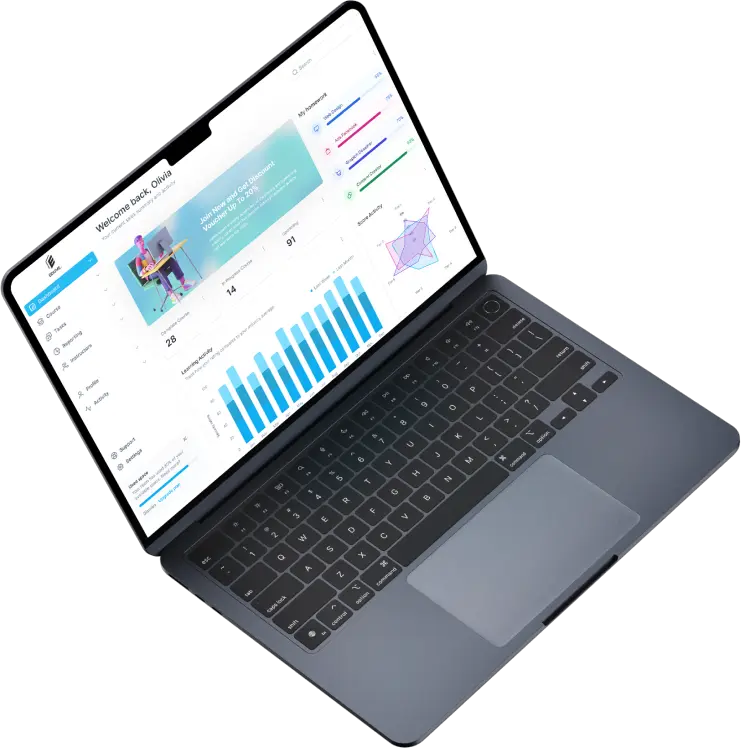
eduMe is an AI-first training platform that helps UK organisations build frontline training in minutes.The platform helps teams generate microlearning courses from a prompt or existing PDFs using its AI tool, so new procedures reach staff quickly. These short lessons fit into the gaps in a shift, so employees can learn without being pulled away from their work. It offers intelligent lesson scoring backed by learning science to help teams optimise their content. Its built-in AI translation allows teams to generate multilingual training content. eduMe also offers assessments and progress tracking to give managers lesson insights across shifts.
This makes eduMe well-aligned for:
- Frontline teams in retail, hospitality, logistics, and manufacturing needing training that fits around busy shifts
- Teams that want staff to start training instantly, with one-tap, no-login access by text or email
- Organisations turning existing documents into training quickly
- Multilingual workforces needing training in their own language
However, eduMe is aimed at organisations with over 200 employees. Smaller businesses may find its features excessive for their needs.
Key Features
- AI course generation
- PDF-to-lesson conversion
- AI quiz generation
- AI lesson scoring
- Automated translations
- Microlearning lessons
- Microsoft Teams and Workday integrations
- One-tap, no-login access
- Text and email delivery
- Assessments and progress tracking
- Course performance dashboards
Pros
- Digitises training content into bite-sized courses quickly
- Rates lesson quality so teams know which content to improve
- Reaches every employee in their preferred language with automated translations
- Delivers training through Microsoft Teams, Workday, text message, and email with one-tap, no-login access
- Compares course performance across groups with visual dashboards
Cons
- Geared towards organisations with over 200 employees
- AI generation only works with slideshow-style lessons
- Built for short-form lessons rather than longer employee training programs
Pricing
eduMe’s pricing is tailored based on individual business needs. Contact their team for an accurate quote.
Rating
4.6/5 (average rating from G2, Capterra, Software Advice, GetApp)
Not Keen to Use eduMe?
Explore alternative platforms that better fit your training needs.
Best Fit for Social and Collaborative Learning
#3 Thrive
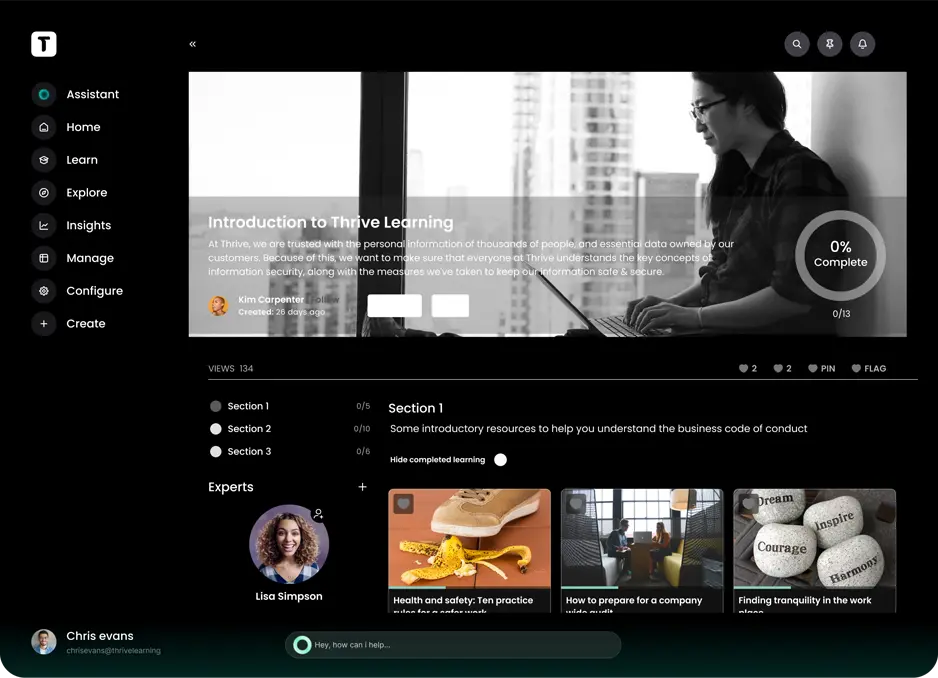
Thrive is a UK-based learning platform built around social and collaborative learning. It combines an LMS with a learning experience platform (LXP). This helps organisations pair required training with courses that employees choose themselves. The platform allows employees to create and share their own content and discuss it in forums. It offers gamification, including points, badges, and leaderboards, to help keep teams motivated.
This makes Thrive well-aligned for:
- Organisations building a culture of peer-to-peer learning
- Fast-growing businesses scaling learning across departments
- Learning and development teams measuring engagement and impact
However, Thrive is built around learner-led content rather than practical skills assessment. Organisations that must prove employees can perform tasks safely may need a separate tool.
Key Features
- Intuitive user interface
- LMS and LXP functionalities
- Social learning tools
- Collaborative learning tools
- Advanced analytics and reporting
- Gamification elements
- Customisable learning paths
- HR and third-party system integrations
Pros
- Builds a knowledge-sharing culture through employee-created content
- Keeps participation high through friendly competition and rewards
- Tailors learning paths to individual roles and development goals
- Tracks training effectiveness across teams through detailed reporting
- Connects with HR systems and UK-based content providers
Cons
- Not built for practical skills assessment
- Limited customisation of email notifications
- Lack of comprehensive documentation for certain features
Pricing
Thrive doesn’t provide pricing details. Book a demo to get a tailored quote.
Rating
4.7/5 (average rating from G2, Capterra, Software Advice, GetApp)
Best Fit for Blended Online and Instructor-Led Training
#4 Kallidus Learn
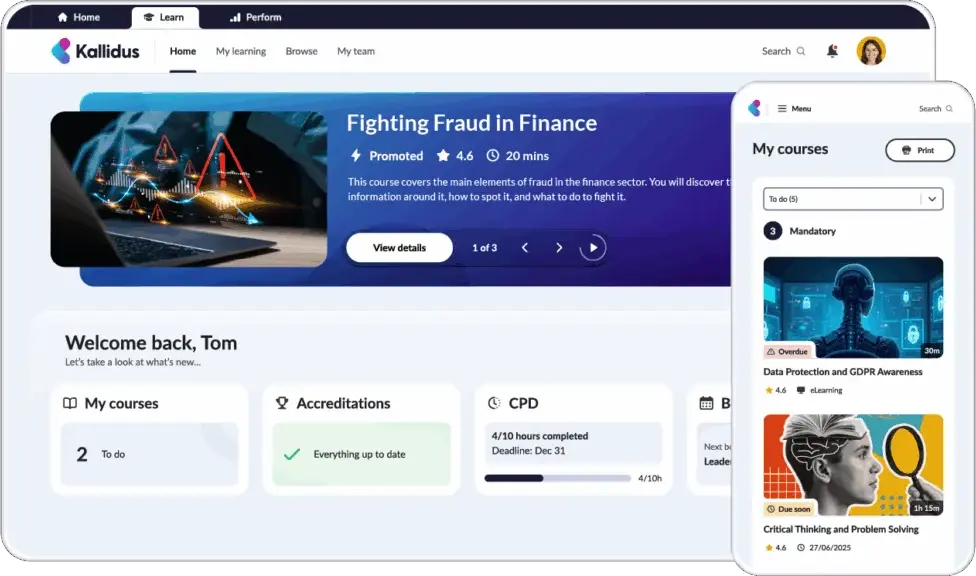
Kallidus Learn is a UK-based LMS built for blended online and instructor-led training. It allows organisations to manage eLearning, live events, pre-recorded videos, and documents in one place. Its automated expiry alerts help organisations keep mandatory training cycles on schedule. Kallidus integrates with HR data, helping organisations assign training to the right people. It also provides role-based compliance dashboards that give managers real-time visibility of team training.
This makes Kallidus Learn well-aligned for:
- Organisations combining in-person sessions with online learning
- Public sector bodies, including NHS trusts and police forces
- Teams managing recurring mandatory training cycles
- HR teams assigning training from existing employee data
However, Kallidus’ off-the-shelf eLearning content is a separate product from Kallidus Learn. Organisations without their own courses will need to add it alongside the LMS.
Key Features
- Intuitive user interface
- Course management system
- Blended learning management
- Instructor-led event management
- Mobile optimisation
- Offline learning access
- Automated expiry alerts
- Role-based compliance dashboards
- HR data integration
- SCORM compliance
- Certification and compliance tracking
Pros
- Prompts employees to renew mandatory training before it lapses
- Gives managers live compliance views tailored by employee roles
- Assigns training to the right employees using existing HR data
- Hosts data in ISO 27001-certified UK data centres
- Provides a dedicated UK customer success manager
Cons
- Off-the-shelf eLearning content is an additional investment
- Reporting features can be complex and occasionally inaccurate
- Limited customisation options for specific organisational needs
Pricing
Kallidus Learn offers Content, Essential, Growth, and Advanced plans. Book a demo to get an accurate quote.
Rating
4.4./5 (average rating from G2, Capterra, Software Advice, GetApp)
Best Fit for Linking Training to Performance and Career Growth
#5 Bridge
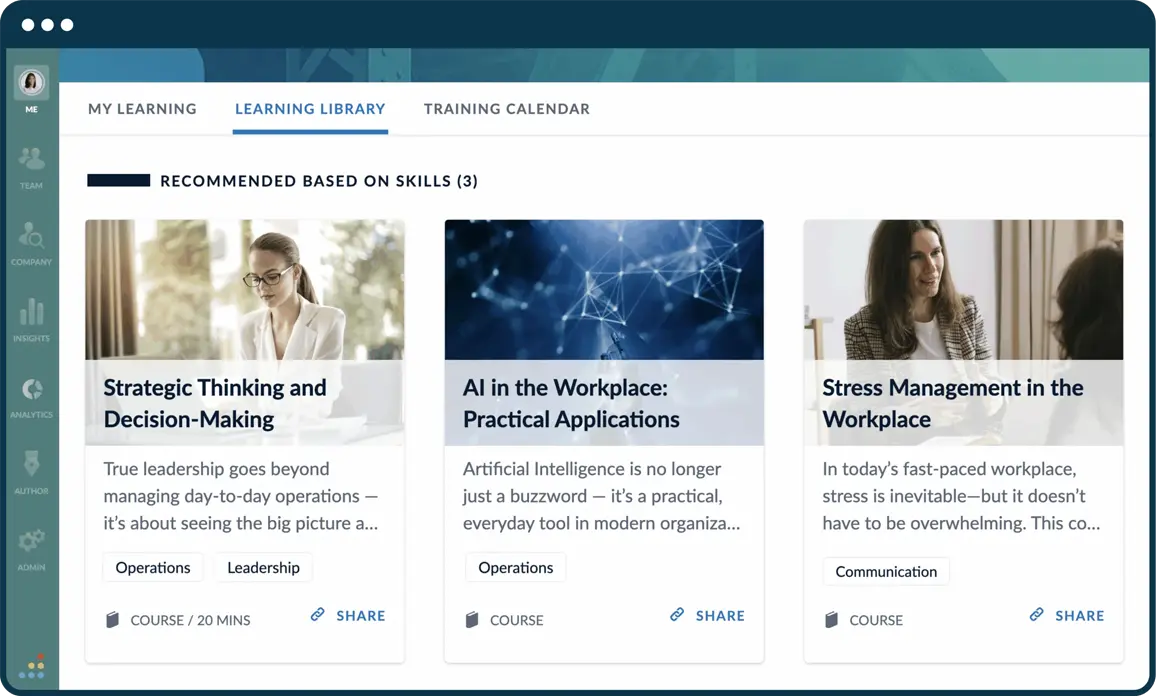
Bridge is a cloud-based LMS that connects employee training with performance and career growth. It allows managers to link training to goals, performance reviews, and development plans. Shared one-on-one agendas help managers and employees plan development together. Its AI-powered skills mapping also helps organisations identify the skills teams have and need. This supports long-term workforce development and succession planning.
This makes Bridge well-aligned for:
- Mid-market organisations moving beyond mandatory training
- Managers running regular one-on-ones and development conversations
- Organisations building internal career paths to increase employee retention
- Deskless teams in high-risk industries such as retail, healthcare, and hospitality
However, Bridge’s performance management tools sit in its top-tier Full Suite. Organisations on the core LMS can’t link training to performance reviews.
Key Features
- User-friendly course authoring tools
- Performance management integration
- AI-powered skills mapping
- Employee development plans
- Career pathing
- Mobile accessibility via a dedicated app
- Advanced analytics and reporting
- Social learning features
- Compliance training modules
Pros
- Manages mandatory training alongside wider employee development
- Gives employees a visible career path within the organisation
- Collects skills feedback from peers and managers
- Encourages knowledge sharing through peer-to-peer video learning
- Simplifies course creation, assignment, and tracking of training progress
Cons
- Performance management tools are limited to the top-tier Full Suite
- Reporting capabilities may lack customisation and depth
- Limited integration options with external systems
Pricing
Bridge offers three plans: LMS, Talent Suite (LMS and Skills), and A Full Suite plan (LMS, Skills, and Performance). Contact their team for an accurate quote.
Rating
4.5/5 (average rating from G2, Capterra, Software Advice, GetApp)
Best Fit for Regulated Industry Compliance Courses
#6 Skillcast
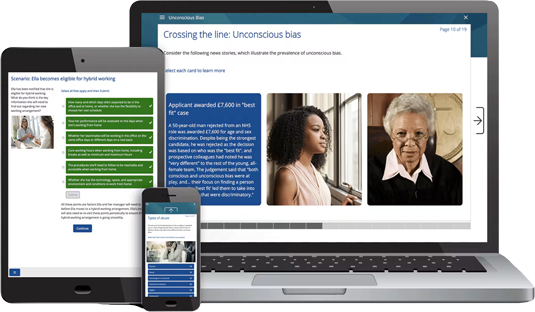
Skillcast is a UK-based compliance training platform built for regulated industries such as financial services, hospitality, and retail. Organisations can assign courses on Financial Conduct Authority (FCA) rules and UK GDPR. Automated reminders help keep mandatory training on track.
The platform also offers a Policy Hub, allowing organisations to collect employee policy attestations. Combined with training, this helps employees understand their duties and carry them out effectively. Financial services firms can manage Senior Managers and Certification Regime (SMCR) duties too.
This makes Skillcast well-aligned for:
- Financial services firms with FCA obligations
- Compliance teams managing policies, disclosures, and registers in one place
- Organisations needing ready-made compliance courses
- Multinational teams needing training in multiple languages
However, Skillcast’s course library centres on financial services and corporate conduct. Organisations in high-risk sectors like construction or manufacturing may find fewer sector-specific courses.
Key Features
- Pre-loaded compliance and risk course libraries
- Customisable branding options
- Automated course assignments and reminders
- eLearning standards
- Competency mapping
- Compliance assessments
- Learning journeys
- Multi-tenancy
- Language controls
- Granular reporting capabilities
- Integration with HR data systems
Pros
- Answers employee policy questions instantly through an AI digital assistant
- Brings training, policies, and staff disclosures into one compliance portal
- Produces management information reports for boards, auditors, and regulators
- Offers robust integration with existing HR systems
- Ensures compliance with WCAG 2.1 AA for inclusive learning
Cons
- Fewer sector-specific courses for high-risk industries
- Reporting features can be complex and may lack desired detail
- Limited flexibility in eLearning authoring software features
Pricing
Skillcast offers Standard, Enhanced, and Premium pricing plans. Contact them directly for a tailored quote.
Rating
4.5./5 (average rating from Capterra, Software Advice, GetApp)
Best Fit for HR-Integrated Learning
#7 Ciphr
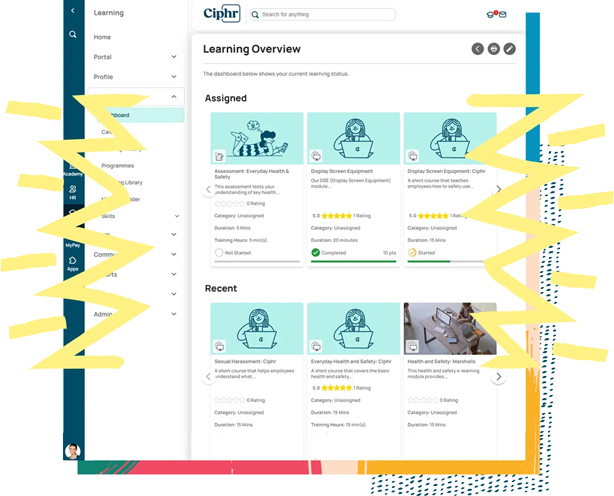
Ciphr LMS is a UK-built learning platform that connects training data with HR records. Its visual learning journeys help organisations guide new starters through inductions. Teams can use their own content, Ciphr’s off-the-shelf library, or bespoke courses.
When used alongside Ciphr HR, course completions feed straight into each employee’s HR profile. This gives HR and learning teams a single source of truth for people data. Organisations can also connect Ciphr LMS to third-party HR systems.
This makes Ciphr LMS well-aligned for:
- Organisations already using Ciphr HR or payroll
- HR teams wanting training records alongside employee data
- Organisations running structured induction training for new starters
- Mid-to-large organisations centralising learning and development
However, Ciphr LMS’s reporting features lack intuitiveness and depth. HR and learning teams may find it harder to turn the training data held in one place into clear insights.
Key Features
- Centralised hub
- Visual learning journeys
- Multiple content types support
- Integration with HR systems
- Data analytics
- Online training management
- Customisable training courses
- Off-the-shelf eLearning library
- Badges and points
- Social learning tools
- Automated reminders and notifications
Pros
- Simplifies access to diverse learning materials, including videos and presentations
- Enhances learner engagement through visual pathways and interactive content
- Seamless integration with Ciphr’s HR software ensures efficient workforce management
- Ensures compliance with UK GDPR and WCAG 2.1 AA for secure and inclusive learning
- Offers responsive UK-based customer support for timely assistance
Cons
- Reporting features may lack intuitiveness and depth
- Limited customisation options for advanced users
- Occasional system performance issues during peak usage
Pricing
Ciphr offers flexible pricing plans tailored to organisational needs. For detailed pricing information, contact their team directly.
Rating
4.1./5 (average rating from G2, Capterra, Software Advice, GetApp)
Best Fit for Automated CPD Tracking
#8 Access LMS Evo
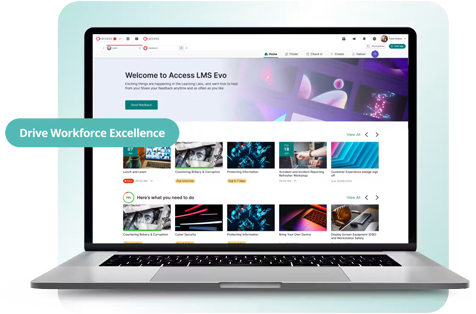
Access LMS Evo is a UK-built LMS for tracking continuing professional development (CPD) automatically. Completed training feeds into each employee’s CPD log as they learn. Employees can also log external learning, keeping all their development in one place. Organisations can set CPD schemes and targets, helping teams meet professional body requirements. The platform’s reporting suite allows organisations to track CPD activity across the whole workforce.
This makes Access LMS Evo well-aligned for:
- Employers with staff who must meet professional body CPD targets
- Health and social care providers tracking staff development
- HR teams combining formal training and external learning records
However, administrators can only import external CPD records one user at a time. Bringing in historic records across a whole workforce can take time.
Key Features
- Mobile app
- SCORM compliance
- Customisable learning paths
- CPD tracking and logs
- Custom CPD schemes
- External learning logging
- AI-powered recommendations
- Gamified learning
- Real-time compliance dashboards
- RoSPA-assured health and safety courses
Pros
- Recommends relevant training to each employee using Access Evo AI
- Rolls unmet CPD hours into the next year
- Captures reflective statements alongside completed training activities
- Facilitates learning on the go through the Access LMS mobile app
Cons
- Existing CPD records can’t be bulk imported across multiple users
- Reporting features may lack intuitiveness and depth
- Limited customisation options for advanced users
Pricing
Access LMS Evo offers two pricing options. LMS Hub Package starts at £1.25 and LMS² Package starts at £6.67 per employee monthly.
Rating
4.5/5 (average rating from G2, Capterra, Software Advice, GetApp)
Best Fit for Connected Workforce Capability Insights
#9 Learn:Go
Average User Score: 4.4/5
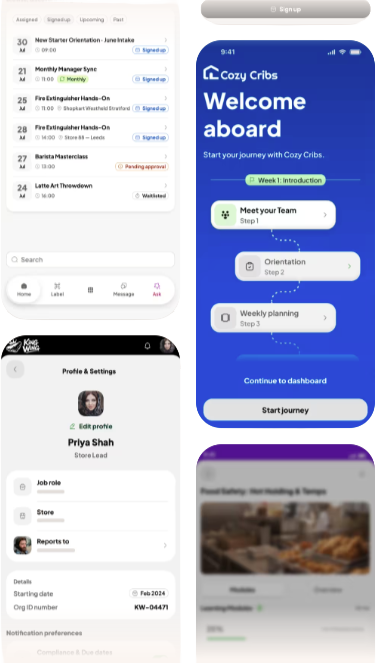
Learn:Go by Confirm, formerly Learning Pool, is a mobile-first LMS for frontline teams. It offers organisations Adaptive Compliance features that tailor mandatory and statutory training to each employee.
The LMS is also part of Confirm’s larger workforce enablement platform. It integrates with other Confirm tools to give leaders a single view of workforce capability. This helps them link engagement, performance, and compliance across teams. They can also more easily identify capability gaps and act on them in real time.
This makes Learn:Go well-aligned for:
- Large, distributed organisations needing a single view of workforce capability
- Frontline enterprises in retail, hospitality, logistics, and manufacturing
- Operational leaders linking training investment to business outcomes
- Organisations replacing separate learning, engagement, and performance tools
However, Confirm’s products run on separate logins. Organisations using several Confirm tools may switch between systems day to day.
Key Features
- Workforce capability insights
- Mobile-first learning app
- AI-first LMS
- AI-powered content authoring
- AI conversation simulations
- Adaptive Compliance
- Employee engagement tools
- Performance management
- Ready-made compliance and skills library
- OnScreen software guidance
Pros
- Builds new training quickly with AI-powered authoring
- Prepares employees for difficult conversations through AI role-play simulations
- Tracks employee sentiment to support frontline retention
- Offers ready-made compliance and skills courses for fast rollout
- Guides employees through new software with on-screen training
Cons
- Separate logins across products
- Complex product range to navigate
- Full Workforce Enablement System view needs several Confirm products
Pricing
Confirm doesn’t make pricing information for Learn:Go available on their website. Contact their team to get accurate pricing details.
Rating
4.4/5 (average rating from G2, Capterra, Software Advice, GetApp)
Best Fit for Gamified Employee Engagement
#10 Growth Engineering
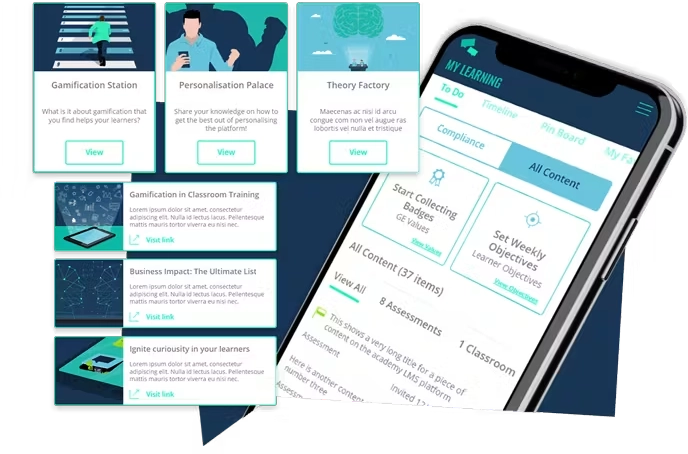
Growth Engineering is a UK-based LMS built around gamified employee engagement. Organisations can use points, badges, and leaderboards to keep employees returning to training. Its Knowledge Arcade app allows frontline teams to learn through gamified mobile activities. Employees can challenge colleagues to quiz battles, helping reinforce knowledge after training.
This makes Growth Engineering well-aligned for:
- Organisations looking to lift low employee engagement training
- Frontline teams learning on mobile between tasks
- Customer-facing teams that respond well to friendly competition
- Organisations reinforcing knowledge after initial training
However, Growth Engineering’s gamification relies on regular campaigns and fresh content to stay engaging. Organisations without a dedicated learning team may find it harder to sustain.
Key Features
- Gamification
- Social learning
- Pre-built content library
- Game-based authoring tool
- Advanced assessment and quiz builder
- Mobile app
- Quiz battles
- Learning quests
- Push notifications
- Third-party integrations with HR and content systems
- Instructor-led session management
- Comprehensive reporting suite
Pros
- Turns training content into game-style learning through its authoring tool
- Structures learning into quests that guide employees through each topic
- Brands the learning app so it feels like the organisation’s own
- Provides detailed learner insights with robust analytics
- Facilitates online and in-person training for UK organisations
Cons
- Customisation options can be overwhelming
- Initial setup may require a learning curve
- Gamification needs ongoing campaigns to sustain engagement
Pricing
Growth Engineering offers flexible pricing plans tailored to organisational needs. Contact them directly for accurate pricing information.
Rating
4.4./5 (average rating from G2, Capterra, Software Advice, GetApp)
Best LMS in UK Buyer’s Guide
- Check that the platform keeps you audit-ready under UK regulations. It should meet UK GDPR requirements and store employee data securely. Regulators and industry bodies may ask for proof that employees are trained and competent. Look for audit trails, certification tracking, and reports you can share with auditors.
- Plan for employees who don’t work at a desk. Frontline workers need a mobile app to train on site or between shifts. Offline access matters where signal is patchy. Check that progress syncs once employees reconnect.
- Make sure the platform connects with your HR and payroll systems. Integrations keep employee records in sync without manual data entry. They also allow you to assign training automatically when someone joins or changes roles. Ask whether support is available during UK working hours. Support in your time zone means faster answers when problems arise. Look for UK-based helpdesks, onboarding help, and a dedicated account manager.
- Test the platform before you commit. Request a demo or free trial to explore usability, integrations, and reporting. Involve the managers and employees who will use it day to day.
Workforce Skills
Workforce Skills gives you a live view of every skill, every gap and every expiry across your workforce. Automate training assignment or manually enrol. Purpose built for frontline workers.

Frequently Asked Questions (FAQs)
UK Learning Management System FAQs
What is the best LMS for UK workplaces?
Cloud Assess is the best LMS for UK workplaces that need to prove frontline competency. It combines training, on-the-job assessment, and skills tracking in one platform. eduMe suits AI-built frontline training. Skillcast suits regulated compliance courses, while Access LMS Evo suits CPD tracking. Learn:Go suits organisations wanting one view of workforce capability
Does an LMS need to comply with UK GDPR?
Yes. Any LMS storing UK employee data must comply with UK GDPR. This covers how training records and personal details are stored, accessed, and shared. Check where the provider hosts data and what security certifications it holds.
Can an LMS track health and safety training?
Yes. Organisations can use an LMS to assign health and safety training and track completion. Expiry alerts help keep certifications and refresher training current. Access LMS Evo offers RoSPA-assured courses, while Cloud Assess adds on-the-job safety checks.
Can an LMS integrate with UK HR and payroll systems?
Yes. Most workplace LMS platforms connect with common HR and payroll systems. Integrations let organisations assign training automatically when employees join or change roles. Cloud Assess integrates with 5000+ tools, including HR and payroll systems. Ciphr LMS integrates closely with Ciphr HR, while Kallidus Learn connects to HR data.