

TL;DR
- Cloud Assess leads for tracking skills and competency, with verification of competency, a live skills matrix, and offline assessment for frontline workforces.
- For AI-driven and enterprise reporting, Docebo, Absorb LMS, and Paradiso LMS offer AI analytics, role-based dashboards, and customisable training reports.
- iSpring LMS, Moodle Workplace, and Tovuti LMS suit structured learning tracks, rule-based completion tracking, and recurring training.
- Litmos, 360Learning, and eloomi focus on instructor-led sessions, collaborative learning, and linking training to performance reviews.
Employee training is key to organisational success, but keeping track of progress and ensuring compliance can be a daunting task without the right tools. Training tracking software simplifies the process, making managing and monitoring team development much easier.
This software offers several key advantages, including improving the quality of training programs by identifying areas for improvement. This can boost learner engagement and highlight individuals struggling with courses, which allows for targeted support.
It also enables organisations to measure the success of training initiatives, providing valuable insights that can impact ROI and budget allocations. By leveraging these insights, organisations can make informed decisions and optimise their training investments for maximum efficiency and effectiveness.
What is Employee Training Tracking Software and How Does It Work?
Training tracking software is a specialised tool designed to monitor, manage, and record employee learning activities within an organisation. This software helps businesses keep a detailed record of all training sessions, courses, and certifications completed by their employees.
Many learning management systems (LMS) incorporate training tracking software into their features. This provides a centralised solution that administrators can use to create courses, assign training, track employee training programs, and ensure training complies with industry standards and regulations.
| Order | Category | Platform |
|---|---|---|
| 1 | Best Fit For Tracking Skills and Competencies | Cloud Assess |
| 2 | Best Fit For AI-Driven Learning Tracking | Docebo |
| 3 | Best Fit For Structured Learning Track | iSpring LMS |
| 4 | Best Fit For Tracking Instructor-Led Training | Litmos |
| 5 | Best Fit For Customisable Training Reports | Paradiso LMS |
| 6 | Best Fit For Tracking Collaborative Learning | 360Learning |
| 7 | Best Fit For Role-Based Training Dashboards | AbsorbLMS |
| 8 | Best Fit For Linking Training To Performance Reviews | eloomi |
| 9 | Best Fit For Rule-Based Completion Tracking | Moodle Workplace |
| 10 | Best Fit For Tracking Recurring Training | Tovuti LMS |
10 Top Training Tracking Software
Best Fit For Tracking Skills & Competencies
#1 Cloud Assess
Average User Score: 4.7 / 5



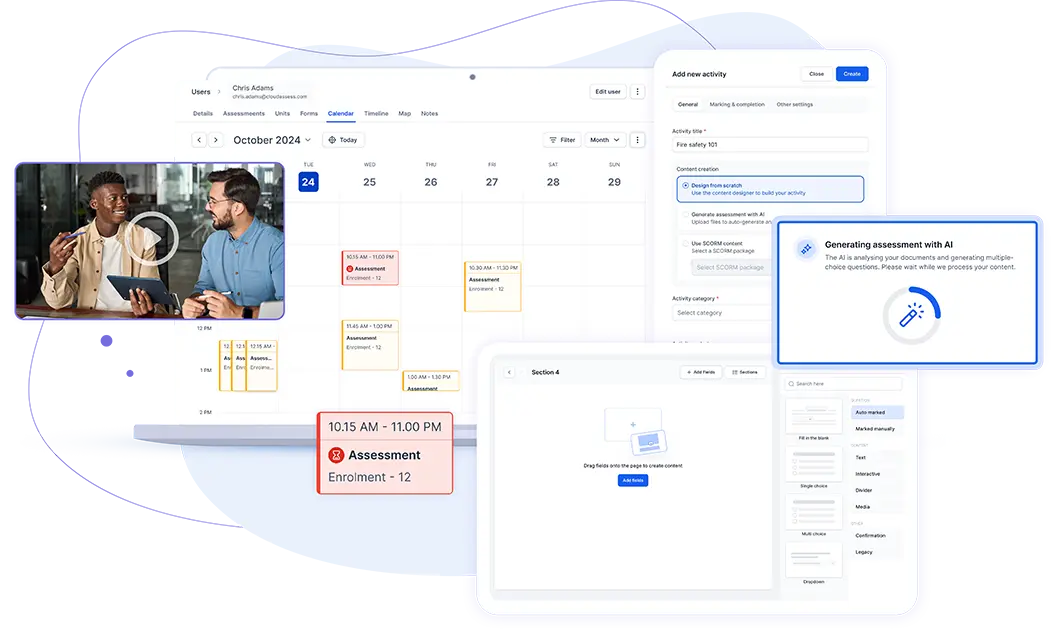
Cloud Assess is a training and assessment platform built for frontline workforces. It enables high-risk organisations to confirm workers can perform each task safely. Supervisors assess practical skills on the job using structured competency assessments. They capture photo, video, and signature evidence against each worker’s record. The platform supports verification of competency (VOC) in the field, including offline on remote sites.
Cloud Assess also gives organisations a live view of skills across their workforce. Teams use a skills matrix to map the abilities each job role requires. Managers can then identify skill gaps before they become compliance risks. Administrators track certifications and set automated reminders before tickets and licences expire. Organisations can manage competency across employees, contractors, and labour hire crews in one place.
This makes Cloud Assess well-aligned for:
- High-risk industries verifying practical competency on the job
- Remote and multi-site operations with limited connectivity
- Contractor and labour hire workforces held to employee standards
- Safety, HR, and training managers accountable for skills records
Key Features
- Structured competency assessments
- Verification of competency
- Practical observation sign-off
- Photo, video, and signature evidence
- Offline mobile assessment
- Skill and competency matrices
- Skill gap analysis
- Training certificate management
- Automated renewal reminders
- Digital logbooks and evidence portfolios
- Real-time reporting dashboards
- SCORM and xAPI support
- AI assessment generator
- AI activity generation
Pros
- Confirms workers can perform tasks safely through on-the-job assessment
- Tracks skill gaps by job role through a live skills matrix
- Keeps assessments running offline across remote and multi-site operations
- Holds contractors and labour hire crews to employee standards
- Flags expiring tickets and licences with automated renewal reminders
Pricing
Cloud Assess offers an all-inclusive solution for employee training in high-risk, high-compliance industries. Every feature is included from day one, including mobile offline assessment, verification of competency, skills matrix and automated compliance tracking. There are no upgrade paths or feature gates. Visit our pricing page for an accurate quote.
Rating
4.7/5 (average rating from Capterra, G2, GetApp, Software Advice)
Best Fit For AI-Driven Learning Tracking
#2 Docebo
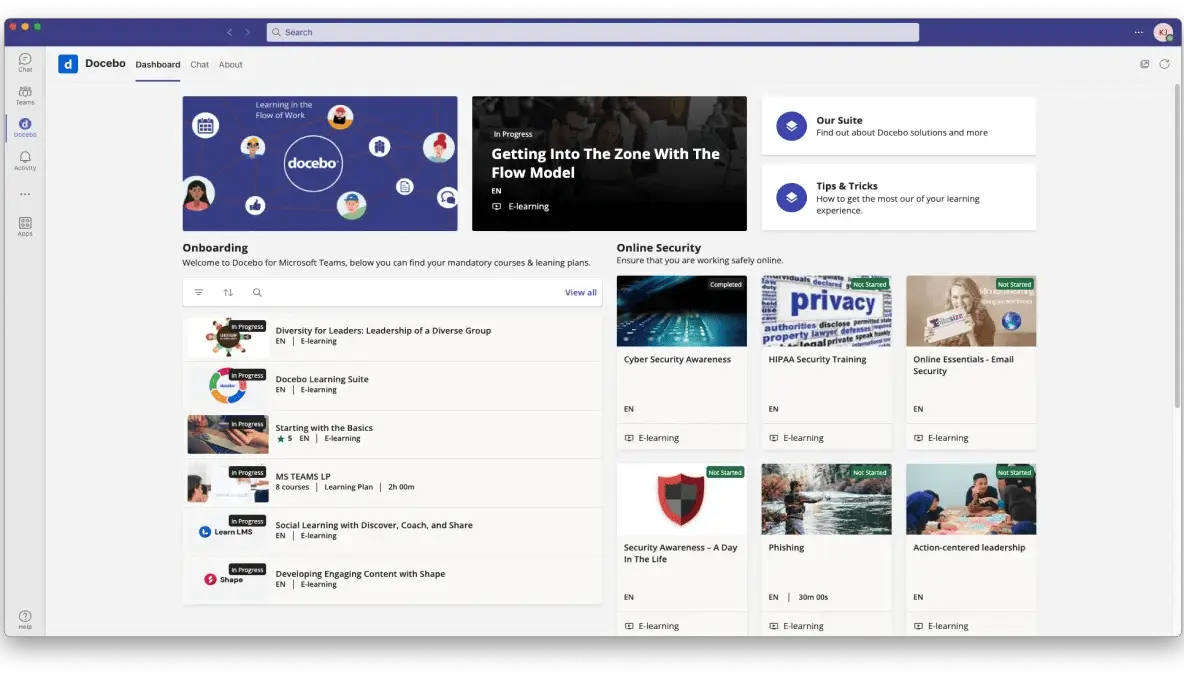
Docebo is an AI-first LMS built for enterprise organisations. Its AI assistant lets administrators query training data in plain language. Through Skills Intelligence, organisations can map skills and identify gaps across the workforce. Docebo’s advanced analytics also let organisations measure training’s impact on business performance.
This makes Docebo well-aligned for:
- Enterprise organisations training large, global workforces
- Learning and development teams wanting AI-assisted reporting
- HR leaders mapping skills gaps across the business
- Organisations looking to align training to business outcomes
However, Docebo’s depth requires dedicated administrators to configure and maintain. Smaller teams may struggle to set up tracking without specialist support.
Key Features
- AI assistant
- Conversational learning analytics
- AI skills inference
- Skills gap detection
- Progress and completion tracking
- Certification tracking
- Compliance tracking
- Customisable dashboards
- Automated report builder
- HR and business system integrations
- AI content authoring
- Mobile learning
Pros
- Speeds up course creation with AI authoring tools
- AI assistant that answers questions about training data in plain language
- Maps workforce skills without manual tagging or surveys
- Connects training data to HR, CRM, and finance systems
- Tracks learning across employees, customers, and partners in one platform
Cons
- Complex initial setup for new administrators
- Steep learning curve for advanced reporting
- Better suited to large enterprises than small teams
- Some newer features feel less polished than Docebo alternatives
Pricing
Docebo offers three pricing plans: Elevate, Enterprise, and Skills Intelligence. The pricing details are only available upon request.
Rating
4.4/5 (average rating from Capterra, GetApp and Software Advice)
Best Fit For Structured Learning Track
#3 iSpring LMS
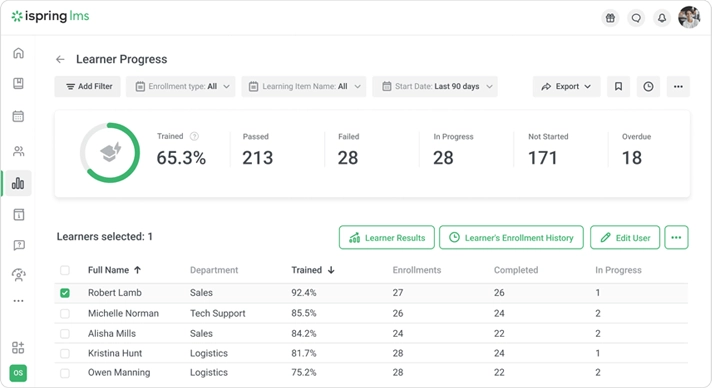
iSpring offers an LMS for corporate training built around structured learning tracks. Administrators can combine courses and assessments into tracks and assign them by department. The platform’s progress reports let managers see which tracks are started, completed, or overdue. They can also drill into each learner’s progress course by course.
This makes iSpring LMS well-aligned for:
- Small and mid-sized businesses running structured onboarding programs
- Departments assigning multi-course training in a set sequence
- Managers monitoring overdue training across their teams
- Learning and development (L&D) teams building long-term development programs
However, iSpring provides different platforms for specific scenarios. iSpring Suite is used for slide-based authoring, iSpring LMS for delivery, and iSpring Cloud AI for collaborative course building. Switching between these tools can feel clunky.
Key Features
- Structured learning tracks
- Track progress reporting
- Per-learner completion details
- Automated course assignment
- Completion rules
- Offline event and workshop tracking
- Certificates
- Built-in AI course builder
- Third-party course library access
- SCORM and xAPI support
- Mobile learning app
- 360-Degree performance reviews
Pros
- Releases courses in sequence so learners follow a set program
- Shows started, completed, and overdue tracks in one progress report
- Records offline workshops and webinars alongside online courses
- Converts existing presentations into interactive courses for tracking
- Supports offline learning through its mobile app
Cons
- Reporting lacks depth for complex analytics
- Fewer customisation options than enterprise platforms
- iSpring software split across three products
- Desktop authoring tool runs on Windows only
Pricing
iSpring LMS offers a Business plan with three plans based on the number of users required. The plan starts from $6.91 for 100 users, $4.46 for 300 users, and at $3.97 for 500 users. Enterprise organisations can request a custom quote for their needs.
Rating
4.6/5 (average rating from Capterra, GetApp and Software Advice)
Best Fit For Tracking Instructor-Led Training
#4 Litmos
Average User Score: 4.2/5
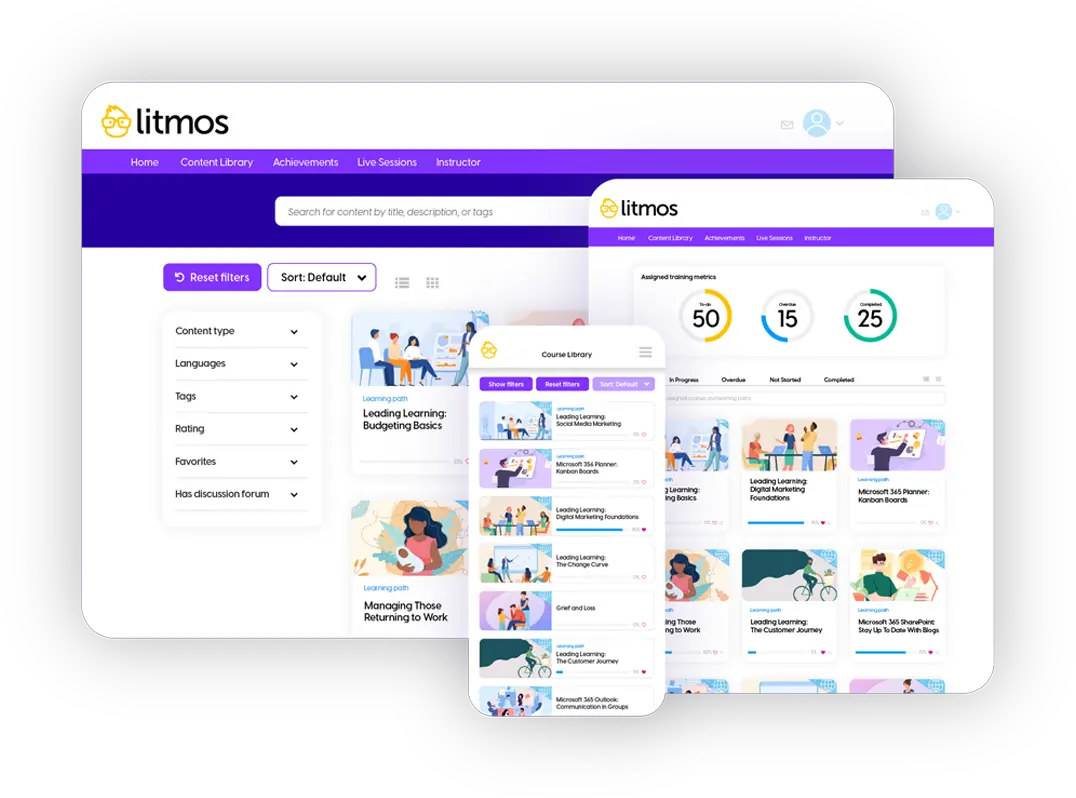
Litmos is a learning management system for tracking blended, online and instructor-led training. Instructors record session attendance with one-click roll call. They then mark completion against each learner’s training record. The platform offers real-time dashboards that let managers check completion and compliance status across teams. It also helps administrators schedule reports and send them automatically.
This makes Litmos well-aligned for:
- Organisations tracking blended, in-person or virtual training sessions
- Compliance programs needing attendance records for live training
- Training coordinators combining live and online training records
- Managers monitoring completion across teams
However, building custom reports can be overly complicated. Teams wanting tailored views by the learner or team often export data to spreadsheets instead.
Searching For Litmos Alternatives?
Compare and find the perfect platform to enhance your team’s learning experience.
Key Features
- Instructor-led session tracking
- Blended learning
- Automated attendance roll call
- Time-stamped learner training records
- Overdue training reports
- Custom reports
- Scheduled reports
- Automated reminders
- Certification expiry tracking
- Automated recertification enrolment
- eSignature and acknowledgement tracking
- AI-powered training insights
Pros
- Records in-person and virtual session attendance with one-click roll call
- Keeps live and online training in each learner’s record
- Shows completion and compliance status in real-time dashboards
- Flags learners with overdue required training
- Schedules compliance reports to run without manual effort
Cons
- Custom report building lacks flexibility
- Custom permissions are inflexible to configure
- Some admin tasks lack bulk editing
Pricing
Litmos offers Foundation, Platinum, and Platinum AI plans. Pricing details are only available on request.
Rating
4.2/5 (average rating from G2, Capterra, GetApp and Software Advice)
Best Fit For Customisable Training Reports
#5 Paradiso LMS
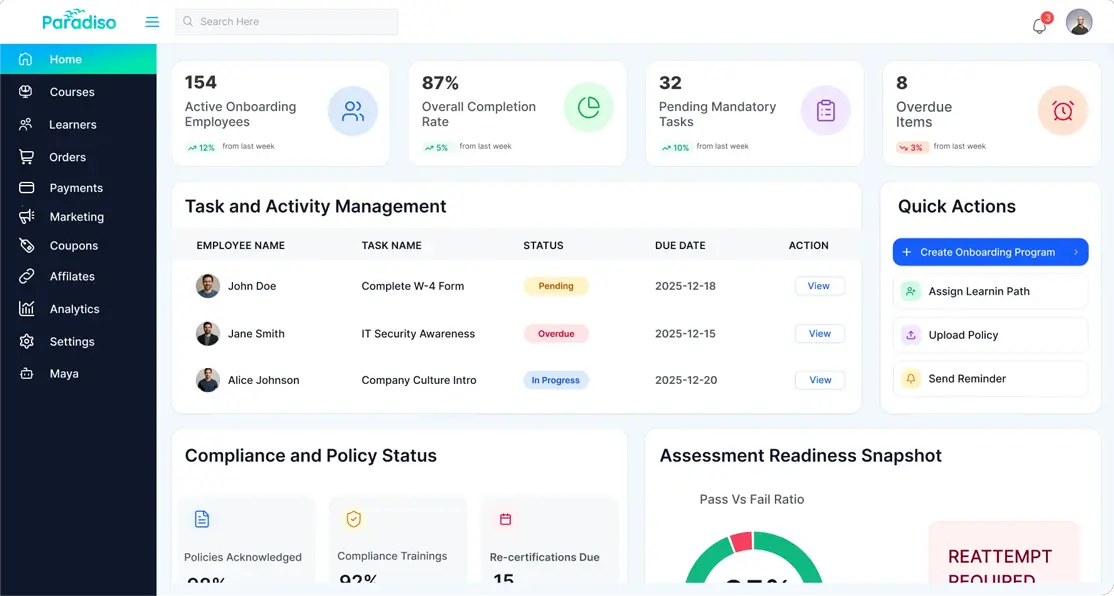
Paradiso LMS is built around flexible reporting. It helps administrators create custom reports on learner progress, completions, and course performance. These reports can be exported in several formats, including PDF and Excel. Managers can schedule and email reports at set intervals. The platform also offers visual dashboards that give a quick view of compliance and completion status.
This makes Paradiso LMS well-aligned for:
- Teams needing reports tailored to specific training metrics
- Managers who want regular training updates by email
- Compliance teams exporting training data for audits
- Organisations with dedicated LMS administrators
However, Paradiso comes with a steep learning curve for new users. Teams without a dedicated administrator may find setup and reporting slow to master.
Key Features
- Custom report generator
- Automated report scheduling
- Email report delivery
- Multi-format report exports
- Visual dashboards
- Real-time progress tracking
- Course history per learner
- Gradebook audit trail
- Live activity logs
- Automated compliance reminders
Pros
- Builds custom reports around specific training metrics
- Exports training data in various formats
- Records every grade change through a gradebook audit trail
- Links training records with CRM and HR systems
Cons
- Interface can feel unintuitive compared to Paradiso LMS alternatives
- Configuration takes time for new administrators
- Limited options for mapping company hierarchies
Pricing
Paradiso LMS offers Growth and Enterprise Plans for workplace training organisations. Request a demo to get a custom quote.
Best Fit For Tracking Collaborative Learning
#6 360Learning
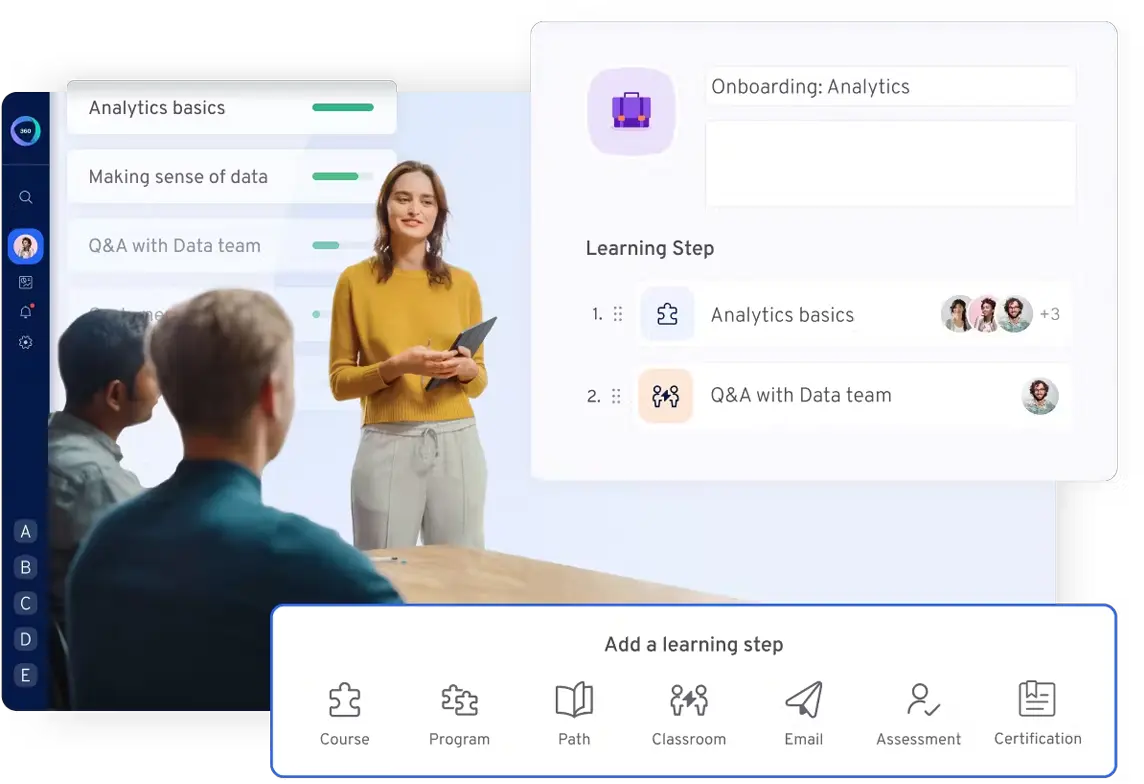
360Learning is a collaborative learning platform for mid-size and enterprise organisations. It enables subject matter experts to build courses that employees can enrol in, react to, comment on, and ask questions about. Administrators can track collaborative activity alongside completions and scores. The platform helps managers check their own team’s progress and statistics. It also helps L&D teams schedule custom reports and analyse course data with AI.
This makes 360Learning well-aligned for:
- Mid-size and enterprise organisations upskilling from within
- Subject matter experts sharing knowledge through peer-built courses
- Managers tracking their team’s training progress
- L&D teams measuring engagement and completion
However, 360Learning’s collaborative approach relies on contributions from across the organisation. Courses built by different authors may use different completion criteria and scoring. Ensuring training quality and consistent reporting requires extra oversight.
Key Features
- Collaborative activity statistics
- Completion and score tracking
- Engagement tracking
- Manager team statistics
- Group analytics with hierarchy view
- Scheduled custom reports
- AI course and path analytics
- Completion certificate reports
- Shareable path dashboards
- Automated reminders
Pros
- Shows collaborative activity alongside completions and scores
- Gives managers direct access to their team’s statistics
- Analyses course and path performance with AI
- Schedules custom reports for regular updates
- Produces completion certificate reports for audits
Cons
- Reporting flexibility falls short for advanced needs
- Limited reporting on quiz results
- Learning paths can feel rigid
Pricing
360Learning’s Team Plan costs $8 per user per month for up to 100 users. Contact them directly for Business Plan pricing or an accurate quote.
Rating
4.7/5 (average rating from G2, Capterra, GetApp and Software Advice)
Best Fit For Role-Based Training Dashboards
#7 Absorb LMS
Average User Score: 4.5/5
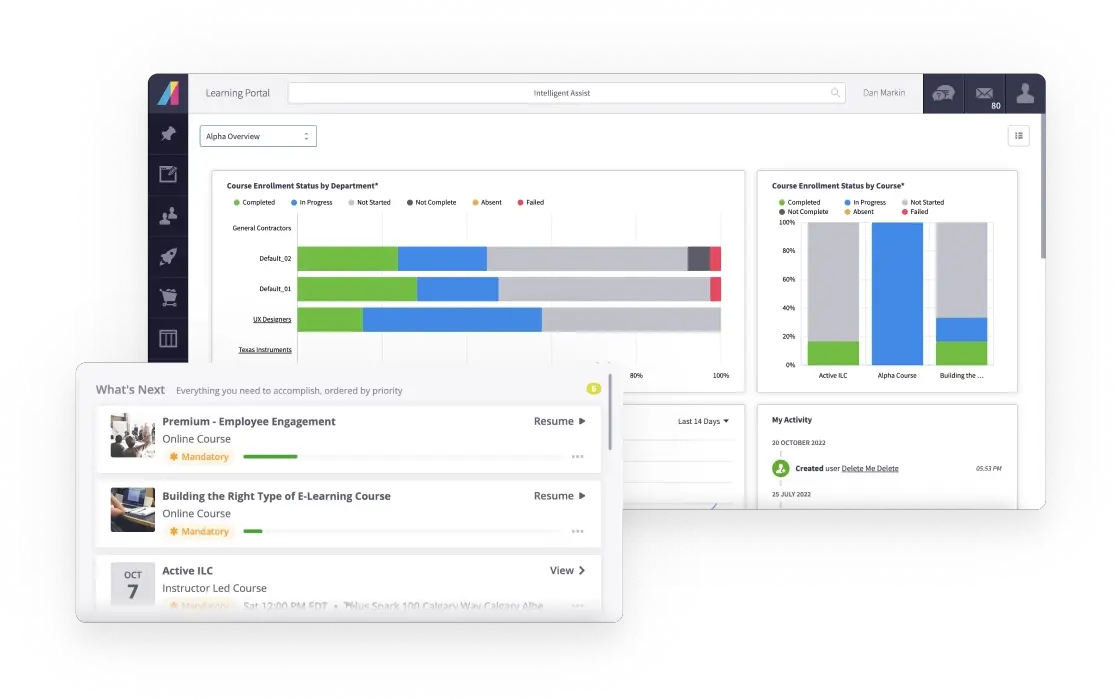
Absorb LMS is an LMS for mid-size and enterprise organisations. Its dashboards give each role a different view of training data. This allows managers to see records for their own teams, directors to see aggregated performance, and administrators to see every record they need access to. The platform also allows organisations to track employees, contractors, and partners in one system.
This makes Absorb LMS well-aligned for:
- Multi-site organisations needing team-level training visibility
- Managers responsible for their own team’s compliance
- Compliance leads tracking certifications across large workforces
- Employers training contractors and partners alongside staff
However, while Absorb does offer a mobile app, it’s built for learners rather than administrators. Managers overseeing training on site need the browser platform to make changes.
Key Features
- Role-based dashboards
- Team, department, and location views
- Completion and checklist tracking
- Hands-on training records
- Audit logs
- Expiry date tracking
- Automated renewal reminders
- Overdue escalation to managers
- Contractor and partner tracking
- HR system user sync
Pros
- Gives managers, directors, and administrators role-specific training views
- Escalates overdue certifications to managers without manual chasing
- Tracks employees, contractors, and partners in one system
- Records hands-on training alongside online completions
- Syncs user data with HR and IT systems
Cons
- Limited ad hoc and cross-course reporting
- Few bulk actions for large course libraries
- Some settings are hard to find in the admin portal
- Few administrative features in mobile app
Pricing
Absorb LMS doesn’t provide pricing details on their website. Contact their team directly for a tailored quote.
Rating
4.5/5 (average rating from G2, Capterra, GetApp and Software Advice)
Best Fit For Linking Training To Performance Reviews
#8 eloomi
Average User Score: 4.4/5
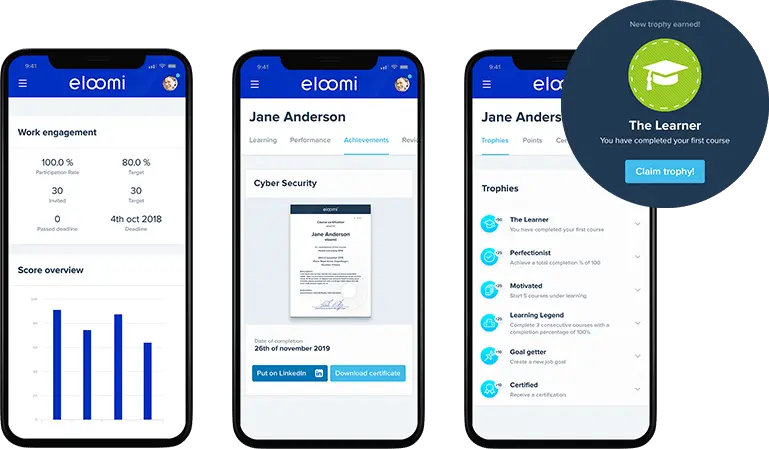
eloomi is a learning and development platform that combines training with performance management. It allows managers to view each employee’s training progress alongside their goals and feedback. They can map the skills each employee has and needs, then assign targeted training. The platform also helps administrators track completion and compliance, with automated reminders for outstanding training.
This makes eloomi well-aligned for:
- Mid-sized organisations reviewing training as part of performance
- Managers running regular development conversations with their teams
- HR teams connecting skills gaps to targeted training
- Frontline teams completing compliance training on mobile
However, eloomi’s integrations with HR and payroll systems are limited. Keeping learner records up to date may require manual data entry.
Key Features
- Goal setting and Objective and Key Result (OKR) tracking
- 360-Degree feedback
- Skills mapping
- Skills-based learning recommendations
- Progress and completion tracking
- Compliance tracking
- Automated training reminders
- Onboarding checklists
- Performance reporting and analytics
- Real-time reporting
Pros
- Shows training progress alongside goals and performance feedback
- Maps employee skills and links gaps to targeted training
- Replaces paper onboarding checklists with tracked digital ones
- Prompts employees to finish compliance training with automated reminders
- Keeps frontline training on track through its mobile app
Cons
- Limited integrations with HR and payroll systems
- Limited options for customising reports
- Large reports can be slow to generate
- Occasional glitches in custom quizzes
Pricing
Dayforce doesn’t make eloomi pricing details publicly available. Contact their team directly for a tailored quote.
Rating
4.4/5 (average rating from Capterra, GetApp and Software Advice)
Best Fit For Rule-Based Completion Tracking
#9 Moodle Workplace
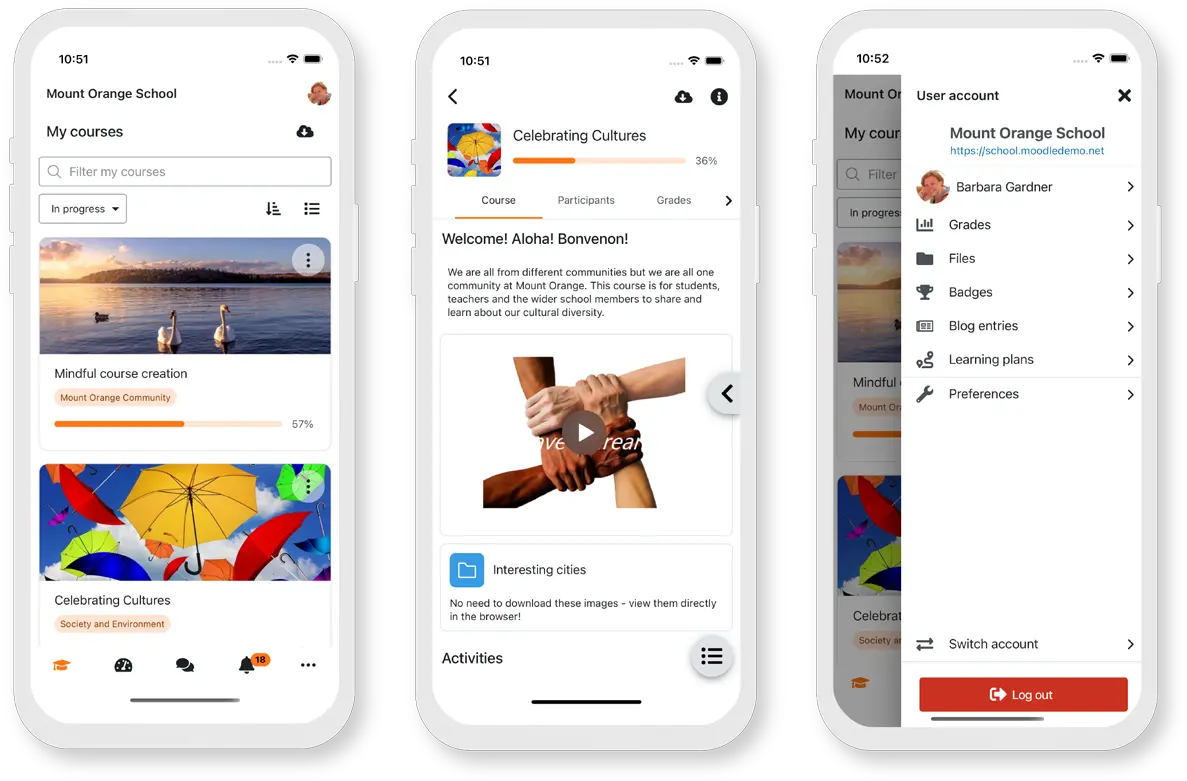
Moodle Workplace is an LMS for enterprise workplace organisations. It’s built on Moodle’s open-source software, but incorporates features for enterprise training tracking and management. The platform helps L&D teams set completion criteria for each activity, such as viewing, scoring, or manual sign-off. It adds rules that automate enrolments and certification allocations. Administrators can also set expiry dates on certifications, so employees retake training before records lapse.
This makes Moodle well-aligned for:
- Enterprises already familiar with Moodle’s ecosystem
- Trainers signing off practical tasks within courses
- Compliance teams automating recurring certification enrolments
- Multi-division organisations needing separate training environments
However, completion settings can’t be edited once a learner completes the course. Updating them later means deleting learners’ existing completion records.
Moodle vs. Cloud Assess: Which Solution is Right for You?
Dive into our in-depth comparison to discover the best fit for all your training needs.Key Features
- Rule-based automation
- Activity completion criteria
- Course completion criteria
- Manual completion by trainers
- Completion progress reports
- Recurring certifications
- Organisation structure and reporting lines
- Multi-tenancy for separate divisions
- Drag-and-drop report builder
- Digital certificates
- Mobile app
Pros
- Tracks completion against defined criteria for each activity
- Lets trainers sign off on practical tasks they’ve observed
- Automates enrolments and certification allocations through rules
- Maps reporting lines to the organisation’s structure
- Builds custom training reports through a drag-and-drop interface
Cons
- Only available through Moodle Partners
- Automatic completion updates wait for scheduled system tasks
- Completion tracking needs enabling at several levels
Pricing
Moodle Workplace is custom-quoted through Moodle Partners. Most offer annual contracts based on user numbers, often including hosting and support. Contact a Moodle Partner for accurate pricing.
Rating
4.3/5 (average rating from Capterra, GetApp and Software Advice)
Best Fit For Tracking Recurring Training
#10 Tovuti LMS
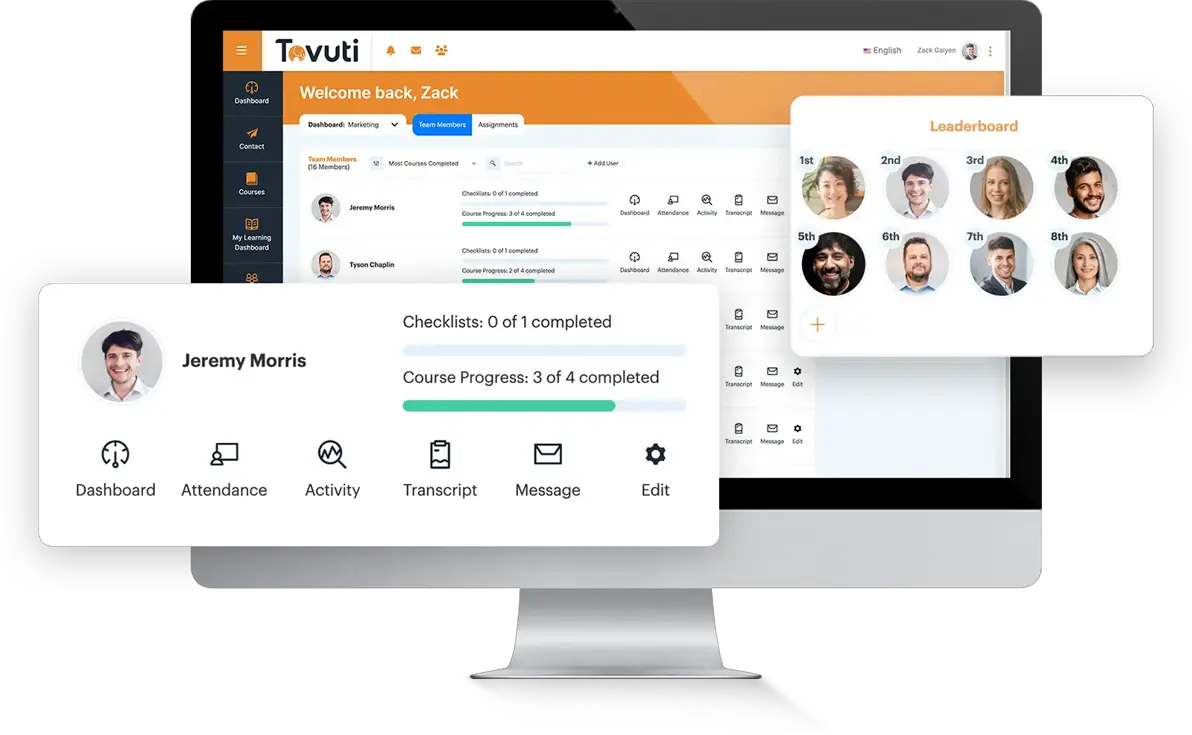
Tovuti LMS is an all-in-one learning management system with strong tools for recurring training. It helps administrators set courses to recur on a fixed schedule, with new due dates each cycle. They can also reset progress automatically, so learners retake the full course each time. The platform keeps past completions archived, and administrators can include them in reports for audits.
This makes Tovuti LMS well-aligned for:
- Compliance teams running annual refresher training
- Organisations needing audit trails of past completions
- HR teams managing recurring courses without duplicating them
- Managers tracking awards that expire and must be re-earned
However, automatic resets don’t apply to existing records. Learners already due for a retake when automatic resets are turned on still show as complete. Administrators need to archive their progress manually.
Looking For More Options?
This list of Tovuti LMS Alternatives may contain the platform you’re looking for.
Key Features
- Recurring due dates
- Automatic course progress resets
- Recurring awards
- Archived progress records
- Admin action history
- Learner progress reports
- Staged due date reminders
- Hard due dates
- Bulk progress archiving
- Course progress API
Pros
- Schedules recurring courses without duplicating them
- Keeps every past completion in archived records for audits
- Requires learners to re-earn awards on a set cycle
- Restricts course access after hard due dates to enforce deadlines
- Sends multiple reminders at set intervals before each deadline
Cons
- Recurring due dates don’t work with time-based due dates
- Post-deadline reminders can’t be used on recurring courses
- Points from past completions remain after progress is archived
Pricing
Tovuti LMS pricing is customised based on the number of learners you have. The pricing
starts at $7,500 per year for 100 learners.
Rating
4.7/5 (average rating from Capterra, GetApp and Software Advice)
Training Tracking Software Buyer’s Guide
- Decide what trained means for each role. Some roles only need course completions. Others need proof that workers can perform tasks safely. For practical sign-offs, look for verification of competency tools alongside course tracking.
- Check how the platform handles expiring and recurring training. Many certifications and refresher training courses need renewing on a set cycle. Look for expiry tracking, automated reminders, and recurring due dates. Make sure past completions stay on record when workers retake training.
- Map out who needs to see training data. Managers usually need to track their own team’s progress, while executives need the bigger picture. Check whether dashboards and reports adapt to each role. Ask whether you can build custom reports without exporting data elsewhere.
- Test tracking where your teams actually work. Frontline and remote workers often train away from a desk or reliable signal. Check whether the mobile app works offline, and whether it accommodates learners and administrators. Ask how and when offline activity syncs back to training records.
- Ask how records hold up during an audit. Auditors want time-stamped evidence, not just a completion tick. Look for audit logs, signed records, and full training histories for each employee. Check what happens to existing records when you change course settings.
Workforce Skills
Workforce Skills gives you a live view of every skill, every gap and every expiry across your workforce. Automate training assignment or manually enrol. Purpose built for frontline workers.

Frequently Asked Questions (FAQs)
Training Tracking Software FAQs
What is the difference between training tracking software and an LMS?
Training tracking software is a tool organisations use to record and monitor employee training. A learning management system is a platform for creating, delivering, and tracking training. Many LMS platforms include training tracking as a core feature. Standalone tracking tools suit organisations that have an existing solution for delivering training, but need more in-depth tracking capabilities.
What features should training tracking software have?
Core features include completion tracking, certification expiry tracking, automated reminders, and reporting dashboards. Organisations in high-risk industries should also look for competency assessments and offline mobile access. Audit logs and full training histories help teams prove compliance during inspections.
How does training tracking software support compliance audits?
Training tracking software gives organisations time-stamped records of each employee’s training. Auditors can see completions, certificates, and expiry dates in one place. Teams no longer need to chase paper records or spreadsheets before an inspection.
Can training tracking software track practical skills?
Some training tracking platforms record practical skills alongside course completions. Supervisors assess workers on the job and capture photo, video, or signature evidence. Platforms like Cloud Assess support this through structured competency assessments.


