

Finding the right platform for employee training is harder than it should be. Every organisation has different needs. They each have different team sizes, tools, workflows, and definitions of what good training looks like. What works well for one company can feel clunky, limiting, or overwhelming for another.
Learn365 serves a specific kind of organisation well. But when it doesn’t align with your needs, it’s worth knowing what the broader market looks like. In this guide, we’ll explore the most capable alternatives on the market today. We’ll break down their main features, pricing, and ideal use cases so you can find the right fit for your organisation.
What is Learn365?
Learn365 is a corporate learning management system (LMS) built natively inside Microsoft 365. It is developed by Zensai, formerly known as LMS365. It is designed for organisations that already use Microsoft tools as part of their daily workflows. Learn365 embeds training directly into its ecosystem. This means employees can access learning without switching between systems.
The platform uses AI to support course creation and personalise learning paths. It also uses AI to automate administrative tasks. It is used by mid-sized to enterprise-level organisations across a range of industries.
However, Learn365 comes with some limitations. This results in some organisations looking for alternative employee training solutions. The most common reasons include:
- Exclusive Microsoft dependency. Learn365 is built entirely within the Microsoft 365 ecosystem. Organisations that do not use Microsoft tools will find the platform does not work for them.
- Key features require additional investment. Advanced course authoring, automation tools, reporting, and administrative controls are locked behind higher-tier plans or add-ons. Organisations that need more than basic training delivery find the costs escalate quickly.
- Frontline worker support requires an additional add-on. Organisations with field-based or deskless workers cannot use the core Learn365 platform. Not without a Microsoft 365 licence. A separate product, Flow365, is needed to reach these users. This may not suit organisations where frontline training is a primary requirement.
- Inconsistent support experience. Support quality can vary depending on the plan tier. Some users report difficulty resolving technical issues promptly. This can be a significant concern for organisations with limited internal IT resources.
Alternative LMS Systems to Learn365



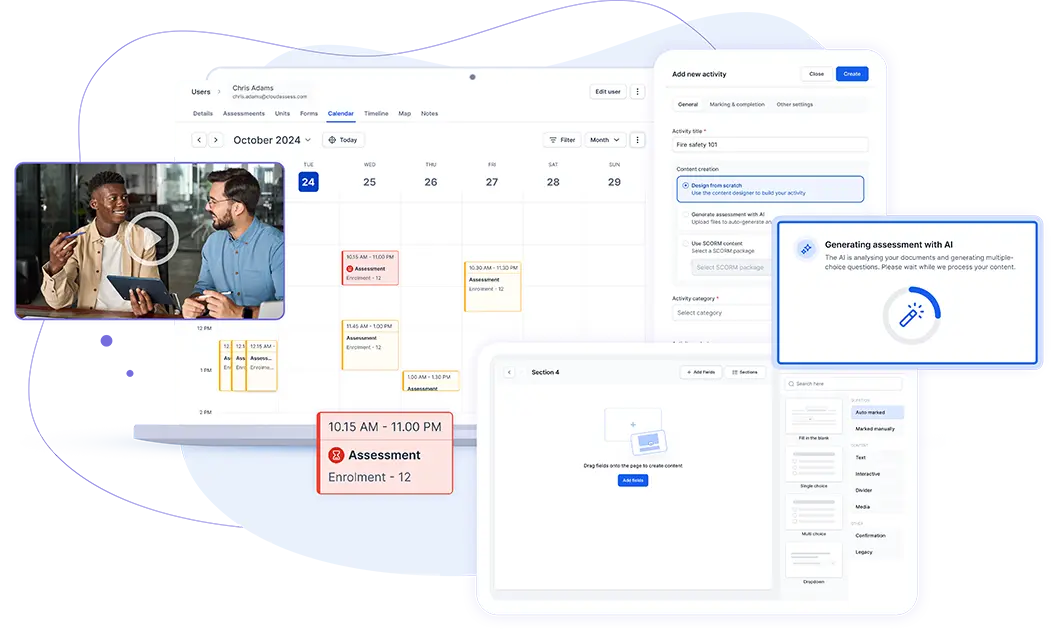
Cloud Assess is an employee LMS built for training across a wide range of regulated industries. It includes a drag-and-drop course builder, personalised learning paths, and blended learning support. It comes with AI-powered workflows that handle enrolments, notifications, and re-assignments without manual input. It lets companies easily manage compliance and certification tracking to ensure training records stay current and organised. As a mobile-first platform with offline learning capabilities, it allows training to reach every employee. This includes frontline and deskless workers, regardless of location or connectivity.
Cloud Assess takes a more practical, skills-based learning approach than Learn365. It maps course completions against role-specific competencies. Its skills and training matrix links individual learning activity to the skills required for each job role. This gives managers a clear picture of where employees are developing and where gaps still exist. This also supports targeted training decisions.
Cloud Assess is particularly well-suited to organisations where practical skills development and workforce capability are central priorities.
Key Features
- Drag-and-drop course builder
- Free course library
- Blended learning
- Digital badges
- Mobile app
- Offline capabilities
- Digital evidence portfolios
- Skills matrix
- Training matrix
- Automated enrolment workflows
- Compliance management tools
- Training certificate management
- Real-time reporting dashboards
- Over 5000+ seamless integrations
Pros
- Drag-and-drop course builder that allows teams to create engaging training content without any technical expertise
- Blended learning support for tracking online and in-person training in one place
- Evidence-based competency assessments that give organisations a verifiable record of workforce capability
- Skills matrix that gives L&D teams a real-time view of capability gaps across the entire workforce.
Learn365 vs Cloud Assess
As an alternative, Cloud Assess offers:
- A standalone cloud-based LMS platform that works for any organisation, regardless of their technology stack
- Native support for remote, deskless, and frontline workers
- Advanced reporting, skills tracking, and compliance tools as core features
- A consistently fast support experience regardless of plan tier, with a 20-second median response time
Pricing
Cloud Assess offers an all-inclusive solution for employee training in high-risk, high-compliance industries. Every feature is included from day one, including mobile offline assessment, verification of competency, skills matrix and automated compliance tracking. There are no upgrade paths or feature gates. Visit our pricing page for an accurate quote.
Rating
4.7/5 (average rating from Capterra, G2, GetApp, Software Advice)
#2 Cornerstone Galaxy
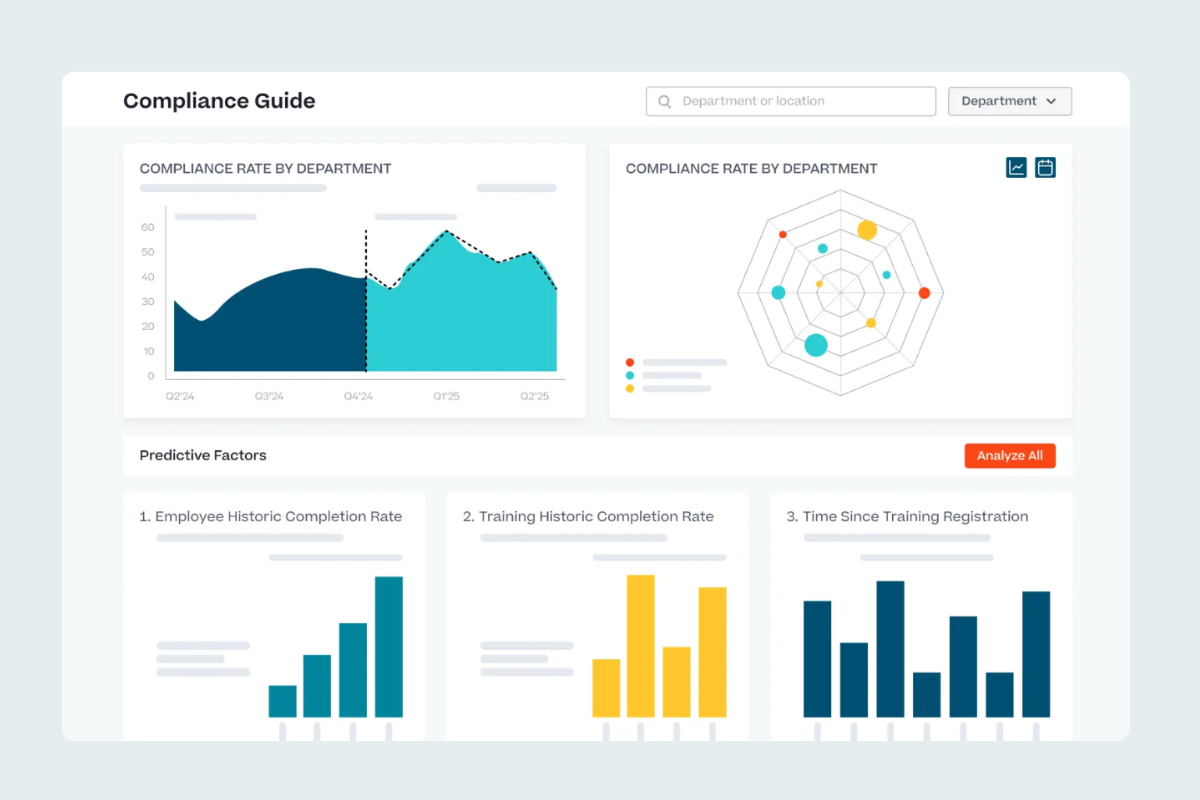
Cornerstone Galaxy is an AI-powered learning and talent management platform. It offers course authoring, personalised learning paths, and skills gap analysis. It’s also built to handle compliance training and instructor-led training management. The platform provides a unified admin dashboard that gives L&D teams full visibility over crucial insights. This includes compliance risks, program progress, and reporting across the entire organisation.
Compared to Learn365, Cornerstone Galaxy takes a broader approach to workforce development. Its AI-driven skills engine maps workforce capability in real time. This links training directly to performance management, career development, and succession planning.
However, Cornerstone Galaxy is a complex platform that requires significant time and resources to implement. It is best suited to larger organisations with dedicated L&D teams, and may be more than smaller businesses need.
Key Features
- AI-powered content authoring
- Personalised learning paths
- Skills graph and gap analysis
- Instructor-led training management
- Frontline worker mobile app
- Compliance training hub
- Multi-modal learning delivery
- Automated admin workflows
- Performance-linked development plans
- Robust analytics dashboards
Pros
- AI-powered skills engine that gives organisation real-time view of workforce capability
- Centralised compliance training hub that keeps regulatory workflows and audit records in one place
- Enterprise-grade architecture that supports scaling without losing visibility or control
- Native HR and talent management integrations connect learning directly to broader people strategy
Cons
- Complex implementation can be time-consuming for smaller teams
- Breadth of features often requires dedicated L&D resource
- Customisation can be rigid once configurations are set
Learn365 vs Cornerstone Galaxy
As an alternative, Cornerstone Galaxy offers:
- A platform that operates independently of any single technology ecosystem
- A dedicated frontline worker mobile experience built into the core platform
- All important features are included in the core platform
Pricing
Cornerstone onDemand doesn’t make pricing information available on their website. Contact their team directly for pricing details.
Rating
4.2/5 (average rating from G2, Capterra, Software Advice, GetApp)
Unsure About Cornerstone Galaxy?
We break down what changed when Saba LMS became Cornerstone Galaxy, and how it compares to Cloud Assess, so you can decide if it’s the right fit.#3 Litmos
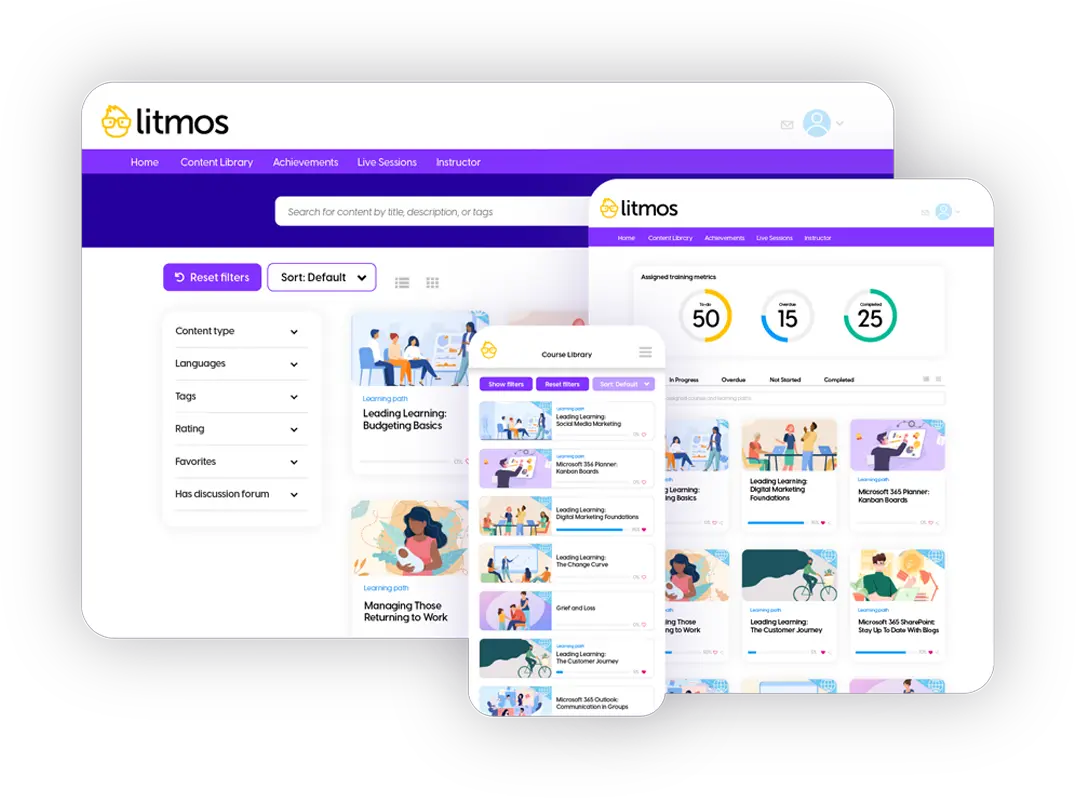
Litmos is a digital learning platform built for fast, scalable employee training. It includes a built-in content authoring tool and a library of ready-made courses. Its automation rules help manage course assignments and reminders without manual intervention. The platform provides video-based assessments and gamification features. These support learner engagement across onboarding, compliance, and skills training programs.
Compared to Learn365, Litmos places a stronger emphasis on how training is delivered. It doesn’t prioritise where training sits within a technology stack. Its blended learning tools bring instructor-led and self-paced online training in one unified environment. This gives L&D teams more flexibility in how they structure employee training programs.
However, Litmos has limitations worth considering. Its reporting functionality is widely noted as less intuitive than competing platforms. Its customisation options are also restricted without technical knowledge.
Key features
- Built-in eLearning authoring software
- Off-the-shelf course library
- Instructor-led training scheduling
- Automated course assignment rules
- Learning paths and sequencing
- Video-based assessment tools
- Compliance tracking and certifications
- Mobile learning app
- Customisable reporting dashboards
- HRIS and CRM integrations
Pros
- Fast deployment, ensuring training programs can be live within days rather than weeks
- Rule-based automation that takes the manual work out of assignments, reminders, and re-enrolments
- Consistent compliance tracking that gives regulated industries a reliable audit trail without heavy admin
Cons
- Reporting functionality is less intuitive than other platforms on this list
- Branding and admin role customisation are limited
- Mobile navigation can feel clunky for learners
Learn365 vs Litmos
As an alternative, Litmos offers:
- A standalone platform accessible to any organisation
- A built-in frontline and mobile learning support
- Consistent support experience praised across users
Pricing
Litmos has three pricing plans: Foundation, Platinum, and Platinum AI. The pricing for these plans is only available on request.
Rating
4.2/5 (average rating from G2, Capterra, Software Advice, GetApp)
#4 Absorb LMS
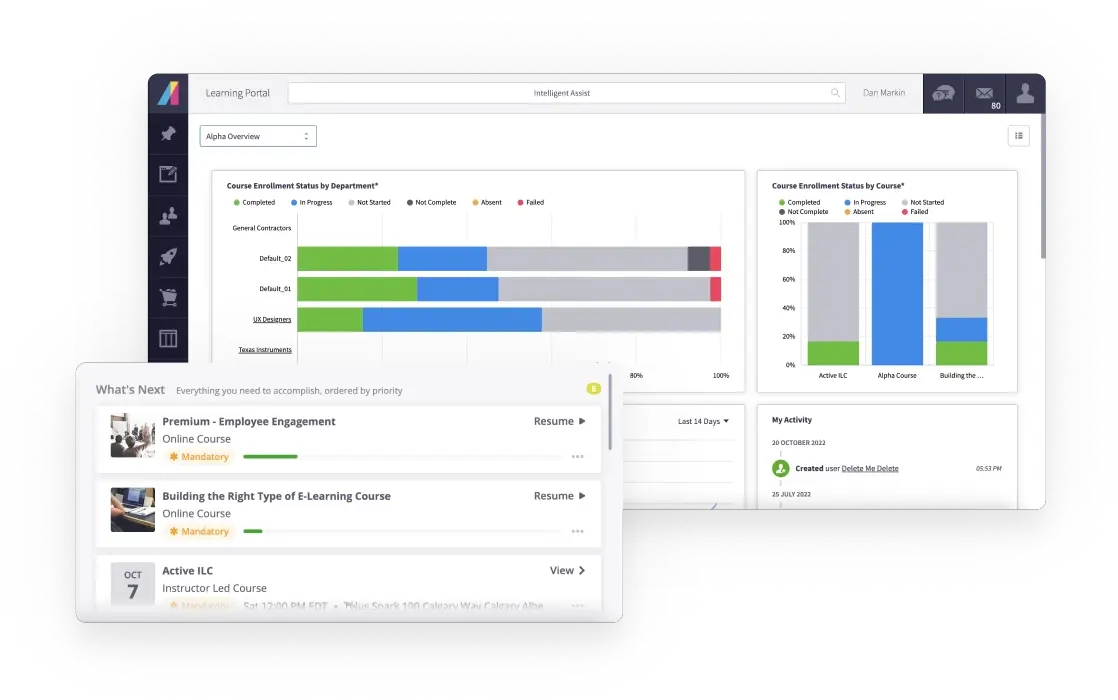
Absorb LMS is a cloud-based course management system that uses AI for course creation. It comes with built-in Instructor-led training management, automated enrolment, and compliance tracking. The platform provides custom robust reporting dashboards. These help administrators and managers in tracking learner progress, and skill gaps.
Compared to Learn365, Absorb takes a more audience-flexible approach to training delivery. Its mentorship and social learning tools support peer-to-peer development alongside formal training. It also supports training across multiple audiences from a single platform.
However, Absorb’s advanced analytics and AI features are gated behind higher pricing tiers. Initial configuration can also feel complex. Its mobile app experience is less polished than the desktop interface.
Key features
- AI-powered course creation tool
- Personalised learning paths
- Pre-built course content library
- Instructor-led training management
- Automated enrolment and notifications
- Multi-portal support for different audiences
- Mentorship and social learning tools
- Offline mobile learning
- Custom reporting and analytics dashboards
- HRIS and CRM integrations
Pros
- Multi-portal architecture that keeps training for different audiences clean, and manageable from one place
- AI-driven skill recommendations that connect individual learning activity to broader development goals
- Deep HRIS integrations to keep user data accurate without manual updates or administrative overhead
Cons
- Advanced analytics require additional modules
- Initial configuration can feel complex for new admins
- Content creation has limitations with video-based files
- Mobile app experience is less polished than desktop
- Some enrolment workflows require more steps than necessary
Learn365 vs Absorb LMS
As an alternative, Absorb LMS offers:
- An independent platform that functions fully outside of the Microsoft ecosystem
- A support team consistently praised for responsiveness and quality, regardless of the plan or organisation size
Pricing
Absorb LMS prices are tailored to the number of users needed. Contact their sales team directly for an accurate quote.
Rating
4.5/5 (average rating from G2, Capterra, Software Advice, GetApp)
#5 TalentLMS
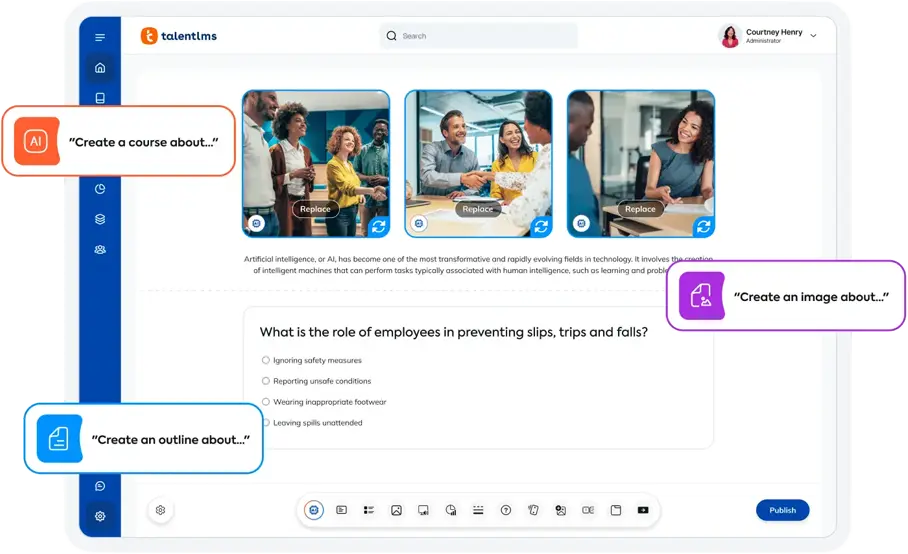
TalentLMS is an LMS for corporate training. It comes with a drag-and-drop course builder, and personalised learning paths. The platform also offers a strong automation engine that handles course assignments, reminders, and re-enrolments without manual input. It also provides customisable reports. The reports give administrators a clear view of completion rates, assessment scores, and learner activity across teams and locations.
Compared to Learn365, TalentLMS is designed for simplicity and speed. TalentLMS has an intuitive interface that requires no prior platform knowledge. It comes with gamification features and a multi-branch portal structure. These make it a more engaging and flexible option for growing organisations with diverse training needs.
However, TalentLMS also has limitations on lower plans. It is also less suited to organisations with complex compliance structures or large-scale training requirements.
Key features
- Built-in course authoring tools
- Automated learning paths
- Gamification features
- Video assessment uploads
- Multi-branch training portals
- Automated enrolment and reminders
- Compliance and certification tracking
- Custom reporting and analytics
- Mobile learning app
Pros
- Gamification tools turn routine compliance and employee onboarding modules into something staff actually engage with
- Multi-branch portals make it straightforward to run separate training programs for different teams or locations
- Video assessment uploads that give learners a practical way to demonstrate skills beyond standard quiz formats
Cons
- Training history can be overwritten on course retakes
- Customisation is more restricted than enterprise platforms
- Not suited to complex compliance structures
- Reporting features are less advanced than competitors
Learn365 vs TalentLMS
As an alternative, TalentLMS offers:
- A standalone platform that requires no existing technology ecosystem to function effectively
- A support team noted for strong service quality, even on lower-tier plans
- Built-in support for frontline and deskless workers via mobile and offline access, no add-ons required
Pricing
TalentLMS has four pricing plans: Core, Grow, Pro, and Enterprise. Core is $119 per month for up to 40 users, and Grow is $229 for up to 70 users. Pro $449 for up to 100 users, and the Enterprise plan is custom.
Rating
4.6/5 (average rating from G2, Capterra, Software Advice, GetApp)
#6 Docebo
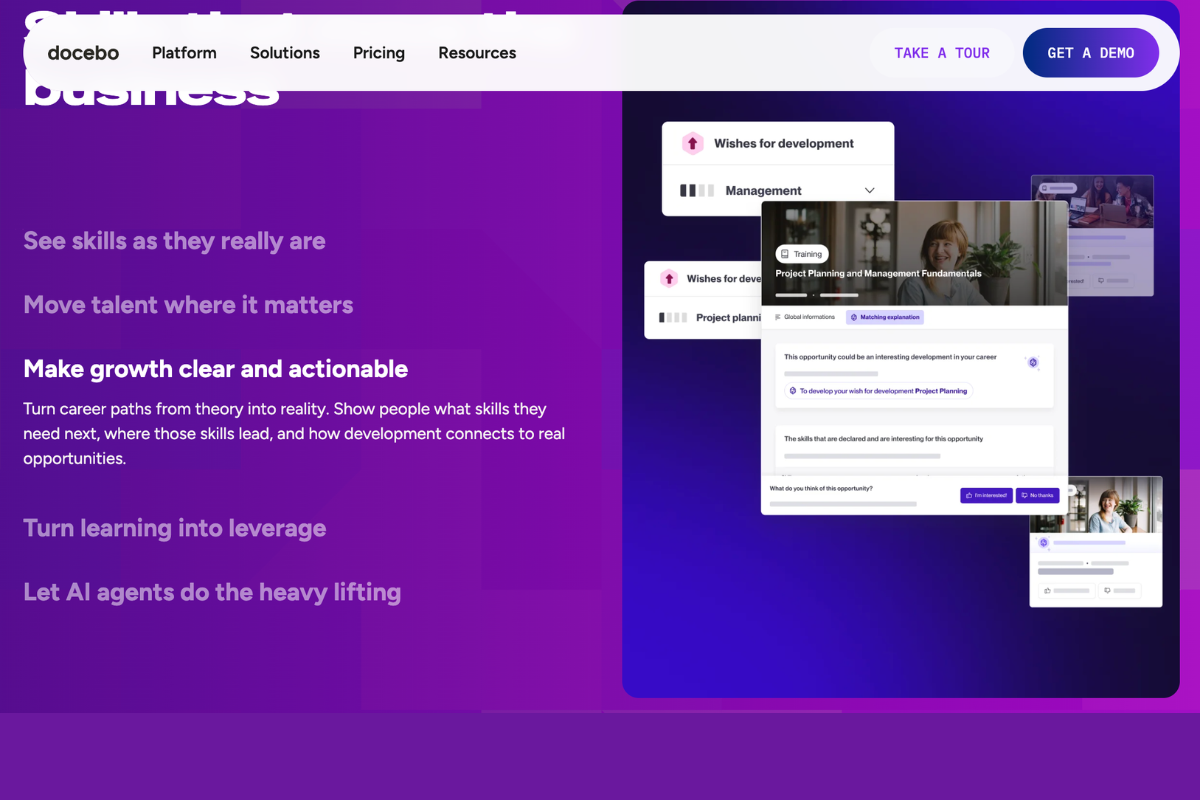
Docebo is an AI-powered enterprise LMS built for large organisations managing training at scale. It includes AI-driven content authoring, automated course recommendations, and personalised learning paths. Compliance tracking, certification management, and social and collaborative learning are also built in.
Compared to Learn365, Docebo is built around AI-driven personalisation at enterprise scale. While Learn365 uses Microsoft Copilot to support course creation and recommendations, Docebo’s Harmony AI goes further. It automates content tagging and personalises learning based on individual skills and behaviour.
However, Docebo is a complex platform with a steep learning curve for administrators. Advanced analytics and AI features are locked behind higher tiers or add-ons. It is not recommended for organisations training fewer than 250 users.
Key features
- AI-powered course recommendations
- Built-in content authoring tools
- Social and peer-to-peer learning
- Automated content tagging
- Personalised learning paths
- Instructor-led training management
- Multi-audience delivery portals
- Compliance and certification tracking
- Advanced analytics and custom reporting
- Third-party integrations
Pros
- AI-driven content tagging and recommendations that take the curation burden off L&D teams at scale
- Social learning tools that turn internal expertise into accessible, shareable training content
- Broad integration capabilities that connect to any HR or business tool
- Multi-audience delivery means employee, partner, and customer training can all be managed in one place
Cons
- Only caters to medium to large enterprises that have significant training needs
- Initial setup requires technical expertise
- Formal and informal content libraries are managed separately
Unlock the Future of Learning!
Discover how AI is transforming corporate training into a more efficient and personalised experience.Learn365 vs Docebo
As an alternative, Docebo offers:
- A platform built to operate independently of any single ecosystem
- Native frontline and mobile learning support built into the core platform
Pricing
Docebo offers Learning Management plans and Skills Intelligence plans. The pricing details are available on request.
Rating
4.3/5 (average rating from G2, Capterra, Software Advice, GetApp)
#7 iSpring LMS
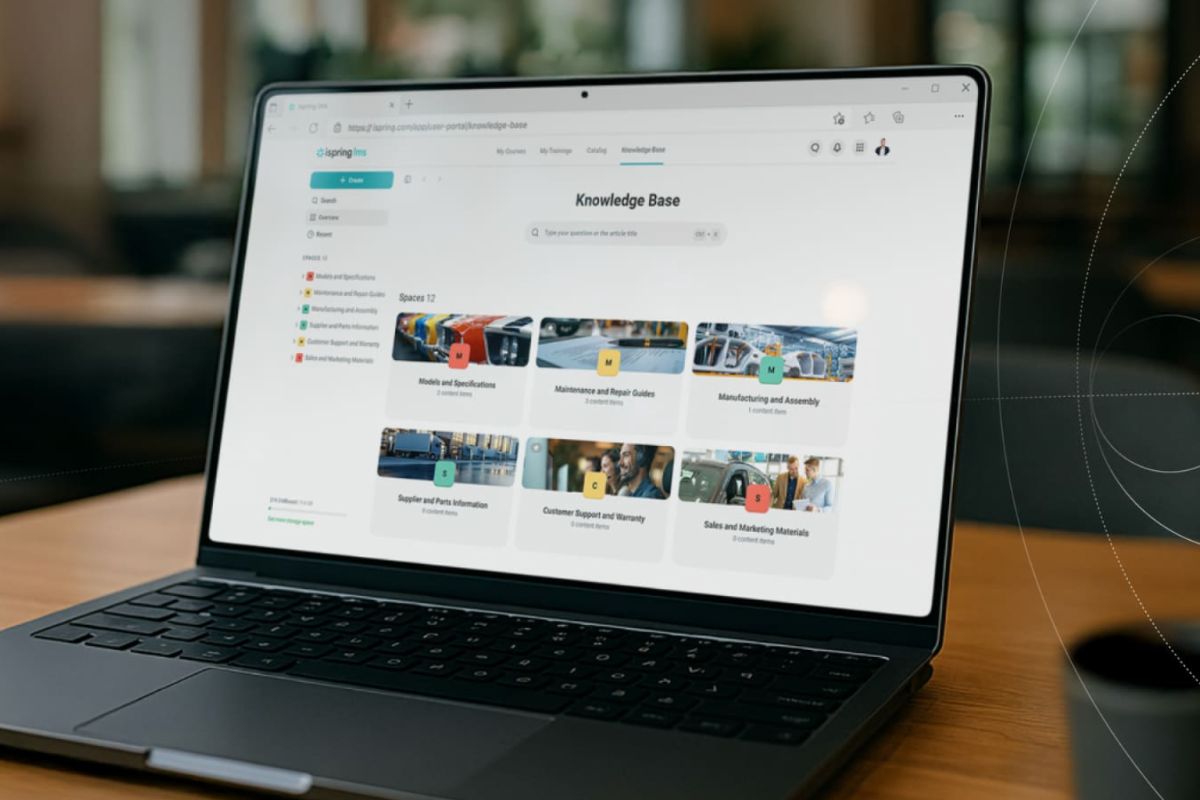
iSpring LMS is a corporate LMS with AI capabilities built for companies that want straightforward employee training. Its AI Assistant helps teams brainstorm quiz questions and build course outlines in minutes, speeding up content creation from the start. It also comes with a 360-degree feedback tool and on-the-job training checklists. These give managers structured ways to evaluate and develop employees beyond course completion.
Compared to Learn365, iSpring LMS takes a more content-centric approach to training delivery. iSpring’s deep PowerPoint integration allows subject matter experts (SMEs) to build rich, interactive training directly from content they already own
However, iSpring LMS is less suited to organisations with complex enterprise training needs. Customisation options are limited and its content library is small compared to competing platforms.
Key features
- PowerPoint-integrated course authoring
- Built-in course editor and content upload
- AI Assistant
- AI Image Generation
- AI Translator
- Quizzes and knowledge assessments
- 360-degree feedback surveys
- Certification and expiry management
- Automated enrolment and re-enrolment
- Mobile learning with offline access
- Reporting and analytics dashboards
Pros
- PowerPoint integration enabling SMEs to turn existing presentations into training courses
- AI image generation for custom course visuals, no designers needed
- AI Translator to localise courses into 70+ languages
- A clean, intuitive interface that reduces time spent figuring out the platform
- Automated certificate expiry and re-enrolment rules for hands-off compliance management
Cons
- Customisation options for branding and workflows are limited
- Less suited to complex or large-scale enterprise training
- Gamification and social learning features are limited
- Course catalogue ordering cannot be controlled by admins
Learn365 vs iSpring LMS
As an alternative, iSpring LMS offers:
- A standalone platform that works for any organisation, regardless of the tools they already use
- Automation, reporting, and compliance tools included as standard features across all plans
- A consistently top-rated support team accessible promptly across all plans
Pricing
iSpring Solutions’ Business plan is priced based on the number of users. It starts from $6.91 for 100 users, $4.46 for 300 users, and $3.97 for 500 users. They also offer a custom Enterprise plan.
Rating
4.6/5 (average rating from G2, Capterra, Software Advice, GetApp)
#8 D2L Brightspace
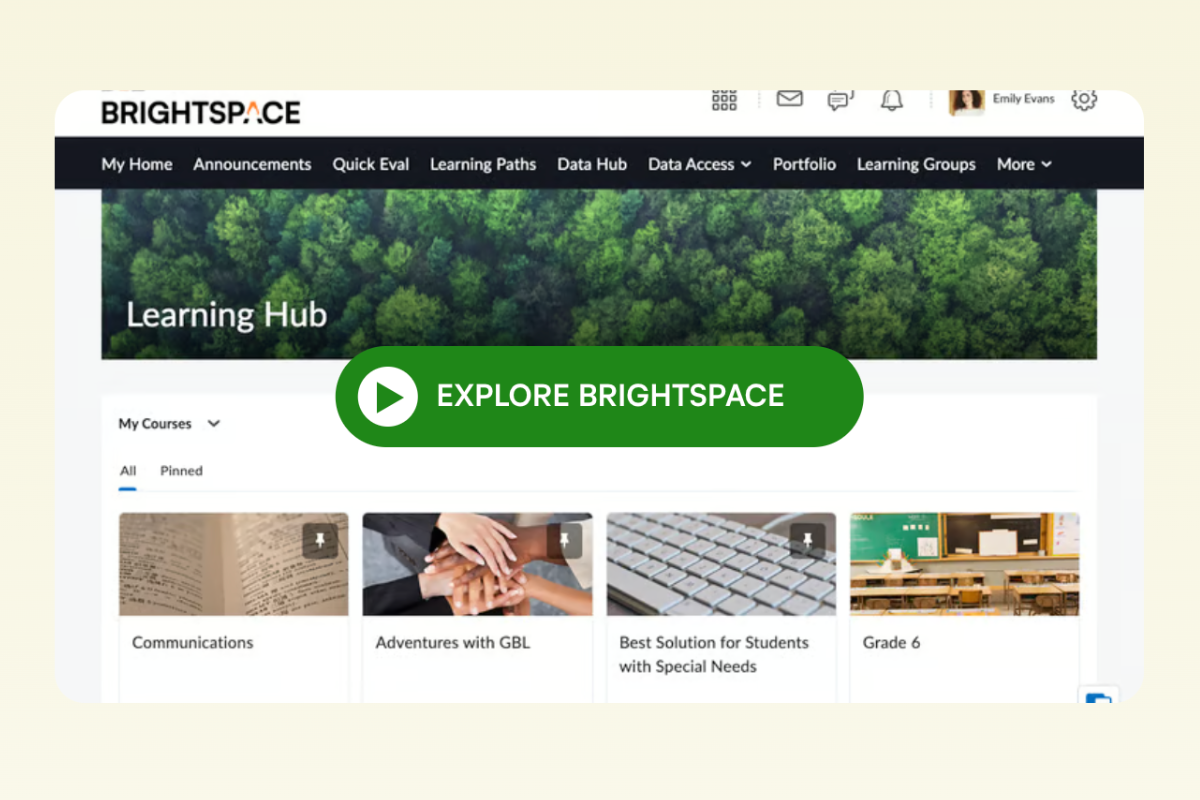
D2L Brightspace is a learning management system for corporate training. It comes with built-in AI-assisted course authoring and adaptive learning paths. It also offers instructor-led and blended training support, and intelligent automation agents.
Compared to Learn365, D2L Brightspace is built around adaptive learning science. D2L drives learner engagement by adjusting content based on how each learner is progressing. It also offers competency-based assessment tools and role-based content targeting. These give organisations a more granular and structured approach to employee development.
However, Brightspace is a complex platform to set up and manage. It requires significant resource investment upfront. It is not well-suited to organisations with straightforward training needs.
Key features
- AI-assisted course authoring
- Role-based content targeting
- Intelligent agents
- Competency-based assessment tools
- Instructor-led and blended training support
- Mobile learning access
- Advanced analytics and real-time dashboards
- HRIS, CRM, and analytics integrations
- Accessibility and inclusive design tools
Pros
- Intelligent automation agents that help remove the need for manual follow-up by triggering alerts and reminders automatically
- Role-based content targeting to ensure every employee receives training that is directly relevant to their position
- Rich analytics give L&D leaders the data they need to align training with business goals
Cons
- Complex to set up and manage without significant resources
- More limited self-build content templates than competitors
- Not suited to organisations with simpler training needs
- Interface feels outdated
Learn365 vs D2L Brightspace
As an alternative, D2L Brightspace offers:
- A platform that operates fully outside of the Microsoft ecosystem
- Adaptive learning, automation, and advanced reporting as core platform features
- A dedicated implementation and onboarding support team that provides consistent, structured assistance from day one
Pricing
Brightspace pricing is custom and depends on the number of users and features. It generally starts at around $3 per user per month.
Rating
4.3/5 (average rating from G2, Capterra, Software Advice, GetApp)
#9 360Learning
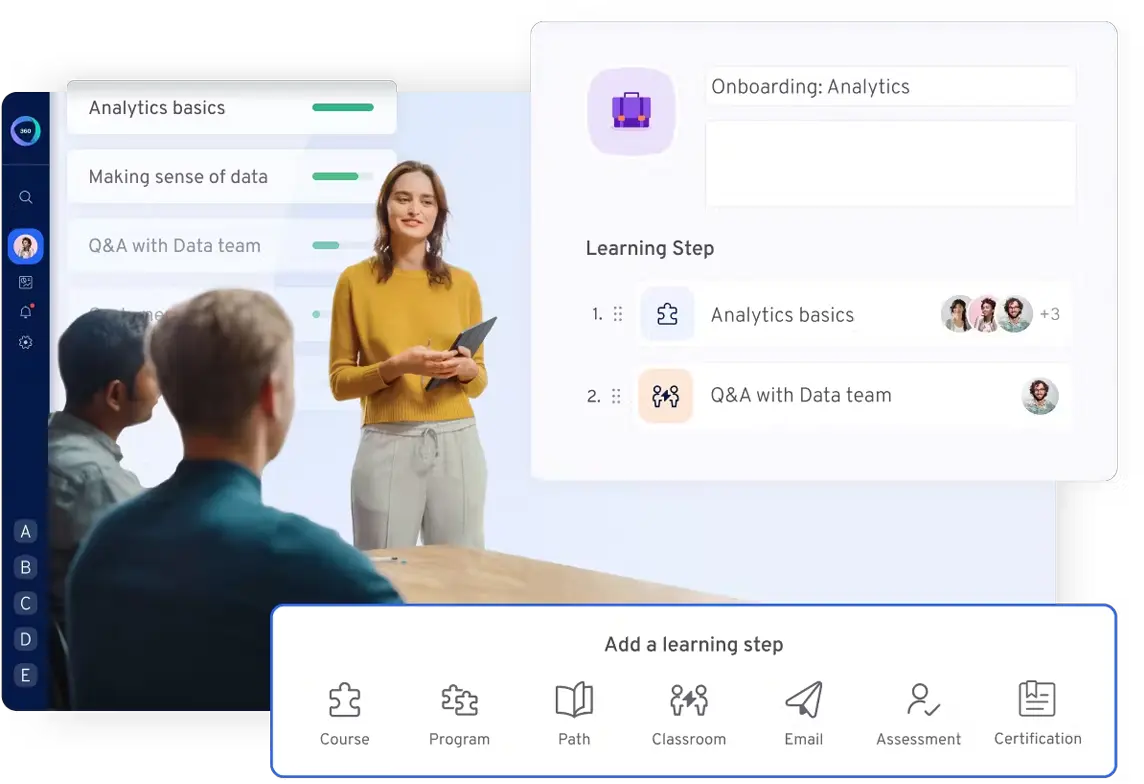
360Learning is a collaborative learning LMS. It combines course authoring, peer-to-peer content creation, and AI-powered course generation. The platform also includes discussion forums, personalised learning paths, automated enrolment, and compliance tracking. Learner feedback and ratings create a continuous improvement loop. This helps organisations keep course content relevant and effective over time.
Compared to Learn365, 360Learning takes a different philosophy to how training content is created and owned. 360Learning prioritises collaborative learning by putting the power in the hands of internal subject matter experts across the business.
However, 360Learning is less suited to organisations that rely on structured, top-down compliance training. Platform branding customisation is restricted. Its scalability can become a challenge for large enterprises.
Key features
- Collaborative course authoring tools
- Peer-to-peer content creation and review
- AI-powered course generation
- Discussion forums and social learning
- Personalised learning paths
- Automated enrolment workflows
- Learner feedback and ratings
- Compliance and certification tracking
- Engagement analytics and reporting
- Third-party LMS and HR integrations
Pros
- Collaborative authoring tools that allow internal experts to build and share training content without L&D involvement
- Fast course creation to ensure training can be published in response to emerging business needs
- Learner feedback loop that highlights courses that are working and which need improvement
- Peer-driven learning that creates a self-sustaining culture of peer-driven knowledge sharing across teams and departments
Cons
- Less suited to top-down compliance training structures
- Reporting and analytics configuration can be complex
- Platform branding customisation is restricted
- Scalability can become a challenge for large enterprises
Learn365 vs 360Learning
As an alternative, 360Learning offers:
- An independent platform without reliance on any specific technology infrastructure
- Collaborative authoring, automation, and reporting tools available as core features
- A responsive support team praised for fast responses and proactive account management across plans
Pricing
360Learning provides two pricing plans. Their Team plan starts at $8 per user per month for up to 100 users. Their Business plan is tailor made based on unique business needs.
Rating
4.6/5 (average rating from G2, Capterra, Software Advice, GetApp)
#10 SkyPrep
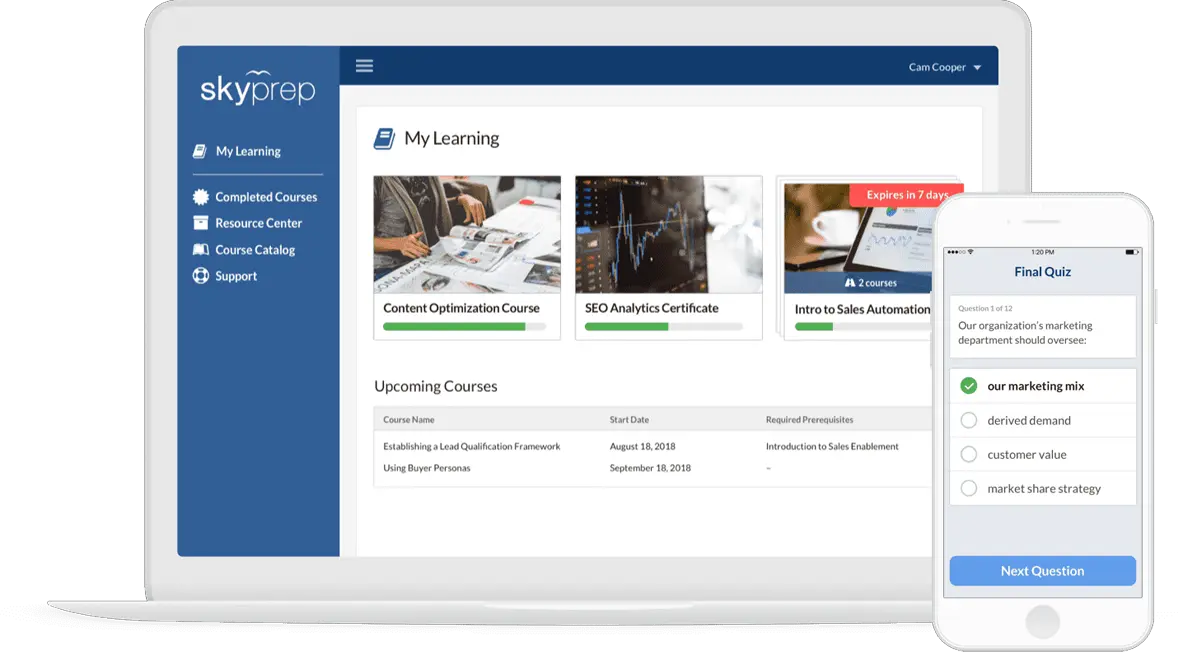
SkyPrep is an employee training solution designed to make development simple and accessible. It includes course creation tools, customisable learning paths, and automated enrolment.
Compared to Learn365, SkyPrep is designed for organisations that want a self-contained training platform. SkyPrep delivers a straightforward training experience through its own intuitive interface. It offers custom branding and multi-branch portal support. These make it a more flexible option for organisations running training programs across different locations or business units.
However, SkyPrep’s advanced features are more limited than enterprise platforms. Course content sequence tracking is less intuitive than other solutions on this list. Its scalability may be a concern for rapidly growing organisations.
Key features
- Course creation and content upload tools
- SCORM and multimedia content support
- Customisable learning paths
- Automated learner enrolment
- Quizzes and knowledge assessments
- Certification and completion tracking
- Custom branding and white-labelling
- Multi-branch training portals
- Reporting and analytics tools
- Mobile learning access
Pros
- Simple interface that allows administrators with no technical background to manage admin tasks
- Custom branding options that give smaller organisations a training environment that feels like their own product
- Automated enrolment and notifications that remove repetitive manual tasks from training coordinators
Cons
- Advanced features are more limited than enterprise platforms
- Course content sequence tracking is less intuitive than competitors
- Automated email reminder functionality is limited
- Scalability may be a concern for rapidly growing organisations
Learn365 vs SkyPrep
As an alternative, Skyprep offers:
- A standalone modern learning platform that any organisation can adopt without existing technology prerequisites
- All key features are accessible across plans without requiring add ons
- A support team specifically praised for consistent response times and quality across all plan tiers
Pricing
SkyPrep provides three pricing plans: Lite, Premium, and Enterprise Learning Suite. The pricing details are available on request. Contact their team directly for an accurate quote.
Rating
4.7/5 (average rating from G2, Capterra, Software Advice, GetApp)
Future-proof Your Training Programs with These Learn365 Alternatives
Before you commit to a learning management system, take advantage of Explore Pricing and explore the full range of functionalities these platforms offer. You may also want to put out a Request For Proposal outlining your unique needs and encouraging companies to approach you with solutions that will meet them. Doing so helps you future-proof your corporate training initiatives.
Not Sure Where To Start With Putting Together A Request For Proposal?
We’ve got just the template you need.Sure, Learn365 offers seamless integration with Microsoft tools, but other solutions like Cloud Assess and Docebo provide greater flexibility and a wider array of features that can help ensure your training programs are adaptable, engaging, and equipped to meet the evolving needs of your workforce.



