Scaling employee training takes more than simply hosting courses. It calls for a system that can deliver structured learning, and meet compliance requirements. A system that must also provide clear reporting on progress across the organisation. With the right solution, training can stay consistent, become measurable, and grow with the business.
That said, not every solution is the right fit. A platform that works well for one organisation might feel too rigid or too complex for another. Exploring alternatives helps organisations find tools that strike the right balance. They can be powerful yet practical. And they give teams the flexibility to design learning experiences that are both effective and engaging.
What is Adobe Learning Manager?
Adobe Learning Manager (ALM) is a learning management system (LMS). It is specifically designed to help organisations deliver online training at scale. It also makes it easier to track progress across the business. The platform provides a central hub where employees, partners, or even customers can access courses. They can follow structured learning paths and measure their progress along the way.
The system is built to support enterprise-level training needs. It includes features such as automated enrolment. It also covers compliance tracking and reporting dashboards. And it integrates with other business systems.
However, ALM is not a perfect fit for all enterprises. There are several reasons for this:
- Rigid Licensing Model: Many enterprise users find Adobe Learning Manager’s licensing model inflexible. Or that it is poorly suited to complex or evolving organisational structures. Pricing is typically based on active users, which can lead to high and unpredictable costs when scaling to large workforces.
- Integration Challenges: ALM can be difficult to integrate with non-Adobe systems such as HR, CRM or third-party learning tools. Enterprises using platforms like Workday, SAP or Salesforce have reported prolonged integration efforts. This sometimes takes months or years to resolve.
- Limited Reporting and Analytics: While ALM includes standard reporting options, many users find them restrictive. Creating custom or cross-functional reports often requires exporting raw data for manual analysis. Some metrics only update daily, and visualisation tools are basic. For large enterprises that rely on real-time compliance tracking or detailed insights, this can be a major drawback.
- Feature Gaps in Key Enterprise Functions: Certain enterprise-level capabilities are limited in ALM. This includes advanced certification management and external credential tracking. Instructor-led training scheduling and calendar integration are less refined than in other LMSs.
- Performance and User Experience Issues: Enterprises have reported slow performance when managing large course catalogues or user bases. Administrators also describe a steep learning curve and an interface that can be unintuitive. The mobile experience is often inconsistent and less polished than the desktop version. This may reduce adoption among field or remote employees.
- Slow and Unreliable Support: Users report that Adobe’s customer support can take a long time to resolve issues or provide effective workarounds. For large enterprises relying on quick technical support, this can be a major limitation.
- Migration Complexity: Organisations migrating from legacy LMS platforms is a complex and time-consuming process. Some features promoted as easy to implement required extra development or outside assistance.
Best Adobe Learning Manager Alternatives
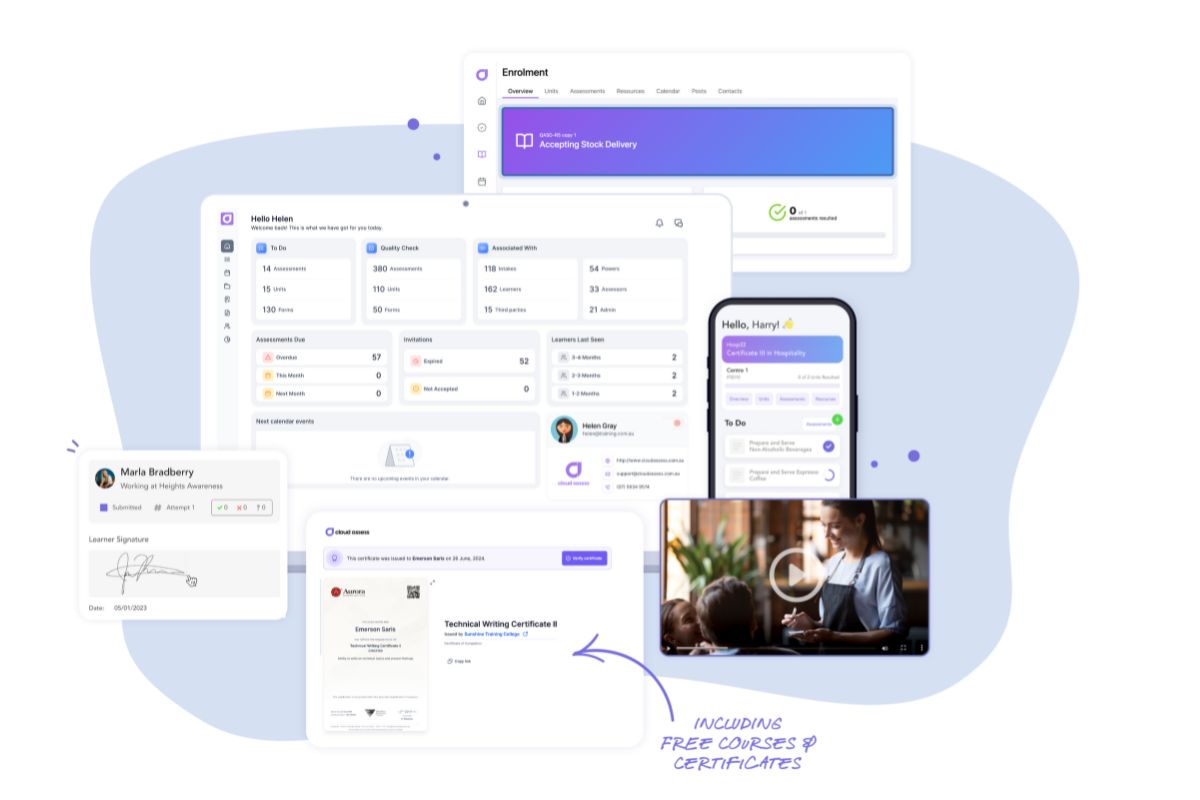
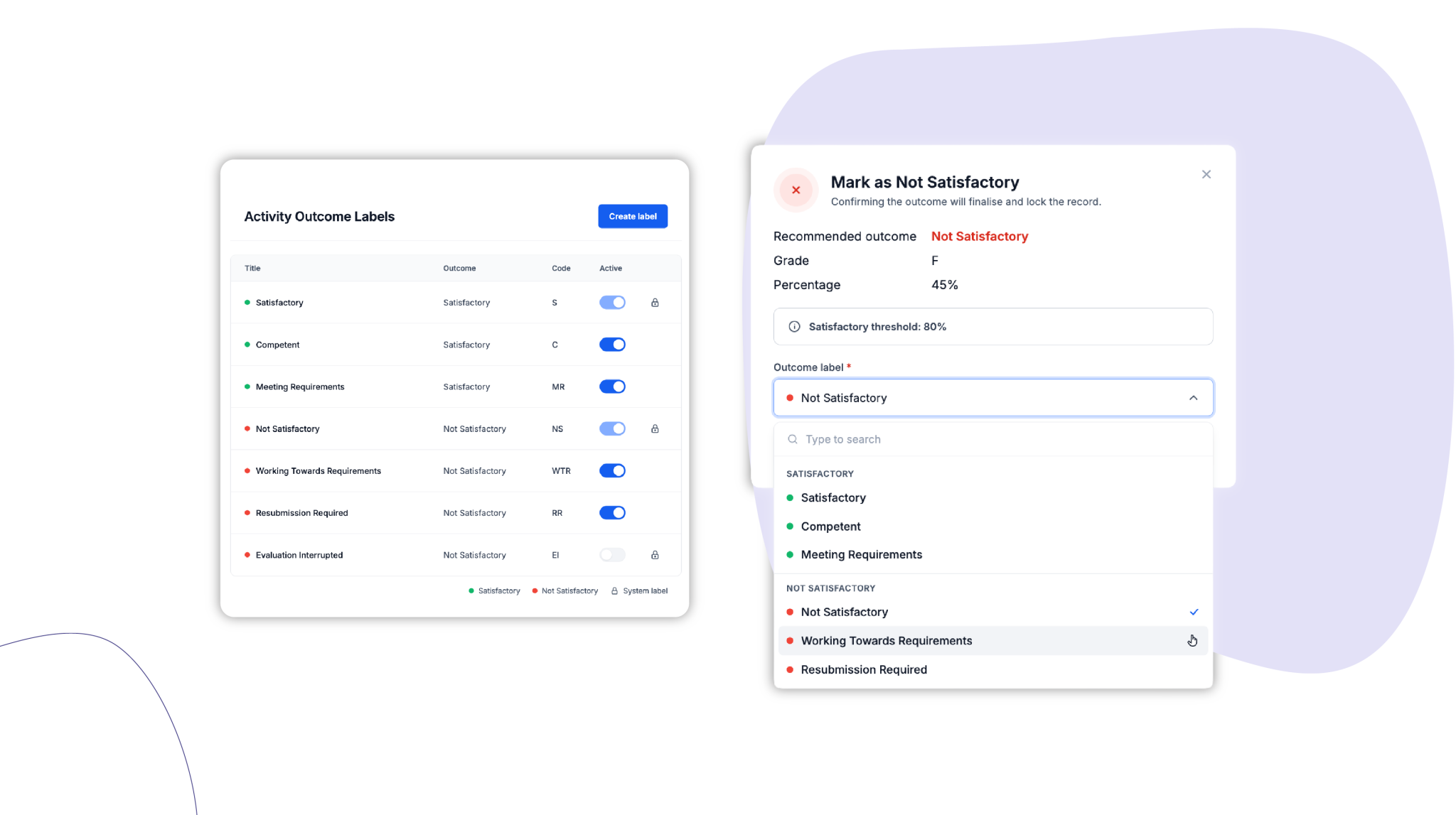
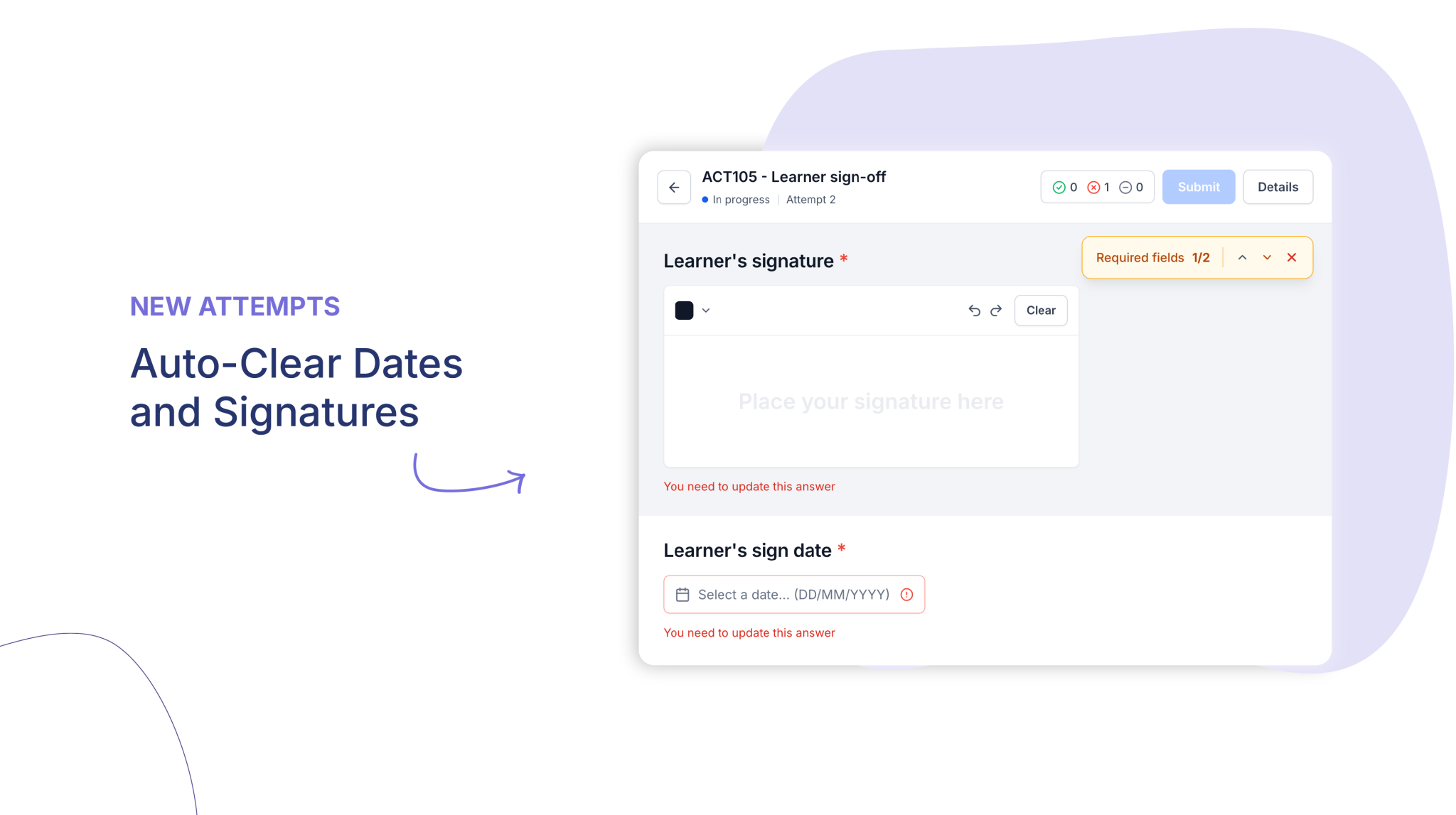
Cloud Assess is an enterprise-grade LMS designed for workforce training in compliance-heavy industries. It is optimised for mobile and offline use for deskless and frontline workers. The platform enables practical and on-the-job training. It offers real-time skills verification with digital checklists, logbooks, and competency sign-offs. Automated workflows also simplify delivery. This allows organisations to create custom learner journeys for different training needs.
The platform enables audit-ready reporting to ensure effective compliance tracking. It provides a real-time skills matrix to give enterprises visibility into workforce capability. Cloud Assess also integrates with HR systems and compliance platforms to reduce duplication. It manages certifications, licences, and standard operating procedures in one place.
Cloud Assess is the best choice for enterprises looking to close skill gaps, reduce risk, and deliver training where and when it matters most.
Key Features
- Course authoring
- Assessments and quizzes
- Observation checklists
- Online skills matrix for gap analysis
- Learning pathways
- Microlearning features
- Gamification features
- Offline learning
- Evidence portfolio uploads
- Trainer feedback tools
- Reporting and analytics
- AI automation
- Mobile-first learning app
- Digital safety checklists and on-the-job assessments
- Role-based training assignment
- Employee onboarding and induction workflows
- Digital forms and webforms
- Integrated messaging and announcements
- Custom branding and white-labelling options
- Real-time dashboards and compliance alerts
Pros
- Built for industries with hands-on, compliance-driven training needs
- Boosts employee engagement through gamification
- Improves workforce readiness by aligning training with organisational goals
- Focuses on real-world skill development, enhancing long-term employee performance
- Offers mobile app and offline learning for frontline and deskless employees
- Reduces compliance risk through real-time tracking and auditability
- Integrates with 5000+ solutions
Adobe Learning Manager vs Cloud Assess
Cloud Assess offers:
- Compliance-focused training with audit-ready reporting
- Mobile offline tools for field and frontline staff
- Core assessment and competency training without Adobe’s heavy integrations
- Lower admin workload through digital evidence collection and structured checklists
Pricing
Cloud Assess offers an all-inclusive solution for employee training in high-risk, high-compliance industries. Every feature is included from day one, including mobile offline assessment, verification of competency, skills matrix and automated compliance tracking. There are no upgrade paths or feature gates. Visit our pricing page for an accurate quote.
Rating
4.7/5 (average rating from Capterra, G2, GetApp, Software Advice)
#2 Docebo
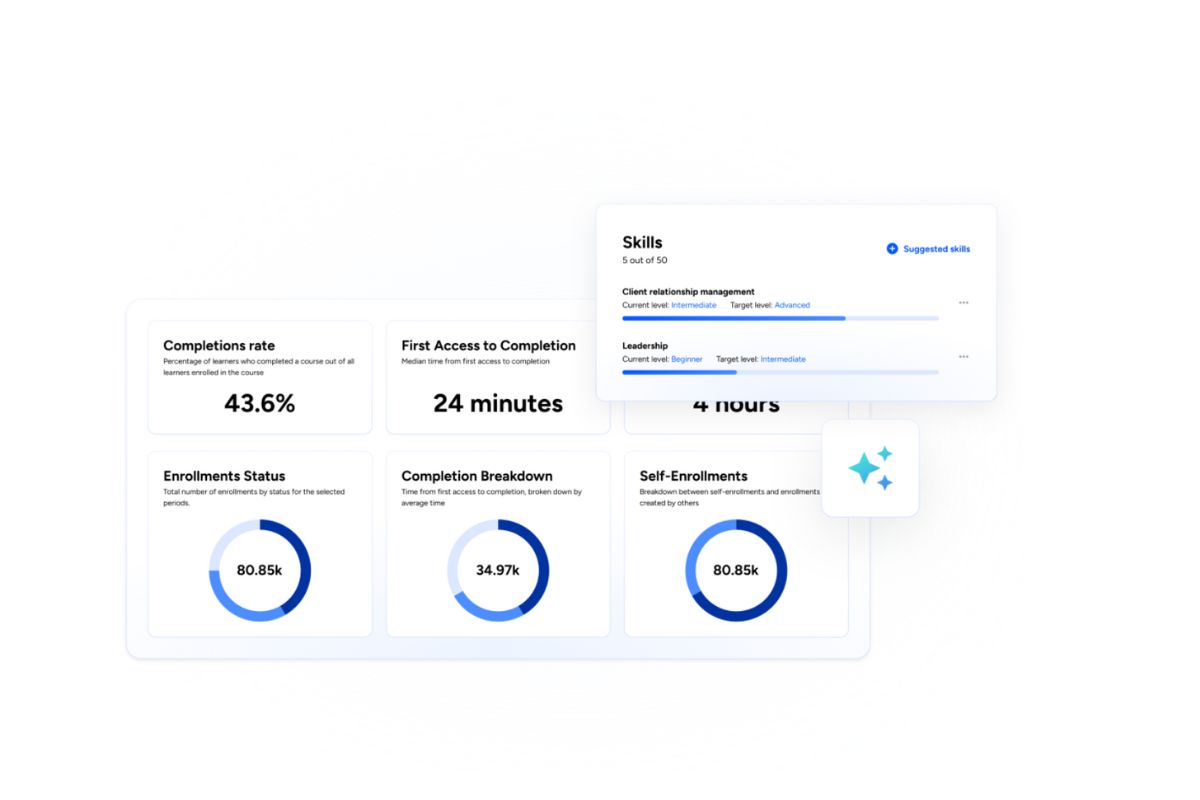
Docebo is a learning management system built for corporate training. It delivers large-scale employee training programs. The platform leverages artificial intelligence in training with AI-powered recommendations. It also offers structured learning paths, and compliance workflows. This helps large-scale enterprises to streamline training through automated enrolments. Managers can use dashboards to track learner progress and close skills gaps.
The platform provides mobile-first access to ensure global employees can learn on any device, anywhere. Its built-in social features support coaching and collaboration. This makes it a suitable choice for enterprises. It works well for large organisations needing scalable, personalised training. It can also support multiple regions and teams.
However, Docebo may be challenging for organisations that need highly customised platform design. Its advanced features also require a learning curve for administrators.
Key Features
- eLearning authoring software
- Learning paths
- Skills tagging
- AI recommendations
- Assessments and quizzes
- Video coaching
- Social learning tools
- Mobile learning app
- Multi-tenant portals
- Reporting and analytics
Pros
- Personalises employee learning with AI recommendations by role and skill
- Simplifies compliance programs with automated assignments and reminders
- Encourages collaborative learning with discussions, coaching and feedback workflows
- Improves manager oversight with dashboards tracking progress and gaps
- Supports mobile-first delivery for deskless workers
Cons
- Limited flexibility to customise the platform beyond standard options
- A steep learning curve when using advanced features like AI and skills mapping
- Not suitable for companies with fewer than 250 learners
Adobe Learning Manager vs Docebo
Docebo offers:
- Personalised learning with AI recommendations that are easier to configure than Adobe’s broader engines
- Automated compliance workflows with enrolments and learning paths
- Peer-to-peer learning through built-in discussions and coaching central to the user experience
- Global accessibility via a mobile-first app designed for higher engagement and a more modern interface
Pricing
Docebo offers two pricing plans: Elevate and Enterprise. These are tailored based on organisational needs. Contact their sales team directly for a customised quote.
Rating
4.3/5 (average rating from G2, Capterra, GetApp, Software Advice)
Not Looking for Docebo?
Here are powerful enterprise training solutions that might serve you better.#3 Cornerstone Learning
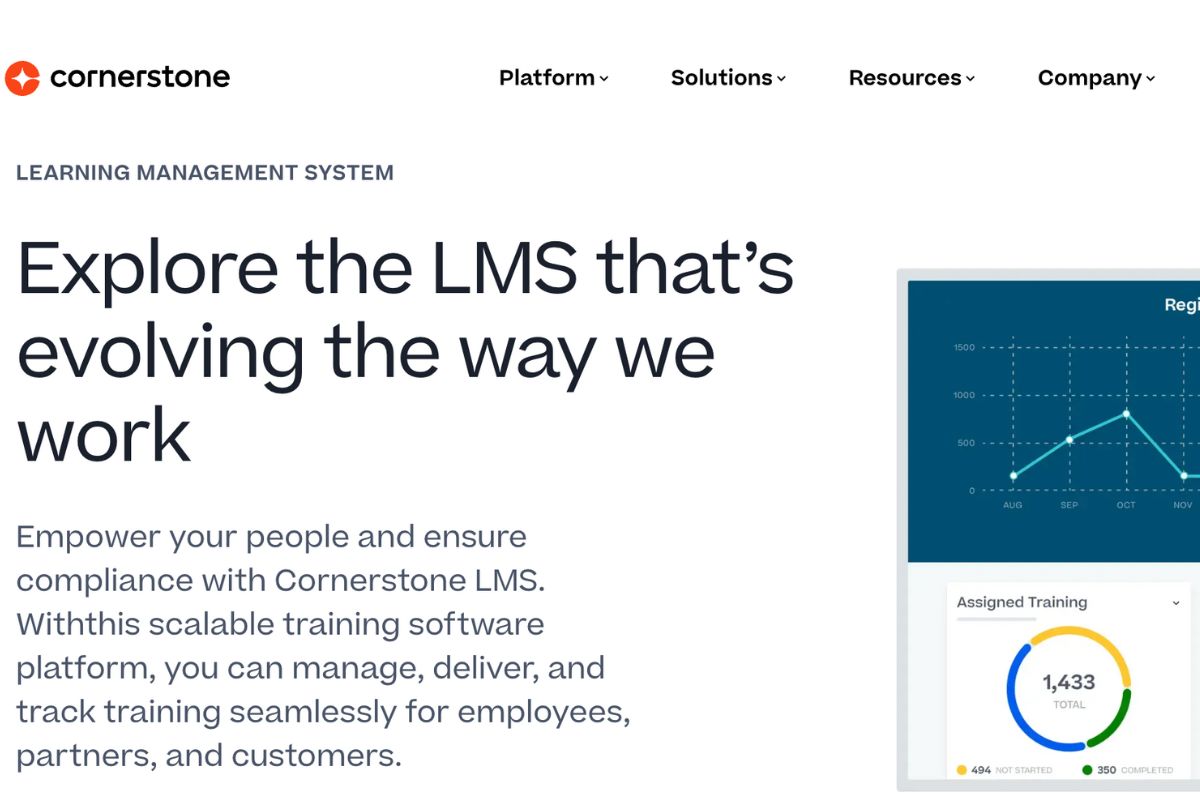
Cornerstone Learning is a learning management system designed for enterprise workplace training. It delivers employee learning at scale with strong compliance workflows and certifications. The platform supports recurring assignments to manage complex regulatory requirements. It also connects learning to skills frameworks that aid workforce planning. Cornerstone integrates training with performance reviews and career development processes. Managers can track learner progress through advanced reporting and analytics.
The platform also offers a large content library to reduce reliance on in-house course creation. This makes it a strong choice for enterprises seeking a complete corporate learning and talent development solution.
However, Cornerstone Learning may feel complex for learners in large deployments. Its reporting tools often require specialist knowledge to fully unlock.
Key Features
- Course authoring
- Learning assignments
- Skills graph
- Learning paths
- Certification management
- Compliance workflows
- AI search and discovery
- Social learning tools
- Mobile learning app
- Reporting and analytics
Pros
- Manages large compliance training programs with automated recurring assignments
- Connects training to skills frameworks that support strategic workforce planning
- Offers a wide content library that accelerates access to ready-made learning
- Captures external learning for a more complete employee training record
- Integrates training with performance and continuous professional development processes
Cons
- Interface can feel complex for learners in large deployments
- Reporting tools often require specialist knowledge to unlock deeper insights
- Branding and layout flexibility are limited compared with design-driven platforms
- Heavy HR integration footprint may depend on broader Cornerstone ecosystem
Adobe Learning Manager vs Cornerstone Learning
Cornerstone Learning offers:
- Enterprise compliance training with automated recurring assignments and renewals
- Skills-based learning frameworks that link training to roles, performance goals and workforce planning
- Integration of learning with performance and career development within a single platform
- A large, curated content library that reduces reliance on in-house course development
Pricing
Cornerstone onDemand doesn’t make the pricing details readily available on their website. Contact their team directly to get accurate pricing information.
Rating
4.2/5 (average rating from G2, Capterra, GetApp, Software Advice)
Not Interested in Cornerstone Learning?
Explore other top corporate training alternatives that fit your business needs.#4 eFront
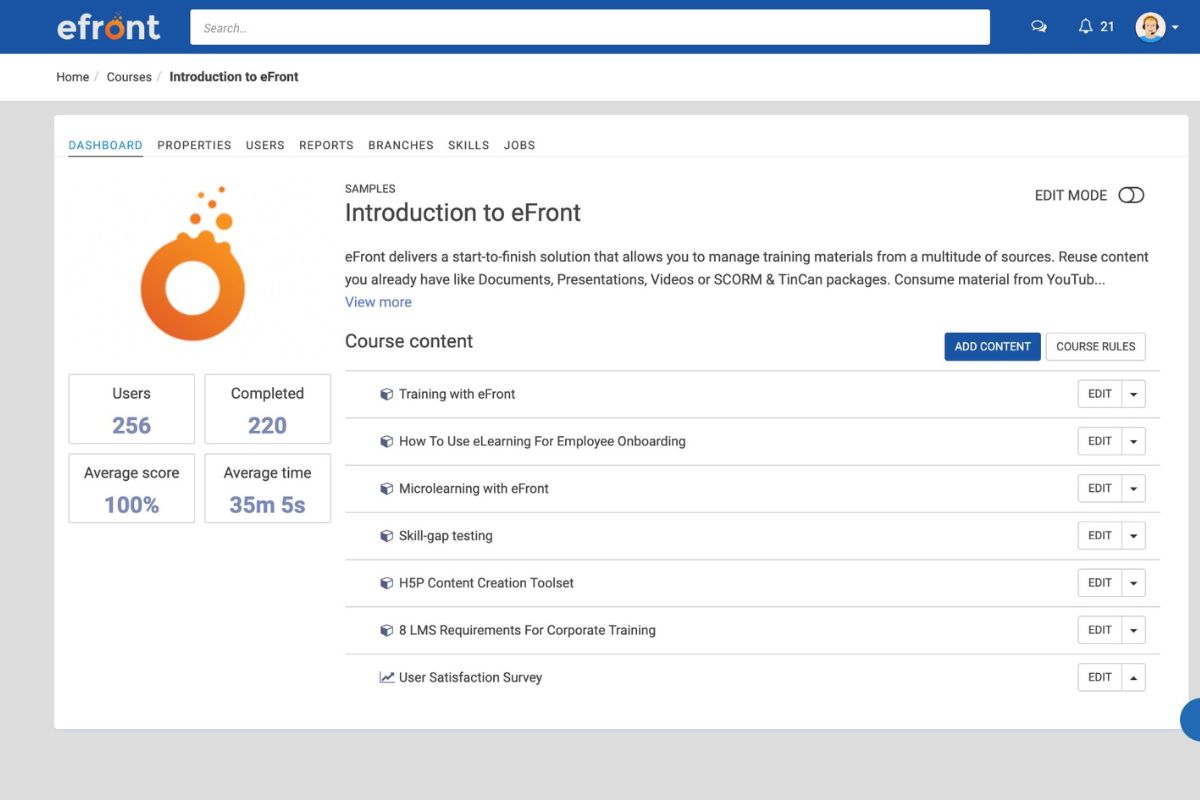
eFront is an LMS that focuses on flexibility and security for enterprise employee professional development. It supports blended learning through instructor-led training sessions, online courses, and assessments. Employees can stay engaged with gamification features and discussion forums. Enterprises use certifications and renewals to manage compliance programs effectively. Organisations can use it to customise training through learning paths. They can also set up branch portals to support different departments. It offers mobile learning access to ensure employees can learn any time, anywhere.
These capabilities make eFront well-suited to enterprises with strict data policies. They also support organisations with complex training structures. Organisations can host the system on a private cloud or on-premises for greater control.
However, eFront may feel less polished in user experience compared with enterprise LMSs like Cloud Assess. Its reporting dashboards also offer limited customisation without external tools.
Key Features
- Course authoring
- Assessments and quizzes
- Learning paths
- Certification management
- Instructor-Led Training (ILT) and webinar support
- Gamification modules
- Social learning forums
- Mobile learning app
- Branch training portals
- Reporting and analytics
Pros
- Provides control over hosting with on-premises or private cloud options
- Supports blended learning through instructor-led training scheduling and online assessments
- Enables deeper learner engagement with gamification and social learning features
- Allows multi-branch management for separate departments or clients
- Strengthens compliance training with certifications and renewals
Cons
- Course authoring tools are basic compared with specialist authoring platforms
- User interface feels less polished than leading enterprise solutions like Docebo
- Reporting dashboards offer limited customisation without external tools
- Social learning features are present, but not as advanced as peers
Adobe Learning Manager vs eFront
eFront offers:
- Blended learning with built-in ILT scheduling, classroom management and online courses
- Flexible deployment options, including private cloud or on-premise hosting for greater data control
- Employee engagement through configurable gamification tools and interactive social forums
- Independent, customisable training portals for departments, partners or divisions
Pricing
eFront offers a Registered plan that is suitable for simultaneous training usage, starting from $720 per month. They have an Active plan, which is their agile plan for complex training programs, starting from $1,600 per month. They also offer an on-premise plan that’s tailored according to business needs.
Rating
4.5/5 (average rating from G2, Capterra, GetApp, Software Advice)
#5 SC Training
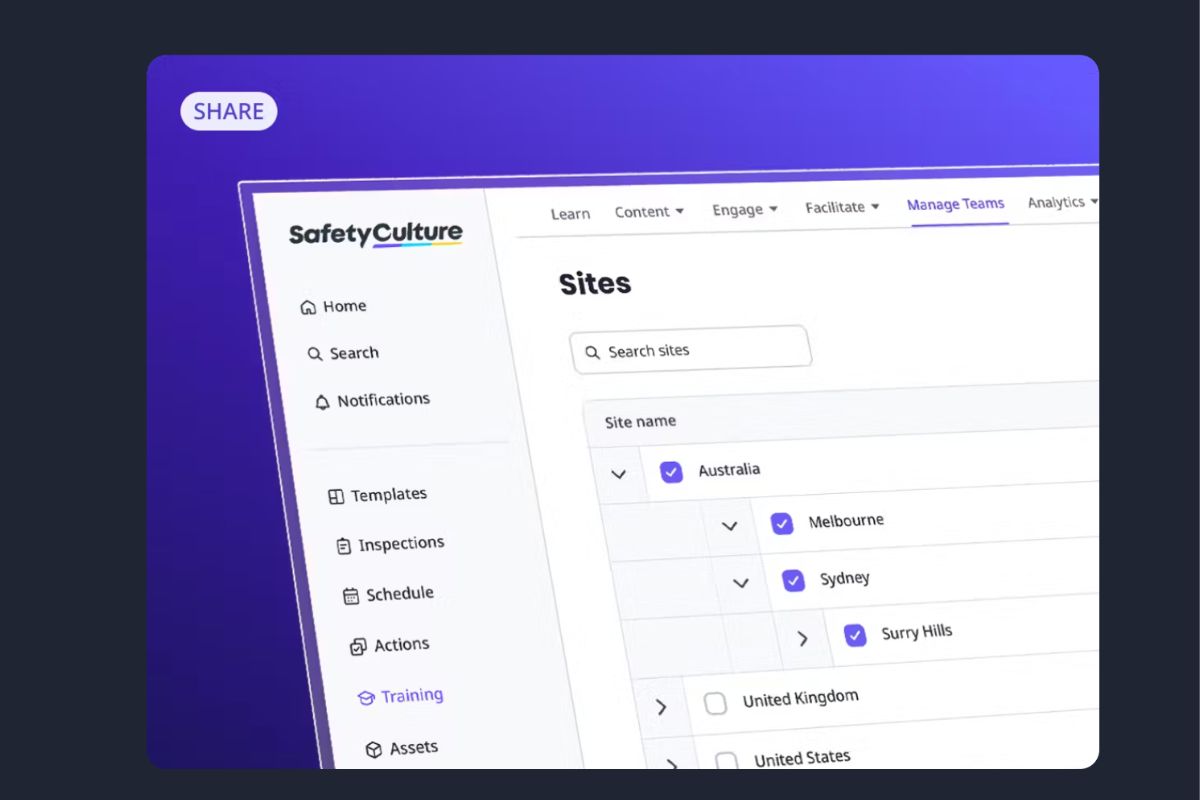
SC Training (formerly EdApp) is a microlearning app that is designed to deliver micro modules at scale. The platform uses ready-made templates to create short, focused educational content quickly. It provides engagement tools such as quizzes and leaderboards that increase learner engagement. It also supports spaced repetition to reinforce knowledge retention over time.
Its mobile-first accessibility allows effective frontline training. It also enables managers to track progress and performance through dashboards and analytics. Its QR code enrolment and offline learning make access simple for distributed workforces. These features make SC Training a good choice for enterprises needing rapid and engaging training.
However, SC Training may not suit enterprises requiring complex branching simulations. Its certification workflows are also lighter than compliance-focused platforms.
Key Features
- Microlearning templates
- Rapid authoring
- Spaced repetition
- Gamified quizzes
- Assessments and surveys
- ILT and webinars
- Discussion boards
- QR enrolment
- Offline mobile access
- Reporting and analytics
Pros
- Delivers training quickly with ready microlearning courses
- Boosts knowledge retention with spaced repetition on mobile
- Increases learning engagement with gamified quizzes and leaderboards
- Reaches frontline workers with offline and QR access
- Speeds content creation with an intuitive authoring flow
Cons
- Slide-based lessons limit complex branching scenarios
- Certification workflows are light for regulated training programs
- Reporting depth is limited for enterprise compliance needs
Adobe Learning Manager vs SC Training
SC Training offers:
- Fast microlearning delivery through pre-built, easy-to-use templates for rapid course creation
- Higher retention through gamification and native spaced repetition
- Offline mobile access designed for frontline and distributed employees
- Simple administration with built-in authoring tools for quick and intuitive course creation
Pricing
SC Training provides two plans: Premium for larger teams at $5 per learner per month and a tailor-made Enterprise plan.
Rating
4.5/5 (average rating from G2, Capterra, GetApp, Software Advice)
#6 Bridge LMS
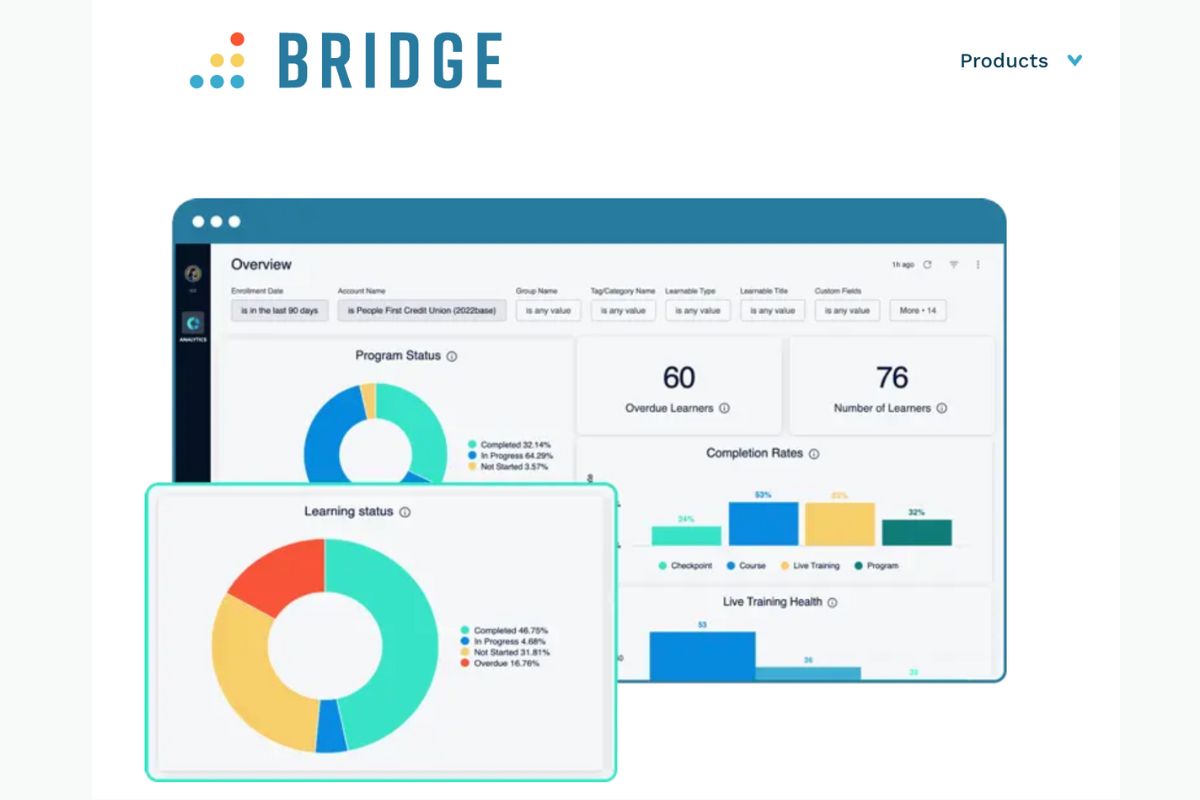
Bridge LMS is a corporate LMS that combines employee training with performance management. This helps enterprises link learning directly to workplace goals. The platform offers course authoring and structured learning paths. Managers can use dashboards and check-ins to guide employee development. It enables organisations to create personalised journeys that combine online courses, ILT sessions, and assessments.
Bridge also supports skills tracking to align training with workforce needs. Its focus on connecting learning and performance makes it valuable for enterprises. It helps organisations develop talent while also managing employee growth.
However, Bridge LMS may not suit enterprises with heavy compliance requirements. Its reporting and analytics are also less advanced than those of larger enterprise LMS platforms.
Key Features
- Course authoring
- Learning paths
- Skills management
- ILT scheduling
- Surveys and pulses
- Manager dashboards
- Mobile learning app
- Reporting capabilities
Pros
- Aligns training with employee goals and performance reviews
- Simplifies delivery for HR and L&D teams with an easy setup
- Improves skill development with coaching through manager dashboards and check-ins
- Structures employee learning into clear journeys and paths
- Collects employee feedback with surveys for training improvements
Cons
- Compliance tooling is light for heavily regulated industries
- Advanced analytics often require external BI solutions
- Complex certification renewals need careful configuration
Adobe Learning Manager vs Bridge LMS
Bridge LMS offers:
- Training aligned with employee goals, feedback and performance reviews
- Reduced setup complexity through a clean, intuitive interface that simplifies administration
- Active manager involvement through dedicated dashboards, progress tracking and coaching prompts
- Simpler, structured training journeys combining online, live and on-the-job learning formats
Pricing
Bridge LMS offers a Learn plan for just the LMS. They also have the Talent Suite for LMS and Skills Development. Their third plan is the Full Suite that also includes performance management features. Contact their team for a tailored quote.
Rating
4.5/5 (average rating from Software Advice)
#7 Totara Learn
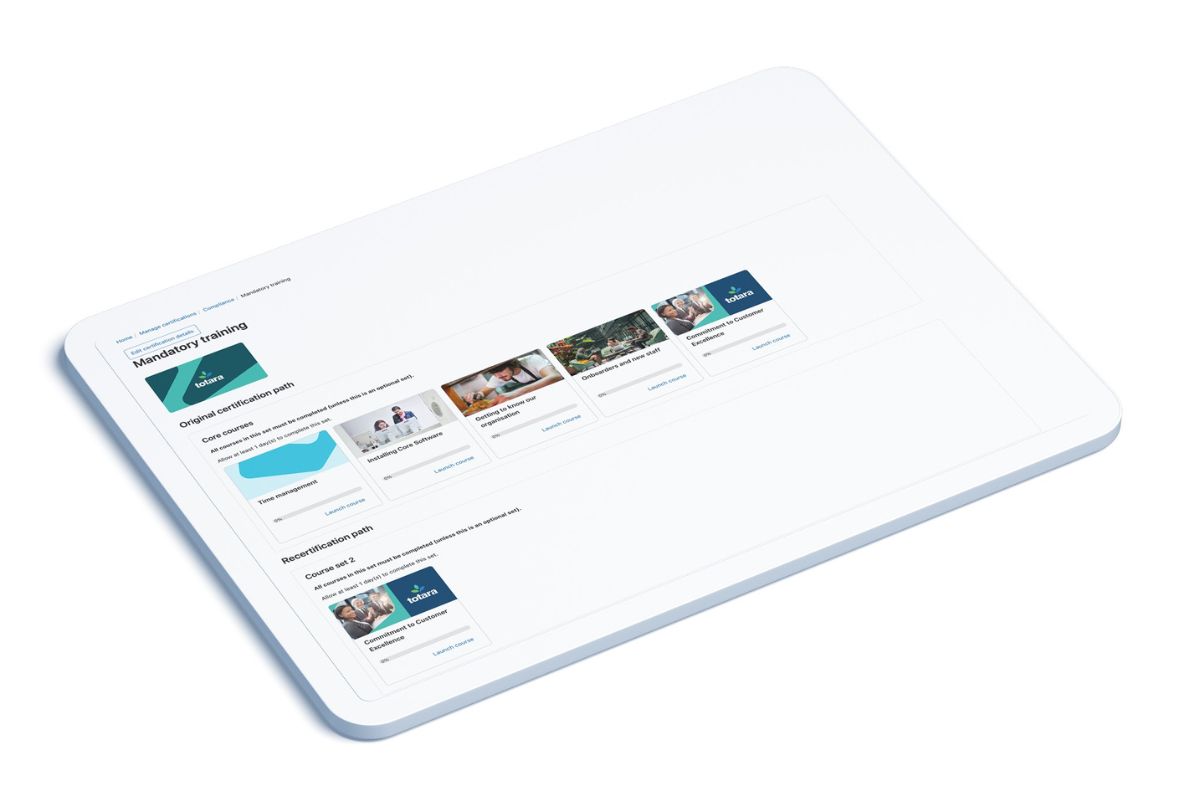
Totara Learn is an open-source LMS offering enterprises flexibility in designing corporate training. The platform supports learning plans, certifications, and renewals to manage compliance effectively. Enterprises can customise training workflows through audience rules, roles, and extensions. It also enables blended learning with ILT and seminar scheduling. Managers gain oversight with a configurable reporting engine that tracks employee progress.
The open design allows organisations to adapt Totara to complex training structures. It also enables them to easily integrate with existing systems. These features make it well-suited to enterprises that need highly adaptable training. And also organisations that require compliance-ready solutions.
However, Totara Learn may feel less modern in user experience compared with other enterprise LMSs. Its flexibility also requires greater ongoing maintenance from administrators.
Key Features
- Course authoring
- Learning plans
- Competency frameworks
- Certifications and renewals
- Audience targeting
- ILT and seminars
- Open extensions
- Multi-tenant options
- Custom report builder
- Mobile learning app
Pros
- Adapts training workflows with flexible rules and audiences
- Supports compliance at scale with programs and certifications
- Delivers blended learning with strong seminar management
- Enables deep control through open extensions and plugins
- Surfaces insights with a powerful custom report builder
Cons
- User interface can feel less modern compared with leading LMSs
- Reporting setup can be complex without strong admin experience
- Certification and renewal workflows require careful configuration to manage at scale
Adobe Learning Manager vs Totara Learn
Totara Learn offers:
- Flexible employee training plans with conditional enrolments and customisable rules
- Comprehensive compliance management with automated certifications, renewals and audit reporting
- Blended learning with advanced seminar management and ILT scheduling tools
- Custom extensions and open integrations that reduce reliance on Adobe’s integrations
Pricing
Totara Learn doesn’t make pricing details available on their website. Contact their team directly for pricing information.
Rating
4.3/5 (average rating from G2, Capterra, GetApp, Software Advice)
#8 Absorb LMS
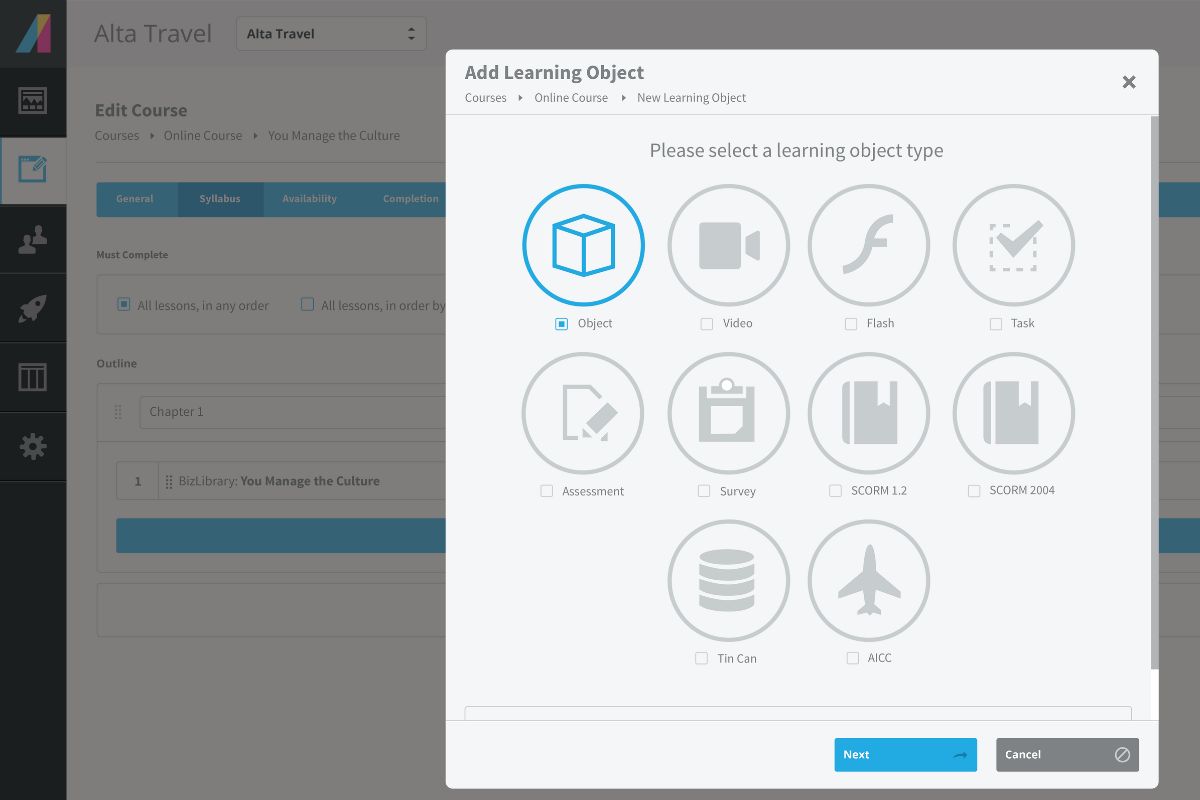
Absorb LMS is an enterprise LMS delivering streamlined learning experiences. The platform combines course authoring, certifications, and learning paths all in one. These support employee development and compliance. It offers observation checklists and manager approval workflows. These tools extend oversight of training programs. Employees can access training on any device through a responsive interface.
Enterprises can also use its automation tools that simplify enrolments and recurring certifications. They can use its reporting dashboards for employee progress and training effectiveness insights. These capabilities make Absorb a strong option for organisations needing an intuitive platform. Especially to manage large-scale training programs efficiently.
However, Absorb LMS may lack advanced simulation tools for highly interactive training. Its deeper reporting options often require external add-ons or BI expertise.
Key Features
- Course authoring
- Learning paths
- Observation checklists
- Assessments and quizzes
- Certifications and CEU
- eCommerce storefront
- External training capture
- Manager approvals
- Mobile responsive learning
- Reporting dashboards
Pros
- Speeds deployment with a clean learner experience
- Automates training with rules and manager approvals
- Supports blended learning programs with observation checklists
- Extends reach with eCommerce for public academies
- Connects systems smoothly through mature APIs
Cons
- Advanced reporting customisation often needs add-ons or BI skills
- Multi-brand governance becomes complex at high scale
- Authoring handles basics but not complex simulations
- Competency modelling is lighter than HR-centred suites
Adobe Learning Manager vs Absorb LMS
Absorb LMS offers:
- Simplified employee training through a clean, intuitive learner interface that improves usability
- Automated compliance tracking with recurring certifications, renewals and expiry alerts
- Blended learning delivery supported by ILT tools, webinars and structured checklists
- Manager oversight through approval workflows and real-time reporting dashboards
Pricing
Absorb LMS doesn’t make pricing available on their website. Contact them directly for a tailored quote.
Rating
4.5/5 (average rating from G2, Capterra, GetApp, Software Advice)
#9 Thought Industries
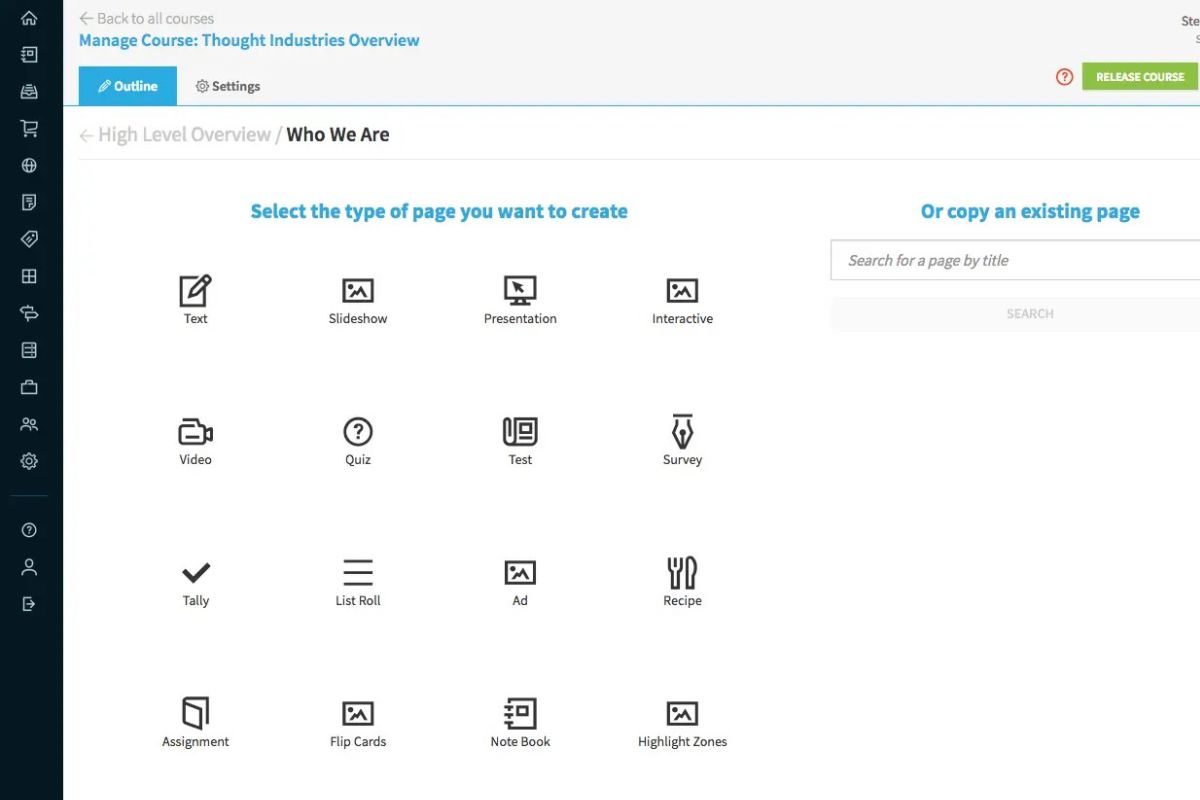
Thought Industries is a cloud-based LMS that supports the delivery of structured training. The platform provides course authoring, certifications, and learning paths. This helps organise employee development programs. It also enables blended training with instructor-led sessions and virtual events. It provides employees with collaborative learning opportunities through discussion and social learning features.
Enterprises gain visibility into training outcomes with reporting dashboards and analytics. Mobile access ensures employees can complete training anywhere. These features make Thought Industries a good choice for companies looking for collaborative and flexible delivery methods.
Thought Industries may not offer deep competency frameworks for workforce planning. Its compliance features are also lighter compared with more regulation-focused LMSs.
Key Features
- Course authoring
- Learning paths
- ILT and events
- Certifications and exams
- Assessments and surveys
- Multi-portal learning
- Content licensing
- Social learning tools
- Mobile access
- Reporting and dashboards
Pros
- Structures employee training with courses, paths and certifications
- Supports blended training programs with ILT sessions and events
- Tracks learner progress with assessments and reporting dashboards
- Provides employees with mobile access to training content
- Encourages engagement with social learning features
Cons
- Skills frameworks are limited for enterprise workforce planning
- Manager-centric performance integrations are minimal
- Commerce configuration adds overhead for internal-only training
Adobe Learning Manager vs Thought Industries
Thought Industries offers:
- Structured training through courses, learning paths and certifications for internal and external learners
- Blended learning delivery combining eLearning, ILT sessions and virtual events in one platform
- Employee engagement through integrated collaboration tools, community spaces and peer learning
- Actionable analytics delivered through built-in dashboards without complex data integrations
Pricing
Thought Industries doesn’t provide pricing information on their website. Contact them directly for an accurate and tailored quote.
Rating
4.4/5 (average rating from G2, Capterra, GetApp, Software Advice)
#10 WorkRamp
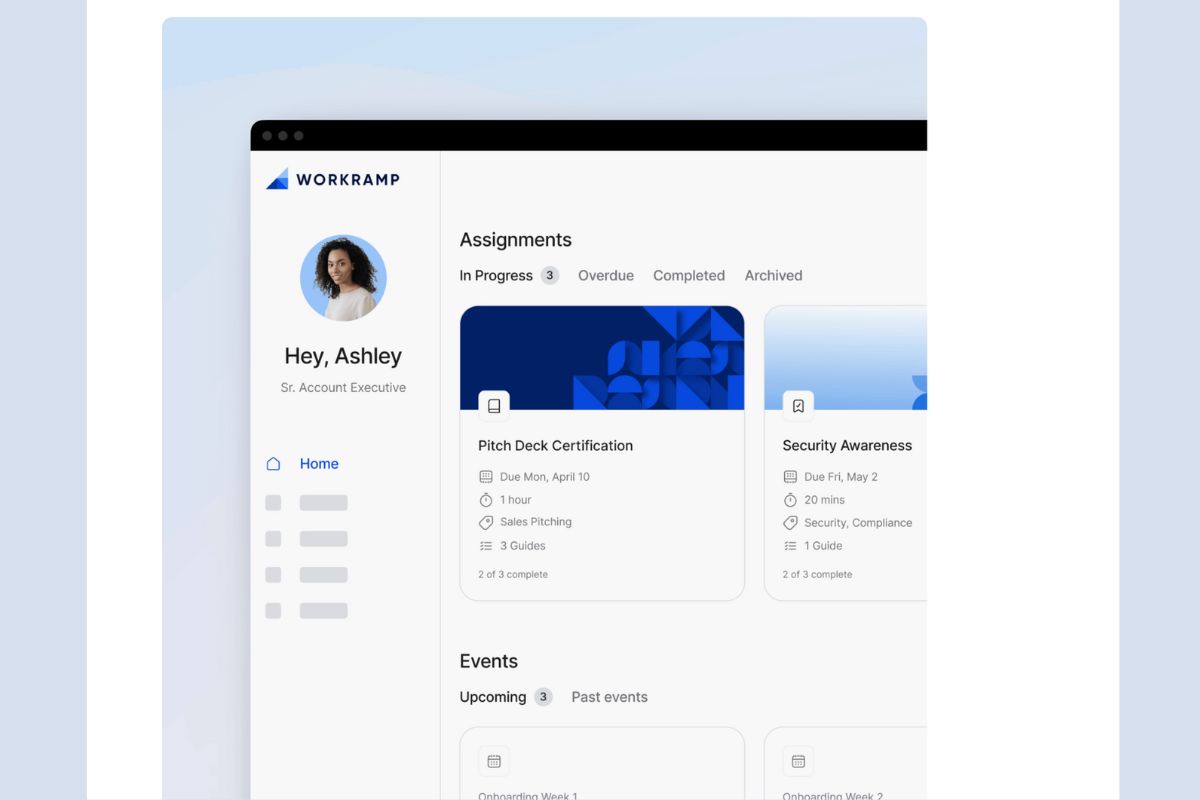
WorkRamp is an employee LMS solution that delivers training through a unified platform. It supports course authoring, learning paths, and assessments to structure employee development. The platform uses AI-assisted authoring to accelerate content creation for training teams. Managers can validate employee progress through verified learning and sign-off workflows. It allows employees to access training content organised into clear guides and playbooks.
Enterprises can connect training directly to business outcomes with reporting dashboards and insights. These features make WorkRamp suitable for organisations needing efficient, structured, and scalable employee training.
WorkRamp may not suit enterprises with heavy compliance requirements. Its scheduling tools for large-scale instructor-led training are also less comprehensive. Especially when compared to some alternatives on this list.
Key Features
- Course authoring
- Learning paths
- AI content assist
- Guides and playbooks
- Assessments and quizzes
- Verified learning
- Customer education
- Salesforce integration
- Knowledge base
- Reporting and insights
Pros
- Accelerates training content creation with AI assistance
- Structures employee learning into clear paths and checklists
- Ensures knowledge retention with assessments and verified learning
- Improves manager visibility with dashboards and sign-off workflows
- Provides consistent training through guides and playbooks
Cons
- Skills and competency models are lighter than talent suites
- Compliance workflows are basic for heavily regulated sectors
- Large-scale ILT scheduling is less comprehensive
Adobe Learning Manager vs WorkRamp
WorkRamp offers:
- Faster course creation through AI-assisted authoring tools that streamline content development
- Clear learning structures with defined paths and visual checklists for easy progress tracking
- Verified employee learning through built-in manager sign-offs and approval workflows
- Consistent training delivery supported by structured guides and playbooks for repeatable learning experiences
Pricing
WorkRamp offers Professional and Enterprise plans for its Employee Learning Cloud offering. Contact them directly for the exact pricing details.
Rating
4.4/5 (average rating from G2, Capterra, GetApp, Software Advice)
Looking for More Alternatives?
We’ve done the hard work for you. Explore these curated lists of popular platforms and alternative solutions.
Workforce Skills
Workforce Skills gives you a live view of every skill, every gap and every expiry across your workforce. Automate training assignment or manually enrol. Purpose built for frontline workers.